
이 페이지는 앱이나 개발자의 공식 페이지가 아니며, 정보 제공 및 논평을 목적으로 작성된 독립 편집 간행물입니다. 명시적으로 달리 언급되지 않는 한, 해당 앱이나 개발자는 MWM, Apple, Google Play, 앱 퍼블리셔 또는 앱 개발자와 제휴, 보증, 후원, 승인 또는 공식적으로 연결되어 있지 않으며, 이 페이지의 어떤 내용도 해당 앱이 MWM의 서비스를 사용하여 개발되었음을 의미하지 않습니다. 모든 상표, 로고, 스크린샷 및 기타 콘텐츠는 해당 소유자의 자산입니다.


다운로드
250k+사용자 평점
총 평가 수
4.3K개발사
카테고리
Utilities지원 언어
7최신 버전
1.3.0크기
876.3 MB출시일
2024년 12월 11일향상된 디지털 보안을 위한 핵심 기능 심층 분석
BlazeAuth - MFA Authenticator에 대한 분석적 관점
통합 다단계 인증 (MFA) 솔루션
이 앱은 2FA(2단계 인증) 및 TOTP(시변적 일회용 비밀번호) 코드를 통합 관리하며, QR 스캔, 수동 입력, 사진 가져오기 및 Google/Microsoft Authenticator에서의 코드 가져오기 등 다양한 추가 방식을 지원하여 사용자의 계정을 안전하게 보호합니다.
강력한 데이터 암호화 및 생체 인식 보호
이 앱은 강력한 데이터 암호화를 통해 사용자의 민감한 정보를 보호하며, Face ID 및 Touch ID와 같은 생체 인식 기능을 지원하여 무단 접근을 방지합니다.
안전한 비밀번호 관리자
이 도구는 무제한의 비밀번호를 안전하게 저장하고, 자동 채우기 기능을 통해 사용자 로그인 과정을 빠르고 편리하게 만듭니다.
안전한 계정 데이터 백업 및 복원
이 도구는 암호화된 백업 기능을 제공하여 사용자가 기기를 변경할 때에도 중요한 인증 코드와 비밀번호를 안전하게 복원할 수 있도록 보장합니다.
내장 VPN 서비스
이 앱은 개인 VPN 서버에 접근할 수 있는 기능을 제공하여 사용자의 온라인 개인 정보 보호를 강화하고 안전한 인터넷 환경을 조성합니다.
오프라인 2단계 인증 코드 생성
이 앱은 인터넷 연결 없이도 안전한 2단계 인증 코드를 생성할 수 있게 해주어, 사용자가 비행기 모드와 같은 오프라인 환경에서도 계정에 접근할 수 있도록 지원합니다.
자주 묻는 질문
에 대해 알아야 할 모든 것 BlazeAuth - MFA Authenticator
What is BlazeAuth - MFA Authenticator?
BlazeAuth - MFA Authenticator is an all-in-one authenticator and password manager. It provides seamless security for your digital life, offering Two-Factor Authentication and secure password storage.
What are the core features of BlazeAuth?
BlazeAuth offers Two-Factor Authentication (2FA) with TOTPs, a secure password manager, encrypted cloud backup and sync across devices, and cross-platform compatibility for various services.
Does BlazeAuth provide Two-Factor Authentication (2FA)?
Yes, BlazeAuth - MFA Authenticator provides Two-Factor Authentication (2FA). It uses time-based one-time passwords (TOTPs) to add an extra layer of protection to user accounts.
Can BlazeAuth function as a password manager?
Yes, BlazeAuth includes a secure password manager. Users can securely store and manage their passwords within the app, ensuring they never forget a login again.
Does BlazeAuth offer data backup and synchronization?
Yes, BlazeAuth provides backup and sync capabilities. It effortlessly syncs user data across devices using encrypted cloud backup, ensuring data availability and security.
Is BlazeAuth - MFA Authenticator compatible with various online services?
Yes, BlazeAuth is cross-platform compatible. It supports all favorite services, including Google, Facebook, YouTube, Spotify, and more, as depicted in the interface.
How does BlazeAuth ensure data privacy and security?
BlazeAuth ensures data privacy through enhanced protection, utilizing end-to-end encryption. This method guarantees that user data remains private and secure from unauthorized access.
How do I set up accounts for 2FA in BlazeAuth?
Users can easily set up accounts in BlazeAuth by scanning a QR code. This process quickly adds an account, such as a Google account, for 2FA protection.
Are there limits to the number of passwords I can save in BlazeAuth?
No, there are no limitations. BlazeAuth's password manager allows users to save an unlimited number of passwords, ensuring all credentials are securely stored.
Does BlazeAuth support biometric authentication for secure access?
Yes, BlazeAuth supports biometric authentication. It offers secure access with Face ID and Touch ID to protect stored credentials, enhancing the app's security.
Can BlazeAuth automatically fill in passwords and verification codes?
Yes, BlazeAuth can autofill. Users can turn on Autofill to save time, allowing the app to automatically fill in passwords and verification codes for seamless logins.
How can users access all premium features of BlazeAuth?
To receive full access to all BlazeAuth - MFA Authenticator features, users must subscribe to Premium. This subscription unlocks the complete range of functionalities.
What are the subscription terms for BlazeAuth Premium?
BlazeAuth Premium payments are charged to your iTunes Account upon purchase confirmation. Subscriptions renew automatically unless canceled 24 hours before the period ends, manageable in App Store settings.
Where can I find the Privacy Policy for BlazeAuth?
The Privacy Policy for BlazeAuth is available at the provided link: https://docs.google.com/document/d/1Usq1kIeNHJIxSW12sB842AbbQS-rBatS/edit?usp=sharing.
How can I get support or report a bug for BlazeAuth?
Users can receive support or report bugs and request features by emailing support@kanatom.com. This ensures continuous improvement of the BlazeAuth app.
다음 스크린샷과 설명은 앱의 공식 스토어 목록에서 직접 가져온 것이며 앱 개발자의 자산입니다.
앱 스토어
스크린샷
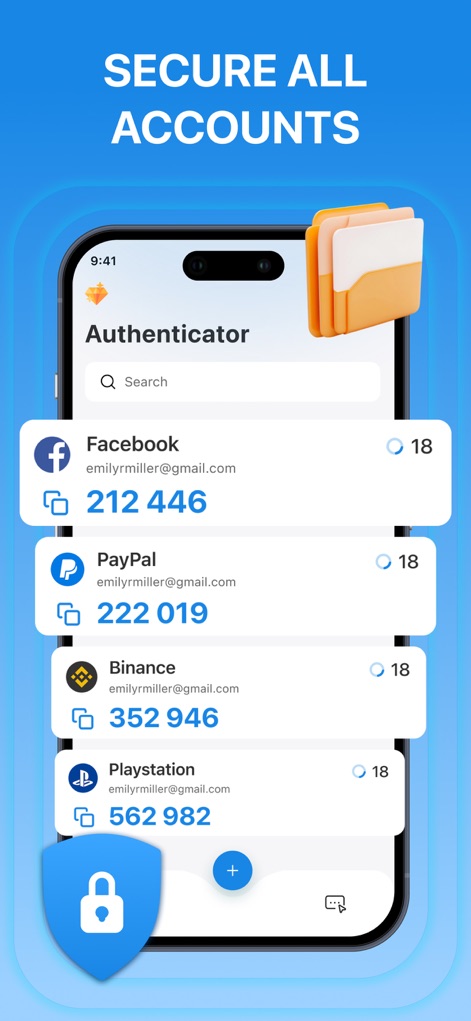
이 앱은 Facebook 및 PayPal과 같은 다양한 온라인 계정의 2FA 코드를 안전하게 관리하고 표시하여, 잠금 아이콘으로 사용자의 보안을 강화합니다.
모든 계정 보호
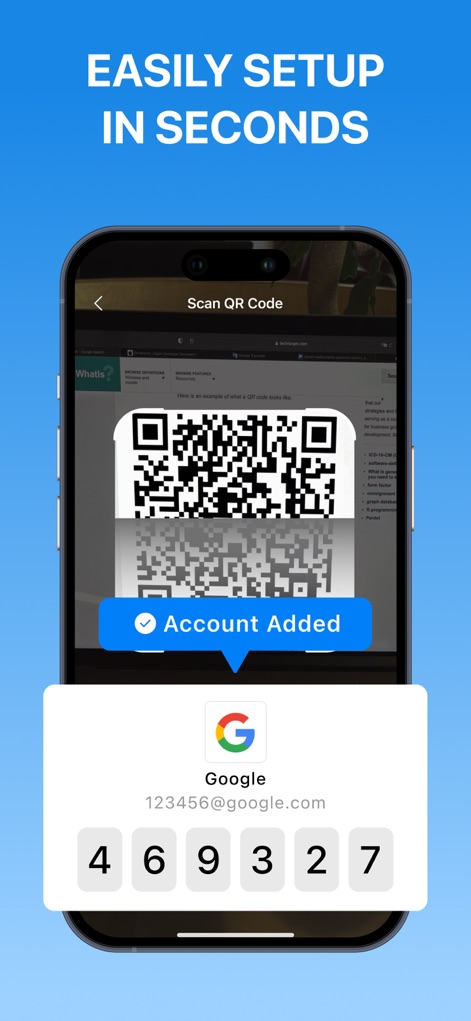
사용자는 QR 코드 스캔 기능을 활용하여 몇 초 만에 계정을 추가하고, Google 계정용 6자리 인증 코드가 즉시 생성되는 것을 확인할 수 있습니다.
간편한 설정 시작
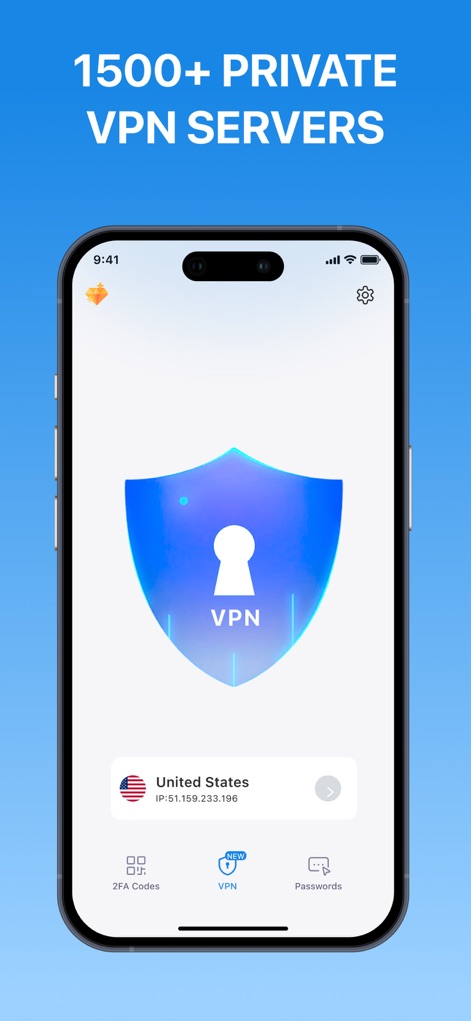
이 앱은 중앙에 VPN 실드 아이콘을 표시하여 개인 정보 보호를 강조하며, 사용자는 미국 서버를 선택하고 IP 주소를 확인할 수 있어 안전한 연결을 보장합니다.
프라이빗 VPN 보안
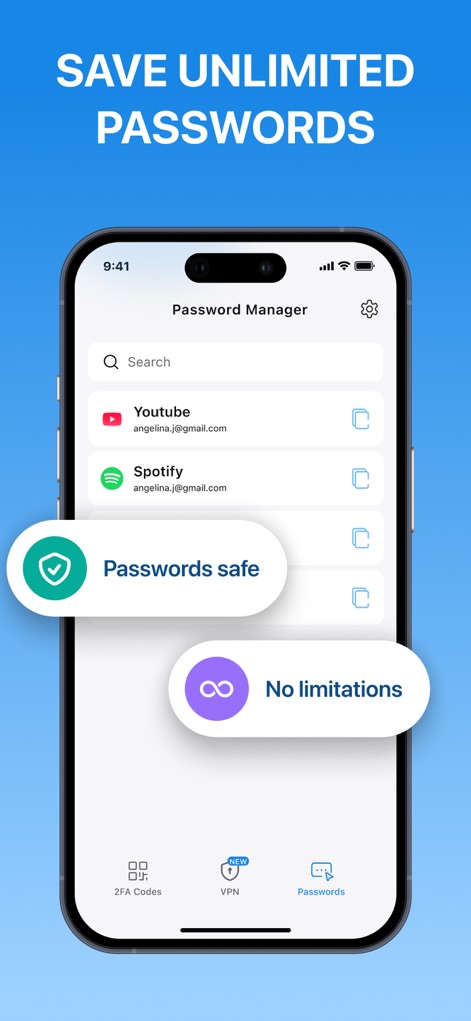
이 도구는 YouTube 및 Spotify와 같은 계정의 암호를 안전하게 저장하며, '무제한' 표시를 통해 저장 용량의 제약이 없음을 명확히 보여줍니다.
무제한 암호 저장
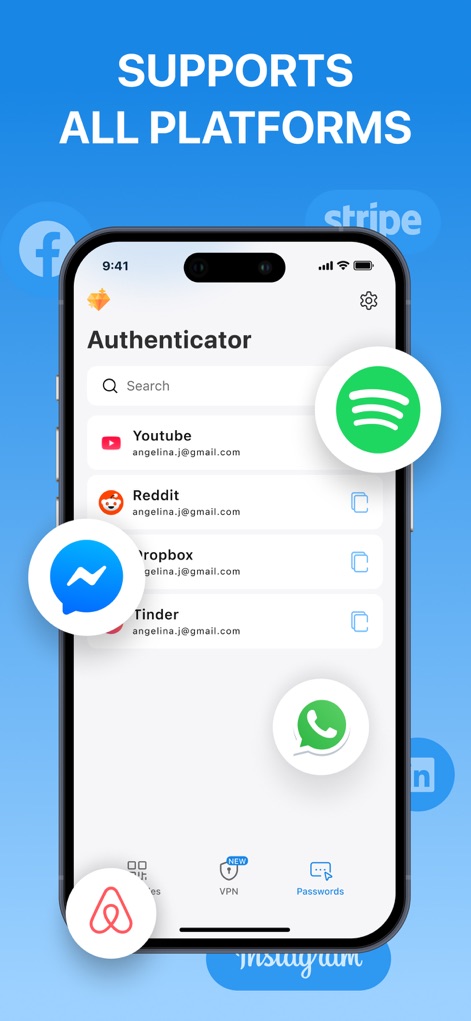
이 앱은 YouTube 및 Spotify와 같은 인기 있는 서비스를 포함하여 다양한 플랫폼을 지원하며, 검색 바를 통해 사용자가 원하는 계정을 손쉽게 찾을 수 있도록 합니다.
모든 플랫폼 지원
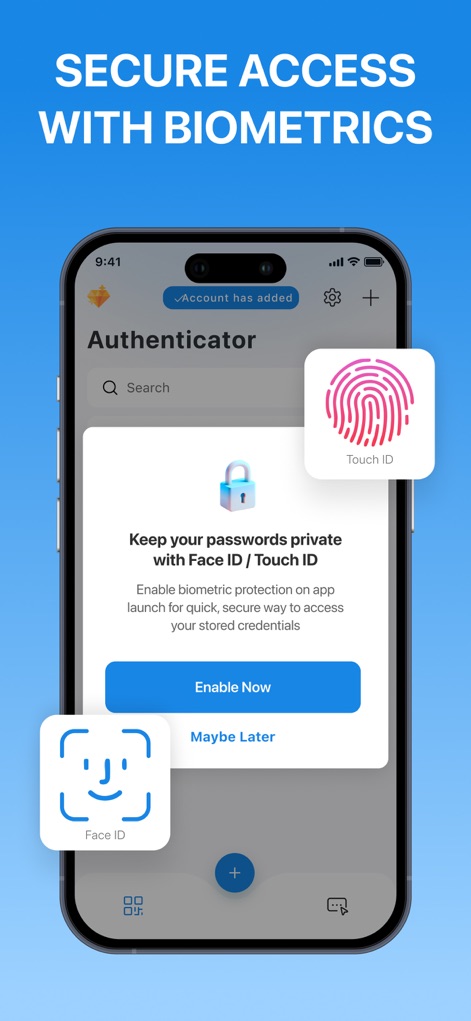
사용자는 Face ID 및 Touch ID 아이콘으로 표시되는 옵션과 비밀번호 보호 활성화 팝업을 통해 저장된 자격 증명에 대한 접근을 안전하게 보호할 수 있습니다.
생체 인식 보안 강화
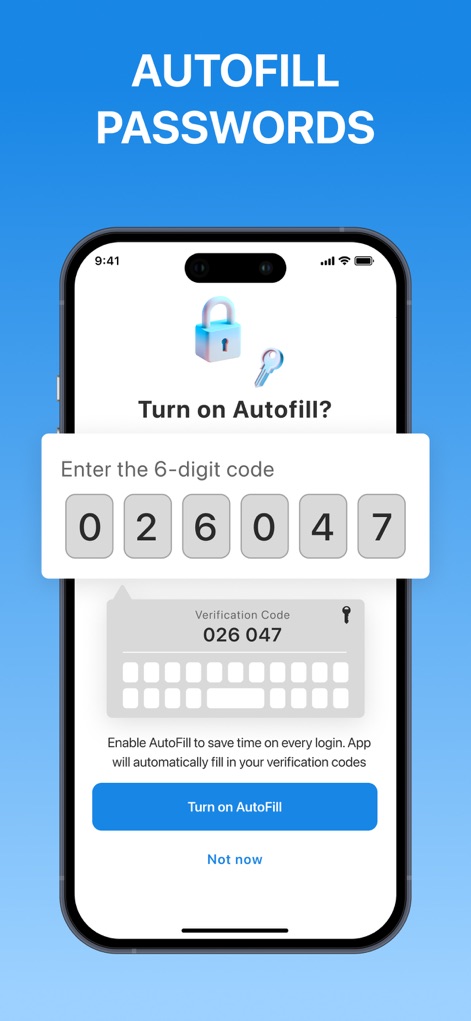
이 앱은 6자리 코드 입력 필드와 함께 자동 완성 기능을 제공하여, 사용자가 인증 코드를 빠르고 정확하게 입력하여 로그인 과정을 간소화할 수 있도록 돕습니다.
자동 완성으로 간편하게
설명
Download
비슷한 앱
유사한 기능과 사용자 경험을 가진 앱

Proton Pass - Password Manager
Proton AG

Dashlane Password Manager
Dashlane

Password Manager - mSecure
mSeven Software, LLC

Kepttor Password Manager
MACREL SRL SEMPLIFICATA

DataVault Manager - Encrypted
MIKHAIL SHERSHNEV

Authenticator ·
SMM service, s.r.o.

Bitwarden Password Manager
Bitwarden Inc

Authenticator App ⁸
AGILE CODE LIMITED

Authenticator App ℗
RHO DEVELOPERS LLC
이 페이지는 앱이나 개발자의 공식 페이지가 아니며, 정보 제공 및 논평을 목적으로 작성된 독립 편집 간행물입니다. 명시적으로 달리 언급되지 않는 한, 해당 앱이나 개발자는 MWM, Apple, Google Play, 앱 퍼블리셔 또는 앱 개발자와 제휴, 보증, 후원, 승인 또는 공식적으로 연결되어 있지 않으며, 이 페이지의 어떤 내용도 해당 앱이 MWM의 서비스를 사용하여 개발되었음을 의미하지 않습니다. 모든 상표, 로고, 스크린샷 및 기타 콘텐츠는 해당 소유자의 자산입니다.