Bluetouch™
Bluetouch™
다운로드: App Store

이 페이지는 앱이나 개발자의 공식 페이지가 아니며, 정보 제공 및 논평을 목적으로 작성된 독립 편집 간행물입니다. 명시적으로 달리 언급되지 않는 한, 해당 앱이나 개발자는 MWM, Apple, Google Play, 앱 퍼블리셔 또는 앱 개발자와 제휴, 보증, 후원, 승인 또는 공식적으로 연결되어 있지 않으며, 이 페이지의 어떤 내용도 해당 앱이 MWM의 서비스를 사용하여 개발되었음을 의미하지 않습니다. 모든 상표, 로고, 스크린샷 및 기타 콘텐츠는 해당 소유자의 자산입니다.


로고: Bluetouch™
다운로드: App Store

Bluetouch™

소프트웨어 설치 없이 장치를 전문가급 트랙패드 및 키보드로 변환하세요. 맞춤형 레이아웃, 단축키 매크로, 내장 마우스 지글러를 사용하여 PC, Mac 또는 스마트 TV를 손쉽게 제어하세요.

주요 수치

다운로드

4K+

사용자 평점

2.6/5

총 평가 수

0

개발사

Raymond Jones

카테고리

Utilities

지원 언어

1

최신 버전

1.0.101

크기

96.2 MB

출시일

2022년 5월 12일
기능

손안에서 펼쳐지는 완벽한 제어

iPhone 또는 iPad를 PC, Mac, 스마트 TV 또는 게임 설정용 강력한 소프트웨어 프리미티브 컨트롤러로 변환하세요.

끊김 없는 소프트웨어 프리미티브 설정

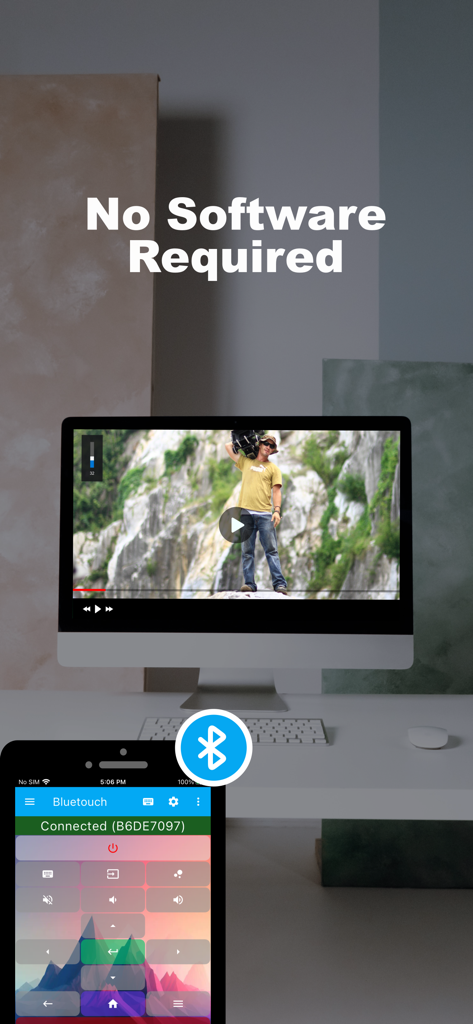
데스크톱 드라이버 없이 보안 블루투스를 통해 직접 연결하세요. 기업용 노트북 및 미니멀리스트 데스크에 완벽합니다.

전문가 수준의 맞춤형 레이아웃

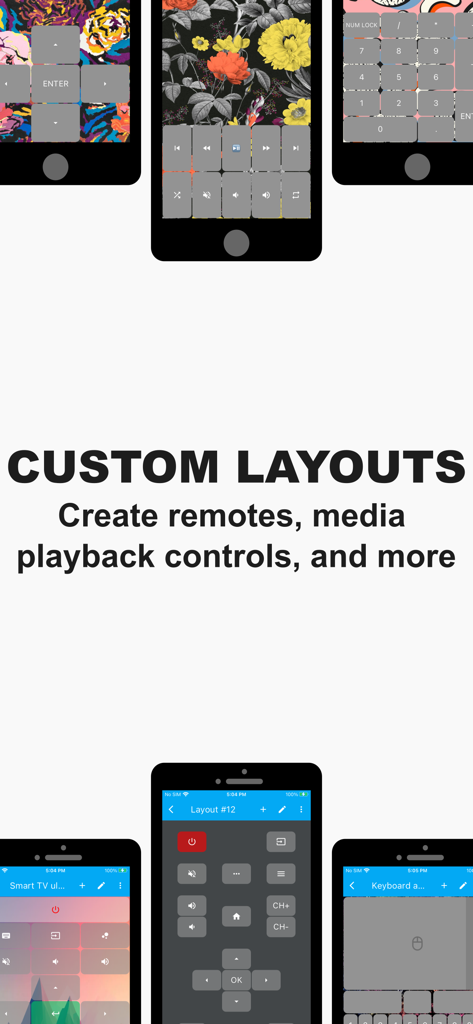
Steam Deck 게임부터 복잡한 크리에이티브 워크플로까지 모든 것을 위한 맞춤형 리모컨 및 원탭 매크로 단축키를 디자인하세요.

다음 스크린샷과 설명은 앱의 공식 스토어 목록에서 직접 가져온 것이며 앱 개발자의 자산입니다.

앱 스토어

스크린샷
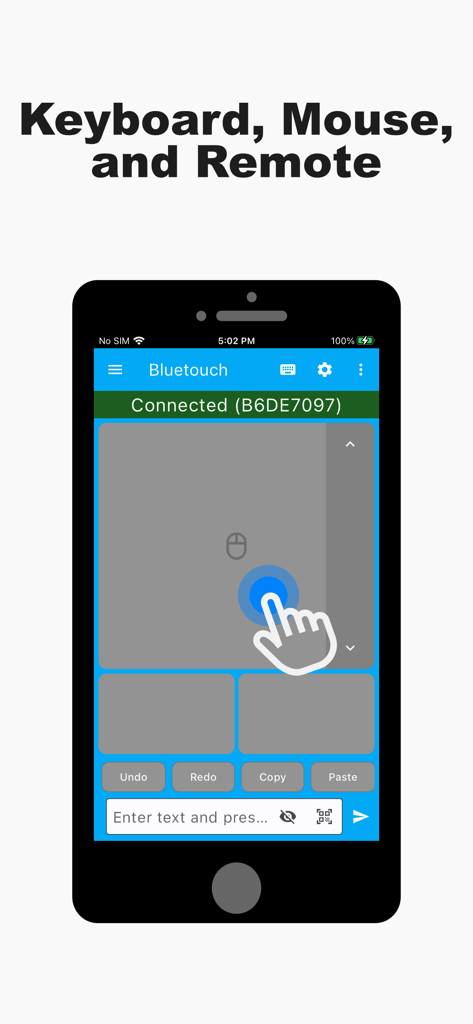
Bluetouch™ - Bluetouch 앱 인터페이스에 스마트폰이 가상 트랙패드 및 원격 마우스로 사용되는 모습
Bluetouch 앱 인터페이스에 스마트폰이 가상 트랙패드 및 원격 마우스로 사용되는 모습

Bluetouch™ - 소프트웨어 설치 없이 컴퓨터 비디오를 원격 제어하기 위해 Bluetouch 앱을 사용하는 iPhone
소프트웨어 설치 없이 컴퓨터 비디오를 원격 제어하기 위해 Bluetouch 앱을 사용하는 iPhone

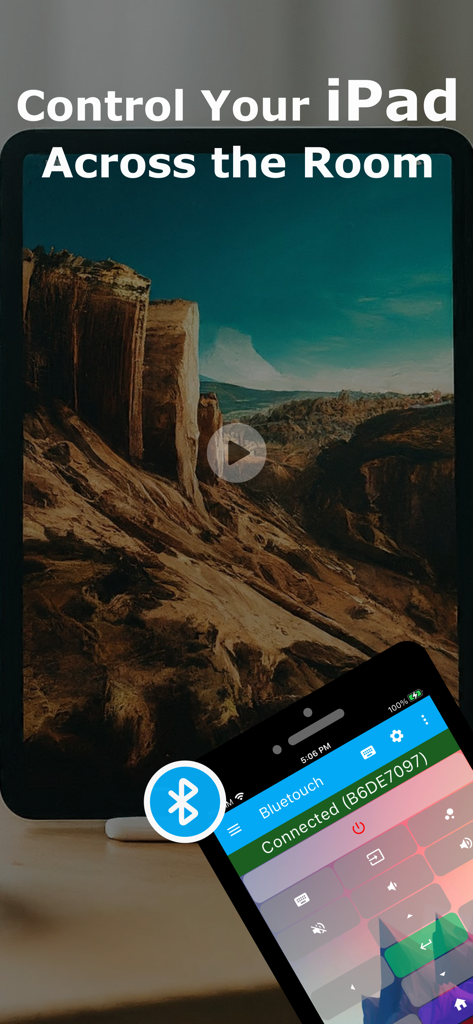
Bluetouch™ - Bluetouch 앱이 스마트폰에 설치되어 iPad용 무선 원격 컨트롤로 사용되는 모습
Bluetouch 앱이 스마트폰에 설치되어 iPad용 무선 원격 컨트롤로 사용되는 모습

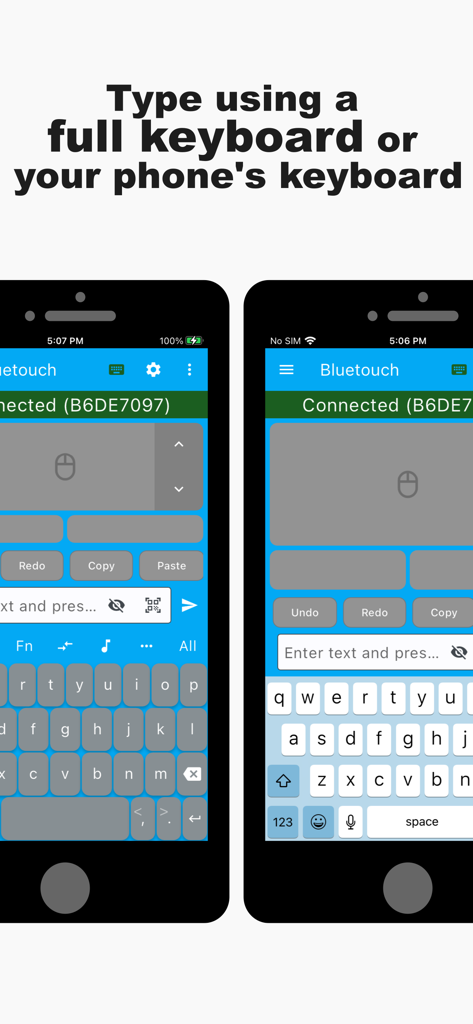
Bluetouch™ - Bluetouch 앱의 두 가지 전화 화면, 맞춤형 및 기본 키보드 레이아웃이 원격 제어용으로 표시됨
Bluetouch 앱의 두 가지 전화 화면, 맞춤형 및 기본 키보드 레이아웃이 원격 제어용으로 표시됨

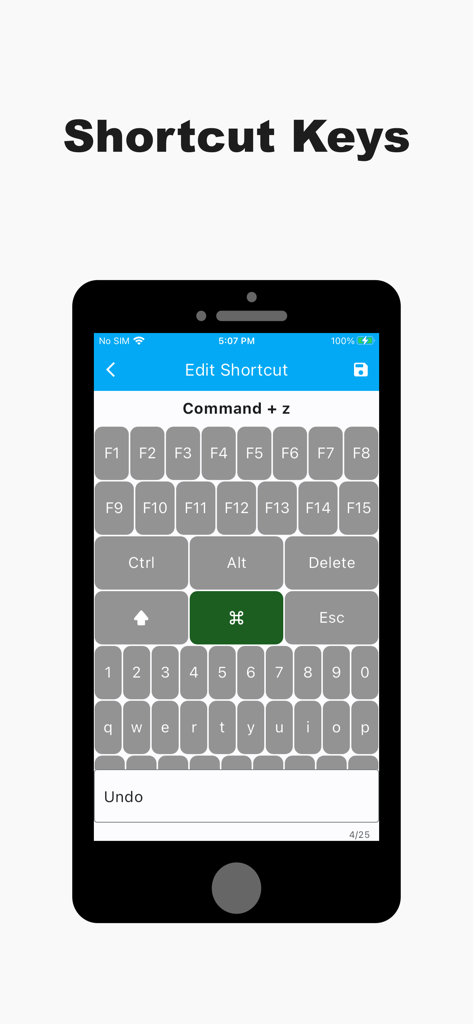
Bluetouch™ - 원격 제어용 맞춤형 키보드 단축키 구성을 위한 모바일 앱 화면

원격 제어용 맞춤형 키보드 단축키 구성을 위한 모바일 앱 화면

Bluetouch™ - Bluetouch 앱의 스크린샷, 맞춤형 리모컨 및 미디어 제어 레이아웃 표시
Bluetouch 앱의 스크린샷, 맞춤형 리모컨 및 미디어 제어 레이아웃 표시

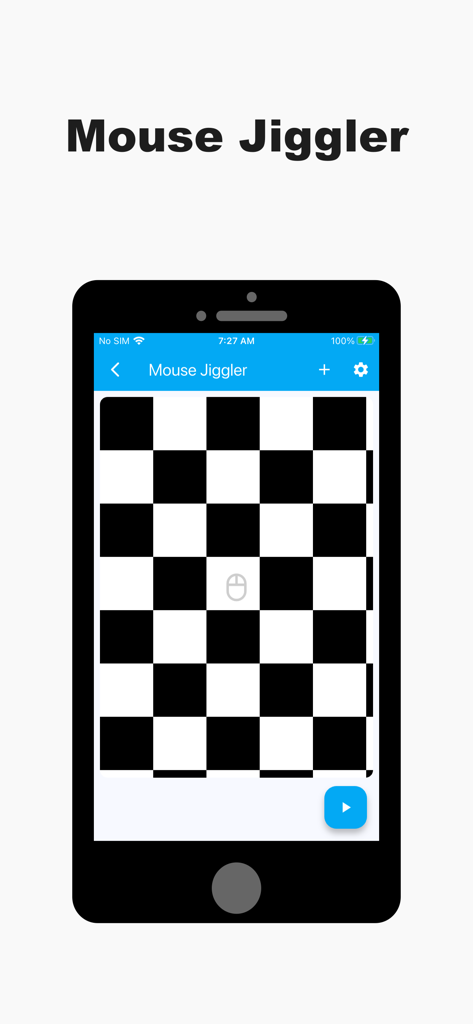
Bluetouch™ - Bluetouch 앱 마우스 지글러 화면, 스마트폰에 흑백 체커보드 인터페이스 표시
Bluetouch 앱 마우스 지글러 화면, 스마트폰에 흑백 체커보드 인터페이스 표시

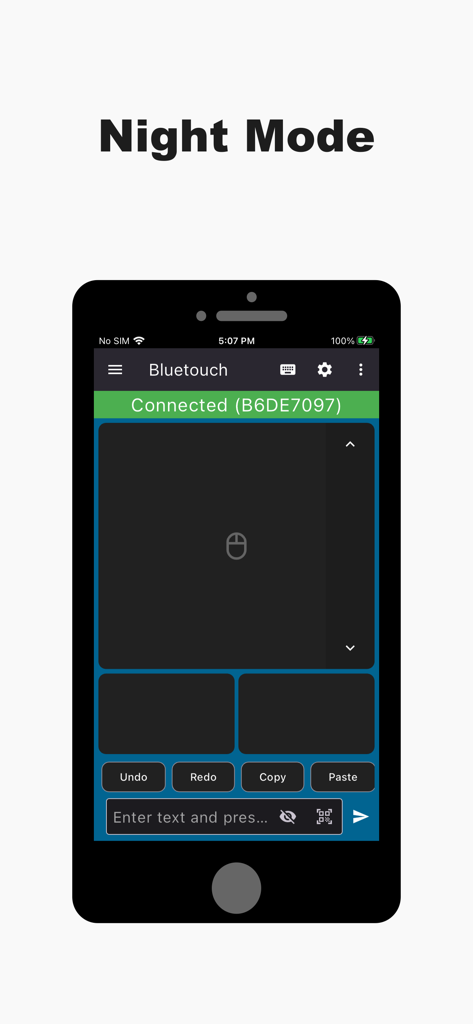
Bluetouch™ - Bluetouch 앱 인터페이스, 야간 모드의 원격 트랙패드 표시

Bluetouch 앱 인터페이스, 야간 모드의 원격 트랙패드 표시
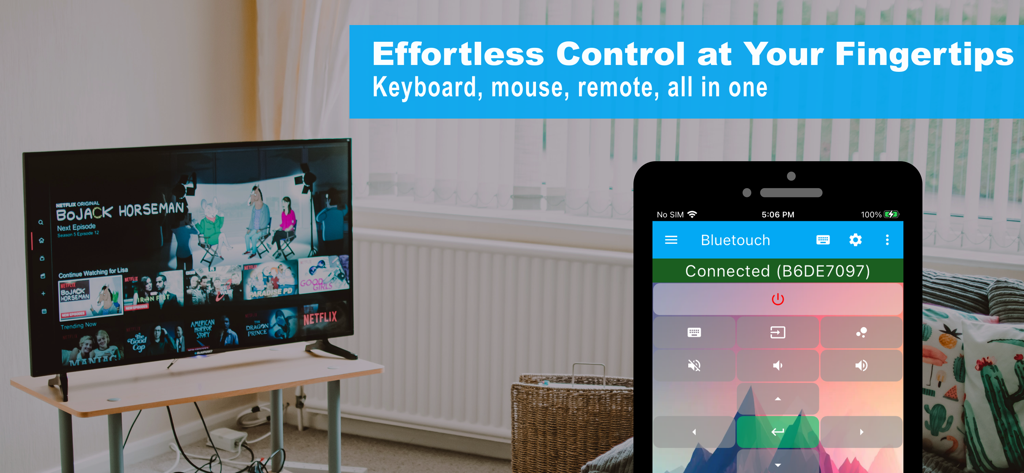
Bluetouch™ - Bluetouch 앱을 사용하여 거실의 스마트 TV를 제어하는 스마트폰

Bluetouch 앱을 사용하여 거실의 스마트 TV를 제어하는 스마트폰

설명

Use your device as a Bluetooth keyboard and mouse. No additional software is required. Just connect directly via a secure, private Bluetooth connection and take effortless control! The app functions as a reliable wireless keyboard, trackpad, and mouse replacement. - Trackpad: Features scrolling, left, right, and middle mouse buttons. Supports multi-touch gestures (for PRO and ELITE users). Customize scroll speed and direction for perfect navigation. - Full Keyboard: Offers a full-featured layout for remote typing, including all function keys and arrow keys. - Smart Typing: Supports familiar features like swipe gestures, text autocompletion, and speech-to-text. - Global Language Support: Easily change the keyboard layout to support dozens of different languages. - Data Transfer: Scan QR codes or barcodes and wirelessly transmit the data to your connected device. You can also copy/paste text directly into the app to send it over. Advanced Control Tools - Custom Layouts & Remotes: Unleash your creativity by designing custom layouts for any use case—create your own dedicated Smart TV remote, presentation clicker, or Steam Deck controller. Export/import layouts for easy sharing and backup. Seamlessly switch between a keyboard, media remote, and navigation layout while connected to a single device. - Shortcut Keys: Create powerful shortcuts that send up to six different keyboard keys simultaneously (e.g., a single button press for Ctrl+Alt+Delete). - Mouse Jiggler: Prevent your computer from entering sleep or standby mode during long tasks, downloads, or presentations. Perfect for Every Situation Use the app as a dedicated media remote for movies, a full-featured PC mouse and keyboard, or a backup for your existing peripherals—protecting you against them going missing, getting broken, or running out of battery. Download the app today and experience effortless control! Get connected with the Bluetouch community! Join our Discord server for tips, tricks, and discussions: https://discord.gg/5KCsWhryjd Terms of Use (EULA): https://www.apple.com/legal/internet-services/itunes/dev/stdeula/

Download

다운로드: App Store

이 페이지는 앱이나 개발자의 공식 페이지가 아니며, 정보 제공 및 논평을 목적으로 작성된 독립 편집 간행물입니다. 명시적으로 달리 언급되지 않는 한, 해당 앱이나 개발자는 MWM, Apple, Google Play, 앱 퍼블리셔 또는 앱 개발자와 제휴, 보증, 후원, 승인 또는 공식적으로 연결되어 있지 않으며, 이 페이지의 어떤 내용도 해당 앱이 MWM의 서비스를 사용하여 개발되었음을 의미하지 않습니다. 모든 상표, 로고, 스크린샷 및 기타 콘텐츠는 해당 소유자의 자산입니다.