Book Writer
Book Writer
다운로드: App Store

이 페이지는 앱이나 개발자의 공식 페이지가 아니며, 정보 제공 및 논평을 목적으로 작성된 독립 편집 간행물입니다. 명시적으로 달리 언급되지 않는 한, 해당 앱이나 개발자는 MWM, Apple, Google Play, 앱 퍼블리셔 또는 앱 개발자와 제휴, 보증, 후원, 승인 또는 공식적으로 연결되어 있지 않으며, 이 페이지의 어떤 내용도 해당 앱이 MWM의 서비스를 사용하여 개발되었음을 의미하지 않습니다. 모든 상표, 로고, 스크린샷 및 기타 콘텐츠는 해당 소유자의 자산입니다.


로고: Book Writer
다운로드: App Store

Book Writer

교실 프로젝트부터 전문 기념품까지, 학생과 크리에이터가 인터랙티브 북을 만들고, ePub으로 출판하며, 이야기를 쉽게 생생하게 구현하도록 지원합니다.

주요 수치

다운로드

132K+

사용자 평점

3.3/5

총 평가 수

300

개발사

Good Effect

카테고리

Education

지원 언어

5

최신 버전

4.924

크기

72.4 MB

출시일

2011년 12월 3일
기능

모든 교실과 가정에서 창의성을 발휘하세요

생각을 인터랙티브 디지털 북으로 바꾸는 가장 직관적인 방법입니다. 교육자, 학생, 추억 제작자가 자신의 이야기를 세상과 공유할 수 있도록 설계되었습니다.

풍부한 멀티미디어 스토리텔링

사진, 동영상, 음성 녹음, 음악을 페이지에 직접 드래그 앤 드롭하여 프로젝트를 생생하게 구현하고 진정한 인터랙티브 경험을 선사합니다.

어린 크리에이터를 위해 디자인됨

저희의 어린이 친화적인 인터페이스는 기술적인 학습 곡선을 제거하여 학생들이 자신의 생각을 정리하고 상상력을 표현하는 데 집중할 수 있도록 합니다.

다음 스크린샷과 설명은 앱의 공식 스토어 목록에서 직접 가져온 것이며 앱 개발자의 자산입니다.

앱 스토어

스크린샷
Book Writer - Book Writer 앱의 환영 화면, 책 만들기 소개 문구와 함께 주황색 아이콘 표시
Book Writer 앱의 환영 화면, 책 만들기 소개 문구와 함께 주황색 아이콘 표시

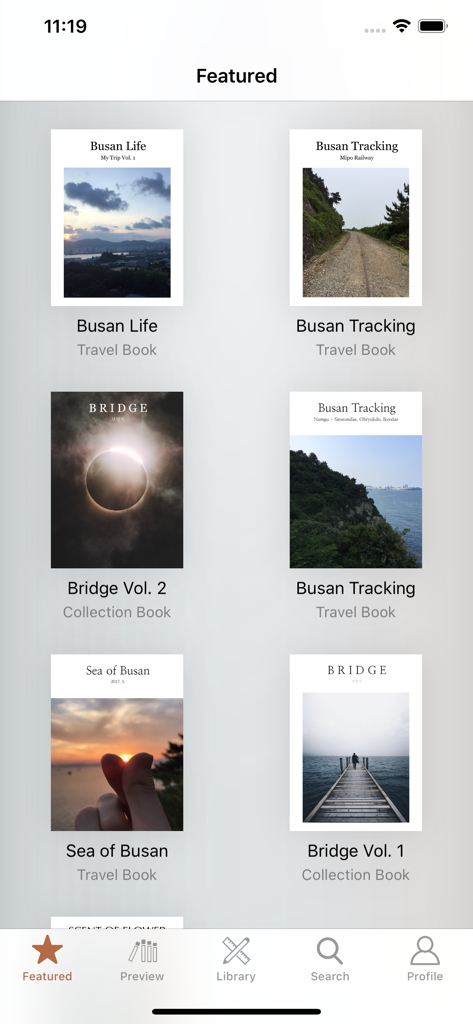
Book Writer - Book Writer 앱 내의 여행 및 컬렉션 관련 추천 도서 갤러리
Book Writer 앱 내의 여행 및 컬렉션 관련 추천 도서 갤러리

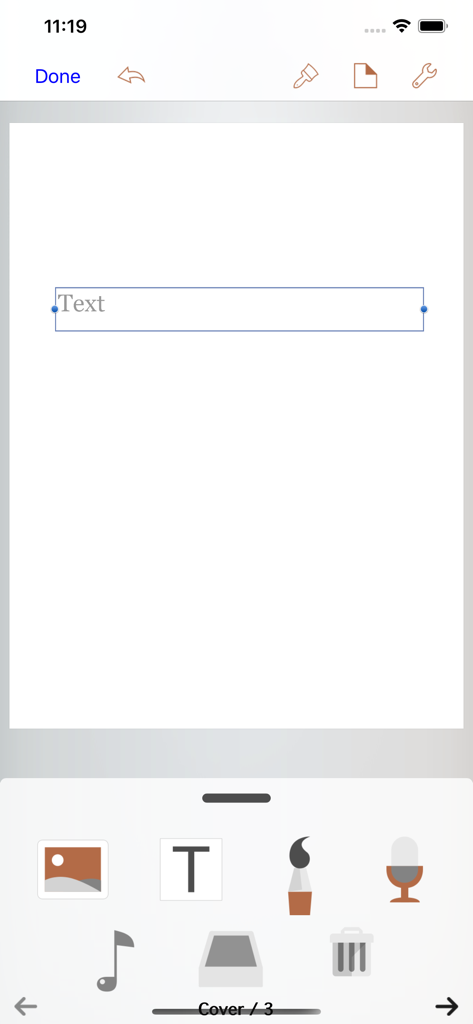
Book Writer - 빈 페이지에 멀티미디어 제작 도구와 텍스트 상자가 표시된 Book Writer 앱 편집기 인터페이스.

빈 페이지에 멀티미디어 제작 도구와 텍스트 상자가 표시된 Book Writer 앱 편집기 인터페이스.

설명

Take Note, Organize Thoughts, Make a Book. Share with the World. Make your own book with Book Writer. Anyone can easily make a book. Make an interactive book and enjoy making and reading the books you made! You can use it in school, work, and at home to make all types of books such as photo book, recipe book, diary, PR booklet, PDF documents, and etc. Making a multimedia book You can add pictures, text, voice recordings, songs, and videos on the page. You can use the camera to take pictures or videos and add them right on to the book. You can draw image and edit image using Pen Tool. Provides interactive functions such as item connection and auto play to make your book more fun. Easy and intuitive interface Children of all ages can easily use the interface. Use the Item Bar to add items to the page by drag&drop. All text are shown on the page in real time with the In-Page text editor that is provided. Use the Undo function to return to the previous work. Share your books You can share your book with others using Book World. Join the Book World and upload your book to Book World, and follow your favorite author. Books in Book World can be read on diverse smartphone, PC and Mac. You can share your book with Book Writer on Dropbox, iTunes or via E-mail. Read through iBooks The books made with Book Writer can be read through iBooks. You can read your book in Book Writer directly, or Book World web reader. Paperbook publish service You can publish your book to paperbook using Paperbook publish service. Published books can also be seen in Book World via smartphone, PC, Mac. In Class Book Writer is being used in many countries by thousands of people for educational use. Book Writer helps students to make a book by organizing their thoughts. With an intuitive interface, anyone can easily express and organize their thoughts. 50% discount for educational institutions. Use App Store Volume Purchase Program to purchase Book Writer. For more details - http://www.apple.com/itunes/education/ Main Functions Templates are provided to make books of different styles and formats. Choosing a layout style automatically relocates your items. Use drag & drop to easily add items. You can use the photos from Photo Library to add to the book, or can add pictures taken directly from camera. Pictures can be moved, the size can be adjusted, and you can rotate or crop the pictures by touching. Text box item can be added to the page to input text. Supports fonts and styles of various types. You can draw image and edit image using Pen Tool. You can add videos from your album or you can directly record videos with your camera to add them. Use recorder to record your voice and add to the book, or add music from Music Library to your book. Bring any music from Music Library to add as your background music. Use the auto play function to automatically play the media at the time you want. Item connection function is provided to connect your pictures or text to sound items. The Undo function allows you to return to your previous work. Use the Page Editor to add or delete pages or change the order of the page by using drag & drop. You can combine two books together. The completed book can be read in ‘Reading Mode’. Books that have been created can be shared via Book World, iTunes, E-mail, Dropbox, etc. Share your book with others using Book World. And can be read on many smartphone, PC, Mac. You can publish your book to paperbook using Paperbook publish service. Save your book as a PDF document or you can use AirPrint or use Export to print the books The standard E-book format, epub, is supported to read the made books with iBooks and you can register your books on iBookstore. Book Writer supports the fixed-layout format of iBooks. The fixed-layout format is not ideal for books with long text like novels. Online support is included. Please visit our homepage - http://goodeffect.com

Download

다운로드: App Store

이 페이지는 앱이나 개발자의 공식 페이지가 아니며, 정보 제공 및 논평을 목적으로 작성된 독립 편집 간행물입니다. 명시적으로 달리 언급되지 않는 한, 해당 앱이나 개발자는 MWM, Apple, Google Play, 앱 퍼블리셔 또는 앱 개발자와 제휴, 보증, 후원, 승인 또는 공식적으로 연결되어 있지 않으며, 이 페이지의 어떤 내용도 해당 앱이 MWM의 서비스를 사용하여 개발되었음을 의미하지 않습니다. 모든 상표, 로고, 스크린샷 및 기타 콘텐츠는 해당 소유자의 자산입니다.








