Breadpad - SPICE Simulator
다운로드: App Store

이 페이지는 앱이나 개발자의 공식 페이지가 아니며, 정보 제공 및 논평을 목적으로 작성된 독립 편집 간행물입니다. 명시적으로 달리 언급되지 않는 한, 해당 앱이나 개발자는 MWM, Apple, Google Play, 앱 퍼블리셔 또는 앱 개발자와 제휴, 보증, 후원, 승인 또는 공식적으로 연결되어 있지 않으며, 이 페이지의 어떤 내용도 해당 앱이 MWM의 서비스를 사용하여 개발되었음을 의미하지 않습니다. 모든 상표, 로고, 스크린샷 및 기타 콘텐츠는 해당 소유자의 자산입니다.


로고: Breadpad - SPICE Simulator
다운로드: App Store

Breadpad - SPICE Simulator

데스크탑급 정밀도로 전문 등급 회로를 설계, 테스트 및 분석하세요. 좋아하는 Apple 기기에서 고급 시뮬레이션, 3D 시각화 및 실시간 분석을 경험하세요.

주요 수치

다운로드

89K+

사용자 평점

4.4/5

총 평가 수

0

개발사

FreshBizOpps, LLC

카테고리

Developer Tools

지원 언어

35

최신 버전

1.203

크기

40.1 MB

출시일

2023년 9월 29일
기능

주머니 속 전문 전자 실험실

현대 엔지니어, 학생 및 취미 활동가를 위해 설계된 데스크탑급 SPICE 시뮬레이터로 이론과 현실의 격차를 해소하세요.

대화형 디지털 브레드보드

실제로 눈앞에 있는 것처럼 회로를 설계하고 테스트하세요. 400개 이상의 통합 회로 및 구성 요소를 어수선한 물리적 와이어를 대체하는 촉각 인터페이스로 연결하세요.

고급 SPICE 시뮬레이션

전문 하드웨어 개발에 필요한 정밀도로 몬테카를로, 식스 시그마 분포 및 온도 감도를 포함한 업계 표준 분석을 실행하세요.

다음 스크린샷과 설명은 앱의 공식 스토어 목록에서 직접 가져온 것이며 앱 개발자의 자산입니다.

앱 스토어

스크린샷
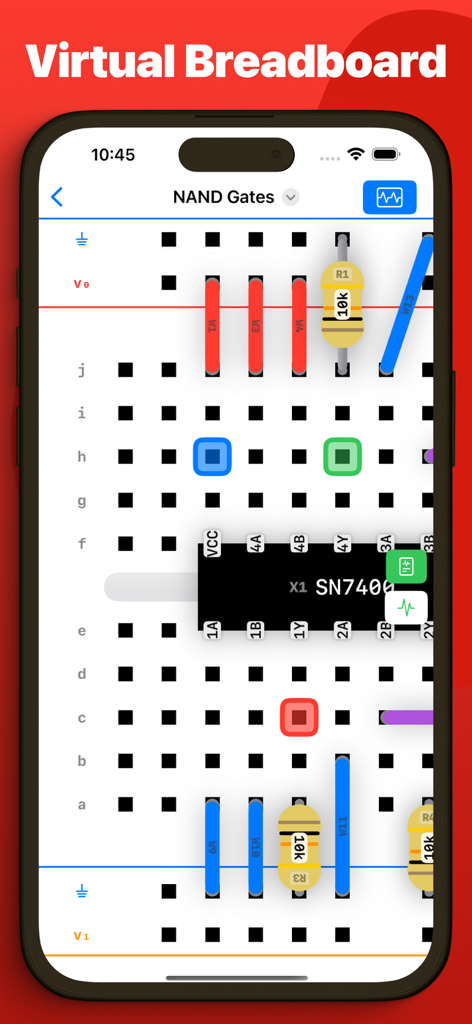
Breadpad - SPICE Simulator - 회로 시뮬레이션을 위한 저항기 및 NAND 게이트 칩과 같은 전자 부품이 있는 가상 브레드보드를 표시하는 스마트폰 화면
회로 시뮬레이션을 위한 저항기 및 NAND 게이트 칩과 같은 전자 부품이 있는 가상 브레드보드를 표시하는 스마트폰 화면

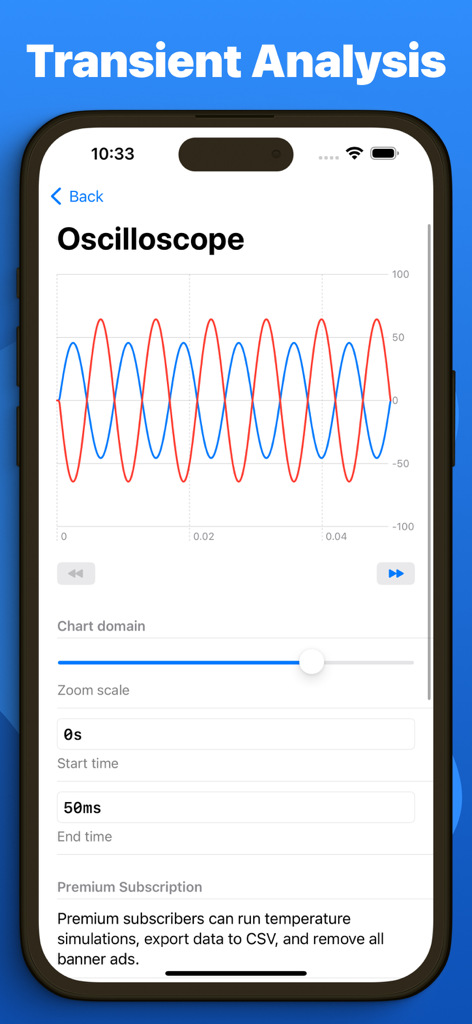
Breadpad - SPICE Simulator - Breadpad SPICE 시뮬레이터 앱에서 사인파 과도 분석을 보여주는 가상 오실로스코프
Breadpad SPICE 시뮬레이터 앱에서 사인파 과도 분석을 보여주는 가상 오실로스코프

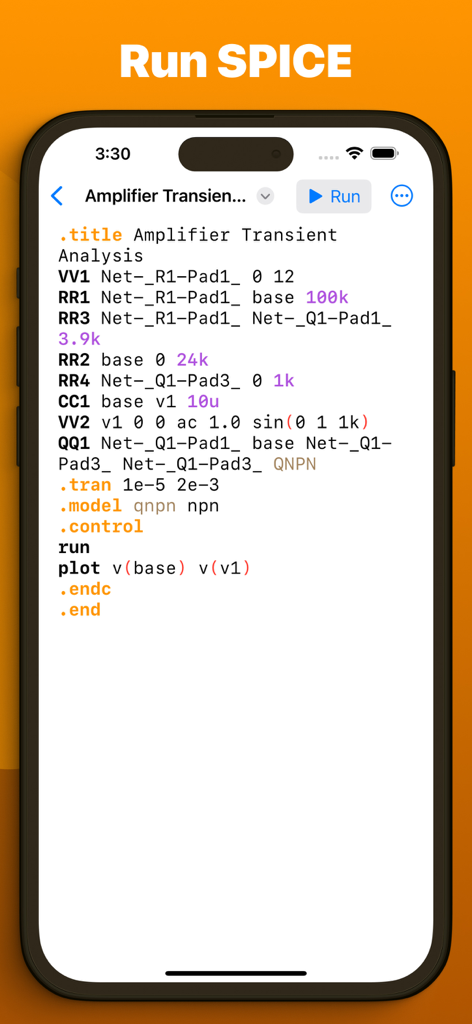
Breadpad - SPICE Simulator - Breadpad 모바일 앱에서 증폭기 과도 분석을 위한 SPICE 넷리스트
Breadpad 모바일 앱에서 증폭기 과도 분석을 위한 SPICE 넷리스트

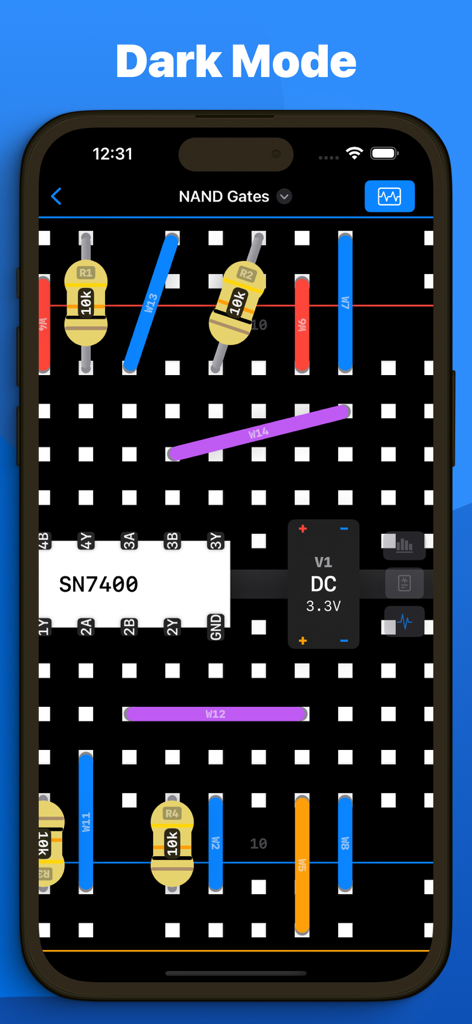
Breadpad - SPICE Simulator - 어두운 모드에서 브레드보드의 전자 회로를 보여주는 Breadpad 앱 인터페이스.
어두운 모드에서 브레드보드의 전자 회로를 보여주는 Breadpad 앱 인터페이스.

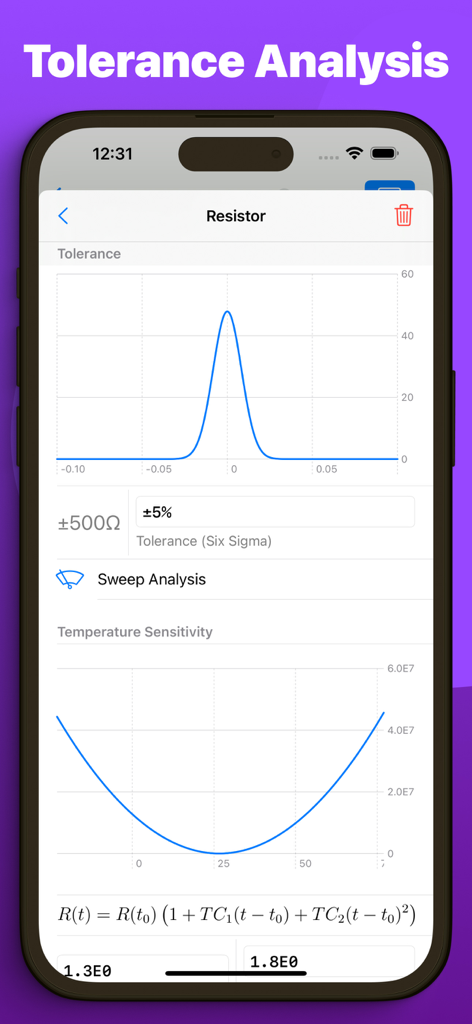
Breadpad - SPICE Simulator - 저항기 허용 오차 분석 및 온도 감도 그래프를 보여주는 Breadpad 앱 인터페이스
저항기 허용 오차 분석 및 온도 감도 그래프를 보여주는 Breadpad 앱 인터페이스

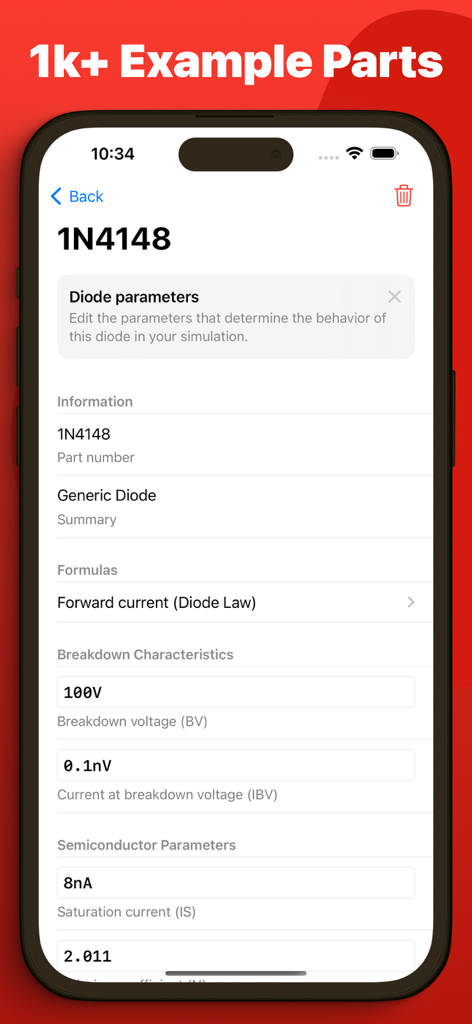
Breadpad - SPICE Simulator - 1N4148 다이오드의 기술 매개변수를 표시하는 Breadpad 앱 인터페이스
1N4148 다이오드의 기술 매개변수를 표시하는 Breadpad 앱 인터페이스

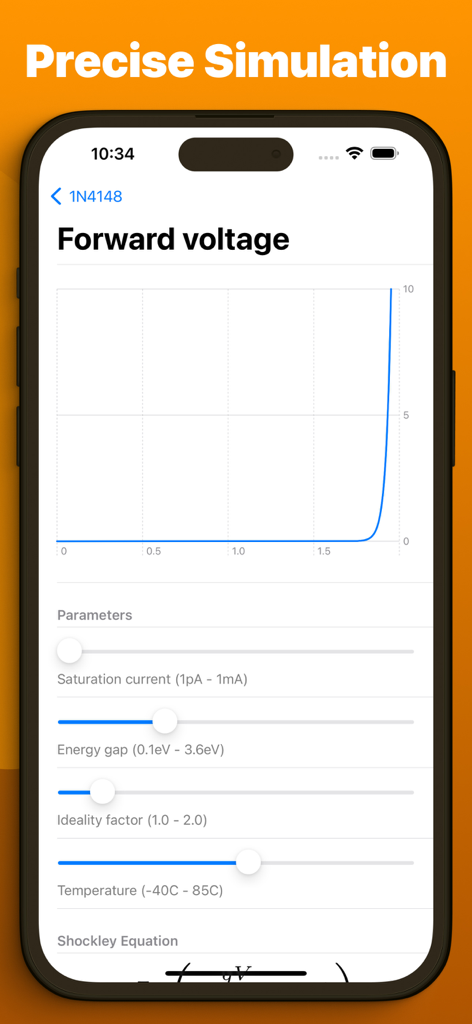
Breadpad - SPICE Simulator - 온도 및 포화 전류와 같은 조정 가능한 매개변수를 사용하여 순방향 전압을 보여주는 회로 시뮬레이션 그래프
온도 및 포화 전류와 같은 조정 가능한 매개변수를 사용하여 순방향 전압을 보여주는 회로 시뮬레이션 그래프

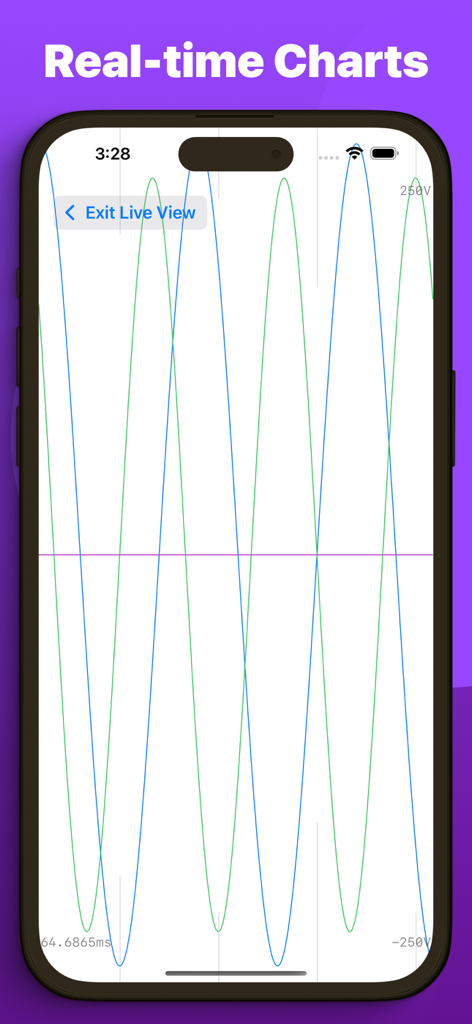
Breadpad - SPICE Simulator - 스마트폰에서 회로 시뮬레이션 데이터를 표시하는 실시간 파형 차트.

스마트폰에서 회로 시뮬레이션 데이터를 표시하는 실시간 파형 차트.

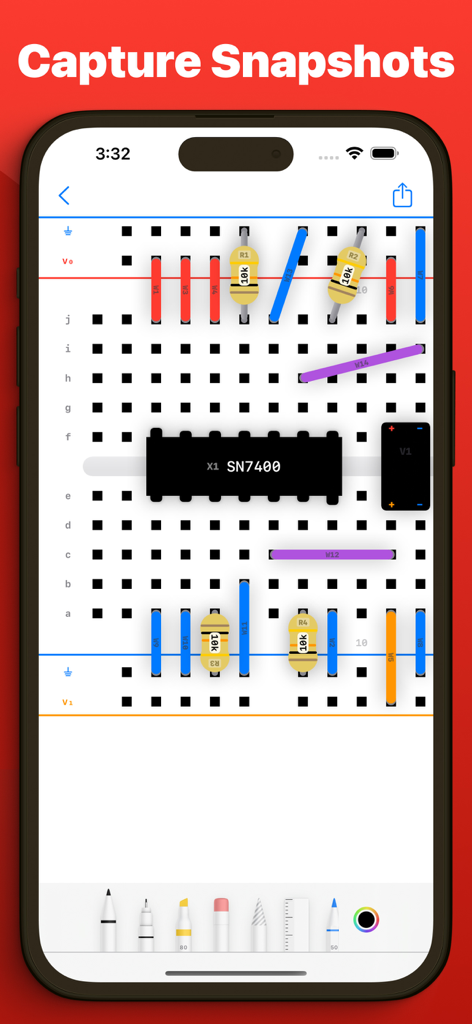
Breadpad - SPICE Simulator - SN7400 칩과 저항기가 있는 디지털 브레드보드를 보여주는 iPhone 화면에 그리기 도구로 주석을 달고 있음
SN7400 칩과 저항기가 있는 디지털 브레드보드를 보여주는 iPhone 화면에 그리기 도구로 주석을 달고 있음

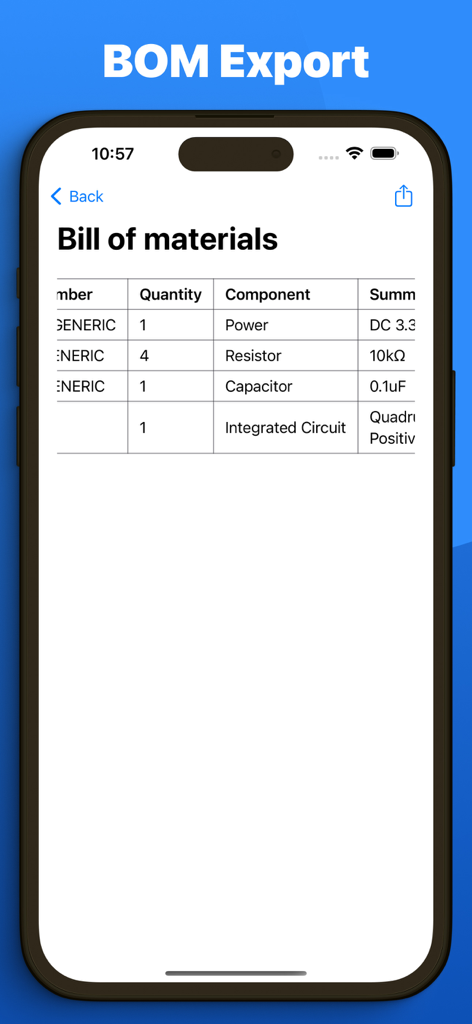
Breadpad - SPICE Simulator - 전자 부품 및 수량 목록을 보여주는 Breadpad 앱 자재 명세서 내보내기 화면

전자 부품 및 수량 목록을 보여주는 Breadpad 앱 자재 명세서 내보내기 화면

설명

Breadpad is your go-to analog/digital electronics lab, featuring an interactive breadboard and advanced SPICE simulation. Easily add components, wire them up, and analyze your circuits with a virtual oscilloscope and logic analyzer. Execute full SPICE netlists for unparalleled precision. Choose from a vast library of ready-to-use parts or create your own custom elements. Dive in for free or upgrade to unlock powerful data export capabilities and superior simulation features. Free Features: - Effortlessly wire up components on a digital breadboard - Choose from over 400 integrated circuits or craft your custom chips using SPICE - Insert resistors, capacitors, inductors, transistors, and diodes with accurate models - Instantly see how changes affect your circuit with quick-rendering graphs - Take snapshots of your breadboard setups for easy inclusion in documents or online - Import PSPICE and LTSpice netlists for comprehensive simulations (.spice and .cir files) - Work together using iCloud, iMessage, Airdrop, email, Google Drive, OneDrive, and Dropbox - Explore a wide selection of pre-configured diodes and transistors with numerous tweakable settings - Open any .breadpad file at no cost, even those from Premium users - Experience your designs in 3D with Apple Vision Pro Premium subscription unlocks: - Infinite vector plotting from your SPICE simulations - Conduct temperature sensitivity analysis to assess environmental impacts on circuits - Access five extra voltage sources, including piecewise and frequency-modulated options - Export your simulation results to CSV for analysis in tools like Excel, MATLAB, or Python - Directly modify the SPICE netlist for any component on your breadboard - Fine-tune component tolerances using six-sigma gaussian distributions - Analyze manufacturing variance effects with dynamic Monte Carlo simulations Whether you're a student, hobbyist, or professional engineer, Breadpad is the perfect tool for brainstorming, designing, and refining your circuit ideas. Explore new principles, experiment with designs, and optimize existing systems. Get Breadpad today and elevate your circuit simulation experience. Exclusively on iPad, iPhone, Mac, and Vision Pro. Privacy policy: https://breadpad.com/privacy/ Terms of use: https://www.apple.com/legal/internet-services/itunes/dev/stdeula/

Download

다운로드: App Store

이 페이지는 앱이나 개발자의 공식 페이지가 아니며, 정보 제공 및 논평을 목적으로 작성된 독립 편집 간행물입니다. 명시적으로 달리 언급되지 않는 한, 해당 앱이나 개발자는 MWM, Apple, Google Play, 앱 퍼블리셔 또는 앱 개발자와 제휴, 보증, 후원, 승인 또는 공식적으로 연결되어 있지 않으며, 이 페이지의 어떤 내용도 해당 앱이 MWM의 서비스를 사용하여 개발되었음을 의미하지 않습니다. 모든 상표, 로고, 스크린샷 및 기타 콘텐츠는 해당 소유자의 자산입니다.