Brity Meeting 브리티 미팅
다운로드: App Store

이 페이지는 앱이나 개발자의 공식 페이지가 아니며, 정보 제공 및 논평을 목적으로 작성된 독립 편집 간행물입니다. 명시적으로 달리 언급되지 않는 한, 해당 앱이나 개발자는 MWM, Apple, Google Play, 앱 퍼블리셔 또는 앱 개발자와 제휴, 보증, 후원, 승인 또는 공식적으로 연결되어 있지 않으며, 이 페이지의 어떤 내용도 해당 앱이 MWM의 서비스를 사용하여 개발되었음을 의미하지 않습니다. 모든 상표, 로고, 스크린샷 및 기타 콘텐츠는 해당 소유자의 자산입니다.


로고: Brity Meeting 브리티 미팅
다운로드: App Store

Brity Meeting 브리티 미팅

고화질 화상 회의 및 실시간 문서 주석 기능으로 전문적인 워크플로우를 혁신하세요. Samsung SDS가 모든 기기에서 안전하고 상호작용적이며 원활한 커뮤니케이션을 위해 설계했습니다.

주요 수치

다운로드

9K+

사용자 평점

2.5/5

총 평가 수

100

개발사

SAMSUNG SDS Co.,LTD

카테고리

Business

지원 언어

6

최신 버전

2.7.25120201

크기

89.6 MB

출시일

2017년 4월 6일
기능

엔터프라이즈급 협업으로 글로벌 팀의 역량을 강화하세요

Brity Meeting은 전문가용 Samsung 생태계 및 글로벌 공급망 파트너를 위해 특별히 설계된 고보안 화상 회의 및 고급 문서 공유 기능을 모바일 기기에 제공합니다.

고급 문서 협업

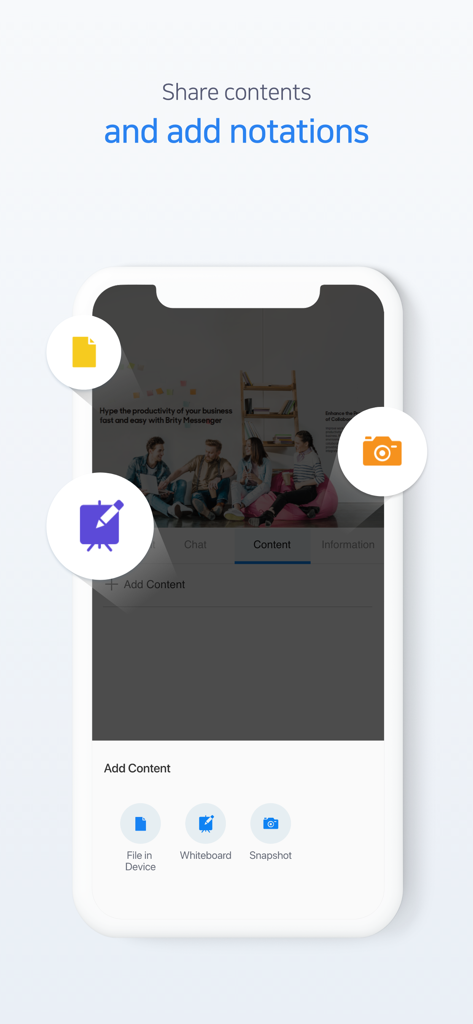
간단한 화면 공유를 넘어보세요. 문서 모드를 사용하여 국제 파트너와 실시간으로 설계도, 스프레드시트 또는 계약서에 주석을 달고 검토하세요.

간편한 회의 관리

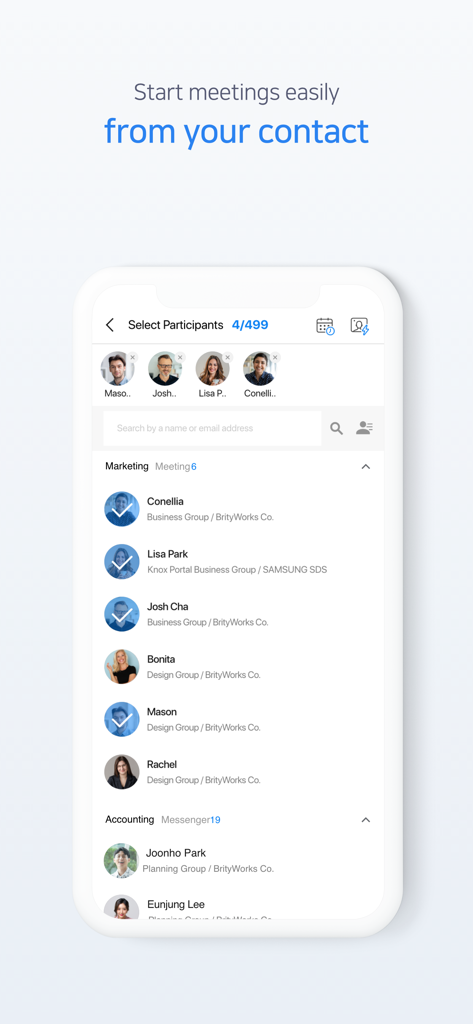
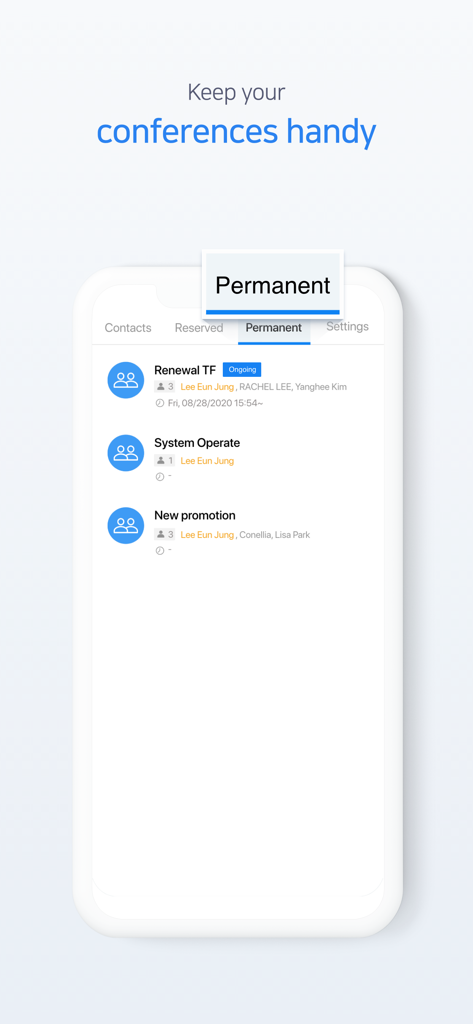
영구 회의실과 즉각적인 연락처 기반 초대로 일정 조율의 마찰을 없애고, 매일 진행되는 스탠드업 회의와 프로젝트를 순조롭게 진행하세요.

다음 스크린샷과 설명은 앱의 공식 스토어 목록에서 직접 가져온 것이며 앱 개발자의 자산입니다.

앱 스토어

스크린샷
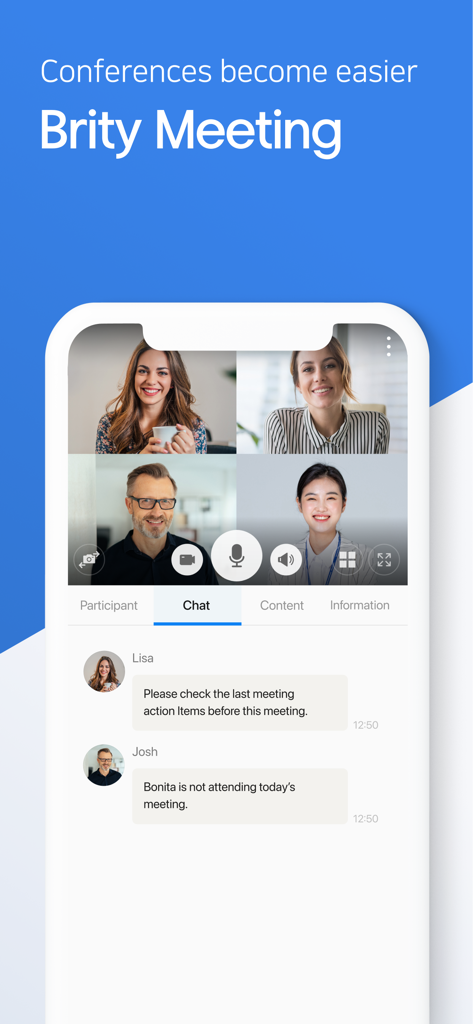
Brity Meeting 브리티 미팅 - 네 명이 참여하는 화상 회의와 활성화된 채팅 세션을 보여주는 Brity Meeting 앱 인터페이스
네 명이 참여하는 화상 회의와 활성화된 채팅 세션을 보여주는 Brity Meeting 앱 인터페이스

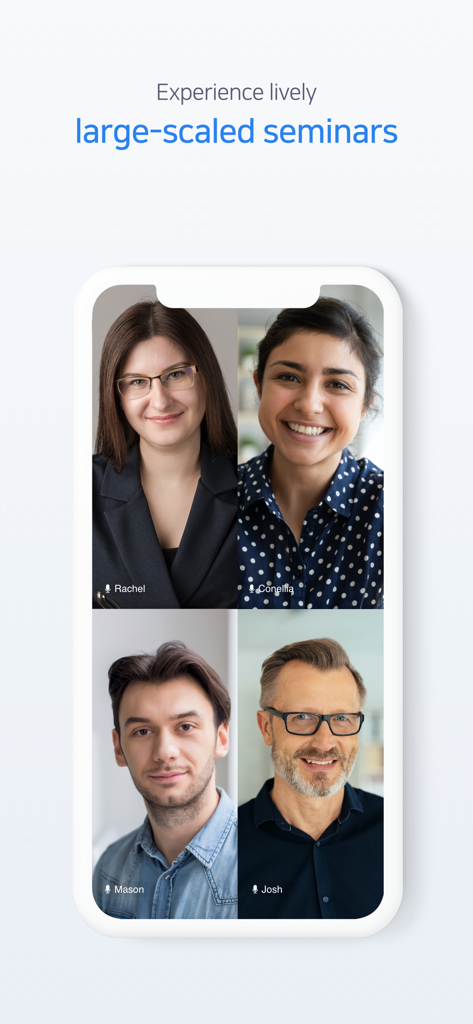
Brity Meeting 브리티 미팅 - 대규모 세미나를 위한 화상 회의에 참여한 네 명의 다양한 전문가 그리드를 보여주는 Brity Meeting 모바일 앱 인터페이스
대규모 세미나를 위한 화상 회의에 참여한 네 명의 다양한 전문가 그리드를 보여주는 Brity Meeting 모바일 앱 인터페이스

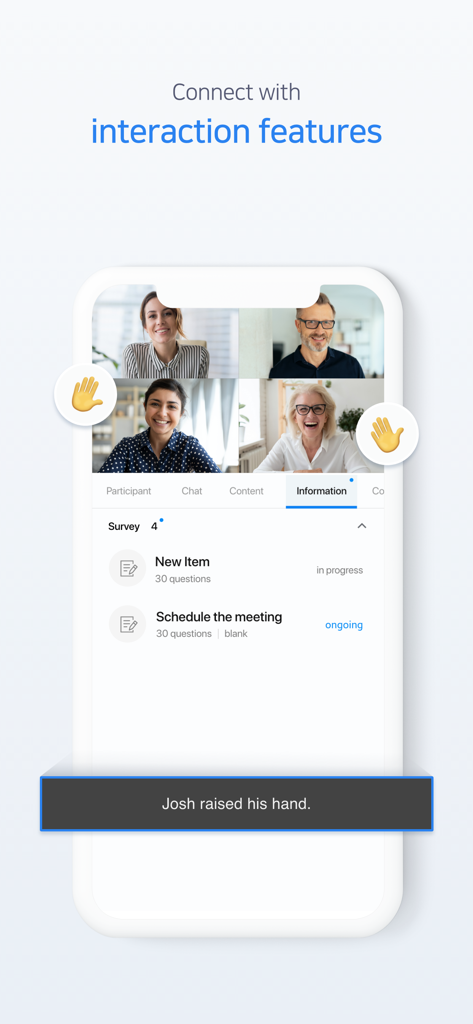
Brity Meeting 브리티 미팅 - 화상 통화 참가자와 대화형 설문조사 도구를 보여주는 Brity Meeting 모바일 인터페이스
화상 통화 참가자와 대화형 설문조사 도구를 보여주는 Brity Meeting 모바일 인터페이스

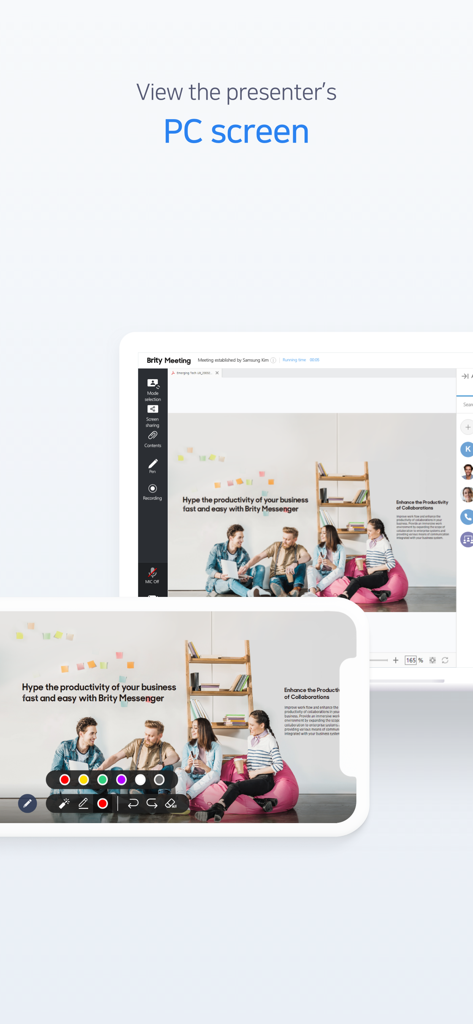
Brity Meeting 브리티 미팅 - Brity Meeting 세션 중에 공유된 PC 화면을 보여주는 모바일 기기와 태블릿
Brity Meeting 세션 중에 공유된 PC 화면을 보여주는 모바일 기기와 태블릿

Brity Meeting 브리티 미팅 - 화이트보드 및 파일 공유 도구를 사용하여 문서를 공유하고 주석을 추가하는 옵션을 보여주는 Brity Meeting 앱 인터페이스
화이트보드 및 파일 공유 도구를 사용하여 문서를 공유하고 주석을 추가하는 옵션을 보여주는 Brity Meeting 앱 인터페이스

Brity Meeting 브리티 미팅 - 회의 시작을 위해 연락처 목록에서 참가자를 선택하는 방법을 보여주는 Brity Meeting 앱의 모바일 인터페이스
회의 시작을 위해 연락처 목록에서 참가자를 선택하는 방법을 보여주는 Brity Meeting 앱의 모바일 인터페이스

Brity Meeting 브리티 미팅 - 예정 및 진행 중인 기업 회의 목록과 함께 영구 회의 탭을 보여주는 Brity Meeting 앱 인터페이스
예정 및 진행 중인 기업 회의 목록과 함께 영구 회의 탭을 보여주는 Brity Meeting 앱 인터페이스

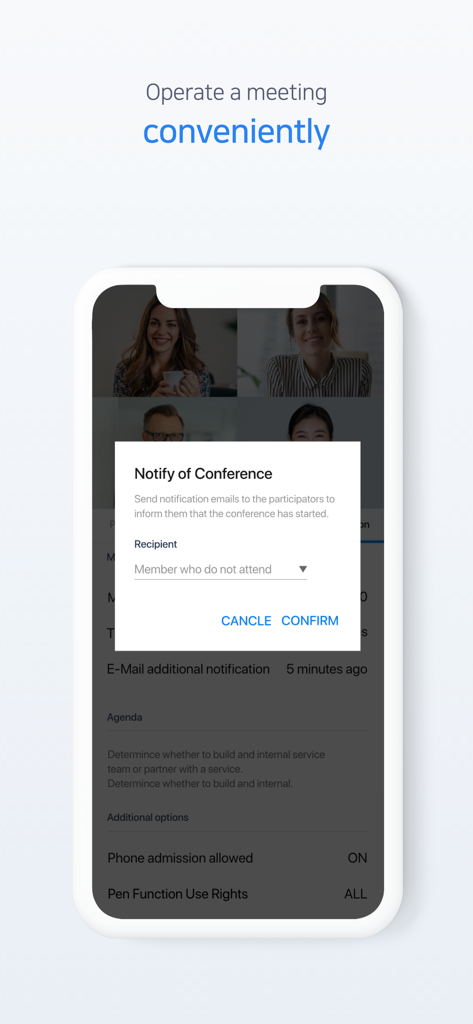
Brity Meeting 브리티 미팅 - 네 명이 참여하는 화상 통화 위에 회의 알림 팝업이 표시된 Brity Meeting 앱의 모바일 화면

네 명이 참여하는 화상 통화 위에 회의 알림 팝업이 표시된 Brity Meeting 앱의 모바일 화면

설명

Brity Meeting can transform your collaboration anytime, anywhere. Brity Meeting is a web conferencing service that enables users to communicate and collaborate anytime, anywhere through various devices such as PC and Mobile. With Mobile App, you can easily schedule and manage your Web Conference and easily join the meeting. You can also share voice, video, and documents during meetings, and communicate effectively through features such as annotation and real-time chat. ※ Apply for 1 month free trial on Samsung SDS website now! ▣ Various Conference Mode Brity Meeting supports video mode, document mode and screen sharing mode. Video mode enables lively meeting similar to offline meeting. In Document Mode, you can share contents and make a note on the screen. In Screen Sharing mode, you can see the shared PC screen in real-time. You can select and utilize the mode that is the most appropriate for your purpose. ▣ Simple and easy to start You can start a meeting immediately by selecting participants from Contacts. Once meeting is reserved, an invitation email will be automatically sent to the participants. Also, you can reserve repeated meetings as “Permanent Conference” to reduce repetitive tasks. ▣ Interaction features Interaction features, such as “Raise Hand” and “Poll,” make your conferences richer. Through the interaction features, the presenter can see the reactions of other participants in real time. If it is difficult for everyone to present, such as online education or a large seminar, the 'chat' function can be used to share opinions among participants. [App permissions] It is the access permissions used by Brity Meeting. ■ Mandatory permissions : To use Square Meeting, all of the following items must be allowed. - Camera: Used for video transmission during conference - Microphone: Used for voice transmission during conference ■ Optional permissions : You can use Square Meeting without allowing access, but the use of related features would be restricted. - Contacts: Used for adding conference attendees - Photos: Used for uploading contents for conference or as a profile picture - Face ID: Used to unlock the screen with Face ID

Download

다운로드: App Store

이 페이지는 앱이나 개발자의 공식 페이지가 아니며, 정보 제공 및 논평을 목적으로 작성된 독립 편집 간행물입니다. 명시적으로 달리 언급되지 않는 한, 해당 앱이나 개발자는 MWM, Apple, Google Play, 앱 퍼블리셔 또는 앱 개발자와 제휴, 보증, 후원, 승인 또는 공식적으로 연결되어 있지 않으며, 이 페이지의 어떤 내용도 해당 앱이 MWM의 서비스를 사용하여 개발되었음을 의미하지 않습니다. 모든 상표, 로고, 스크린샷 및 기타 콘텐츠는 해당 소유자의 자산입니다.








