Brow Designer
Brow Designer
다운로드: App Store

이 페이지는 앱이나 개발자의 공식 페이지가 아니며, 정보 제공 및 논평을 목적으로 작성된 독립 편집 간행물입니다. 명시적으로 달리 언급되지 않는 한, 해당 앱이나 개발자는 MWM, Apple, Google Play, 앱 퍼블리셔 또는 앱 개발자와 제휴, 보증, 후원, 승인 또는 공식적으로 연결되어 있지 않으며, 이 페이지의 어떤 내용도 해당 앱이 MWM의 서비스를 사용하여 개발되었음을 의미하지 않습니다. 모든 상표, 로고, 스크린샷 및 기타 콘텐츠는 해당 소유자의 자산입니다.

로고: Brow Designer
다운로드: App Store

Brow Designer

정밀한 디자인으로 PMU 워크플로우를 혁신하세요. 세계에서 가장 꼼꼼한 아티스트를 위해 설계된 첨단 AI를 사용하여 기록적인 시간 안에 완벽하고 개인화된 모양을 만드세요.

주요 수치

다운로드

2K+

사용자 평점

1.7/5

총 평가 수

0

개발사

SADWARE INCORPORATED

카테고리

Utilities

지원 언어

20

최신 버전

1.2.1

크기

194.9 MB

출시일

2023년 4월 13일
기능

영구적인 완벽함을 위한 정밀 도구

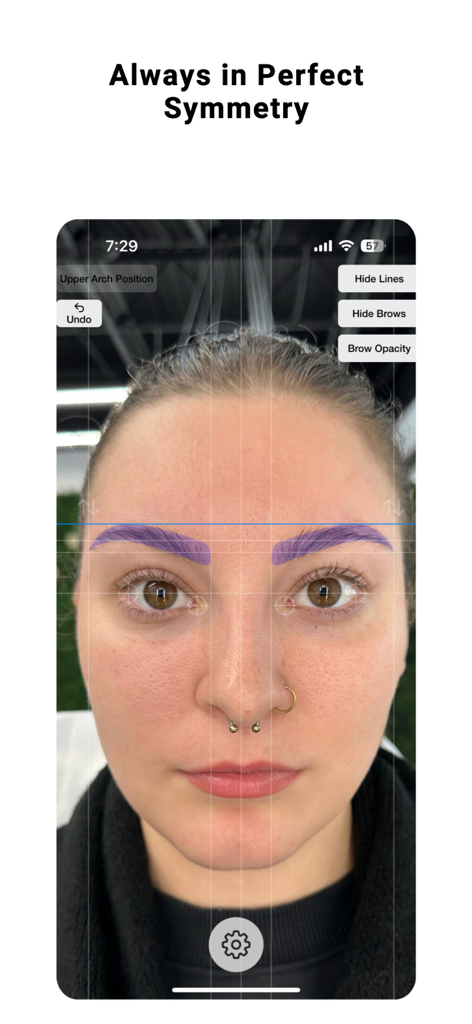
AI 기반 도구 모음으로 예술성을 향상시켜 완벽한 대칭을 보장하고 디자인 시간을 절반으로 줄이세요.

즉각적인 AI 기반 디자인

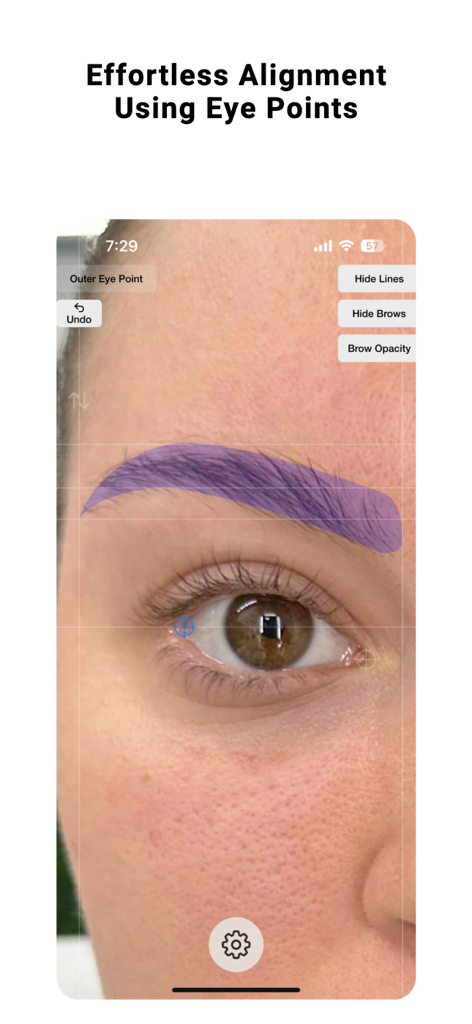
해부학적 눈꼬리를 기준으로 포인트를 자동으로 정렬하여 사람의 실수를 없애고 모든 사진에서 렌즈 왜곡을 보정합니다.

전문적인 조각 및 맞춤 설정

눈썹의 시작과 끝 부분을 미세 조정하여 고객의 고유한 얼굴 구조에 완벽하게 맞는 모양을 만들면서 완전한 창의적 통제력을 발휘하세요.

다음 스크린샷과 설명은 앱의 공식 스토어 목록에서 직접 가져온 것이며 앱 개발자의 자산입니다.

앱 스토어

스크린샷
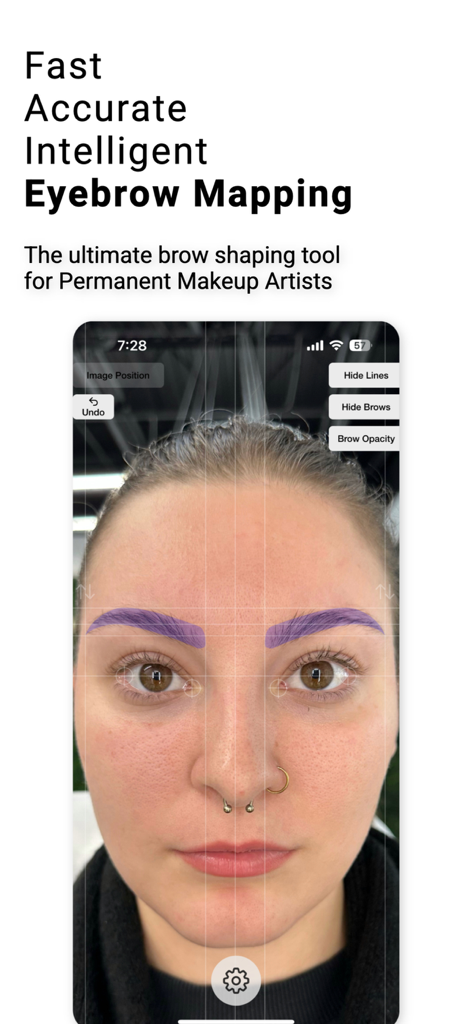
Brow Designer - 여성 얼굴에 대칭 선이 표시된 AI 기반 눈썹 디자인을 보여주는 Brow Designer 앱 인터페이스
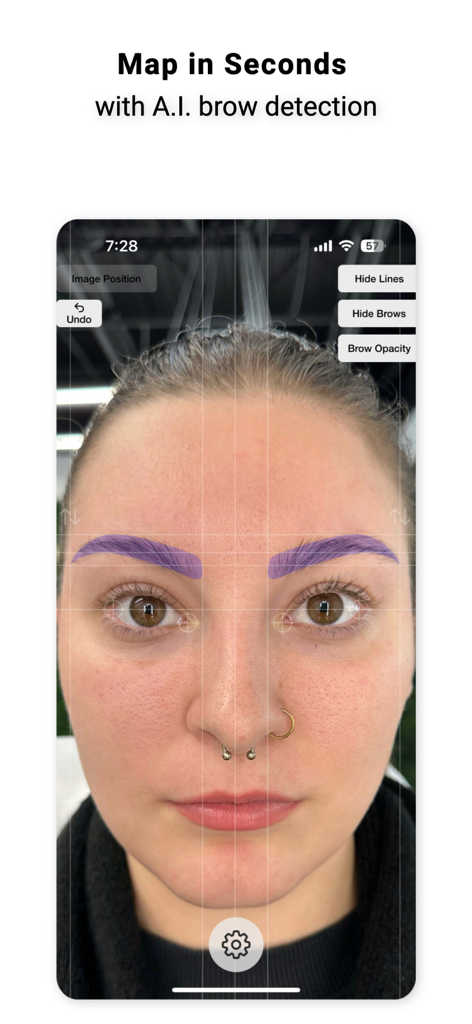
여성 얼굴에 대칭 선이 표시된 AI 기반 눈썹 디자인을 보여주는 Brow Designer 앱 인터페이스

Brow Designer - 얼굴에 표시된 전문가용 AI 눈썹 디자인 도구 인터페이스

얼굴에 표시된 전문가용 AI 눈썹 디자인 도구 인터페이스
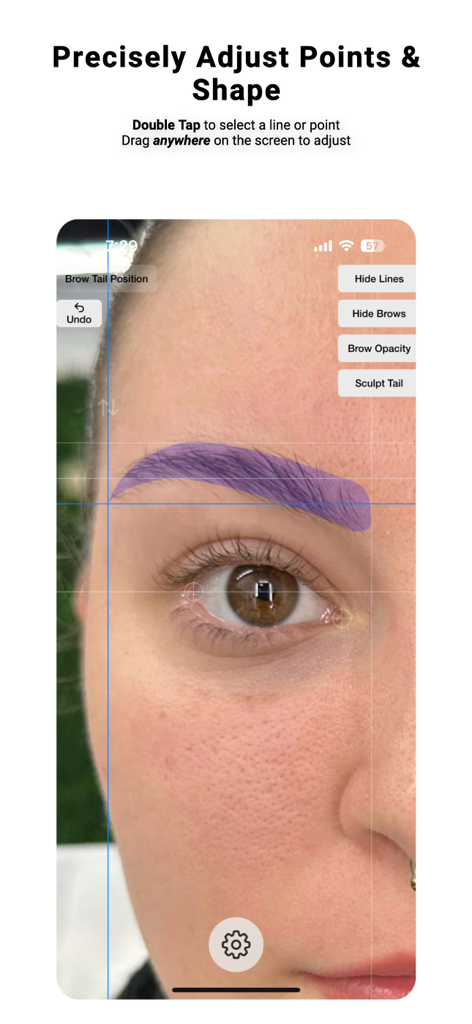
Brow Designer - 사람 얼굴에 정밀한 눈썹 디자인 및 모양 조정을 보여주는 Brow Designer 앱 인터페이스
사람 얼굴에 정밀한 눈썹 디자인 및 모양 조정을 보여주는 Brow Designer 앱 인터페이스

Brow Designer - 눈 포인트를 사용한 눈썹 정렬을 위한 Brow Designer 앱 인터페이스
눈 포인트를 사용한 눈썹 정렬을 위한 Brow Designer 앱 인터페이스

Brow Designer - 고객 얼굴에 AI 기반 대칭 눈썹 디자인을 보여주는 전문가용 눈썹 디자인 앱
고객 얼굴에 AI 기반 대칭 눈썹 디자인을 보여주는 전문가용 눈썹 디자인 앱

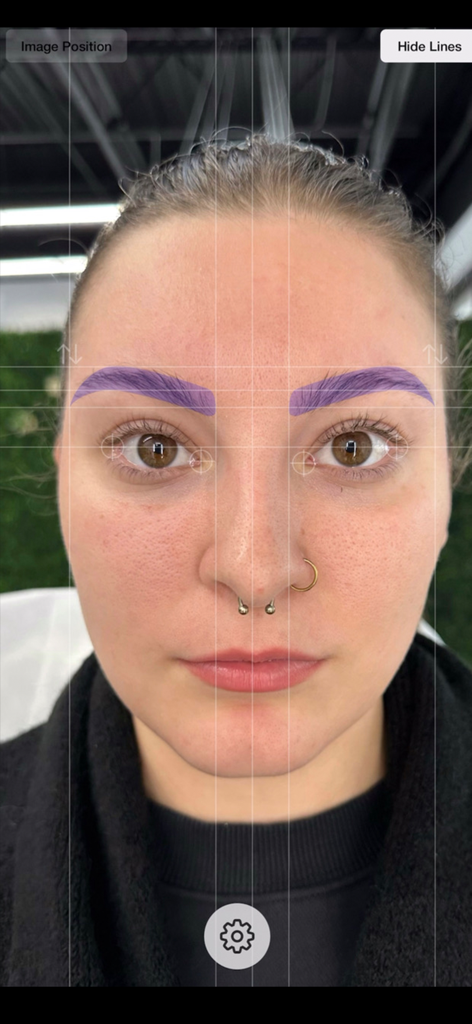
Brow Designer - 얼굴에 대칭 그리드 선과 보라색 눈썹 오버레이를 보여주는 전문가용 눈썹 디자인 앱

얼굴에 대칭 그리드 선과 보라색 눈썹 오버레이를 보여주는 전문가용 눈썹 디자인 앱

설명

After years of meticulous research and development, we are excited to introduce Brow Designer, the ultimate brow shaping tool. Our app is designed based on workflows and experience of the world's greatest Permanent Makeup artists with the goal of helping you create the best possible brows in record time. Our AI-powered app quickly and automatically maps eyebrows onto a face, then allows you to customize the size, shape, and position to create your desired look. With Brow Designer, you'll enjoy expert-level brow shaping that's personalized, accurate, and effortless. Unlike previous attempts at brow map apps that were frustrating, tricky, and time-consuming to use, Brow Designer was built from the ground up to be a user-friendly and blazing-fast addition to your Permanent Makeup workflow. However, we value your feedback and want to hear from you about how we can make this app even better. We are committed to making continuous improvements and learning from you, the professional brow designer. Please feel free to reach out to us with any questions or feedback. We look forward to hearing from you. User Interface & Controls: - Press & hold the gear button to get started. Once you have held long enough, your phone will vibrate and you can release. Releasing will open the menu and allow you to select a photo or open your camera - Once an image is loaded, you can move it by dragging it and zoom by pinching - Quickly Double Tap on a line or point to select it - The selected line or point will show in blue - Drag anywhere on the screen to adjust the selected point or line. This allows you to drag the position without obstructing it's location with your finger. - Single tap to unselect or simply double tap on a different line to change the selection - In the top right, you can press the Hide Lines button to show only the brows created. Tap it again to show the lines again. - If you select either the head or tail of the brow, a bonus button will be displayed in the top right that will say "Sculpt Head" or "Sculpt Tail". Clicking this will change the controls to allow for reshaping or the heads and tails to get the shape just right. - The up and down arrows above each brow will allow you to individually adjust the vertical position of each brow individually and separately How Automatic Mapping Works: Brow Designer uses Artificial Intelligence-based image analysis to automatically align the image and map brow points. The rotation of the image is determined by aligning the outermost corners of each eye so that they are in line. This is because subjects will subconsciously use the outer eye corners as reference points when looking at themselves in a mirror or image. This method is the most reliable because no face is absolutely symmetrical, so using features such as ears, nose, or distance can be misleading. The center point of the brow map is then identified by finding the distance between the two inner points of the eyes for the same reason. If the App doesn't do this perfectly, the eye points can be adjusted manually. Simply double-tap on the crosshairs near the eyes and drag them to their appropriate positions to adjust rotation and the brow center point. Tips: For best results, the subject should be maskless, sitting or standing with their eyes open and a neutral facial expression. The entire face and head of the subject should be surrounded by empty space because lens distortion affects the outer section of the image the most. You can find the terms of use here: https://www.apple.com/legal/internet-services/itunes/dev/stdeula/ SADWARE INCORPORATED is a one-human software company located in the great state of Texas.

Download

다운로드: App Store

이 페이지는 앱이나 개발자의 공식 페이지가 아니며, 정보 제공 및 논평을 목적으로 작성된 독립 편집 간행물입니다. 명시적으로 달리 언급되지 않는 한, 해당 앱이나 개발자는 MWM, Apple, Google Play, 앱 퍼블리셔 또는 앱 개발자와 제휴, 보증, 후원, 승인 또는 공식적으로 연결되어 있지 않으며, 이 페이지의 어떤 내용도 해당 앱이 MWM의 서비스를 사용하여 개발되었음을 의미하지 않습니다. 모든 상표, 로고, 스크린샷 및 기타 콘텐츠는 해당 소유자의 자산입니다.








