
이 페이지는 앱이나 개발자의 공식 페이지가 아니며, 정보 제공 및 논평을 목적으로 작성된 독립 편집 간행물입니다. 명시적으로 달리 언급되지 않는 한, 해당 앱이나 개발자는 MWM, Apple, Google Play, 앱 퍼블리셔 또는 앱 개발자와 제휴, 보증, 후원, 승인 또는 공식적으로 연결되어 있지 않으며, 이 페이지의 어떤 내용도 해당 앱이 MWM의 서비스를 사용하여 개발되었음을 의미하지 않습니다. 모든 상표, 로고, 스크린샷 및 기타 콘텐츠는 해당 소유자의 자산입니다.


Budget Bestie
당신은 돈을 다루지 못하는 것이 아닙니다. 오래된 방식이 당신을 다루지 못했던 겁니다. 'Budget Bestie'는 디지털 현금 채우기를 통해 당신의 돈을 파악하고 통제합니다.
다운로드
750k+사용자 평점
총 평가 수
3.6K개발사
카테고리
Finance지원 언어
1최신 버전
1.5.3크기
111.1 MB출시일
2024년 3월 8일이 분석은 개인 재정을 쉽게 관리하고 싶은 사용자를 위해 설계된 'Budget Bestie' 앱의 주요 기능을 전문적인 관점에서 검토합니다.
Budget Bestie: 예산 관리를 위한 직관적인 동반자
디지털 현금 봉투 시스템
사용자가 실제 현금 없이도 전통적인 현금 봉투 예산 방식을 디지털로 경험하게 해줍니다.
저축 목표 관리 및 추적
사용자가 저축 봉투를 생성하고 목표 달성 여부를 추적하여 저축 목표를 효율적으로 달성할 수 있도록 지원합니다.
현금 없는 현금 봉투 예산
사용자가 실제 현금을 휴대할 필요 없이 전통적인 현금 봉투 예산 관리법의 이점을 누릴 수 있도록 합니다.
유연한 예산 책정 일정
이 도구는 사용자의 수입 주기에 맞춰 유연한 예산 관리가 가능하게 해줍니다 (주간, 격주, 월 2회, 월별).
월별 지출 요약 및 통찰
이 앱은 월별 요약을 통해 사용자의 지출 패턴에 대한 통찰력을 제공하여, 사용자가 소액 지출이 전체 예산에 미치는 영향을 이해하고 더 현명한 재정 결정을 내릴 수 있도록 돕습니다.
반복 지출 알림
이 도구는 사용자가 반복되는 지출을 기록하지 않았을 때 알림을 보내 연체료를 피하고 재정을 체계적으로 관리할 수 있도록 돕습니다.
스마트 봉투 할당 추천
이 앱은 사용자의 이전 지출 습관과 예정된 청구서를 기반으로 각 봉투에 할당해야 할 금액을 추천하여 예산 책정을 간소화합니다.
맞춤형 지출 카테고리 (봉투)
사용자가 지출 카테고리별로 예산을 할당하고 관리할 수 있도록 봉투를 생성하게 해줍니다.
자주 묻는 질문
에 대해 알아야 할 모든 것 Budget Bestie
What is Budget Bestie?
Budget Bestie is an app that helps users manage their money using the cash stuffing method. It provides features like creating digital envelopes, tracking spending, and hitting savings goals.
How does the cash stuffing method work in Budget Bestie?
Budget Bestie digitizes the cash stuffing method. Users create envelopes for expenses, virtually 'stuff' them with funds, spend from corresponding envelopes, and repeat the process upon receiving income.
Can Budget Bestie help me achieve my savings goals?
Yes, Budget Bestie helps users hit savings goals. The app allows for the creation of specific savings envelopes and tracks progress to ensure users stay on track towards their targets.
What budgeting frequencies does Budget Bestie support?
Budget Bestie supports various budgeting frequencies, including weekly, biweekly, twice a month, or monthly. Users select their preferred schedule to align with their income cycle.
Does Budget Bestie offer suggestions for how much money to put in envelopes?
Yes, Budget Bestie provides budget suggestions. It recommends how much to 'stuff' into each envelope by analyzing previous spending habits and upcoming bills, eliminating manual calculations.
How does Budget Bestie prevent late payments?
Budget Bestie helps avoid late fees by sending notifications for unrecorded recurring expenses. Users receive reminders when a scheduled payment is due but not yet logged.
How do I log an expense in the Budget Bestie app?
Users can easily add expenses in Budget Bestie by selecting the 'Expense' option from the transaction screen. They input the amount, date, and choose the corresponding envelope.
Can I create different types of custom envelopes in Budget Bestie?
Yes, Budget Bestie allows users to create custom envelopes. Options include variable envelopes for fluctuating costs, fixed envelopes for regular payments, and saving envelopes for financial goals.
How do subscriptions work for Budget Bestie?
Budget Bestie offers subscription plans (monthly or annual) managed directly by Apple. Users choose their plan before a free trial begins and can manage or cancel it within their iPhone settings.
Can I cancel my Budget Bestie subscription at any time?
Yes, users can cancel their Budget Bestie subscription anytime. Subscriptions are billed and managed by Apple, so cancellation occurs within the iPhone's settings app.
다음 스크린샷과 설명은 앱의 공식 스토어 목록에서 직접 가져온 것이며 앱 개발자의 자산입니다.
앱 스토어
스크린샷
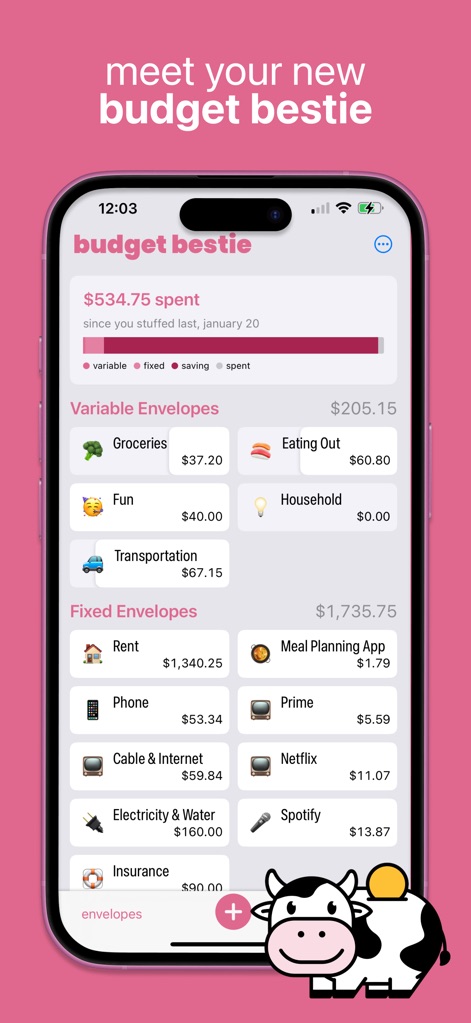
이 앱은 변동 및 고정 봉투를 명확하게 구분하여 사용자가 지출 현황을 쉽게 파악할 수 있도록 하며, 특정 기간 동안의 지출 진행률을 시각적인 막대 그래프로 보여줍니다.
예산 한눈에 보기
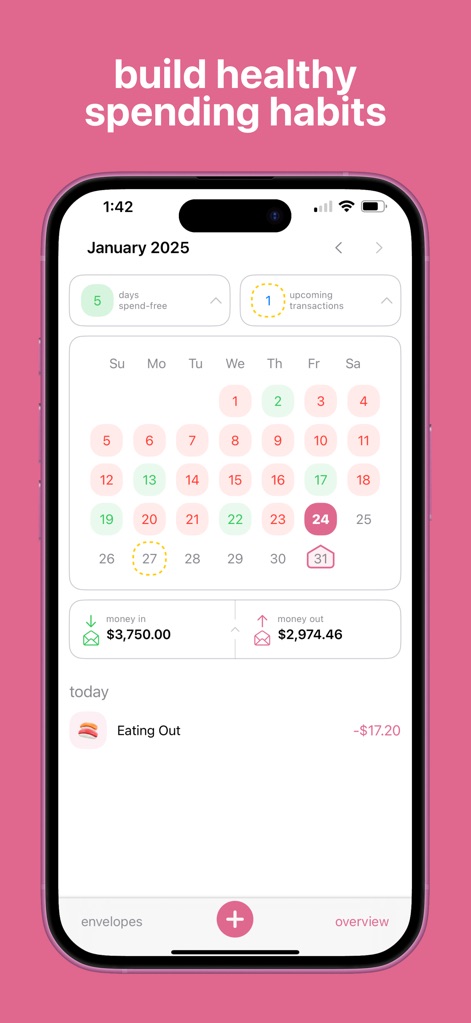
이 화면은 달력을 통해 지출 없는 날을 시각적으로 표시하고, 예정된 거래를 한눈에 보여주어 사용자가 건전한 소비 습관을 계획하고 추적할 수 있도록 돕습니다.
지출 습관 형성
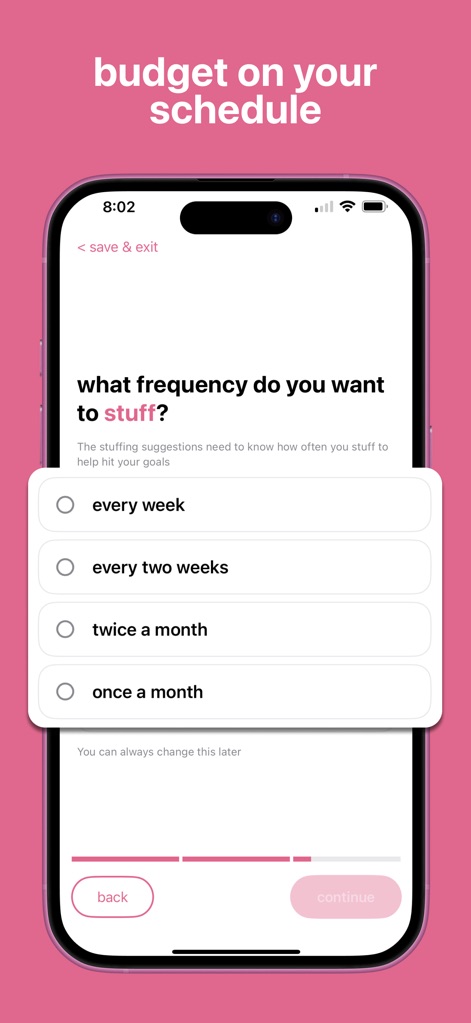
사용자는 매주, 격주, 월 2회, 월별 등 자신의 수입 주기에 맞춰 예산 주기를 유연하게 설정할 수 있으며, 이 설정은 목표 달성을 위한 제안에 반영됩니다.
맞춤형 예산 주기
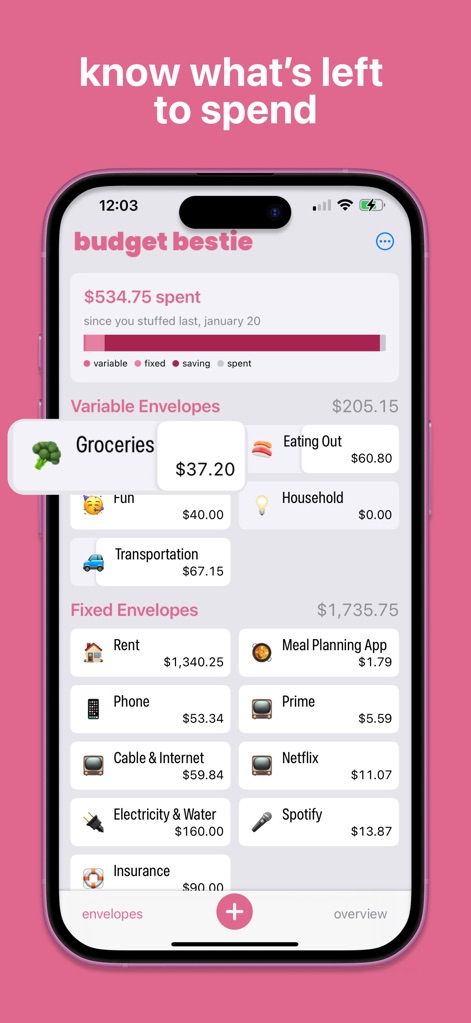
사용자는 식료품과 같은 특정 봉투의 현재 잔액과 총 지출 금액을 명확하게 확인할 수 있어, 예산 내에서 얼마가 남았는지 직관적으로 알 수 있습니다.
남은 돈 확인

이 도구는 과거 지출 습관을 기반으로 봉투에 채워 넣을 금액을 제안하며, 렌트와 같은 고정 지출에 대한 구체적인 권장 금액과 함께 숫자 입력 키패드를 제공합니다.
똑똑한 예산 제안

사용자는 '지출 추가' 화면에서 거래 유형을 선택하고, 날짜와 해당 봉투를 지정하여 지출을 손쉽게 기록할 수 있으며, 통합된 숫자 키패드를 사용하여 금액을 입력합니다.
지출 간편 등록

이 앱은 예정된 거래를 명확하게 표시하고, 달력에서 특정 날짜의 예정된 지출을 강조하여 사용자가 전기 요금과 같은 반복 지출의 연체를 피할 수 있도록 돕습니다.
연체료 방지

사용자는 비상 자금과 같은 저축 봉투를 생성하여 목표 금액에 대한 현재 진행률을 명확하게 확인하고, 정기적인 예산 업데이트 기록을 통해 저축 현황을 추적할 수 있습니다.
저축 목표 달성
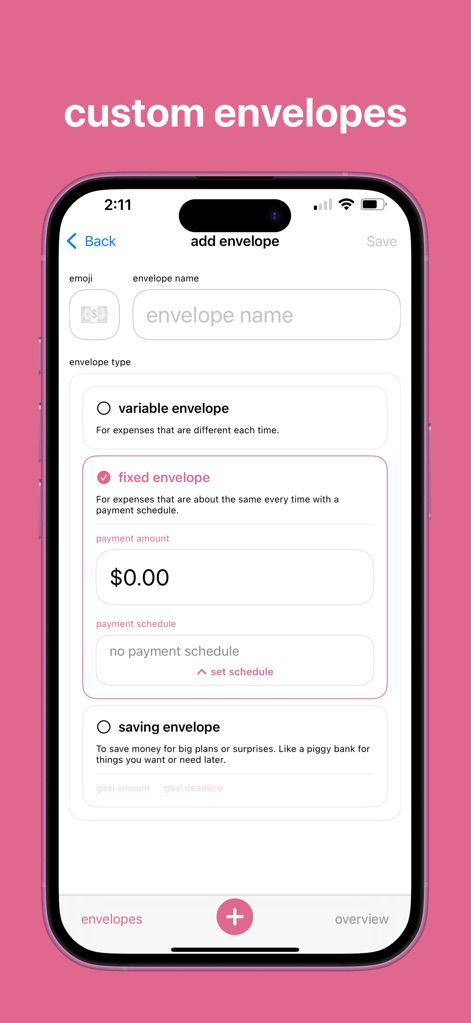
이 앱은 사용자가 이모지, 봉투 이름을 설정하여 지출 카테고리를 맞춤 설정할 수 있도록 하며, 변동, 고정, 저축 봉투 유형 중 하나를 선택하여 유연한 예산 관리를 지원합니다.
나만의 봉투 설정
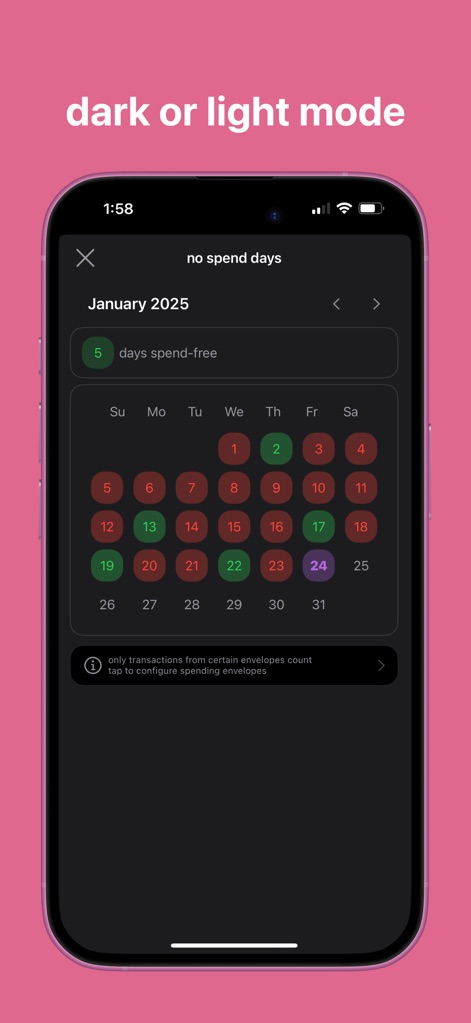
사용자는 캘린더를 통해 지출 없는 날을 어두운 테마로도 확인할 수 있으며, 다양한 색상으로 표시된 날짜들을 통해 자신의 지출 패턴을 선호하는 화면 모드에서 분석할 수 있습니다.
라이트/다크 모드
설명
Download
비슷한 앱
유사한 기능과 사용자 경험을 가진 앱

鲨鱼记账本-城市理财圈子必备工具软件
Beijing Shark Pioneer Network Technology Co.,Ltd

咔皮记账 -自动记账 AI记账 预算 多账本 资产管理 存钱
Shanghai Yuhuan Technology Co., Ltd.

Money manager, expense tracker
Orange dog d.o.o.

Money Manager Expense & Budget
Realbyte Inc.

Budget Planner App - Fleur
Akash Jain

iCost记账-快速简洁好用的记账理财助手&记账软件
Guangzhou Quji Technology Co., Ltd.

YNAB
You Need A Budget LLC

Copilot: Track & Budget Money
Copilot Money, Inc.

小青账记账-存钱记账本理财购物清单
YouQian
이 페이지는 앱이나 개발자의 공식 페이지가 아니며, 정보 제공 및 논평을 목적으로 작성된 독립 편집 간행물입니다. 명시적으로 달리 언급되지 않는 한, 해당 앱이나 개발자는 MWM, Apple, Google Play, 앱 퍼블리셔 또는 앱 개발자와 제휴, 보증, 후원, 승인 또는 공식적으로 연결되어 있지 않으며, 이 페이지의 어떤 내용도 해당 앱이 MWM의 서비스를 사용하여 개발되었음을 의미하지 않습니다. 모든 상표, 로고, 스크린샷 및 기타 콘텐츠는 해당 소유자의 자산입니다.