Business Card Maker : Creator
다운로드: App Store

이 페이지는 앱이나 개발자의 공식 페이지가 아니며, 정보 제공 및 논평을 목적으로 작성된 독립 편집 간행물입니다. 명시적으로 달리 언급되지 않는 한, 해당 앱이나 개발자는 MWM, Apple, Google Play, 앱 퍼블리셔 또는 앱 개발자와 제휴, 보증, 후원, 승인 또는 공식적으로 연결되어 있지 않으며, 이 페이지의 어떤 내용도 해당 앱이 MWM의 서비스를 사용하여 개발되었음을 의미하지 않습니다. 모든 상표, 로고, 스크린샷 및 기타 콘텐츠는 해당 소유자의 자산입니다.


로고: Business Card Maker : Creator
다운로드: App Store

Business Card Maker : Creator

1,000개 이상의 프리미엄 템플릿으로 돋보이세요. 1인 사업가 및 소규모 비즈니스를 위해 맞춤 제작되었습니다. 디자이너 없이도 몇 초 안에 QR 코드를 포함한 고해상도 디자인을 만들고, 맞춤 설정하고, 내보낼 수 있습니다.

주요 수치

다운로드

43K+

사용자 평점

4.8/5

총 평가 수

100

개발사

Shubham Bodar

카테고리

Graphics & Design

지원 언어

31

최신 버전

1.23

크기

137.0 MB

출시일

2021년 9월 29일
기능

몇 분 안에 전문가 브랜드 구축

현대 기업가에게 맞춰진 전문가 수준의 도구로 비즈니스를 강화하세요. 부업부터 기성 에이전시까지, 깊은 인상을 남기는 영향력 있는 카드를 만드세요.

즉각적인 전문성

디자이너는 건너뛰세요. 1,000개 이상의 산업별 템플릿 중에서 선택하고 60초 안에 전문가로서의 아이덴티티를 맞춤 설정하세요.

스마트 QR 통합

물리적 세계와 디지털 세계를 연결하세요. 맞춤 QR 코드를 추가하여 고객이 웹사이트, 포트폴리오 또는 LinkedIn 프로필로 즉시 연결되도록 하세요.

다음 스크린샷과 설명은 앱의 공식 스토어 목록에서 직접 가져온 것이며 앱 개발자의 자산입니다.

앱 스토어

스크린샷
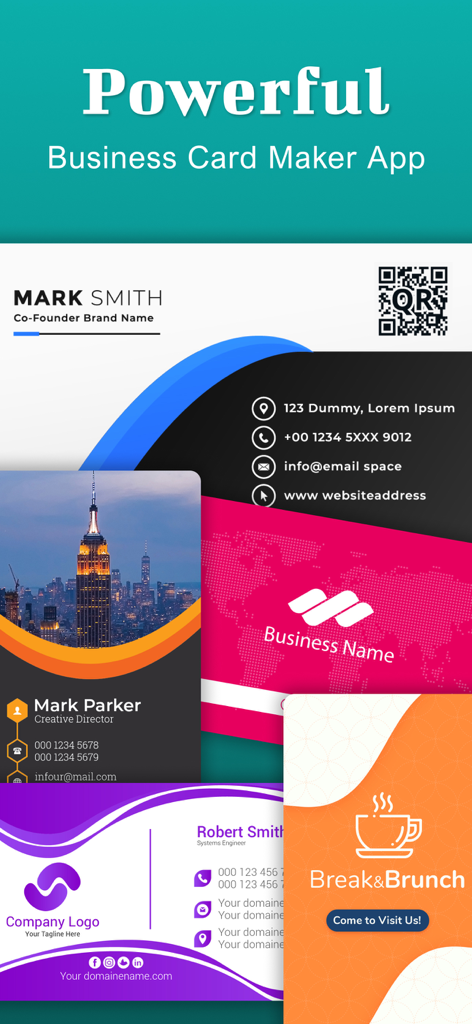
Business Card Maker : Creator - QR 코드 통합을 포함한 다양한 스타일과 색상의 전문가 명함 템플릿 모음.
QR 코드 통합을 포함한 다양한 스타일과 색상의 전문가 명함 템플릿 모음.

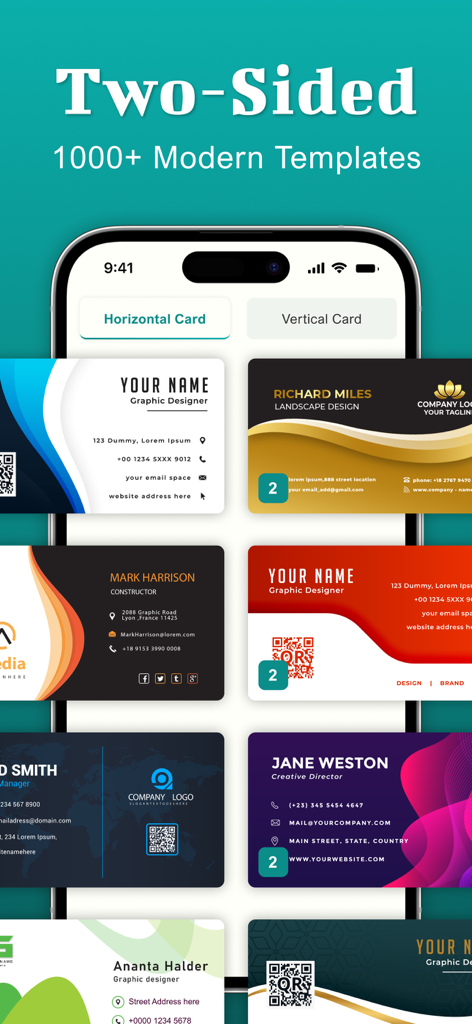
Business Card Maker : Creator - 다양한 현대적인 양면 명함 템플릿을 보여주는 모바일 앱 화면.

다양한 현대적인 양면 명함 템플릿을 보여주는 모바일 앱 화면.

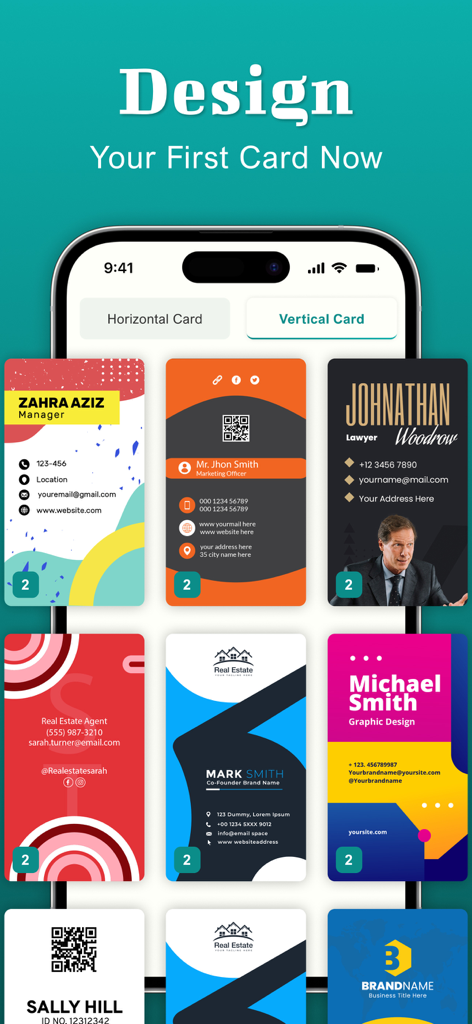
Business Card Maker : Creator - iPhone에서 다양한 세로 명함 디자인 템플릿을 보여주는 명함 제작기 앱의 인터페이스
iPhone에서 다양한 세로 명함 디자인 템플릿을 보여주는 명함 제작기 앱의 인터페이스

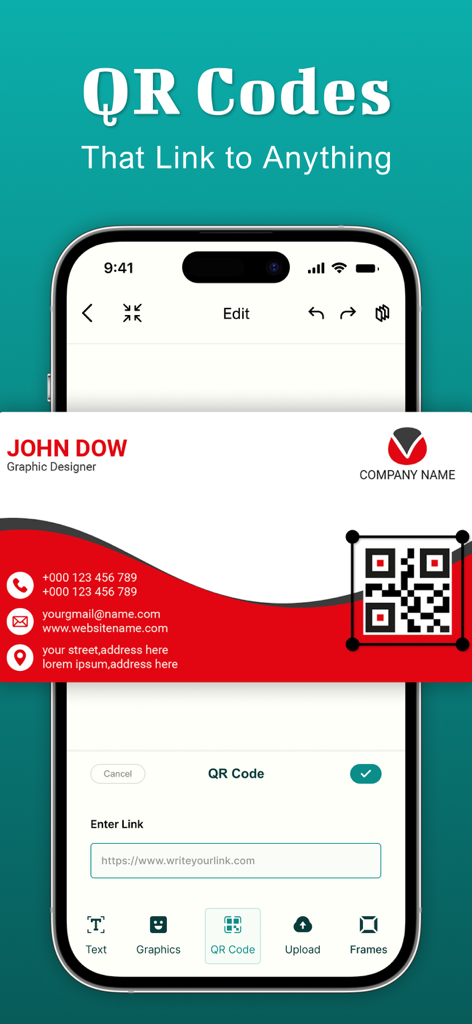
Business Card Maker : Creator - 앱 내에서 명함 디자인에 맞춤 QR 코드를 추가하는 과정을 보여주는 인터페이스
앱 내에서 명함 디자인에 맞춤 QR 코드를 추가하는 과정을 보여주는 인터페이스

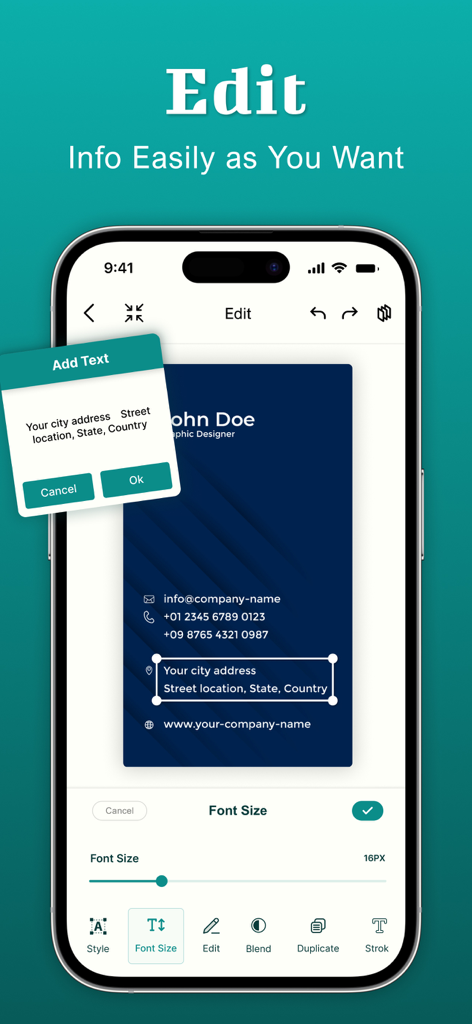
Business Card Maker : Creator - 명함 제작기 앱의 텍스트 편집 및 글꼴 크기 맞춤 설정 인터페이스를 보여주는 스마트폰
명함 제작기 앱의 텍스트 편집 및 글꼴 크기 맞춤 설정 인터페이스를 보여주는 스마트폰

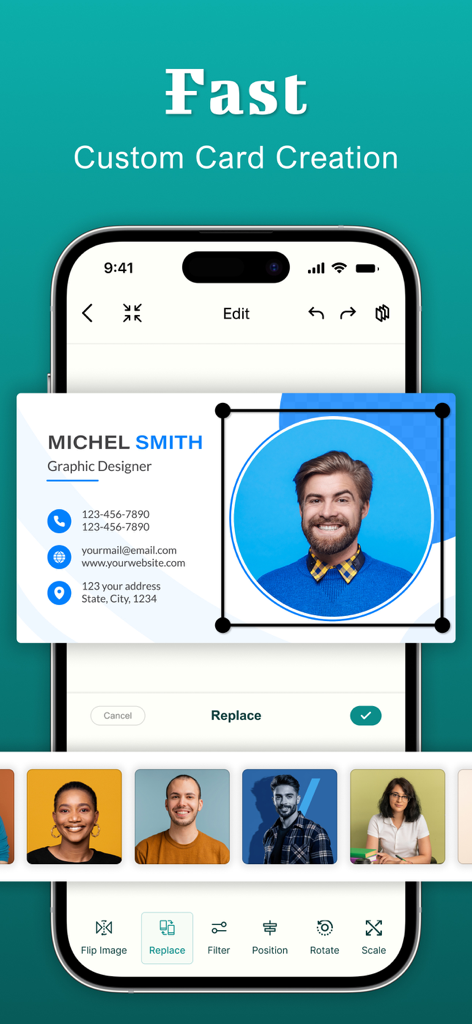
Business Card Maker : Creator - 명함 제작 앱의 전문가 명함 사진 편집 및 맞춤 설정 옵션을 보여주는 모바일 인터페이스
명함 제작 앱의 전문가 명함 사진 편집 및 맞춤 설정 옵션을 보여주는 모바일 인터페이스

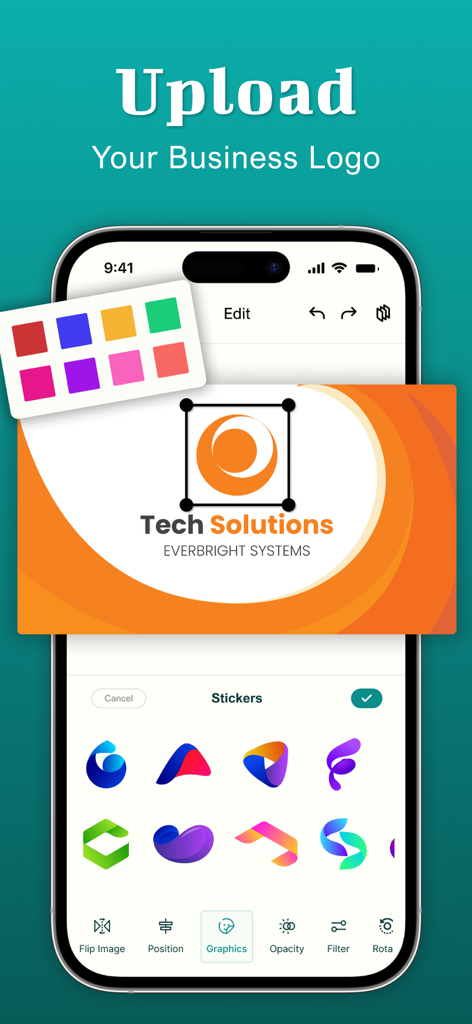
Business Card Maker : Creator - 로고 업로드 및 그래픽 스티커 선택을 보여주는 명함 제작기 앱의 인터페이스
로고 업로드 및 그래픽 스티커 선택을 보여주는 명함 제작기 앱의 인터페이스

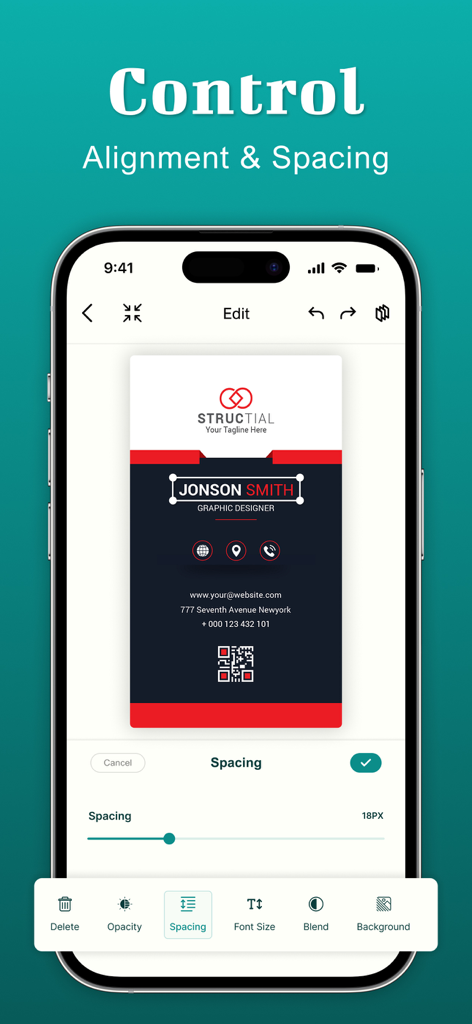
Business Card Maker : Creator - 세로형 전문가 카드 디자인의 정렬 및 간격 조절을 보여주는 명함 제작기 앱 인터페이스.
세로형 전문가 카드 디자인의 정렬 및 간격 조절을 보여주는 명함 제작기 앱 인터페이스.

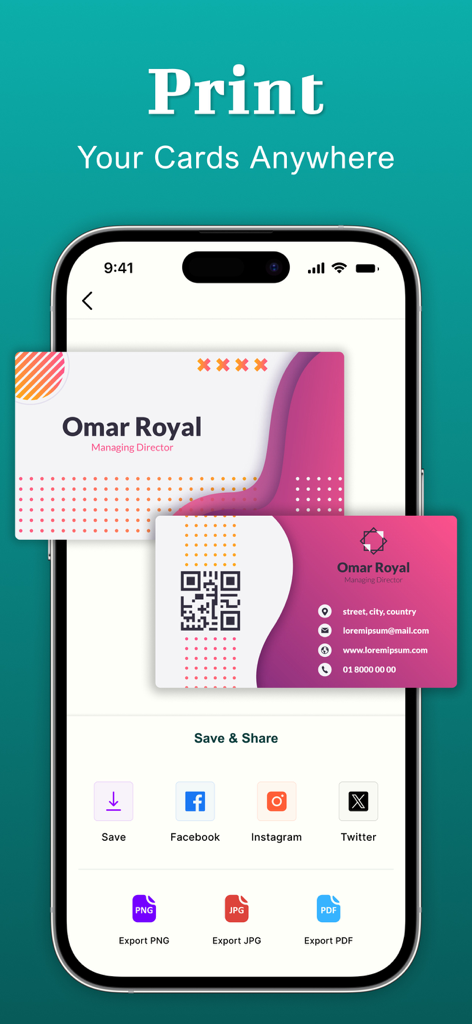
Business Card Maker : Creator - 인쇄 및 소셜 미디어 공유를 위한 명함 내보내기 옵션을 보여주는 스마트폰 앱 화면

인쇄 및 소셜 미디어 공유를 위한 명함 내보내기 옵션을 보여주는 스마트폰 앱 화면

설명

Create your own professional business cards in just a minute with our easy-to-use Business Card Maker App. With a few taps, you can design business cards. From elegant and modern to bold and creative styles, business card maker offers a vast collection of templates, fonts, icons, and design elements for every industry and profession. So you don’t need to hire a designer or use difficult software. Our business card maker lets you design your own business cards right from your IOS device. Create stunning business cards in just a few taps. 1,000+ Business Card Templates: Select from thousands of modern, elegant, and creative business card templates designed for every profession from real estate agents to photographers, lawyers to small business owners. Feature: - Vertical business card and horizontal business card - Modern business card templates - Minimalist design cards - Upload logo - Color themes - Abstract & elegant templates - Elegant font typography - Graphic packs - Creative & artsy designs - icons and shapes - Colorful & trendy cards - Text styles, gradients, and textures overlay Powerful Business Card Creator & Editor: - Easy business card editor - High-resolution business card for print and digital use - Drag-and-drop UI for fast customization - Fully editable graphic design - Save and rechange cards anytime Unlimited Customization: If you need to create a minimal visiting card, a glossy modern business card design, or a bold creative business card template, this business card maker app has it all. Experiment with color palettes, font typography, paper finishes and visual elements using the business card editor. Our business card creator app lets you take full control of your business card design. Whether you’re making a visiting card, membership card, or professional id, you can easily customize text, fonts, colors, logos, and layouts. You can even upload your own photos and qr codes also. Tips for the Best Business Card Design: - Keep it clean and meaningful - Use your business colors - Include only important contact information - Add a qr code for quick contact - Use only readable fonts - Save your business card must in high resolution - Try both light and dark background in your design - Update your card regularly with current contact info The visiting card maker app gives you superpower for the need to design, customize, and share your digital and printable business cards. About Subscriptions and Terms of Use: - For some features of Business Card Maker, a Premium subscription is needed. - Payment will be made from your iTunes account after you confirm the purchase. - Your subscription automatically renews unless auto-renewal is turned off at least 24-hours before the end of the current period. - You can manage your subscriptions and turn off auto-renewal by going to your Account Settings in the iTunes store after purchase. Privacy policy: https://shubham-bodar.web.app/privacy.html Terms of use: https://shubham-bodar.web.app/terms.html

Download

다운로드: App Store

이 페이지는 앱이나 개발자의 공식 페이지가 아니며, 정보 제공 및 논평을 목적으로 작성된 독립 편집 간행물입니다. 명시적으로 달리 언급되지 않는 한, 해당 앱이나 개발자는 MWM, Apple, Google Play, 앱 퍼블리셔 또는 앱 개발자와 제휴, 보증, 후원, 승인 또는 공식적으로 연결되어 있지 않으며, 이 페이지의 어떤 내용도 해당 앱이 MWM의 서비스를 사용하여 개발되었음을 의미하지 않습니다. 모든 상표, 로고, 스크린샷 및 기타 콘텐츠는 해당 소유자의 자산입니다.