Business Card Scanner + Reader

Business Card Scanner + Reader

다운로드: App Store다운로드: Google Play
로고: Business Card Scanner + Reader

명함 스캐너 + 리더: 모든 악수를 디지털 잠재 고객으로 전환

수동 데이터 입력에 몇 시간씩 낭비하지 마세요. 고급 OCR 기술과 안전한 클라우드 동기화로 손쉽게 연락처를 스캔, 정리 및 내보냅니다.

개발사

Asad Ahsan

카테고리

Business

다운로드

26K+

사용자 평점

4.5/5

총 평가 수

1K+

지원 언어

69

효율성의 엿보기

이 인터페이스를 사용하는 26K+ 명의 사용자.

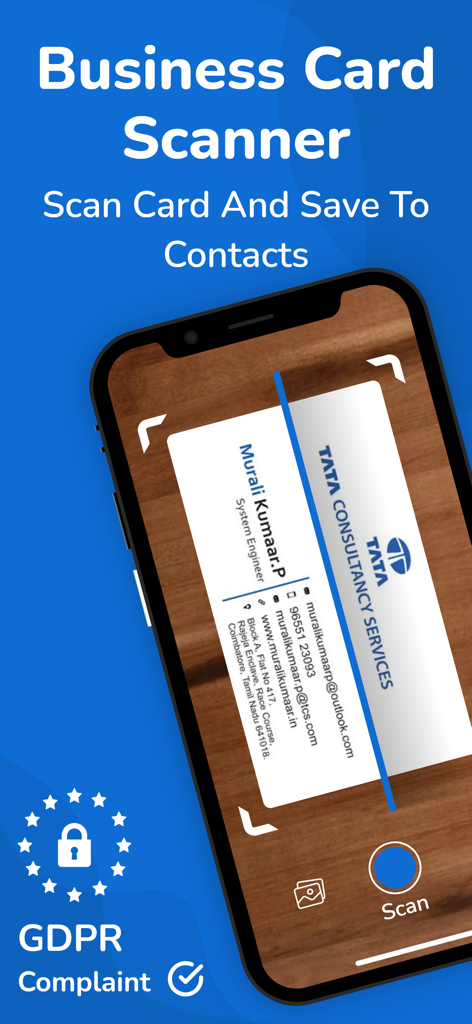
스마트폰이 실제 명함을 스캔하여 연락처 정보를 디지털 방식으로 저장합니다.
스마트폰이 실제 명함을 스캔하여 연락처 정보를 디지털 방식으로 저장합니다.

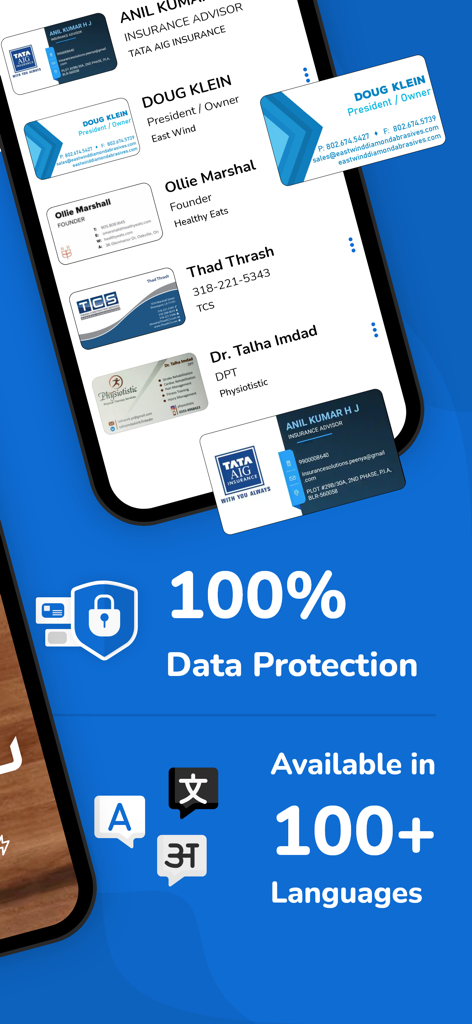
명함 스캐너 앱의 인터페이스로 데이터 보호 기능과 100개 이상의 언어 지원을 강조합니다.
명함 스캐너 앱의 인터페이스로 데이터 보호 기능과 100개 이상의 언어 지원을 강조합니다.

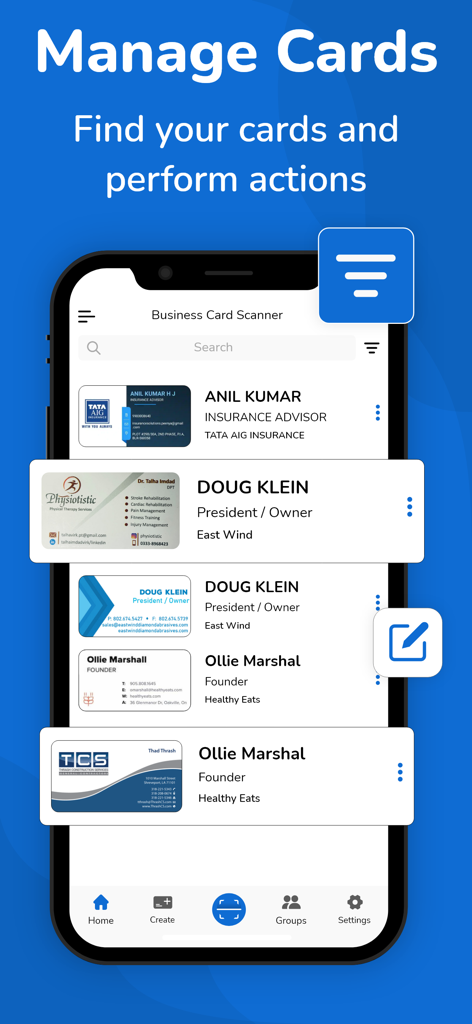
디지털화된 연락처 목록이 있는 명함 스캐너 앱의 '명함 관리' 기능이 표시된 휴대폰 화면입니다.
디지털화된 연락처 목록이 있는 명함 스캐너 앱의 '명함 관리' 기능이 표시된 휴대폰 화면입니다.

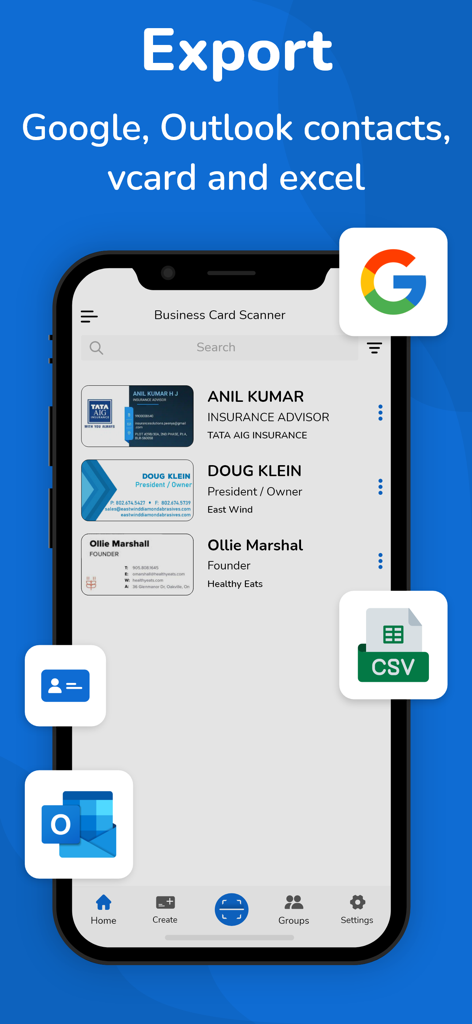
명함 스캐너 앱 인터페이스로 Google, Outlook, vCard 및 CSV 내보내기 옵션이 표시됩니다.
명함 스캐너 앱 인터페이스로 Google, Outlook, vCard 및 CSV 내보내기 옵션이 표시됩니다.

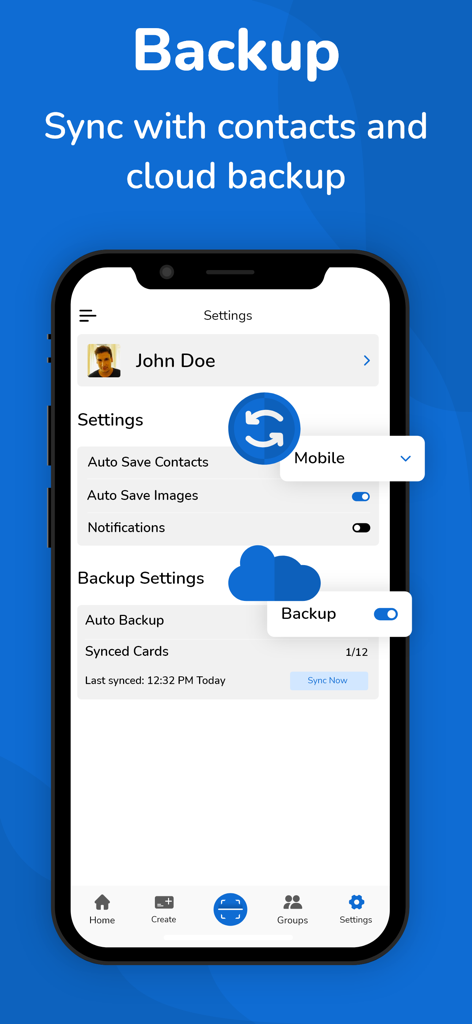
명함 스캐너 앱의 설정 화면으로 클라우드 백업 및 연락처 동기화 옵션이 표시됩니다.
명함 스캐너 앱의 설정 화면으로 클라우드 백업 및 연락처 동기화 옵션이 표시됩니다.

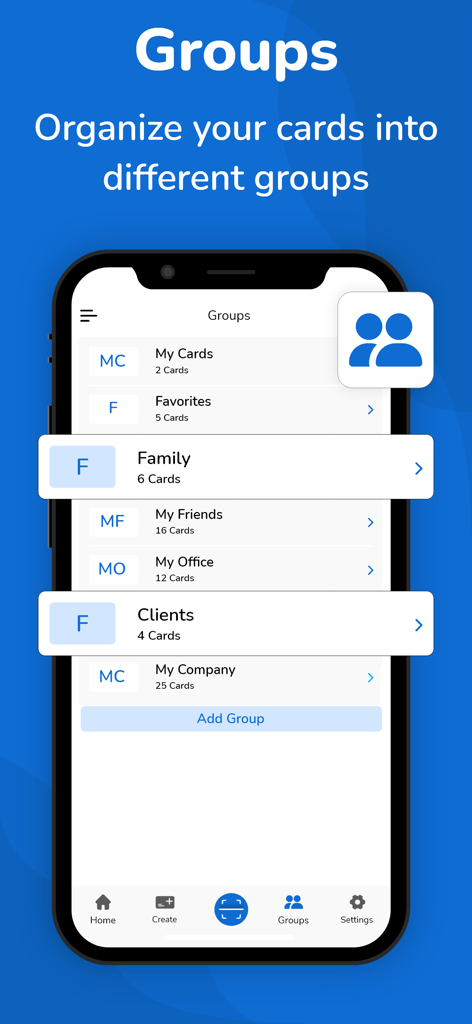
명함 스캐너 앱의 인터페이스로 고객 및 사무실과 같은 그룹으로 연락처 분류가 표시됩니다.
명함 스캐너 앱의 인터페이스로 고객 및 사무실과 같은 그룹으로 연락처 분류가 표시됩니다.

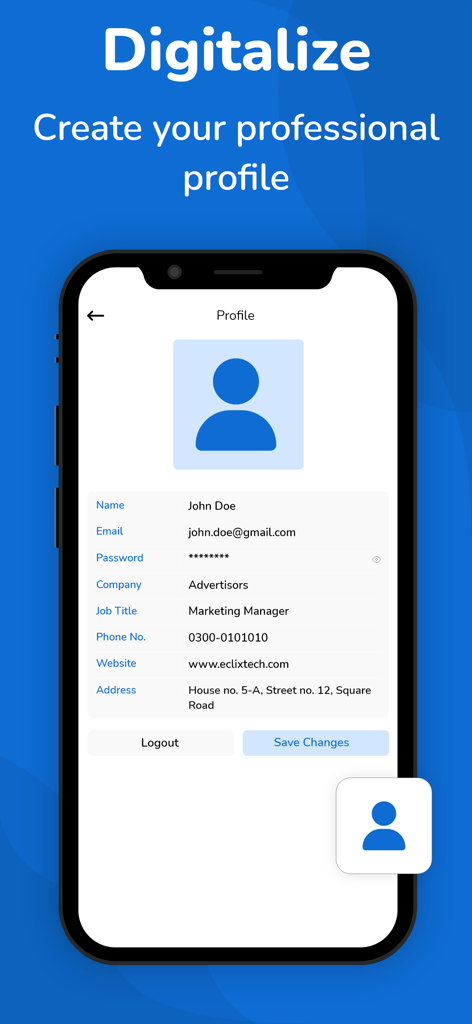
명함 스캐너 앱에서 전문 프로필 설정이 표시된 스마트폰 화면입니다.

명함 스캐너 앱에서 전문 프로필 설정이 표시된 스마트폰 화면입니다.

모든 악수를 디지털 연결로 전환

이 앱을 돋보이게 하는 도구, 26K+ 명의 사용자가 선택.

AI 정밀 스캔

고급 OCR 기술로 몇 초 안에 거의 완벽한 정확도로 이름, 직책, 이메일을 캡처하여 바쁜 업무 시간을 절약해 줍니다.

☁️

클라우드 백업 및 동기화

자동 클라우드 동기화 및 안전한 저장 공간을 통해 모든 기기에서 전문 네트워크를 안전하고 액세스 가능하게 유지합니다.

📤

원활한 CRM 내보내기

즉시 후속 조치를 위해 연락처를 Google, Outlook 또는 CSV 파일로 직접 내보내어 판매 파이프라인을 강화하십시오.

앱 소개

에 대해 알아야 할 모든 것 Business Card Scanner + Reader.

설명

Business card scanner is also a digital business card reader. Now, you no longer need to spend a couple of hours manually entering a stack of business cards into your database. The business card scanner + reader can do it for you by quickly transferring and organizing business card contact information into digitally transcribed contacts. Now, you can scan many cards using the online business card organizer app. No doubt this business card scanner makes it easy for you to remember more about the individuals you meet. The free business card scanner app scans business cards with Optical Character Recognition (OCR) and everything into a contact note, including: • Name, company, title, and other contact information • An image of the card How Does a Business Card Scanner App Work? Business cards play a crucial role in quickly sharing contact information with someone. It gives a professional first impression especially when you meet with a potential client. There’s no doubt these cards remain a constant even as people use the business card scanner + reader app to store their paper cards into digital business cards. The business card scanner app for iOS helps to scan business cards and organize the contact information into the contact list of your phone. The business card reader app uses your phone's camera for card scanning stores the entire information in a digitized way and converts a card to a virtual business card. Ease of Use: The business card organizer app makes organizing, scanning, and transcribing business cards relatively simple. What Look For The Best Business Card Reader App: Aim for a business card scanner app that provides you with advanced OCR features, a high degree of accuracy, ease of use, device capability, and additional features such as different OCR language support. For most individuals, the free version of the business card organizer app will be sufficient according to their needs. The free version of the business card keeper will quickly and accurately save the information for your new contact. However, marketers may account for a paid version of the card scanner app so they can readily & accurately save their cards in a single place and access them when required. Best Features Provided By Business Card Scanner App: Let’s take a look at the advanced features of this app. • The app uses advanced OCR technology to scan business cards, it recognizes the text of cards and transcribes them in digital form • Business card reader scans QR Code and fetches the contact information • Allow you to store business cards in a digitized way • Allow auto-sync of contacts • Support a cloud-based (auto backup) system for your contacts • Export business contacts help to export scanned contacts to Google (CSV), Outlook (CSV), and vcard files. • Import allows you to import the contacts from the vcard file to your app • The business card scanner allows you to read and scan the multilanguage cards. This business card app supports more than 30 languages • Scanning limits: When it comes to a free plan, users get limited card scanning, to enjoy unlimited scanning you have to head to the business card scanner app pro version Let’s Sum Up: So, say goodbye to piles of paper business cards right now, and scan and organize your card contacts into a digitized form using the business card organizer app. Disclaimer: This app is originally built and not copied from any other source. Your privacy is fully respected - we do not share your personal data with any third parties. - Privacy policy https://www.cardscanner.co/privacy - Terms of Services https://www.cardscanner.co/terms - Website https://www.cardscanner.co/ - Contact Email cardscannerpro@gmail.com

최신 버전

1.0.50

크기

59.7 MB

출시일

2021년 2월 6일

모든 악수를 디지털 잠재 고객으로 전환

수동 데이터 입력에 몇 시간씩 낭비하지 마세요. AI 기반 OCR을 사용하여 몇 초 만에 연락처를 디지털화, 동기화 및 내보내는 26,000명 이상의 전문가와 함께하세요.

다운로드: App Store다운로드: Google Play

App information, icons, screenshots, and descriptions displayed on this page are sourced from the Apple App Store and are the property of their respective developers. Download estimates and rankings are based on MWM's proprietary models and may not reflect actual figures. This page is provided for informational and analytical purposes only.

Believe this page infringes your intellectual property? File a dispute