
이 페이지는 앱이나 개발자의 공식 페이지가 아니며, 정보 제공 및 논평을 목적으로 작성된 독립 편집 간행물입니다. 명시적으로 달리 언급되지 않는 한, 해당 앱이나 개발자는 MWM, Apple, Google Play, 앱 퍼블리셔 또는 앱 개발자와 제휴, 보증, 후원, 승인 또는 공식적으로 연결되어 있지 않으며, 이 페이지의 어떤 내용도 해당 앱이 MWM의 서비스를 사용하여 개발되었음을 의미하지 않습니다. 모든 상표, 로고, 스크린샷 및 기타 콘텐츠는 해당 소유자의 자산입니다.

C++ Shell - C++ code compiler
고성능 LLVM/Clang 컴파일러로 이동 중에 C++를 마스터하세요. Linux 명령을 실행하고, 알고리즘을 프로토타이핑하고, 분할 화면 지원 및 전체 터미널 경험으로 iPad를 휴대용 워크스테이션으로 전환하세요.
다운로드
84K+사용자 평점
총 평가 수
2K+개발사
카테고리
Developer Tools지원 언어
2최신 버전
5.5크기
151.7 MB출시일
2022년 11월 21일전문 IDE, 어디서든
모바일에서 타협하지 마세요. C++ 셸은 주머니 속에서 데스크톱급 LLVM/Clang 환경, 전체 Linux 터미널 및 다국어 지원을 제공합니다.
데스크톱급 LLVM 컴파일러
전문가가 사용하는 것과 동일한 Clang/LLVM 엔진으로 C++를 컴파일하고 실행하여 모바일 장치에서 정확한 결과와 자세한 오류 스택을 보장합니다.
전체 Linux 명령 셸
curl, grep, ssh-keygen을 포함한 50개 이상의 내장 Linux 명령과 통합된 Python 및 Lua 환경으로 간단한 코딩을 넘어서세요.
자주 묻는 질문
에 대해 알아야 할 모든 것 C++ Shell - C++ code compiler
C++ Shell이란 무엇인가요?
C++ Shell은 C++ 코드를 컴파일하고 실행하기 위한 모바일 소프트웨어 개발 도구입니다. 또한 Python 및 Lua를 통합하는 기본 환경과 콘솔에서 Linux 명령 실행을 제공합니다.
C++ Shell은 C++ 외 다른 프로그래밍 언어도 지원하나요?
예, C++ Shell은 Python 및 Lua를 위한 기본 환경을 통합합니다. 사용자는 이러한 추가 언어를 활용하는 동시에 C++ 코드를 컴파일하고 실행할 수 있습니다.
C++ Shell은 Linux 명령을 실행할 수 있나요?
예, C++ Shell은 콘솔에서 직접 기본 Linux 명령을 실행하는 것을 지원합니다. 앱 내에서 `ls`, `ifconfig`, `ping`과 같은 명령을 실행할 수 있습니다.
C++ Shell은 어떤 컴파일 기술을 사용하나요?
C++ Shell은 LLVM 및 Clang의 컴파일 방식을 채택합니다. 이 구현 원리는 모바일 장치에서 코드 컴파일 기능을 뒷받침합니다.
C++ Shell은 코드 하이라이팅을 제공하나요?
예, C++ Shell은 가독성 향상을 위해 코드 하이라이팅을 제공합니다. 통합 편집기는 직관적인 색상 체계로 코드를 표시합니다.
C++ Shell은 분할 화면 기능을 지원하나요?
예, C++ Shell은 장치가 가로 화면 모드일 때 분할 화면 표시를 지원합니다. 이 기능을 통해 앱 내에서 코드 보기 및 출력을 동시에 할 수 있습니다.
C++ Shell 구독 비용은 얼마인가요?
C++ Shell은 "C++ Shell Month Unlock"이라는 월 $4.49의 월간 구독을 제공합니다. 이를 통해 무제한 코드 실행, 콘솔 사용, 모듈 및 사용자 지정 테마를 이용할 수 있습니다.
C++ Shell 무료 체험판이 있나요?
예, C++ Shell은 3일 무료 체험판을 제공합니다. 체험 기간 후에는 사용자가 적극적으로 취소하지 않는 한 자동으로 매월 갱신됩니다.
C++ Shell 구독을 어떻게 취소하나요?
C++ Shell 구독은 언제든지 취소할 수 있습니다. 자동 갱신을 피하려면 체험 기간 또는 구독 종료일 최소 24시간 전에 App Store 계정 설정에서 취소해야 합니다.
사용자는 C++ Shell의 모양을 사용자 지정할 수 있나요?
예, C++ Shell을 사용하면 테마와 글꼴 크기를 사용자 지정할 수 있습니다. 이 기능은 더 나은 가독성과 개인 선호도를 위해 코딩 환경을 향상시킵니다.
C++ Shell 개인 정보 보호 정책은 어디에서 찾을 수 있나요?
C++ Shell의 개인 정보 보호 정책은 https://phoenixlab.ltd/protocols/en/PrivacyStatement.html에서 온라인으로 확인할 수 있습니다. 이 링크는 데이터 처리 및 사용자 개인 정보에 대한 자세한 정보를 제공합니다.
다음 스크린샷과 설명은 앱의 공식 스토어 목록에서 직접 가져온 것이며 앱 개발자의 자산입니다.
앱 스토어
스크린샷
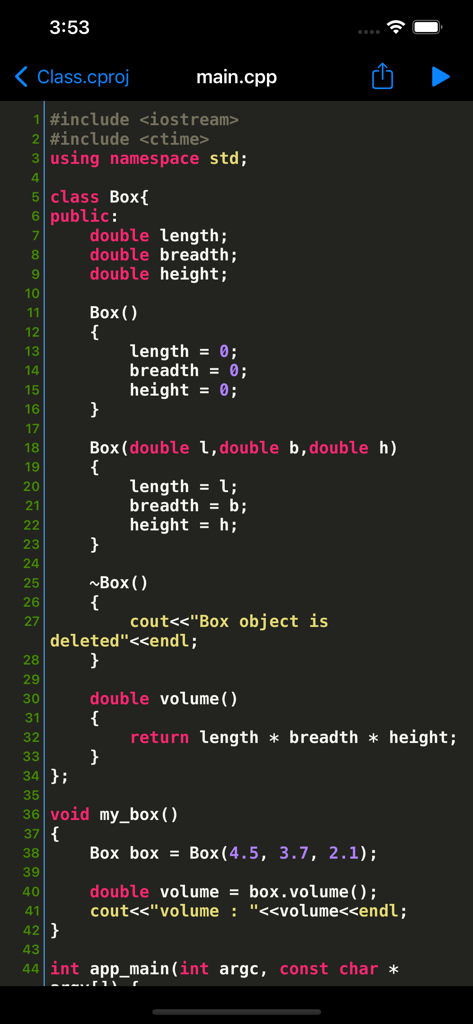
C++ 셸 모바일 앱 인터페이스에 구문 강조 표시 및 C++ 클래스 정의가 있는 코드 편집기가 표시됨
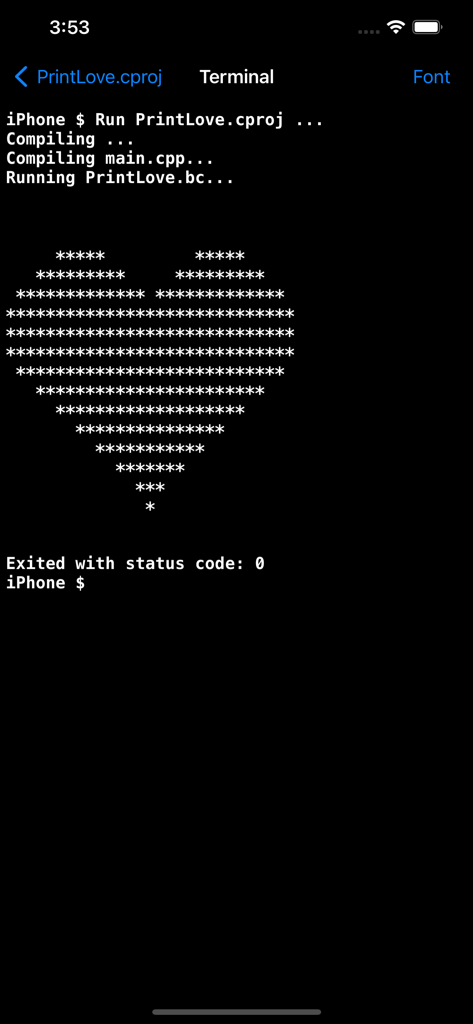
C++ 셸 터미널 화면에 성공적인 컴파일 및 프로그램 실행이 표시되고 ASCII 하트 아트 출력이 생성됨
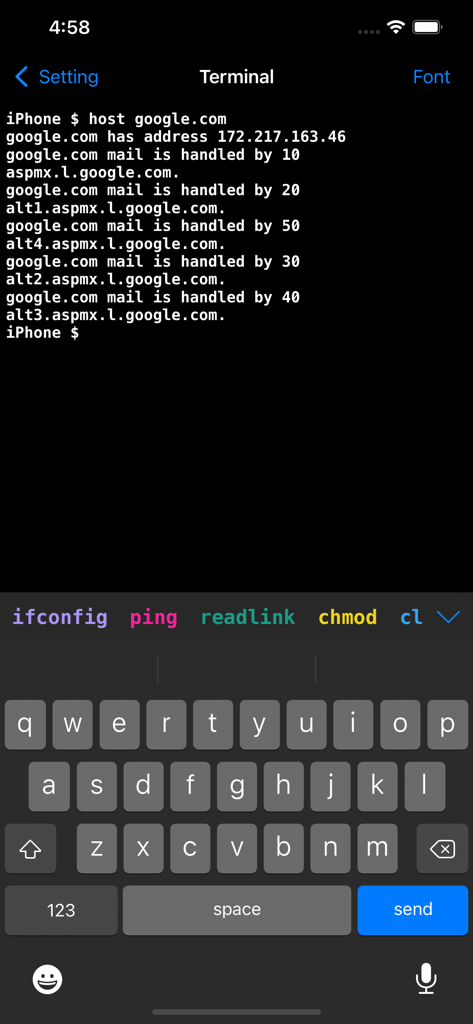
iPhone의 C++ 셸 앱 터미널 인터페이스에 Linux 명령 호스트 결과가 표시됨.
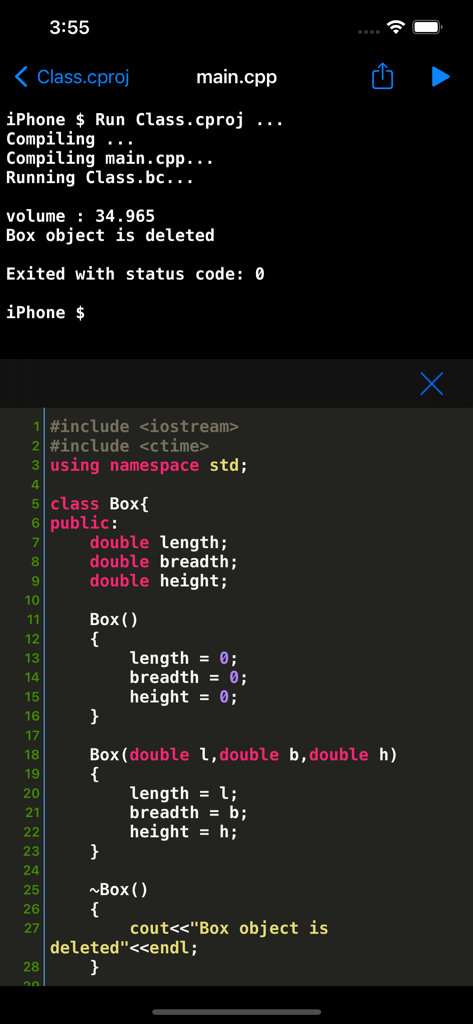
C++ 셸 모바일 앱 인터페이스에 코드 편집기 및 터미널 출력이 표시됨
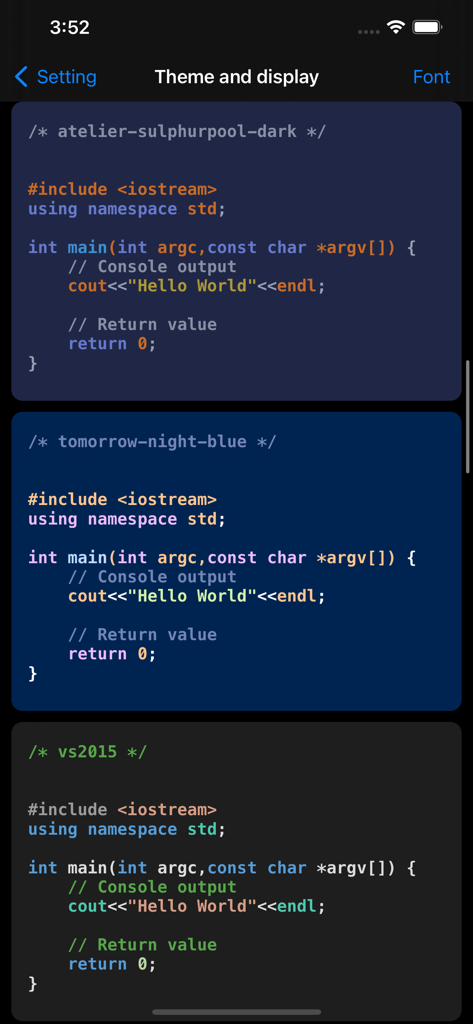
어둡고 파란색 모드를 포함하여 C++ 셸 코드 편집기의 다양한 구문 강조 표시 테마
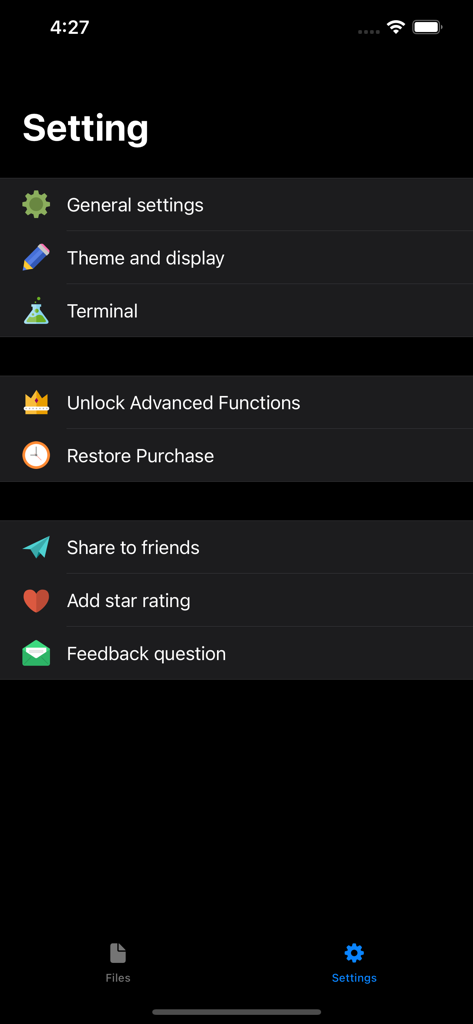
C++ 셸 모바일 앱의 설정 화면에 테마, 터미널 및 고급 기능에 대한 옵션이 표시됨
설명
Download
비슷한 앱
같은 카테고리의 상위 앱

TestFlight
Apple Inc.

Replit: Vibe Code Apps
Replit, Inc

GitHub
GitHub

O-KAM Pro
Shenzhen VeePai IoT Intelligent Technology LLC

Apple Developer
Apple Inc.

Expo Go
650 Industries, Inc.

Scriptable
Simon Stovring

App Store Connect
Apple Inc.

Sekai: Create · Remix · Play
Versa AI, Inc.
이 페이지는 앱이나 개발자의 공식 페이지가 아니며, 정보 제공 및 논평을 목적으로 작성된 독립 편집 간행물입니다. 명시적으로 달리 언급되지 않는 한, 해당 앱이나 개발자는 MWM, Apple, Google Play, 앱 퍼블리셔 또는 앱 개발자와 제휴, 보증, 후원, 승인 또는 공식적으로 연결되어 있지 않으며, 이 페이지의 어떤 내용도 해당 앱이 MWM의 서비스를 사용하여 개발되었음을 의미하지 않습니다. 모든 상표, 로고, 스크린샷 및 기타 콘텐츠는 해당 소유자의 자산입니다.