C Vault : Privacy Vault

C Vault : Privacy Vault

다운로드: App Store
로고: C Vault : Privacy Vault

C Vault: 실제 시계 뒤에 숨겨진 은밀한 개인 정보 보호

사진, 동영상, 개인 메모를 위한 궁극의 보이지 않는 보관함. 시간대 암호로 미디어를 보호하고, 침입자 셀카를 찍고, 흔적 없이 웹을 탐색하세요.

개발사

FENIL PATEL

카테고리

Utilities

다운로드

84K+

사용자 평점

4.6/5

총 평가 수

3K+

지원 언어

9

시계 너머 엿보기

이 인터페이스를 사용하는 84K+ 명의 사용자.

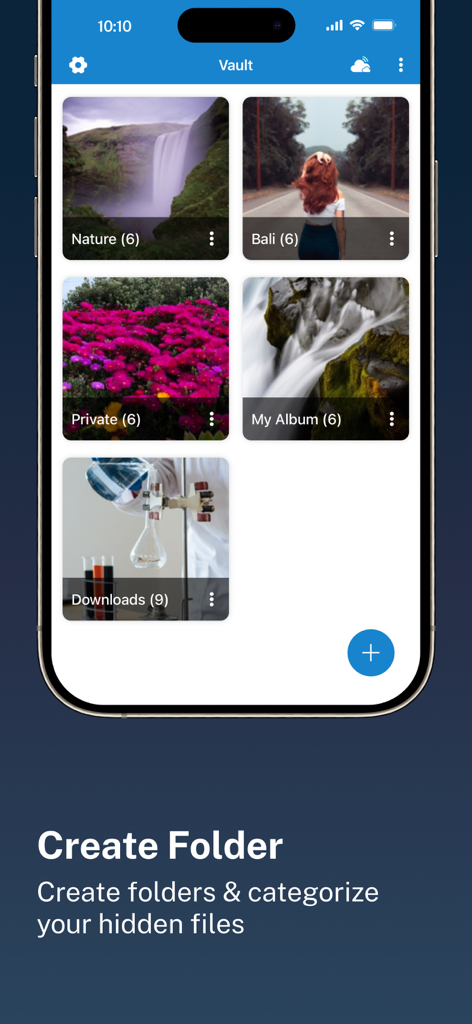
C Vault 앱 인터페이스가 숨겨진 사진 및 파일을 분류하기 위한 여러 앨범을 보여줍니다.
C Vault 앱 인터페이스가 숨겨진 사진 및 파일을 분류하기 위한 여러 앨범을 보여줍니다.

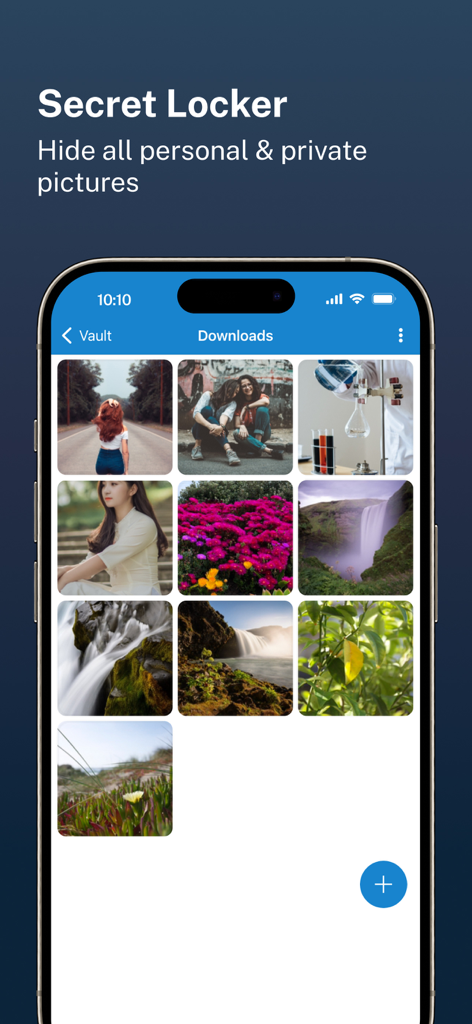
C Vault 앱 인터페이스가 비밀 보관함에 숨겨진 개인 사진 갤러리를 보여줍니다.
C Vault 앱 인터페이스가 비밀 보관함에 숨겨진 개인 사진 갤러리를 보여줍니다.

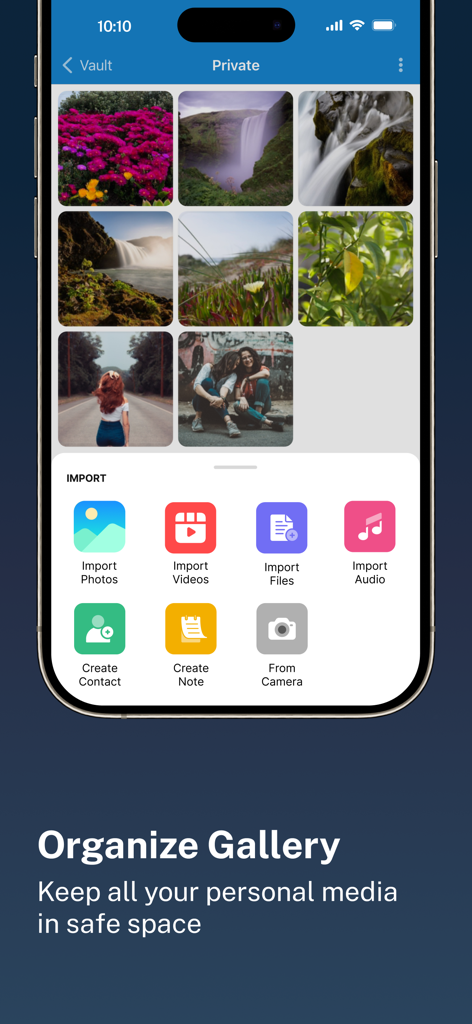
C Vault 앱 인터페이스가 정리된 개인 사진 갤러리와 다양한 파일 형식을 위한 가져오기 메뉴를 보여줍니다.
C Vault 앱 인터페이스가 정리된 개인 사진 갤러리와 다양한 파일 형식을 위한 가져오기 메뉴를 보여줍니다.

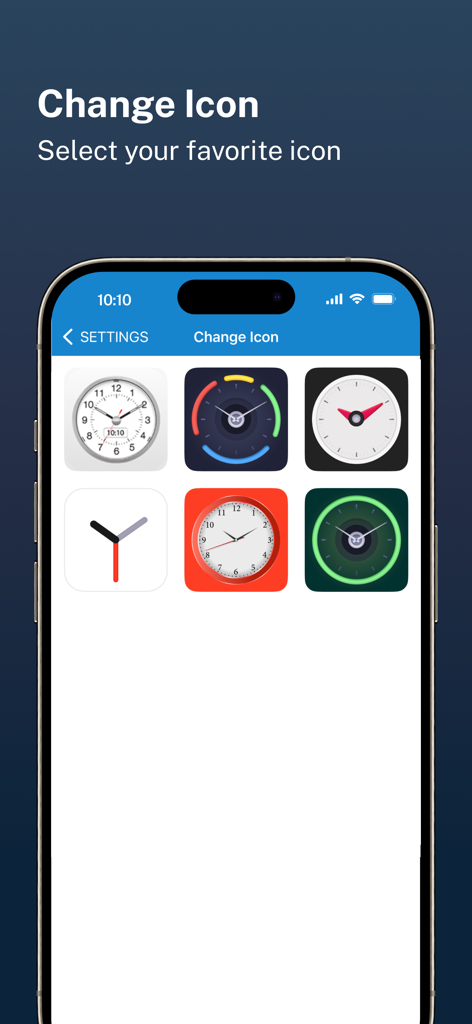
C Vault 개인 정보 보호 앱 인터페이스를 위한 시계 테마 아이콘 선택.
C Vault 개인 정보 보호 앱 인터페이스를 위한 시계 테마 아이콘 선택.

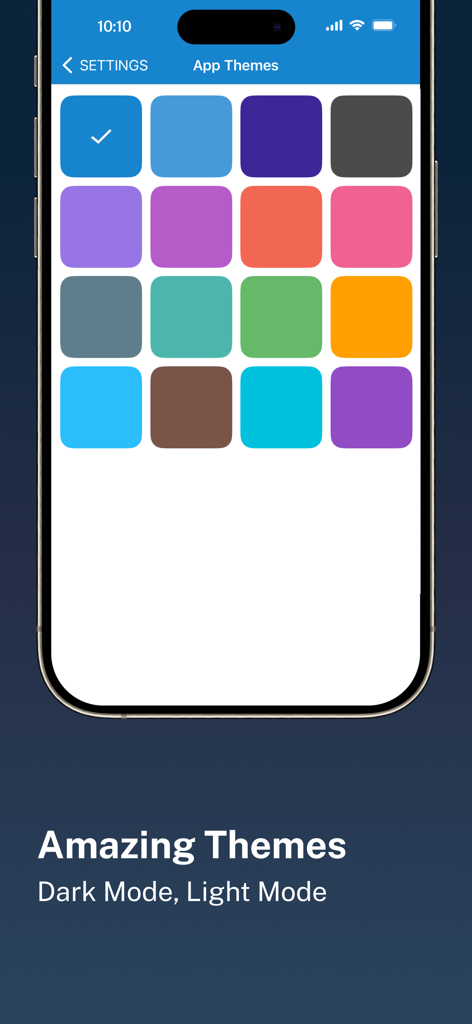
C Vault 개인 정보 보호 앱을 위한 다양한 컬러 앱 테마 옵션을 보여주는 모바일 인터페이스.
C Vault 개인 정보 보호 앱을 위한 다양한 컬러 앱 테마 옵션을 보여주는 모바일 인터페이스.

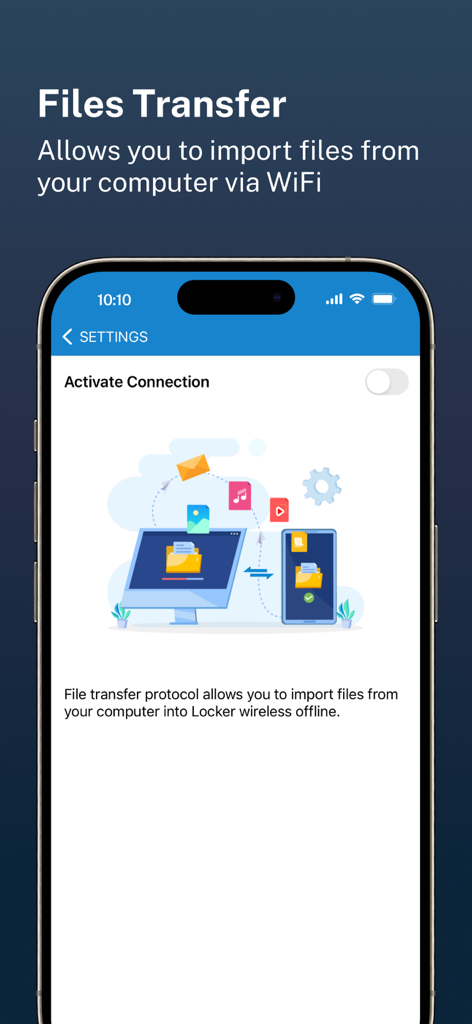
C Vault 앱 화면이 WiFi를 통해 컴퓨터에서 휴대폰으로 무선 파일 전송을 보여줍니다.

C Vault 앱 화면이 WiFi를 통해 컴퓨터에서 휴대폰으로 무선 파일 전송을 보여줍니다.

눈에 띄게 숨겨진 개인 세계

이 앱을 돋보이게 하는 도구, 84K+ 명의 사용자가 선택.

🕒

은밀한 시계 인터페이스

비밀 시간은 당신만 압니다. 금고는 다른 사람에게 보이지 않게 유지되며, 가정 화면에서 표준 유틸리티 시계처럼 보여 호기심을 유발하지 않습니다.

📸

침입자 경고 및 셀카

스누퍼를 현장에서 잡으세요. 잘못된 암호로 금고에 접근하려는 경우 앱이 자동으로 사진을 캡처하여 즉시 증거를 제공합니다.

☁️

완전한 데이터 소유권

귀하의 데이터는 귀하의 것입니다. 당사는 귀하의 파일을 당사 서버에 저장하지 않습니다. 완전한 통제와 개인 정보를 위해 개인 드라이브로 직접 안전하고 암호화된 백업을 즐기세요.

앱 소개

에 대해 알아야 할 모든 것 C Vault : Privacy Vault.

설명

C Vault is photo locker & video locker app with great privacy protection to easily hide photos, hide videos & files. 
Top Features:

 • Import Pictures & Videos: Keep photos & videos safe into the Cloak⁺. View hidden photos inside the C Vault app. You can hide video in many formats. You can also play videos inside vault without unlock the file.
 • Private Audio: Hide music and voice notes. • Notes & Contacts: Whether you want to create a list of things you keep in your documents or write down your private feelings. you can do so securely with the ‘Create Notes’ feature. You can also create contacts inside this C Vault app. 
• Album Cover: You can set your desired album cover..

 • Private Browser: Private web browser to download and Lock photos, hide videos and music audios from the Internet. 

• Save Intruder Photos: Capture a picture of anyone who tries to open C Vault using wrong time password.

 • Themes: Choose different type of locker theme colours to beautify your app experience. • Cloud Backup: Easily backup your private photos, videos and files into your own Drive. Helps to prevent loss of important data and restore your data in case of loss or theft of device. • Device migration: Transfer all files seamlessly to the new device app works like the old one. How to set up the password?
 Step 1: Launch the ClockV app and the clock hands will be moved at 00:00 position for password setup.
 Step 2: Move the hour and/or minute clock hand to set a desired time password and press the Center button of the clock to confirm.
 Step 3: Now repeat the same password again and press the Center button of the clock to confirm. The vault will be open!

 How to unlock the app?
 Step 1: Launch ClockV, Press the Center button of the clock. The Clock Hands will be moved to the 00:00 positions.
 Step 2: Now you can move the clock hour and/or minute hands manually to your password position and press the Center button again to validate. Now you can hide photos, videos & other files. 

Forgot password?
 Question: What can I do if I forgot my password?
 Answer: Launch ClockV and press the Center button of the clock. Set 10:10 time by moving hour and minute clock hands and press the Center button again. It will open password recovery option. You must have set the password recovery option in order to use it. Disclaimer: To ensure your utmost security, C Vault does not keep your photos or data on any kind of our server. It uses the internal storage of your device for local storage and your own Drive account to backup and restore from online. If you delete the app, your photos & data saved in the app locally will also be deleted. So make sure to export your photos, videos and files from the app to your device's public storage if you need to delete the app for any reason! Premium Subscription: C Vault includes an optional auto-renewable subscription to access current and future premium categories: Note: Check within the app for exact pricing for your region - 1 month subscription USD 2.99 - 1 year subscription with 7 days free trial USD 9.99 - Lifetime premium subscription USD 19.99 • Payment will be charged to your iTunes account at confirmation of purchase and will automatically renew (at the duration/price selected) unless auto-renew is turned off at least 24 hours before the end of the current period. • Account will be charged for renewal within 24-hours prior to the end of the current period, and identify the cost of the renewal. • Any unused portion of a free trial period, if offered, will be forfeited when the user purchases a subscription to that publication, where applicable. • You can manage your subscription and/or turn off auto-renewal by going to your iTunes Account Settings, but refunds will not be given for any unused portion of the term. Terms of Service: https://clock-the-vault.web.app/terms-of-use-ios.html Privacy Policy: https://clock-the-vault.web.app/privacy-policy-ios.html

최신 버전

32.0

크기

76.7 MB

출시일

2021년 4월 30일

눈에 띄게 개인 정보 보호 권리를 되찾으세요

궁극의 시계 위장 뒤에 사진, 동영상, 메모를 보호하는 84,000명 이상의 사용자와 함께하세요. 오늘 디지털 생활을 보호하세요.

다운로드: App Store

App information, icons, screenshots, and descriptions displayed on this page are sourced from the Apple App Store and are the property of their respective developers. Download estimates and rankings are based on MWM's proprietary models and may not reflect actual figures. This page is provided for informational and analytical purposes only.

Believe this page infringes your intellectual property? File a dispute