이 페이지는 앱이나 개발자의 공식 페이지가 아니며, 정보 제공 및 논평을 목적으로 작성된 독립 편집 간행물입니다. 명시적으로 달리 언급되지 않는 한, 해당 앱이나 개발자는 MWM, Apple, Google Play, 앱 퍼블리셔 또는 앱 개발자와 제휴, 보증, 후원, 승인 또는 공식적으로 연결되어 있지 않으며, 이 페이지의 어떤 내용도 해당 앱이 MWM의 서비스를 사용하여 개발되었음을 의미하지 않습니다. 모든 상표, 로고, 스크린샷 및 기타 콘텐츠는 해당 소유자의 자산입니다.
Calculator Lock - Photo Vault
궁금한 친구나 실수로 인한 스와이프에 대한 걱정은 그만하세요. 완벽하게 작동하는 계산기로 위장한 암호화된 로컬 보관소에 사진, 동영상, 개인 메모를 안전하게 보관하세요.
SafeVault는 민감한 미디어와 파일을 위한 암호화된 안식처를 제공하며, 엿보는 사람들을 멀리하면서도 완벽한 마음의 평화를 줄 수 있도록 교묘하게 위장되어 있습니다.
은밀한 계산기 위장
알고 있는 비밀 비밀번호 뒤에 보관소를 숨기는 완벽하게 작동하는 계산기 인터페이스로 완벽하게 조화롭게 통합하세요.
미끼 모드 보호
앱을 열도록 압력을 받은 경우 다른 사람에게 보여주기 위해 두 번째 '가짜' 보관소를 설정하여 그럴듯한 부인 능력을 유지하세요.
다음 스크린샷과 설명은 앱의 공식 스토어 목록에서 직접 가져온 것이며 앱 개발자의 자산입니다.
앱 스토어
스크린샷
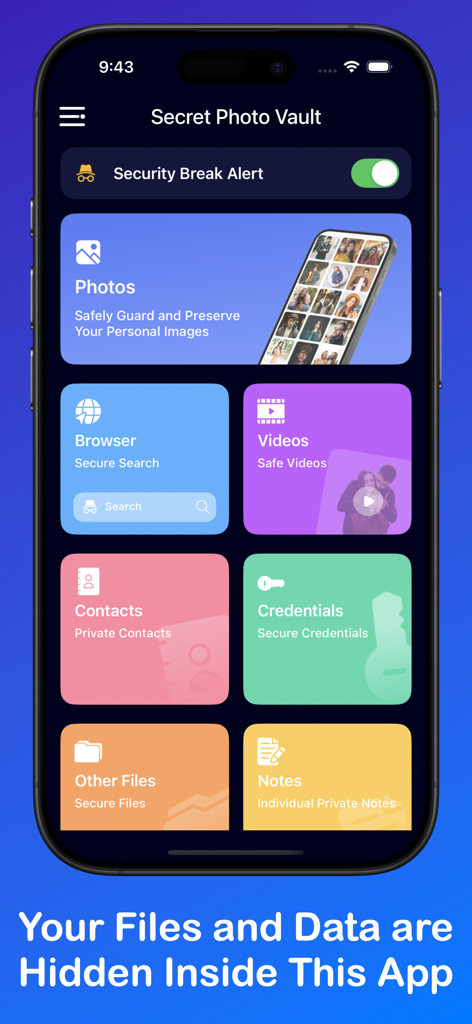
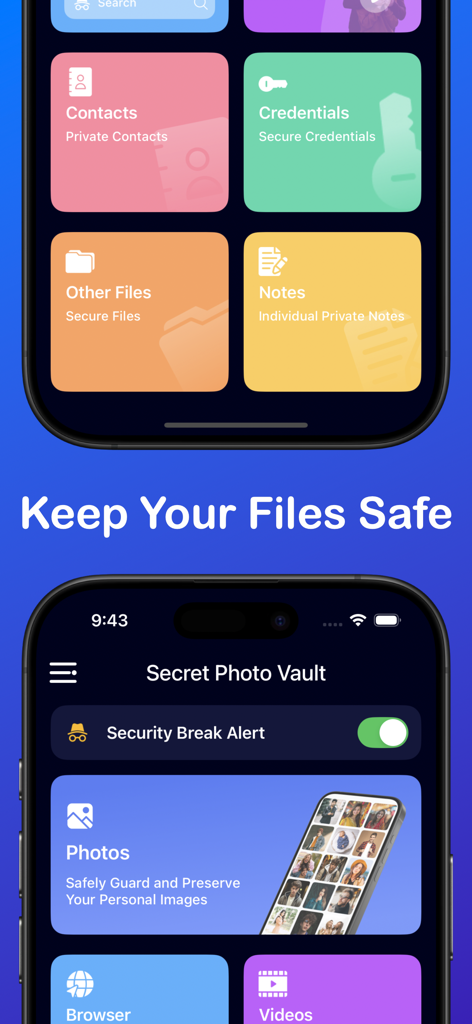
계산기 금고 앱의 메인 인터페이스에 사진, 동영상, 연락처를 위한 안전한 카테고리가 표시됨
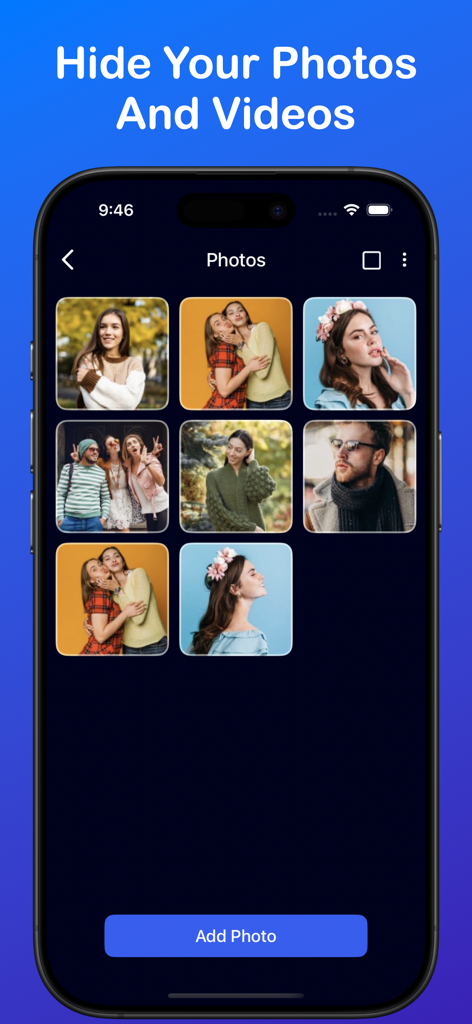
계산기 금고 앱의 개인 사진 갤러리 인터페이스에 숨겨진 미디어 파일이 표시됨
계산기 금고 앱의 안전하고 보안이 유지되는 개인 브라우저 기능이 표시된 스크린샷.
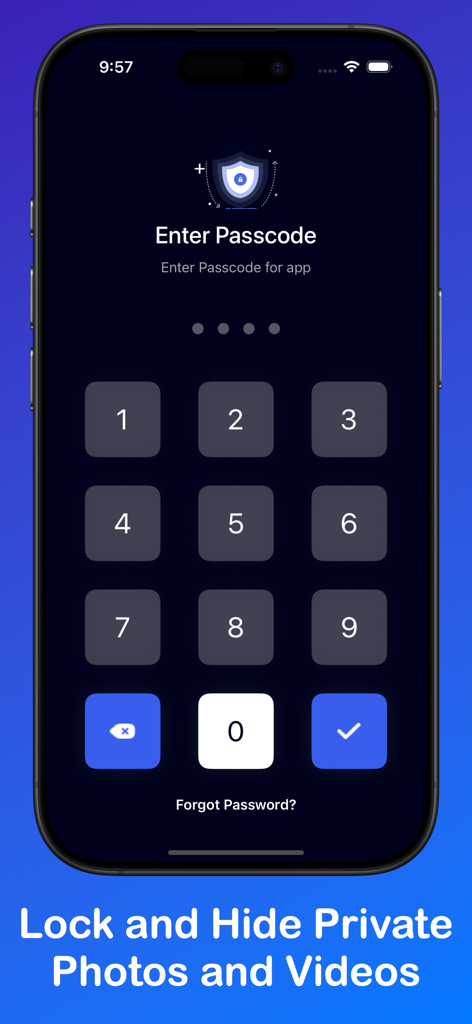
개인 사진 및 동영상 보관소 앱을 위한 안전한 숫자 비밀번호 입력이 표시된 휴대폰 화면.
사진, 동영상, 메모의 개인 보관소 카테고리가 있는 계산기 금고 사진 보관소의 모바일 앱 인터페이스
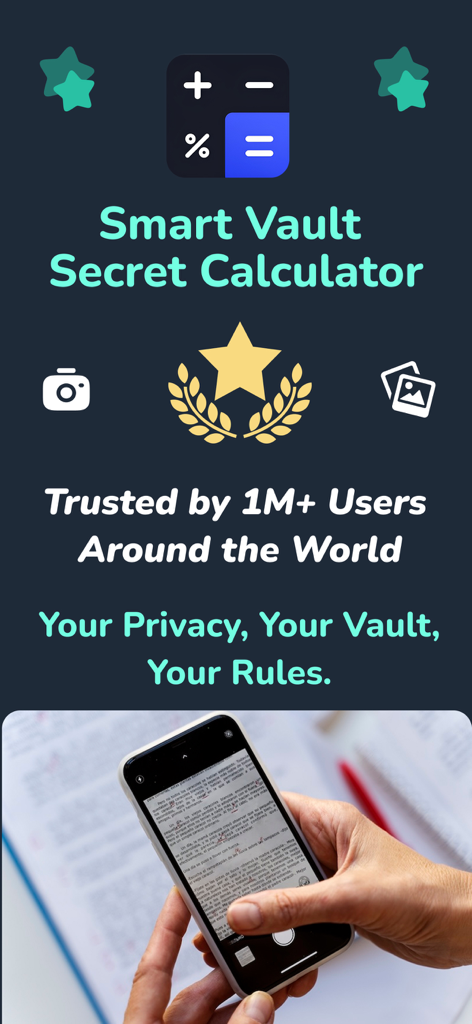
백만 명 이상의 사용자가 사용하는 개인 사진 및 동영상 저장을 위한 스마트 보관소 비밀 계산기 앱.
설명
Calculator Lock is photo hiding app where you can hide Photo, video lock, under Secret Vault protected by hidden calculator Lock app.
SafeVault: Hide Photos, Files — Ultimate Security for Your Private Data!
Keep your personal data secure and accessible only to you with SafeVault. Protect sensitive photos, videos, contacts, and more with powerful encryption and easy-to-use features. SafeVault acts as a trusted private vault, ensuring that your important files are hidden from prying eyes and protected by a customizable passcode or biometric lock.
Worried about someone accessing your private photos or videos? SafeVault introduces an all-in-one solution for securing your photos, videos, contacts, notes, passwords, and browsing data, so you never have to worry about unauthorized access again. Just set your passcode and enjoy peace of mind!
Key Features of SafeVault: Hide Photos, Files
1. Photos and Videos:
Hide your personal photos and videos in a secure vault. No need to keep sensitive media in your main gallery where it could be viewed by anyone. SafeVault provides a private, secure space to protect your personal photos and videos from friends, family, and unauthorized access.
2. Contact Privacy:
Safeguard important contacts by saving them within SafeVault. If there are specific contacts you want to keep private, SafeVault ensures they stay protected, accessible only to you.
3. Secure Notes:
Store personal notes, daily tasks, and important information securely. SafeVault’s encrypted notes feature keeps your private thoughts and important details hidden from others.
4. Password Manager:
No more forgetting passwords! SafeVault provides a secure place to store login details for your social media, bank accounts, and other websites, allowing easy access when needed without compromising security.
5. Private Browser:
Browse securely without leaving traces. SafeVault includes a built-in browser that keeps your browsing data private, ensuring bookmarks and history remain accessible only to you.
6. File Protection:
Safely store files of any type, including PDFs, ZIP files, and other documents, in an encrypted vault. SafeVault’s secure storage keeps all your documents organized and protected.
7. Trash Recovery:
Accidentally deleted something important? SafeVault’s trash recovery feature makes it easy to restore deleted photos, videos, notes, and other files.
7. Decoy Mode:
For extra privacy, SafeVault includes a decoy account feature to protect your sensitive data in situations where you may need to show the app to others.
8. Multi-language Support:
Enjoy SafeVault in your preferred language with easy-to-change language options for a personalized experience.
9. Customization Options:
Tailor your SafeVault experience by changing your passcode, selecting your preferred search engine, and resetting forgotten passcodes through security questions.
Why Choose SafeVault?
If protecting your personal data is your top priority, click on the INSTALL button now to download SafeVault: Hide Photos, Files. With SafeVault, you can easily secure your important photos, videos, gifs, notes, contacts, passwords, and browsing data in one place, safe from unauthorized access.
Data Privacy Assurance
The data/files (photos, videos, contacts, passwords, notes, browsing data) you protect using SafeVault will be encrypted and stored locally on your mobile device. We do not collect or store any user data through the app or by any other means. SafeVault is designed solely to protect your personal data, which remains hidden and encrypted on your device, enhancing your privacy.
Download SafeVault: Hide Photos, Files today and take control of your privacy with the best protection for your personal data!
Terms of Use : - https://onenine19apps.blogspot.com/2024/11/safevault-terms-and-conditions.html
Privacy Policy :- https://onenine19apps.blogspot.com/2024/11/safevault-secure-photosfiles.html
이 페이지는 앱이나 개발자의 공식 페이지가 아니며, 정보 제공 및 논평을 목적으로 작성된 독립 편집 간행물입니다. 명시적으로 달리 언급되지 않는 한, 해당 앱이나 개발자는 MWM, Apple, Google Play, 앱 퍼블리셔 또는 앱 개발자와 제휴, 보증, 후원, 승인 또는 공식적으로 연결되어 있지 않으며, 이 페이지의 어떤 내용도 해당 앱이 MWM의 서비스를 사용하여 개발되었음을 의미하지 않습니다. 모든 상표, 로고, 스크린샷 및 기타 콘텐츠는 해당 소유자의 자산입니다.