Calculator SC-323PU
Calculator SC-323PU
다운로드: App Store

이 페이지는 앱이나 개발자의 공식 페이지가 아니며, 정보 제공 및 논평을 목적으로 작성된 독립 편집 간행물입니다. 명시적으로 달리 언급되지 않는 한, 해당 앱이나 개발자는 MWM, Apple, Google Play, 앱 퍼블리셔 또는 앱 개발자와 제휴, 보증, 후원, 승인 또는 공식적으로 연결되어 있지 않으며, 이 페이지의 어떤 내용도 해당 앱이 MWM의 서비스를 사용하여 개발되었음을 의미하지 않습니다. 모든 상표, 로고, 스크린샷 및 기타 콘텐츠는 해당 소유자의 자산입니다.

로고: Calculator SC-323PU
다운로드: App Store

Calculator SC-323PU

iPhone, Mac 및 Apple Watch에서 고급 물리 계산기의 정밀도와 느낌을 경험하십시오. 20자리 과학적 정확도부터 비트 수준 논리 및 단위 변환까지, STEM 전문가를 위해 설계된 궁극의 다기능 도구를 받으세요.

주요 수치

다운로드

116K+

사용자 평점

4.5/5

총 평가 수

600

개발사

Thomas Oellinger

카테고리

Utilities

지원 언어

2

최신 버전

1.11.4

크기

15.3 MB

출시일

2009년 7월 11일
기능

최고의 정밀도를 위해 설계됨

절대적인 정확성을 요구하는 엔지니어, 프로그래머 및 STEM 전문가를 위해 설계된 전문 등급 계산 제품군으로 부피가 큰 하드웨어를 대체하십시오.

전문 과학 논리

복소수 지원, 47가지 물리 상수, 복잡한 공식을 위한 30단계 괄호를 갖춘 20자리 맨티사 정밀도를 경험하십시오.

프로그래머 논리 모드

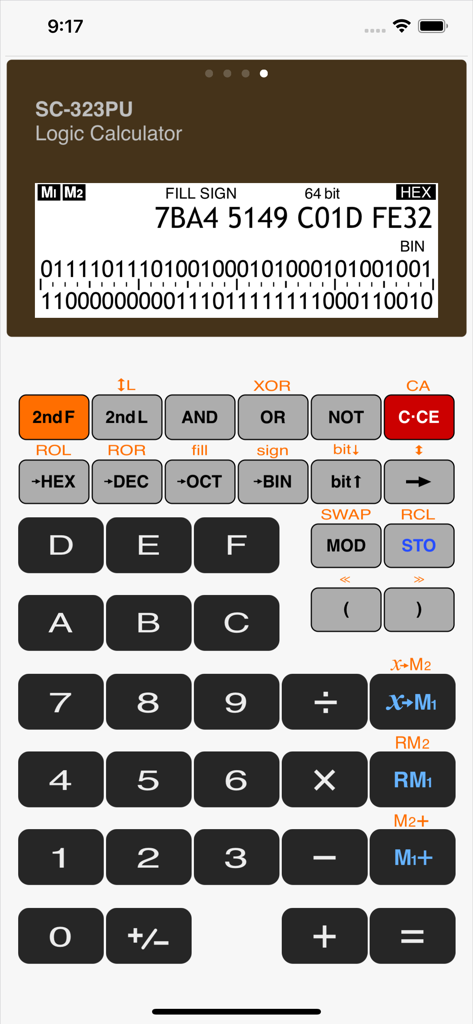
전용 불 연산, 비트 시프트 및 엔디언 제어를 통해 16진수, 10진수, 8진수, 2진수 시스템 간을 원활하게 전환하십시오.

다음 스크린샷과 설명은 앱의 공식 스토어 목록에서 직접 가져온 것이며 앱 개발자의 자산입니다.

앱 스토어

스크린샷
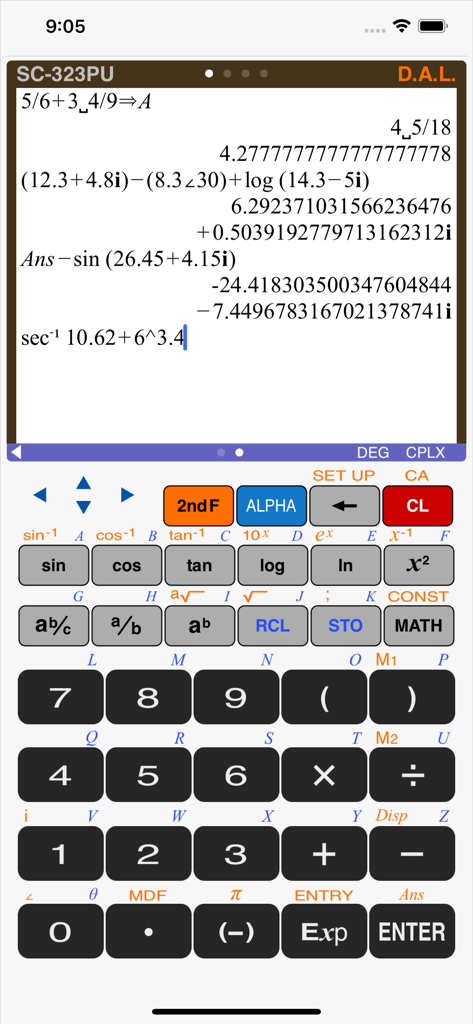
Calculator SC-323PU - 복잡한 수학 계산을 보여주는 SC-323PU 공학용 계산기의 사실적인 인터페이스
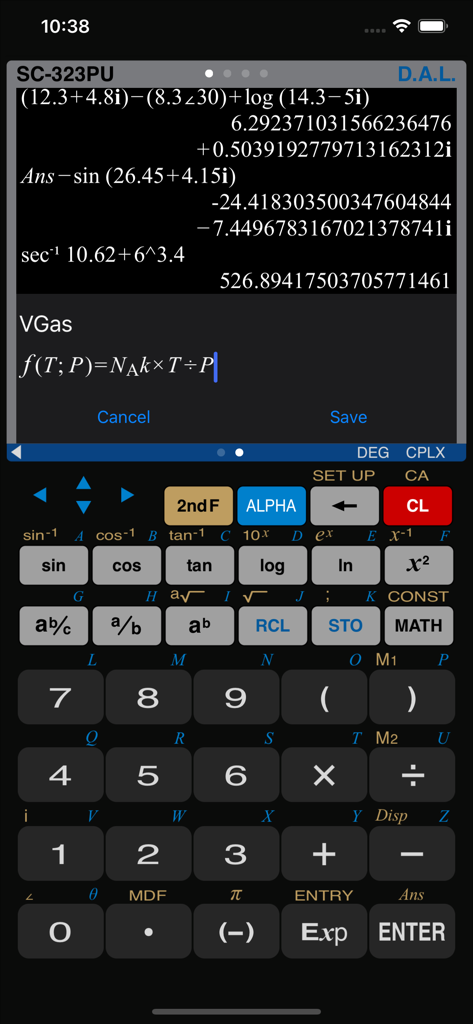
복잡한 수학 계산을 보여주는 SC-323PU 공학용 계산기의 사실적인 인터페이스

Calculator SC-323PU - 복잡한 수학 표현식과 사용자 정의 공식 편집기가 있는 공학용 계산기 인터페이스
복잡한 수학 표현식과 사용자 정의 공식 편집기가 있는 공학용 계산기 인터페이스

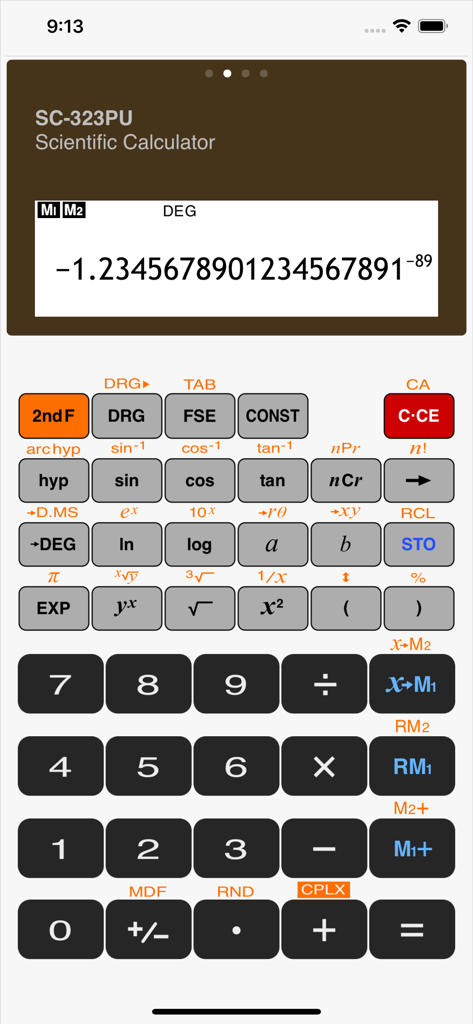
Calculator SC-323PU - 고급 수학 함수를 보여주는 SC323PU 공학용 계산기 앱의 사실적인 사용자 인터페이스
고급 수학 함수를 보여주는 SC323PU 공학용 계산기 앱의 사실적인 사용자 인터페이스

Calculator SC-323PU - 프로그래머 도구가 있는 16진수 및 2진수 값을 표시하는 논리 계산기 모드의 계산기 SC-323PU 인터페이스
프로그래머 도구가 있는 16진수 및 2진수 값을 표시하는 논리 계산기 모드의 계산기 SC-323PU 인터페이스

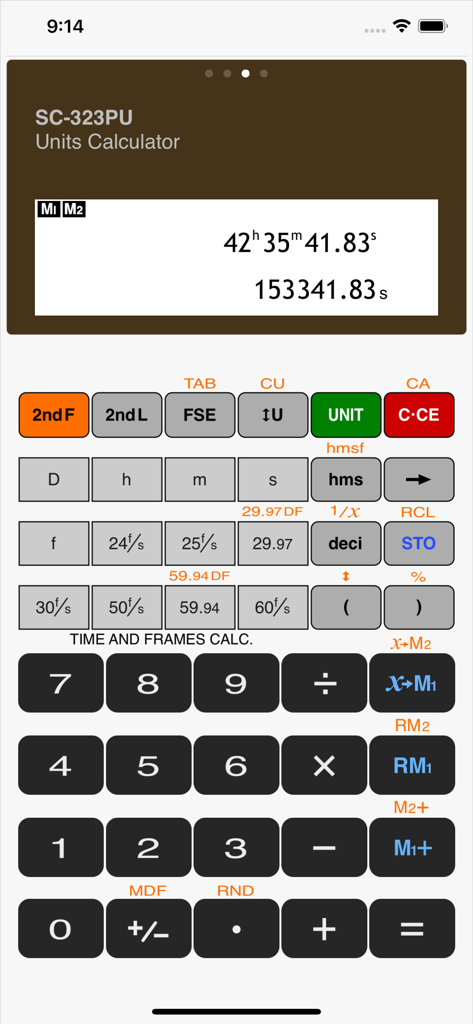
Calculator SC-323PU - 시간 및 프레임 속도 계산 옵션을 표시하는 SC-323PU 계산기 앱의 사실적인 인터페이스
시간 및 프레임 속도 계산 옵션을 표시하는 SC-323PU 계산기 앱의 사실적인 인터페이스

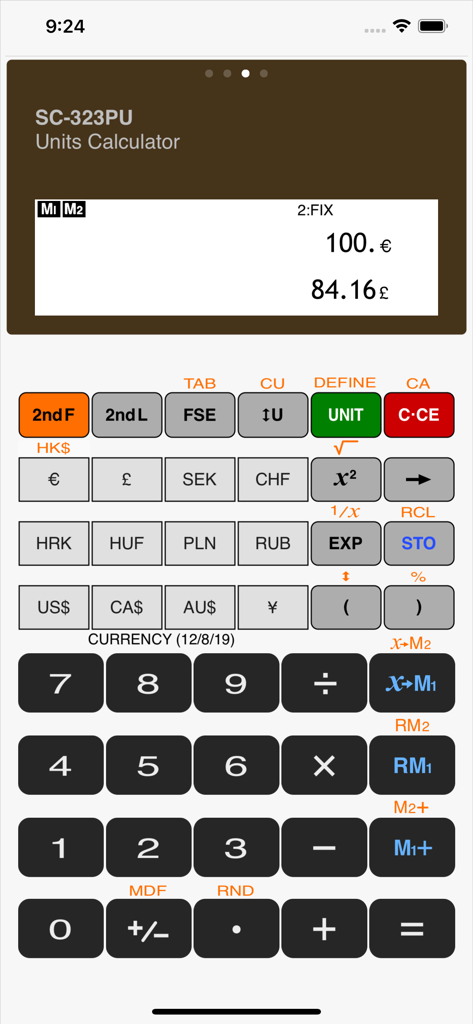
Calculator SC-323PU - 유로에서 파운드로의 통화 변환을 표시하는 SC-323PU 계산기 앱의 사실적인 인터페이스

유로에서 파운드로의 통화 변환을 표시하는 SC-323PU 계산기 앱의 사실적인 인터페이스

설명

The SC-323PU is a multi functional calculator. It is designed in a way, that it simulates the visual and operational aspects of a true pocket calculator, such that the user will be immediately familiar with its interface. A complete operation manual is included within the App. The SC-323PU offers the following calculator modes for different tasks: - SCIENTIFIC CALCULATOR - UNIT CONVERTER and UNIT CALCULATOR - LOGIC CALCULATOR (n-base conversion) • Full operating instructions are included in the App (visible when device is in landscape orientation). • All modes share the same memory contents, and calculation value, so that the different calculator modes can be used in one calculation task. • Pasteboard support (copy and paste) • Algebraic logic for calculation entry. • Priority of calculations according to a given mathematical formula. • 30 levels of parentheses or pending operations. • Variables and memories to store values and use in calculations. • Floating decimal point calculations with 20 digits mantissa and 2 digits exponent. • Calculations: Four arithmetic calculations, constant calculation, memory calculations, trigonometric and inverse trigonometric functions, hyperbolic and inverse hyperbolic functions, conversion of angles and time, reciprocals, square roots and cubic roots, X-th roots of Y, squares and powers, logarithmic and exponential functions, factorials, permutations, combinations, conversions of coordinates. • AER (Algebraic Expression Reserve) for repetitive calculations of expressions and formulas. • Complex number calculations. • Different display modes selectable: floating point decimal, fixed point decimal, scientific notation and engineering notation. • DEG/RAD/GRAD selector key. • Fraction calculations. • Time calculations. • Frame rate calculations. • 47 physical constants. • Unit converter and currency converter. • Calculations with mixed units. • The calculator is shipped with 84 physical units and 16 SI prefixes predefined. • Exchange rate of currency units will be updated automatically from internet. • Additional units can be defined by user. • Single and two lines view modes optimized for different conversion tasks. • Conversions between 4 base systems HEX, DEC, OCT, BIN. • Boolean operations AND, OR, XOR, NOT, bit shift operations. • Conversion from “little endian” to “big endian” format and vice versa. • Handling of 8, 16, 32 and 64 bit signed and unsigned numbers including overflow calculations. Also on your Apple Watch! You can do basic calculations, tip calculations, unit and currency conversions and even scientific calculations directly on your wrist. Designed with large keys for best usability on the small screen.

Download

다운로드: App Store

이 페이지는 앱이나 개발자의 공식 페이지가 아니며, 정보 제공 및 논평을 목적으로 작성된 독립 편집 간행물입니다. 명시적으로 달리 언급되지 않는 한, 해당 앱이나 개발자는 MWM, Apple, Google Play, 앱 퍼블리셔 또는 앱 개발자와 제휴, 보증, 후원, 승인 또는 공식적으로 연결되어 있지 않으며, 이 페이지의 어떤 내용도 해당 앱이 MWM의 서비스를 사용하여 개발되었음을 의미하지 않습니다. 모든 상표, 로고, 스크린샷 및 기타 콘텐츠는 해당 소유자의 자산입니다.








