Calendar planner - CircleTime

Calendar planner - CircleTime

다운로드: App Store
로고: Calendar planner - CircleTime

CircleTime: 시간의 자연적 리듬에 맞춰 하루를 계획하세요

고정된 틀과 선형 그리드에서 벗어나세요. ADHD의 명확성, 일주기 건강, Apple 활동 링과의 원활한 통합을 위해 설계된 아름다운 24시간 원형 플래너를 경험해 보세요.

다운로드: App Store

개발사

Galilea, d.o.o.

카테고리

Productivity

다운로드

72K+

사용자 평점

4.6/5

총 평가 수

300

지원 언어

25

틀을 넘어서

이 인터페이스를 사용하는 72K+ 명의 사용자.

CircleTime 앱 마케팅 화면, Apple App Store 추천과 '명확하게 원형으로 계획하세요'라는 슬로건 포함.

CircleTime 앱 마케팅 화면, Apple App Store 추천과 '명확하게 원형으로 계획하세요'라는 슬로건 포함.

CircleTime 앱, 달의 위상이 있는 24시간 원형 캘린더 표시

CircleTime 앱, 달의 위상이 있는 24시간 원형 캘린더 표시

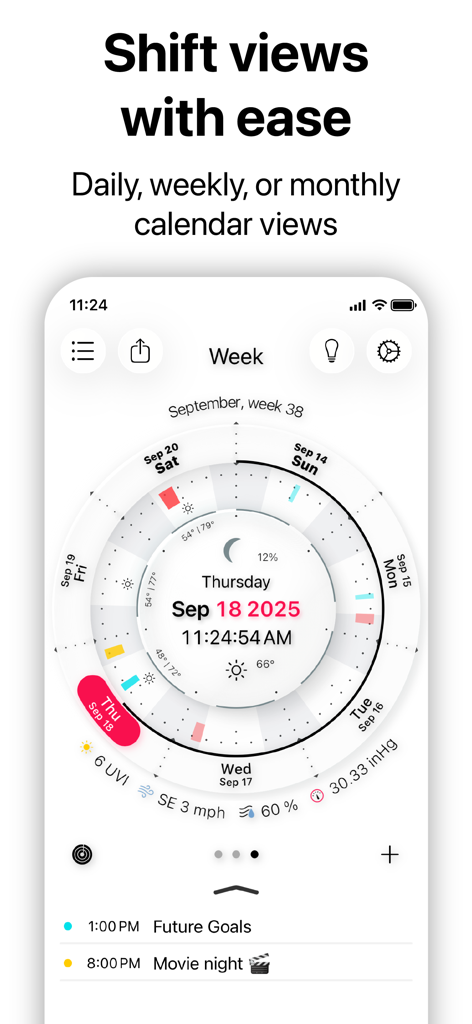
CircleTime 앱의 원형 주간 캘린더 보기, 일일 일정 및 달의 위상 표시.

CircleTime 앱의 원형 주간 캘린더 보기, 일일 일정 및 달의 위상 표시.

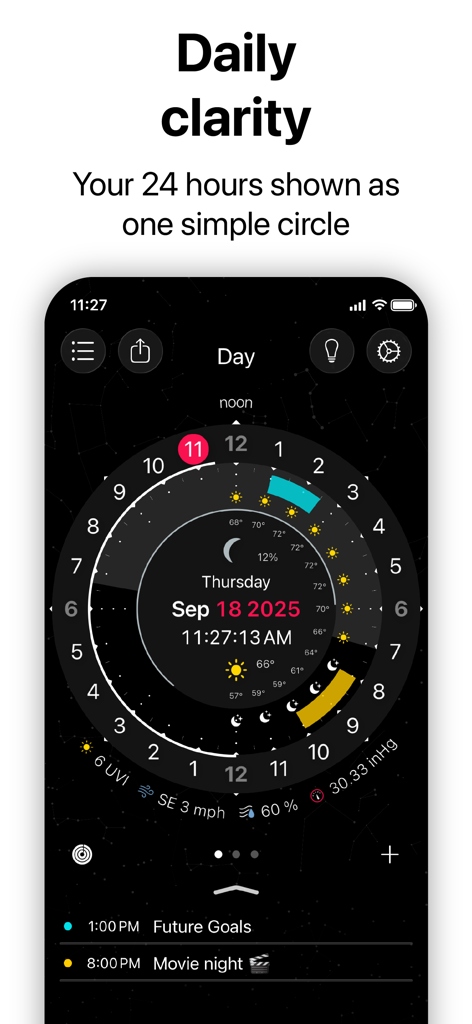
CircleTime 앱 인터페이스, 날씨와 달의 위상이 있는 24시간 원형 일일 플래너 표시

CircleTime 앱 인터페이스, 날씨와 달의 위상이 있는 24시간 원형 일일 플래너 표시

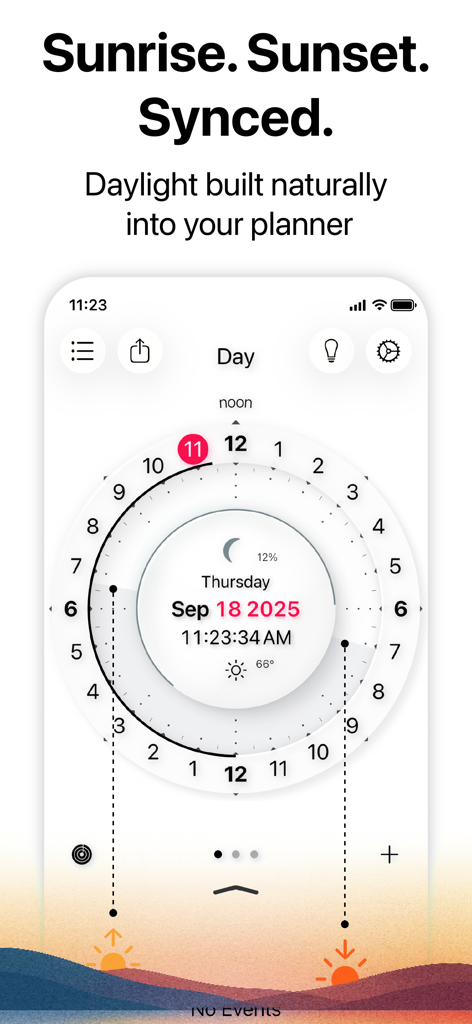
CircleTime 앱, 일출 및 일몰 동기화 기능이 있는 24시간 원형 플래너 표시

CircleTime 앱, 일출 및 일몰 동기화 기능이 있는 24시간 원형 플래너 표시

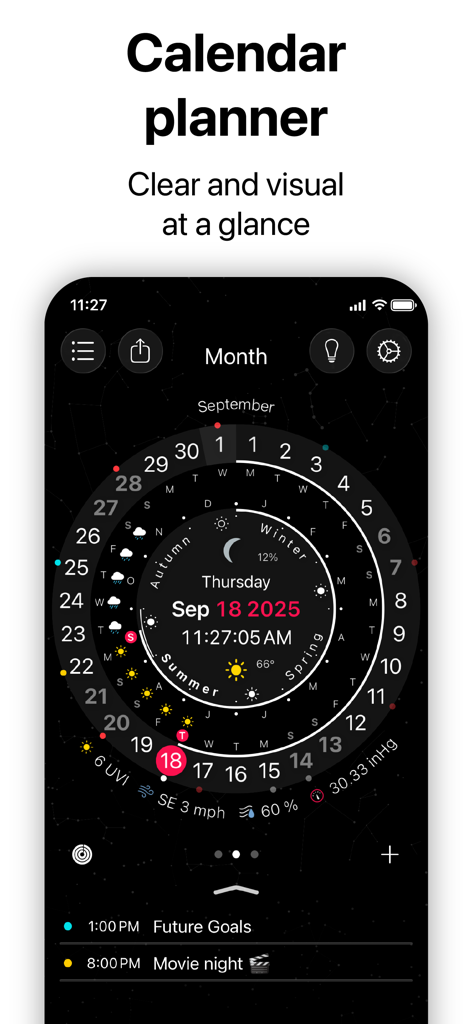
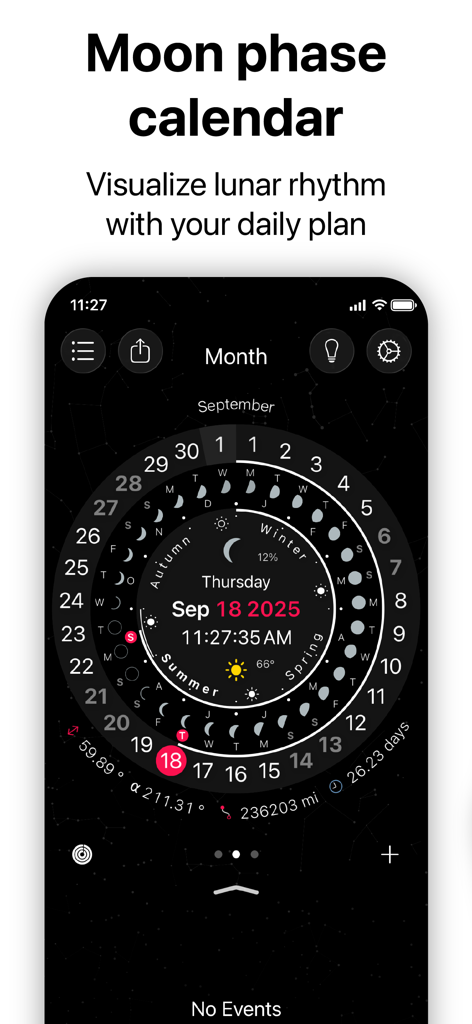
달의 위상, 계절, 날짜를 어두운 별이 빛나는 테마로 표시하는 원형 디지털 캘린더.

달의 위상, 계절, 날짜를 어두운 별이 빛나는 테마로 표시하는 원형 디지털 캘린더.

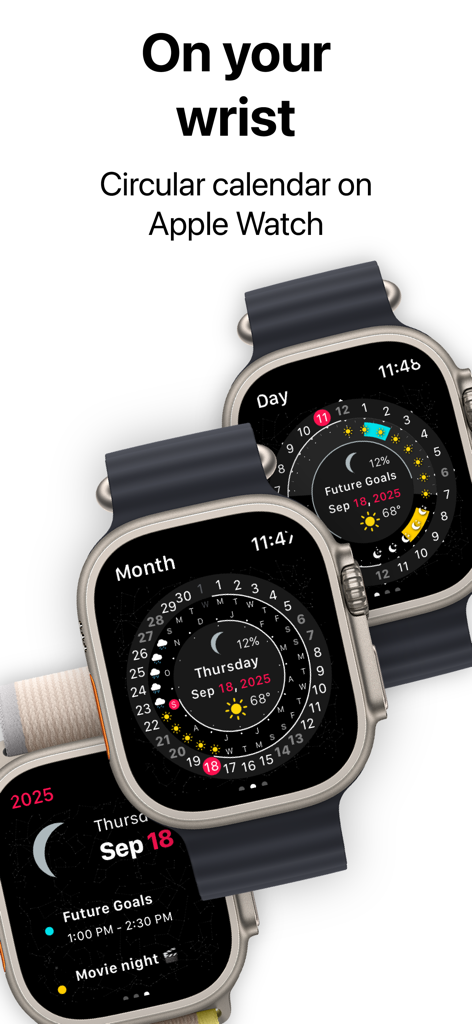
Apple Watch 화면의 원형 캘린더 및 일정 보기

Apple Watch 화면의 원형 캘린더 및 일정 보기

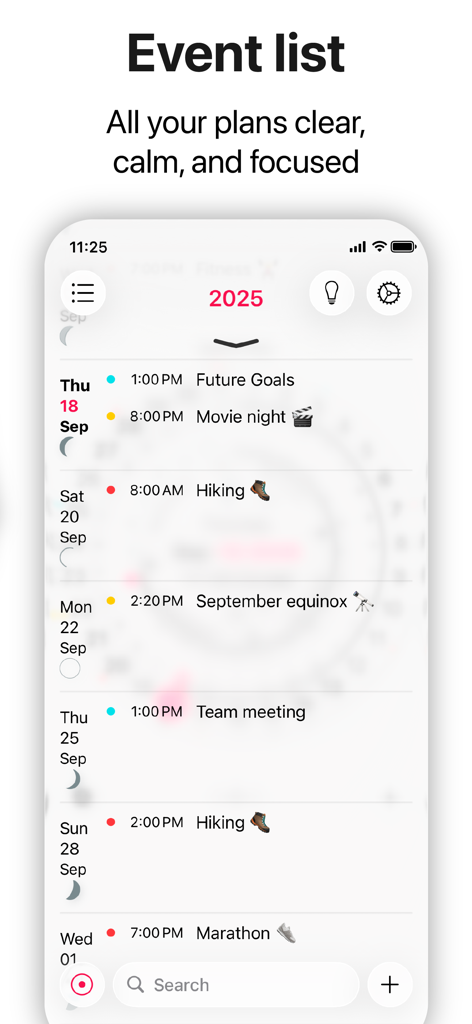
CircleTime 앱의 미니멀리스트 이벤트 목록 화면, 예정된 계획과 달의 위상 표시

CircleTime 앱의 미니멀리스트 이벤트 목록 화면, 예정된 계획과 달의 위상 표시

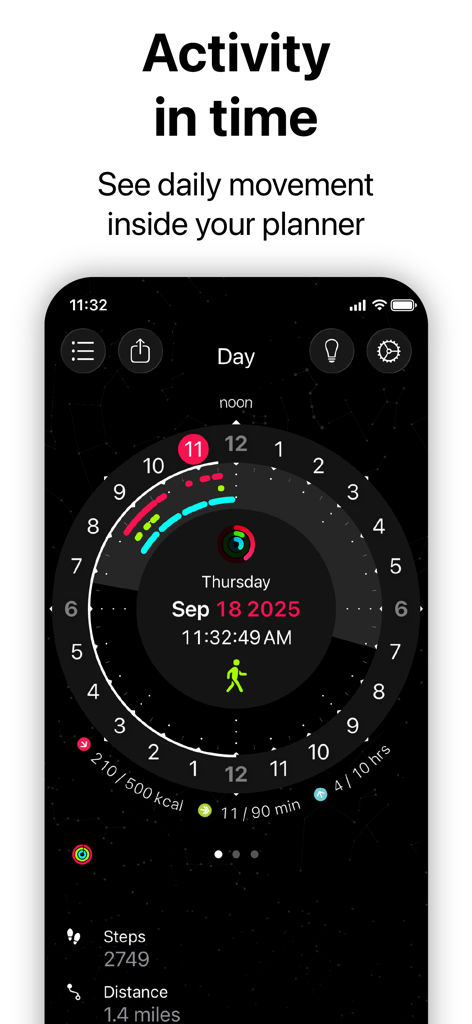
통합된 Apple 활동 링과 일일 이동 호를 보여주는 원형 캘린더 인터페이스.

통합된 Apple 활동 링과 일일 이동 호를 보여주는 원형 캘린더 인터페이스.

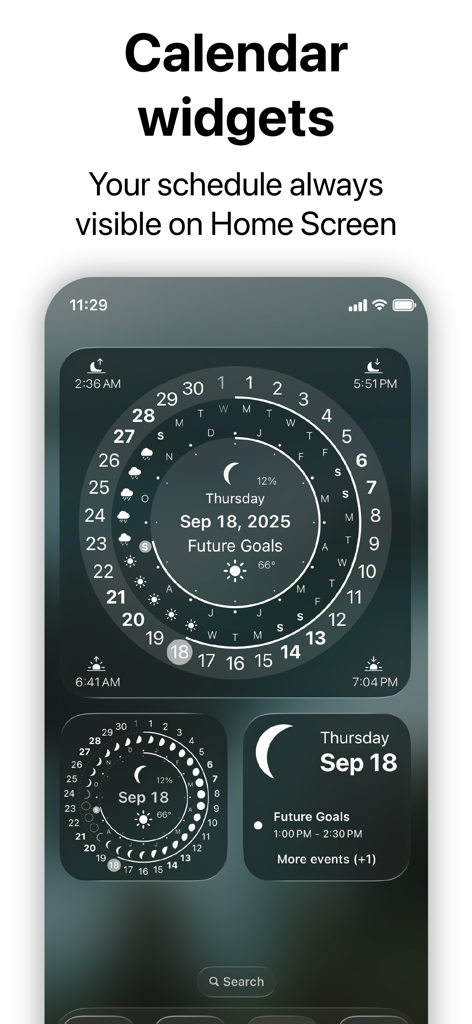
날짜와 일정을 보여주는 CircleTime 앱의 미적 원형 캘린더 위젯이 표시된 iOS 홈 화면

날짜와 일정을 보여주는 CircleTime 앱의 미적 원형 캘린더 위젯이 표시된 iOS 홈 화면

삶처럼 느껴지는 캘린더

이 앱을 돋보이게 하는 도구, 72K+ 명의 사용자가 선택.

👁️

시간 맹목성 극복

24시간 원형 보기는 공간적 명확성을 제공하여 신경 다양성을 가진 사람들이 하루의 분량과 전환을 쉽게 시각화하도록 돕습니다.

🌿

자연과 함께 흐르세요

일출, 일몰, 달의 위상에 맞춰 루틴을 조정하여 깊이 있는 작업과 휴식을 자연스러운 일주기 리듬에 맞추세요.

핵심에 있는 활동

Apple 활동 링을 시각적 시간 호로 변환하여 이동 및 건강 목표가 일일 일정에 어떻게 짜여 있는지 정확히 확인하세요.

앱 소개

에 대해 알아야 할 모든 것 Calendar planner - CircleTime.

설명

EXPERIENCE TIME DIFFERENTLY Most calendars still put time in boxes. But life doesn’t move in boxes — it flows in cycles. CircleTime is a calendar planner built for those cycles. Your schedule appears as a smooth circle that moves with the sun, moon, and weather. It feels natural because it follows the rhythm you already live in. The circular view gives clarity at a glance. You see when the day begins, when light fades, when routines fit, and when rest comes. Less overwhelm, more focus. A calendar that finally feels like time itself. • Plan your day in sync with the sun, moon, and weather. • See your entire schedule as a smooth circle, not boxes. • Turn your Apple Activity Rings into time arcs that show how you really move through the day. WHY CIRCLETIME? Natural rhythm Plan in sync with sunrise, sunset, moon phases, and seasons — so your calendar flows with energy, not against it. Clarity without clutter One clean circle replaces rows of boxes, giving you calm and instant clarity. Focus that lasts Visual time reduces noise, making routines easier and ADHD-friendly. Health in context Apple Activity Rings appear as arcs of time — movement and rest woven into your schedule. Always in sync Events, light, and weather connect, so you see life as it really unfolds. CORE FEATURES • Time in a Circle Your full day, 24h, visualized as one smooth timeline. • Circadian Clarity Your calendar moves with daylight, moonlight, and sleep cycles. • Visual Calendar A simple, elegant agenda that shows what matters, when it matters. • Apple Activity Integration Movement, standing, and exercise displayed as arcs of time. • Custom Reminders + Routines Recurring events and focus blocks that support your rhythm. • Widgets + Apple Watch Your time cycle, always at hand. • Natural Notifications Notifications for moon and your daily events — gentle reminders that keep you in balance. WHO IS IT FOR? • Anyone tired of rigid linear planners • People with ADHD or sensory sensitivity • Users who want to connect with their natural rhythm • Dreamers, doers, and deep thinkers PRIVACY FIRST CircleTime stores your data privately on your device. No tracking. No ads. Just clarity. INTEGRATIONS • Apple Calendar • Apple Weather • HealthKit Activity Rings • iCloud • Dark/Light Mode • All Devices (iPhone, iPad, Apple Watch, Apple Vision Pro) CircleTime isn’t just a planner — it’s a calendar for planning in sync with natural cycles. Terms of Service: https://www.apple.com/legal/internet-services/itunes/dev/stdeula

최신 버전

3.12.0

크기

50.2 MB

출시일

2012년 7월 16일

틀에서 벗어나 흐름에 빠져보세요.

자연의 리듬에 맞춰 계획하는 수천 명의 깊이 생각하는 사람들과 실천가들의 대열에 합류하세요. 지금 CircleTime을 다운로드하고 시간 그 자체처럼 느껴지는 캘린더를 경험해 보세요.

다운로드: App Store

App information, icons, screenshots, and descriptions displayed on this page are sourced from the Apple App Store and are the property of their respective developers. Download estimates and rankings are based on MWM's proprietary models and may not reflect actual figures. This page is provided for informational and analytical purposes only.

Believe this page infringes your intellectual property? File a dispute