Calibre Sync
Calibre Sync
다운로드: App Store

이 페이지는 앱이나 개발자의 공식 페이지가 아니며, 정보 제공 및 논평을 목적으로 작성된 독립 편집 간행물입니다. 명시적으로 달리 언급되지 않는 한, 해당 앱이나 개발자는 MWM, Apple, Google Play, 앱 퍼블리셔 또는 앱 개발자와 제휴, 보증, 후원, 승인 또는 공식적으로 연결되어 있지 않으며, 이 페이지의 어떤 내용도 해당 앱이 MWM의 서비스를 사용하여 개발되었음을 의미하지 않습니다. 모든 상표, 로고, 스크린샷 및 기타 콘텐츠는 해당 소유자의 자산입니다.

로고: Calibre Sync
다운로드: App Store

Calibre Sync

Calibre 파워 유저를 위한 궁극의 모바일 동반자. 구독료 없이 총 메타데이터 제어를 통해 Google Drive, Dropbox, OneDrive에서 책에 액세스하세요.

주요 수치

다운로드

36K+

사용자 평점

4.0/5

총 평가 수

100

개발사

Truc Nguyen

카테고리

Utilities

지원 언어

1

최신 버전

6.6.3

크기

94.0 MB

출시일

2022년 2월 16일
기능

제한 없는 당신의 라이브러리

모든 기기에서 전체 Calibre 컬렉션에 액세스하고, 탐색하고, 동기화하세요. Calibre Sync는 데스크톱 라이브러리와 모바일 독서 경험 사이의 간극을 구독료 없이 연결합니다.

범용 클라우드 연결

Google Drive, Dropbox, OneDrive 또는 개인 서버에서 라이브러리에 즉시 액세스하세요. 어디를 가든 전체 책 컬렉션이 항상 탭 한 번이면 됩니다.

파워 유저 구성

세심하게 관리한 메타데이터를 보존하세요. 시리즈, 태그, 심지어 사용자 지정 열별로 필터링하여 라이브러리가 얼마나 크든 상관없이 몇 초 안에 완벽한 책을 찾으세요.

다음 스크린샷과 설명은 앱의 공식 스토어 목록에서 직접 가져온 것이며 앱 개발자의 자산입니다.

앱 스토어

스크린샷

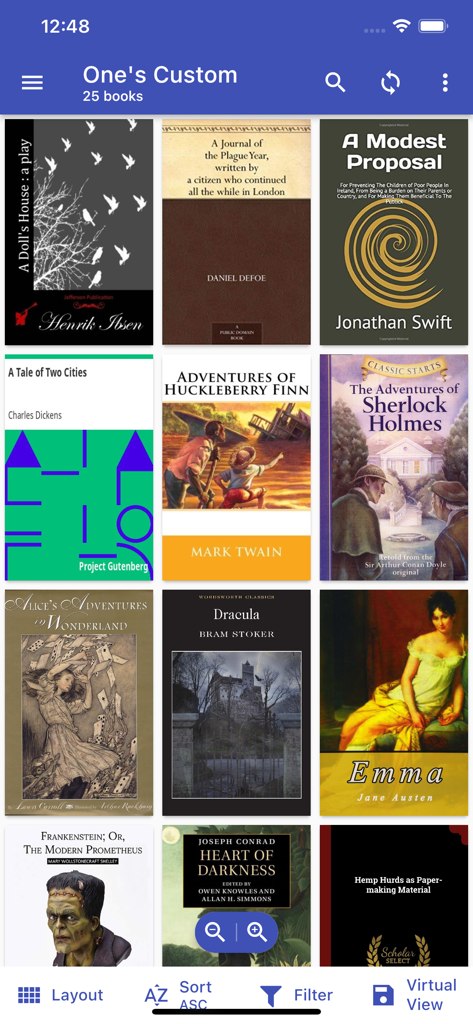
Calibre Sync - 정렬 및 필터링 옵션이 있는 클래식 전자책 표지 컬렉션을 그리드 레이아웃으로 표시하는 Calibre Sync의 모바일 인터페이스.

정렬 및 필터링 옵션이 있는 클래식 전자책 표지 컬렉션을 그리드 레이아웃으로 표시하는 Calibre Sync의 모바일 인터페이스.

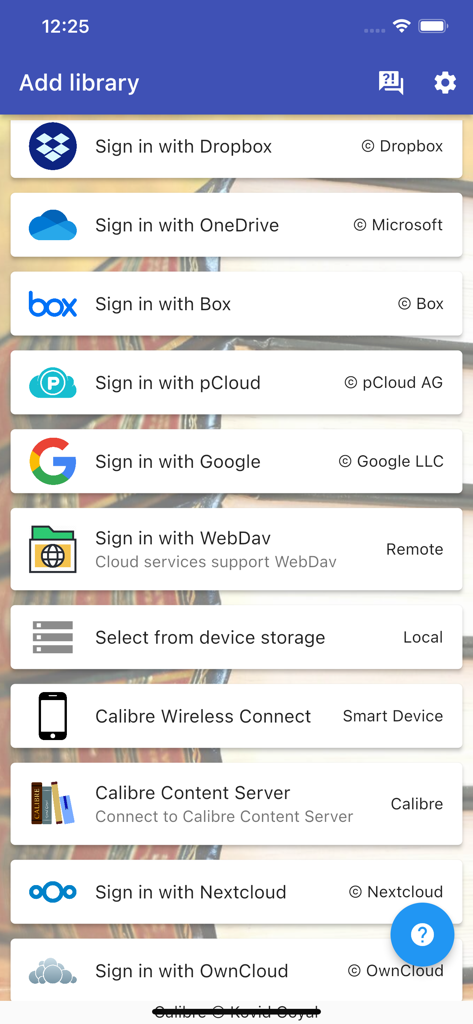
Calibre Sync - 책 라이브러리를 추가하기 위한 다양한 클라우드 저장소 및 연결 옵션을 보여주는 Calibre Sync 앱 인터페이스

책 라이브러리를 추가하기 위한 다양한 클라우드 저장소 및 연결 옵션을 보여주는 Calibre Sync 앱 인터페이스

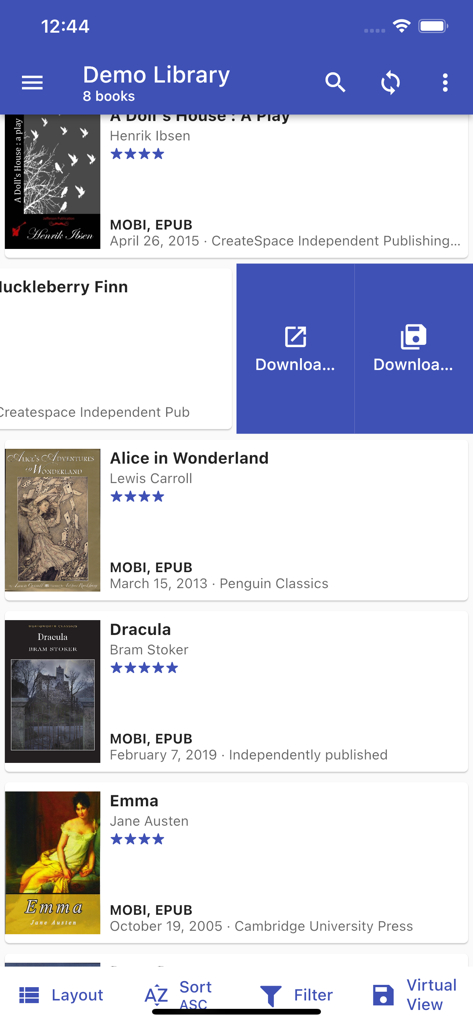
Calibre Sync - Dracula와 Alice in Wonderland를 포함한 전자책 목록이 있는 데모 라이브러리를 보여주는 Calibre Sync의 모바일 인터페이스.

Dracula와 Alice in Wonderland를 포함한 전자책 목록이 있는 데모 라이브러리를 보여주는 Calibre Sync의 모바일 인터페이스.

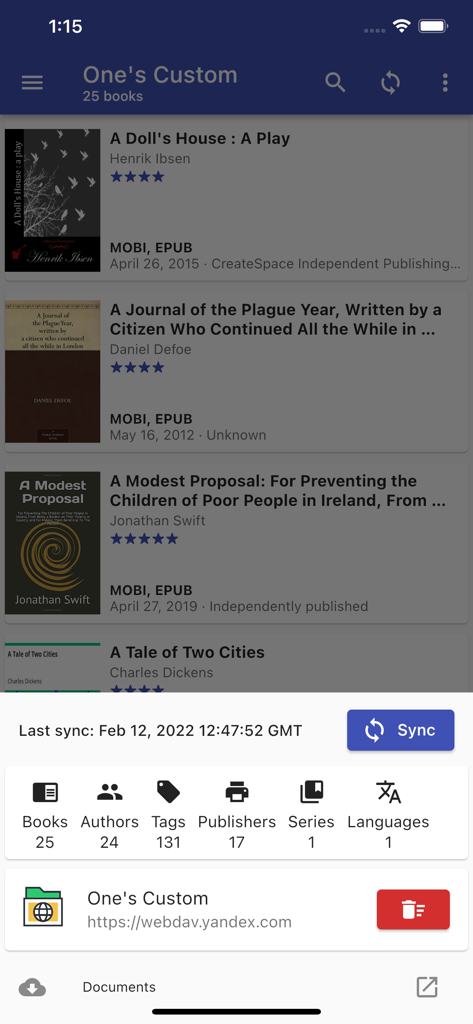
Calibre Sync - 전자책 목록과 라이브러리 동기화 통계를 보여주는 Calibre Sync 모바일 앱

전자책 목록과 라이브러리 동기화 통계를 보여주는 Calibre Sync 모바일 앱

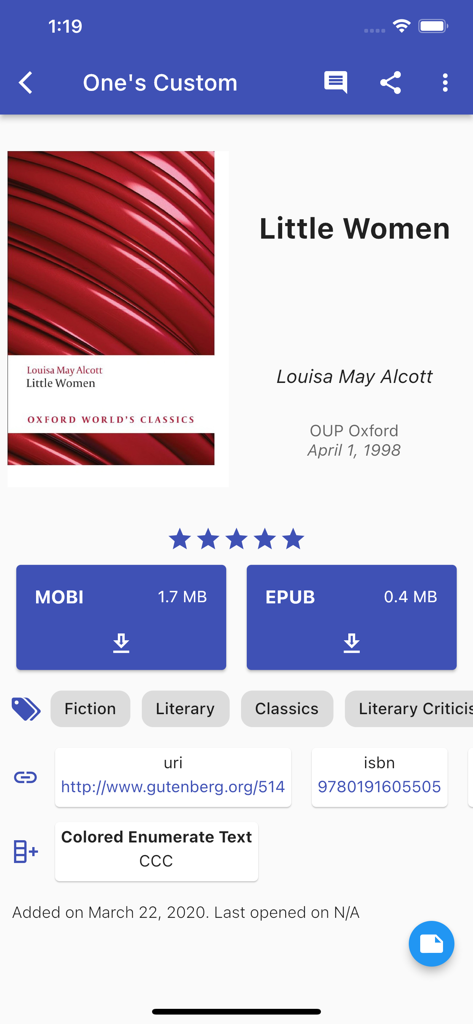
Calibre Sync - MOBi 및 EPUB 다운로드 옵션이 포함된 Little Women의 책 세부 정보를 보여주는 Calibre Sync 모바일 앱

MOBi 및 EPUB 다운로드 옵션이 포함된 Little Women의 책 세부 정보를 보여주는 Calibre Sync 모바일 앱

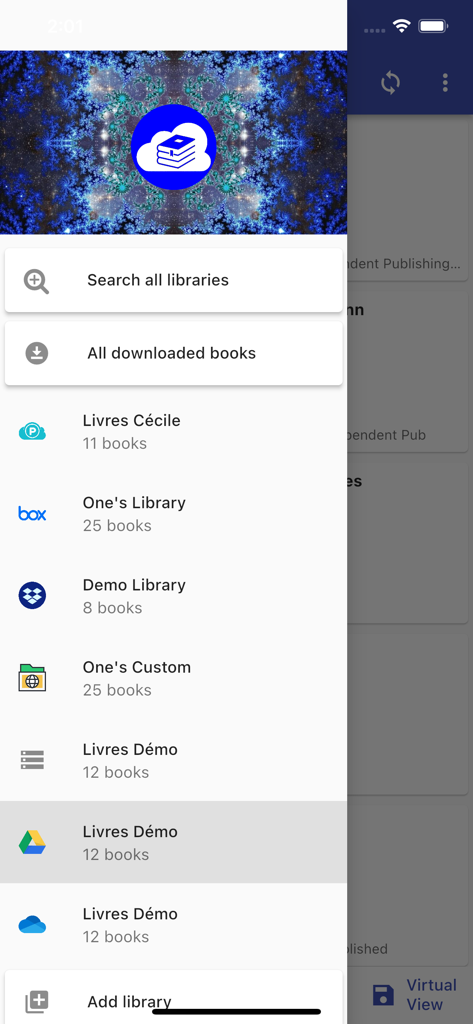
Calibre Sync - Google Drive 및 Dropbox를 포함한 연결된 클라우드 라이브러리를 보여주는 Calibre Sync 앱의 사이드바 메뉴

Google Drive 및 Dropbox를 포함한 연결된 클라우드 라이브러리를 보여주는 Calibre Sync 앱의 사이드바 메뉴

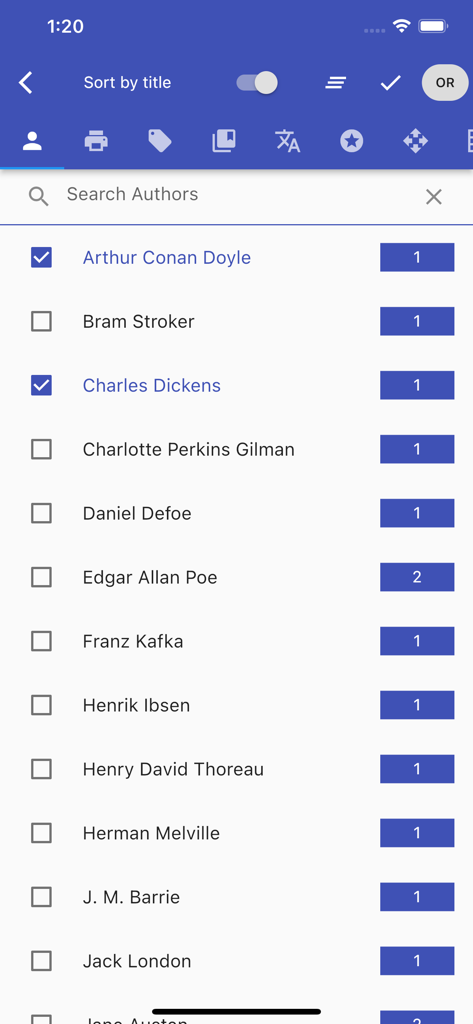
Calibre Sync - 책 수와 필터 확인란이 있는 검색 가능한 전자책 저자 목록을 표시하는 Calibre Sync 모바일 앱 화면

책 수와 필터 확인란이 있는 검색 가능한 전자책 저자 목록을 표시하는 Calibre Sync 모바일 앱 화면

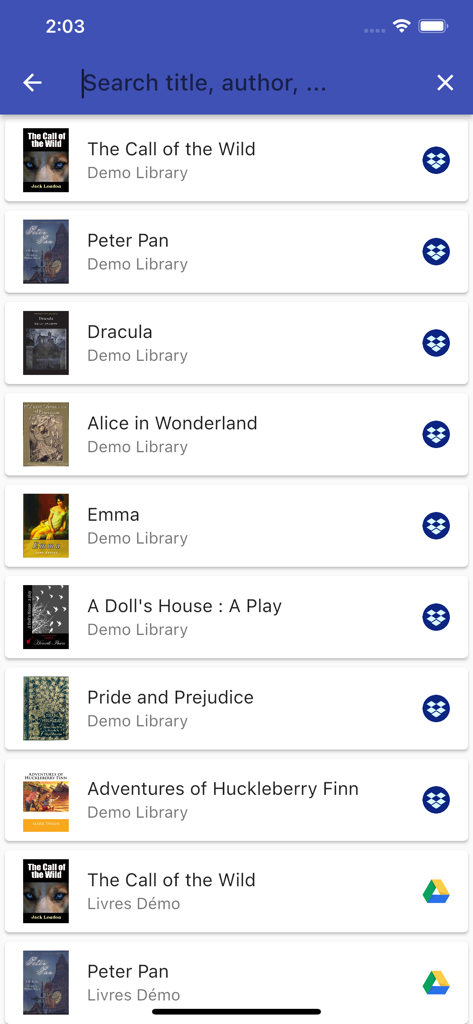
Calibre Sync - 책 제목과 클라우드 저장소 아이콘을 보여주는 Calibre Sync 앱의 전자책 라이브러리 목록

책 제목과 클라우드 저장소 아이콘을 보여주는 Calibre Sync 앱의 전자책 라이브러리 목록

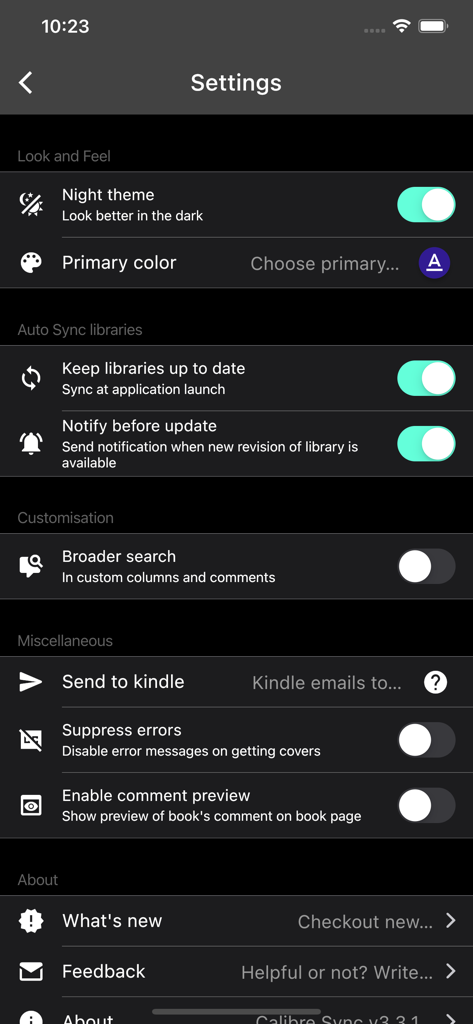
Calibre Sync - 어두운 모드에서 야간 테마 및 라이브러리 동기화 옵션을 보여주는 Calibre Sync의 설정 메뉴

어두운 모드에서 야간 테마 및 라이브러리 동기화 옵션을 보여주는 Calibre Sync의 설정 메뉴

설명

Lifetime support, no extra charge, no subscription fee. Calibre Sync can: - help you access full Calibre libraries on most popular personal cloud services, including Google Drive, Dropbox, Microsoft OneDrive, Box, pCloud, MEGA, iCloud, WebDav, Nextcloud and OwnCloud - simply the most supported for cloud services. - transform your device to a smart device emulator that connects to Calibre wirelessly. It even supports Calibre libraries on your external storage and from Calibre Content Server or Calibre-web with amazing performance. Move your Calibre libraries to your favourite cloud providers and access those libraries via Calibre Sync to browse, sort, search, download and read books on your device. Calibre Sync also supports multiple libraries across multiple Drive, Dropbox, OneDrive, Box, pCloud, MEGA, iCloud, WebDav, Nextcloud, and OwnCloud accounts simultaneously. Features: - Unlimited Calibre libraries - Wireless connect to Calibre effortlessly as Smart device - Easy switch between multiple libraries across multiple accounts - Automatic check and update libraries when launching the app - Pull, Refresh or Remove a library from Calibre Sync - Support different book list layouts: List - detailed and simple, Grid, and Carousel - View your library statistics - Send books to Kindle with ease - Search across all of your available libraries - Search books by title, authors, and even in comments and custom columns - Filter books on authors, series, tags, language, publishers, formats and in custom columns - Sort libraries by title, author, ratings, and several Date options - ascending and descending - Filter downloaded books - Configuration for each library download location - Support for custom columns in book details view - Quick access to book download and share via slideable list view - Zoom the book cover - Support "swipe from book to book" in book details view - Email or share a copy of downloaded book - Open downloaded book in your book reader application to read a book - View the file size of each book format - Show book identifiers and link to source (like ISBN, Amazon, Google Books, Goodreads, etc) - Dark/light themes - And many more features... To move your Calibre library to cloud services: 1) Open Calibre on your Laptop/PC/Desktop 2) Select "Switch/create library..." from the Calibre menu 3) Select an empty folder on your Cloud drive in "New Location" drop down 4) Select "Move current library to new location", then press OK 5) Wait for cloud sync to complete. 6) Then you are ready to use Calibre Sync. To move your Calibre library to your phone storage, just copy the library directory to your phone storage. Notes: - Calibre Sync is not a reader app. You must install and use one of the many excellent reader apps available. - Only Microsoft OneDrive for Personal accounts (shared) are supported. Please email us if you observe any inconsistencies. - Due to restriction in Box API, Calibre Sync must acquire write permission in order to download files, download is not a read action on Box. Calibre Sync guarantees that it will not perform any write actions against your data in Box cloud account. - Calibre Sync use WebDav API of Nextcloud and OwnCloud services, and it requires case sensitive file system to work properly. Therefore, you must make sure that your libraries are set up on case sensitive file system (Linux, recent MacOS, Windows NTFS with case sensitive enabled). Please leave your reviews and suggestions to help us improve the app. For more information see https://calibresync.bitbucket.io Calibre is © Kovid Goyal - calibre-ebook.com Drive is © Google LLC. Dropbox is © Dropbox inc. OneDrive is © Microsoft Box is © Box inc. pCloud is © pCloud AG Nextcloud is © Nextcloud GmbH OwnCloud is © OwnCloud MEGA is © MEGA iCloud is © Apple Inc

Download

다운로드: App Store

이 페이지는 앱이나 개발자의 공식 페이지가 아니며, 정보 제공 및 논평을 목적으로 작성된 독립 편집 간행물입니다. 명시적으로 달리 언급되지 않는 한, 해당 앱이나 개발자는 MWM, Apple, Google Play, 앱 퍼블리셔 또는 앱 개발자와 제휴, 보증, 후원, 승인 또는 공식적으로 연결되어 있지 않으며, 이 페이지의 어떤 내용도 해당 앱이 MWM의 서비스를 사용하여 개발되었음을 의미하지 않습니다. 모든 상표, 로고, 스크린샷 및 기타 콘텐츠는 해당 소유자의 자산입니다.