
이 페이지는 앱이나 개발자의 공식 페이지가 아니며, 정보 제공 및 논평을 목적으로 작성된 독립 편집 간행물입니다. 명시적으로 달리 언급되지 않는 한, 해당 앱이나 개발자는 MWM, Apple, Google Play, 앱 퍼블리셔 또는 앱 개발자와 제휴, 보증, 후원, 승인 또는 공식적으로 연결되어 있지 않으며, 이 페이지의 어떤 내용도 해당 앱이 MWM의 서비스를 사용하여 개발되었음을 의미하지 않습니다. 모든 상표, 로고, 스크린샷 및 기타 콘텐츠는 해당 소유자의 자산입니다.


CamCard AI Business Assistant
당신은 구식 명함에 얽매여 있습니까? 이 앱은 당신의 주머니에 AI 분석가를 집어넣습니다.
다운로드
5M+사용자 평점
총 평가 수
356.7K개발사
카테고리
Business지원 언어
7최신 버전
8.62.3크기
212.4 MB출시일
2010년 2월 13일비즈니스 네트워킹 및 정보 관리를 위한 핵심 기능 분석
CamCard AI Business Assistant: 주요 기능 및 비즈니스 영향도 평가
AI 기반 명함 인식 및 디지털화
이 앱은 AI 기술을 활용하여 명함을 99.99%에 달하는 정확도로 스캔하고 디지털화합니다. 이 기능은 수동 입력 없이 연락처 정보를 신속하게 데이터베이스에 추가할 수 있도록 하여, 네트워킹 이벤트 후 시간 절약에 매우 효과적입니다.
AI 비즈니스 인사이트
이 도구는 명함 정보를 바탕으로 기업 개요, 재무 현황, 잠재적 파트너십 가능성 및 대화 시작점 등 심층적인 비즈니스 인사이트를 제공합니다. 사용자가 비즈니스 기회를 포착하고 관계를 구축하는 데 도움을 줍니다.
실시간 음성-텍스트 변환 및 AI 요약
이 앱은 회의나 인터뷰 중 실시간으로 음성을 텍스트로 변환하고, 주요 내용을 AI가 자동으로 요약해줍니다. 이 기능은 사용자가 논의에 집중하는 동안 중요한 정보를 놓치지 않도록 지원하여 생산성을 크게 향상시킵니다.
명함 관리 및 CRM 동기화
이 앱은 명함 연락처를 메모, 태그와 함께 체계적으로 정리할 수 있게 하며, Salesforce와 같은 주요 CRM 시스템과 동기화할 수 있도록 지원합니다. 이를 통해 연락처 관리가 효율적이고 비즈니스 워크플로우에 통합될 수 있습니다.
다국어 지원
이 앱은 전 세계 다양한 언어의 명함을 인식할 수 있도록 확장된 언어 지원 기능을 제공합니다. 이 기능은 글로벌 비즈니스를 수행하거나 다양한 국적의 사람들과 네트워킹하는 사용자에게 필수적입니다.
사용자 지정 디지털 명함 및 스마트 공유
이 도구는 로고, 사진 및 현대적인 템플릿을 사용하여 맞춤형 디지털 명함을 제작하고, QR 코드, SMS, 이메일 또는 고유 링크를 통해 편리하게 공유할 수 있습니다. 이 기능은 종이 명함의 필요성을 줄이고, 전문적인 이미지를 구축하는 데 기여합니다.
오디오 파일 가져오기 및 빠른 전사
이 앱은 사용자가 녹음된 오디오 파일을 업로드하여 텍스트로 변환할 수 있도록 합니다. 1시간 분량의 오디오 파일을 약 5분 만에 전사할 수 있어, 기존 녹음 자료를 효율적으로 활용할 수 있도록 돕습니다.
다양한 내보내기 및 공유 옵션
이 도구는 전사된 텍스트를 TXT, DOCX, PDF 등 다양한 형식으로 내보내고, 공유 가능한 링크를 통해 팀원이나 파트너와 쉽게 공유할 수 있도록 합니다. 이 기능은 협업 및 문서화 프로세스를 간소화합니다.
자주 묻는 질문
에 대해 알아야 할 모든 것 CamCard AI Business Assistant
What is CamCard AI Business Assistant?
CamCard AI Business Assistant is an AI-powered tool for business card recognition, voice transcription, and contact management. It helps users digitize cards, transcribe meetings, and gain business insights.
Does CamCard offer a free trial for its transcription feature?
Yes, CamCard offers a free trial of 120 minutes for its voice transcription feature. Users can experience lightning-fast transcription and smart AI summaries during this period.
What is the accuracy rate of CamCard's AI business card recognition?
CamCard's AI business card recognition boasts a 99.99% accuracy rate. Its AI scans and digitizes business cards with near-perfect precision.
Can CamCard transcribe existing audio recordings?
Yes, CamCard can transcribe existing audio recordings. Users can upload audio files, and the app processes a 1-hour audio file in approximately 5 minutes.
What export formats does CamCard support for transcripts?
CamCard supports exporting transcripts in popular formats such as TXT, DOCX, and PDF. Users can also share transcripts via a shareable link.
Does CamCard provide AI summaries for transcribed conversations?
Yes, CamCard provides AI-generated summaries for transcribed conversations. These summaries help users quickly capture the key points from meetings or discussions.
How does CamCard help with business insights?
CamCard provides AI Business Insights from business cards, including company overview, financial snapshots, partnership potential, and conversation starters. This turns every card into an opportunity.
Is CamCard secure for managing contact data?
Yes, CamCard is secure by design. It is ISO/IEC 27001 certified, ensuring that user data is safe and private during business card management.
Can CamCard sync contacts with CRM systems?
Yes, CamCard Premium allows users to sync contacts with Salesforce and other major CRM systems. It also supports exporting contacts to Excel/VCF formats.
How can I share my digital business card using CamCard?
CamCard offers smart sharing options for digital business cards, including QR code, SMS, email, or a unique link. Users can also share via various social media platforms.
Does CamCard support multiple languages for recognition?
Yes, CamCard provides global language support for expanded recognition. This allows users to connect across borders and network internationally.
Where can I find CamCard's privacy policy?
The privacy policy for CamCard is available at https://static-cdn-p.camcard.com/policy/camcard_iOS/privacy_en-us.html. This link is provided within the app's description.
How do I manage my CamCard subscription?
Users can manage their CamCard subscriptions and turn off auto-renewal in their iTunes Account Settings after purchase. Payment is charged to the iTunes account upon confirmation.
다음 스크린샷과 설명은 앱의 공식 스토어 목록에서 직접 가져온 것이며 앱 개발자의 자산입니다.
앱 스토어
스크린샷
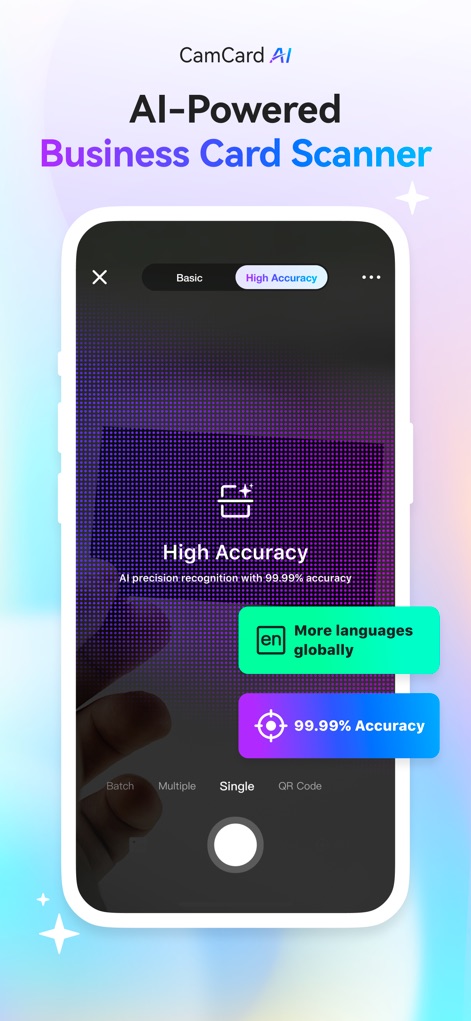
이 앱은 99.99%의 정확도로 명함을 인식하며, 다양한 언어를 지원하여 전 세계적으로 활용 가능합니다.
AI 명함 인식
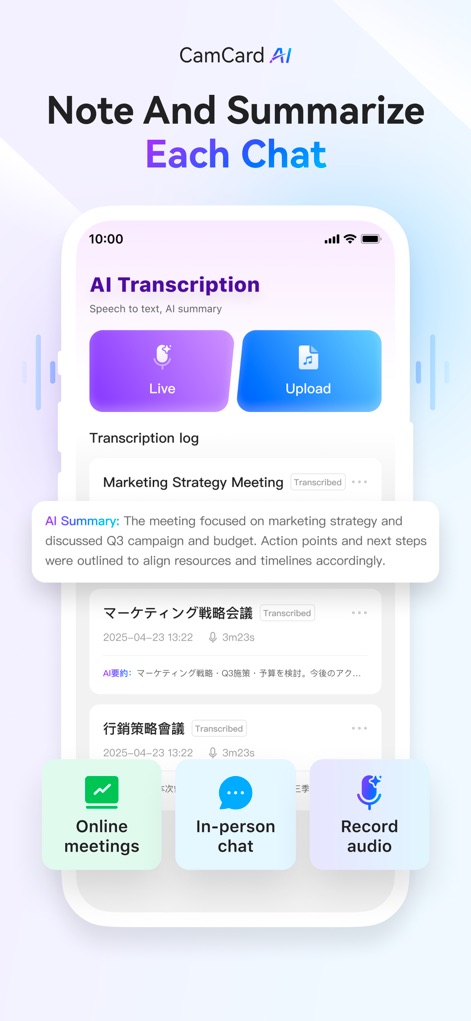
사용자는 라이브 음성 또는 업로드된 오디오 파일을 실시간으로 전사하고, 회의 요약 기능을 통해 핵심 내용을 빠르게 파악할 수 있습니다.
회의 요약 및 전사

명함을 통해 회사 개요 및 최신 뉴스와 같은 상세 정보를 얻고, 영업 기회를 위한 맞춤형 이메일을 작성할 수 있습니다.
명함 인사이트 잠금 해제
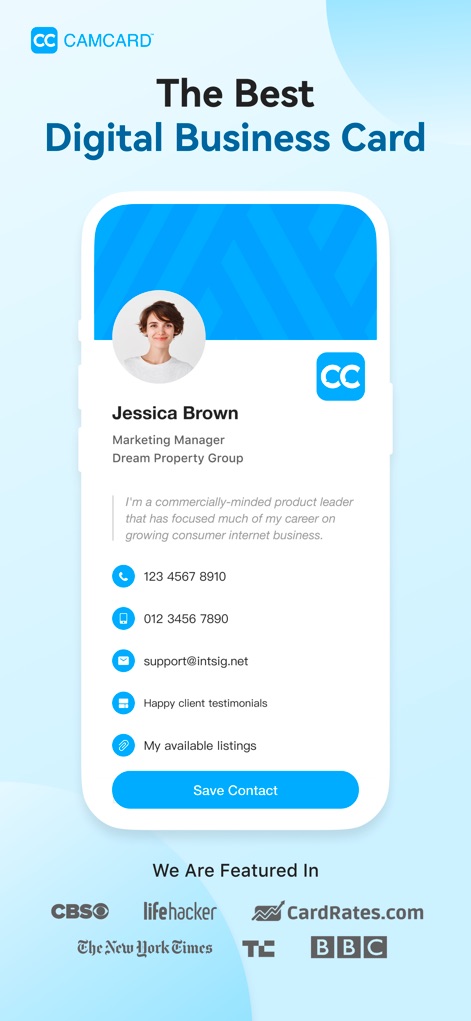
사용자는 로고와 사진이 포함된 개인화된 디지털 명함을 생성하고, 연락처 정보와 개인 링크를 효과적으로 공유할 수 있습니다.
최고의 디지털 명함

사용자는 개인화된 QR 코드를 통해 자신의 디지털 명함을 즉시 공유하고, 명함 미리보기를 통해 공유 전 내용을 확인할 수 있습니다.
QR 코드로 즉시 연결

이 앱은 QR 코드 및 메시지 입력 필드를 포함한 다채로운 공유 옵션을 제공하여 명함을 효율적으로 전송합니다.
다양한 방법으로 명함 공유

사용자는 브랜드화된 이메일 서명에 디지털 명함과 소셜 미디어 링크를 포함하여 모든 이메일을 네트워킹 기회로 활용할 수 있습니다.
이메일 서명으로 기회 창출

사용자는 잠재 고객의 이름, 이메일, 회사명 등의 정보를 쉽게 수집하고, 비즈니스 카드 교환 요청을 효율적으로 관리할 수 있습니다.
잠재 고객 정보 수집
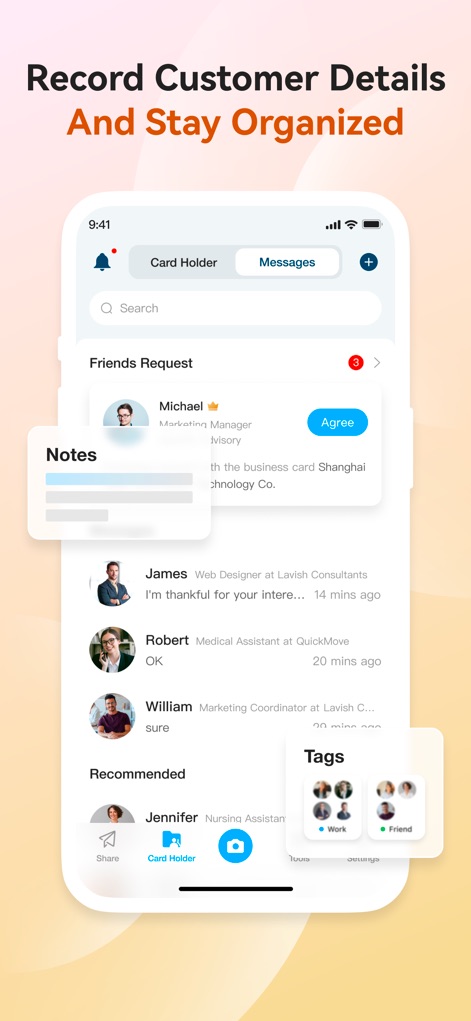
사용자는 연락처에 대한 메모를 추가하여 세부 정보를 기록하고, 태그 기능을 사용하여 연락처를 체계적으로 분류할 수 있습니다.
고객 기록 및 정리

이 도구는 모든 명함을 통합 관리하며, Salesforce 및 Outlook과 같은 주요 CRM 시스템과 연락처를 쉽게 동기화할 수 있습니다.
효율적인 네트워크 관리
설명
Download
비슷한 앱
유사한 기능과 사용자 경험을 가진 앱

Blinq: Digital Business Card
Blinq Technologies Pty Ltd

HiHello: Digital Business Card
HiHello, Inc.

Popl: AI Lead Capture
Popl Co

Evernote Scannable
Evernote Corporation

Business Card Scanner by Covve
Covve Visual Network Limited

bCard: Digital Business Card
Oleksandr Solodkyi

BizConnect Card Scanner
ATMAS SOFTWARES PRIVATE LIMITED

DBC: Digital Business Card
IT FOR TOMORROW LTD
Digital Business Card Makerㅤㅤ
Tobias Kirkman
이 페이지는 앱이나 개발자의 공식 페이지가 아니며, 정보 제공 및 논평을 목적으로 작성된 독립 편집 간행물입니다. 명시적으로 달리 언급되지 않는 한, 해당 앱이나 개발자는 MWM, Apple, Google Play, 앱 퍼블리셔 또는 앱 개발자와 제휴, 보증, 후원, 승인 또는 공식적으로 연결되어 있지 않으며, 이 페이지의 어떤 내용도 해당 앱이 MWM의 서비스를 사용하여 개발되었음을 의미하지 않습니다. 모든 상표, 로고, 스크린샷 및 기타 콘텐츠는 해당 소유자의 자산입니다.