Camelot Pro
Camelot Pro
다운로드: App Store

이 페이지는 앱이나 개발자의 공식 페이지가 아니며, 정보 제공 및 논평을 목적으로 작성된 독립 편집 간행물입니다. 명시적으로 달리 언급되지 않는 한, 해당 앱이나 개발자는 MWM, Apple, Google Play, 앱 퍼블리셔 또는 앱 개발자와 제휴, 보증, 후원, 승인 또는 공식적으로 연결되어 있지 않으며, 이 페이지의 어떤 내용도 해당 앱이 MWM의 서비스를 사용하여 개발되었음을 의미하지 않습니다. 모든 상표, 로고, 스크린샷 및 기타 콘텐츠는 해당 소유자의 자산입니다.


로고: Camelot Pro
다운로드: App Store

Camelot Pro

올인원 세트리스트 관리자, AUv3 호스트 및 MIDI 라우터로 무대 설정을 완벽하게 제어하세요. 전문적인 안정성을 위해 설계된 Camelot Pro는 끊김 없는 장면 전환과 하드웨어 및 소프트웨어 장비의 원활한 통합을 보장합니다.

주요 수치

다운로드

24K+

사용자 평점

4.4/5

총 평가 수

100

개발사

Audio Modeling Srl

카테고리

Music

지원 언어

-

최신 버전

2.4.0

크기

57.4 MB

출시일

2018년 12월 13일
기능

라이브 쇼를 위한 최고의 컨트롤 센터

전문적인 안정성을 위해 설계된 글리치 없는 단일 환경에 하드웨어, AUv3 플러그인 및 반주 트랙을 통합하세요.

끊김 없는 장면 전환

팝, 침묵 없이 오디오 중단 없이 복잡한 레이어와 사운드를 전환하세요. 순수한 공연만이 남습니다.

전체 장비를 마스터하세요

고급 기술 지식 없이도 하드웨어 신디사이저와 소프트웨어 플러그인 간에 MIDI 및 오디오를 손쉽게 라우팅하세요.

다음 스크린샷과 설명은 앱의 공식 스토어 목록에서 직접 가져온 것이며 앱 개발자의 자산입니다.

앱 스토어

스크린샷
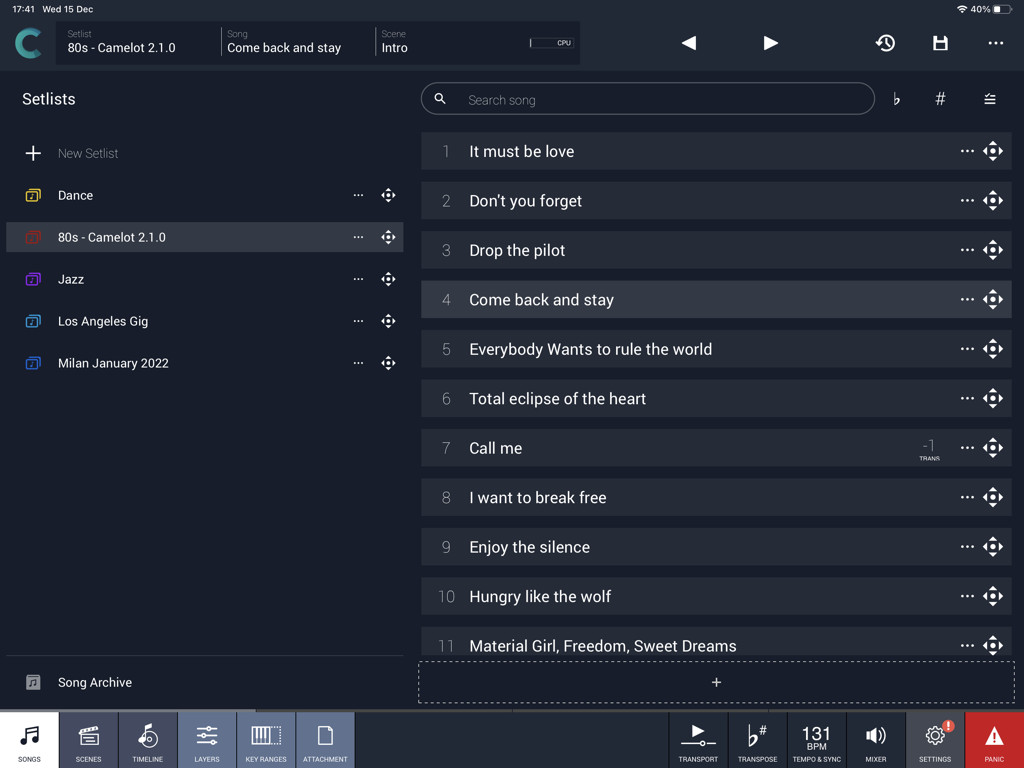
Camelot Pro - Camelot Pro 앱 인터페이스가 뮤지션들을 위한 곡 세트리스트와 공연 관리를 보여줍니다.
Camelot Pro 앱 인터페이스가 뮤지션들을 위한 곡 세트리스트와 공연 관리를 보여줍니다.

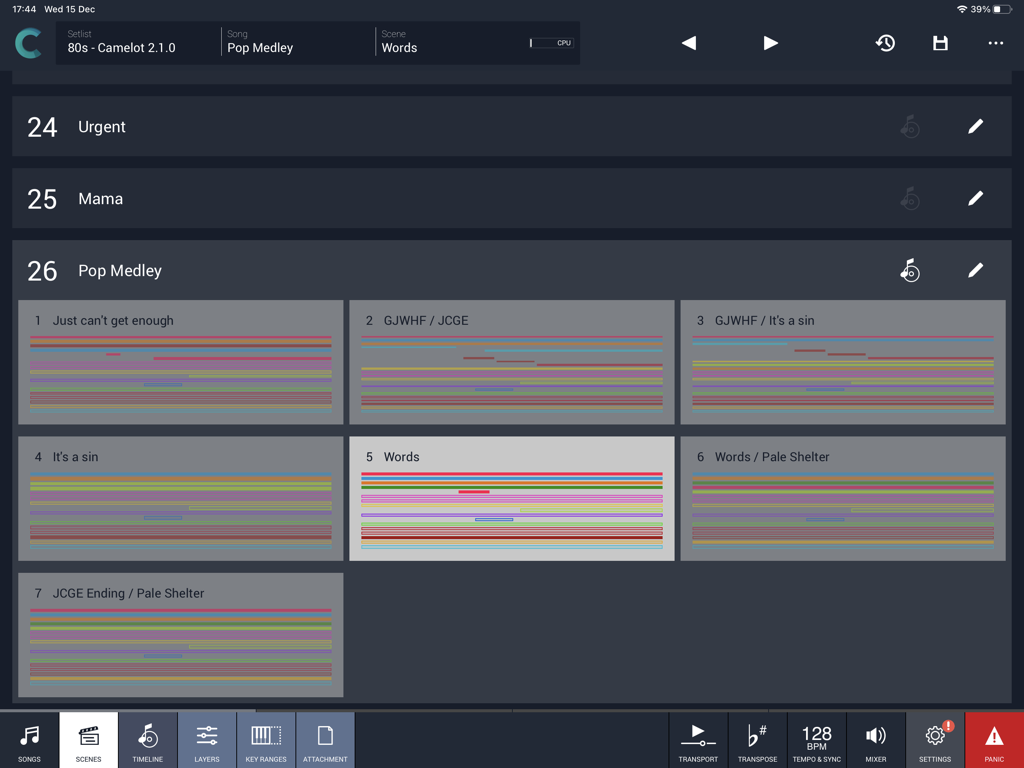
Camelot Pro - Camelot Pro iPad 앱 인터페이스가 팝 메들리 세트리스트의 장면 보기를 보여줍니다.
Camelot Pro iPad 앱 인터페이스가 팝 메들리 세트리스트의 장면 보기를 보여줍니다.

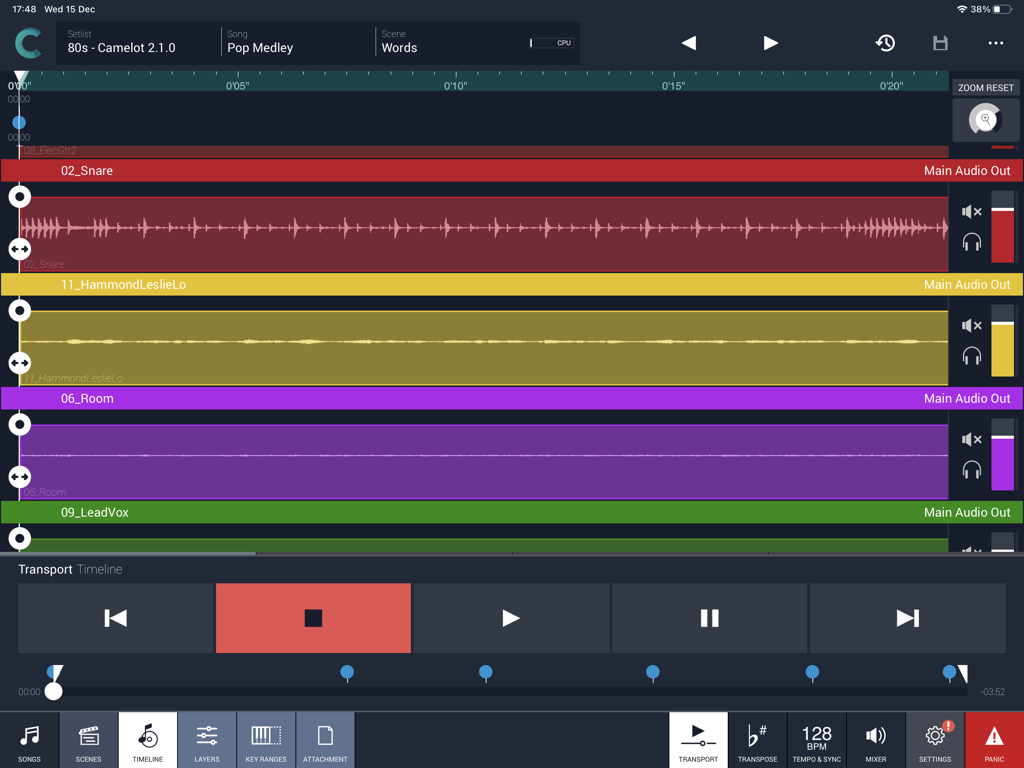
Camelot Pro - 라이브 음악 공연을 위한 iPad의 Camelot Pro 멀티트랙 오디오 타임라인 보기
라이브 음악 공연을 위한 iPad의 Camelot Pro 멀티트랙 오디오 타임라인 보기

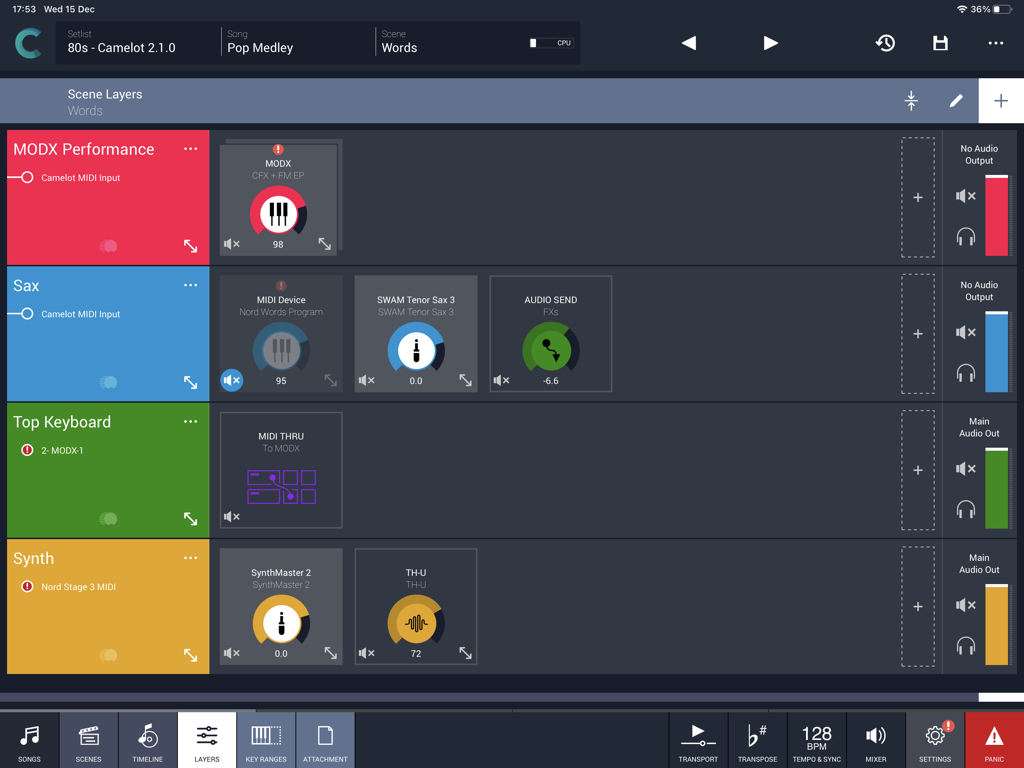
Camelot Pro - Camelot Pro 앱 인터페이스가 라이브 음악 공연을 위한 장면 레이어를 보여줍니다.
Camelot Pro 앱 인터페이스가 라이브 음악 공연을 위한 장면 레이어를 보여줍니다.

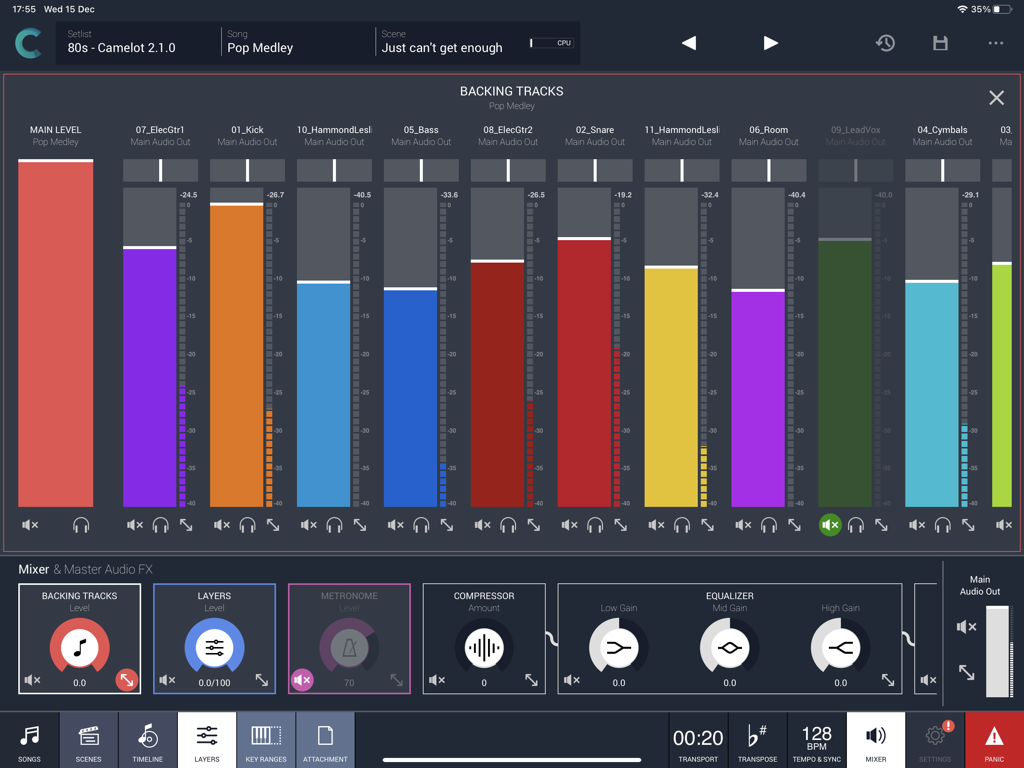
Camelot Pro - 라이브 공연 반주 트랙을 위한 멀티트랙 오디오 믹서를 보여주는 Camelot Pro 앱 인터페이스
라이브 공연 반주 트랙을 위한 멀티트랙 오디오 믹서를 보여주는 Camelot Pro 앱 인터페이스

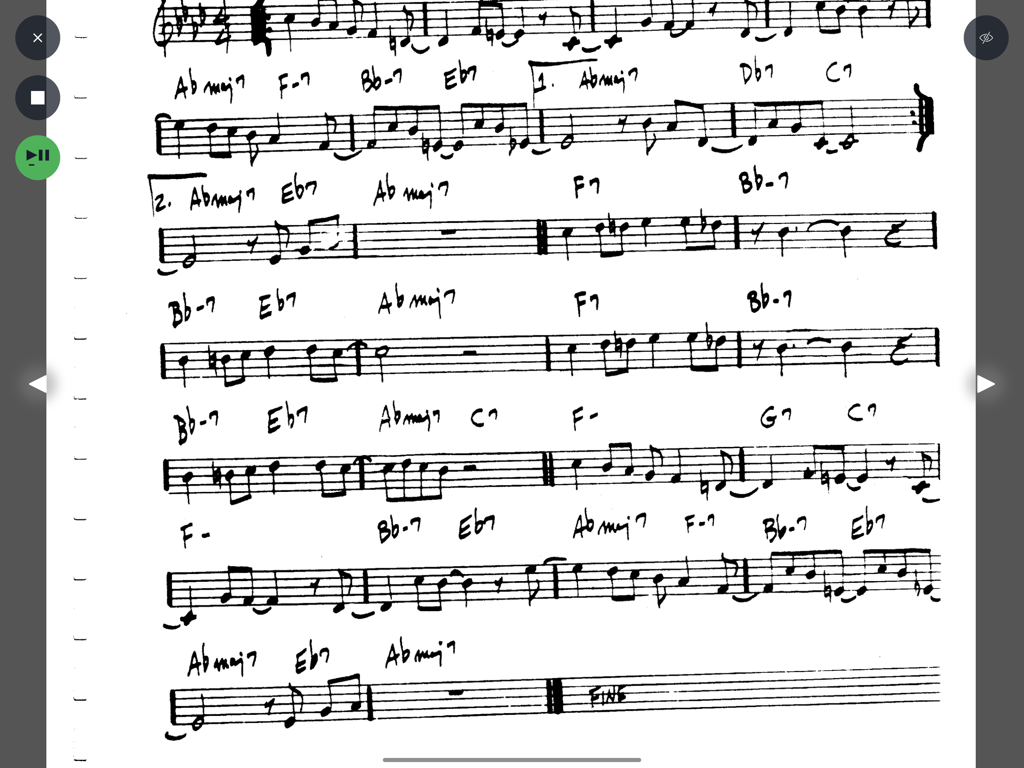
Camelot Pro - Camelot Pro 악보 리더 인터페이스에 표시된 코드와 음표가 있는 손글씨 악보
Camelot Pro 악보 리더 인터페이스에 표시된 코드와 음표가 있는 손글씨 악보

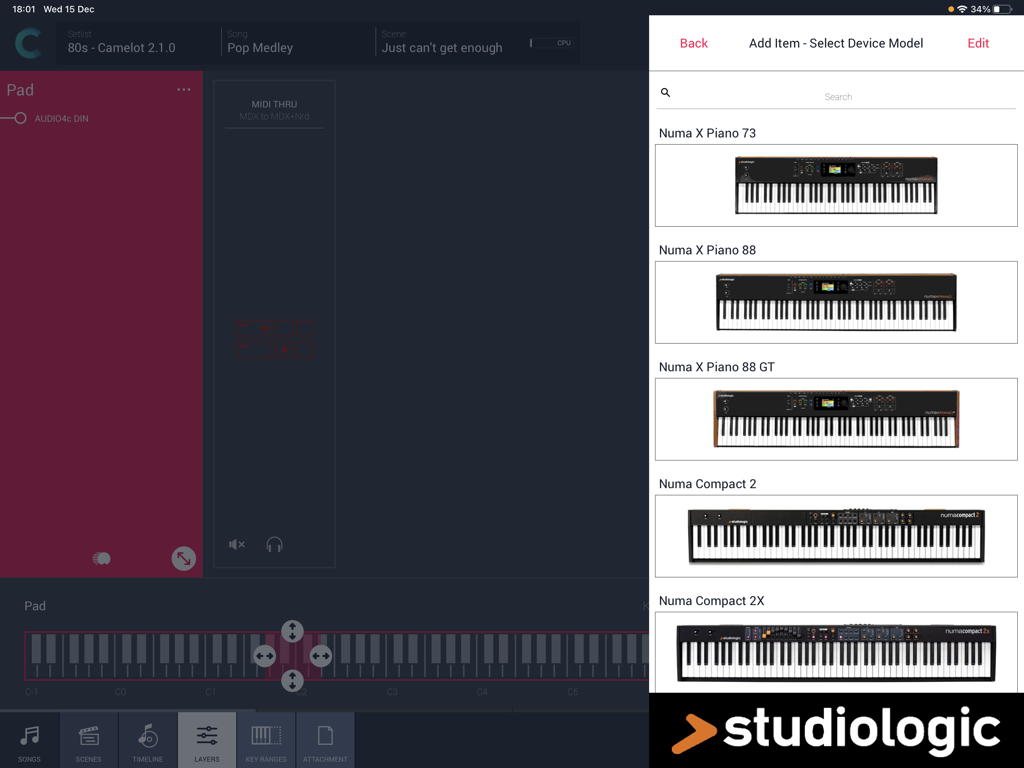
Camelot Pro - Camelot Pro iPad 앱 하드웨어 설정 메뉴에서 Studiologic 디지털 피아노 모델 선택
Camelot Pro iPad 앱 하드웨어 설정 메뉴에서 Studiologic 디지털 피아노 모델 선택

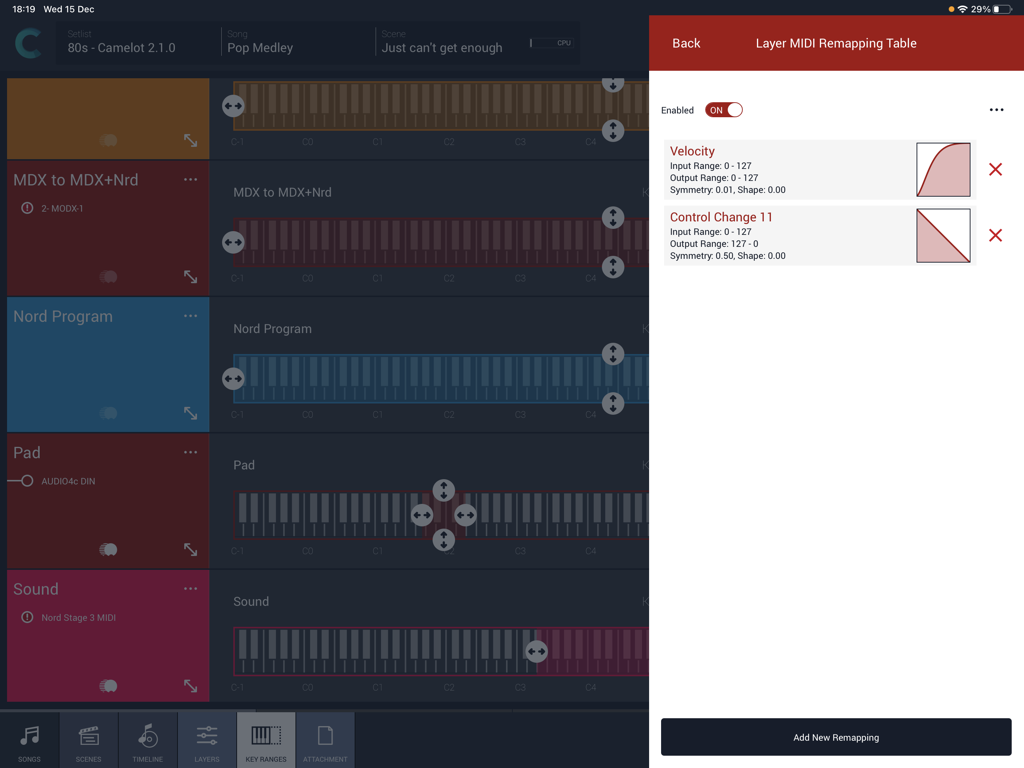
Camelot Pro - Camelot Pro 앱 인터페이스가 키보드 레이어 범위와 함께 MIDI 벨로시티 및 컨트롤 변경 리매핑 곡선을 보여줍니다.
Camelot Pro 앱 인터페이스가 키보드 레이어 범위와 함께 MIDI 벨로시티 및 컨트롤 변경 리매핑 곡선을 보여줍니다.

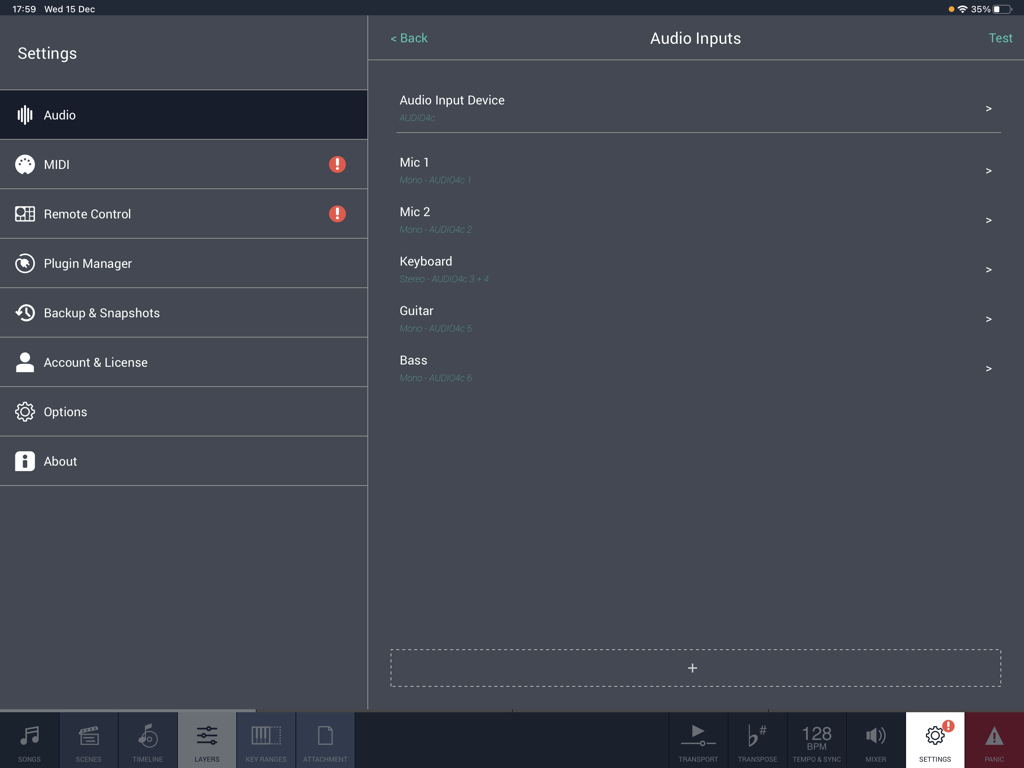
Camelot Pro - 마이크, 키보드, 기타 및 베이스 설정을 보여주는 iPad용 Camelot Pro 앱의 오디오 입력 구성 화면
마이크, 키보드, 기타 및 베이스 설정을 보여주는 iPad용 Camelot Pro 앱의 오디오 입력 구성 화면

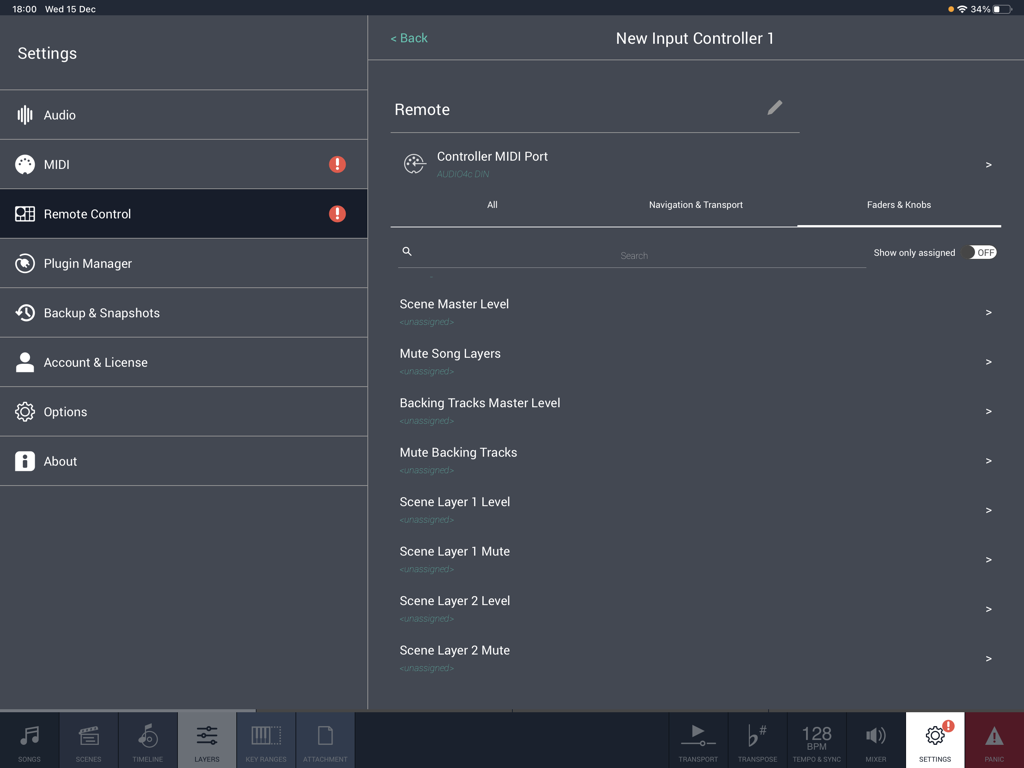
Camelot Pro - MIDI 페이더와 노브 매핑을 위한 원격 제어 설정을 보여주는 Camelot Pro 앱 인터페이스

MIDI 페이더와 노브 매핑을 위한 원격 제어 설정을 보여주는 Camelot Pro 앱 인터페이스

설명

Camelot is an application created to address the most complex live performance needs with a simple and guided workflow. It combines in one app, a convenient and beautifully designed digital performance workstation that in the past could only be achieved with a complex setup made of connecting different applications and devices together. Camelot is a Setlist Manager, a Software Instrument & FX Host, a PDF Music Score reader, a Multitrack Audio Player, and the most advanced Audio/MIDI Patchbay and Router. All in one piece of software: ● Hardware Instrument presets: select your instrument Smart Map and go! With no MIDI knowledge! ● Software instruments and effects (AUv3) Play with your favorite software sounds & FX (Auv3 format) and enjoy switching from one scene to another WITHOUT SOUND INTERRUPTION! ● MIDI keyboards and MPE controllers: connect any MIDI controller directly or with a USB hub; ● Advanced MIDI routing: duplicate, filter, and route any MIDI messages with ease; ● Powerful MIDI Transformers: Message Transformers convert CC messages from one number to another. Trigger a chord by pressing one note Remap/rescale any CC or velocity curve. Easily play different scales or harmonize/shift parts; ● MIDI and Bluetooth remote controls: Remote scene switching, start/stop buttons, or assign track levels to external pedals, faders, or controllers; ● Smart Scene Switching: It’s a unique feature on iOS!!! There is no AUv3 host capable of switching sound with NO AUDIO INTERRUPTION and clever MIDI messages management, that does not truncate MIDI instances & routing. Stop using production tools for live performances! ● Tempo Sync with MIDI Clock and Ableton Link, with dedicated output for metronome (click) ● Lyrics and Chords attachments with custom annotations: each Scene recalls PDF or images that you can visualize during the performance. The attached file can be saved at the desired zoom level and scroll position. Stop using paper chord, lyrics, or music score books! ● Audio backing tracks, Timeline & Automations: attach Audio Tracks, add auto-play and auto-stop markers, and even add Scene automation. You can have multiple audio tracks with separate audio outputs and, at the same time, use the Timeline to automate Scene switches at specific points in the sequence; ● Audio Inputs and Routing: Manage any audio input source: mic, guitar, bass, or hardware synth. Add effects to any internal or external audio source in Camelot. Endless audio routing options with dedicated audio send connectors; ● Manage your Performance with ease: Forget about the complications of last-minute Setlist changes. Rearrange, move and duplicate Songs with simple Drag & Drop directly on each Setlist. How Camelot is organized: ● Setlists - a collection of Songs ● Songs - can have one or more Scenes that each include a Timeline. When you select a Song in Camelot, you load all the resources needed to play that Song (i.e., Virtual Instruments, FX, and Audio Tracks). ● Scenes - recall and organize Hardware instruments presets, MIDI connections, Software plugin presets, and Music Score Attachments. You can switch freely from one Scene to another with no interruption in the sound. ● Layers - the building blocks of each Scene. Layers allow the connection between MIDI Input Controllers and the Items. Layers manage the MIDI and Audio flow for all the Items that are loaded on them. ● Items - Individual Hardware or Software Instruments and FX.

Download

다운로드: App Store

이 페이지는 앱이나 개발자의 공식 페이지가 아니며, 정보 제공 및 논평을 목적으로 작성된 독립 편집 간행물입니다. 명시적으로 달리 언급되지 않는 한, 해당 앱이나 개발자는 MWM, Apple, Google Play, 앱 퍼블리셔 또는 앱 개발자와 제휴, 보증, 후원, 승인 또는 공식적으로 연결되어 있지 않으며, 이 페이지의 어떤 내용도 해당 앱이 MWM의 서비스를 사용하여 개발되었음을 의미하지 않습니다. 모든 상표, 로고, 스크린샷 및 기타 콘텐츠는 해당 소유자의 자산입니다.