Camera M - Pro Manual Camera
다운로드: App Store

이 페이지는 앱이나 개발자의 공식 페이지가 아니며, 정보 제공 및 논평을 목적으로 작성된 독립 편집 간행물입니다. 명시적으로 달리 언급되지 않는 한, 해당 앱이나 개발자는 MWM, Apple, Google Play, 앱 퍼블리셔 또는 앱 개발자와 제휴, 보증, 후원, 승인 또는 공식적으로 연결되어 있지 않으며, 이 페이지의 어떤 내용도 해당 앱이 MWM의 서비스를 사용하여 개발되었음을 의미하지 않습니다. 모든 상표, 로고, 스크린샷 및 기타 콘텐츠는 해당 소유자의 자산입니다.


로고: Camera M - Pro Manual Camera
다운로드: App Store

Camera M - Pro Manual Camera

이 앱은 당신의 아이폰을 정밀한 촬영 도구로 변모시킵니다. 단순한 사진 촬영을 넘어, 당신의 시야를 현실로 구현하는 데 필요한 모든 통제권을 부여합니다.

주요 수치

다운로드

25k+

사용자 평점

4.5/5

총 평가 수

3.3K

개발사

bxb, LLC

카테고리

Photo & Video

지원 언어

5

최신 버전

9.2.1

크기

23.7 MB

출시일

2017년 8월 3일
기능

전문가 수준의 모바일 사진 촬영을 위한 DSLR급 제어 및 고품질 이미지 기능 평가

Camera M - Pro Manual Camera 앱 심층 분석

정밀한 수동 제어

이 앱은 DSLR과 유사한 유연한 제스처 기반의 정밀 수동 제어를 제공하여, 사용자가 초점, 노출, 화이트 밸런스 등을 미세하게 조정하여 원하는 사진을 정확하게 담을 수 있게 해줍니다.

제로-프로세스 RAW 지원

이 앱은 어떠한 추가 처리도 거치지 않은 표준 RAW 파일 캡처를 지원하여, 사용자가 가장 자연스러운 원본 이미지를 얻고 후처리 과정에서 최대한의 유연성을 발휘할 수 있도록 돕습니다.

최대 이미지 처리 품질

이 도구는 'Max Image Processing' 기능을 활용하여 모든 iPhone 모델에서 최상의 이미지 품질을 보장하며, 향상된 노이즈 감소 및 이미지 안정화로 결과물의 완성도를 높입니다.

다음 스크린샷과 설명은 앱의 공식 스토어 목록에서 직접 가져온 것이며 앱 개발자의 자산입니다.

앱 스토어

스크린샷
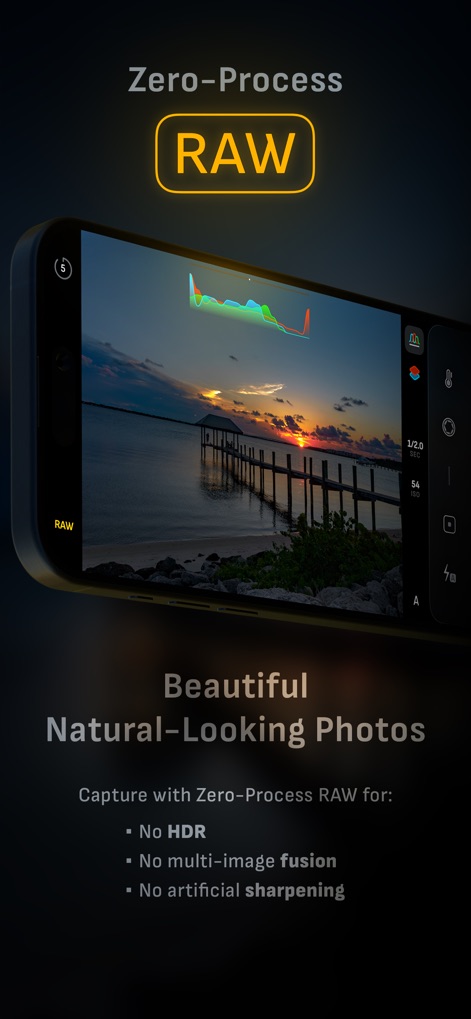
Camera M - Pro Manual Camera - 이 앱은 제로-프로세스 RAW를 통해 풍경의 자연스러운 색상과 히스토그램 상세 정보를 보존하여 순수한 이미지를 제공합니다.

이 앱은 제로-프로세스 RAW를 통해 풍경의 자연스러운 색상과 히스토그램 상세 정보를 보존하여 순수한 이미지를 제공합니다.

제로 프로세스 RAW
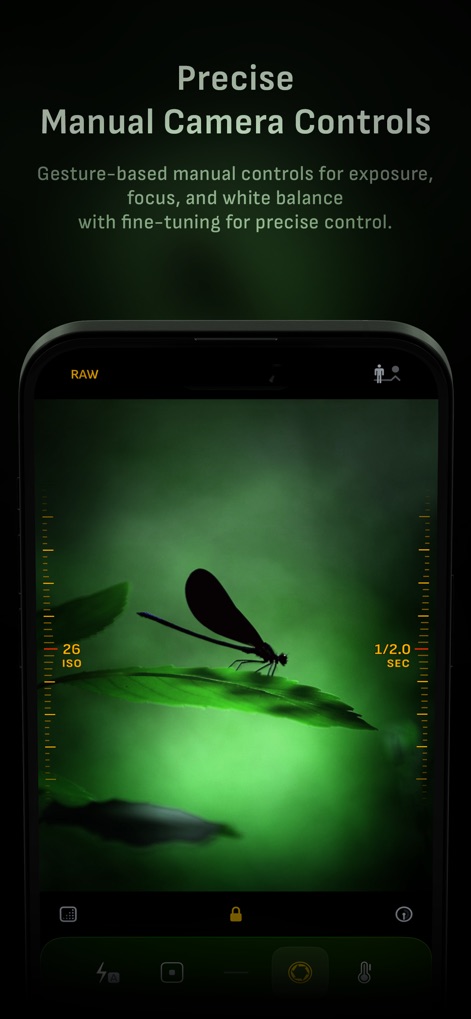
Camera M - Pro Manual Camera - 사용자는 화면 양쪽의 직관적인 슬라이더를 통해 ISO와 노출 시간 등 정밀한 수동 카메라 설정을 조정할 수 있습니다.

사용자는 화면 양쪽의 직관적인 슬라이더를 통해 ISO와 노출 시간 등 정밀한 수동 카메라 설정을 조정할 수 있습니다.

정밀 수동 조작
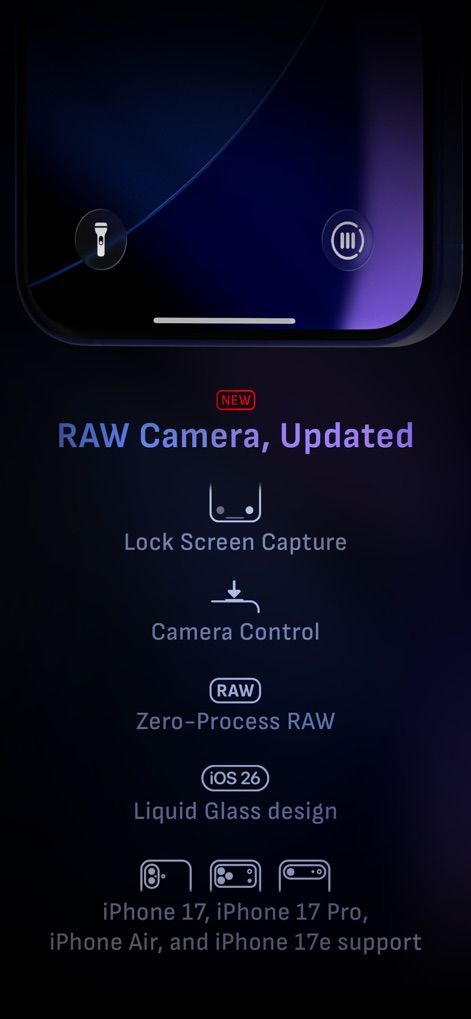
Camera M - Pro Manual Camera - 이 앱은 잠금 화면 캡처 기능과 액정 유리 디자인을 제공하여 최신 iOS 환경에서 강화된 기능을 지원합니다.

이 앱은 잠금 화면 캡처 기능과 액정 유리 디자인을 제공하여 최신 iOS 환경에서 강화된 기능을 지원합니다.

업데이트된 RAW 카메라
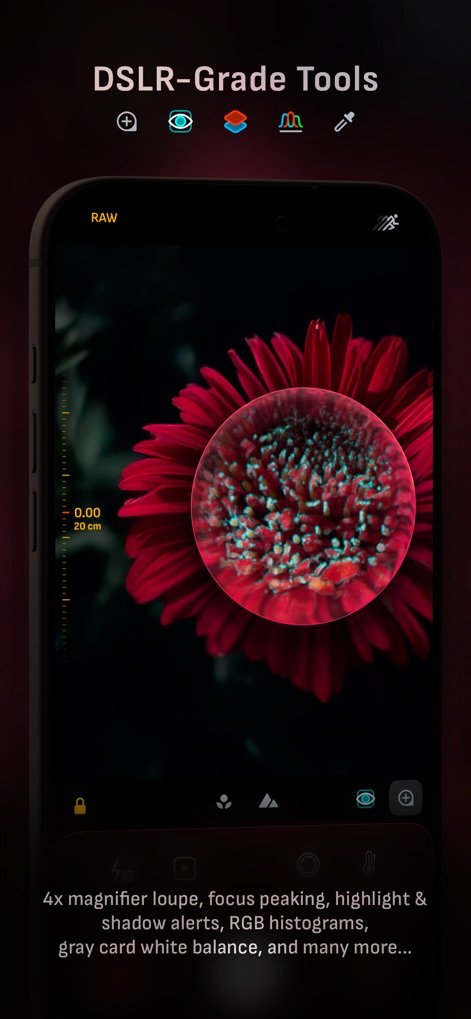
Camera M - Pro Manual Camera - 사용자는 4배 확대 루페로 세밀한 초점을 조절하고, 초점 피킹을 통해 피사체의 정확한 포커스를 확인할 수 있습니다.

사용자는 4배 확대 루페로 세밀한 초점을 조절하고, 초점 피킹을 통해 피사체의 정확한 포커스를 확인할 수 있습니다.

전문가급 도구 모음
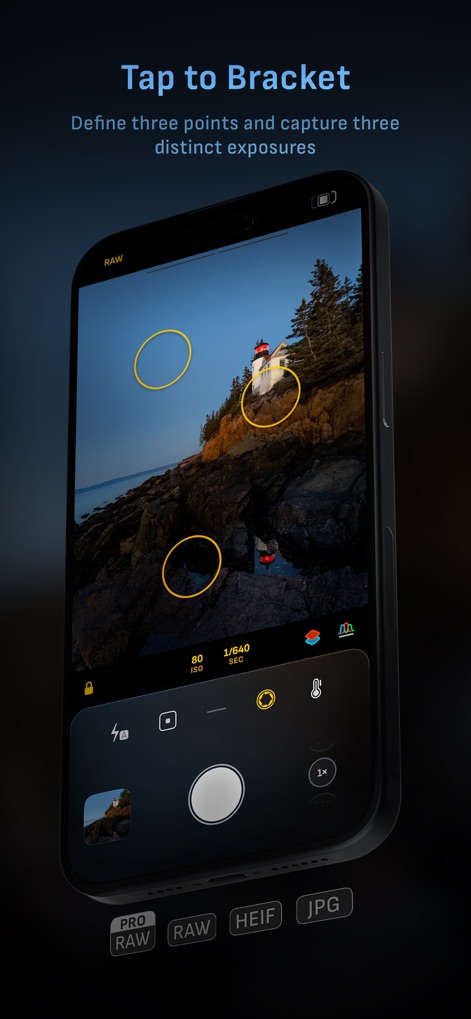
Camera M - Pro Manual Camera - 사용자는 화면에서 세 지점을 지정하여 다양한 노출로 촬영하고, RAW와 JPG 등 여러 파일 형식으로 저장할 수 있습니다.

사용자는 화면에서 세 지점을 지정하여 다양한 노출로 촬영하고, RAW와 JPG 등 여러 파일 형식으로 저장할 수 있습니다.

브라케팅 촬영 모드
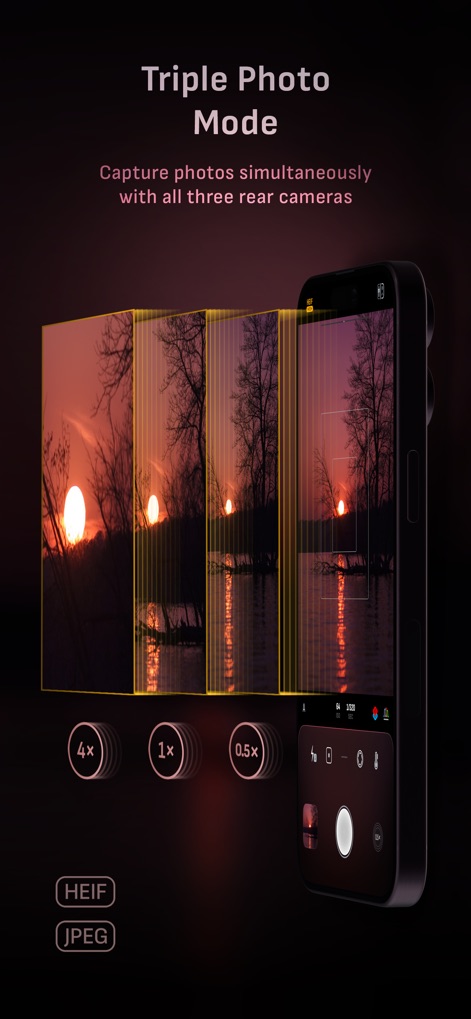
Camera M - Pro Manual Camera - 이 앱은 세 개의 후면 카메라를 동시에 사용하여 0.5배, 1배, 4배 등 다양한 화각으로 이미지를 촬영하고 HEIF 형식으로 저장할 수 있습니다.

이 앱은 세 개의 후면 카메라를 동시에 사용하여 0.5배, 1배, 4배 등 다양한 화각으로 이미지를 촬영하고 HEIF 형식으로 저장할 수 있습니다.

트리플 포토 모드
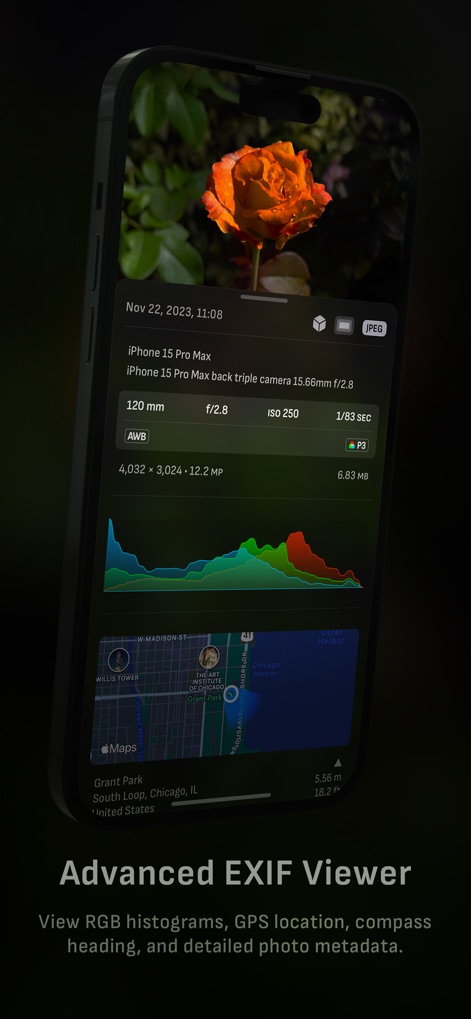
Camera M - Pro Manual Camera - 사용자는 상세한 EXIF 메타데이터와 함께 촬영된 사진의 RGB 히스토그램 및 GPS 위치 데이터를 확인할 수 있습니다.

사용자는 상세한 EXIF 메타데이터와 함께 촬영된 사진의 RGB 히스토그램 및 GPS 위치 데이터를 확인할 수 있습니다.

고급 EXIF 정보
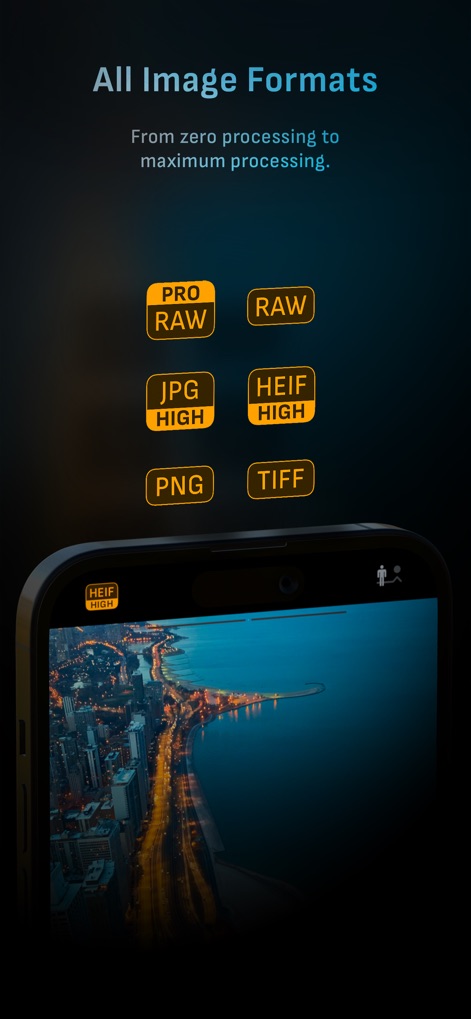
Camera M - Pro Manual Camera - 이 앱은 ProRAW 및 RAW와 같은 전문 형식부터 HEIF 및 JPG까지 폭넓은 이미지 파일 형식을 지원합니다.

이 앱은 ProRAW 및 RAW와 같은 전문 형식부터 HEIF 및 JPG까지 폭넓은 이미지 파일 형식을 지원합니다.

다양한 이미지 형식
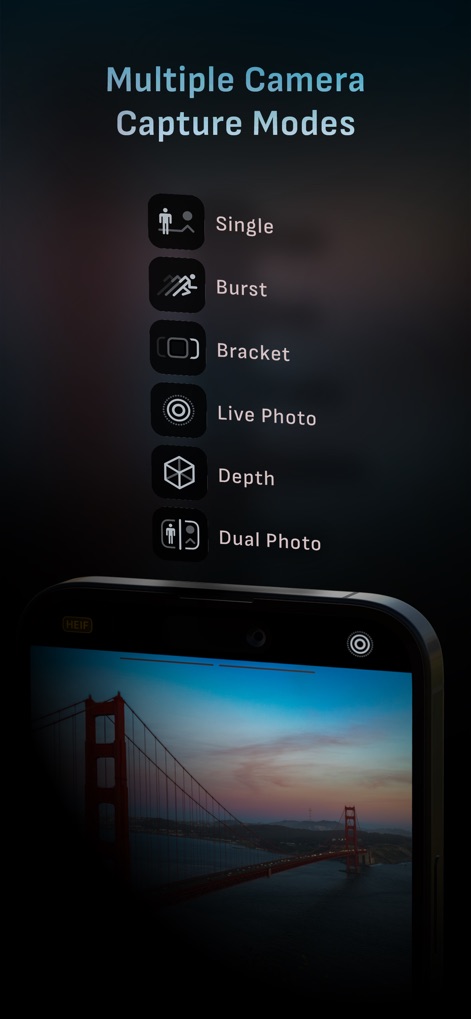
Camera M - Pro Manual Camera - 사용자는 단일 촬영, 버스트 모드와 같은 다양한 캡처 옵션을 통해 특정 장면을 효과적으로 포착할 수 있습니다.

사용자는 단일 촬영, 버스트 모드와 같은 다양한 캡처 옵션을 통해 특정 장면을 효과적으로 포착할 수 있습니다.

다중 촬영 모드
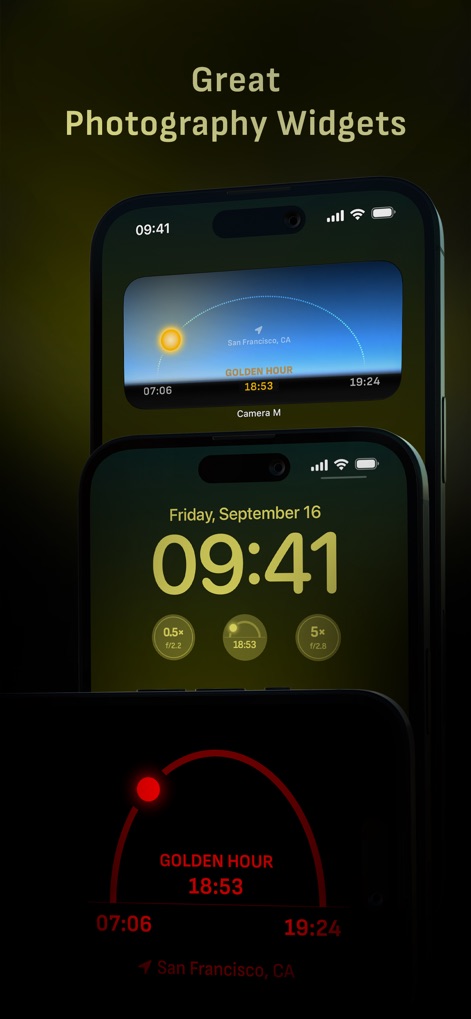
Camera M - Pro Manual Camera - 이 앱은 황금 시간대 정보 위젯과 잠금 화면 카메라 바로가기를 제공하여 편리한 촬영 환경을 지원합니다.

이 앱은 황금 시간대 정보 위젯과 잠금 화면 카메라 바로가기를 제공하여 편리한 촬영 환경을 지원합니다.

유용한 사진 위젯

설명

Camera M is a professional manual camera designed to do one thing exceptionally well – help you capture beautiful photos at the highest possible quality with powerful, precise manual controls akin to a DSLR. HIGHLIGHTS • Fluid gesture-based native manual controls with Fine-Tuning feature • iOS 26 optimization with Liquid Glass design • Zero-process RAW support for the most natural look • Max Image Processing to ensure the absolute best image quality • ProRAW*, RAW, HEIF, JPEG, TIFF, and PNG image formats • Single, Burst, Timer, Live, Depth*, Dual Photo*, and Bracket shooting modes • Triple Photo mode with simultaneous ultra-wide, wide-angle, and telephoto camera capture* • Minimum focus distance display for macro photography • Intelligent Focus Tracking • Focus Peaking and 4x magnifier loupe with panning function • Live RGB and RGB luminance histograms • Manual gray card calibration • Great widgets for photography • Darkroom integration CAMERA CONTROLS – Manual focus – Macro and Scene focus presets – Exposure bias – Manual ISO & exposure duration adjustments – ISO & exposure duration semi-priority modes – Manual white balance temperature and tint – White balance presets – Gray card white balance calibration – Auto, on, and off flash modes – Manual torch brightness level – Manual switching between Ultra Wide, Wide, and Telephoto cameras* – Digital pinch zoom with 10x range – Camera Control support for all manual controls – Lock Screen camera capture support IMAGE FORMATS – Apple ProRAW* – RAW with stabilization – HEIF with optional minimum compression – JPEG with optional minimum compression – TIFF – PNG – Live Photo – P3 wide color support* SHOOTING MODES – Single – Burst – Timer – Depth* – Dual/Triple Photo* – Live Photo* – Bracket TOOLS – Exposure offset gauge – Intelligent Focus Tracking – Live focus peaking assistant – 4x magnifier loupe with panning function – Minimum focus distance display – Live RGB and RGB luminance histograms – Highlight & shadow alert display – Horizon level with available pitch tracking and flat options – Rule of Thirds, Golden Ratio, Quadrant, and Square grids – Siri Shortcuts and App Shortcuts – Detailed camera specifications display with PDF export MAX IMAGE PROCESSING – Deep Fusion and Smart HDR support for iPhone 11 and later. – Ensures maximum image quality with better noise reduction, image stabilization, and additional processing for all other iPhones and iPads ZERO-PROCESS RAW – Capture standard RAW files with no extra processing PHOTO LIBRARY – Summarized and full EXIF metadata display – Location data display with compass and elevation – RGB and RGB luminance histogram displays – Access to all photo albums and folders WIDGETS – Home Screen: Golden Hour, EXIF, and Cameras – Lock Screen: Cameras and Golden Hour – Control Center: Focus, exposure, and white balance APPLE WATCH SUPPORT – Shutter button control – Sunrise, sunset, and Golden Hour display with sun position indicator ERGONOMICS – True one-handed control on all iPhones – An uncompromising approach to user experience in landscape orientation ACCESSIBILITY – Dynamic Type support  – Bold Text support – Increase Contrast support TECHNOLOGY Camera M is powered exclusively by native APIs and frameworks. There are absolutely no dependencies on any outside sources. This makes it responsive and efficient — from its small download size to its quick app launch times. We hope you enjoy taking amazing photos with Camera M! Website: www.camera-m.com User manual: www.camera-m.com/manual Get in touch: contact@camera-m.com Follow us: @CameraMApp #CameraM * These features are available on supported devices only. * Depth capture for selfies requires an iPhone or an iPad with a TrueDepth camera system. * Apple ProRAW capture requires iPhone 12 Pro or later. * For more information on device and feature compatibility: www.camera-m.com/compatibility

Download

다운로드: App Store

이 페이지는 앱이나 개발자의 공식 페이지가 아니며, 정보 제공 및 논평을 목적으로 작성된 독립 편집 간행물입니다. 명시적으로 달리 언급되지 않는 한, 해당 앱이나 개발자는 MWM, Apple, Google Play, 앱 퍼블리셔 또는 앱 개발자와 제휴, 보증, 후원, 승인 또는 공식적으로 연결되어 있지 않으며, 이 페이지의 어떤 내용도 해당 앱이 MWM의 서비스를 사용하여 개발되었음을 의미하지 않습니다. 모든 상표, 로고, 스크린샷 및 기타 콘텐츠는 해당 소유자의 자산입니다.








