CameraPixels PRO
CameraPixels PRO
다운로드: App Store

이 페이지는 앱이나 개발자의 공식 페이지가 아니며, 정보 제공 및 논평을 목적으로 작성된 독립 편집 간행물입니다. 명시적으로 달리 언급되지 않는 한, 해당 앱이나 개발자는 MWM, Apple, Google Play, 앱 퍼블리셔 또는 앱 개발자와 제휴, 보증, 후원, 승인 또는 공식적으로 연결되어 있지 않으며, 이 페이지의 어떤 내용도 해당 앱이 MWM의 서비스를 사용하여 개발되었음을 의미하지 않습니다. 모든 상표, 로고, 스크린샷 및 기타 콘텐츠는 해당 소유자의 자산입니다.


로고: CameraPixels PRO
다운로드: App Store

CameraPixels PRO

AI에 의존하지 말고 창의적인 제어권을 되찾으세요. 고급 ProRAW 캡처, 15프레임 노출 브래케팅, 전문가들이 사용하는 정밀 도구로 iPhone의 잠재력을 최대한 끌어내세요.

주요 수치

다운로드

120K+

사용자 평점

4.4/5

총 평가 수

400

개발사

Natalya Petrenko

카테고리

Photo & Video

지원 언어

11

최신 버전

2025.2.2

크기

7.5 MB

출시일

2016년 9월 11일
기능

모바일 비저너리를 위한 전문적인 정밀함

iOS에서 사용 가능한 가장 진보된 수동 제어, 과학적 수준의 브래케팅, RAW 출력 기능을 통해 iPhone을 하이엔드 크리에이티브 엔진으로 변모시키세요.

완벽한 수동 제어 권한

ISO 및 셔터 우선 모드, 실시간 클리핑 경고, 라이브 히스토그램을 통해 추측 없이 완벽한 노출로 모든 프레임을 마스터하세요.

강력한 브래케팅 파워

전문적인 HDR을 위해 최대 15프레임을 캡처하거나 매크로 스태킹을 위해 100개의 초점 포인트를 캡처하여 최상급 후처리에 필요한 고충실도 데이터를 제공합니다.

다음 스크린샷과 설명은 앱의 공식 스토어 목록에서 직접 가져온 것이며 앱 개발자의 자산입니다.

앱 스토어

스크린샷
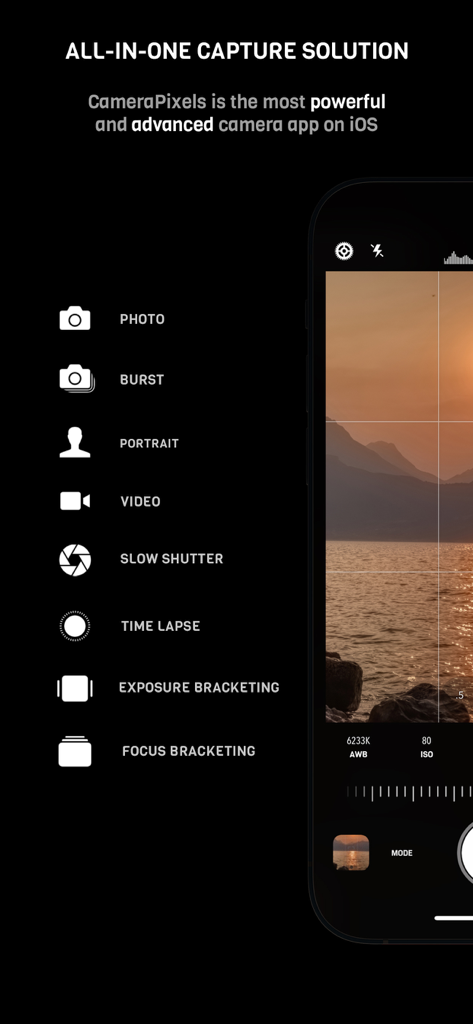
CameraPixels PRO - 초점 및 노출 브래케팅과 같은 수동 카메라 모드를 보여주는 CameraPixels PRO 인터페이스
초점 및 노출 브래케팅과 같은 수동 카메라 모드를 보여주는 CameraPixels PRO 인터페이스

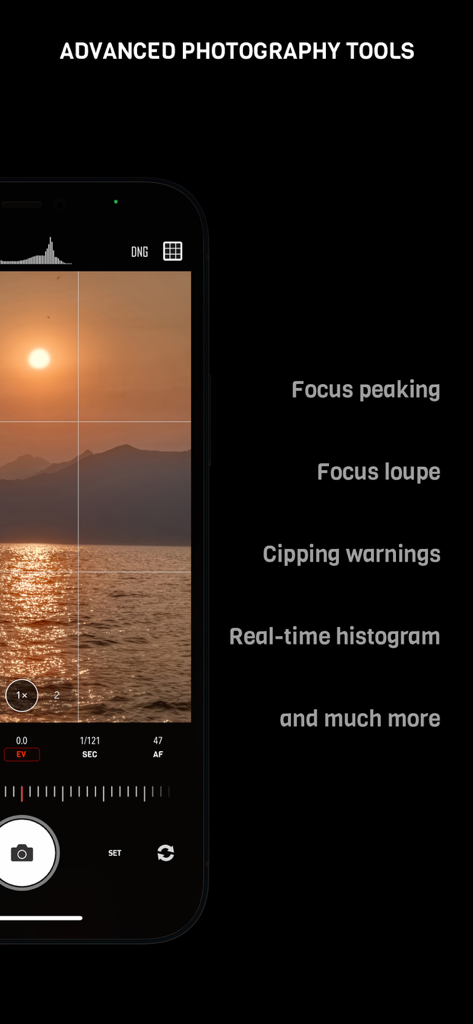
CameraPixels PRO - 포커스 피킹 및 실시간 히스토그램이 포함된 CameraPixels PRO 수동 카메라 인터페이스
포커스 피킹 및 실시간 히스토그램이 포함된 CameraPixels PRO 수동 카메라 인터페이스

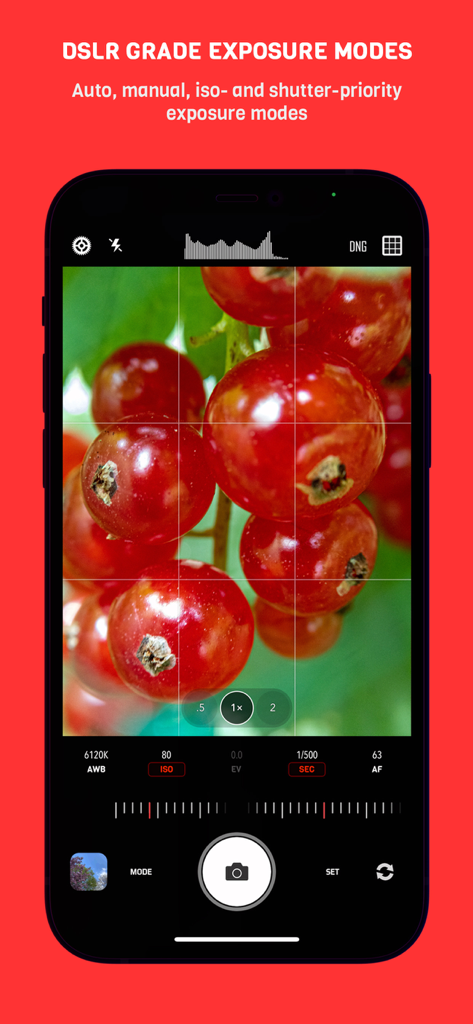
CameraPixels PRO - 빨간 베리의 매크로 사진과 함께 수동 DSLR 등급 노출 모드를 보여주는 CameraPixels PRO 앱 인터페이스
빨간 베리의 매크로 사진과 함께 수동 DSLR 등급 노출 모드를 보여주는 CameraPixels PRO 앱 인터페이스

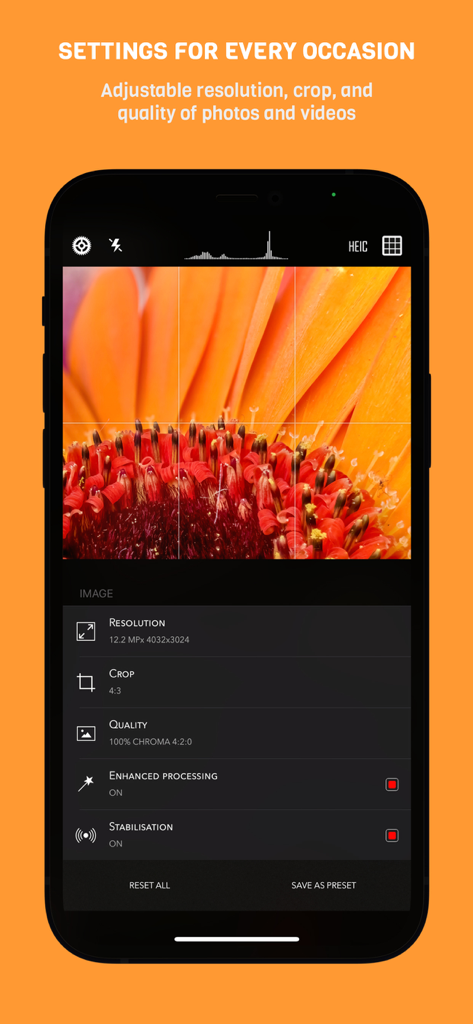
CameraPixels PRO - 매크로 꽃 사진 위에 해상도 크롭 및 품질에 대한 수동 사진 설정을 보여주는 iPhone의 CameraPixels PRO 앱 인터페이스

매크로 꽃 사진 위에 해상도 크롭 및 품질에 대한 수동 사진 설정을 보여주는 iPhone의 CameraPixels PRO 앱 인터페이스
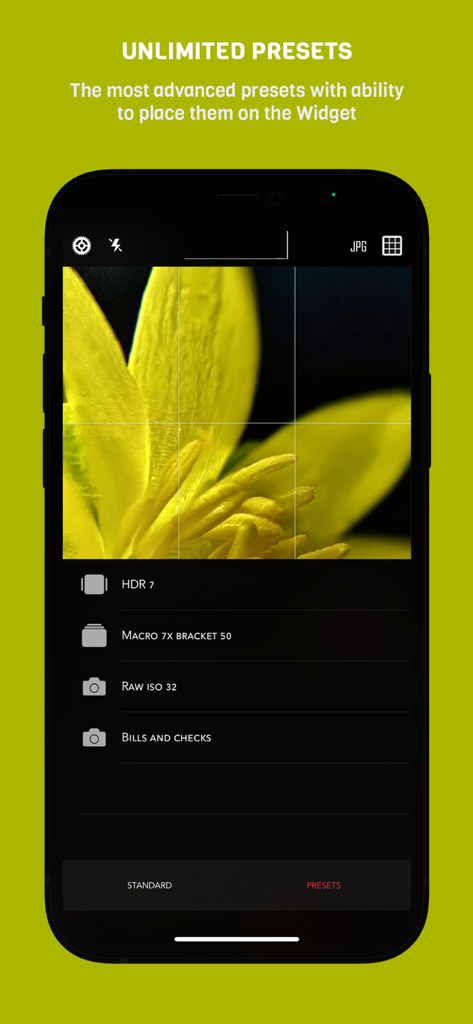
CameraPixels PRO - 매크로 및 HDR을 위한 사용자 정의 사진 프리셋을 보여주는 CameraPixels PRO 앱 인터페이스
매크로 및 HDR을 위한 사용자 정의 사진 프리셋을 보여주는 CameraPixels PRO 앱 인터페이스

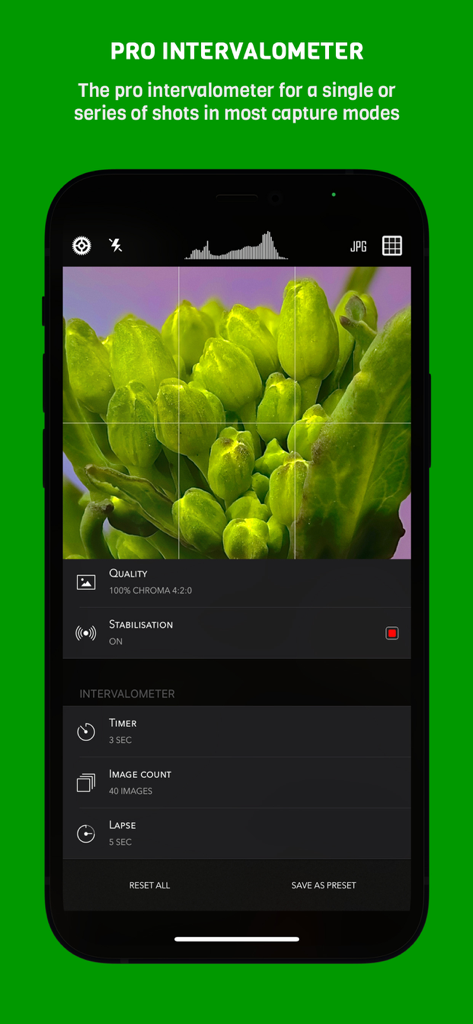
CameraPixels PRO - 매크로 사진을 위한 타이머 및 이미지 수 제어 기능을 보여주는 CameraPixels PRO 앱의 전문 인터벌로미터 설정
매크로 사진을 위한 타이머 및 이미지 수 제어 기능을 보여주는 CameraPixels PRO 앱의 전문 인터벌로미터 설정

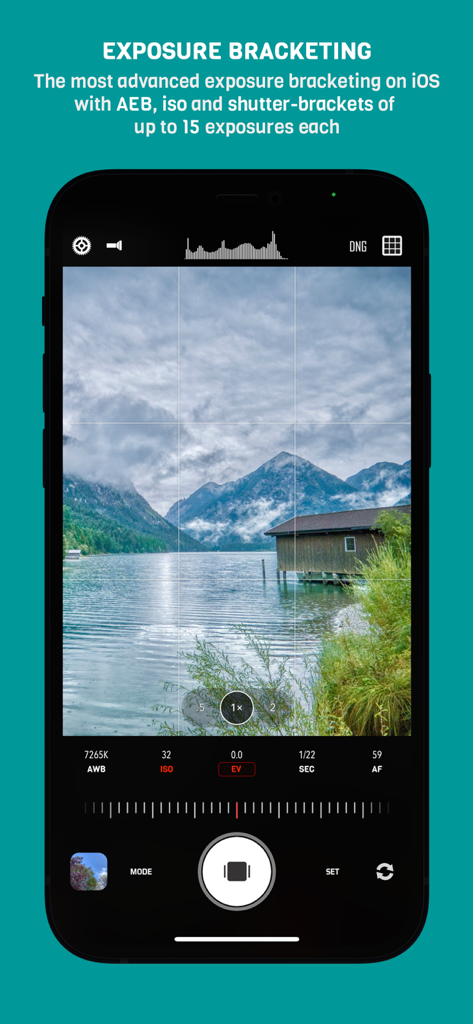
CameraPixels PRO - 산정호수 풍경 뷰와 함께 수동 노출 브래케팅 설정을 보여주는 CameraPixels PRO 앱
산정호수 풍경 뷰와 함께 수동 노출 브래케팅 설정을 보여주는 CameraPixels PRO 앱

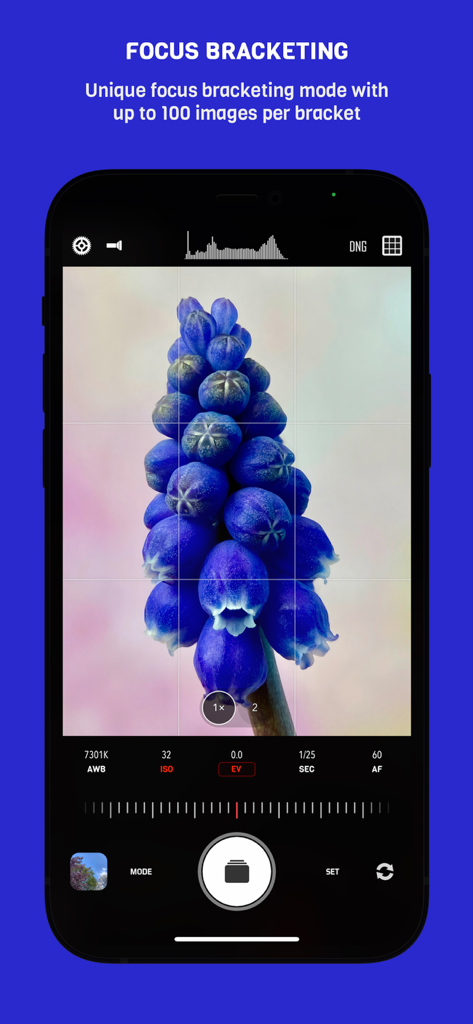
CameraPixels PRO - 고정밀 매크로 사진을 위한 CameraPixels PRO 앱의 초점 브래케팅 인터페이스
고정밀 매크로 사진을 위한 CameraPixels PRO 앱의 초점 브래케팅 인터페이스

CameraPixels PRO - 풍차 풍경과 전문 카메라 설정을 보여주는 CameraPixels PRO 앱의 수동 사진 인터페이스
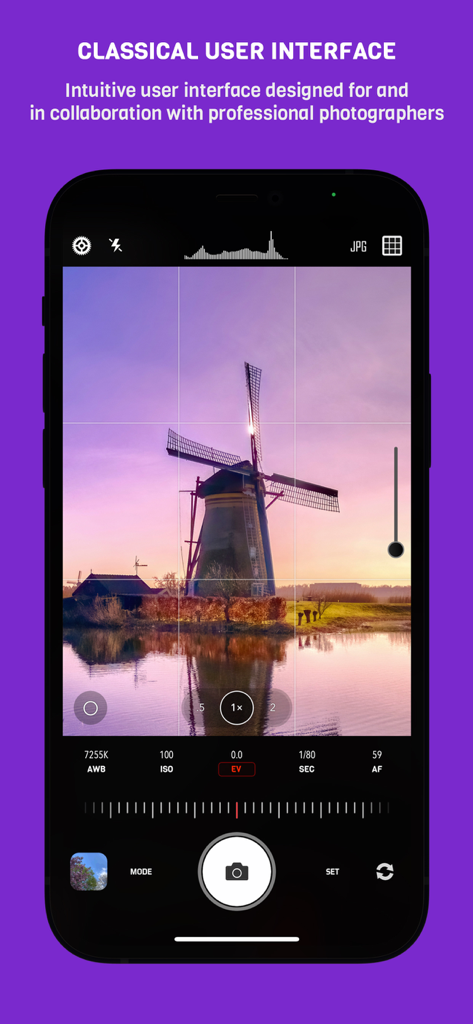
풍차 풍경과 전문 카메라 설정을 보여주는 CameraPixels PRO 앱의 수동 사진 인터페이스

CameraPixels PRO - 매크로 꽃 촬영에서 초점과 노출의 독립적인 조정을 보여주는 CameraPixels PRO 인터페이스

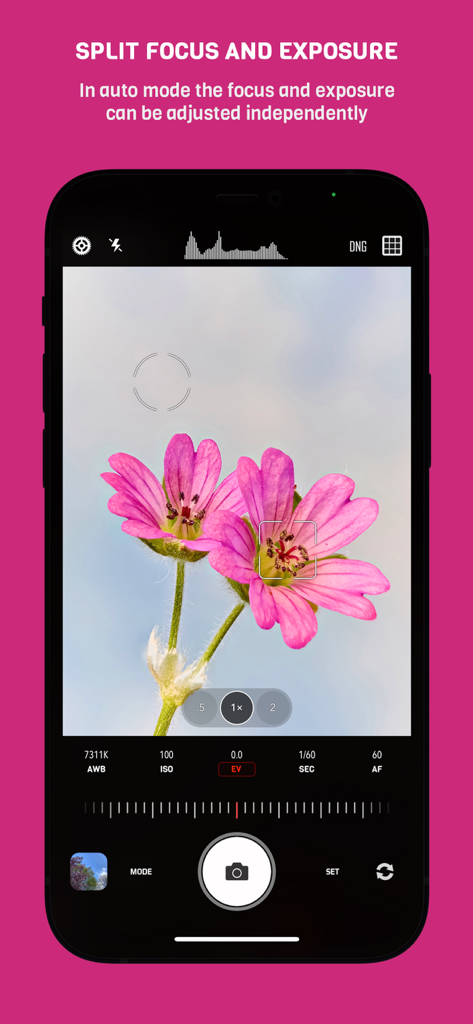
매크로 꽃 촬영에서 초점과 노출의 독립적인 조정을 보여주는 CameraPixels PRO 인터페이스

설명

CameraPixels is a unique manual photography app. The premium tools and intuitive UI make CameraPixels the best choice for professional mobile photographers. CameraPixels participated in Berkley Eclipse Megamovie 2017 thanks to its extensive raw bracketing. All-in-one ============= CameraPixels is all-in-one capture solution, that supports multiple photo and video capture modes. Among them are Bracketing, Slow Shutter and Time-lapse modes. CameraPixels has the most advanced bracketing available on the iOS platform, which includes exposure and focus bracketing. Best for macro photography ============= With CameraPixels you can capture the best macro shots, be it a single image or a series of images, called focus bracketing, which can later be combined into one all-in-focus photo (requires external app for focus stacking). If you have an external macro lens, let CameraPixels save its name to the EXIF data for you, so later you can always remember which lens was used. Currently CameraPixels supports Olloclip™, Loupe System™ and Moment™ lenses. Best for professional HDR photography ============= CameraPixels has the most advanced exposure bracketing on iOS. With up to 15 images per bracket you can capture even the most difficult lighting situations. CameraPixels support auto-, iso and shutter-brackets, with an optional flash frame. The captured images can be used to create stunning HDR photos using your favorite professional HDR software. Intuitive UI ============= CameraPixels has a simple and efficient UI. The most important information is always in front of your eyes, and this allows you to avoid surprises like an unexpected flash fire or the wrong output photo or video format. Stop being distracted by the uncertainty of the settings, concentrate on your capture! ISO/Shutter priority modes ============= CameraPixels is among a few photography apps that support advanced exposure modes like ISO and Shutter priority. These modes are indispensable during dynamic photography when there is no time for adjusting manual exposure. Histogram and clipping warnings ============= The histogram is a great tool to estimate your exposure. It can show you if the photo has under-exposed or over-exposed areas. Clipping warnings, on the other hand, can show you exactly where those under and over-exposed areas in your photo are. Depth capture ============= On dual/triple-camera devices, CameraPixels can capture depth information alongside the colour photo. If the photo has depth information, in the preview window, two additional buttons appear (depth and portrait) that allow you to inspect the depth of the image and apply it to simulate an aperture. Presets ============= CameraPixels was designed for professional photographers that value efficiency of their workflow. The unlimited presets, including the possibility to expose them to Widget make CameraPixels the ultimate photography tool. Features overview ============= - UI optimized for manual capture - RAW and ProRAW (on supported devices) photo capture - Auto, manual and semi-automatic (ISO- and Shutter-priority) exposure modes - Photo, Burst, Portrait, Slow Shutter, Exposure Bracket, Focus Bracket, Video and Time-lapse - Clipping warnings to highlight under- and over-exposed areas in real time - Focus peaking and loupe during the manual focus adjustments - Single or series of Exposure Brackets with up to 15 images per bracket. AEB, ISO- and Shutter-brackets are available. - Single or series of Focus Brackets with up to 100 images per bracket - Adjustable photo and video resolution - Adjustable photo and video quality - Advanced photo processing (Smart HDR and Deep fusion on supported devices) - Unlimited presets with the possibility of exposing them to the widget - Advanced intervalometer - Multiple framing options

Download

다운로드: App Store

이 페이지는 앱이나 개발자의 공식 페이지가 아니며, 정보 제공 및 논평을 목적으로 작성된 독립 편집 간행물입니다. 명시적으로 달리 언급되지 않는 한, 해당 앱이나 개발자는 MWM, Apple, Google Play, 앱 퍼블리셔 또는 앱 개발자와 제휴, 보증, 후원, 승인 또는 공식적으로 연결되어 있지 않으며, 이 페이지의 어떤 내용도 해당 앱이 MWM의 서비스를 사용하여 개발되었음을 의미하지 않습니다. 모든 상표, 로고, 스크린샷 및 기타 콘텐츠는 해당 소유자의 자산입니다.








