CameraVision
CameraVision
다운로드: App Store

이 페이지는 앱이나 개발자의 공식 페이지가 아니며, 정보 제공 및 논평을 목적으로 작성된 독립 편집 간행물입니다. 명시적으로 달리 언급되지 않는 한, 해당 앱이나 개발자는 MWM, Apple, Google Play, 앱 퍼블리셔 또는 앱 개발자와 제휴, 보증, 후원, 승인 또는 공식적으로 연결되어 있지 않으며, 이 페이지의 어떤 내용도 해당 앱이 MWM의 서비스를 사용하여 개발되었음을 의미하지 않습니다. 모든 상표, 로고, 스크린샷 및 기타 콘텐츠는 해당 소유자의 자산입니다.

로고: CameraVision
다운로드: App Store

CameraVision

교육자 및 전문가가 라이브 문서, 실제 물체 및 시연을 놀라운 HD로 모든 화면이나 프로젝터에 투사하는 스마트하고 비용 효율적인 방법입니다.

주요 수치

다운로드

230K+

사용자 평점

3.4/5

총 평가 수

100

개발사

正行 Akamatsu

카테고리

Business

지원 언어

3

최신 버전

2.5.0

크기

1.6 MB

출시일

2011년 1월 3일
기능

전문적인 선명도로 발표를 강화하세요

실제 물체와 디지털 디스플레이 간의 격차를 해소하세요. CameraVision은 Apple 기기를 모든 교실, 회의실 또는 스튜디오를 위한 다목적 고화질 문서 카메라로 변환합니다.

즉석 문서 카메라

값비싼 부피가 큰 오버헤드 프로젝터를 교체하세요. iPhone 또는 iPad를 사용하여 교과서, 실제 유물 또는 라이브 수동 작업을 Full HD로 대형 화면에 직접 투사하세요.

전문적인 발표 도구

화면상의 포인터, 참조 격자, 깔끔한 인터페이스로 청중의 집중을 유지하여 전문적인 모습을 연출하세요.

다음 스크린샷과 설명은 앱의 공식 스토어 목록에서 직접 가져온 것이며 앱 개발자의 자산입니다.

앱 스토어

스크린샷
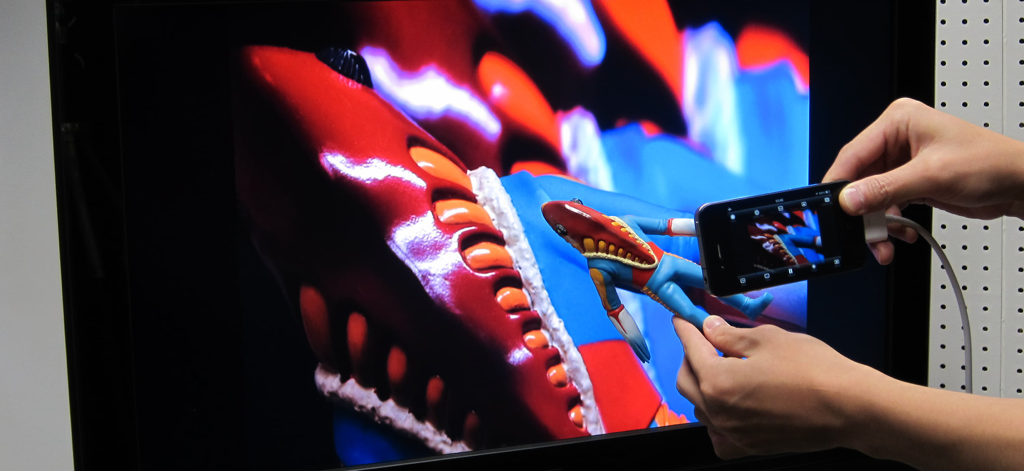
CameraVision - CameraVision 앱을 사용하여 작은 피규어의 라이브 카메라 피드를 대형 TV 모니터에 투사하는 iPhone
CameraVision 앱을 사용하여 작은 피규어의 라이브 카메라 피드를 대형 TV 모니터에 투사하는 iPhone

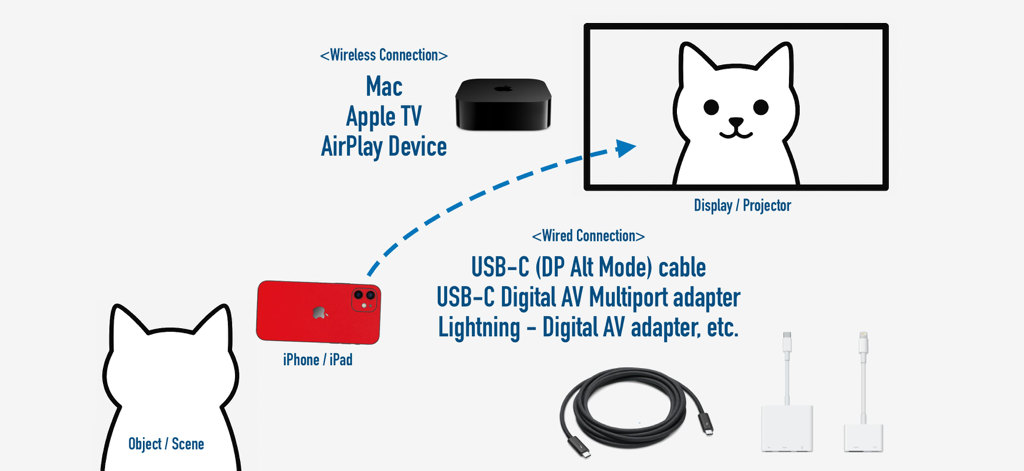
CameraVision - CameraVision 앱을 위해 iPhone에서 외부 디스플레이로의 무선 및 유선 연결 옵션을 보여주는 다이어그램
CameraVision 앱을 위해 iPhone에서 외부 디스플레이로의 무선 및 유선 연결 옵션을 보여주는 다이어그램

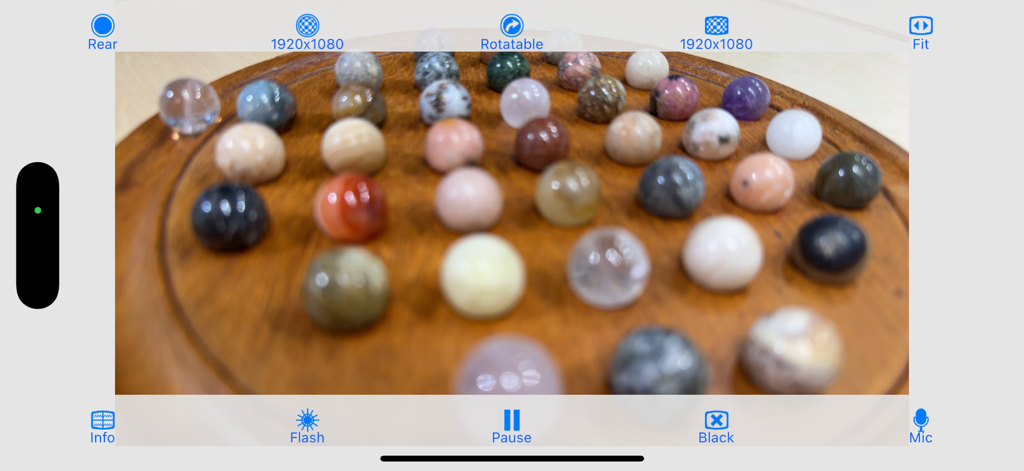
CameraVision - CameraVision 앱 인터페이스는 물리적 시연을 위해 작은 다채로운 구체의 라이브 고화질 보기를 보여줍니다
CameraVision 앱 인터페이스는 물리적 시연을 위해 작은 다채로운 구체의 라이브 고화질 보기를 보여줍니다

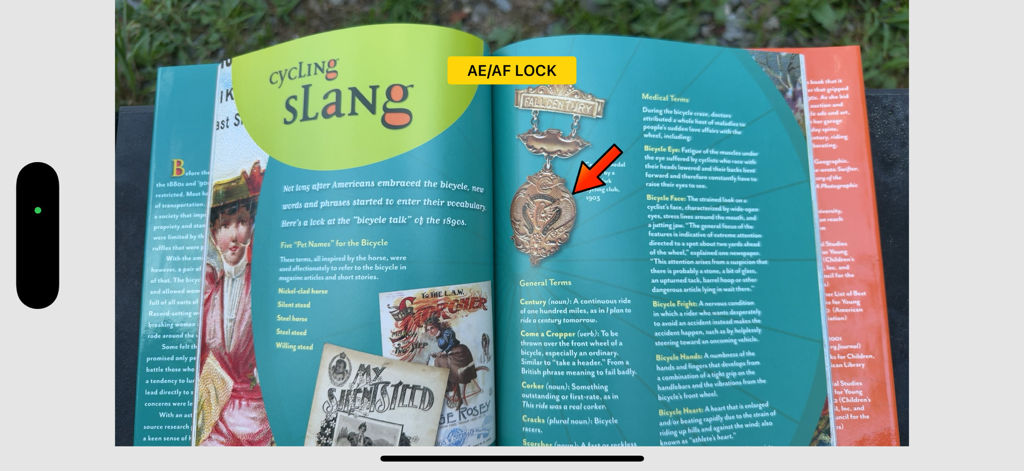
CameraVision - CameraVision 앱 인터페이스는 초점 및 노출 잠금이 활성화된 책과 발표를 위한 빨간색 포인터를 보여줍니다
CameraVision 앱 인터페이스는 초점 및 노출 잠금이 활성화된 책과 발표를 위한 빨간색 포인터를 보여줍니다

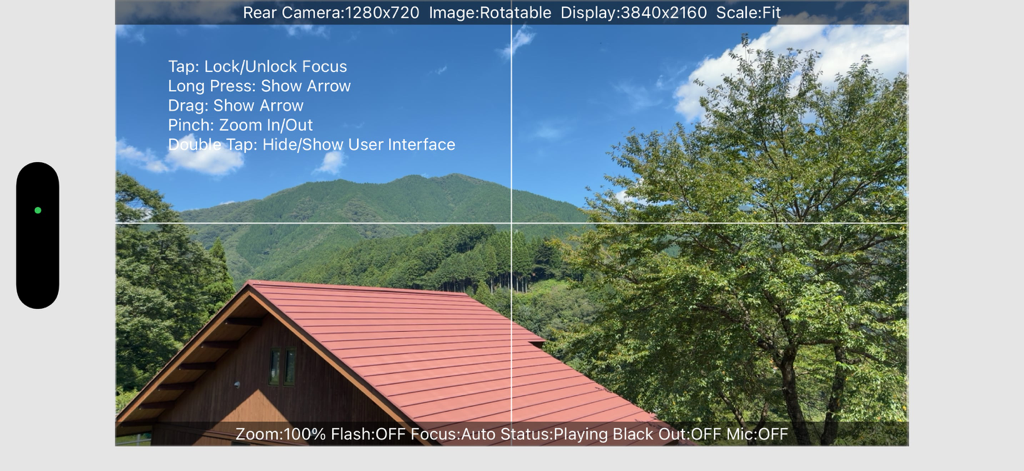
CameraVision - CameraVision 앱 인터페이스는 격자선과 화면상의 제스처 지침이 있는 라이브 카메라 피드를 보여줍니다
CameraVision 앱 인터페이스는 격자선과 화면상의 제스처 지침이 있는 라이브 카메라 피드를 보여줍니다

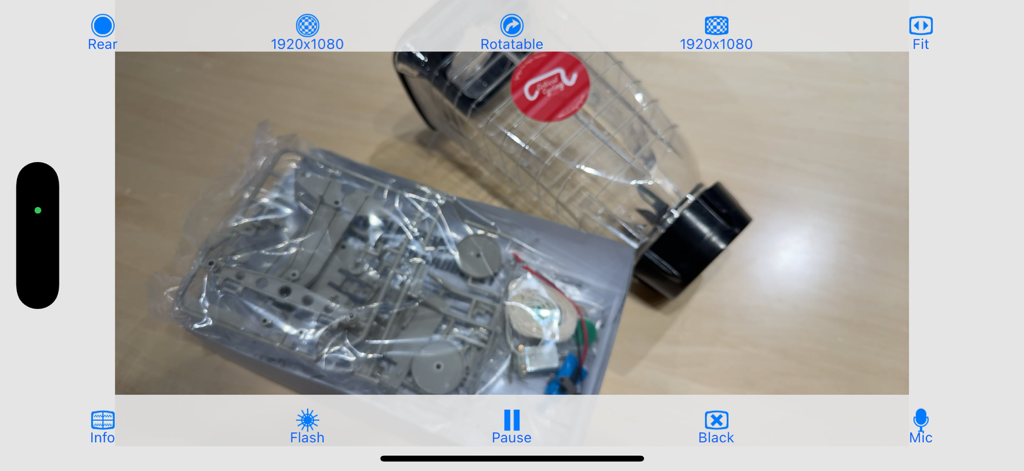
CameraVision - CameraVision 모바일 앱 인터페이스는 발표 컨트롤이 있는 실제 물체의 라이브 카메라 피드를 보여줍니다

CameraVision 모바일 앱 인터페이스는 발표 컨트롤이 있는 실제 물체의 라이브 카메라 피드를 보여줍니다

설명

"CameraVision" outputs the images of the built-in camera and the corresponding sounds from the built-in microphone to an external device such as a projector or a TV monitor. This application can be used similar to a "document camera (overhead projector)" or a "live camera" to project documents, objects, people or scenes onto a large screen. In addition, showing a still image from Photo Albums is possible. Wireless transfer to AirPlay supported devices such as Apple TV is supported, as well as connections via various cables and adapters. The following adapters/cables are supported: - AirPlay supported devices - Apple TV (2nd generation and later) - USB Type-C Cable (video output supported) - Lightning to VGA Adapter - Lightning Digital AV Adapter (HDMI) - Apple VGA Adapter - Apple Digital AV Adapter (HDMI) - Apple Composite AV Cable - Apple Component AV Cable This application has the functions listed below. You can set them up easily using the buttons on the screen. - Rear camera / front camera switching - Camera image resolution switching from SD (640x480 pixels) up to Full HD (1920x1080 pixels) - External display image resolution switching from SD (640x480 pixels) up to Full HD (1920x1080 pixels) - Scale mode switching of "Fit", "Fill" or "Resize" - Image rotation switching of "Rotatable" or "Fixed" - Image pausing or playing - Flash light switching - Audio output from microphone - Tap to lock/unlock focus and exposure - Double-tap or pinch to zoom image - Drag to display an on-screen pointer - Display of a grid image - useful to adjust image projection - Display of setting information on an external display - Screen blackout toggle - Automatic adjustment of focus, exposure and white balance - Displaying a still image from Photo Albums - Paused image saving and sharing * These functions depend on devices and adapter/cables used. * Please unplug and then plug your dock adapter/cable if no image is shown on the external display properly. * Microphone input can be sent to an external speaker via HDMI, Composite or Component cable with the camera image. It can be sent wirelessly to AirPlay supported devices or Apple TV. When using a VGA cable, plug an audio cable to iPhone's headphone jack. * To work with AirPlay supported devices or Apple TV, tap the screen mirroring button in the Control Center. This app treats it as an external display rather than actual mirroring. https://support.apple.com/en-us/102661#mirroriOS

Download

다운로드: App Store

이 페이지는 앱이나 개발자의 공식 페이지가 아니며, 정보 제공 및 논평을 목적으로 작성된 독립 편집 간행물입니다. 명시적으로 달리 언급되지 않는 한, 해당 앱이나 개발자는 MWM, Apple, Google Play, 앱 퍼블리셔 또는 앱 개발자와 제휴, 보증, 후원, 승인 또는 공식적으로 연결되어 있지 않으며, 이 페이지의 어떤 내용도 해당 앱이 MWM의 서비스를 사용하여 개발되었음을 의미하지 않습니다. 모든 상표, 로고, 스크린샷 및 기타 콘텐츠는 해당 소유자의 자산입니다.








