
이 페이지는 앱이나 개발자의 공식 페이지가 아니며, 정보 제공 및 논평을 목적으로 작성된 독립 편집 간행물입니다. 명시적으로 달리 언급되지 않는 한, 해당 앱이나 개발자는 MWM, Apple, Google Play, 앱 퍼블리셔 또는 앱 개발자와 제휴, 보증, 후원, 승인 또는 공식적으로 연결되어 있지 않으며, 이 페이지의 어떤 내용도 해당 앱이 MWM의 서비스를 사용하여 개발되었음을 의미하지 않습니다. 모든 상표, 로고, 스크린샷 및 기타 콘텐츠는 해당 소유자의 자산입니다.

Camo Studio – Stream & Record
iPad를 스튜디오급 제어 센터로 바꾸세요. Twitch로 콘솔 게임을 스트리밍하고, 전문가용 오버레이로 4K 녹화를 하고, 가방에 들어가는 데스크톱 설정의 성능으로 어디에서든 라이브 방송을 하세요.
다운로드
258K+사용자 평점
총 평가 수
2K+개발사
카테고리
Photo & Video지원 언어
1최신 버전
2.4.1크기
112.1 MB출시일
2023년 9월 18일전문가처럼 창작하는 데 필요한 모든 것
Camo Studio는 데스크톱급 스트리밍 및 녹화 도구를 iPad로 가져와 어디서든 고급 콘텐츠를 제작할 수 있도록 합니다.
최고의 게임 설정
캡처 카드를 통해 콘솔을 연결하여 iPad를 선명한 휴대용 모니터로 사용하고 동시에 좋아하는 플랫폼으로 라이브 스트리밍하세요.
전문가용 오버레이 및 장면
StreamElements의 웹 오버레이로 브랜드를 향상시키고 동적이고 상호작용적인 시청자 경험을 위해 여러 장면을 사용자 정의하세요.
자주 묻는 질문
에 대해 알아야 할 모든 것 Camo Studio – Stream & Record
What is Camo Studio for iPad?
Camo Studio for iPad allows users to stream and record video, connect cameras and mics, and manage live content directly from their iPad. It was a 2023 Apple Design Award finalist.
Can Camo Studio record video directly on an iPad?
Yes, Camo Studio simultaneously records video to the iPad's built-in storage or a connected SD card while streaming. This enables high-quality content editing later.
Which platforms does Camo Studio support for streaming console games?
Camo Studio supports streaming console games to platforms including Twitch, YouTube, and Trovo. Users configure scenes with multi-feed and picture-in-picture options for their streams.
Can I use my iPad as a monitor with Camo Studio?
Yes, Camo Studio transforms your iPad into a portable monitor. Connect it to consoles like Nintendo Switch for a larger screen or to DSLR/mirrorless cameras for a better viewfinder.
Does Camo Studio support custom web overlays for streams?
Yes, Camo Studio supports web overlays from services such as StreamElements, Stream Labs, and Uno Overlays. Users import custom or template overlays with live content, alerts, and widgets.
What video enhancements are available in Camo Studio?
Camo Studio offers powerful video enhancements like 'Bokeh' background effect, background replacement or removal, and framing adjustments. It also includes auto-framing modes to keep subjects in shot.
Is my data private when using Camo Studio for streaming and recording?
Yes, Camo Studio prioritizes user privacy. It transmits video directly to selected streaming services, and all recordings remain local to the iPad or connected storage. Your data is not collected.
What video resolutions does Camo Studio support?
Camo Studio supports pro-quality video resolutions including 4K UHD, 1080p HD, and 720p. It also accommodates both landscape and portrait orientations for diverse content creation.
Can Camo Studio for iPad run in the background?
Yes, M1 and M2 powered iPads enable Camo Studio to run in the background during streaming or recording. This functionality also supports simultaneous screen capture from the device.
Does Camo Studio include ads?
No, Camo Studio for iPad does not feature any advertisements within the application, ensuring an uninterrupted user experience.
다음 스크린샷과 설명은 앱의 공식 스토어 목록에서 직접 가져온 것이며 앱 개발자의 자산입니다.
앱 스토어
스크린샷
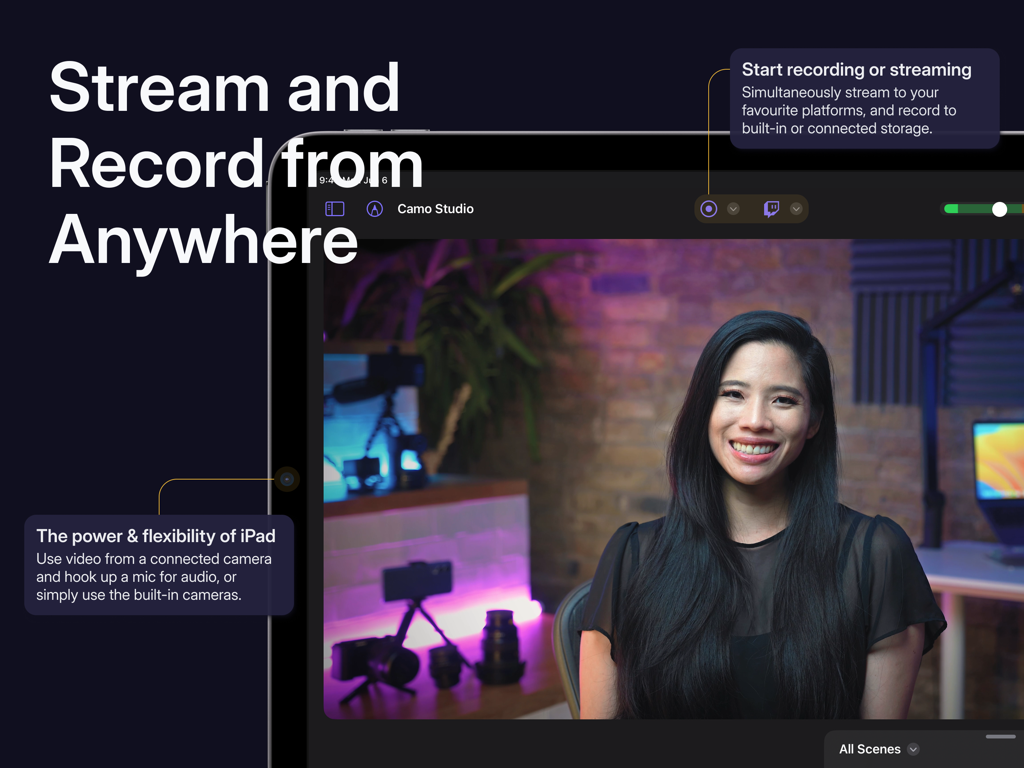
라이브 비디오 스트림과 녹화 컨트롤을 보여주는 iPad의 Camo Studio 앱 인터페이스
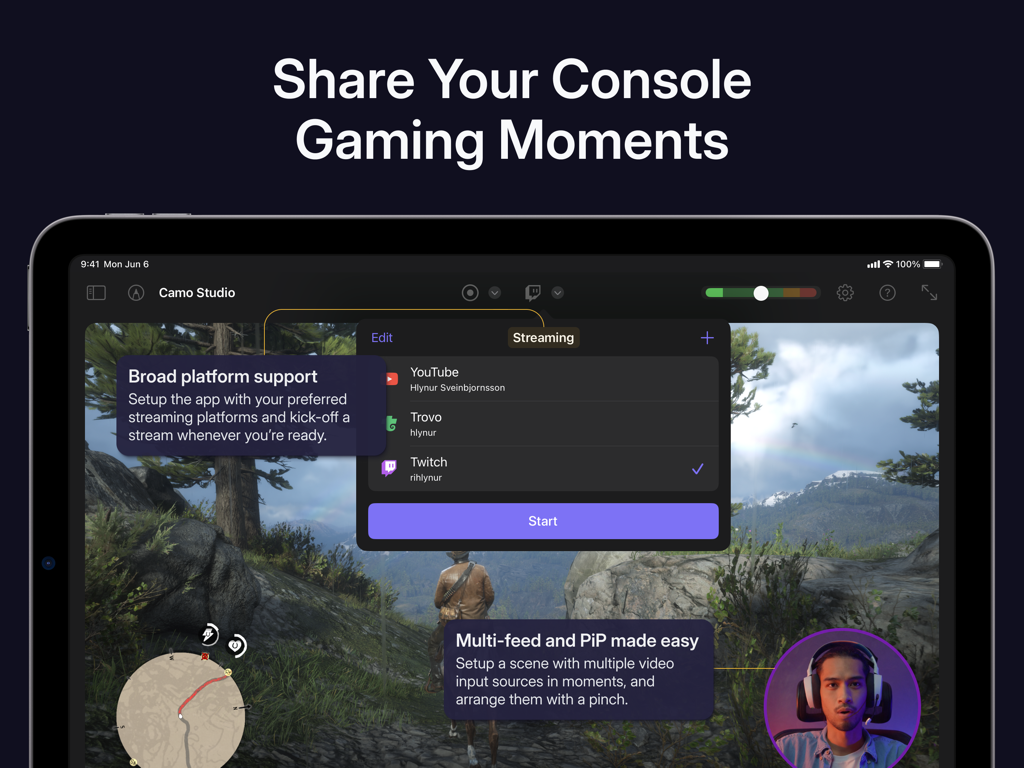
플랫폼 옵션과 picture-in-picture가 있는 콘솔 게임 스트림 설정인 Camo Studio의 iPad 인터페이스
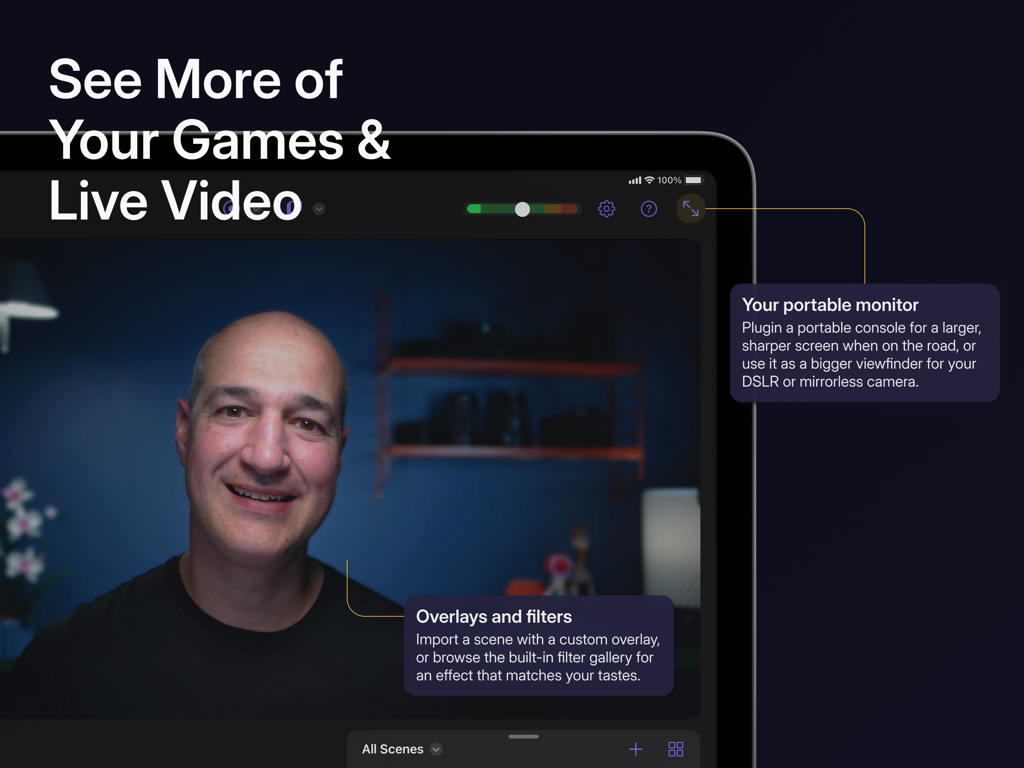
사용자 정의 오버레이와 필터를 사용하여 라이브 비디오 및 게임용 휴대용 모니터로 iPad에서 Camo Studio를 사용하는 사람
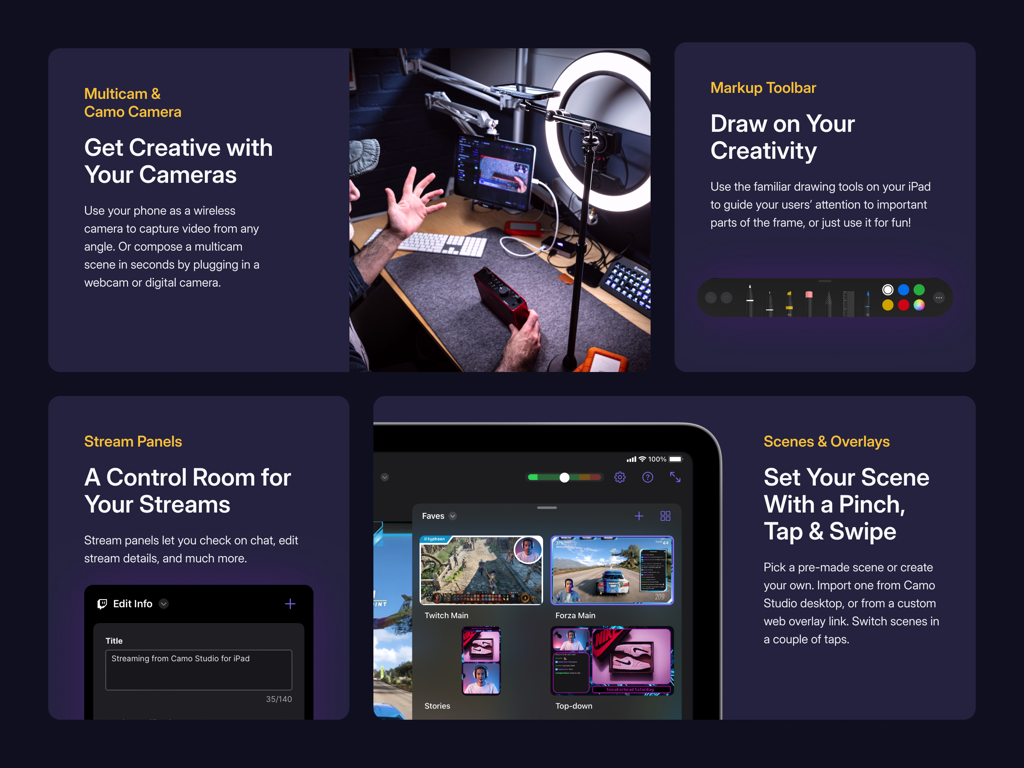
멀티캠 지원 스트림 패널 및 장면 오버레이를 보여주는 Camo Studio 앱 인터페이스
설명
Download
비슷한 앱
유사한 기능과 사용자 경험을 가진 앱

Switcher: Live Streaming App
Switcher Inc.
Logitech Mevo Multicam
Logitech Inc.
Logitech Mevo
Logitech Inc.
CameraFi Live
Vault Micro Inc.

Lazy Lighting
AUDITY APPS LLC

Larix Broadcaster: Live Stream
Furtree Systems, Inc.

ManyCam - Easy live streaming.
AVM Software, Inc
RTMP Live Streaming Publisher
WarthogLab
이 페이지는 앱이나 개발자의 공식 페이지가 아니며, 정보 제공 및 논평을 목적으로 작성된 독립 편집 간행물입니다. 명시적으로 달리 언급되지 않는 한, 해당 앱이나 개발자는 MWM, Apple, Google Play, 앱 퍼블리셔 또는 앱 개발자와 제휴, 보증, 후원, 승인 또는 공식적으로 연결되어 있지 않으며, 이 페이지의 어떤 내용도 해당 앱이 MWM의 서비스를 사용하여 개발되었음을 의미하지 않습니다. 모든 상표, 로고, 스크린샷 및 기타 콘텐츠는 해당 소유자의 자산입니다.