Cardflow+ by Qrayon

Cardflow+ by Qrayon

다운로드: App Store
로고: Cardflow+ by Qrayon

Qrayon의 Cardflow+: 가장 큰 아이디어를 위한 시각적 작업 공간

기존 노트의 획일적인 구조는 잊으세요. 종이 인덱스 카드의 촉각적 자유로 스토리보드를 만들고, 브레인스토밍하고, 프로젝트를 정리하세요. iPad와 Apple Pencil을 위해 재탄생했습니다.

개발사

Qrayon, LLC

카테고리

Productivity

다운로드

122K+

사용자 평점

4.6/5

총 평가 수

3K+

지원 언어

4

전체 그림 보기

이 인터페이스를 사용하는 122K+ 명의 사용자.

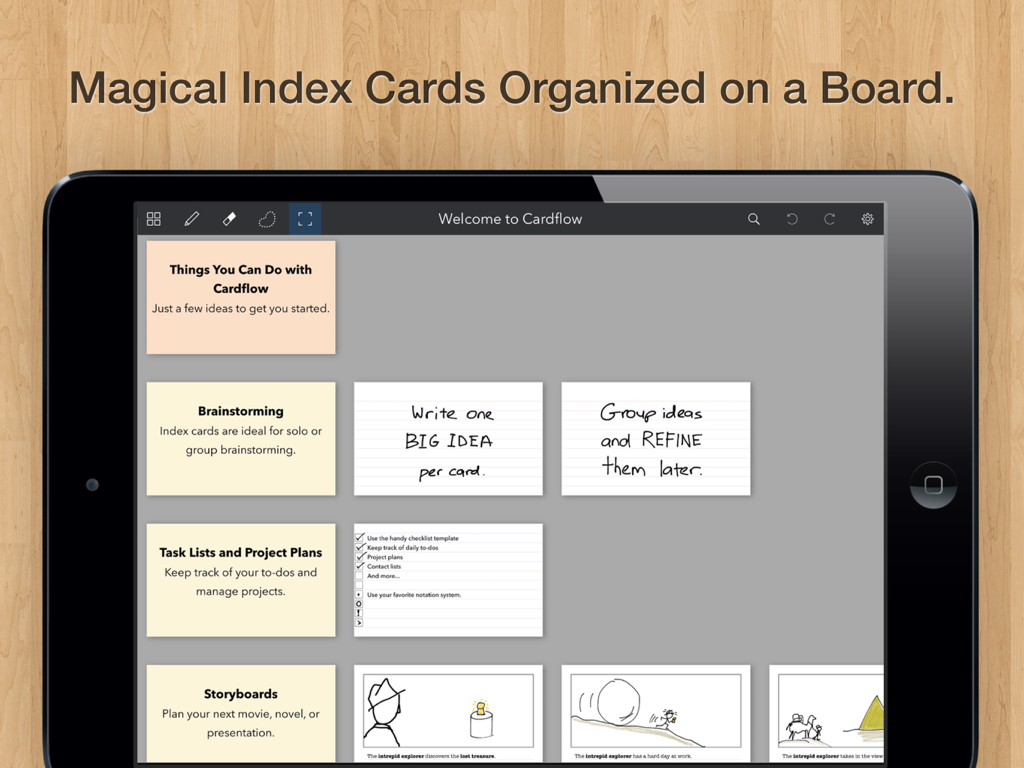
브레인스토밍 및 프로젝트 계획을 위해 보드에 정리된 디지털 인덱스 카드를 표시하는 iPad 화면

브레인스토밍 및 프로젝트 계획을 위해 보드에 정리된 디지털 인덱스 카드를 표시하는 iPad 화면

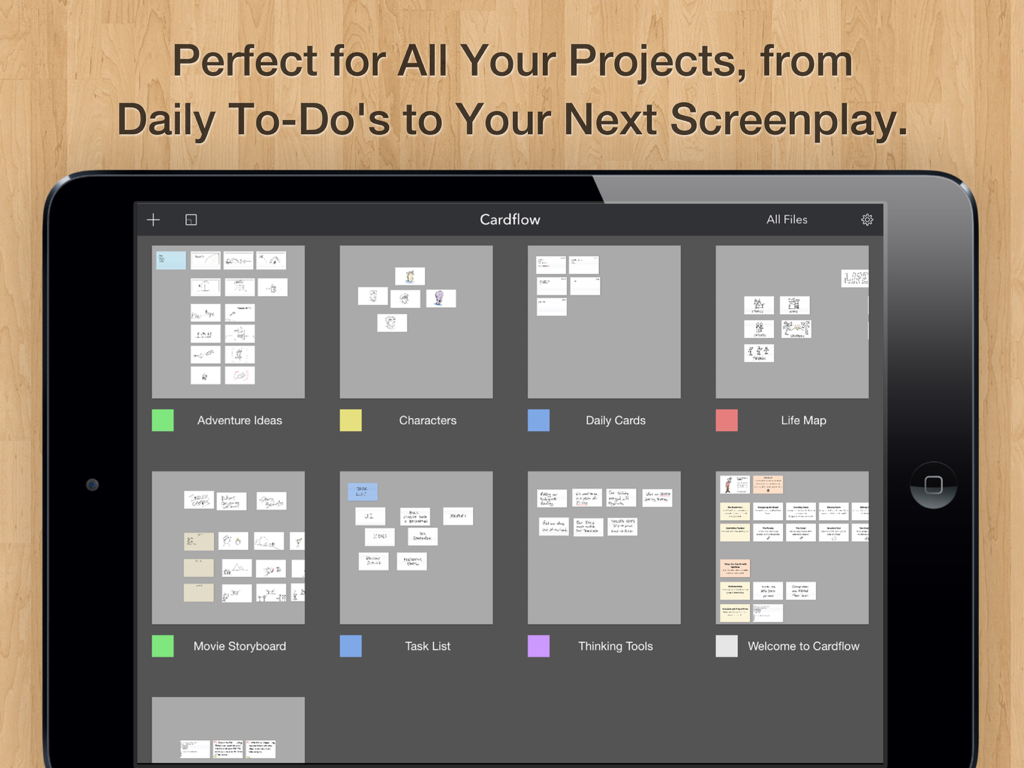
가상 인덱스 카드가 있는 다양한 프로젝트 보드를 보여주는 Cardflow plus의 iPad 갤러리 보기

가상 인덱스 카드가 있는 다양한 프로젝트 보드를 보여주는 Cardflow plus의 iPad 갤러리 보기

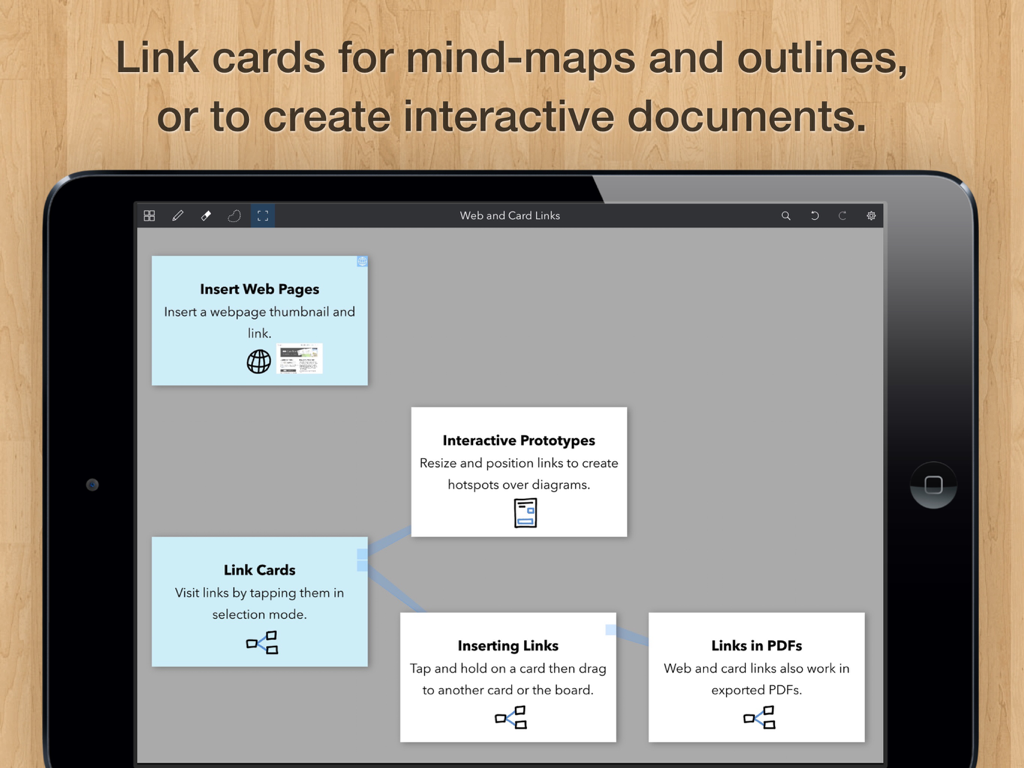
Cardflow Plus에서 마인드 맵을 만들기 위해 서로 연결된 디지털 인덱스 카드를 보여주는 iPad 화면

Cardflow Plus에서 마인드 맵을 만들기 위해 서로 연결된 디지털 인덱스 카드를 보여주는 iPad 화면

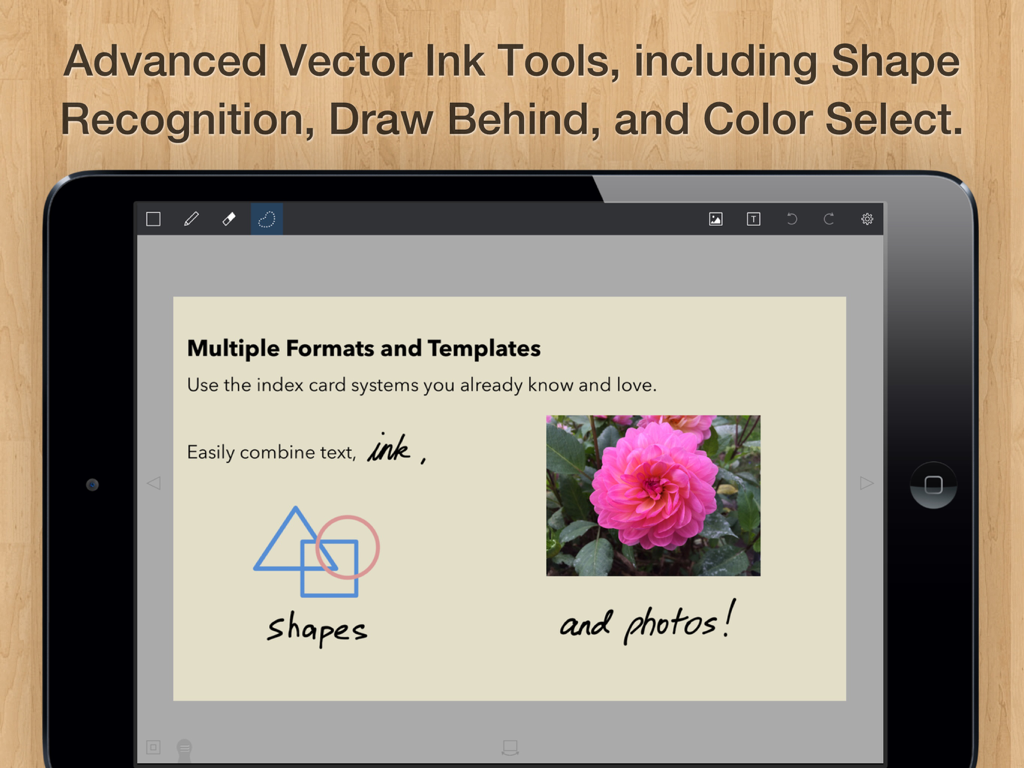
필기 스케치, 기하학적 도형 및 사진이 포함된 디지털 인덱스 카드를 보여주는 Cardflow plus 앱이 있는 iPad 화면

필기 스케치, 기하학적 도형 및 사진이 포함된 디지털 인덱스 카드를 보여주는 Cardflow plus 앱이 있는 iPad 화면

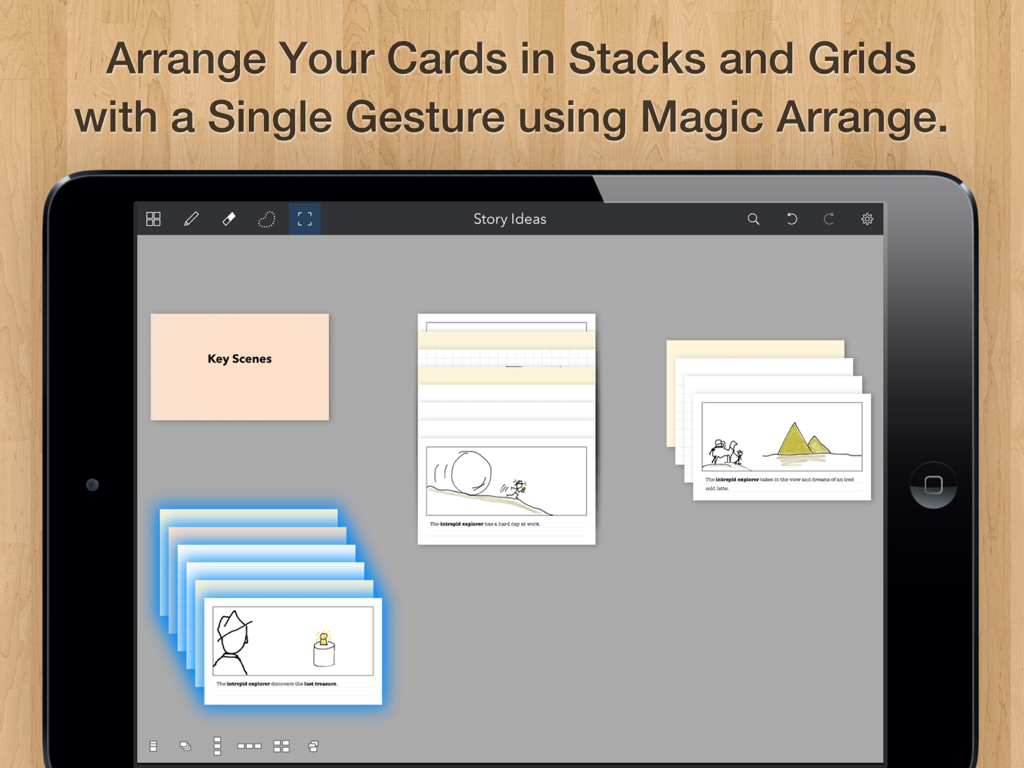
Cardflow plus iPad 앱 인터페이스에 스택 및 그리드로 정리된 인덱스 카드 표시.

Cardflow plus iPad 앱 인터페이스에 스택 및 그리드로 정리된 인덱스 카드 표시.

시각적 사고, 제약 없이

이 앱을 돋보이게 하는 도구, 122K+ 명의 사용자가 선택.

✍️

자연스러운 잉크 흐름 시스템

종이처럼 반응성이 뛰어난 Apple Pencil 지원과 부드러운 벡터 잉크로 아이디어를 빠르게 포착하세요.

🗺️

무한한 공간 캔버스

거대한 보드에서 카드를 배열, 쌓기, 그룹화하여 선형 목록에서 벗어나세요. 스토리보드, 플롯 매핑 및 Agile 스프린트에 적합합니다.

📸

하이브리드 창작 워크플로

실물 카드를 사진으로 찍어 배경으로 사용하거나, 필기와 입력 텍스트를 혼합하여 고유한 창작 프로세스에 적응하는 작업 공간을 구축하세요.

앱 소개

에 대해 알아야 할 모든 것 Cardflow+ by Qrayon.

설명

We love index cards. We use them a lot. They are a versatile and surprisingly powerful tool for all kinds of tasks. From brainstorming to storyboards, to planning entire projects, they have a place in your workflow. Cardflow captures the ease and flexibility of paper index cards and brings that experience to the iPad. Rather than impose a rigid structure up front, Cardflow allows you to lay things out however you like, and organize them in the way that makes sense to you. Jot down ideas or sketch diagrams on cards and arrange them on a large board. Write and draw using the buttery smooth Inkflow vector ink system, or type in a variety of fonts. You can even snap photos of actual cards to use as a background. Turbocharge your workflow today! Whether you are drafting story boards for a movie, laying out the plot and characters for your novel, or learning a new language, Cardflow has a place in your toolbox. Have all the fun of using index cards, without the forest-pulping guilt of paper. EDUCATORS: Cardflow+ qualifies for Apple's Volume Purchase Program. Purchase it in quantities of 20 or more at a discount from Apple's VPP site. HOW TO TRANSFER FILES FROM CARDFLOW Cardflow+ is installed as a separate App. To transfer a file from Cardflow to Cardflow+: 1. Tap on the file name in the Cardflow Gallery. 2. Tap "Transfer" in the context menu. 3. Select Cardflow+ from the list of Apps. Cardflow is perfect for: + Storyboards for videos or movies + Studying for an exam + Learning a new language + Writing the plot for a novel or book + Organizing weddings, parties, and other events + Corporate training + Project management + Agile, Scrum, and other methodologies + Group brainstorming + Writing your daily goals and to-dos + And much more! CREATIVE TOOLS FOR THE ULTIMATE CREATIVITY DEVICE We strongly believe that the iPad is not just a consumption device; It's a creativity device. Thanks for supporting us in our journey of building Creative Apps like Cardflow. We hope you enjoy using it! -- The App Makers @ Qrayon

최신 버전

7.0

크기

15.8 MB

출시일

2015년 9월 2일

다음 큰 아이디어를 구상할 준비가 되셨나요?

iPad를 위한 궁극의 공간 브레인스토밍 도구로 종이 서류 더미를 대체한 122,000명 이상의 창작자, 작가 및 학생들과 함께하세요.

다운로드: App Store

App information, icons, screenshots, and descriptions displayed on this page are sourced from the Apple App Store and are the property of their respective developers. Download estimates and rankings are based on MWM's proprietary models and may not reflect actual figures. This page is provided for informational and analytical purposes only.

Believe this page infringes your intellectual property? File a dispute