이 페이지는 앱이나 개발자의 공식 페이지가 아니며, 정보 제공 및 논평을 목적으로 작성된 독립 편집 간행물입니다. 명시적으로 달리 언급되지 않는 한, 해당 앱이나 개발자는 MWM, Apple, Google Play, 앱 퍼블리셔 또는 앱 개발자와 제휴, 보증, 후원, 승인 또는 공식적으로 연결되어 있지 않으며, 이 페이지의 어떤 내용도 해당 앱이 MWM의 서비스를 사용하여 개발되었음을 의미하지 않습니다. 모든 상표, 로고, 스크린샷 및 기타 콘텐츠는 해당 소유자의 자산입니다.
Cartograph Maps 3
오버랜더, 모험 라이더, GIS 파워 유저를 위해 설계되었습니다. 고급 오프라인 벡터 지도, 음영 기복, BRouter 라우팅으로 야생을 마스터하세요. 셀룰러 신호가 필요 없습니다.
가장 까다로운 환경을 위해 설계된 전문가급 오프라인 매핑, 지형 분석, 하드웨어 통합으로 여정을 제어하세요.
진정한 오프라인 독립성
고성능 Mapsforge 벡터 지도, 음영 기복, 오프라인 경로 계산으로 야생을 탐색하세요. 셀룰러 서비스가 전혀 필요 없습니다.
고급 하드웨어 통합
WunderLINQ 또는 Carpe-Iter 오토바이 허브에 직접 연결하고 MGRS 및 UTM과 같은 전문 좌표 시스템을 사용하여 탐색하세요.
다음 스크린샷과 설명은 앱의 공식 스토어 목록에서 직접 가져온 것이며 앱 개발자의 자산입니다.
앱 스토어
스크린샷
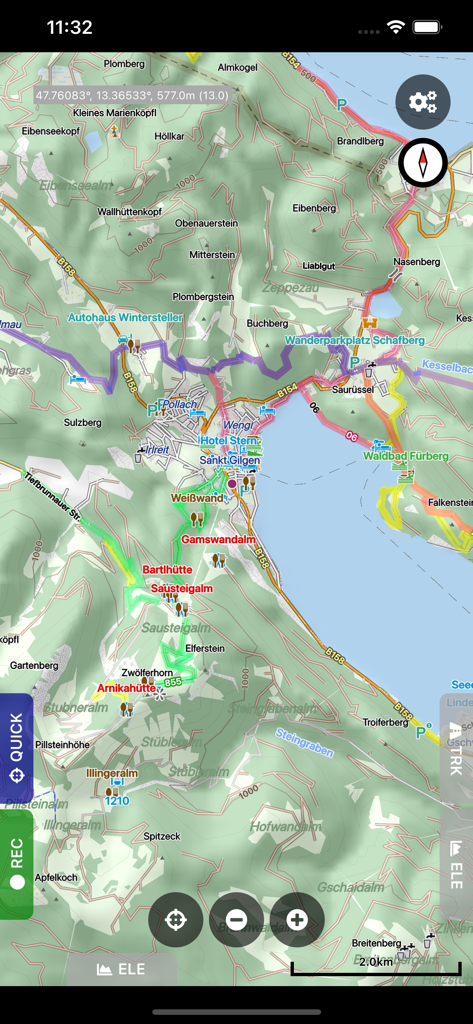
경로와 음영 기복을 보여주는 Cartograph Maps 3의 상세 오프라인 지형 지도
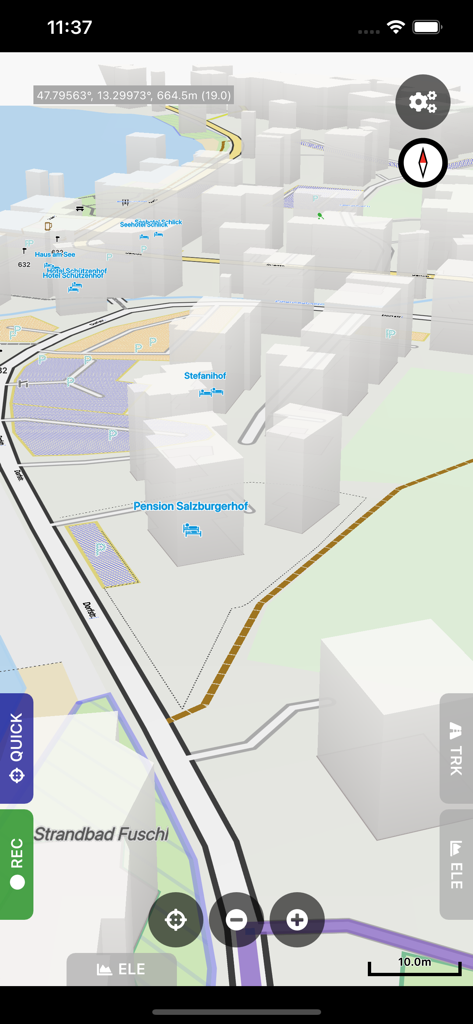
건물과 좌표가 있는 3D 벡터 지도를 보여주는 Cartograph Maps 3의 모바일 인터페이스
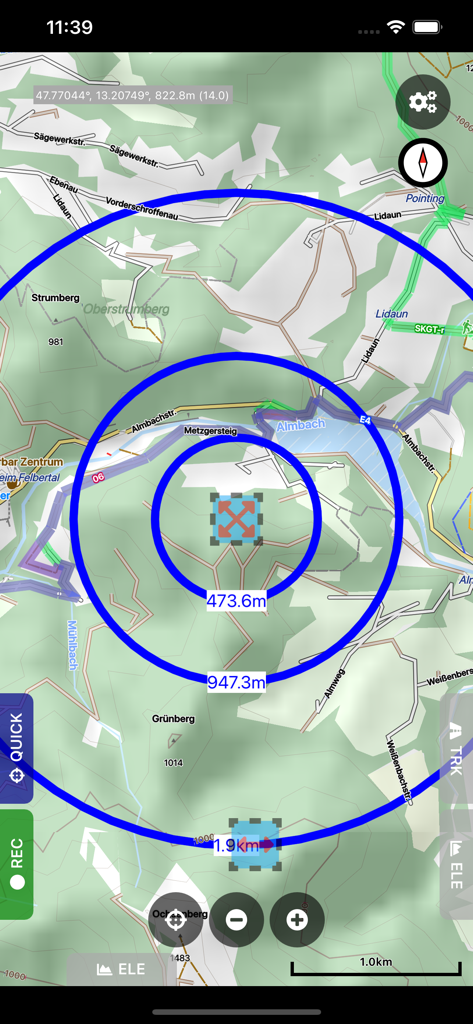
상세한 등고선 오프라인 지도에 원형 거리 측정 원을 표시하는 Cartograph Maps 3 앱 인터페이스.
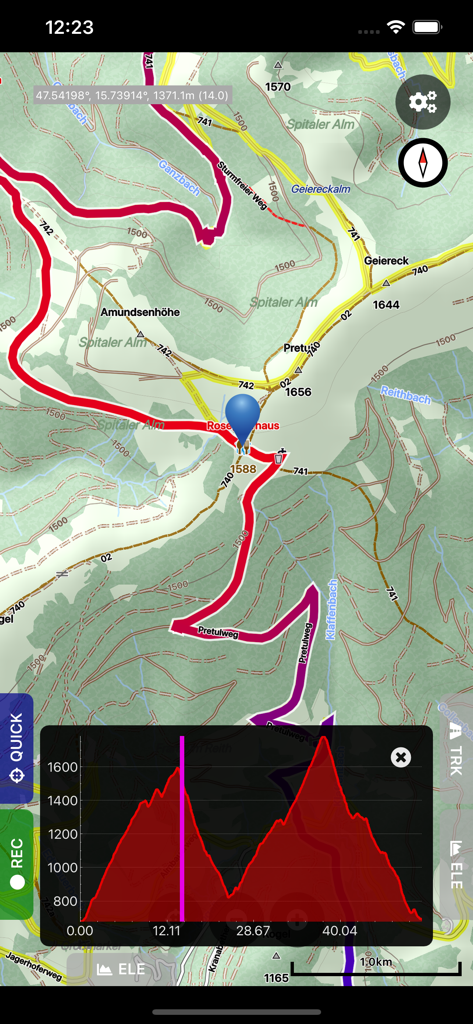
등고선 지도와 고도 프로필 그래프가 있는 Cartograph Maps 3 인터페이스
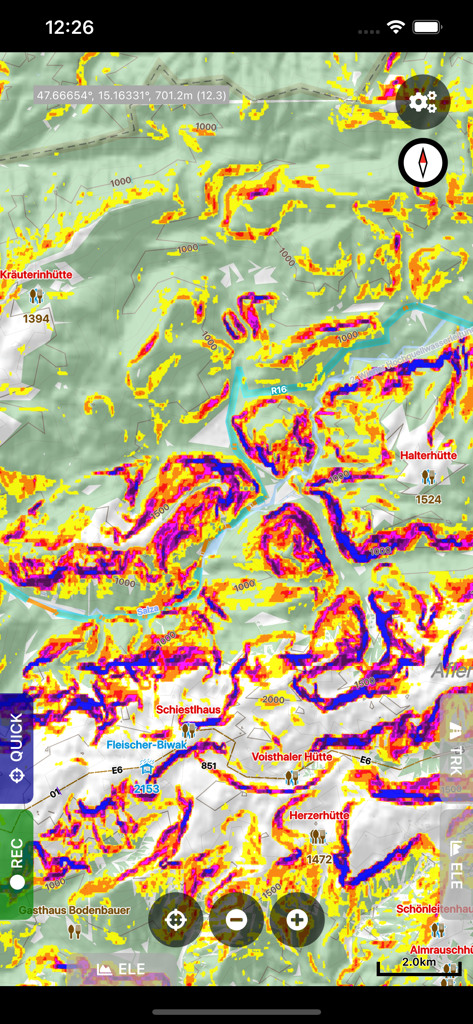
지형 분석을 위한 다채로운 경사 맵핑 오버레이가 있는 등고선 지도를 보여주는 Cartograph Maps 3 디스플레이.
설명
The Cartograph Maps app allows you to view Mapsforge offline vector maps and record tracks. It offers a variety of features such as viewing Mapsforge offline maps, support for OpenAndroMaps render themes, MBTiles maps, hill shading, and multiple map layer stacking. The app also has features for tracks and routing, including track recording, and offline route calculation using BRouter. Other features include measurement tools, cloud sync, search, and built-in offline overlays.
Please contact us if you have any questions, problems, or feature requests: https://www.cartograph.eu/v3/contact/
## Map features
- View Mapsforge offline vector maps (including OpenAndroMaps.org maps!).
- Support for OpenAndroMaps render themes (Elevate, Elements), which are great for hiking, mountainbiking, running, and other outdoor activities.
- Other supported offline map formats: MBTiles (raster and OpenMapTiles MVT vector), TwoWays RMAP, Locus SQLite, Oruxmaps SQLite, Garmin IMG (non-NT).
- Supported online map types: Mapbox vector tiles (MVT - OpenMapTiles style), Bing quadkey tile format (raster), OpenStreetMap slippy tile format (raster), raster WMS (web map service, including layers and styles), MapLibre.
- Offline hillshading and slope mapping (*).
- Mapsforge multi-maps (combine multiple Mapsforge maps into a single map) (*).
- Classic Mapsforge and new Mapsforge VTM rendering support.
- Stack multiple map layers on top of each other (including transparency) (*).
- 3D buildings (*).
- Create custom Mapsforge maps (**).
- Grid overlays, including WGS84, UTM, MGRS (military grid reference system), and many local projections (*).
- Supports classical latitude/longitude (WGS84), UTM, MGRS, and many local (proj4) coordinate display projections.
- Online map tile downloader (*) (see https://www.cartograph.eu/v3/online-map-tile-downloader/).
- Image to map calibration tool (*) (https://www.cartograph.eu/v3/image-to-map-calibration-tool/).
- Zoom lock.
## Tracks and routing
- Track recording while the app is in background (*).
- Draw custom tracks using the track drawing tool (*).
- Photo-, video-, and audio waypoints (*).
- BRouter offline route calculation (*).
- OSRM routing.
- Google Directions, Bing Routes (**).
- Basic offline navigation with voice instructions and custom audio instructions (*).
- Waypoint alerts (*).
- Current route elevation profile (*).
- Import and export *.gpx, *.kml, *.kmz (only import) tracks.
- Import EXIF JPEG photos and Google Takeout as bookmarks (*).
- Garmin icon support (*).
- Live friend tracking (share your location with friends live on a map) (*).
## Other features
- Measurement tools (distance, elevation profile, circular distance) (*).
- Workspaces (manage sets of maps/overlays/tracks) (*).
- Cloud sync (backup data and synchronize data among multiple devices) using Microsoft OneDrive, DropBox, or your own web server (*).
- "What's here" (reverse geo-code).
- Built-in offline overlays for drinking water, supermarkets, hostels, and restaurants.
- Search: Google Places, Bing, Nominatim (**).
- Supports WunderLINQ and Carpe-Iter-Control.
- Included translations: Czech, English, French, German, Hungarian, Italian, Polish, Traditional Chinese.
- Create your own translations: https://www.cartograph.eu/v3/add-ons/translations/
- Bluetooth heart rate, cadence, and speed sensors.
Items marked with (*) are available in the full version which is available as an in-app-purchase.
Items marked with (**) require credits which can be obtained in the app.
## In app purchases
The Cartograph app offers in-app-purchases for activating all features, and for accessing 3rd party services (such as Google Directions).
A detailed description of all products and the Terms of Use are available here: https://www.cartograph.eu/v3/in-app-purchase-info/
## Disclaimer
The Cartograph app allows you to record your location ("track recording") while the app is in background. Location services can significantly increase battery usage.
이 페이지는 앱이나 개발자의 공식 페이지가 아니며, 정보 제공 및 논평을 목적으로 작성된 독립 편집 간행물입니다. 명시적으로 달리 언급되지 않는 한, 해당 앱이나 개발자는 MWM, Apple, Google Play, 앱 퍼블리셔 또는 앱 개발자와 제휴, 보증, 후원, 승인 또는 공식적으로 연결되어 있지 않으며, 이 페이지의 어떤 내용도 해당 앱이 MWM의 서비스를 사용하여 개발되었음을 의미하지 않습니다. 모든 상표, 로고, 스크린샷 및 기타 콘텐츠는 해당 소유자의 자산입니다.