Cast to TV: Screen Share
다운로드: App Store

이 페이지는 앱이나 개발자의 공식 페이지가 아니며, 정보 제공 및 논평을 목적으로 작성된 독립 편집 간행물입니다. 명시적으로 달리 언급되지 않는 한, 해당 앱이나 개발자는 MWM, Apple, Google Play, 앱 퍼블리셔 또는 앱 개발자와 제휴, 보증, 후원, 승인 또는 공식적으로 연결되어 있지 않으며, 이 페이지의 어떤 내용도 해당 앱이 MWM의 서비스를 사용하여 개발되었음을 의미하지 않습니다. 모든 상표, 로고, 스크린샷 및 기타 콘텐츠는 해당 소유자의 자산입니다.
로고: Cast to TV: Screen Share
다운로드: App Store

Cast to TV: Screen Share

영화, 사진, 앱을 iPhone에서 모든 스마트 TV로 무선 스트리밍하세요. 케이블이나 하드웨어는 필요 없습니다. 좋아하는 모든 것을 위한 즉각적이고 고품질의 미러링입니다.

주요 수치

다운로드

100

사용자 평점

1.0/5

총 평가 수

0

개발사

Collabrains Technologies LTD

카테고리

Utilities

지원 언어

12

최신 버전

1.1

크기

9.6 MB

출시일

2026년 1월 12일
기능

작은 화면을 생동감 있게 만드세요

무선 스트리밍의 궁극적인 자유를 경험하세요. 모든 스마트 TV를 업무, 놀이 및 그 사이의 모든 것을 위한 iPhone 또는 iPad의 강력한 확장 기능으로 바꾸세요.

즉각적인 화면 미러링

실시간으로 지연 없이 전체 화면을 공유하세요. 방에 있는 모든 사람과 슬라이드, 모바일 게임 또는 소셜 미디어 검색에 완벽합니다.

영화 같은 미디어 캐스팅

4K 비디오, 고해상도 사진 갤러리 및 음악을 TV로 직접 스트리밍하세요. 좋아하는 추억을 놀라운 품질의 큰 화면으로 다시 경험하세요.

다음 스크린샷과 설명은 앱의 공식 스토어 목록에서 직접 가져온 것이며 앱 개발자의 자산입니다.

앱 스토어

스크린샷
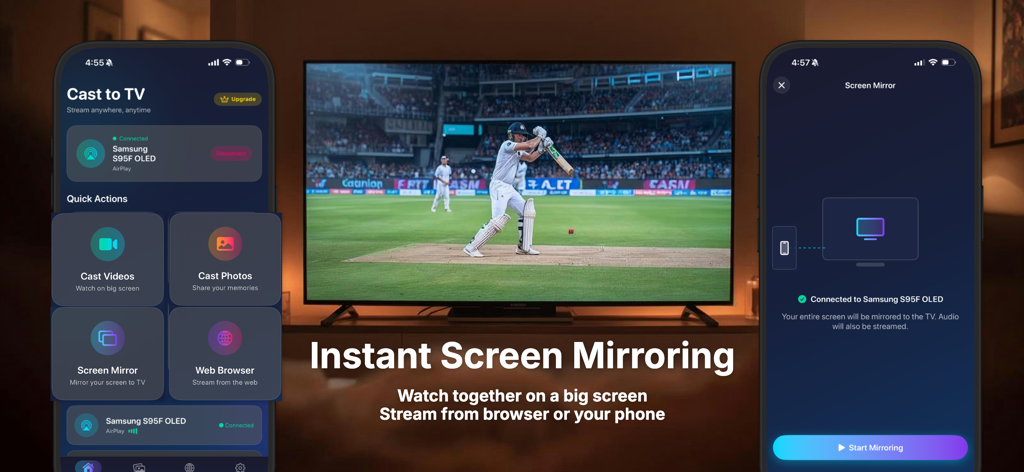
Cast to TV: Screen Share - 삼성 스마트 TV로 스포츠 경기 화면 미러링을 보여주는 iPhone 앱 인터페이스
삼성 스마트 TV로 스포츠 경기 화면 미러링을 보여주는 iPhone 앱 인터페이스

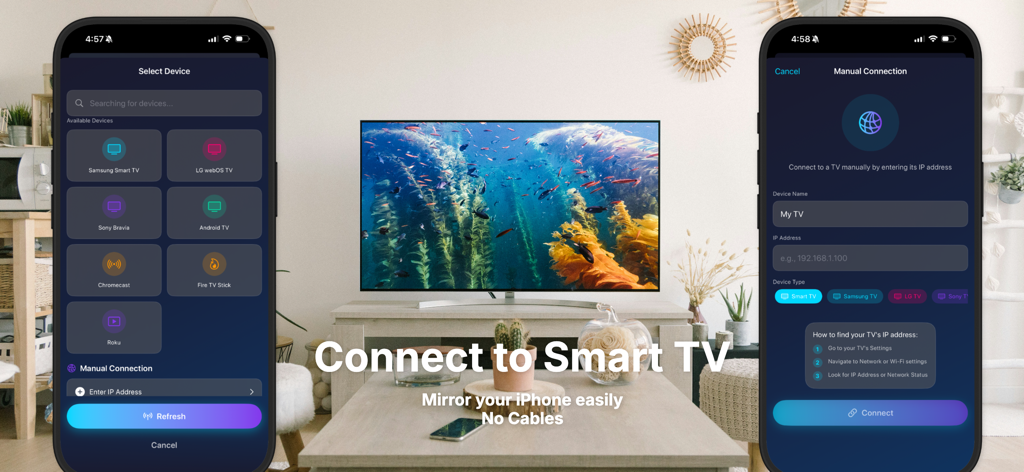
Cast to TV: Screen Share - 케이블 없이 화면 미러링을 위해 iPhone을 스마트 TV에 연결하는 인터페이스

케이블 없이 화면 미러링을 위해 iPhone을 스마트 TV에 연결하는 인터페이스

설명

Cast to TV lets you stream and mirror your iPhone or iPad to your Smart TV with ease. Watch videos, movies, photos, and web content or mirror your screen in real time on a larger display. Built for speed and stability, Cast to TV works with most Smart TVs and requires no cables or additional hardware. Just connect over Wi-Fi and start casting instantly. Key Features • Screen mirroring from iPhone to TV • Cast videos, movies, and online content • Stream photos and slideshows • Music casting with high-quality audio • Fast and stable Wi-Fi connection • Compatible with most Smart TVs • Simple and intuitive user interface Ideal For • Watching movies and shows on a big screen • Sharing photos and videos with friends and family • Presentations, meetings, and demonstrations • Gaming and live screen sharing How It Works 1. Connect your iPhone and TV to the same Wi-Fi network 2. Open Cast to TV 3. Select your TV and start casting No cables. No complicated setup. Download Cast to TV and enjoy seamless screen mirroring and streaming anytime. Cast to TV offers optional auto-renewable subscriptions; weekly, monthly and yearly premiums that unlock some advanced features. Subscription Details: • Subscriptions are billed automatically unless canceled at least 24 hours before the end of the current period • Payment is charged to your Apple ID • Subscriptions can be managed or canceled anytime in your App Store account settings • Any unused portion of a free trial (if offered) will be forfeited when a subscription is purchased Privacy Policy: https://www.sadynamics.com/cast-to-tv-privacy-policy/ Terms of Use: https://www.sadynamics.com/cast-to-tv-terms-of-use-eula/

Download

다운로드: App Store

이 페이지는 앱이나 개발자의 공식 페이지가 아니며, 정보 제공 및 논평을 목적으로 작성된 독립 편집 간행물입니다. 명시적으로 달리 언급되지 않는 한, 해당 앱이나 개발자는 MWM, Apple, Google Play, 앱 퍼블리셔 또는 앱 개발자와 제휴, 보증, 후원, 승인 또는 공식적으로 연결되어 있지 않으며, 이 페이지의 어떤 내용도 해당 앱이 MWM의 서비스를 사용하여 개발되었음을 의미하지 않습니다. 모든 상표, 로고, 스크린샷 및 기타 콘텐츠는 해당 소유자의 자산입니다.









