Castify: Cast Web Videos to TV

Castify: Cast Web Videos to TV

다운로드: App Store
로고: Castify: Cast Web Videos to TV

Castify: 웹 비디오를 TV로 캐스팅 — 모든 웹 비디오를 손쉽게 대형 화면으로 스트리밍

작은 화면과 폐쇄된 생태계의 제약에서 벗어나세요. 좋아하는 웹사이트를 탐색하고, 성가신 팝업을 차단하고, 4K 영화, 라이브 스포츠 및 로컬 파일을 Chromecast, Fire TV 또는 Xbox로 즉시 캐스팅하세요.

개발사

Castify Inc. (Apps)

카테고리

Photo & Video

다운로드

274K+

사용자 평점

4.2/5

총 평가 수

300

지원 언어

1

대형 화면 경험

이 인터페이스를 사용하는 274K+ 명의 사용자.

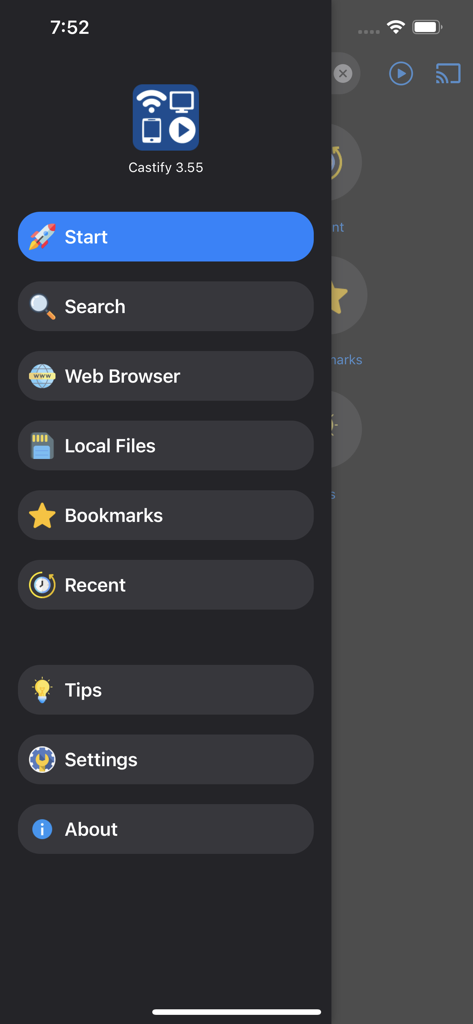
Castify 앱의 탐색 사이드바에 웹 브라우저, 로컬 파일 및 북마크 옵션이 표시됩니다.
Castify 앱의 탐색 사이드바에 웹 브라우저, 로컬 파일 및 북마크 옵션이 표시됩니다.

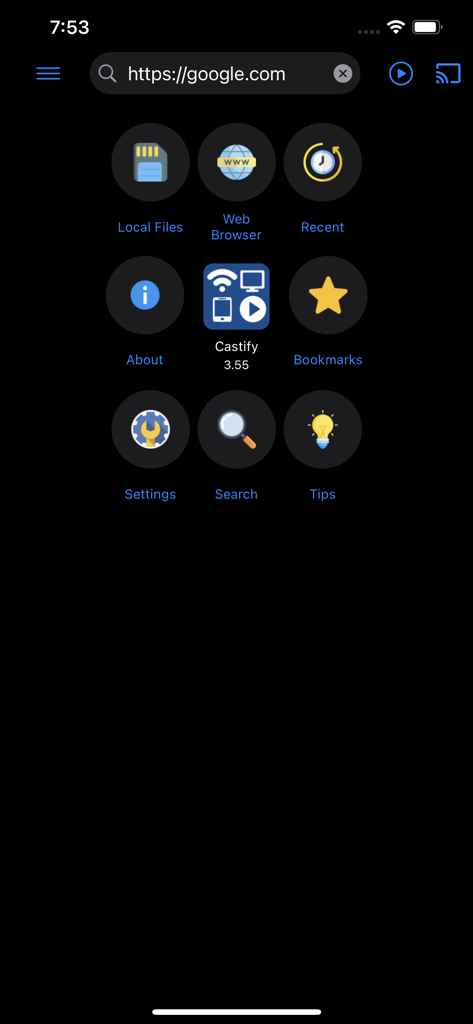
Castify 앱의 메인 메뉴에 웹 브라우저, 로컬 파일 및 북마크 탐색 아이콘이 표시됩니다.
Castify 앱의 메인 메뉴에 웹 브라우저, 로컬 파일 및 북마크 탐색 아이콘이 표시됩니다.

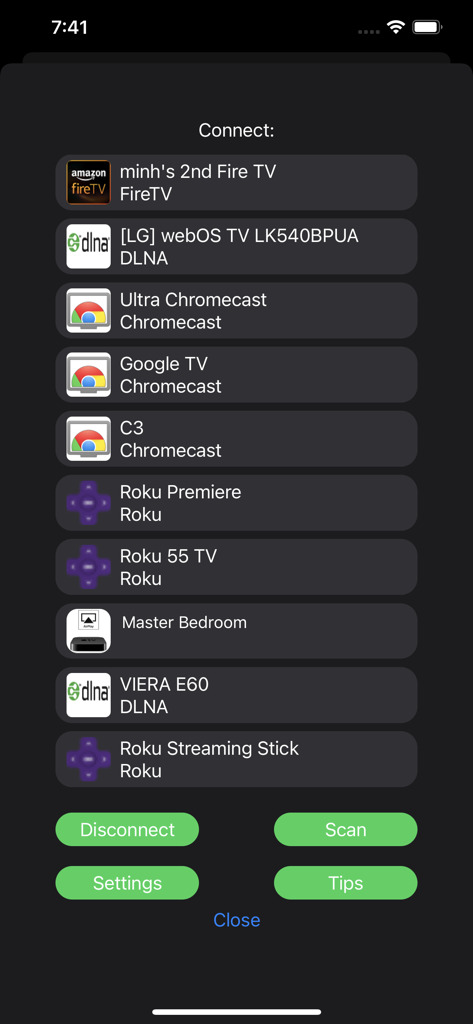
Castify 앱 인터페이스 내에서 Fire TV, Chromecast, Roku를 포함한 캐스팅 가능한 스트리밍 장치 목록
Castify 앱 인터페이스 내에서 Fire TV, Chromecast, Roku를 포함한 캐스팅 가능한 스트리밍 장치 목록

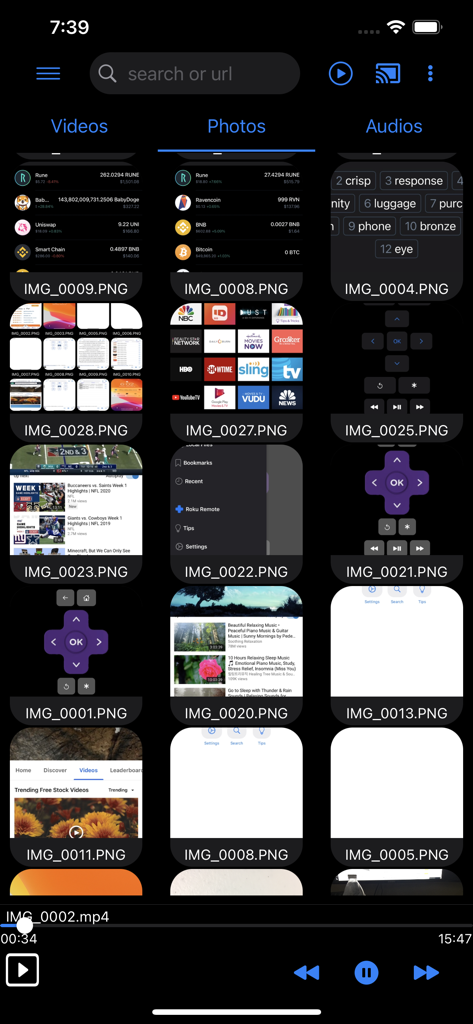
Castify 앱 인터페이스에 TV로 캐스팅할 준비가 된 로컬 비디오, 사진 및 오디오 파일 그리드가 표시됩니다.
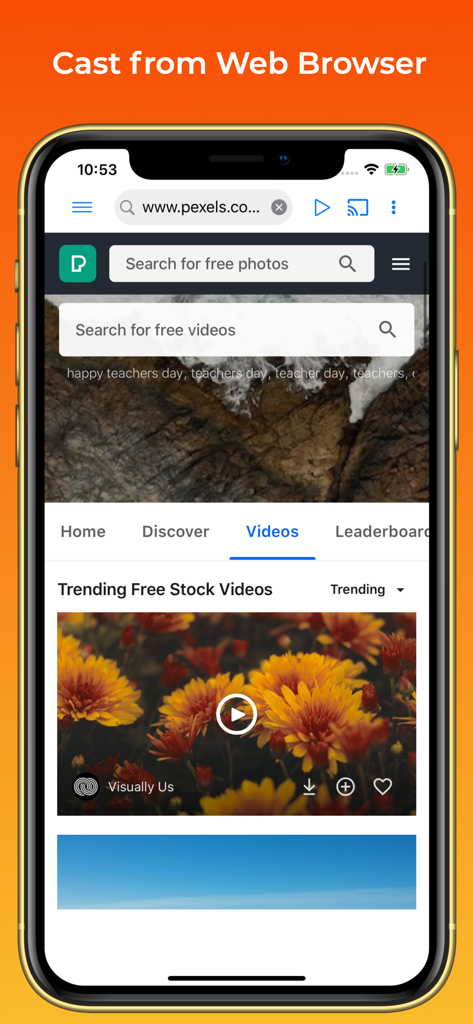
Castify 앱 인터페이스에 TV로 캐스팅할 준비가 된 로컬 비디오, 사진 및 오디오 파일 그리드가 표시됩니다.

Castify 앱 인터페이스에 웹사이트에서 TV로 비디오를 캐스팅하는 데 사용되는 웹 브라우저가 표시됩니다.
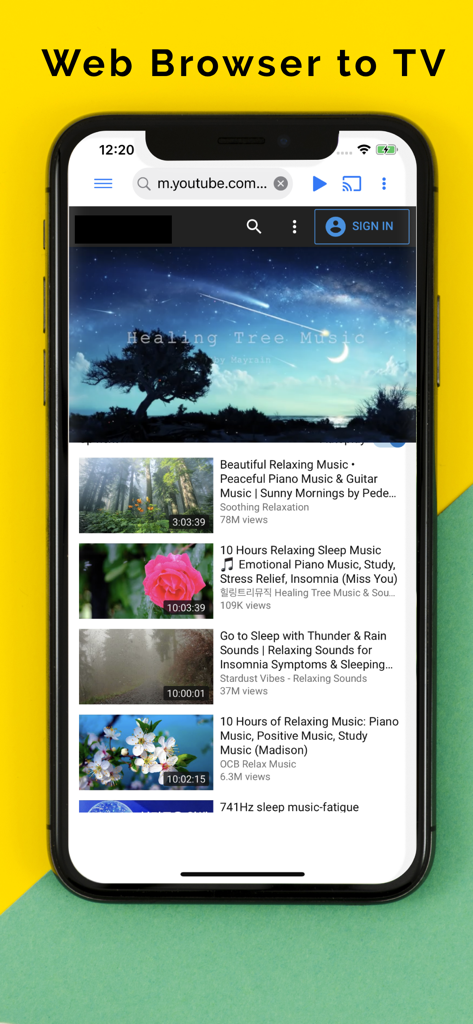
Castify 앱 인터페이스에 웹사이트에서 TV로 비디오를 캐스팅하는 데 사용되는 웹 브라우저가 표시됩니다.

TV로 비디오를 캐스팅하는 Castify 웹 브라우저 기능을 보여주는 스마트폰.

TV로 비디오를 캐스팅하는 Castify 웹 브라우저 기능을 보여주는 스마트폰.

좋아하는 웹 콘텐츠를 이제 대형 화면에서

이 앱을 돋보이게 하는 도구, 274K+ 명의 사용자가 선택.

📺

모든 장치 호환성

iPhone을 Chromecast, Fire TV, Apple TV, Xbox 또는 DLNA 스마트 TV에 연결하세요. 더 이상 생태계 잠금 장치가 없습니다. 이미 소유한 하드웨어로 끊김 없이 스트리밍할 수 있습니다.

🌐

깔끔한 웹 비디오 탐색

스마트 브라우저가 모든 웹사이트에서 재생 가능한 비디오를 자동으로 감지합니다. 또한 내장 팝업 차단 기능이 방해되는 광고를 차단하여 영화에 집중할 수 있습니다.

📱

즉각적인 로컬 미디어 공유

휴대전화를 주고받지 마세요. 개인 사진, 4K 홈 비디오 및 음악 라이브러리를 TV로 즉시 캐스팅하여 최고의 그룹 시청 경험을 즐기세요.

앱 소개

에 대해 알아야 할 모든 것 Castify: Cast Web Videos to TV.

설명

Cast Videos to TV with Castify, now on iOS Compatible Streaming Devices: Chromecast 1, 2, and Ultra HD 4K Fire TV or Fire Stick Apple TV Airplay (4th gen) tvOS 10.2 and up DLNA receivers Xbox One, Xbox 360 Google Cast receivers Smart TVs with DLNA built-in Play From Sources: - Browser Websites - Phone Files Features: - Cast to TV, video, movie, music, or photos - Cast web videos found online from websites - Stream to TV from local files on phone to Chromecast, Xbox, Apple TV or compatible devices - Searching of videos on any websites - Popups Blocker This app works best with Google Chromecast and Google Cast receivers. Users may experience limited functionalities with other casting receivers. This is not a phone screen mirroring/sharing app. Cast phone's movie, music, or photos found on your phone/tablet to TV with compatible streaming devices. Usage Steps: 1. Use the app's browser to navigate to a website. 2. The browser will try to find any playable video, movies, or music on that site. 3. Then play it locally on the Phone/Tablet, or cast to TV with Chromecast or one of the compatible streaming receivers. Supported Formats: MP4 movie MP3 music JPG, PNG images HTML5 video HLS Live Streaming 4K and HD where available Features & Limitations of Some Streaming Receivers Apple TV AirPlay: - AirPlay must be enabled in settings Xbox One & Xbox 360: - DLNA must be enabled in settings Fire TV: some video movie formats not supported. Some Smart TVs have Google Chromecast app (or DLNA) built-in. If you have any of those models, please check if it has one of the streaming receivers to see if it's compatible to cast to TV. Castify does not modify, download, or transcode the video sources. It only sends the original source to your streaming receivers. The app does not hosts any content.Therefore the compatibility and availability of the videos are dependent on the source websites themselves. -This app only casts from websites that uses public format. Proprietary video & movie formats will not cast to TV. -If a video is not playing or a disconnection occurs, it could be several reasons: 1. The ISP(Internet Service Provider) 2. The source website itself 3. Insufficient WIFI signal strength Troubleshooting: -Ensure your WIFI connection is stable and on the same network. Streaming online movies to TV requires a good internet connection. -Most connection problems can be resolved by restarting the casting receivers or phone. -Flash movie websites are not supported by stream device manufacturers.

최신 버전

5.85

크기

51.7 MB

출시일

2020년 9월 9일

대형 화면을 제어하세요

생태계의 제약으로 시청할 수 있는 콘텐츠가 제한되지 않도록 하세요. Castify를 다운로드하여 iPhone과 Chromecast, Fire TV 또는 Xbox 간의 격차를 해소하세요. 팝업 차단 기능이 내장되어 웹 비디오, 라이브 스포츠 및 로컬 파일을 4K로 스트리밍하세요.

다운로드: App Store

App information, icons, screenshots, and descriptions displayed on this page are sourced from the Apple App Store and are the property of their respective developers. Download estimates and rankings are based on MWM's proprietary models and may not reflect actual figures. This page is provided for informational and analytical purposes only.

Believe this page infringes your intellectual property? File a dispute