Censor: Face Blur & Pixelate
다운로드: App Store

이 페이지는 앱이나 개발자의 공식 페이지가 아니며, 정보 제공 및 논평을 목적으로 작성된 독립 편집 간행물입니다. 명시적으로 달리 언급되지 않는 한, 해당 앱이나 개발자는 MWM, Apple, Google Play, 앱 퍼블리셔 또는 앱 개발자와 제휴, 보증, 후원, 승인 또는 공식적으로 연결되어 있지 않으며, 이 페이지의 어떤 내용도 해당 앱이 MWM의 서비스를 사용하여 개발되었음을 의미하지 않습니다. 모든 상표, 로고, 스크린샷 및 기타 콘텐츠는 해당 소유자의 자산입니다.

로고: Censor: Face Blur & Pixelate
다운로드: App Store

Censor: Face Blur & Pixelate

전문적인 모자이크 및 미적 흐림 효과로 얼굴, 차량 번호판, 민감한 데이터를 즉시 숨기세요. 크리에이터, 부모, 개인 정보 보호에 신경 쓰는 공유자를 위한 최고의 원탭 솔루션입니다.

주요 수치

다운로드

10K+

사용자 평점

4.7/5

총 평가 수

100

개발사

PRODEKS UA, TOV

카테고리

Photo & Video

지원 언어

1

최신 버전

1.0.7

크기

174.8 MB

출시일

2024년 9월 1일
기능

완벽한 개인 정보 보호. 완벽한 제어.

가족의 신원을 보호하든, 하이엔드 소셜 콘텐츠를 만들든, 당사의 AI 기반 도구를 사용하면 민감한 세부 정보를 손쉽게 검열할 수 있습니다.

스마트 AI 감지

원탭으로 얼굴을 즉시 감지하고 흐리게 처리하세요. 고급 AI가 힘든 작업을 대신하므로 몇 초 안에 안전하게 게시할 수 있습니다.

미적 검열

모자이크, 픽셀화 또는 스타일화된 검은색 막대 중에서 선택하세요. 사진의 시각적 분위기를 희생하지 않고 개인 정보를 안전하게 유지하세요.

다음 스크린샷과 설명은 앱의 공식 스토어 목록에서 직접 가져온 것이며 앱 개발자의 자산입니다.

앱 스토어

스크린샷
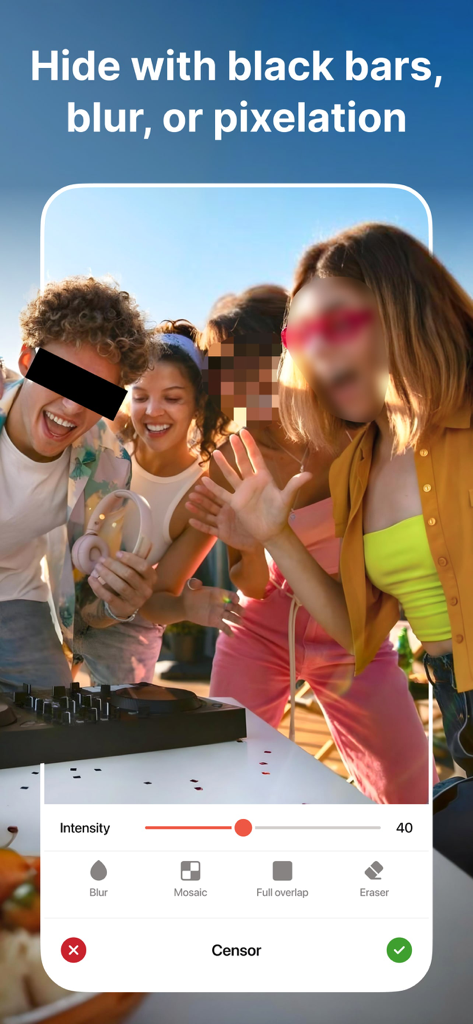
Censor: Face Blur & Pixelate - Censor 앱 인터페이스로, 검은색 막대, 흐림 및 모자이크 효과로 얼굴을 숨기는 옵션을 보여줍니다.
Censor 앱 인터페이스로, 검은색 막대, 흐림 및 모자이크 효과로 얼굴을 숨기는 옵션을 보여줍니다.

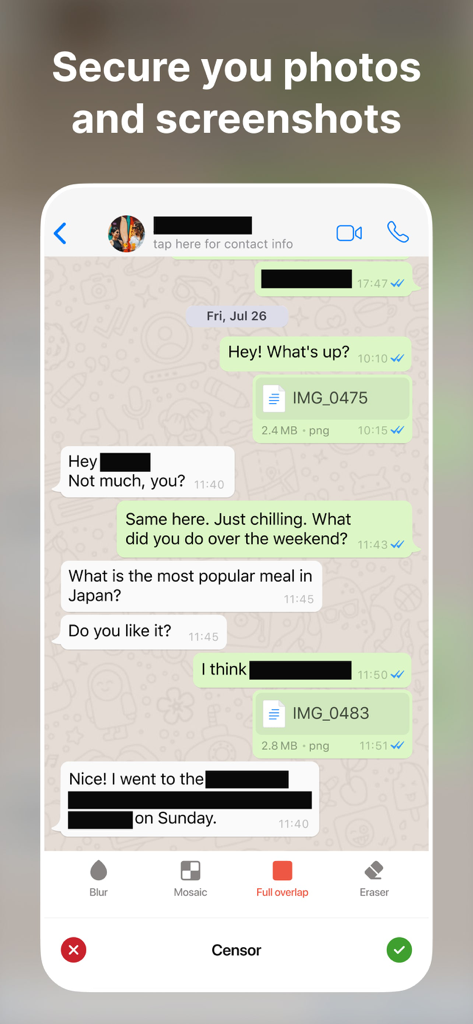
Censor: Face Blur & Pixelate - Censor 앱 도구를 사용하여 이름과 민감한 텍스트를 검게 처리한 메시징 앱 스크린샷.
Censor 앱 도구를 사용하여 이름과 민감한 텍스트를 검게 처리한 메시징 앱 스크린샷.

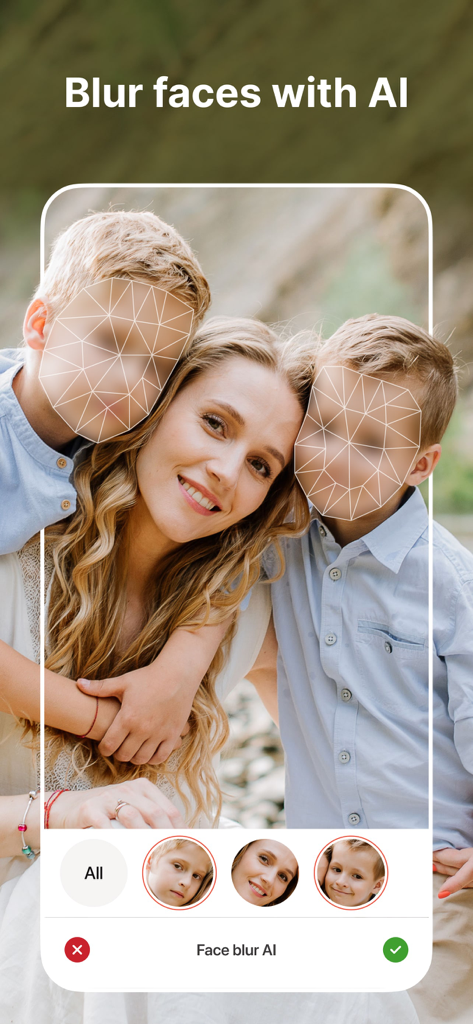
Censor: Face Blur & Pixelate - 개인 정보 보호를 위해 가족 사진에서 어린이 얼굴을 감지하고 흐리게 처리하는 AI를 사용하는 모바일 앱 인터페이스
개인 정보 보호를 위해 가족 사진에서 어린이 얼굴을 감지하고 흐리게 처리하는 AI를 사용하는 모바일 앱 인터페이스

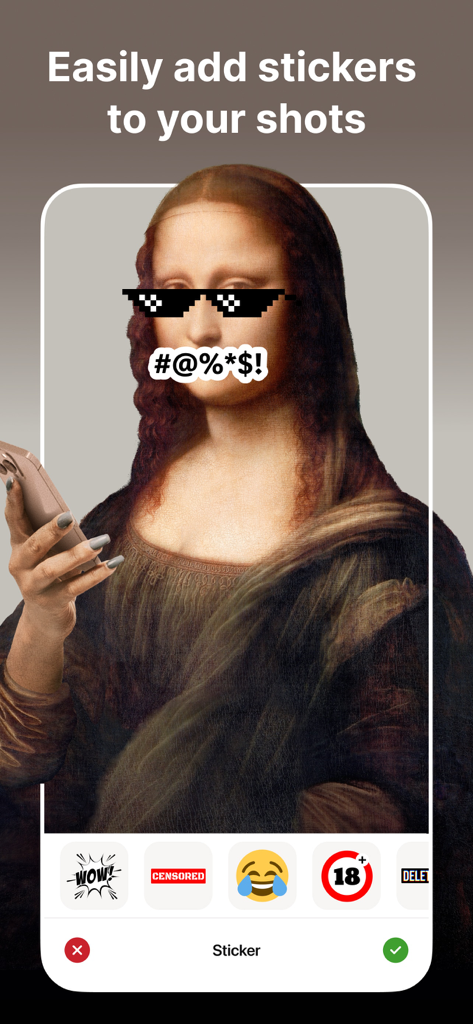
Censor: Face Blur & Pixelate - 모나리자 사진에 모자이크 처리된 안경과 얼굴에 검열 기호 스티커가 붙어 있는 모바일 앱 인터페이스.
모나리자 사진에 모자이크 처리된 안경과 얼굴에 검열 기호 스티커가 붙어 있는 모바일 앱 인터페이스.

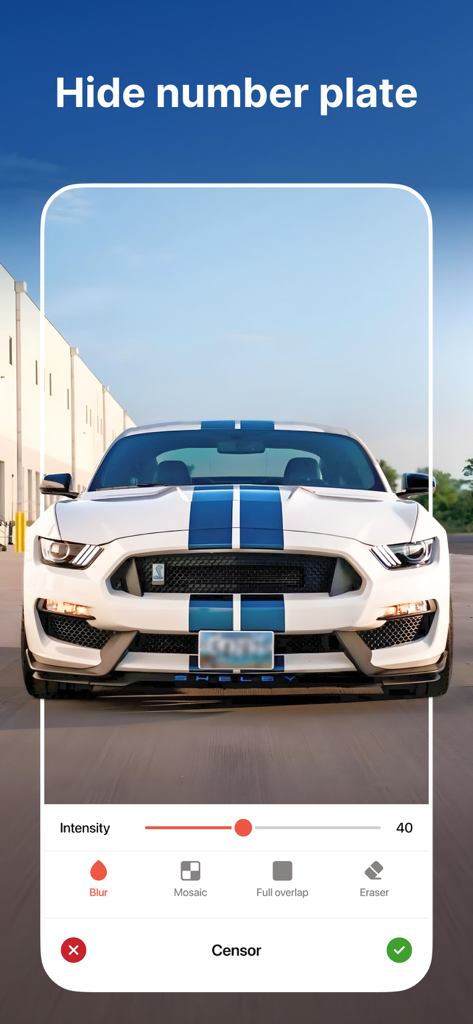
Censor: Face Blur & Pixelate - Censor 앱 인터페이스로 흰색 스포츠카의 흐릿한 차량 번호판을 보여줍니다.
Censor 앱 인터페이스로 흰색 스포츠카의 흐릿한 차량 번호판을 보여줍니다.

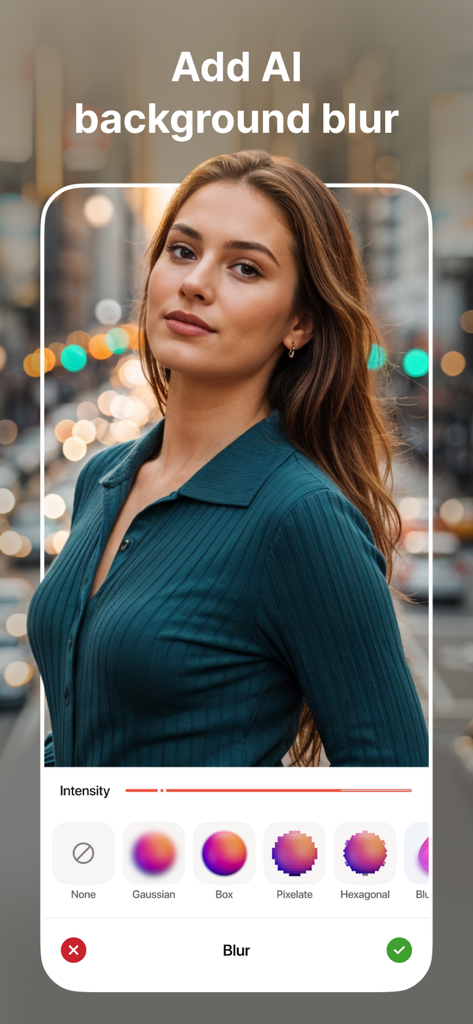
Censor: Face Blur & Pixelate - AI 배경 흐림 및 Censor 앱의 다양한 편집 스타일 옵션이 있는 인물 사진
AI 배경 흐림 및 Censor 앱의 다양한 편집 스타일 옵션이 있는 인물 사진

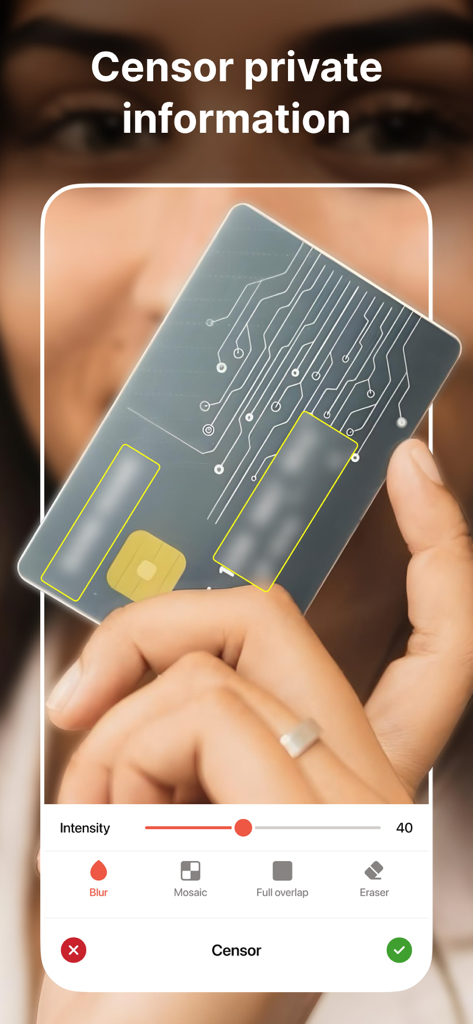
Censor: Face Blur & Pixelate - Censor 앱 인터페이스로 신용 카드에 있는 민감한 정보를 흐리게 처리하는 방법을 보여줍니다.
Censor 앱 인터페이스로 신용 카드에 있는 민감한 정보를 흐리게 처리하는 방법을 보여줍니다.

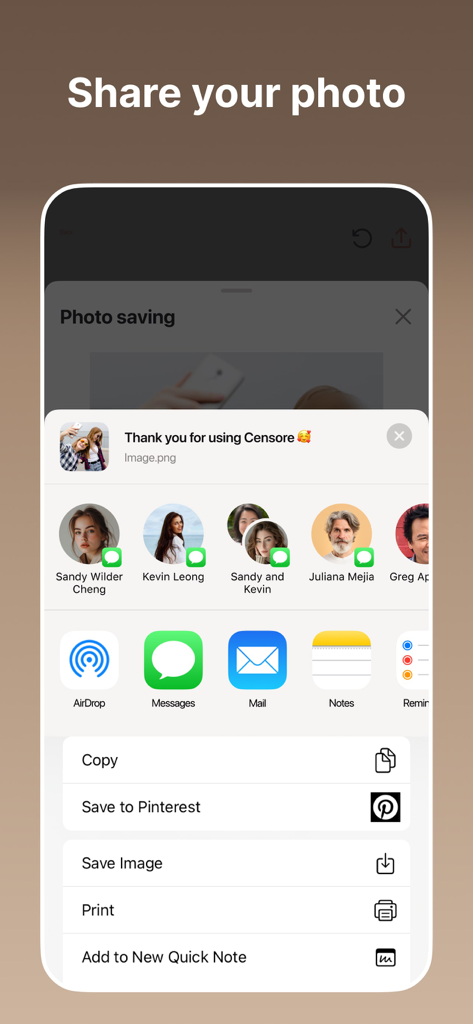
Censor: Face Blur & Pixelate - iOS 공유 시트를 사용하여 검열된 사진을 공유하거나 저장하는 옵션을 보여주는 인터페이스

iOS 공유 시트를 사용하여 검열된 사진을 공유하거나 저장하는 옵션을 보여주는 인터페이스

설명

Quickly and easily safeguard your photos with Censor. Our app empowers you to instantly blur, pixelate, or black out sensitive information. Whether it’s a license plate, a face, or any unwanted detail, Censor has you covered. With our advanced face blur technology, you can effortlessly blur face details in any photo. Censor makes face blur photo editing fast and easy. KEY FEATURES: - Powerful Face Blur Tools Easily apply a face blur effect or pixelate photo online using AI-powered detection. Automatically detect and blur faces in a photo, or tap manually to censor part of image, like license plates, screens, or private info. Choose from smooth blur effect on face, motion blur, mosaic, or pixel blur face - all with precise control. - Hide Faces & Censor Images Need to hide a face in a picture or keep someone anonymous? Censor makes it easy to censor image, blur your face, or even censor photos in seconds. Great for creators who need to cover faces in photos or censor pics with zero quality loss. - Aesthetic Blur Options Looking for a more stylish touch? Create a blur face aesthetic with effects like pixelize, blurry face photo effect, or add censor bar to picture. Whether you want a blurred face effect or a simple black bar, the app gives you full creative control. - Custom Pixelation & Detail Editing Need to pixelate my face or blur a face in a picture? Use Censor’s smart tools to select any area - face, text, screen, or object - and apply photo pixelator, image face blur, or censor face. Whether it’s a quick fix or advanced edit, you’re covered. - For Creators & Everyday Users Whether you're a journalist, vlogger, or someone who wants to blur face on photo before sharing, Censor is your all-in-one solution. Use it as an app to hide faces in photos, apply blur face free, or experiment with photography blur face for artistic edits. - High-Quality Export Once you're done editing, export your face blur image or photo face blur in high resolution. No compression, no quality loss - perfect for both personal and professional use. Subscription Details Upgrade to a premium account and unlock all the premium features. You can get unlimited access to all the advanced features (such as face blur, mosaic, and black bars) by subscribing to a weekly or annual plan in the app. There is also a free 3-day trial to see what Censor has to offer. Payment will be charged to your Apple ID at the time of purchase confirmation. Subscriptions are automatically renewed unless cancelled at least 24 hours before the end of the current period. The renewal fee will be charged to your account within 24 hours of the end of the current period. You can manage and cancel your subscriptions by going to your account settings in the App Store after purchase. Privacy Policy: https://sites.google.com/prodex.net.ua/censor/privacy-policy Terms of Use: https://sites.google.com/prodex.net.ua/censor/terms-of-use Standard Apple Terms of Use (EULA): https://www.apple.com/legal/internet-services/itunes/dev/stdeula/ Do you have any ideas on how to improve Censor? Please fill out the form - https://forms.clickup.com/24527565/f/qcgpd-26792/V8QLDS14K0D0V0U4X4. Your privacy is our priority. With Censor, you stay in control of what you share. Download Censor today – the best face blur and photo pixelator tool for iOS. Whether you need to blur your face, censor pics, or create a blurry face pic for artistic effect - we’ve got you covered.

Download

다운로드: App Store

이 페이지는 앱이나 개발자의 공식 페이지가 아니며, 정보 제공 및 논평을 목적으로 작성된 독립 편집 간행물입니다. 명시적으로 달리 언급되지 않는 한, 해당 앱이나 개발자는 MWM, Apple, Google Play, 앱 퍼블리셔 또는 앱 개발자와 제휴, 보증, 후원, 승인 또는 공식적으로 연결되어 있지 않으며, 이 페이지의 어떤 내용도 해당 앱이 MWM의 서비스를 사용하여 개발되었음을 의미하지 않습니다. 모든 상표, 로고, 스크린샷 및 기타 콘텐츠는 해당 소유자의 자산입니다.








