
이 페이지는 앱이나 개발자의 공식 페이지가 아니며, 정보 제공 및 논평을 목적으로 작성된 독립 편집 간행물입니다. 명시적으로 달리 언급되지 않는 한, 해당 앱이나 개발자는 MWM, Apple, Google Play, 앱 퍼블리셔 또는 앱 개발자와 제휴, 보증, 후원, 승인 또는 공식적으로 연결되어 있지 않으며, 이 페이지의 어떤 내용도 해당 앱이 MWM의 서비스를 사용하여 개발되었음을 의미하지 않습니다. 모든 상표, 로고, 스크린샷 및 기타 콘텐츠는 해당 소유자의 자산입니다.


Chunky Comic Reader
iPad를 프리미엄 만화 아카이브로 변환하세요. 스마트 업스케일링, 자동 대비, 그리고 CBR, CBZ, PDF 컬렉션 전체를 위한 마찰 없는 클라우드 또는 NAS 통합을 경험하세요.
다운로드
443K+사용자 평점
총 평가 수
1K+개발사
카테고리
Books지원 언어
1최신 버전
2.5.10크기
26.4 MB출시일
2013년 7월 3일iPad에서 만화를 읽는 프리미엄 방법
Chunky는 완벽한 독서 경험을 요구하는 진지한 컬렉터를 위해 디자인되었으며, 고화질 이미지 처리와 손쉬운 라이브러리 관리를 결합했습니다.
스튜디오 품질의 비주얼
스마트 업스케일링과 자동 대비 보정은 빈티지 스캔 및 저해상도 파일을 생생하게 살려, Retina 디스플레이에서 모든 페이지를 현대적인 리마스터처럼 보이게 합니다.
모든 라이브러리를 어디서든
iCloud, Dropbox 또는 개인 홈 서버(NAS)에 직접 연결하여 동기화 부담 없이 CBR, CBZ, PDF 파일을 스트리밍하거나 다운로드하세요.
다음 스크린샷과 설명은 앱의 공식 스토어 목록에서 직접 가져온 것이며 앱 개발자의 자산입니다.
앱 스토어
스크린샷
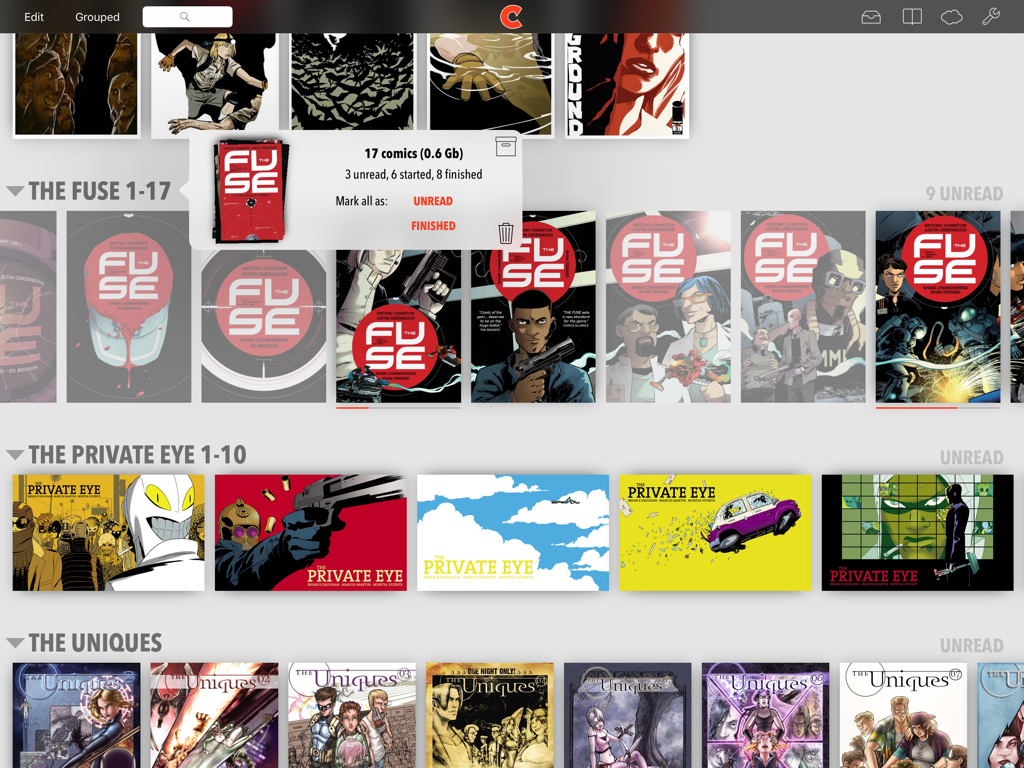
iPad의 디지털 만화 라이브러리, 정리된 만화 컬렉션과 읽기 진행 상황 표시
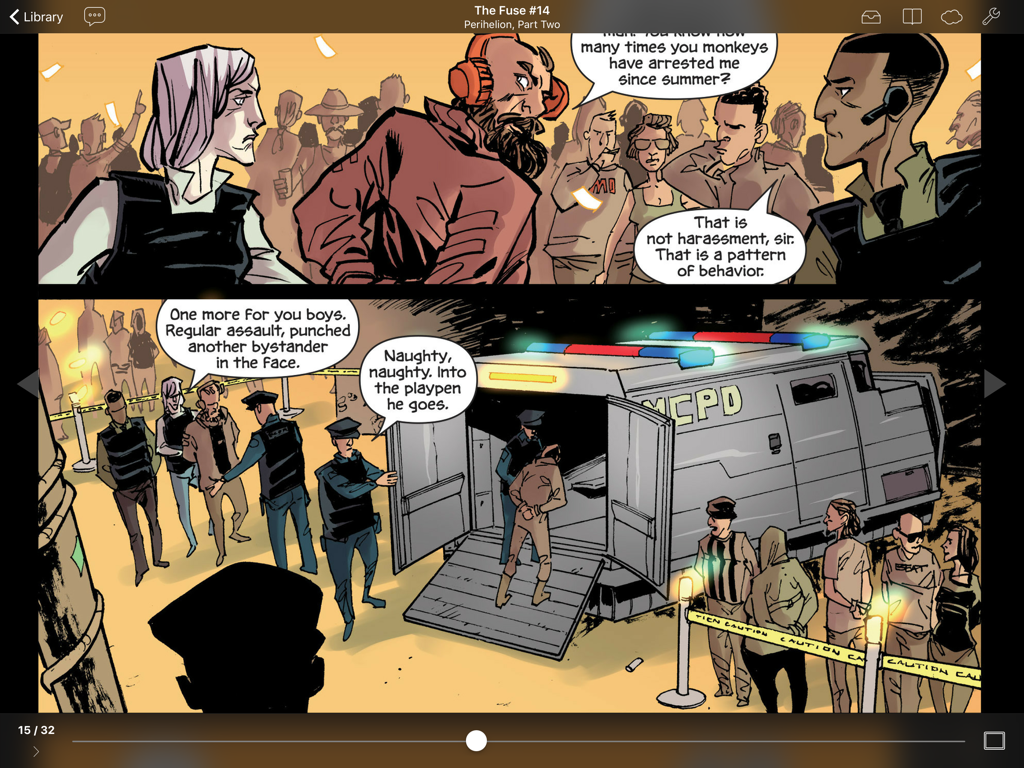
Chunky Comic Reader 앱이 iPad 화면에 디지털 만화 페이지를 표시하고 있음
설명
Download
비슷한 앱
유사한 기능과 사용자 경험을 가진 앱

WEBTOON: Manga, Comics, Manhwa
NAVER WEBTOON Ltd.

快看漫画
Kuaikan World (Beijing) Technology CO., LTD.

Tachimanga
继超 吴

WebComics - Webtoon, Manga
WEBCOMICS HOLDINGS HK LIMITED

GlobalComix: The Comics App
Global Publishing Interactive, Inc

Panels - Comic Reader
Produkt Software Engineering S.L.

漫画人极速版-看动漫画大全平台
中营 谢

百度阅读-电子书看书阅读神器
Beijing Baidu Netcom Science & Technology Co.,Ltd

Lovella: Novels & Audiobooks
FMPROJECT LIMITED
이 페이지는 앱이나 개발자의 공식 페이지가 아니며, 정보 제공 및 논평을 목적으로 작성된 독립 편집 간행물입니다. 명시적으로 달리 언급되지 않는 한, 해당 앱이나 개발자는 MWM, Apple, Google Play, 앱 퍼블리셔 또는 앱 개발자와 제휴, 보증, 후원, 승인 또는 공식적으로 연결되어 있지 않으며, 이 페이지의 어떤 내용도 해당 앱이 MWM의 서비스를 사용하여 개발되었음을 의미하지 않습니다. 모든 상표, 로고, 스크린샷 및 기타 콘텐츠는 해당 소유자의 자산입니다.