이 페이지는 앱이나 개발자의 공식 페이지가 아니며, 정보 제공 및 논평을 목적으로 작성된 독립 편집 간행물입니다. 명시적으로 달리 언급되지 않는 한, 해당 앱이나 개발자는 MWM, Apple, Google Play, 앱 퍼블리셔 또는 앱 개발자와 제휴, 보증, 후원, 승인 또는 공식적으로 연결되어 있지 않으며, 이 페이지의 어떤 내용도 해당 앱이 MWM의 서비스를 사용하여 개발되었음을 의미하지 않습니다. 모든 상표, 로고, 스크린샷 및 기타 콘텐츠는 해당 소유자의 자산입니다.
CineMon
최고 수준의 스코프, 정밀 노출 도구, 사용자 정의 LUT로 제작 워크플로우를 강화하세요. 영화 제작자와 DIT를 위해 설계된 스튜디오급 모니터링 경험을 위해 기기의 고화질 디스플레이 성능을 활용하세요.
주요 수치
다운로드
600
사용자 평점
1.0/5
총 평가 수
0
개발사
CineSpices LLC
카테고리
Photo & Video
지원 언어
1
최신 버전
1.7.1
크기
6.7 MB
출시일
2025년 3월 12일
기능
전문가급 모니터링의 재정의
업계 최고 수준의 고급 영상 보조 도구와 초저지연 시간으로 iPad 또는 Mac을 스튜디오급 현장 모니터로 전환하세요.
정밀 노출 제어
고급 HDR 워크플로우에 맞춰 사용자 정의 가능한 잘못된 색상, 지브라 패턴, 고급 이미지 기반 스팟 측광으로 완벽한 노출을 달성하세요.
최고 수준의 전문가 스코프
Apple의 GPU 가속 Metal 아키텍처로 구동되는 전문가급 파형, 벡터스코프, 히스토그램으로 신호를 실시간으로 모니터링하세요.
다음 스크린샷과 설명은 앱의 공식 스토어 목록에서 직접 가져온 것이며 앱 개발자의 자산입니다.
앱 스토어
스크린샷
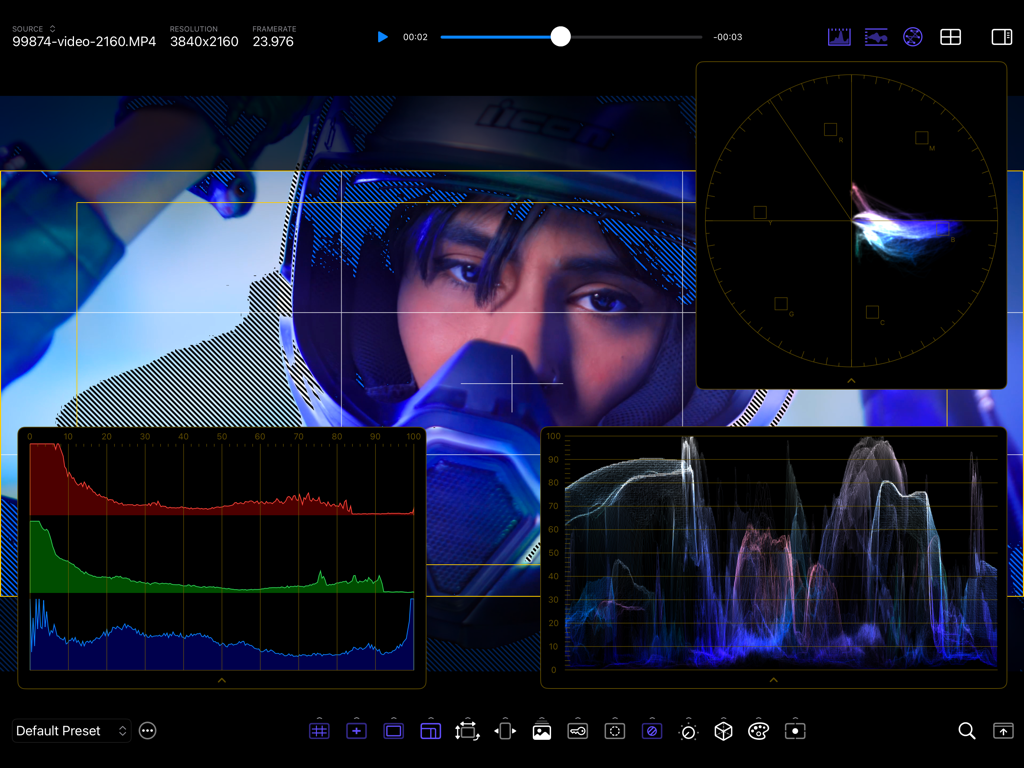
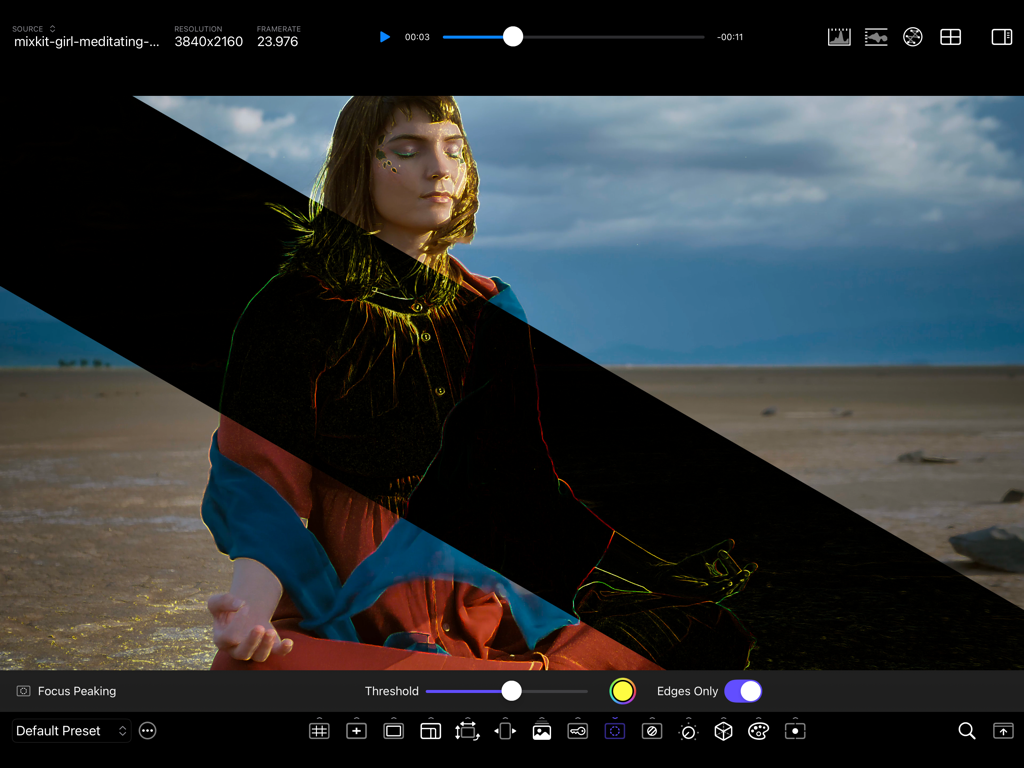
CineMon 전문 영상 모니터 앱 인터페이스와 고급 파형, 벡터스코프, 포커스 보조 도구
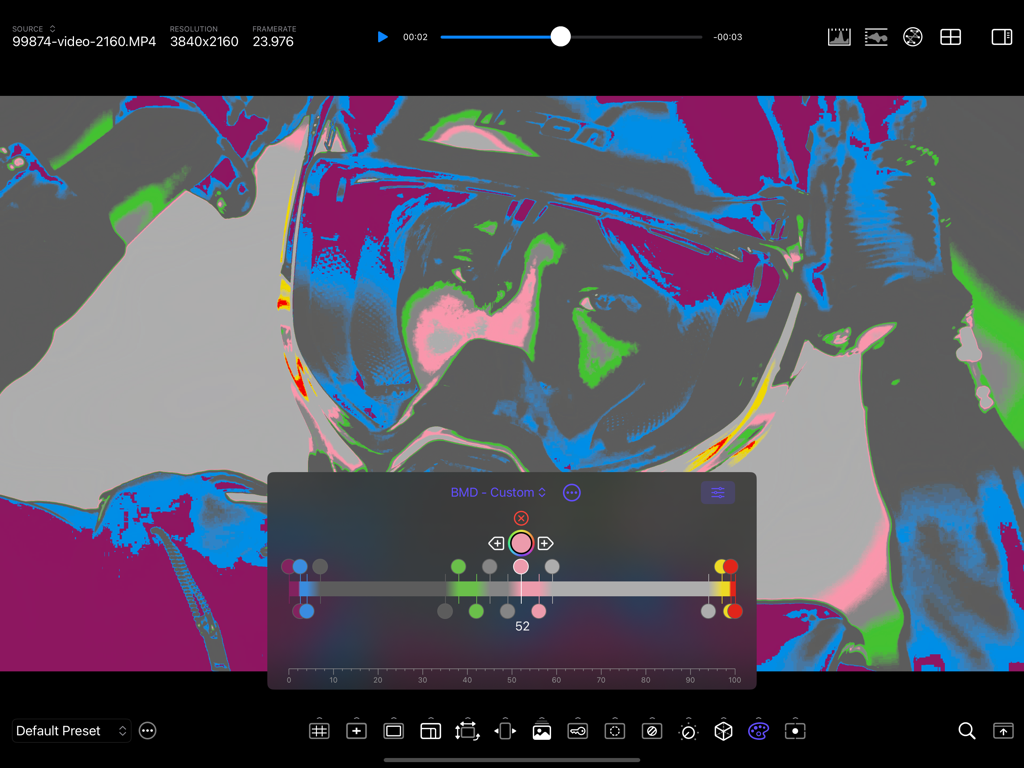
CineMon 전문 영상 모니터 인터페이스에 고급 잘못된 색상 노출 모니터링 도구가 표시됩니다.
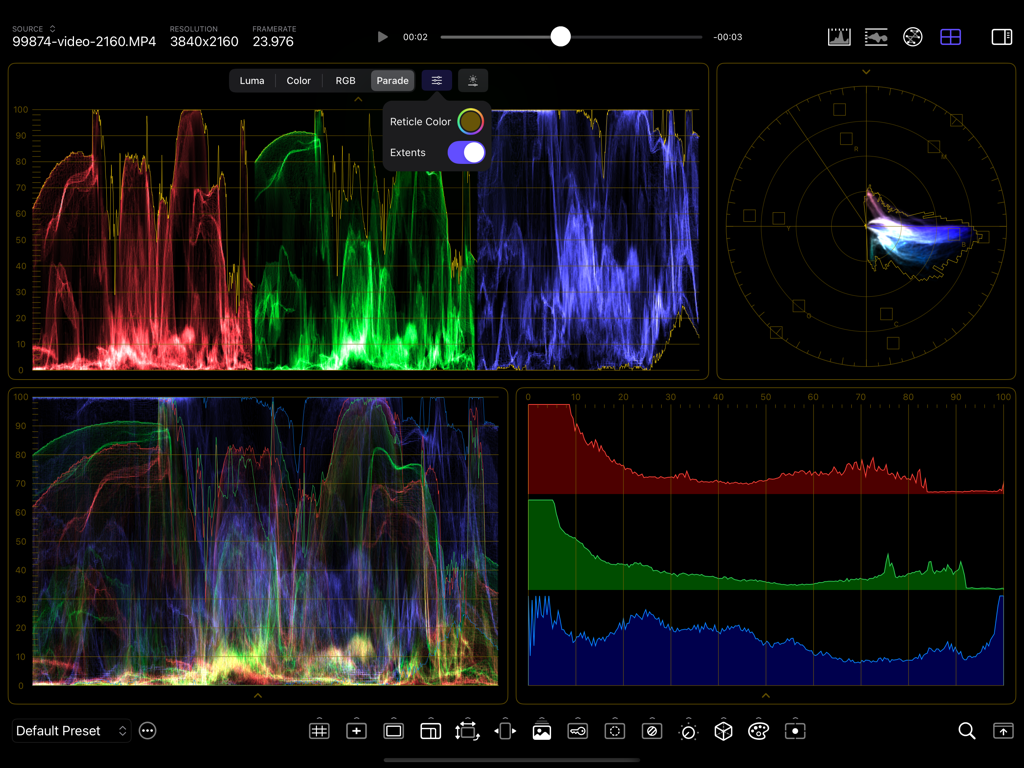
CineMon 앱 인터페이스에 RGB 퍼레이드 및 벡터스코프를 포함한 전문 영상 모니터링 스코프가 표시됩니다.
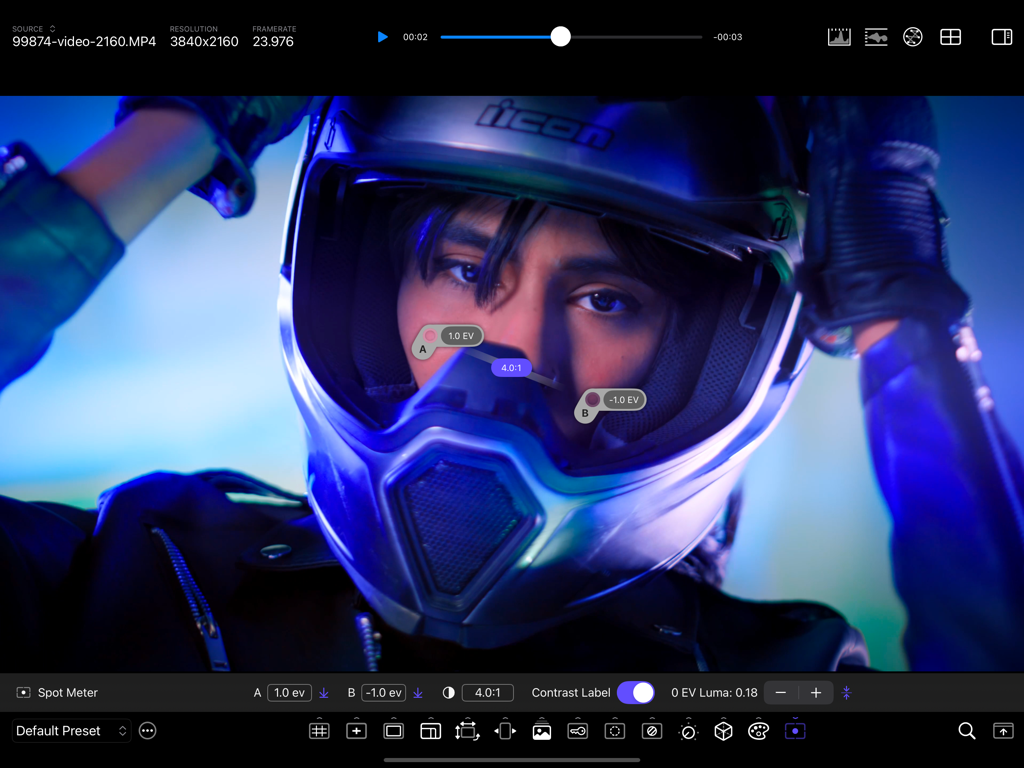
CineMon 앱 인터페이스에 고해상도 비디오 프레임에서 전문 스팟 미터 프로브 및 명암비 모니터링이 표시됩니다.
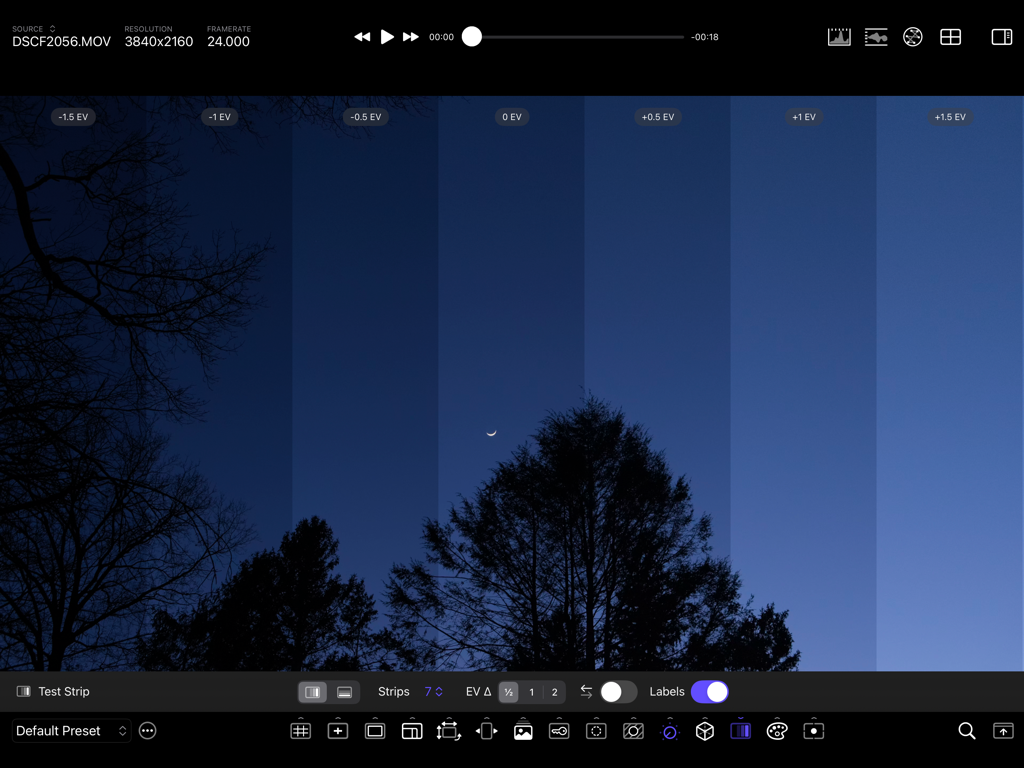
CineMon 앱 인터페이스에 야간 장면의 다양한 EV 수준에 걸친 노출 편차를 평가하기 위한 테스트 스트립 기능이 표시됩니다.
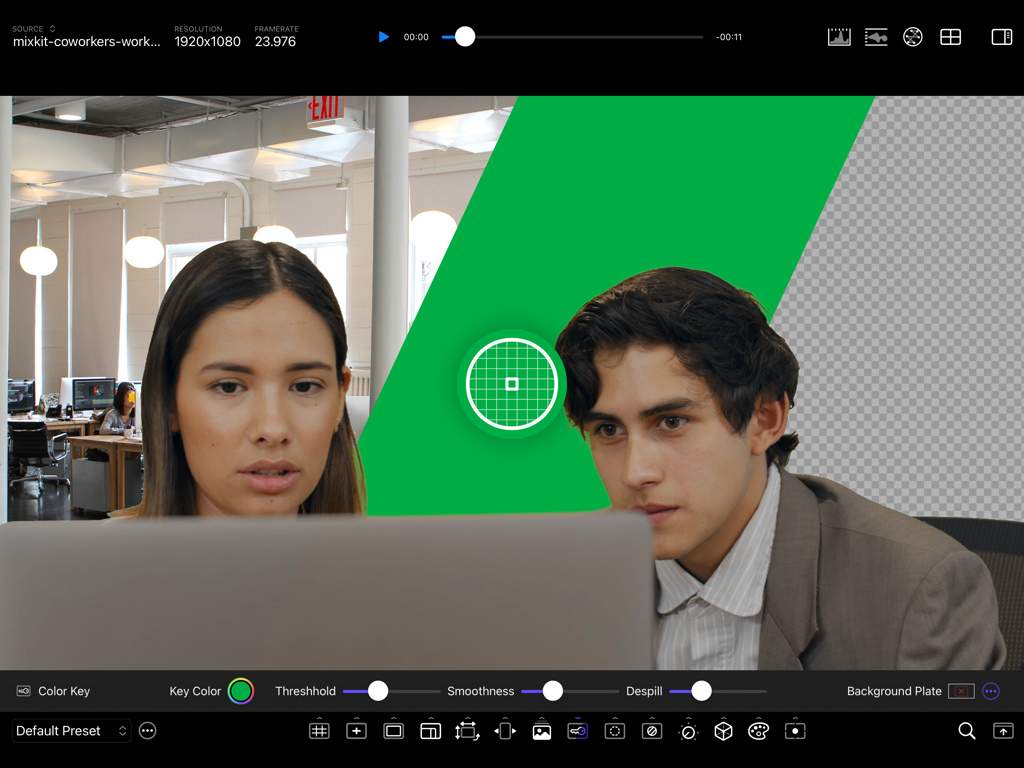
CineMon 앱 인터페이스에 실시간 비디오 모니터링을 위한 전문 크로마 키 및 색상 키 도구를 보여줍니다.
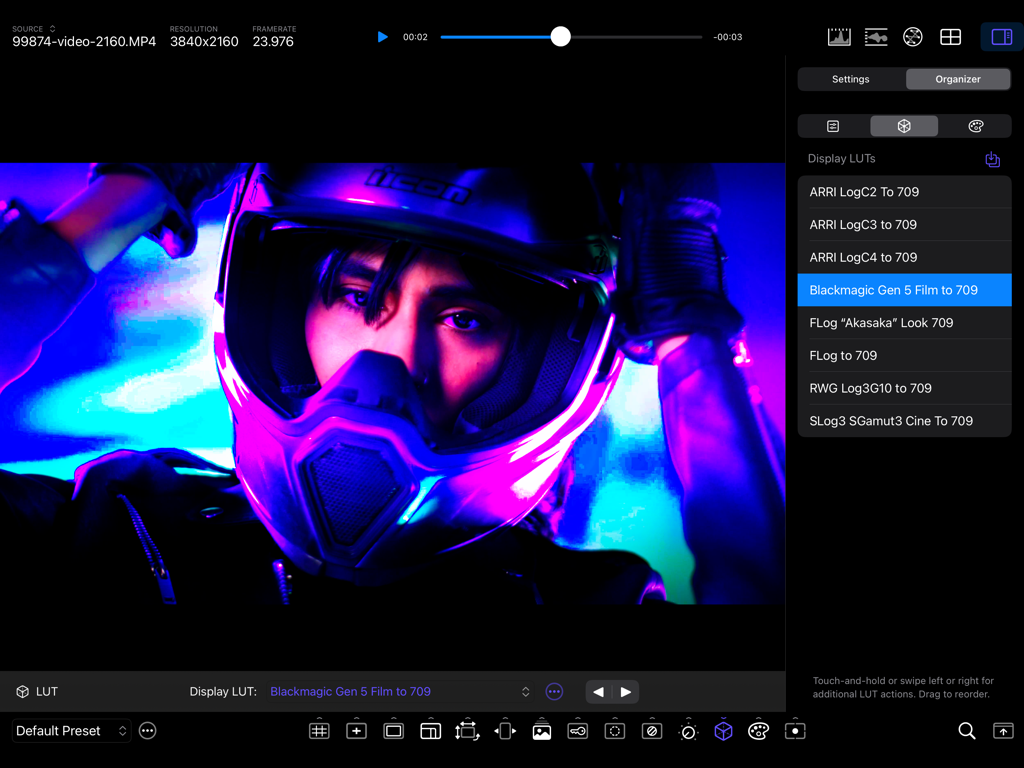
CineMon 앱의 전문 영상 모니터링 인터페이스에 네온 불빛 속 오토바이 운전자의 비디오 피드에 대한 LUT 선택이 표시됩니다.
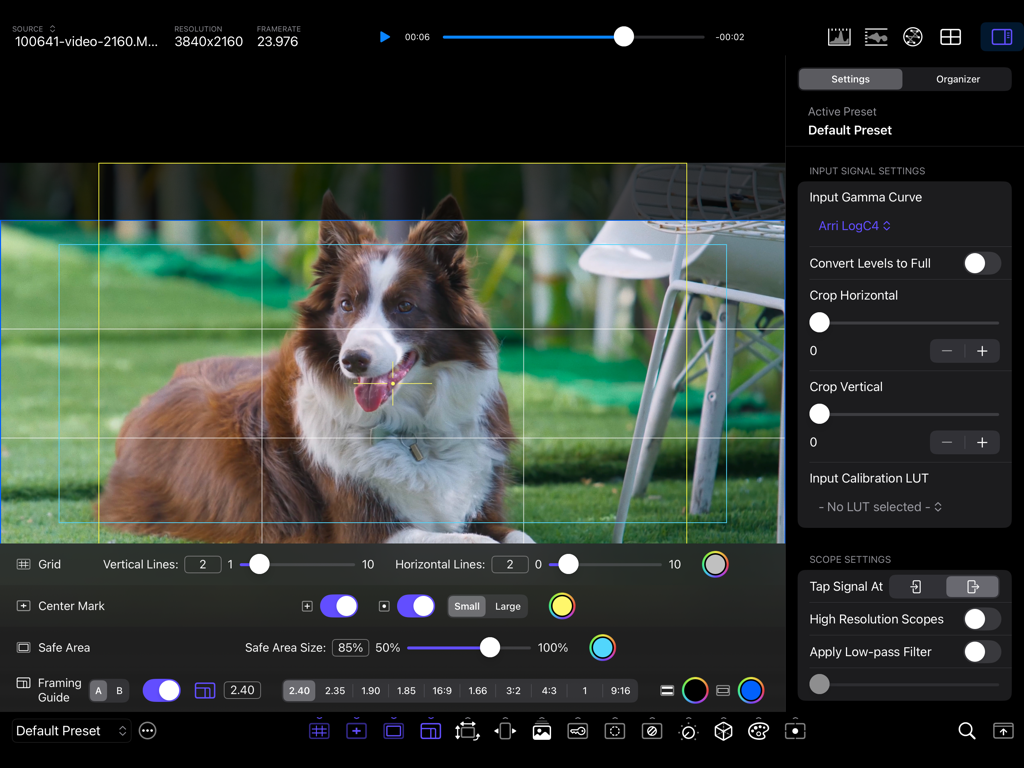
CineMon 앱 인터페이스에 전문 영상 모니터링 도구와 프레이밍 가이드가 표시됩니다.
설명
CineMon transforms your Mac or iOS device into the ultimate professional video monitor.
Built for Filmmakers, Cinematographers, Camera Operators, Digital Imaging Technicians, and Content Creators, it reimagines essential video assist tools and introduces innovative new ones to elevate your workflow, spark creativity, and simplify on-set monitoring and quality control. With a beautifully intuitive interface, best-in-class scopes, and advanced exposure tools, CineMon empowers you to craft your best images with confidence.
— V I D E O H A R D W A R E S U P P O R T —
CineMon works seamlessly with a variety of video input hardware that delivers UVC video over USB, such as HDMI- or SDI‑to‑USB capture adapters, wireless video receivers, and many modern cameras, enabling filmmakers to access industry-grade workflows across various budget tiers. In addition to UVC‑compliant devices, CineMon also collaborates with leading hardware and software partners to support a broader range of video input formats and form factors. (*Note: this is not the same as a USB to HDMI cable!*).
*** UVC external camera support is ONLY available on iPads with a USB-C port and iPad OS 18+ ***
CineMon is also a highly advanced video player!
— O P T I M I Z E D F O R S P E E D & E F F I C I E N C Y —
CineMon downloads fast, starts fast and runs fast! With a download size of less than 5MB, every aspect of the app has been meticulously tuned for speed, accuracy, and ease of use. All image processing functions are GPU-accelerated using Apple’s latest Metal architecture, to minimize processor utilization and prolong battery life.
— F E A T U R E S —
(STANDARD) Frame & Composition Guides
• Grid, center mark, title-safe, and adjustable aspect ratio framing masks
(PRO) Advanced Image-based Spot Metering
• Customizable middle gray, metering probes, contrast ratios
(PRO) Image Transforms
• Flip, flop, anamorphic lens de-squeeze
(PRO) Image Overlay Tools
• Blend and wipe controls, difference mode
(PRO) Simple Color Key Preview & Composite
• Matte controls, background reference plates
(PRO) Focus Assist Tool
• Customizable color and intensity, edges-only mode
(PRO) Zebras
• Highlight and shadow thresholds, IRE Band/Range mode
(PRO) Exposure & Color Adjustments
• Photometric exposure, contrast, saturation, temp, tint, and hue adjustments
(PRO) Unlimited Display LUTs
• Rapid cycling and easy organization
(PRO) Test Strip
• Evaluate exposure variances at-a-glance
(PRO) Advanced False Color Monitoring
• Unlimited, customizable False Color schemes
(PRO) Precision Video Scopes
• (STANDARD) Luma/RGB Histograms (Overlay/Stacked)
• (PRO) Waveform Monitors (Luma, Colorized, RGB Overlay, and Parade)
• (PRO) Vectorscope (Luma and Colorized)
(PRO) Configuration Presets - Streamline Your Workflow
Customize, save, and quickly recall monitoring setups tailored specifically for your projects. Sync settings seamlessly across multiple devices, for consistent results on-set and in post-production.
— C I N E M O N P R O —
Features marked with (PRO) can be unlocked by purchasing CineMon PRO bundles or with a paid subscription to the CineMon PRO Pass, which unlocks all PRO features in all current and future bundles, while the subscription is active. The CineMon PRO Passes include a Free Trial.
— H E L P / S U P P O R T / P R I V A C Y —
If you have any questions, issues or suggestions you can reach us by email at support@cinemon.app.
CineMon does not collect any personal information, track you, or display any ads.
Privacy Policy: https://www.cinemon.app/app/privacy.html
Terms of Service: https://www.apple.com/legal/internet-services/itunes/dev/stdeula/
이 페이지는 앱이나 개발자의 공식 페이지가 아니며, 정보 제공 및 논평을 목적으로 작성된 독립 편집 간행물입니다. 명시적으로 달리 언급되지 않는 한, 해당 앱이나 개발자는 MWM, Apple, Google Play, 앱 퍼블리셔 또는 앱 개발자와 제휴, 보증, 후원, 승인 또는 공식적으로 연결되어 있지 않으며, 이 페이지의 어떤 내용도 해당 앱이 MWM의 서비스를 사용하여 개발되었음을 의미하지 않습니다. 모든 상표, 로고, 스크린샷 및 기타 콘텐츠는 해당 소유자의 자산입니다.