Class Planner (cloud)
다운로드: App Store

이 페이지는 앱이나 개발자의 공식 페이지가 아니며, 정보 제공 및 논평을 목적으로 작성된 독립 편집 간행물입니다. 명시적으로 달리 언급되지 않는 한, 해당 앱이나 개발자는 MWM, Apple, Google Play, 앱 퍼블리셔 또는 앱 개발자와 제휴, 보증, 후원, 승인 또는 공식적으로 연결되어 있지 않으며, 이 페이지의 어떤 내용도 해당 앱이 MWM의 서비스를 사용하여 개발되었음을 의미하지 않습니다. 모든 상표, 로고, 스크린샷 및 기타 콘텐츠는 해당 소유자의 자산입니다.

로고: Class Planner (cloud)
다운로드: App Store

Class Planner (cloud)

K-12 교육자를 위한 최고의 전문 정리 도구. iPhone, iPad, Mac 간에 수업을 즉시 동기화하고, 교육 과정 표준을 추적하며, Google Classroom과 원활하게 통합하여 시간을 되찾으세요.

주요 수치

다운로드

800

사용자 평점

4.6/5

총 평가 수

100

개발사

Glen Botha

카테고리

Education

지원 언어

4

최신 버전

2.21.2

크기

22.2 MB

출시일

2021년 7월 9일
기능

교육 과정을 쉽게 마스터하세요

현대 교육자를 위해 설계된 Class Planner (cloud)는 수업 계획 및 행정 업무를 간소화하여 가장 중요한 일, 즉 학생들에게 집중할 수 있도록 합니다.

원활한 클라우드 동기화

Mac에서 계획하고, iPad로 가르치고, iPhone에서 일정을 확인하세요. 모든 Apple 기기에서 수업이 완벽하게 동기화됩니다.

표준 연계 계획

교육 표준을 쉽게 가져와 수업에 직접 연결하세요. 몇 초 만에 행정 검토를 위한 전문적인 PDF를 생성하세요.

다음 스크린샷과 설명은 앱의 공식 스토어 목록에서 직접 가져온 것이며 앱 개발자의 자산입니다.

앱 스토어

스크린샷
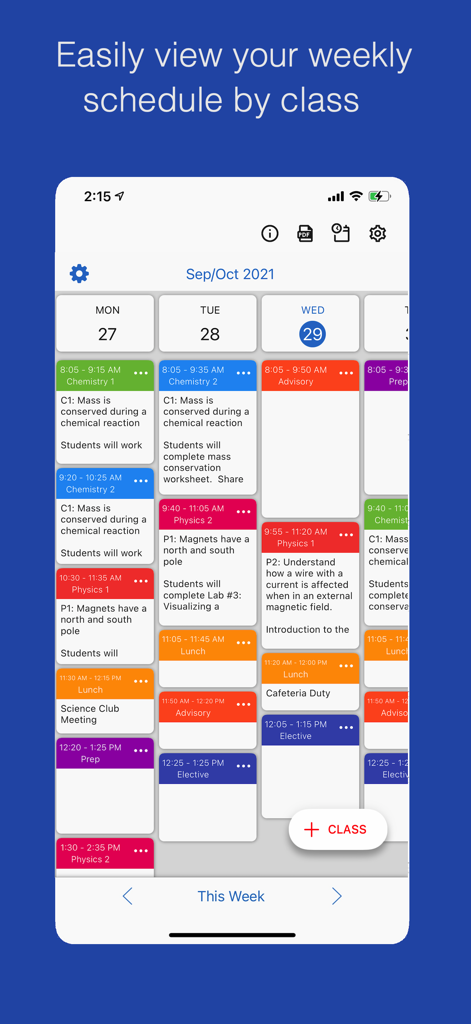
Class Planner (cloud) - 색깔로 구분된 수업 블록과 수업 메모가 표시된 주간 교사 일정을 보여주는 모바일 인터페이스.
색깔로 구분된 수업 블록과 수업 메모가 표시된 주간 교사 일정을 보여주는 모바일 인터페이스.

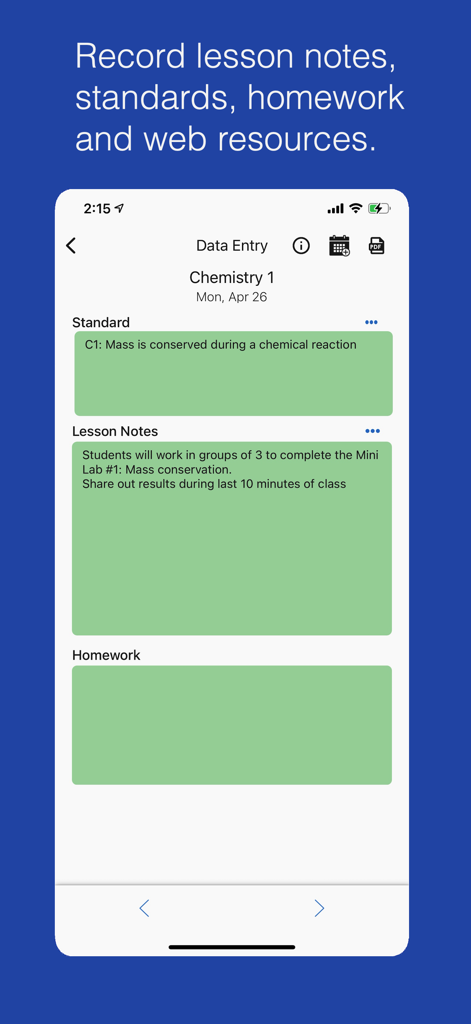
Class Planner (cloud) - 화학 수업의 수업 메모와 교육 과정을 보여주는 Class Planner 앱의 모바일 인터페이스
화학 수업의 수업 메모와 교육 과정을 보여주는 Class Planner 앱의 모바일 인터페이스

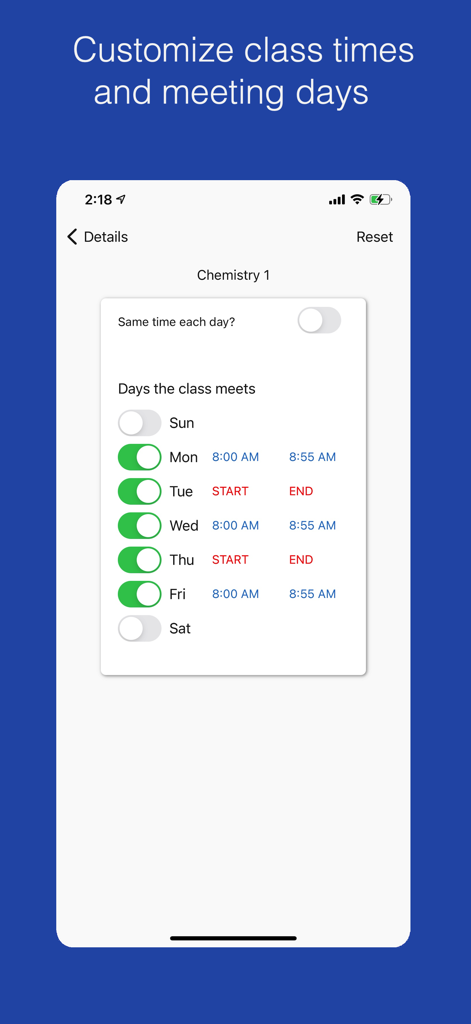
Class Planner (cloud) - Class Planner 앱에서 화학 수업의 회의 요일 및 시간 설정을 위한 인터페이스
Class Planner 앱에서 화학 수업의 회의 요일 및 시간 설정을 위한 인터페이스

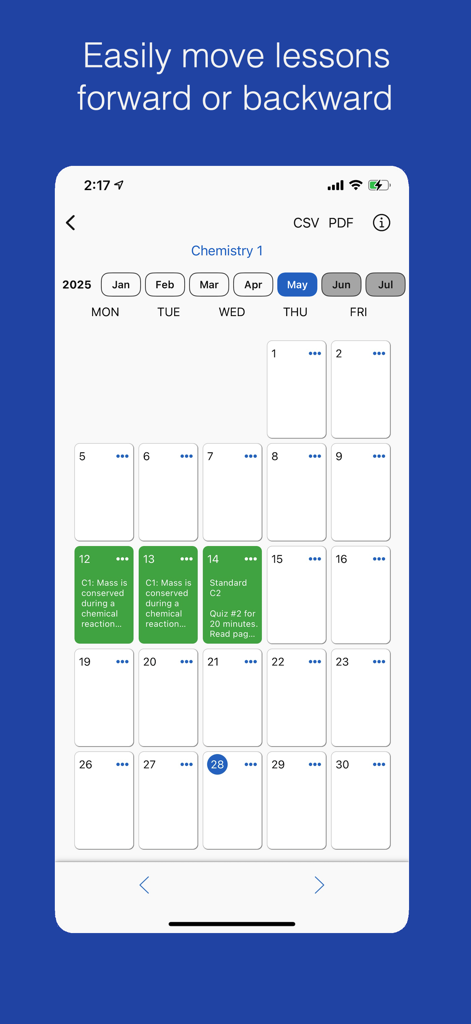
Class Planner (cloud) - Class Planner 앱 달력 인터페이스에 화학 수업의 수업 계획과 수업 이동 기능이 표시됨
Class Planner 앱 달력 인터페이스에 화학 수업의 수업 계획과 수업 이동 기능이 표시됨

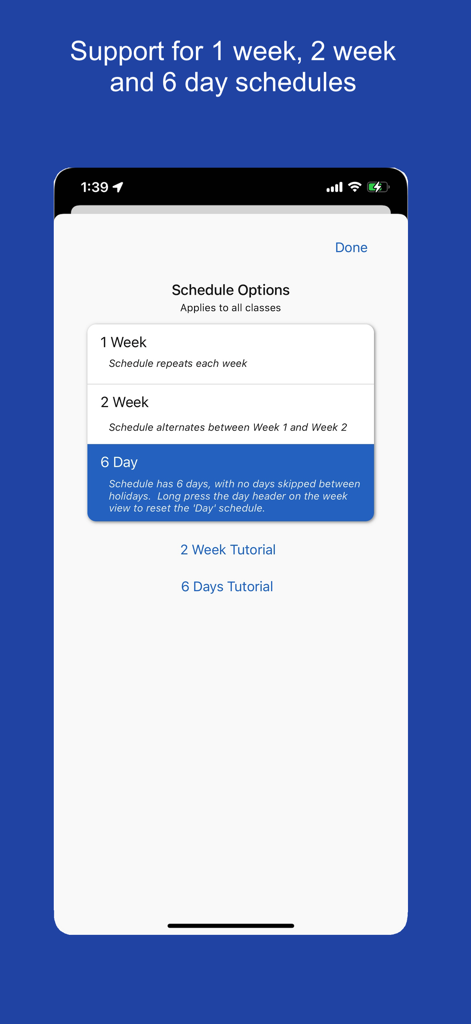
Class Planner (cloud) - 1주, 2주, 6일 옵션을 포함한 수업 일정 주기 선택을 위한 인터페이스
1주, 2주, 6일 옵션을 포함한 수업 일정 주기 선택을 위한 인터페이스

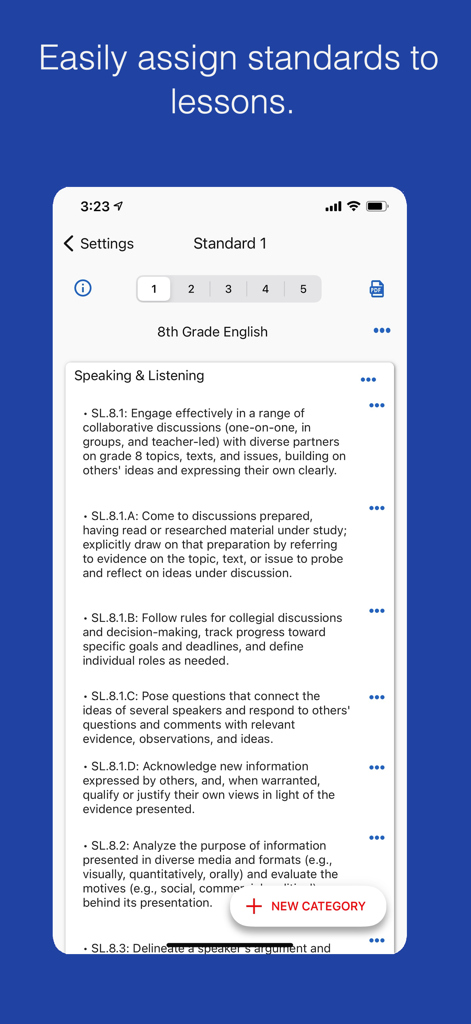
Class Planner (cloud) - 8학년 영어 수업 계획을 위한 교육 과정 표준을 표시하는 Class Planner 클라우드 앱의 인터페이스

8학년 영어 수업 계획을 위한 교육 과정 표준을 표시하는 Class Planner 클라우드 앱의 인터페이스

설명

Class Planner (cloud) is a new release of the Class Planner app. This version stores data in the cloud instead of on device, so the app data is accessible from multiple devices such as a phone, an iPad and a MacBook computer. Your data automatically syncs from all your devices. Class Planner allows teachers to easily keep a record of their lesson plans which include the standards, lesson notes, homework and an online web resources. Features • Support a 1 week, 2 weeks or 6 day schedule. • Easily import standards and link to a lesson • View lessons for the day, the week, or by a class • Easily move lessons forward or backwards • Generate a PDF of the lesson for administrators or personal records • Sync homework with Google Classroom announcements. • Add a home screen widget to show today's class schedule Try the app for free for 2 classes. Activate an autorenewable subscription to support up to 20 classes or up to 30 classes. Autorenewable Subscription Details To access additional features the user needs to subscribe to an auto renewable subscription. This means the subscription automatically renews 24 hours before the end of the subscription date. Auto renewable subscriptions can be managed from the user iTunes account, and a link is provided in the subscription screen while in the app. All future updates are included with the auto renewable monthly subscription fee. The subscription may be cancelled for any future months, and the user will still have access to the data, only the additional features will be disabled. Feel free to email the developer at support@inpocketsolutions.com to give feedback. I love to make improvements based on user suggestions and anything to help teachers keep track of their lesson plans is appreciated. Privacy Policy: https://inpocketsolutions.com/privacy-policy Terms of Use: https://inpocketsolutions.com/terms

Download

다운로드: App Store

이 페이지는 앱이나 개발자의 공식 페이지가 아니며, 정보 제공 및 논평을 목적으로 작성된 독립 편집 간행물입니다. 명시적으로 달리 언급되지 않는 한, 해당 앱이나 개발자는 MWM, Apple, Google Play, 앱 퍼블리셔 또는 앱 개발자와 제휴, 보증, 후원, 승인 또는 공식적으로 연결되어 있지 않으며, 이 페이지의 어떤 내용도 해당 앱이 MWM의 서비스를 사용하여 개발되었음을 의미하지 않습니다. 모든 상표, 로고, 스크린샷 및 기타 콘텐츠는 해당 소유자의 자산입니다.








