classroom.cloud Student
다운로드: App Store

이 페이지는 앱이나 개발자의 공식 페이지가 아니며, 정보 제공 및 논평을 목적으로 작성된 독립 편집 간행물입니다. 명시적으로 달리 언급되지 않는 한, 해당 앱이나 개발자는 MWM, Apple, Google Play, 앱 퍼블리셔 또는 앱 개발자와 제휴, 보증, 후원, 승인 또는 공식적으로 연결되어 있지 않으며, 이 페이지의 어떤 내용도 해당 앱이 MWM의 서비스를 사용하여 개발되었음을 의미하지 않습니다. 모든 상표, 로고, 스크린샷 및 기타 콘텐츠는 해당 소유자의 자산입니다.

로고: classroom.cloud Student
다운로드: App Store

classroom.cloud Student

교사가 학급 행동을 관리하고, 온라인 활동을 모니터링하며, 모든 학교 iPad에서 학생의 복지를 보호할 수 있는 간편한 클라우드 기반 플랫폼입니다.

주요 수치

다운로드

400

사용자 평점

1.5/5

총 평가 수

0

개발사

NetSupport Ltd

카테고리

Education

지원 언어

24

최신 버전

2.10.0000

크기

26.8 MB

출시일

2021년 12월 1일
기능

수업 강화 및 학생 안전 보장

K-12 환경을 위해 설계된 완전한 클라우드 기반 플랫폼으로, 수업 참여도를 높이고 IT 관리를 간소화하며 학생들의 온라인 안전을 보호합니다.

학생 참여 유도

실시간 화면 모니터링, 즉각적인 웹사이트 실행, 이해도를 파악하기 위한 대화형 수업 설문 조사를 통해 학생들이 과제에 집중하도록 유지하세요.

고급 안전 조치

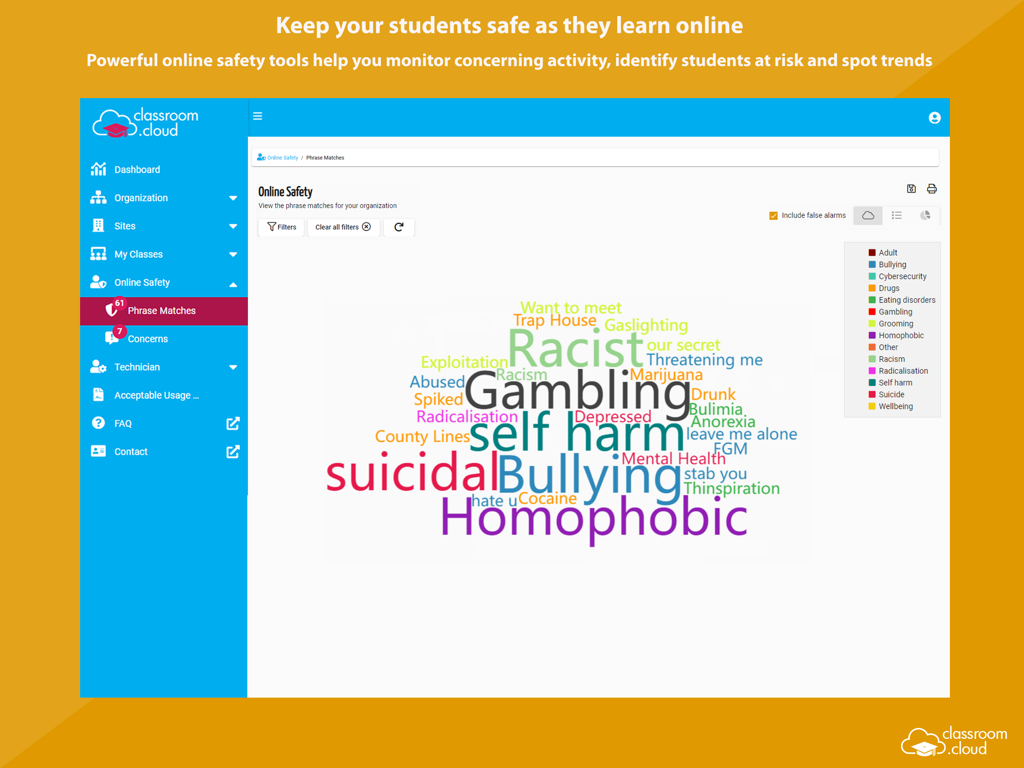
괴롭힘이나 자해에 대한 키워드 경고와 학생이 우려 사항을 보고할 수 있는 신중한 도구로 디지털 환경을 보호하세요.

다음 스크린샷과 설명은 앱의 공식 스토어 목록에서 직접 가져온 것이며 앱 개발자의 자산입니다.

앱 스토어

스크린샷
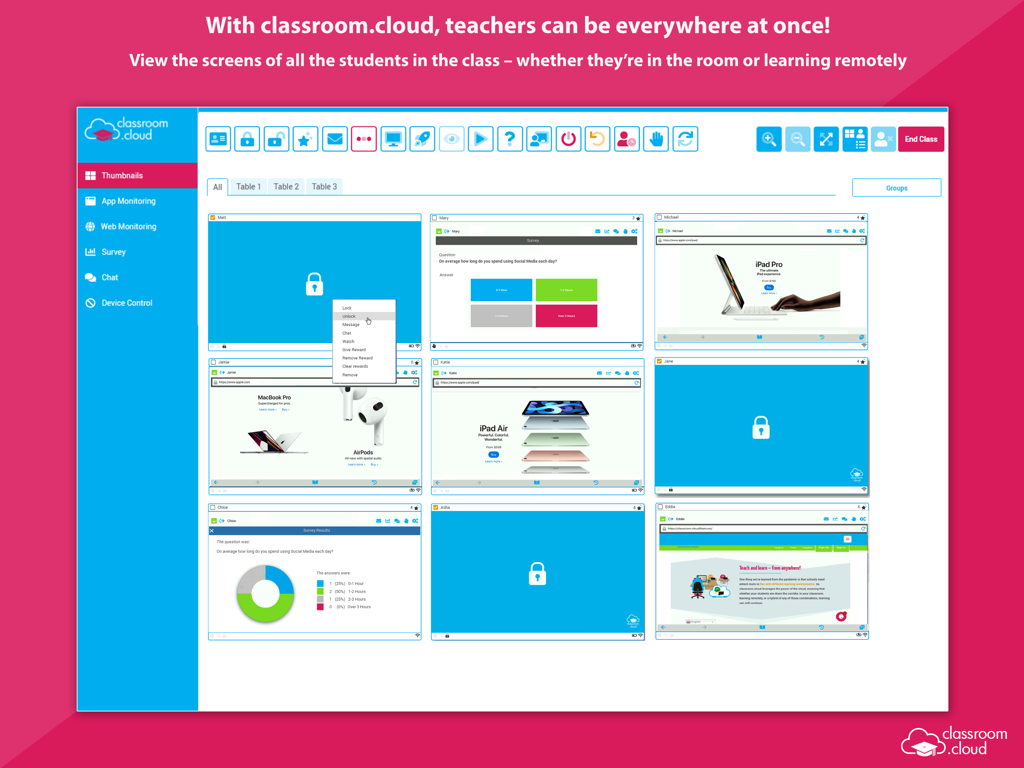
classroom.cloud Student - 실시간 학생 iPad 화면 썸네일을 보여주는 교실 관리 대시보드.

실시간 학생 iPad 화면 썸네일을 보여주는 교실 관리 대시보드.

classroom.cloud Student - 모니터링된 키워드의 단어 구름이 특징인 classroom cloud 학생 안전 대시보드
모니터링된 키워드의 단어 구름이 특징인 classroom cloud 학생 안전 대시보드

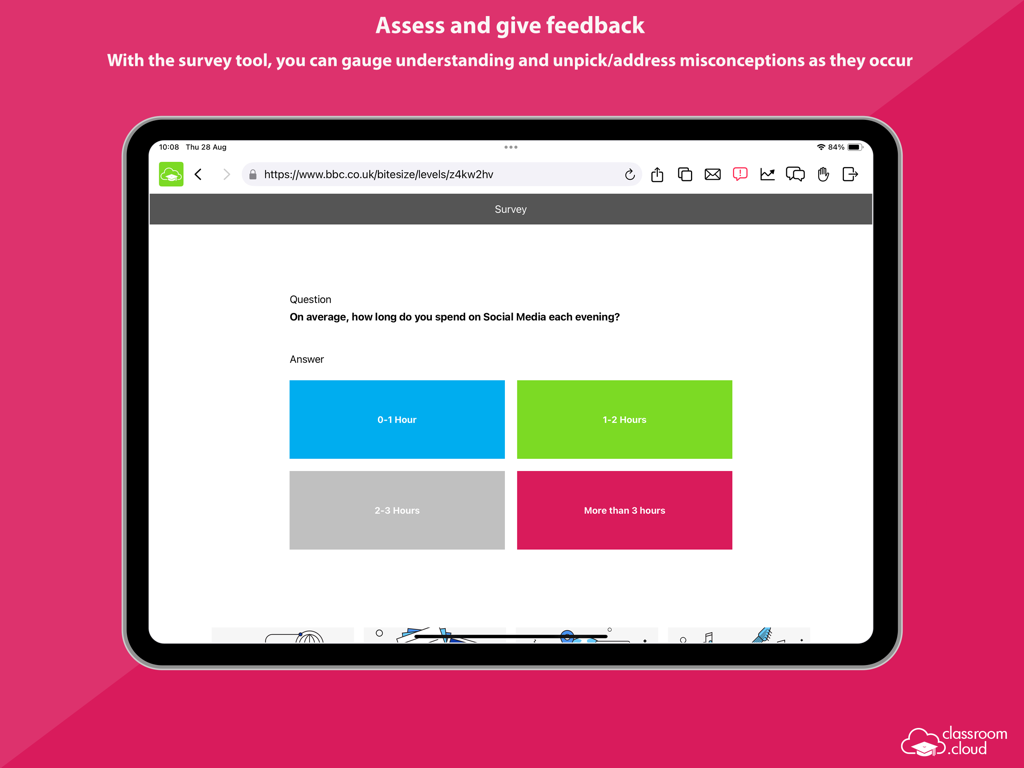
classroom.cloud Student - iPad에서 classroom.cloud 학생 앱의 설문 조사 도구 스크린샷
iPad에서 classroom.cloud 학생 앱의 설문 조사 도구 스크린샷

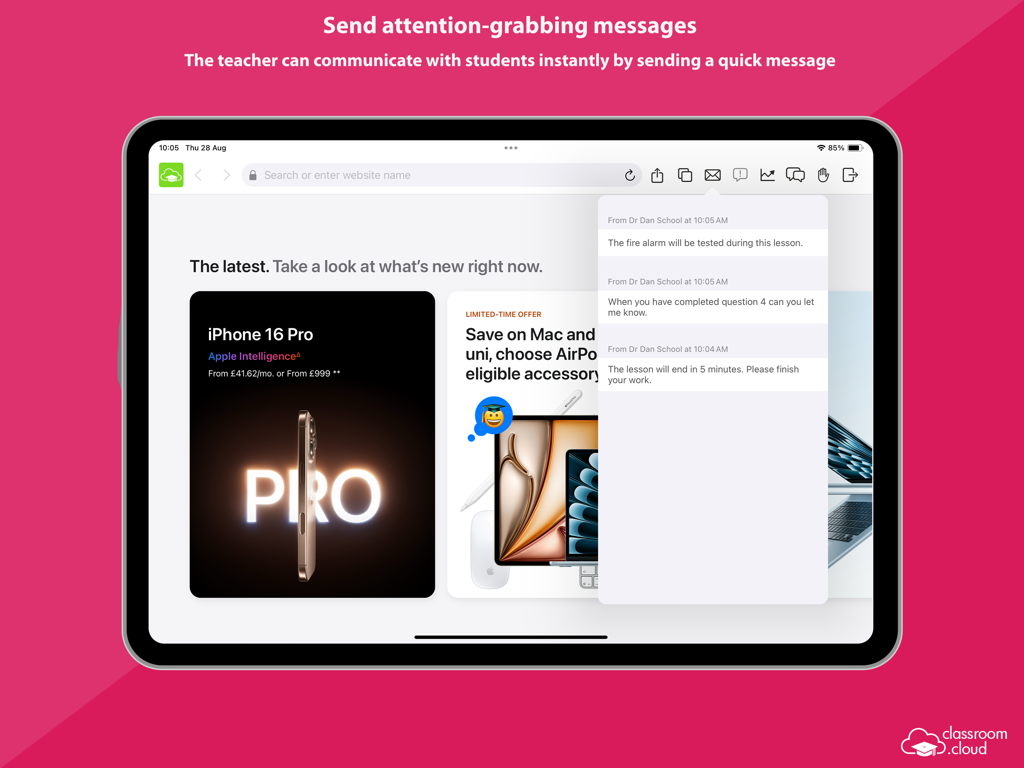
classroom.cloud Student - iPad에 표시되는 classroom cloud 학생 앱과 즉각적인 교사 메시지 및 알림
iPad에 표시되는 classroom cloud 학생 앱과 즉각적인 교사 메시지 및 알림

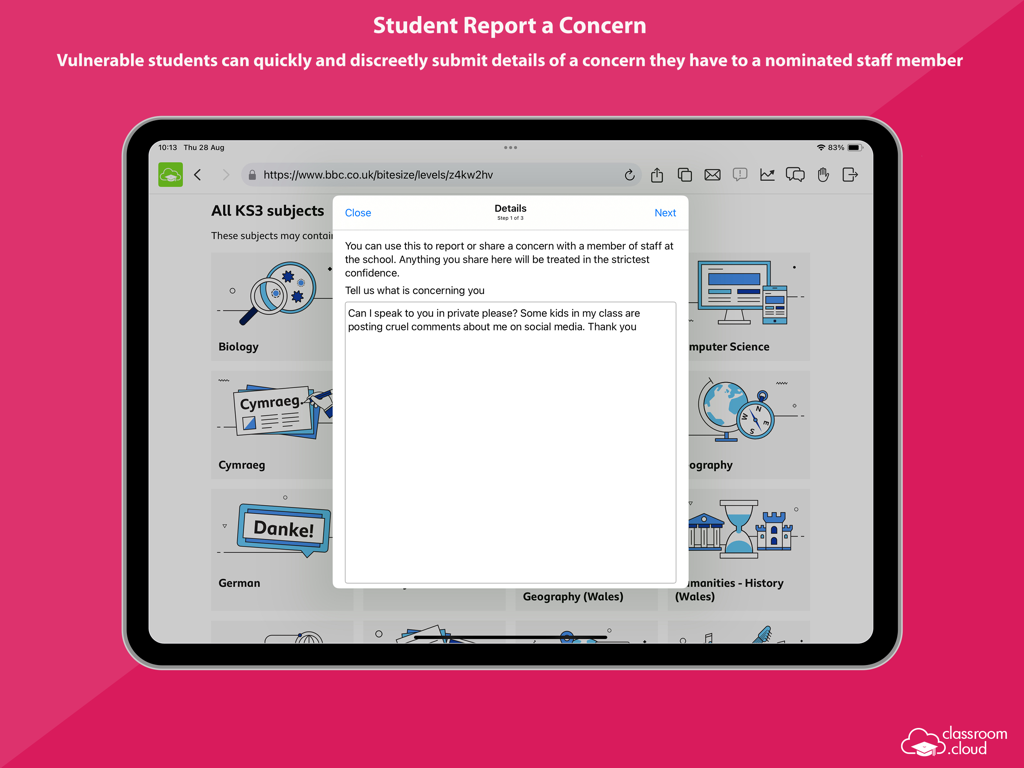
classroom.cloud Student - 학생이 iPad의 classroom.cloud 앱을 사용하여 학교 직원에게 우려 사항을 신중하게 보고하고 있습니다.
학생이 iPad의 classroom.cloud 앱을 사용하여 학교 직원에게 우려 사항을 신중하게 보고하고 있습니다.

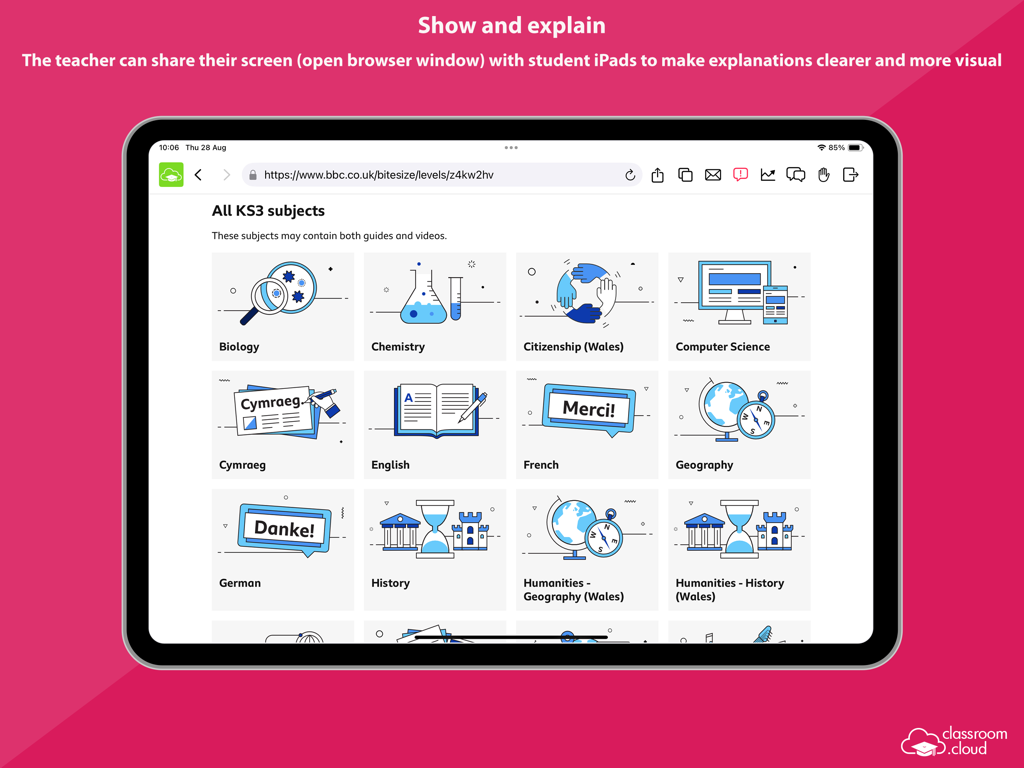
classroom.cloud Student - 교사가 수업 설명을 위해 학생 iPad와 교육 웹사이트 화면을 공유하고 있습니다.
교사가 수업 설명을 위해 학생 iPad와 교육 웹사이트 화면을 공유하고 있습니다.

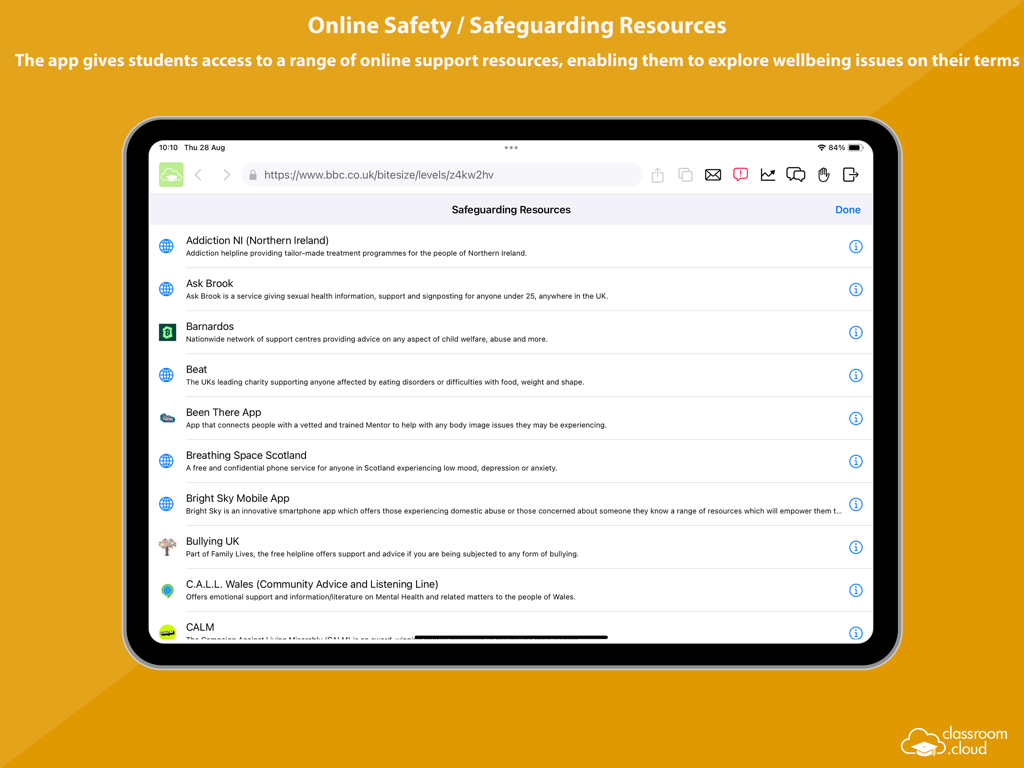
classroom.cloud Student - iPad의 classroom cloud 앱에 있는 학생들을 위한 온라인 안전 및 보호 리소스 목록.
iPad의 classroom cloud 앱에 있는 학생들을 위한 온라인 안전 및 보호 리소스 목록.

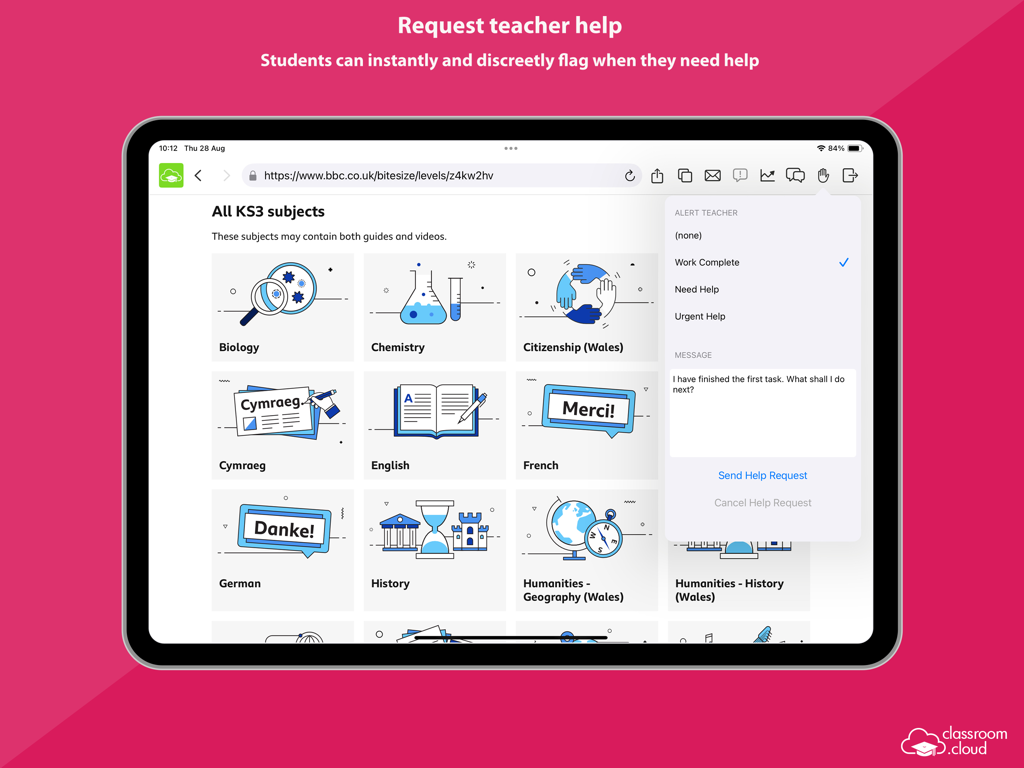
classroom.cloud Student - 교육 콘텐츠를 탐색하는 동안 교사에게 신중하게 도움 요청을 보내는 학생을 보여주는 iPad 인터페이스의 classroom.cloud 학생 앱.
교육 콘텐츠를 탐색하는 동안 교사에게 신중하게 도움 요청을 보내는 학생을 보여주는 iPad 인터페이스의 classroom.cloud 학생 앱.

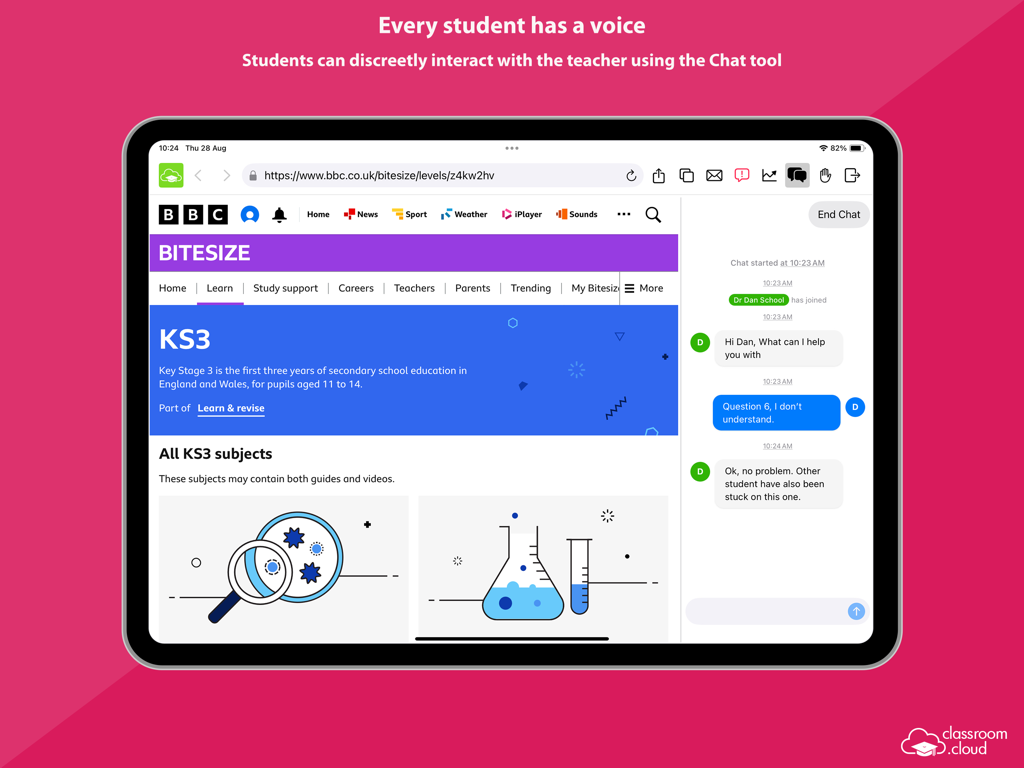
classroom.cloud Student - 수업 중에 교사에게 신중하게 도움을 요청하기 위해 iPad에서 classroom.cloud 채팅 도구를 사용하는 학생.
수업 중에 교사에게 신중하게 도움을 요청하기 위해 iPad에서 classroom.cloud 채팅 도구를 사용하는 학생.

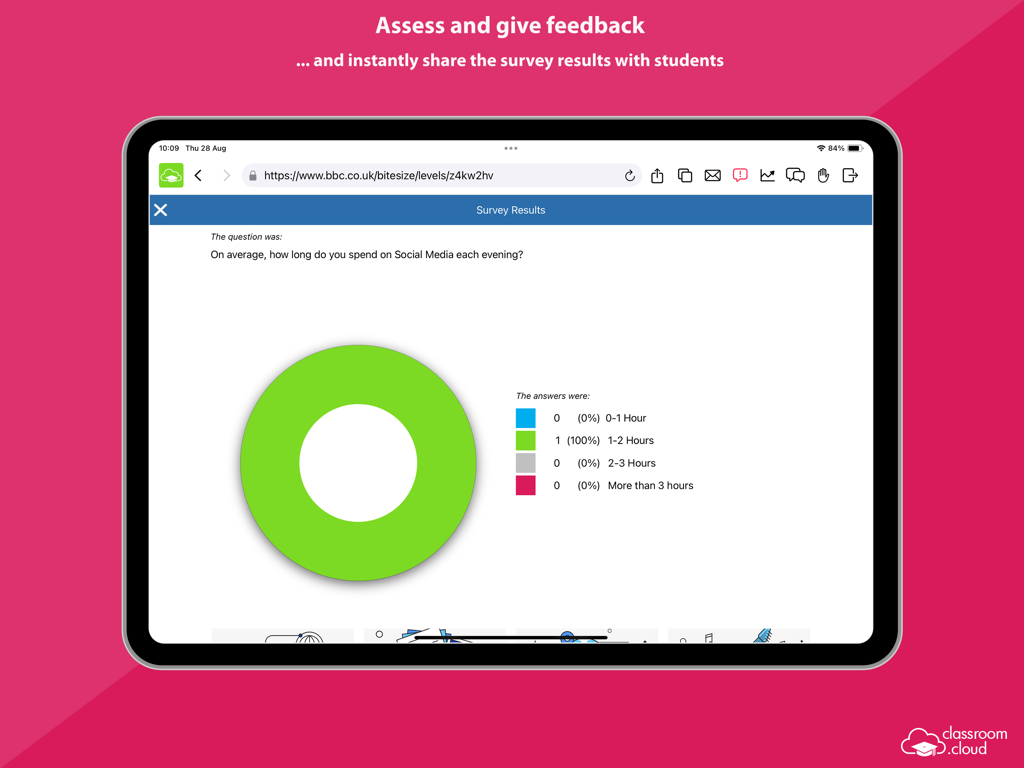
classroom.cloud Student - iPad용 classroom.cloud 앱의 학생 설문 조사 결과가 표시된 도넛 차트.

iPad용 classroom.cloud 앱의 학생 설문 조사 결과가 표시된 도넛 차트.

설명

Designed for use within schools and other educational institutions, this Student browser app for iOS is for use with classroom.cloud, the easy breezy, low-cost, cloud-based IT management, online safety and teaching platform for schools. classroom.cloud is a teacher’s dream come true. Incredibly easy to use, it provides a range of teaching tools that can flex to any learning environment – both in school and with remote learners. From real-time instruction and assessment tools, to boosting collaboration and support, as well as helping manage online behavior – it has it all! With the optional online safety toolkit, selected staff can monitor online activity, identify students at risk, and spot concerning trends. And, with its range of IT management tools, school techs can manage teacher and student devices centrally, as well as see at a glance how your technology is being used and how to maximize it – saving you a bunch of time and money! Once your school has registered online with classroom.cloud, the app can be easily deployed by the IT team to student iPads (iOS 14 and above), enabling teachers to connect instantly and securely to the devices from the cloud-based Teacher console and allowing school techs to deliver instant remote support and device management. The classroom.cloud student app can be set as the default browser on devices and offers support for Entra ID and Google authentication, allowing you to force students to sign-in to the app with Microsoft or Google credentials if applicable. Teacher Tools: • Choice of flexible connection methods – connect to a pre-defined group of student devices, a specified list of device or student names, or on the fly using a Class Code. • Easily monitor students’ internet use via crystal-clear thumbnails. Zoom in using Watch/View Mode to take a closer look at activity on a single student device. • Broadcast the teacher’s screen and audio to connected student devices to help show/talk them through explanations and lesson activities. • Lock students’ screens in a single click to gain attention. • Present students with the lesson objectives and their expected learning outcomes. • Chat, send a message, and support your students via help requests – without their peers knowing. • Get a feel for students’ understanding of the topic you have just taught them by sending out a quick survey for them to respond to. • See details of the websites that students are currently viewing to check they are focused on the task at hand. • Restrict internet use by employing ‘approved’ and ‘restricted’ website lists during the lesson. • Save yourself a heap of time by launching a website on the students’ devices. • Recognize good work or behaviour by assigning Rewards to students during the lesson. Admin/Technician Tools: • Retrieve a real-time view of the hardware and software installed on each student device. • Monitor internet usage. • Send instant notifications to student iPads. • Send Acceptable Use Policies (AUPs) to student iPads and track acknowledgements in the Web Portal. Online Safety Tools: • Keyword monitoring - alerts nominated staff when students type or search for any terms that match with those in the classroom.cloud keyword database – providing internet safety indicators for self-harm, bullying, sexual and criminal exploitation, and much more. Language packs are included to ensure your school can monitor concerning activity in students’ first languages. • Report a concern - students who feel vulnerable can use the app to 'report concerns' directly and discreetly to the online safety team. • Online resources - gives students instant access to a list of relevant online agencies should they want to seek external help with a particular problem or concern. The innovation behind classroom.cloud comes from NetSupport, the trusted developer of effective classroom management tools for schools for more than 35 years.

Download

다운로드: App Store

이 페이지는 앱이나 개발자의 공식 페이지가 아니며, 정보 제공 및 논평을 목적으로 작성된 독립 편집 간행물입니다. 명시적으로 달리 언급되지 않는 한, 해당 앱이나 개발자는 MWM, Apple, Google Play, 앱 퍼블리셔 또는 앱 개발자와 제휴, 보증, 후원, 승인 또는 공식적으로 연결되어 있지 않으며, 이 페이지의 어떤 내용도 해당 앱이 MWM의 서비스를 사용하여 개발되었음을 의미하지 않습니다. 모든 상표, 로고, 스크린샷 및 기타 콘텐츠는 해당 소유자의 자산입니다.