Clip2Comic: Toon Photo Editor
다운로드: App Store

이 페이지는 앱이나 개발자의 공식 페이지가 아니며, 정보 제공 및 논평을 목적으로 작성된 독립 편집 간행물입니다. 명시적으로 달리 언급되지 않는 한, 해당 앱이나 개발자는 MWM, Apple, Google Play, 앱 퍼블리셔 또는 앱 개발자와 제휴, 보증, 후원, 승인 또는 공식적으로 연결되어 있지 않으며, 이 페이지의 어떤 내용도 해당 앱이 MWM의 서비스를 사용하여 개발되었음을 의미하지 않습니다. 모든 상표, 로고, 스크린샷 및 기타 콘텐츠는 해당 소유자의 자산입니다.


로고: Clip2Comic: Toon Photo Editor
다운로드: App Store

Clip2Comic: Toon Photo Editor

이 앱은 당신의 평범한 사진에 초능력을 불어넣습니다. 한 번의 탭으로 현실을 조롱하고, 만화책 페이지에서 튀어나온 듯한 이미지를 만듭니다.

주요 수치

다운로드

5M+

사용자 평점

4.8/5

총 평가 수

121.4K

개발사

Digital Masterpieces GmbH

카테고리

Photo & Video

지원 언어

11

최신 버전

8.0.1

크기

555.1 MB

출시일

2014년 7월 31일
기능

창의적인 이미지 및 비디오 변환을 위한 주요 기능 평가

Clip2Comic: Toon Photo Editor 앱 분석

사진 및 비디오 카툰/만화/캐리커처 변환

이 앱은 사용자의 사진과 비디오를 독특한 카툰, 만화 또는 캐리커처 스타일로 변환하여 창의적인 표현을 가능하게 합니다.

기기 내 처리 및 100% 개인 정보 보호

모든 이미지 처리가 기기 내에서 이루어져 사용자 데이터의 100% 개인 정보 보호를 보장하며, 인터넷 연결 없이도 즉각적인 결과를 제공합니다.

다양한 카툰, 만화 및 스케치 스타일

앱은 선별된 만화, 포스터, 스케치 및 고전적인 카툰 효과 컬렉션을 제공하여 사용자가 원하는 예술적 분위기를 연출할 수 있도록 돕습니다.

다음 스크린샷과 설명은 앱의 공식 스토어 목록에서 직접 가져온 것이며 앱 개발자의 자산입니다.

앱 스토어

스크린샷
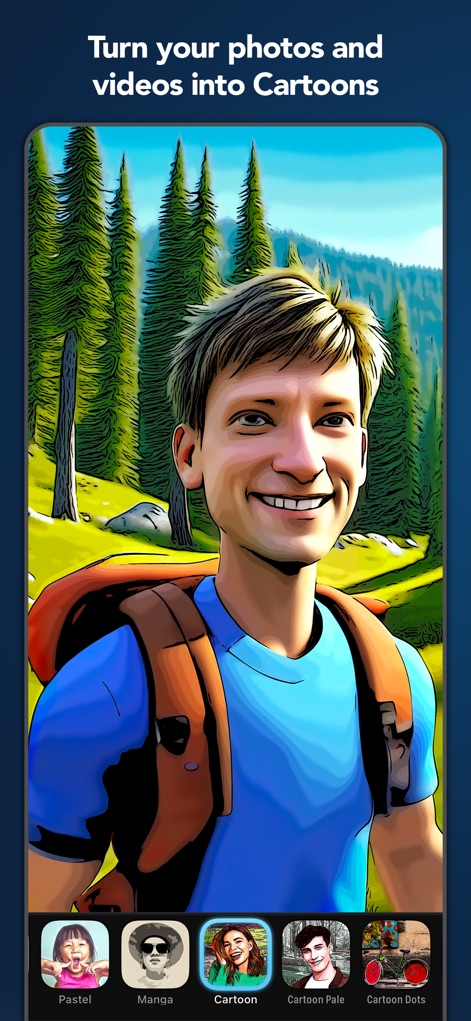
Clip2Comic: Toon Photo Editor - 이 앱은 사진을 생동감 넘치는 만화 스타일로 즉시 변환하며, 하단 스타일 선택 바에서 'Cartoon' 또는 'Manga'와 같은 다양한 효과를 선택할 수 있습니다.

이 앱은 사진을 생동감 넘치는 만화 스타일로 즉시 변환하며, 하단 스타일 선택 바에서 'Cartoon' 또는 'Manga'와 같은 다양한 효과를 선택할 수 있습니다.

사진을 만화로
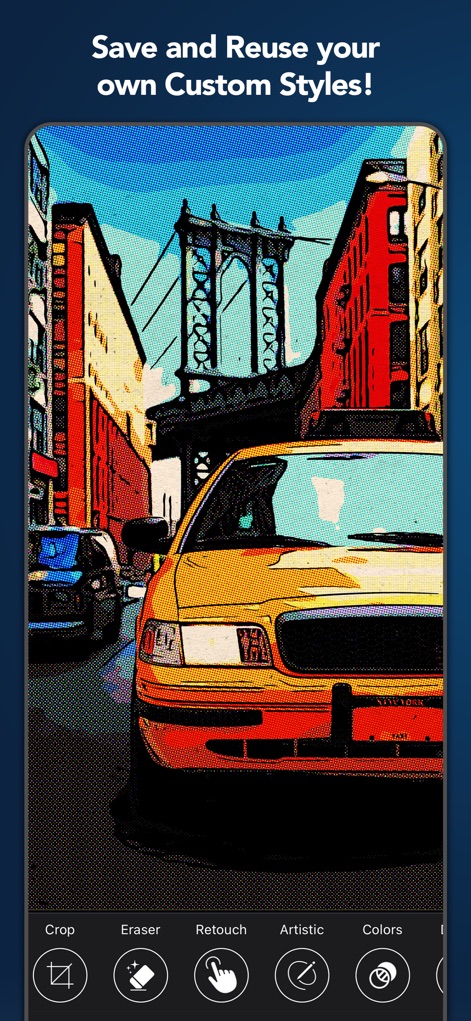
Clip2Comic: Toon Photo Editor - 사용자는 뉴욕 도심의 풍경처럼 어떤 사진이든 독특한 코믹 효과로 저장할 수 있으며, 자르기 및 지우개 도구를 사용하여 세부적인 조정을 할 수 있습니다.

사용자는 뉴욕 도심의 풍경처럼 어떤 사진이든 독특한 코믹 효과로 저장할 수 있으며, 자르기 및 지우개 도구를 사용하여 세부적인 조정을 할 수 있습니다.

나만의 스타일 저장
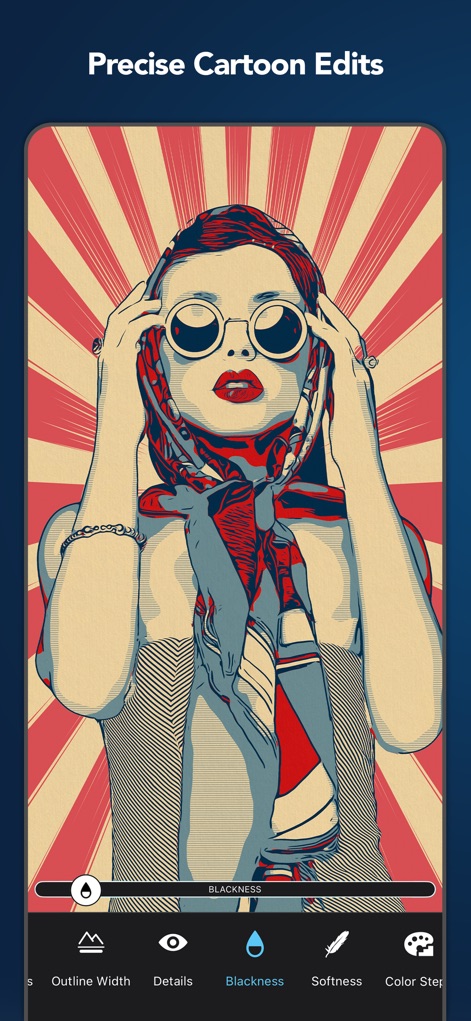
Clip2Comic: Toon Photo Editor - 이미지를 세밀하게 조절하여 완벽한 만화 효과를 만들 수 있으며, 'Blackness' 슬라이더를 통해 명암을 조절하거나 'Outline Width'로 윤곽선 두께를 변경할 수 있습니다.

이미지를 세밀하게 조절하여 완벽한 만화 효과를 만들 수 있으며, 'Blackness' 슬라이더를 통해 명암을 조절하거나 'Outline Width'로 윤곽선 두께를 변경할 수 있습니다.

정밀한 카툰 편집
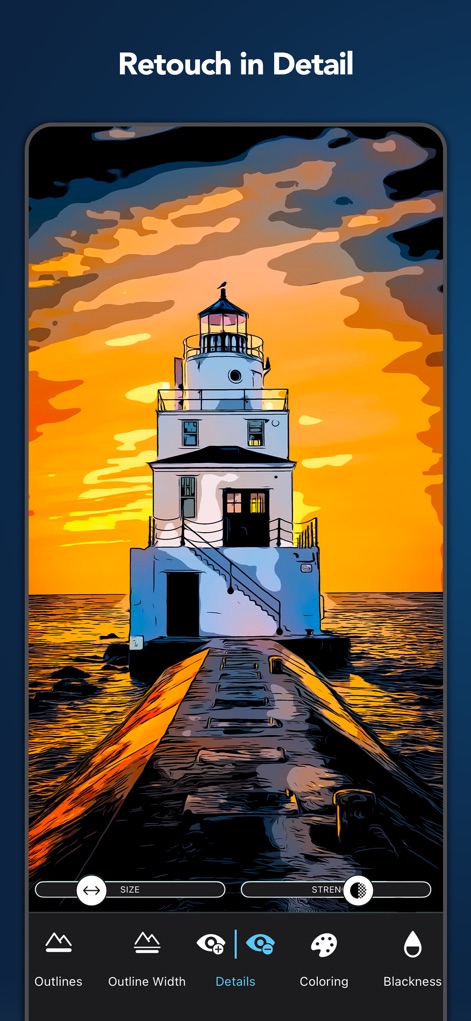
Clip2Comic: Toon Photo Editor - 등대 이미지처럼 복잡한 장면에서도 'Details' 조정 기능을 통해 세부 묘사를 강화하고, 'Coloring' 옵션으로 색상을 정밀하게 조절할 수 있습니다.

등대 이미지처럼 복잡한 장면에서도 'Details' 조정 기능을 통해 세부 묘사를 강화하고, 'Coloring' 옵션으로 색상을 정밀하게 조절할 수 있습니다.

디테일 리터칭
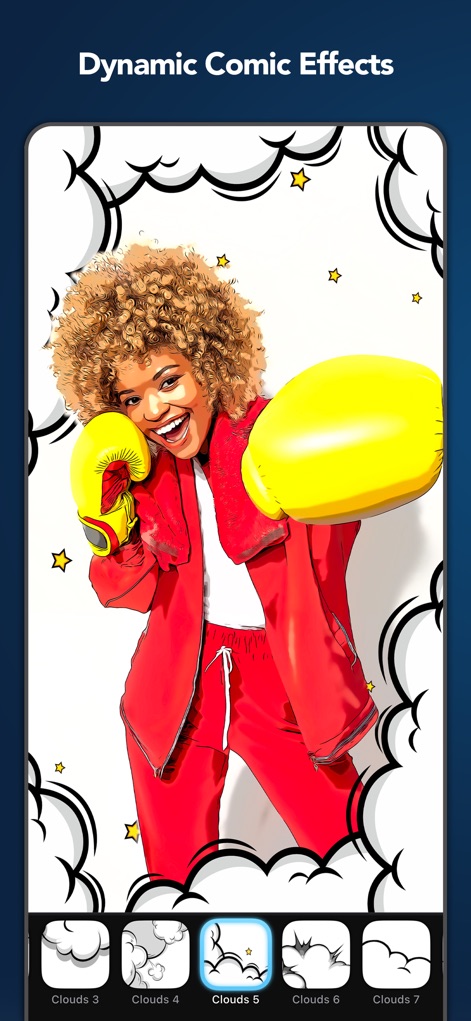
Clip2Comic: Toon Photo Editor - 복싱 장갑을 낀 여성 이미지처럼 사진에 극적인 요소를 더할 수 있으며, 'Clouds'와 같은 30개 이상의 장식 스티커를 활용하여 역동적인 만화 연출이 가능합니다.

복싱 장갑을 낀 여성 이미지처럼 사진에 극적인 요소를 더할 수 있으며, 'Clouds'와 같은 30개 이상의 장식 스티커를 활용하여 역동적인 만화 연출이 가능합니다.

역동적인 코믹 효과
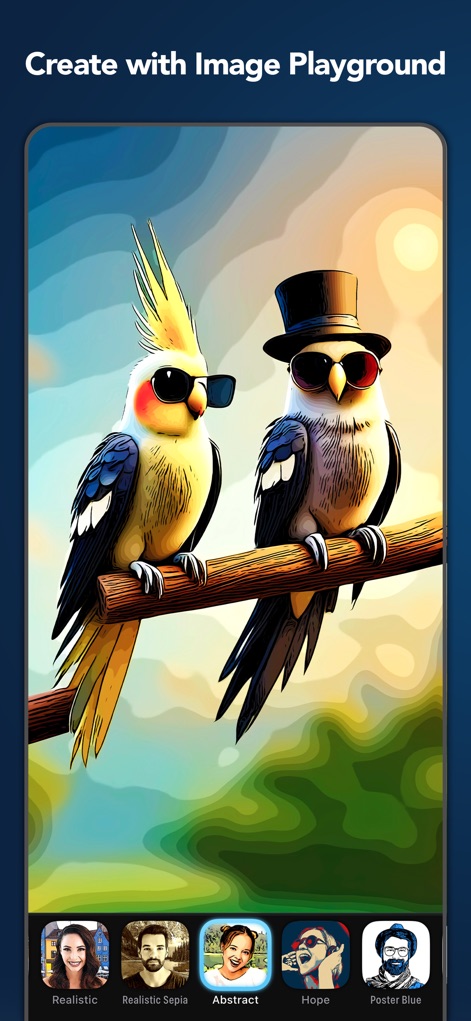
Clip2Comic: Toon Photo Editor - 이 도구는 앵무새 이미지처럼 일반적인 사진을 'Abstract' 또는 'Hope'와 같은 다양한 예술적 스타일로 즉시 변환하여 창의력을 발휘하게 합니다.

이 도구는 앵무새 이미지처럼 일반적인 사진을 'Abstract' 또는 'Hope'와 같은 다양한 예술적 스타일로 즉시 변환하여 창의력을 발휘하게 합니다.

창의적인 이미지 놀이터
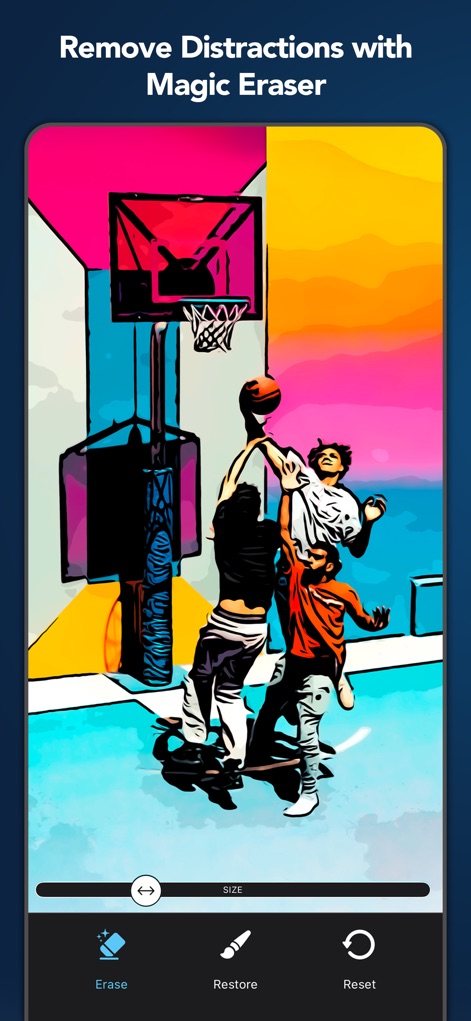
Clip2Comic: Toon Photo Editor - 농구 경기 장면에서 'Erase' 도구를 사용하여 배경의 불필요한 요소를 손쉽게 제거하고, 'Restore' 기능을 통해 원본으로 되돌릴 수 있습니다.

농구 경기 장면에서 'Erase' 도구를 사용하여 배경의 불필요한 요소를 손쉽게 제거하고, 'Restore' 기능을 통해 원본으로 되돌릴 수 있습니다.

마법 지우개로 제거
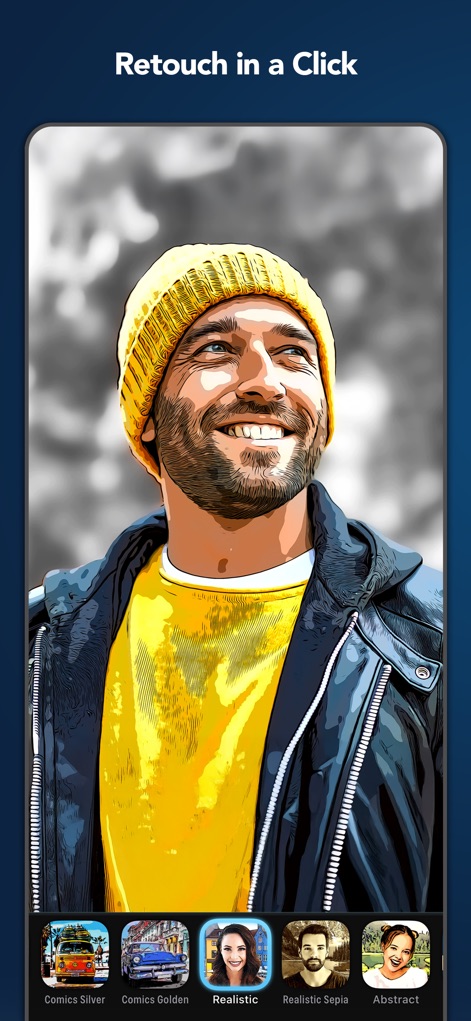
Clip2Comic: Toon Photo Editor - 사용자는 웃는 남자의 사진에 'Realistic' 또는 'Comics Golden'과 같은 다양한 필터를 한 번의 탭으로 적용하여 인상적인 변환을 경험할 수 있습니다.

사용자는 웃는 남자의 사진에 'Realistic' 또는 'Comics Golden'과 같은 다양한 필터를 한 번의 탭으로 적용하여 인상적인 변환을 경험할 수 있습니다.

한 번의 클릭으로 리터칭
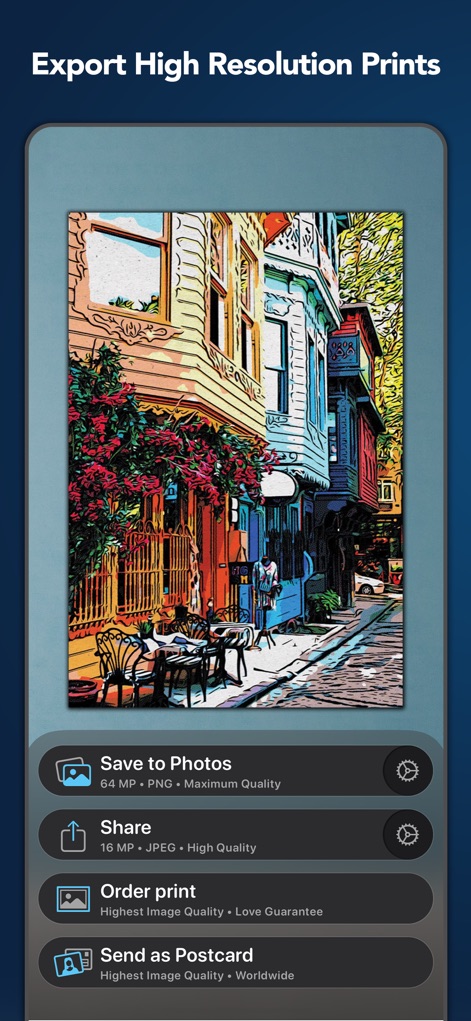
Clip2Comic: Toon Photo Editor - 완성된 거리 풍경 이미지를 최대 64MP 고해상도로 저장하거나 공유할 수 있으며, 'Order print' 또는 'Send as Postcard' 옵션을 통해 실제 인쇄물로 받아볼 수 있습니다.

완성된 거리 풍경 이미지를 최대 64MP 고해상도로 저장하거나 공유할 수 있으며, 'Order print' 또는 'Send as Postcard' 옵션을 통해 실제 인쇄물로 받아볼 수 있습니다.

고해상도 인쇄 및 공유
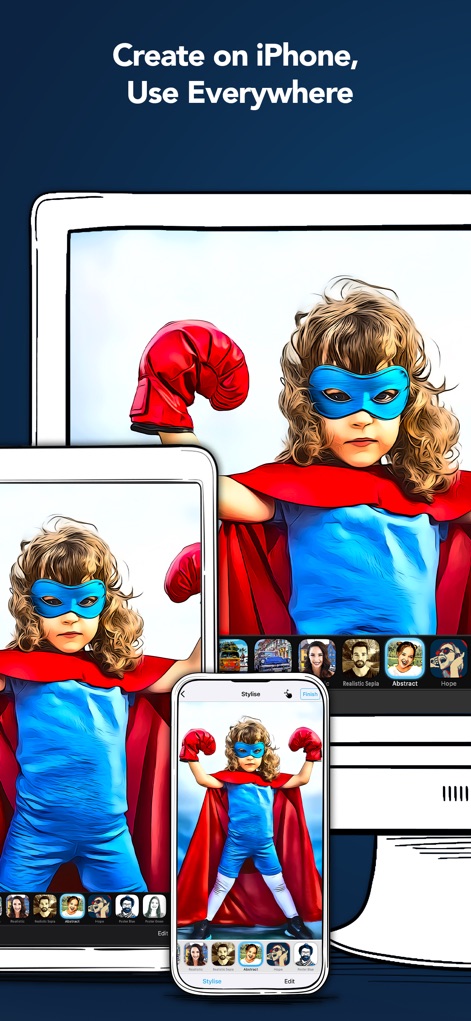
Clip2Comic: Toon Photo Editor - 슈퍼히어로 복장의 아이 이미지처럼 만든 작품은 iPhone, iPad, Mac 등 모든 Apple 기기에서 원활하게 동기화되어, 어디서든 편집하고 사용할 수 있습니다.

슈퍼히어로 복장의 아이 이미지처럼 만든 작품은 iPhone, iPad, Mac 등 모든 Apple 기기에서 원활하게 동기화되어, 어디서든 편집하고 사용할 수 있습니다.

모든 기기에서 동기화

설명

Turn your photos and videos into cartoons, comics, and caricatures — fun, high-quality art that makes everyone smile. Clip2Comic transforms your images into playful cartoon and comic creations — right on your iPhone, iPad, or Mac. Turn family photos into comic book art, transform travel snapshots and cityscapes into illustrated scenes, or create coloring pages for kids. From portraits to landscapes, Clip2Comic delivers professional results that stand out. Your images stay 100% private. Everything is processed directly on your device for instant results and complete peace of mind. No internet required. ◆ Photos and Videos — Both Transformed Create cartoon videos in stunning 4K resolution and 60 FPS — perfect for music videos, instructional content, or social posts that grab attention. For photos, export up to 64 megapixels — ideal for prints, posters, or sharing in crystal-clear detail. ◆ Comic, Cartoon & Sketch Styles Choose from a curated collection of comic, poster, sketch, and classic cartoon effects — each crafted to deliver professional-quality results. From bold pop-art looks to detailed manga-style effects, find your perfect style. Personalize and save your own Custom Styles, synced across all your devices. ◆ Frames & Decorations Complete the comic book look with professionally designed frames and dynamic decorations. Place your artwork in authentic comic panels — perfect for social media or storytelling. Add finishing touches with 30+ decorations, including comic dots, speed lines, and cartoon clouds. ◆ Precise Editing Tools Fine-tune every detail to create exactly the effect you envision. Adjust outlines, detail levels, and colors. Use retouch tools with your finger or Apple Pencil — even create coloring pages for kids. ◆ Projects — Your Creative Work, Always Saved Never lose a creative idea in progress. Save your edits as a project and return at any time — right where you left off. Explore variations, experiment, and share your projects with others. ◆ Caricature & Deformation Tools Channel your inner street artist. Stretch, reshape, and bloat parts of your image — creating playful caricatures and exaggerated expressions with ease. Turn a portrait into a funny face, or add comic flair to any photo. ◆ Print & Share Bring your cartoons into the real world: • Postcards via MyPostcard — worldwide delivery • Canvas prints and posters via CanvasPop • Share instantly on Instagram, TikTok, YouTube, Snapchat, and Facebook Download Clip2Comic for free and start turning your world into a cartoon. ◆ Key Features • Transform photos into cartoons, comics, and caricatures (up to 64 MP)* • Cartoon videos with up to 4K/60 FPS* • Curated comic, poster, sketch, and outline styles • Comic panel frames* • 30+ decorations — comic dots, speed lines, cartoon clouds* • Color filters* • Deformation tools for playful caricatures* • Fully adjustable effects—fine tune every detail* • Pixel-precise retouch tools* • Add your personal signature or logo* • Custom Styles synced across devices • Projects — save your work, explore variations and share with others • Real-time, on-device processing — no uploads, no waiting, no internet needed. 100% privacy assured • Integrated postcard and canvas printing services • No ads • Optimized for iOS 26, iPhone 17 & iPhone 17 Pro * Subscribe to unlock all features. ◆ Clip2Comic Premium To unlock Clip2Comic's full creative power, we offer weekly, monthly, and yearly auto-renewing subscriptions. Payment is charged to your credit card through your Apple account at confirmation of purchase. Subscription renews automatically unless you turn off auto-renewal in Apple account settings or cancel your subscription at least 24 hours prior to the end of the subscription period. ◆ Support Questions? We're here 24/7. Contact us at: support@digitalmasterpieces.com Terms of Use: https://www.digitalmasterpieces.com/app-terms-of-use/

Download

다운로드: App Store

이 페이지는 앱이나 개발자의 공식 페이지가 아니며, 정보 제공 및 논평을 목적으로 작성된 독립 편집 간행물입니다. 명시적으로 달리 언급되지 않는 한, 해당 앱이나 개발자는 MWM, Apple, Google Play, 앱 퍼블리셔 또는 앱 개발자와 제휴, 보증, 후원, 승인 또는 공식적으로 연결되어 있지 않으며, 이 페이지의 어떤 내용도 해당 앱이 MWM의 서비스를 사용하여 개발되었음을 의미하지 않습니다. 모든 상표, 로고, 스크린샷 및 기타 콘텐츠는 해당 소유자의 자산입니다.