Clipboard PRO: Paste Anywhere

Clipboard PRO: Paste Anywhere

다운로드: App Store
로고: Clipboard PRO: Paste Anywhere

Clipboard PRO: 어디든 붙여넣기 — Apple 생태계를 위한 궁극의 생산성 허브

마찰을 줄이고 워크플로우를 마스터하세요. 코드 스니펫, 디자인 에셋 및 필수 문서를 하나의 안전한 공간에 정리하고 iPhone, iPad 및 Mac 전체에서 즉시 동기화하세요.

다운로드: App Store

개발사

Beatcode Srl

카테고리

Utilities

다운로드

15K+

사용자 평점

3.4/5

총 평가 수

0

지원 언어

3

시각화된 워크플로우

이 인터페이스를 사용하는 15K+ 명의 사용자.

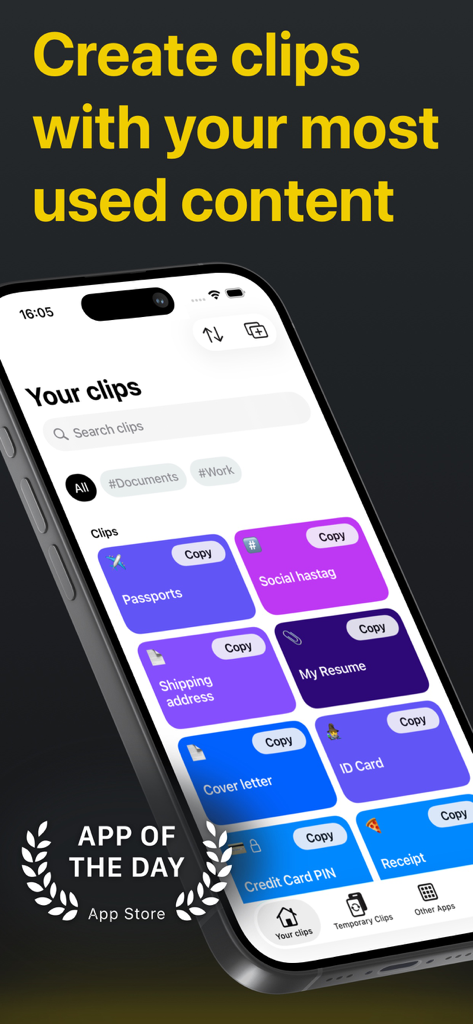
Clipboard PRO 앱 인터페이스, iPhone에서 문서 및 텍스트에 대한 정리된 클립 표시
Clipboard PRO 앱 인터페이스, iPhone에서 문서 및 텍스트에 대한 정리된 클립 표시

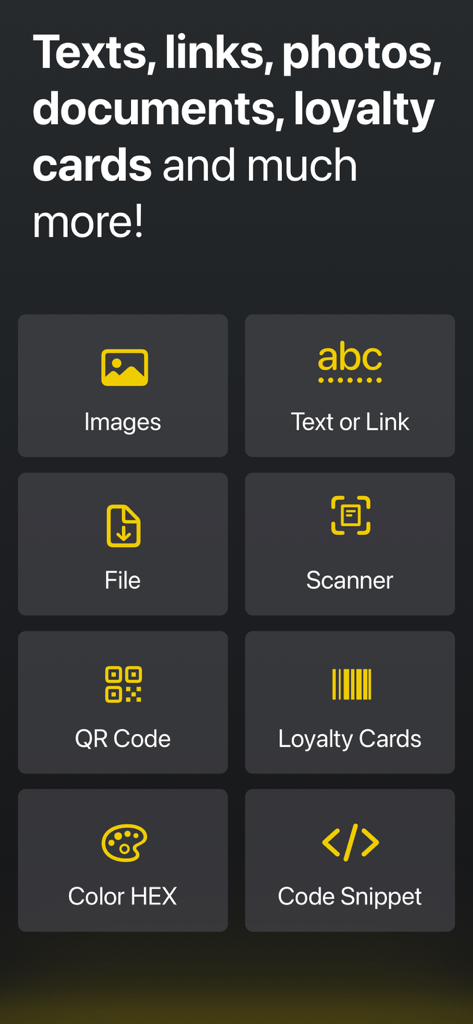
스캐너, QR 코드, 코드 스니펫 도구를 포함한 Clipboard PRO 앱의 생산성 기능 그리드
스캐너, QR 코드, 코드 스니펫 도구를 포함한 Clipboard PRO 앱의 생산성 기능 그리드

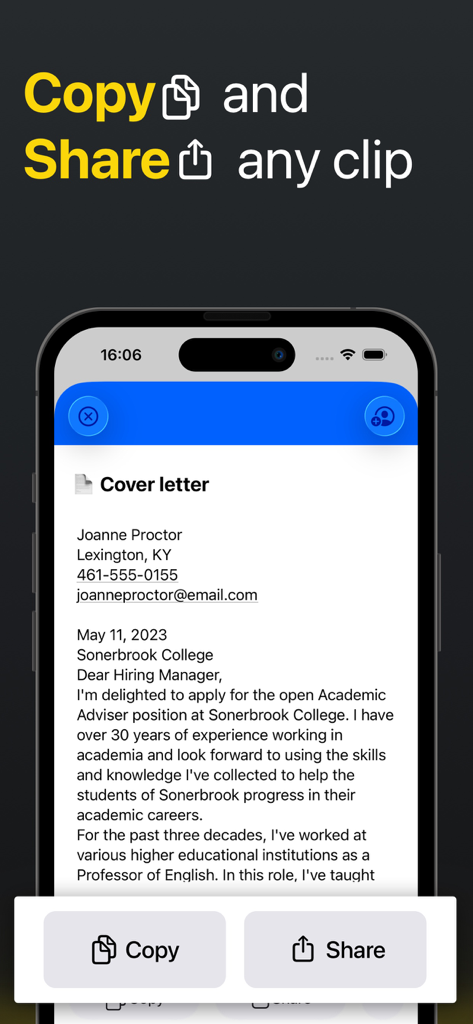
Clipboard PRO 앱에서 문서 클립의 복사 및 공유 버튼을 보여주는 스마트폰 화면
Clipboard PRO 앱에서 문서 클립의 복사 및 공유 버튼을 보여주는 스마트폰 화면

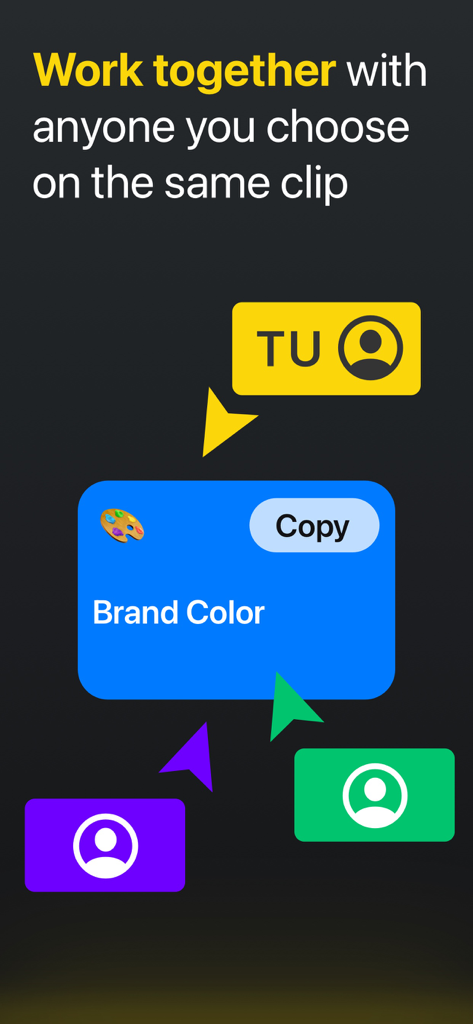
브랜드 색상 클립에 대한 여러 사용자가 협업하는 것을 보여주는 인터페이스
브랜드 색상 클립에 대한 여러 사용자가 협업하는 것을 보여주는 인터페이스

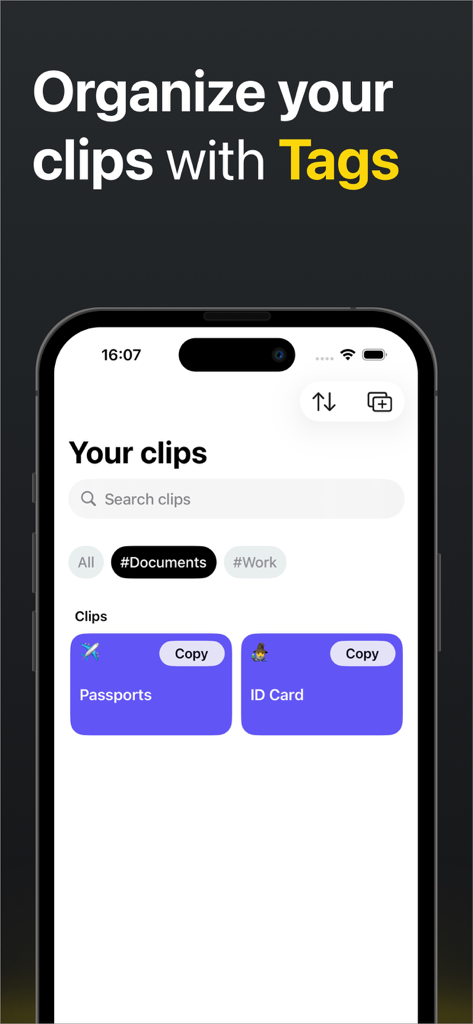
문서 및 작업 태그로 정리된 클립을 보여주는 Clipboard PRO 앱 인터페이스
문서 및 작업 태그로 정리된 클립을 보여주는 Clipboard PRO 앱 인터페이스

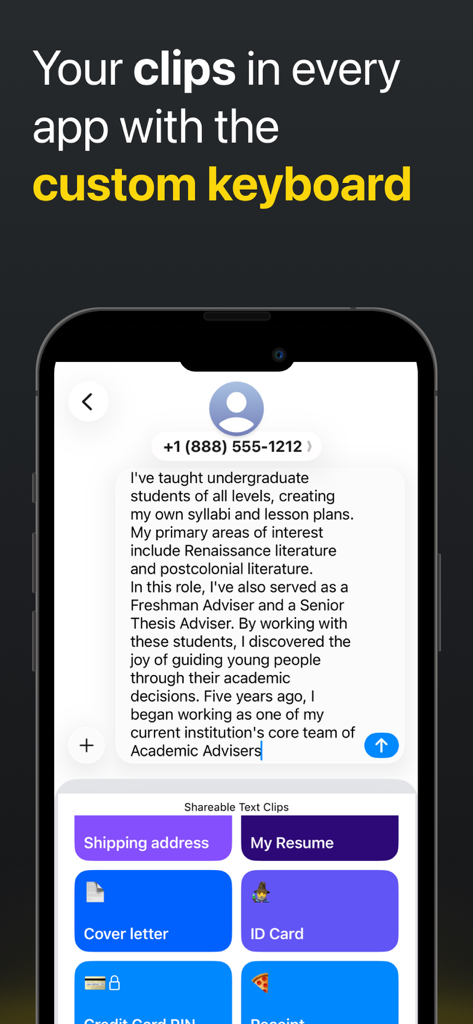
텍스트 메시지에 빠르게 붙여넣기 위해 저장된 클립이 있는 Clipboard PRO 맞춤 키보드를 보여주는 스마트폰
텍스트 메시지에 빠르게 붙여넣기 위해 저장된 클립이 있는 Clipboard PRO 맞춤 키보드를 보여주는 스마트폰

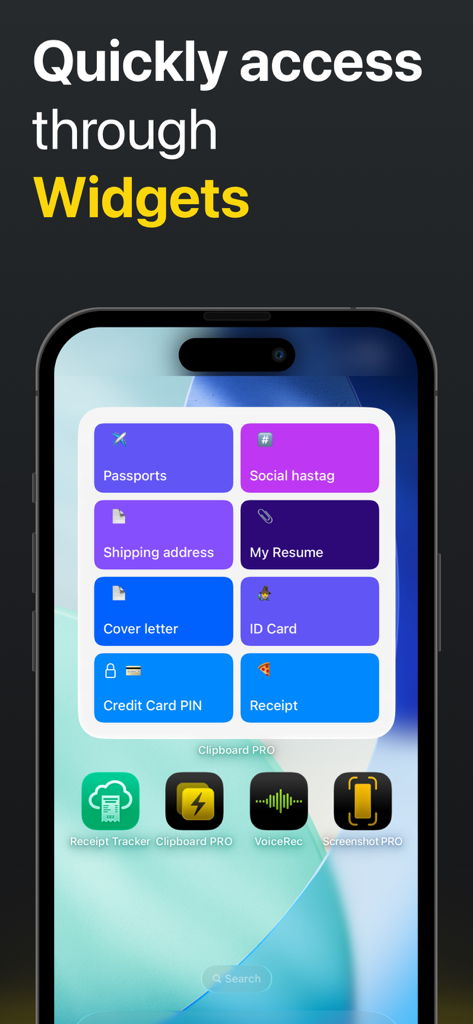
여권, 이력서 및 기타 클립에 대한 바로가기를 보여주는 Clipboard PRO iOS 위젯
여권, 이력서 및 기타 클립에 대한 바로가기를 보여주는 Clipboard PRO iOS 위젯

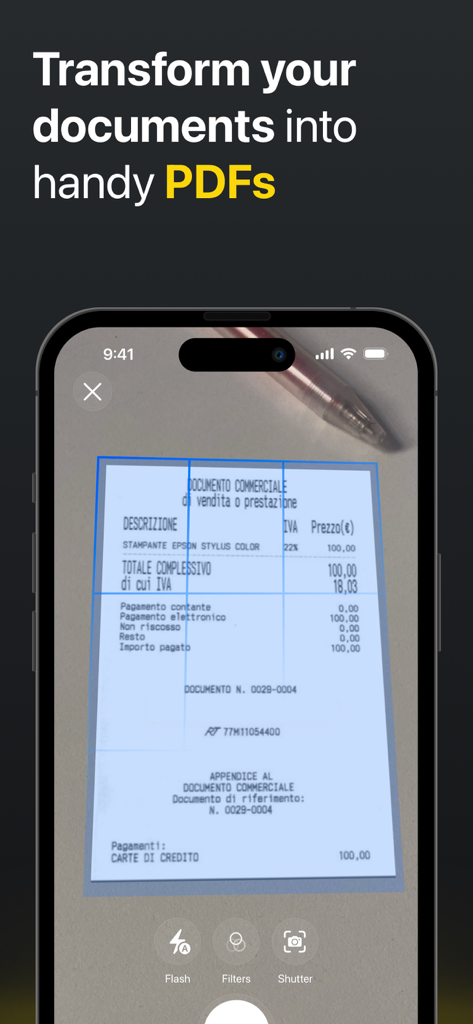
물리적 영수증에서 PDF를 생성하기 위한 Clipboard PRO의 문서 스캐너 기능 표시 iPhone 인터페이스
물리적 영수증에서 PDF를 생성하기 위한 Clipboard PRO의 문서 스캐너 기능 표시 iPhone 인터페이스

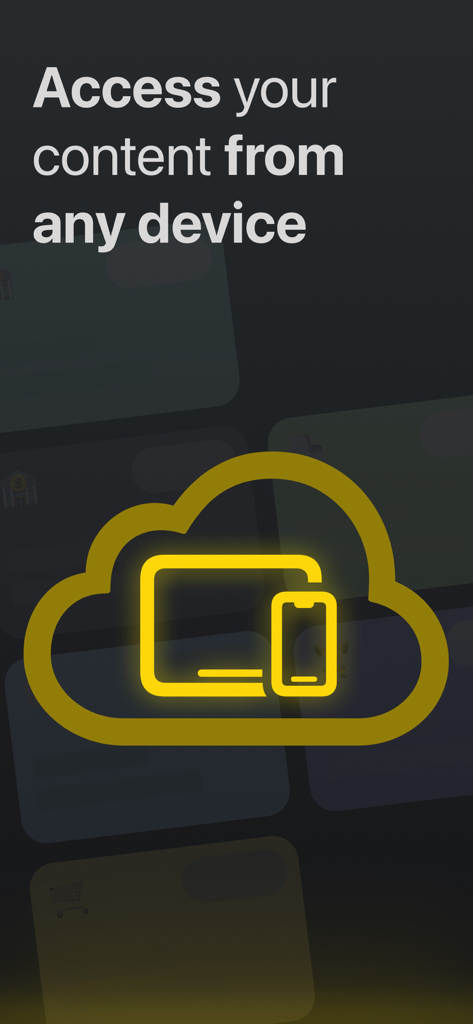
모든 기기에서 액세스할 수 있는 Clipboard PRO iCloud 동기화

모든 기기에서 액세스할 수 있는 Clipboard PRO iCloud 동기화

Face ID로 클립 보호라는 텍스트와 함께 Face ID 아이콘이 있는 황금색 자물쇠 그래픽.

Face ID로 클립 보호라는 텍스트와 함께 Face ID 아이콘이 있는 황금색 자물쇠 그래픽.

무한한 생산성

이 앱을 돋보이게 하는 도구, 15K+ 명의 사용자가 선택.

⌨️

원탭 맞춤 키보드

보기를 전환할 필요 없이 모든 앱에서 스니펫, 해시태그 및 응답 템플릿 라이브러리에 바로 액세스하세요.

☁️

원활한 iCloud 동기화

클립이 iPhone에서 Mac, iPad로 따라갑니다. 모바일 기기에서 복사하고 작업대에서 즉시 붙여넣으세요.

🎨

전문적인 특수 키트

최신 개발자 및 디자이너를 위해 특별히 설계된 스마트 미리 보기로 HEX 색상, 코드 블록 및 미디어 파일을 저장하세요.

앱 소개

에 대해 알아야 할 모든 것 Clipboard PRO: Paste Anywhere.

설명

THE SMARTEST WAY TO ACCESS YOUR MOST USED CONTENT Clipboard PRO is the perfect tool to organize, access, copy and share many different contents with a single tap, such as: personal documents, loyalty cards, addresses, links, notes, images, colors and much more. Clipboard PRO is particularly helpful for: • Developers: you can copy/paste scripts and organize any frequently used code snippet. • Designers: you will have logos, templates, palettes, portfolios and other graphic assets available. • Social Media Managers: you keep texts, links, hashtags, and images for publications at hand. • Copywriters: you can save texts, drafts and copy quickly with a tap. • Commercial agents: you can have ready documents, catalogs, presentations and all the communication tools with the customer and with the company. • Support and assistance: to share standard instructions and procedures in a flash. • Travelers and travel agencies: all documents, tickets, routes and plans are immediately accessible and in order. • Families: loyalty cards, documents and everything you need organized in one app. MAIN FEATURES: • Create clips with text, a link, an image or a file • Preview in-app photos and files of the clips • Instantly copy, open or share clips with one tap • Tags: Assign tags to your clips, so you can group and find them easily • Scanner: scan your documents in-app and create a clip • Loyalty card: scan the barcode and create a clip of your loyalty card • HEX Color: insert a HEX color code and generate a color clip • Code Block: paste any script and create a code clip to be reused • QR code: insert any text or link to generate a QR code • Keyboard: paste your text clips directly from the custom keyboard • Collaborate with iCloud: share clips with iCloud and edit them with other people (from iOS 15) • iCloud Sync: store your clips on iCloud and access them from every device (iPhone, iPad, Watch and Macbook) • Widgets: for faster access to all your clips add our widget to your screen • Protect your clips: protect your content with Face ID or Touch ID • "Add to Siri" button for even faster access to all your content We hope it is also useful to you and we await your feedback to constantly improve Clipboard PRO. If you have any suggestions or feedback, write to us at feedback@beatcode.it Privacy Policy: https://www.iubenda.com/privacy-policy/62035904 Terms and Conditions: https://www.beatcode.it/clipboard_pro/tos.html

최신 버전

1.29.1

크기

54.8 MB

출시일

2020년 11월 23일

검색을 멈추고 붙여넣으세요.

Apple 생산성 제품군의 누락된 조각이 탭 한 번이면 됩니다. 오늘 15,000명 이상의 파워 유저와 함께 iPhone, iPad 및 Mac 전반에 걸쳐 워크플로우를 간소화하세요.

다운로드: App Store

App information, icons, screenshots, and descriptions displayed on this page are sourced from the Apple App Store and are the property of their respective developers. Download estimates and rankings are based on MWM's proprietary models and may not reflect actual figures. This page is provided for informational and analytical purposes only.

Believe this page infringes your intellectual property? File a dispute