Clock Widget+
Clock Widget+
다운로드: App Store

이 페이지는 앱이나 개발자의 공식 페이지가 아니며, 정보 제공 및 논평을 목적으로 작성된 독립 편집 간행물입니다. 명시적으로 달리 언급되지 않는 한, 해당 앱이나 개발자는 MWM, Apple, Google Play, 앱 퍼블리셔 또는 앱 개발자와 제휴, 보증, 후원, 승인 또는 공식적으로 연결되어 있지 않으며, 이 페이지의 어떤 내용도 해당 앱이 MWM의 서비스를 사용하여 개발되었음을 의미하지 않습니다. 모든 상표, 로고, 스크린샷 및 기타 콘텐츠는 해당 소유자의 자산입니다.

로고: Clock Widget+
다운로드: App Store

Clock Widget+

당신의 분위기에 맞는 멋지고 커스텀 가능한 시계 및 캘린더 위젯을 만드세요. 미니멀한 디자인부터 생동감 넘치는 그라데이션까지, 몇 초 만에 당신의 아이폰을 개인화하세요.

주요 수치

다운로드

300

사용자 평점

4.9/5

총 평가 수

0

개발사

Duy Nguyen

카테고리

Lifestyle

지원 언어

20

최신 버전

2.1

크기

26.8 MB

출시일

2024년 9월 30일
기능

꿈꾸던 감성을 디자인하세요

개인 스타일과 필수 기능을 결합한 완벽하게 커스터마이징 가능한 위젯으로 당신의 아이폰을 변신시키세요.

무한한 스타일링 옵션

큐레이션된 폰트, 색상, 그라데이션 갤러리에서 선택하여 당신의 분위기에 완벽하게 맞는 위젯을 만드세요.

개인화된 배경화면

당신이 좋아하는 추억이나 무드보드 이미지를 멋진 시계 배경으로 만들어 화면을 집처럼 편안하게 느껴지게 하세요.

다음 스크린샷과 설명은 앱의 공식 스토어 목록에서 직접 가져온 것이며 앱 개발자의 자산입니다.

앱 스토어

스크린샷
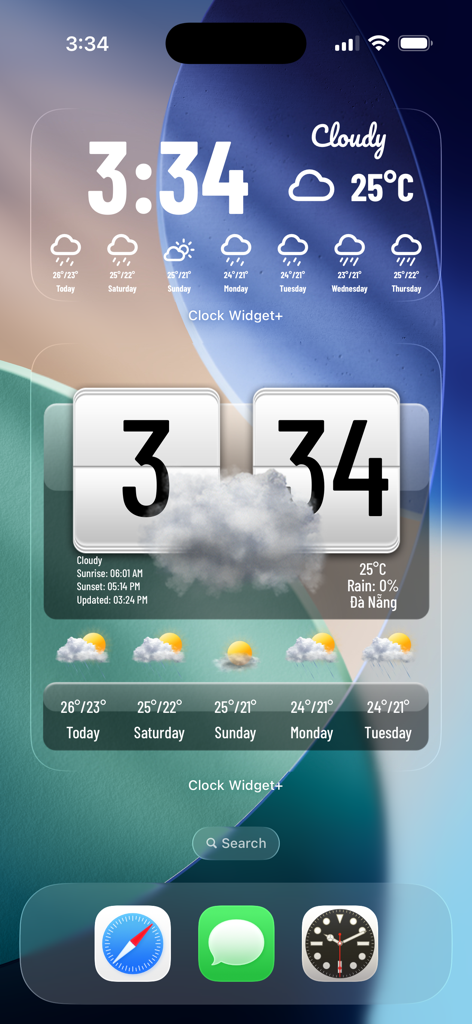
Clock Widget+ - Clock Widget Plus의 커스터마이징 가능한 시계 및 날씨 위젯이 아이폰 홈 화면에 표시됨
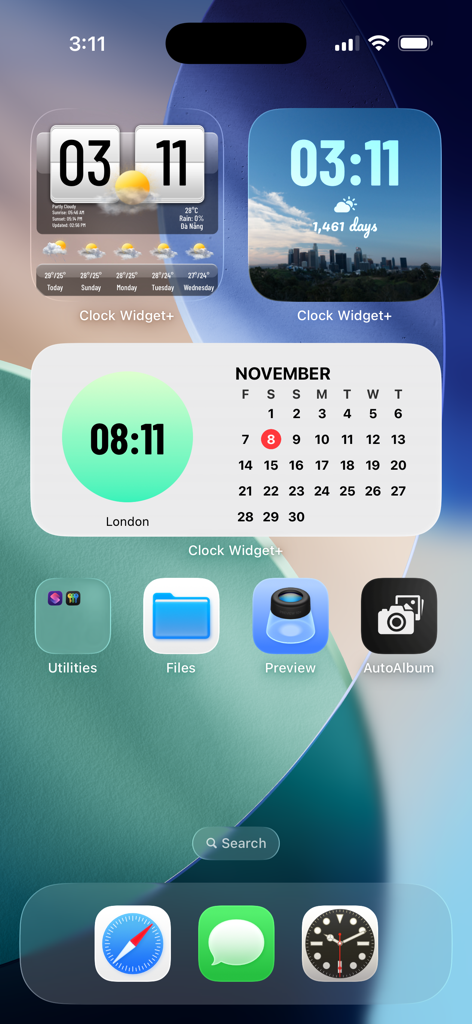
Clock Widget Plus의 커스터마이징 가능한 시계 및 날씨 위젯이 아이폰 홈 화면에 표시됨

Clock Widget+ - Clock Widget Plus를 사용하여 아이폰 홈 화면에 표시되는 커스터마이징 가능한 시계, 날씨 및 캘린더 위젯
Clock Widget Plus를 사용하여 아이폰 홈 화면에 표시되는 커스터마이징 가능한 시계, 날씨 및 캘린더 위젯

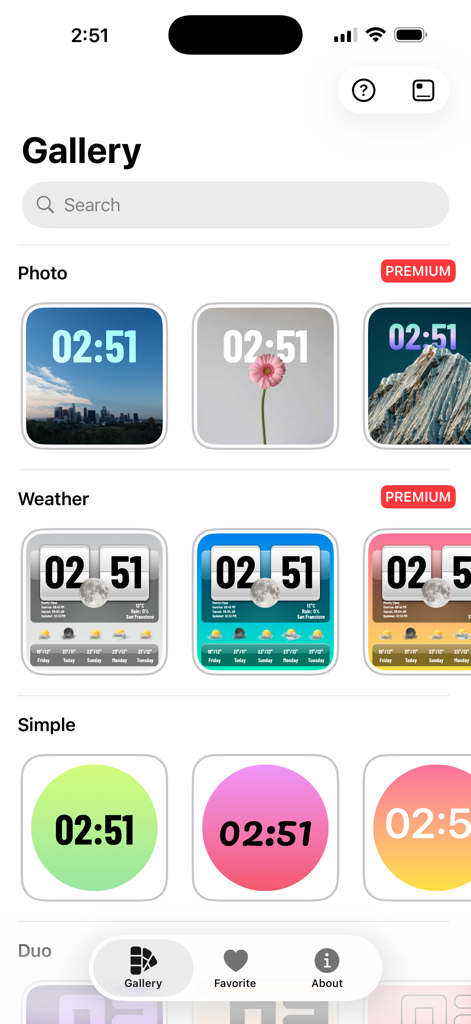
Clock Widget+ - iOS 홈 화면용 커스터마이징 가능한 사진, 날씨 및 단순 시계 위젯 갤러리
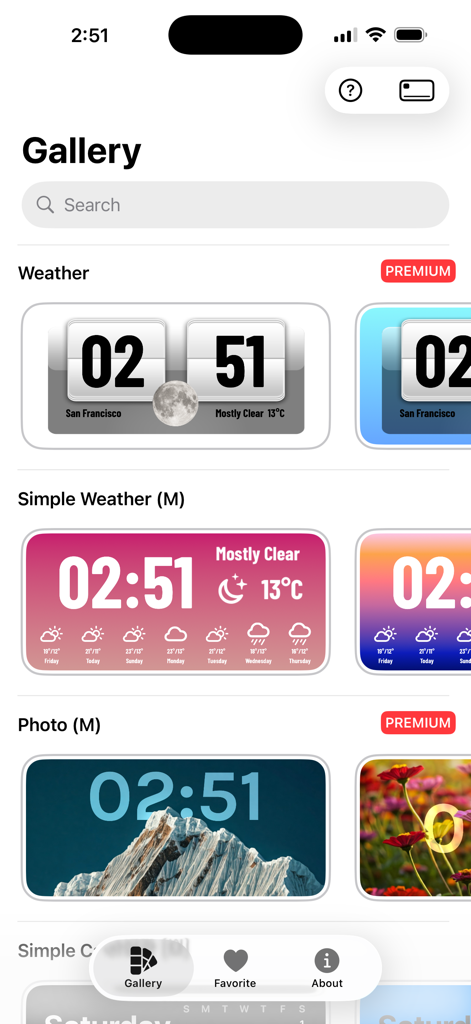
iOS 홈 화면용 커스터마이징 가능한 사진, 날씨 및 단순 시계 위젯 갤러리

Clock Widget+ - 다양한 감성 디지털 시계 및 날씨 위젯 디자인을 보여주는 Clock Widget Plus 앱 갤러리

다양한 감성 디지털 시계 및 날씨 위젯 디자인을 보여주는 Clock Widget Plus 앱 갤러리

설명

Transform your home screen with the ultimate Clock Widget Gallery app! Easily create stunning, customizable clock widgets in various colors and styles. From sleek, minimalist designs to vibrant, eye-catching themes, there’s a perfect widget for everyone. Personalize your home screen with multiple clock layouts, dynamic themes, and color palettes that fit your style. Simple to use, beautifully designed, and highly customizable—enhance your home screen in seconds! Download now and elevate your home screen look. - Create multiple Home Screen widgets effortlessly - Choose from portrait images, digital clocks, analog clocks, and calendars - Add complications for additional functionality - Customize widget colors and time positions - Select gradient or solid background styles - Update fonts to match your style - Personalize every detail for a unique look - Enhance your Home Screen with stunning, creative widgets - Change Clock Widget with timezones ================================= Payment Payments are not managed directly by **Clock Widget+** but through Apple App Store. If you would like a refund for the app PREMIUM version, it should be managed directly through the App Store process provided by Apple (https://support.apple.com/en-us/HT204084). If you purchase **Clock Widget+ Premium**, the payment will be charged to your iTunes account. If you purchase a weekly, monthly or annual subscription, your account will automatically be charged for renewal within 24-hours prior to the end of the current subscription period unless you disable auto-renew. You can turn off auto-renewal at any time by going to your Account Settings on the App Store after purchase. After a cancellation of the subscription to **Clock Widget+ Premium**, you will lose access to the content and features that was unlocked by the subscription and are available only for **PREMIUM** users at the end of the last subscription period. You will earn the condition of free user again, with the same available content that all free users enjoy. ================================= Terms of Service: https://clockwidget-plus.vercel.app/terms-of-service Privacy Policy: https://clockwidget-plus.vercel.app/privacy-policy

Download

다운로드: App Store

이 페이지는 앱이나 개발자의 공식 페이지가 아니며, 정보 제공 및 논평을 목적으로 작성된 독립 편집 간행물입니다. 명시적으로 달리 언급되지 않는 한, 해당 앱이나 개발자는 MWM, Apple, Google Play, 앱 퍼블리셔 또는 앱 개발자와 제휴, 보증, 후원, 승인 또는 공식적으로 연결되어 있지 않으며, 이 페이지의 어떤 내용도 해당 앱이 MWM의 서비스를 사용하여 개발되었음을 의미하지 않습니다. 모든 상표, 로고, 스크린샷 및 기타 콘텐츠는 해당 소유자의 자산입니다.








