Clocke
Clocke
다운로드: App Store

이 페이지는 앱이나 개발자의 공식 페이지가 아니며, 정보 제공 및 논평을 목적으로 작성된 독립 편집 간행물입니다. 명시적으로 달리 언급되지 않는 한, 해당 앱이나 개발자는 MWM, Apple, Google Play, 앱 퍼블리셔 또는 앱 개발자와 제휴, 보증, 후원, 승인 또는 공식적으로 연결되어 있지 않으며, 이 페이지의 어떤 내용도 해당 앱이 MWM의 서비스를 사용하여 개발되었음을 의미하지 않습니다. 모든 상표, 로고, 스크린샷 및 기타 콘텐츠는 해당 소유자의 자산입니다.

로고: Clocke
다운로드: App Store

Clocke

기억력 저하 또는 시력 장애가 있는 노인들에게 간단하고 대비가 높은 데이 클락으로 힘을 실어주세요. 공유 캘린더를 통해 일정을 원격으로 관리하고, 명확한 알림으로 일상적인 불안을 줄이며, 개인화된 인사와 사진 추억으로 계속 연결되어 있으세요.

주요 수치

다운로드

3K+

사용자 평점

1.0/5

총 평가 수

0

개발사

LocoDog Design LLC

카테고리

Health & Fitness

지원 언어

2

최신 버전

1.2

크기

16.0 MB

출시일

2020년 12월 23일
기능

모든 순간을 위한 마음의 평화

Clocke는 iPad를 고시인성 방향 보조 장치로 변환하여, 노인들이 자신의 하루와 연결되도록 돕고 보호자에게는 완전한 마음의 평화를 제공합니다.

대형 고대비 디스플레이

요일, 날짜, 시간을 명확하고 전체 단어로 표시하여 혼란을 줄여줍니다. 시력 저하나 기억력 문제로 어려움을 겪는 분들을 위해 특별히 설계되었습니다.

원격 일정 관리

공유 캘린더와 동기화하여 자신의 기기에서 약속이나 약 복용 시간을 추가하세요. 변경 사항이 즉시 화면에 표시됩니다.

다음 스크린샷과 설명은 앱의 공식 스토어 목록에서 직접 가져온 것이며 앱 개발자의 자산입니다.

앱 스토어

스크린샷
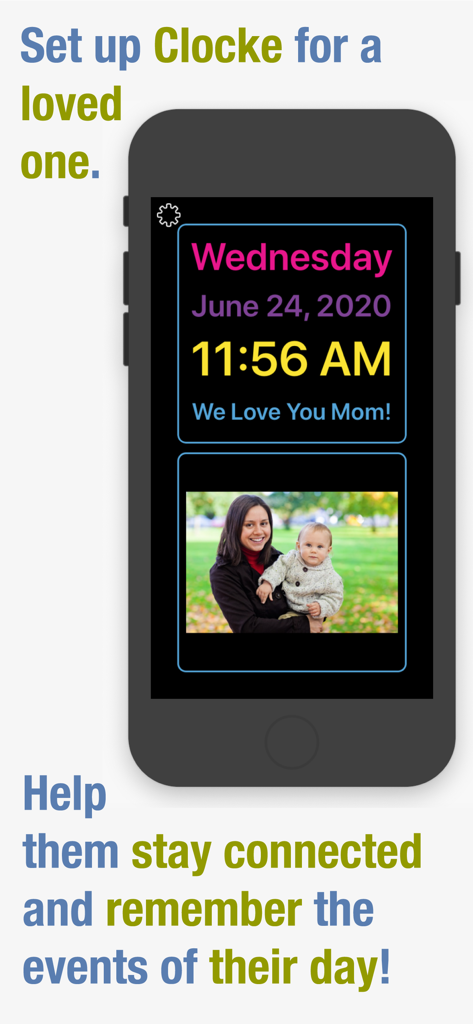
Clocke - Clocke 앱 인터페이스가 스마트폰에 표시되며 시간, 날짜, 개인 메시지, 시니어 기억 지원을 위한 가족 사진을 보여줍니다.
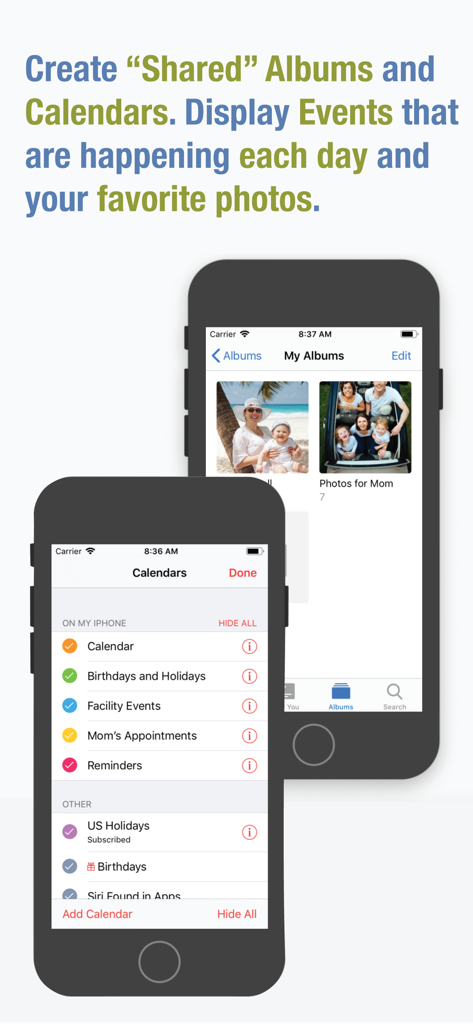
Clocke 앱 인터페이스가 스마트폰에 표시되며 시간, 날짜, 개인 메시지, 시니어 기억 지원을 위한 가족 사진을 보여줍니다.

Clocke - 시니어 케어를 위한 공유 캘린더 및 사진 앨범 설정 화면을 보여줍니다.
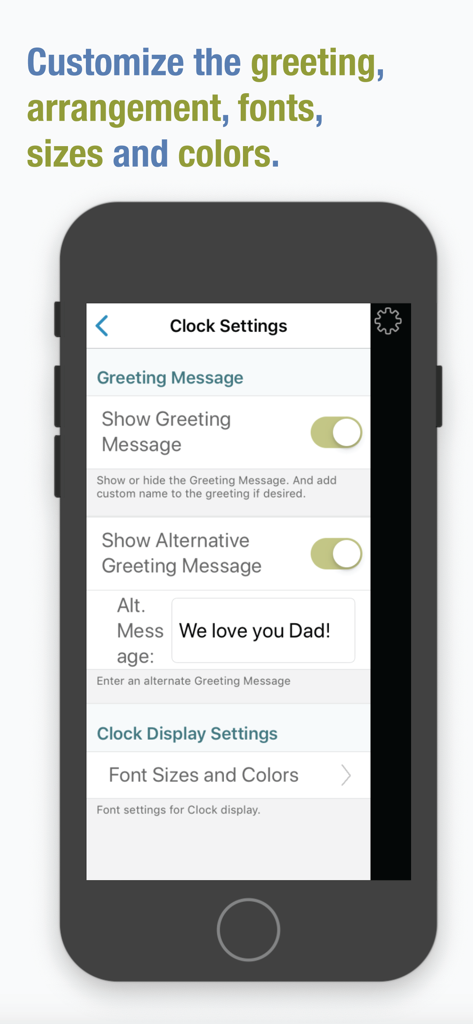
시니어 케어를 위한 공유 캘린더 및 사진 앨범 설정 화면을 보여줍니다.

Clocke - Clocke 앱 설정 화면에 인사말 메시지와 시니어 기억 지원을 위한 시계 디스플레이 글꼴을 사용자 지정하는 옵션이 표시됩니다.
Clocke 앱 설정 화면에 인사말 메시지와 시니어 기억 지원을 위한 시계 디스플레이 글꼴을 사용자 지정하는 옵션이 표시됩니다.

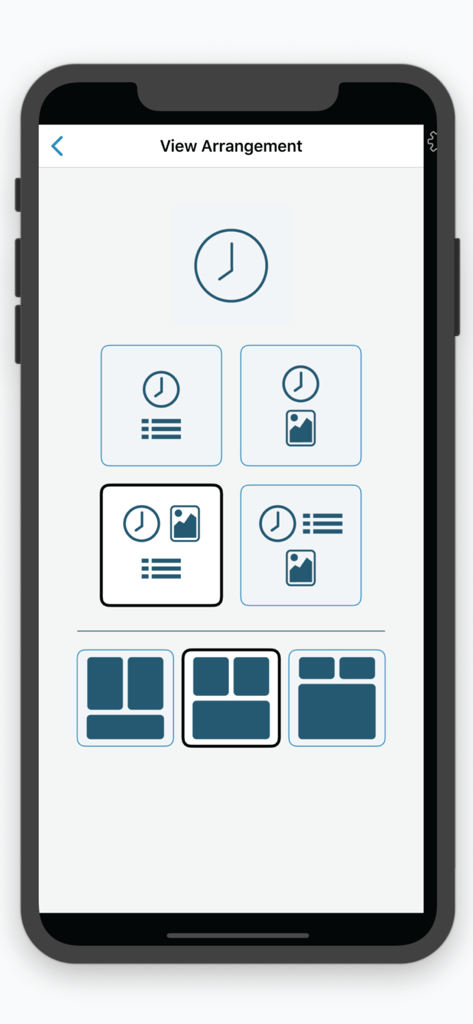
Clocke - 시계, 캘린더, 사진에 대한 다양한 디스플레이 옵션을 보여주는 보기 배열 설정입니다.
시계, 캘린더, 사진에 대한 다양한 디스플레이 옵션을 보여주는 보기 배열 설정입니다.

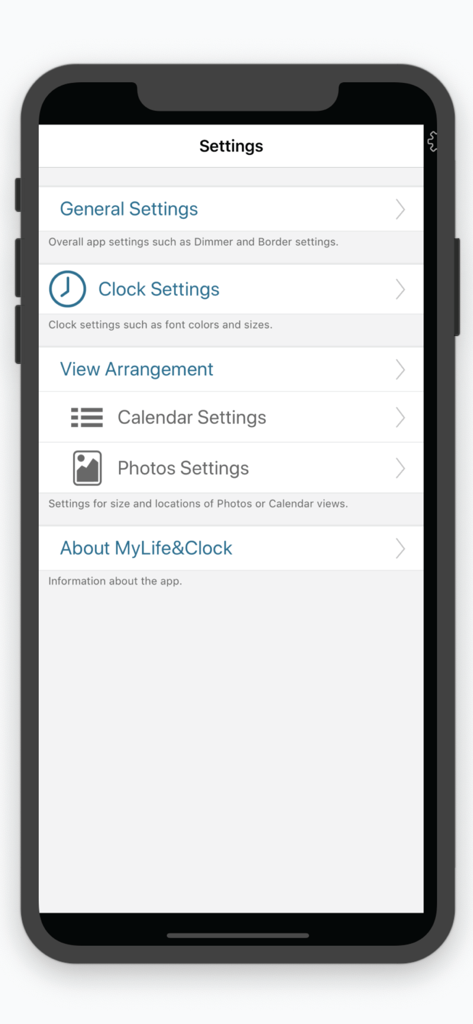
Clocke - Clocke 앱 설정 메뉴에 시니어를 위한 사용자 지정 옵션이 표시됩니다.
Clocke 앱 설정 메뉴에 시니어를 위한 사용자 지정 옵션이 표시됩니다.

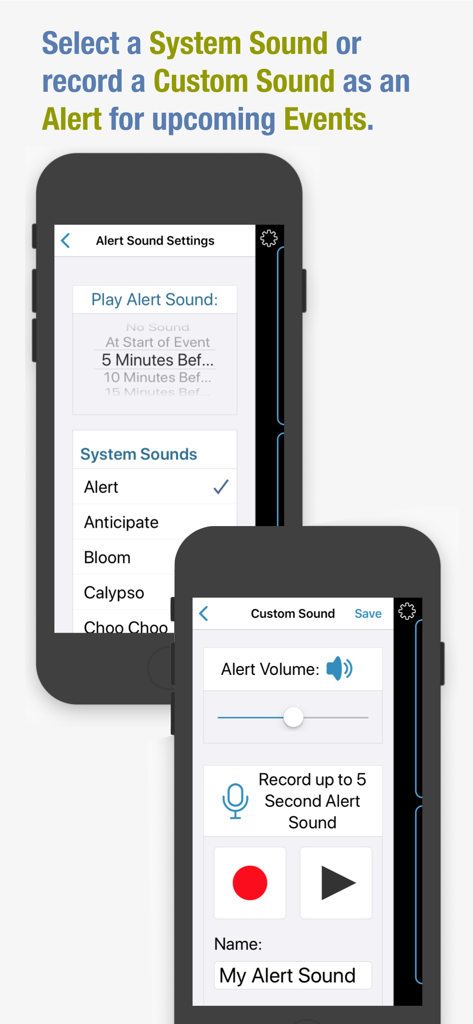
Clocke - Clocke 앱 스크린샷으로 시니어 기억 케어를 위한 알림 소리 설정과 사용자 지정 음성 녹음 인터페이스를 보여줍니다.
Clocke 앱 스크린샷으로 시니어 기억 케어를 위한 알림 소리 설정과 사용자 지정 음성 녹음 인터페이스를 보여줍니다.

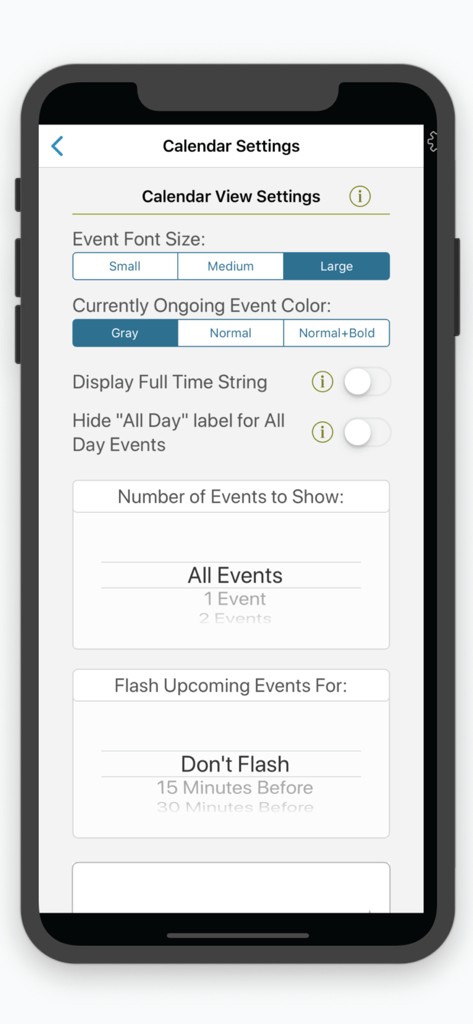
Clocke - Clocke 앱의 캘린더 사용자 지정 옵션과 글꼴 크기 설정을 보여주는 인터페이스입니다.
Clocke 앱의 캘린더 사용자 지정 옵션과 글꼴 크기 설정을 보여주는 인터페이스입니다.

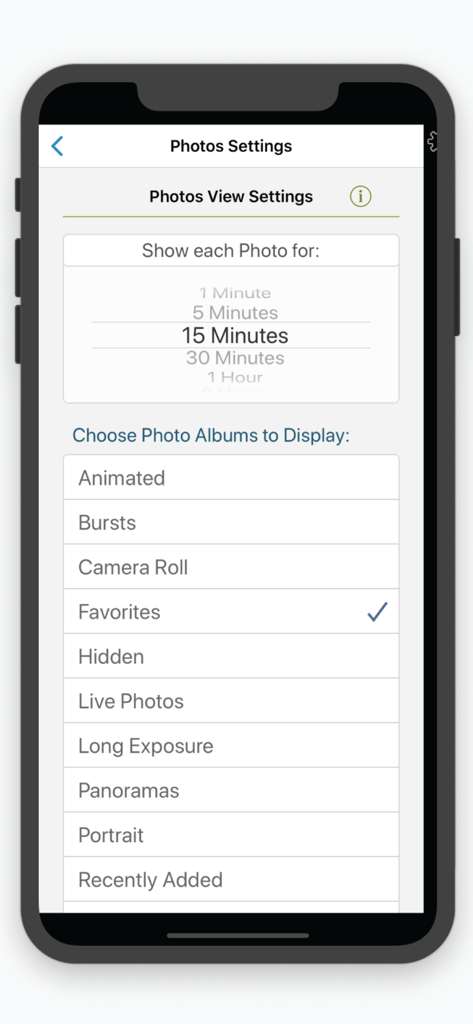
Clocke - Clocke 앱 사진 디스플레이 설정으로 앨범 선택과 사진 표시 시간을 보여줍니다.
Clocke 앱 사진 디스플레이 설정으로 앨범 선택과 사진 표시 시간을 보여줍니다.

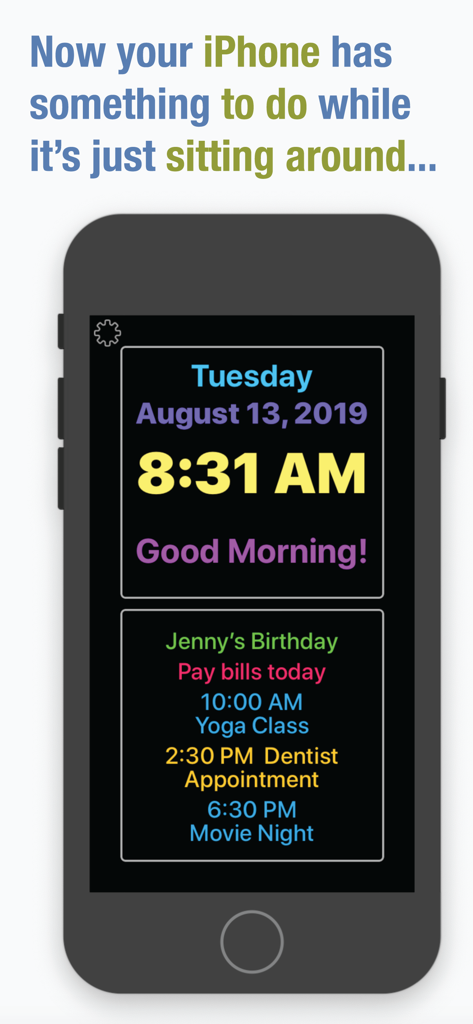
Clocke - Clocke 앱이 표시된 iPhone 화면으로, 큰 글씨 시간, 날짜, 일일 캘린더 알림 목록을 보여줍니다.

Clocke 앱이 표시된 iPhone 화면으로, 큰 글씨 시간, 날짜, 일일 캘린더 알림 목록을 보여줍니다.

설명

Clocke is a simple, large and easy to read clock that clearly displays the full day of the week, month, date and a greeting message in large letters. Clocke is great for seniors! Clocke provides structure, routine and focus for people faced with memory loss, Dementia or Alzheimer’s, who often lose the ability to recognize what day it is. Clocke has a clear and large display that helps reduce anxiety about the time of day and ease the worry of missing an appointment, mealtime, birthday, a favorite TV program, or any other event. Add comforting photos to the display or add calendar events from personal, family or shared calendars in the Calendar App. Displayed on an iPad with a stand, Clocke is invaluable for the visually impaired or anyone who wants to easily see the time/day/day of week or calendar events for the day. Customizations include: Display Calendar Events – choose from a list of the Calendars you have set up in the Calendar App. Choose the number of events to show, Small/Medium/Large type or, as a reminder have Clocke flash upcoming events. Use "shared" Calendars to be able to add/remove/edit Events remotely. Event Alert Sounds – use a System sound or record a custom sound to play an alert at upcoming Events. Have your facility create a "shared" Google calendar that you can subscribe to and display in Clocke. Give a calendar the name "Reminders" and these entries will be displayed without times. For example, a Reminder with a Start Time of 10:00 AM and End Time of 10:30 AM could say "Did you take your morning pill?". It would only display during the set time. An "All Day" Reminder could say "Tomorrow is Sue's Birthday", and would be displayed all day. Name a Calendar "Birthdays and Holidays" to add your own special "All Day" events to be displayed. Clock Display - sizes and colors are adjustable. Choose from a variety of display arrangement options. Display Photos – Clocke gives you the ability to display photos from Albums you have set up on your iPad or iPhone. Choose an Album or Albums to display and the amount of time you want each photo to display. Auto-Dimming On/Off – the display automatically dims at 7:00PM and brightens at 6:00AM by default but these values are customizable. Auto-dimming settings from “Light” to “Extra Dark” are available as well as turning Auto-dimming Off/On/Always On. Personal Greeting On/Off – an on/off setting is available as well as the ability to add a name to the message. Making the display more personal and comforting is easy by adding a name to the “Good Morning”, “Good Evening”, “Good Afternoon” and “Good Night” message. Parts of the day begin at: Morning 4:00AM, Afternoon 12:00 Noon, Evening 5:00PM, and Night 10:00PM. Protection from accidental changes – changing the Clocke settings can be set to require a double-tap on the "Settings" button, keeping users from inadvertently making changes or getting confused. Power "Not Connected" Indicator – we recommend that your device be connected to power while Clocke is in use. An indicator is displayed if the device is not connected to power.  Time Formats – Clocke supports AM/PM and 24-hour time display. It supports displaying the Day, Time, and Date in the current Region setting. Event times are also displayed using the current Region format. Event titles are displayed in the same language that they are input in. Privacy – Clocke does not collect any user data or display ads. We also recommend that you use of a stand for your iPad or iPhone. See our website for which ones we like.

Download

다운로드: App Store

이 페이지는 앱이나 개발자의 공식 페이지가 아니며, 정보 제공 및 논평을 목적으로 작성된 독립 편집 간행물입니다. 명시적으로 달리 언급되지 않는 한, 해당 앱이나 개발자는 MWM, Apple, Google Play, 앱 퍼블리셔 또는 앱 개발자와 제휴, 보증, 후원, 승인 또는 공식적으로 연결되어 있지 않으며, 이 페이지의 어떤 내용도 해당 앱이 MWM의 서비스를 사용하여 개발되었음을 의미하지 않습니다. 모든 상표, 로고, 스크린샷 및 기타 콘텐츠는 해당 소유자의 자산입니다.








