Clone Phone - Smart Switch
다운로드: App Store

이 페이지는 앱이나 개발자의 공식 페이지가 아니며, 정보 제공 및 논평을 목적으로 작성된 독립 편집 간행물입니다. 명시적으로 달리 언급되지 않는 한, 해당 앱이나 개발자는 MWM, Apple, Google Play, 앱 퍼블리셔 또는 앱 개발자와 제휴, 보증, 후원, 승인 또는 공식적으로 연결되어 있지 않으며, 이 페이지의 어떤 내용도 해당 앱이 MWM의 서비스를 사용하여 개발되었음을 의미하지 않습니다. 모든 상표, 로고, 스크린샷 및 기타 콘텐츠는 해당 소유자의 자산입니다.

로고: Clone Phone - Smart Switch
다운로드: App Store

Clone Phone - Smart Switch

Android와 iOS 간에 사진, 연락처, 메시지를 손쉽게 이전하세요. 케이블이나 인터넷이 필요 없으며, 새 기기로 빠르고 안전하게 전송할 수 있습니다.

주요 수치

다운로드

156K+

사용자 평점

4.2/5

총 평가 수

200

개발사

Rajeev kumar

카테고리

Utilities

지원 언어

11

최신 버전

13

크기

73.4 MB

출시일

2022년 8월 4일
기능

디지털 라이프 전체를 완벽하게 이전하세요

새 휴대폰으로의 전환은 번거로울 필요가 없습니다. iOS 또는 Android로 전환하든, 케이블, 인터넷, 데이터 손실 없이 몇 분 안에 사진, 연락처, 추억을 전송하세요.

크로스 플랫폼 자유

Android와 iOS를 잇는 최고의 연결. 기본 도구로는 놓치기 쉬운 안정적인 연결로 전체 기록을 새 기기로 손쉽게 이전하세요.

번개처럼 빠르고 오프라인

느린 클라우드 백업은 건너뛰세요. 안전한 개인 핫스팟을 생성하여 인터넷 연결 없이 최대 속도로 대용량 사진 갤러리와 4K 동영상을 전송합니다.

다음 스크린샷과 설명은 앱의 공식 스토어 목록에서 직접 가져온 것이며 앱 개발자의 자산입니다.

앱 스토어

스크린샷
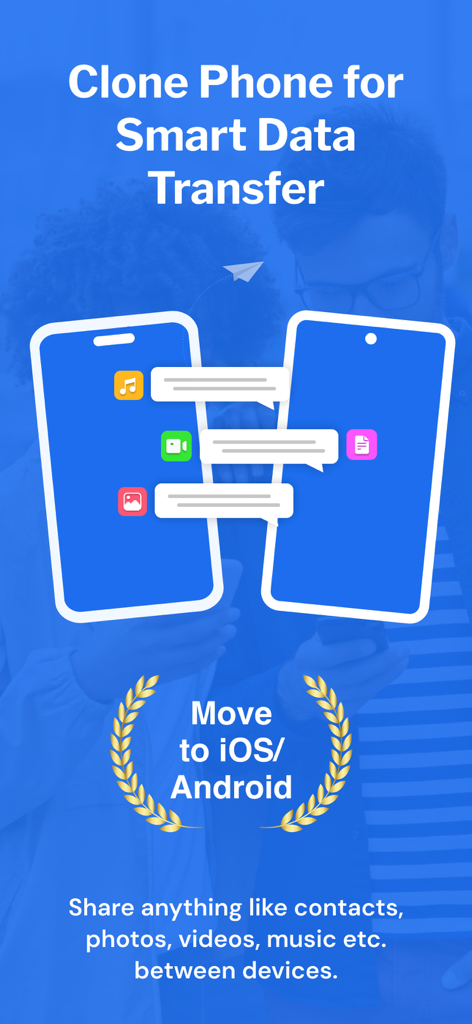
Clone Phone - Smart Switch - iOS 또는 Android로 전환하기 위한 모바일 데이터 전송을 보여주는 스마트폰 두 대 간의 데이터 전송 그래픽
iOS 또는 Android로 전환하기 위한 모바일 데이터 전송을 보여주는 스마트폰 두 대 간의 데이터 전송 그래픽

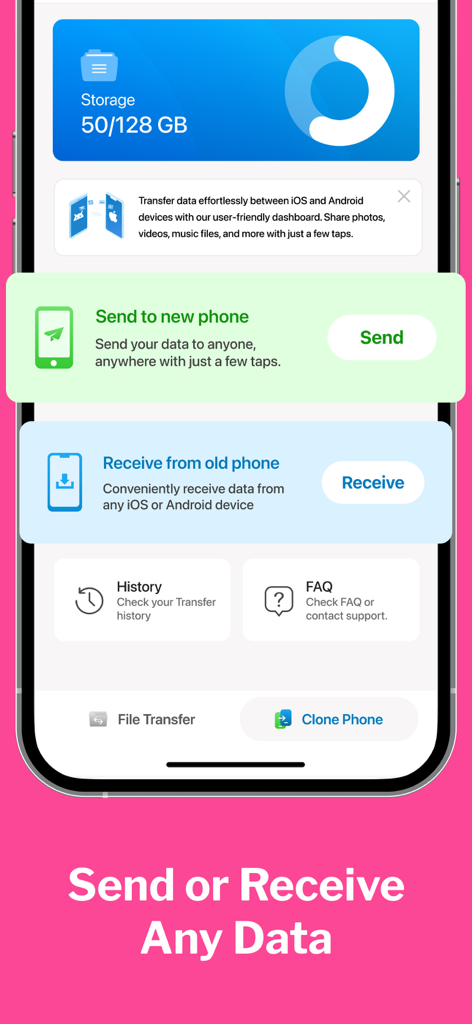
Clone Phone - Smart Switch - 모바일 데이터 전송을 위한 보내기 및 받기 옵션을 보여주는 Clone Phone Smart Switch 앱 대시보드
모바일 데이터 전송을 위한 보내기 및 받기 옵션을 보여주는 Clone Phone Smart Switch 앱 대시보드

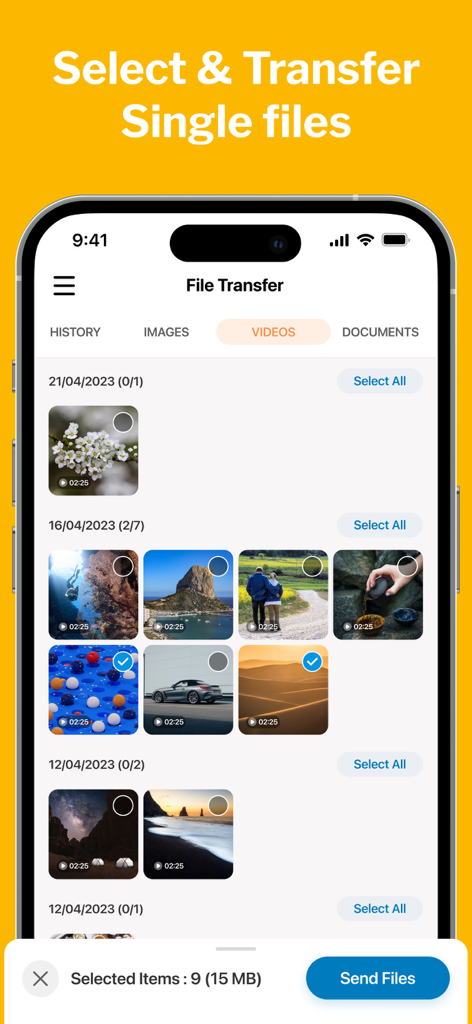
Clone Phone - Smart Switch - Clone Phone 앱에서 선택적 비디오 파일 전송을 보여주는 사용자 인터페이스
Clone Phone 앱에서 선택적 비디오 파일 전송을 보여주는 사용자 인터페이스

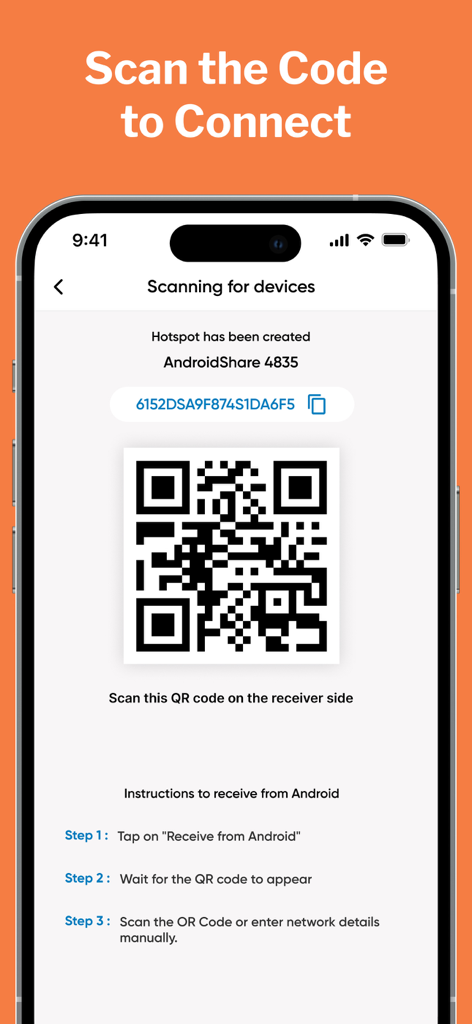
Clone Phone - Smart Switch - Clone Phone 앱에서 데이터 전송을 위한 기기 연결을 위해 QR 코드를 보여주는 스마트폰 화면
Clone Phone 앱에서 데이터 전송을 위한 기기 연결을 위해 QR 코드를 보여주는 스마트폰 화면

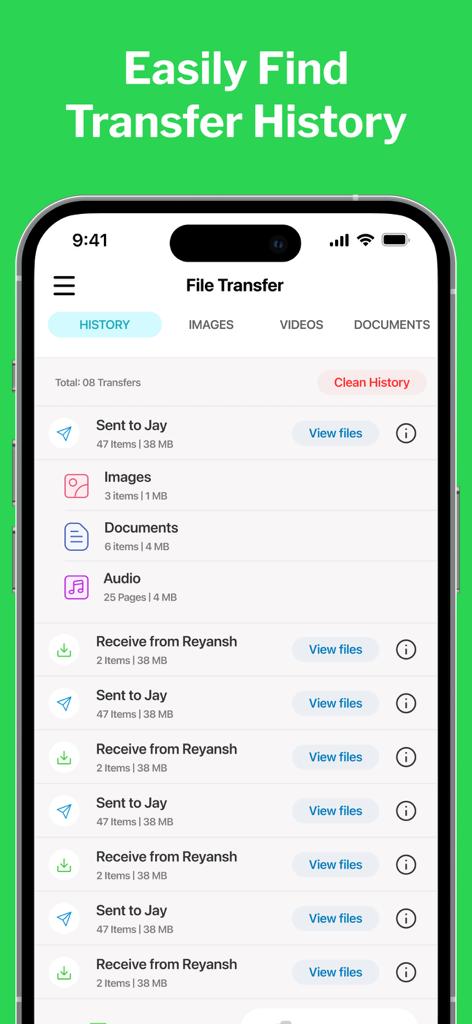
Clone Phone - Smart Switch - 파일 수와 크기가 표시된 완료된 데이터 전송 목록을 보여주는 Clone Phone 앱 인터페이스
파일 수와 크기가 표시된 완료된 데이터 전송 목록을 보여주는 Clone Phone 앱 인터페이스

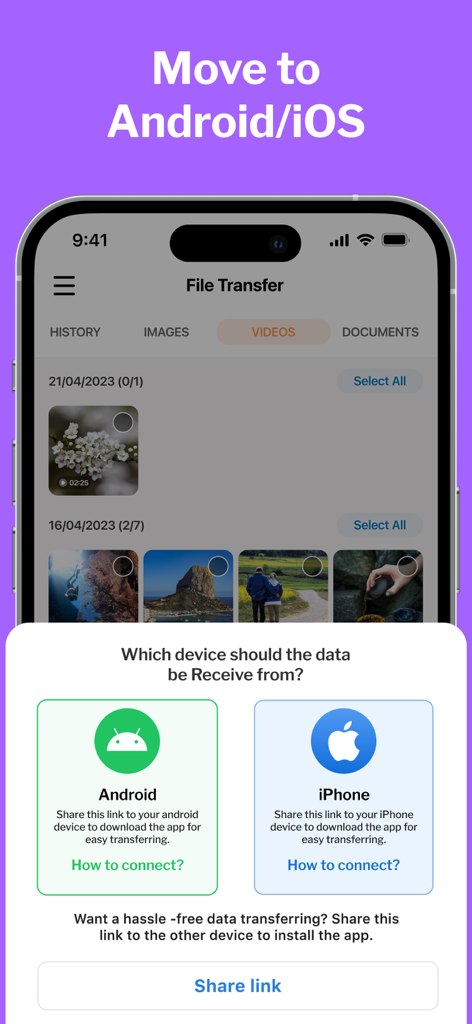
Clone Phone - Smart Switch - Android 또는 iPhone에서 데이터를 전송하는 옵션을 보여주는 Clone Phone 앱 인터페이스

Android 또는 iPhone에서 데이터를 전송하는 옵션을 보여주는 Clone Phone 앱 인터페이스

설명

CLONE your PHONE & SWITCH DATA between android & iOS. Phone Clone is a highly convenient file sharing app that enables seamless transfer of data between devices and allows users to effortlessly migrate their data to their new phones. It offers a hassle-free way to move contacts, photos, videos, messages, music, and more with just a few taps. Unlike other data transfer methods, Clone Phone doesn't require the internet, Bluetooth, or cables. Instead, it creates a personal hotspot to connect the two devices and transfer the data securely and efficiently. New Features MOVE to iOS Make Your Move Effortless with the Move to iOS feature. The Move to iOS feature is here to ensure a smooth and hassle-free transition between your android & iOS devices. SINGLE FILE TRANSFER Only want to transfer specific files only? With our File Transfer feature, whether it's photos, videos, documents, music, or any other file type, our app supports a wide range of file formats for seamless transfer. Why CLONE PHONE? Clone Phone is a smart data transfer and clone that allows easy migration of data to new phones. You can now clone your phone between from Android to iPhone. * It can move contacts, photos, videos, messages, and music between devices. * This app doesn't need the internet, Bluetooth, or cables to transfer data * It uses a personal hotspot to securely and efficiently switch data. * This app is free to use and offers lightning-fast transfer speeds * It allows users to select the data they want to clone. * Phone Switch has a move to iPhone File Sharing feature to smart switch data between Android and iPhone. Move to iOS phone from Android. * The user interface is well-designed and user-friendly. * The app displays free and used space on your phone and your clone history. Whether you're switching from Android to iOS or vice versa, this app makes it a breeze. You can easily copy all your data from your old phone and transfer it to your new phone using this app. The transfer speeds are lightning-fast, and the app even lets you select the data you need to switch. Plus, the app is completely free to use. How to USE: 1. After installation, the user must give the Smart Switch my Phone app all permissions it requires. 2. As a sender, simply select the files you wish to transfer and hit "Share". 3. The app will create a personal hotspot, and a QR code will be shown on the screen. 4. To start the transfer by creating a connection, the receiver must scan the QR code. 5. The user can find all his transferred files on the transfer history page. Some of the data we collect - Device-specific information such as device model, OS version being used. This provides knowledge of how our application is being used so we can improve the user experience and the app itself. - We collect anonymized data such as statistics, analytics, insights about your activity in order to provide you a reliable and high-quality experience. - Payment data & an optional Email (if using paid Services). Premium Plans Monthly - $2.99 Yearly - $5.99 Subscription Info - The user can cancel his/her subscription at any time by going into iTunes and App Store Apple ID Settings. - All prices include applicable local sales taxes. - Payment will be charged to your iTunes Account after confirmation of purchase. - Subscription automatically renews at least 24-hours before the end of the current period. - The user's account will be charged for renewal within 24-hours before the end of the current period. Privacy policy: https://m24apps.com/web/phoneclone/privacy-policy Terms of use: https://m24apps.com/web/phoneclone/tandc EULA: https://m24apps.com/web/phoneclone/eula

Download

다운로드: App Store

이 페이지는 앱이나 개발자의 공식 페이지가 아니며, 정보 제공 및 논평을 목적으로 작성된 독립 편집 간행물입니다. 명시적으로 달리 언급되지 않는 한, 해당 앱이나 개발자는 MWM, Apple, Google Play, 앱 퍼블리셔 또는 앱 개발자와 제휴, 보증, 후원, 승인 또는 공식적으로 연결되어 있지 않으며, 이 페이지의 어떤 내용도 해당 앱이 MWM의 서비스를 사용하여 개발되었음을 의미하지 않습니다. 모든 상표, 로고, 스크린샷 및 기타 콘텐츠는 해당 소유자의 자산입니다.








