
이 페이지는 앱이나 개발자의 공식 페이지가 아니며, 정보 제공 및 논평을 목적으로 작성된 독립 편집 간행물입니다. 명시적으로 달리 언급되지 않는 한, 해당 앱이나 개발자는 MWM, Apple, Google Play, 앱 퍼블리셔 또는 앱 개발자와 제휴, 보증, 후원, 승인 또는 공식적으로 연결되어 있지 않으며, 이 페이지의 어떤 내용도 해당 앱이 MWM의 서비스를 사용하여 개발되었음을 의미하지 않습니다. 모든 상표, 로고, 스크린샷 및 기타 콘텐츠는 해당 소유자의 자산입니다.


CloudLibrary
무료 전자책 및 오디오북을 대출하고, 여러 가족 카드를 관리하고, 모바일 체크아웃으로 줄을 서지 마세요. 당신의 삶에 맞춰 새롭게워진 동네 도서관입니다.
다운로드
2M+사용자 평점
총 평가 수
307K+개발사
카테고리
Books지원 언어
20최신 버전
5.13.1크기
158.9 MB출시일
2011년 10월 3일바쁜 당신의 삶을 위한 재해석된 도서관
디지털 베스트셀러부터 실물 도서 대출까지, 하나의 직관적인 앱에서 당신의 독서 세계의 모든 측면을 관리하세요.
디지털 카드 및 가족 관리
플라스틱 카드를 들고 다닐 필요가 없습니다. 자신과 자녀를 위한 여러 도서관 계정을 저장하고 탭 한 번으로 전환하세요.
즉각적인 모바일 체크아웃
키오스크 줄을 건너뛰세요. 도서관에서 휴대폰을 사용하여 실물 도서를 스캔하고 바로 나가세요. 궁극의 즉시 구매 경험입니다.
자주 묻는 질문
에 대해 알아야 할 모든 것 CloudLibrary
CloudLibrary 앱은 어떻게 아이템 대출을 지원하나요?
CloudLibrary 앱을 사용하면 모바일 기기를 이용하여 도서관의 실물 도서를 대출할 수 있습니다. 또한 도서관에서 직접 인쇄물을 대출하는 것도 지원합니다.
CloudLibrary 앱에서 전자책과 오디오북에 접근할 수 있나요?
네, CloudLibrary 앱에서는 무료 전자책과 오디오북을 다운로드하여 이용할 수 있습니다. 사용자는 이 디지털 콘텐츠를 검색하고 저장하며 기기 간에 동기화할 수 있습니다.
CloudLibrary 앱에서 여러 도서관 카드를 관리할 수 있나요?
네, CloudLibrary 앱을 사용하면 단일 모바일 기기에서 여러 도서관 카드를 관리할 수 있습니다. 이를 통해 다른 계정 간에 쉽게 전환할 수 있습니다.
CloudLibrary 앱은 사용자에게 어떤 종류의 알림을 보내나요?
CloudLibrary 앱은 반납일 알림, 유용한 영수증, 그리고 눈에 띄는 푸시 알림을 제공합니다. 이러한 알림은 예약한 아이템이 수령 가능할 때 사용자에게 알려줍니다.
CloudLibrary 앱에서 사용자 경험을 맞춤 설정할 수 있나요?
네, CloudLibrary 앱에서는 테마, 아바타, 별명 등 맞춤 설정을 제공합니다. 사용자는 선호하는 독서 경험을 위해 글꼴 크기, 여백, 배경색도 조절할 수 있습니다.
CloudLibrary 앱은 독서 추천을 제공하나요?
네, CloudLibrary 앱은 사용자에게 독서 추천을 제공합니다. 또한 콘텐츠 발견을 위해 저자별 또는 시리즈별 추가 도서를 볼 수 있도록 합니다.
CloudLibrary 앱에서 대출한 도서를 어떻게 반납할 수 있나요?
사용자는 CloudLibrary 앱을 통해 읽기를 마친 도서를 조기에 반납할 수 있습니다. 이 작업을 통해 해당 도서는 다른 독자가 즉시 이용할 수 있습니다.
CloudLibrary 앱에서 도서관 활동을 추적할 수 있나요?
네, CloudLibrary 앱을 사용하면 실제 및 디지털 도서관 활동을 하나의 중앙 집중식 위치에서 추적할 수 있습니다. 여기에는 현재 대출 도서, 독서 기록, 예약 도서가 포함됩니다.
CloudLibrary 앱에서 콘텐츠를 필터링할 수 있나요?
네, 사용자는 CloudLibrary 앱 내에서 형식, 이용 가능 여부, 언어별로 디지털 콘텐츠를 필터링할 수 있습니다. 이 기능을 통해 선호도에 따라 특정 도서를 표시할 수 있습니다.
CloudLibrary 앱에 어린이 모드 기능이 있나요?
네, CloudLibrary 앱에는 "어린이 모드" 기능이 포함되어 있습니다. 이 옵션은 앱 설정 메뉴에서 관리하고 켜거나 끌 수 있습니다.
다음 스크린샷과 설명은 앱의 공식 스토어 목록에서 직접 가져온 것이며 앱 개발자의 자산입니다.
앱 스토어
스크린샷
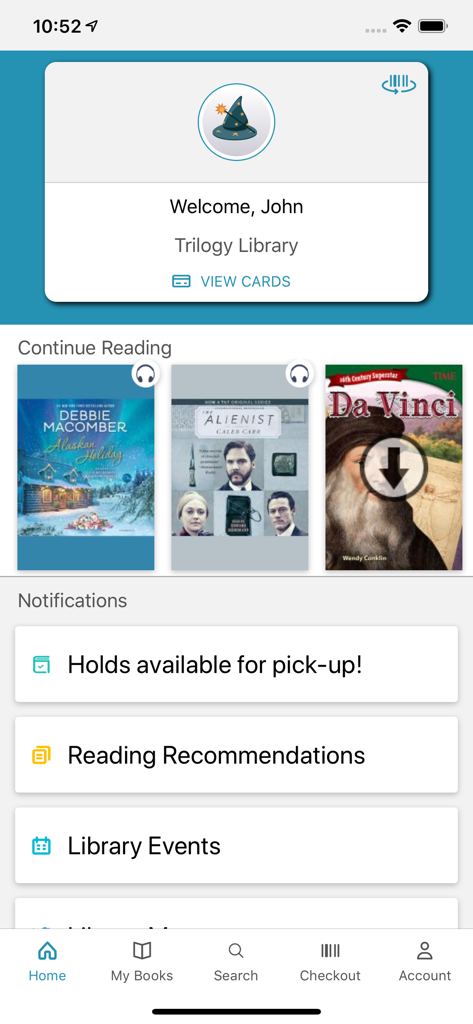
CloudLibrary 모바일 앱 홈 화면. 사용자 환영 카드, 현재 읽는 목록, 도서관 알림이 표시됩니다.
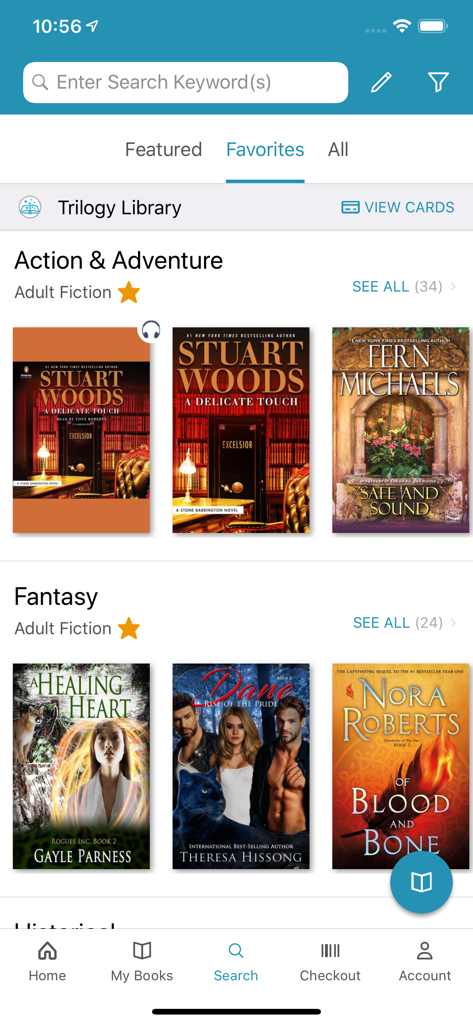
CloudLibrary 앱의 검색 화면. 판타지 및 액션 어드벤처와 같은 장르와 책 추천이 표시됩니다.
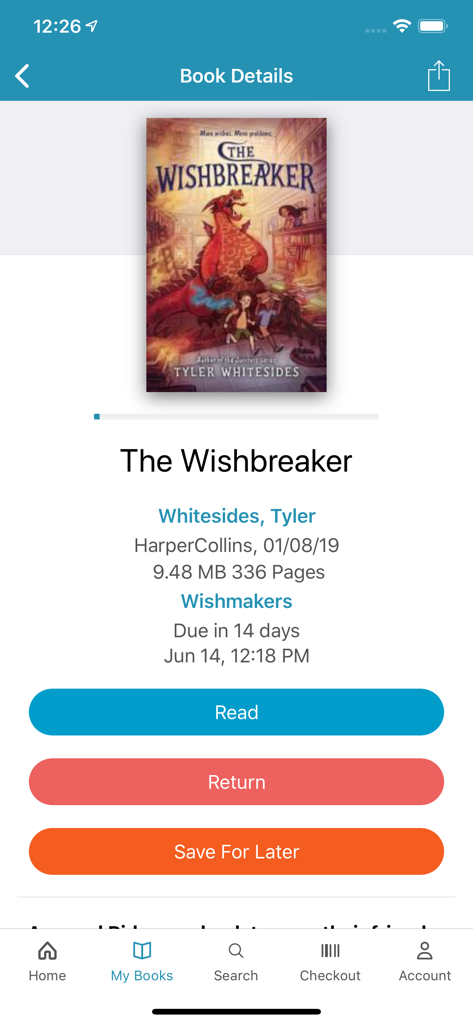
CloudLibrary 앱 화면. The Wishbreaker의 도서 세부 정보와 함께 읽기, 반납 또는 나중에 저장 옵션이 표시됩니다.
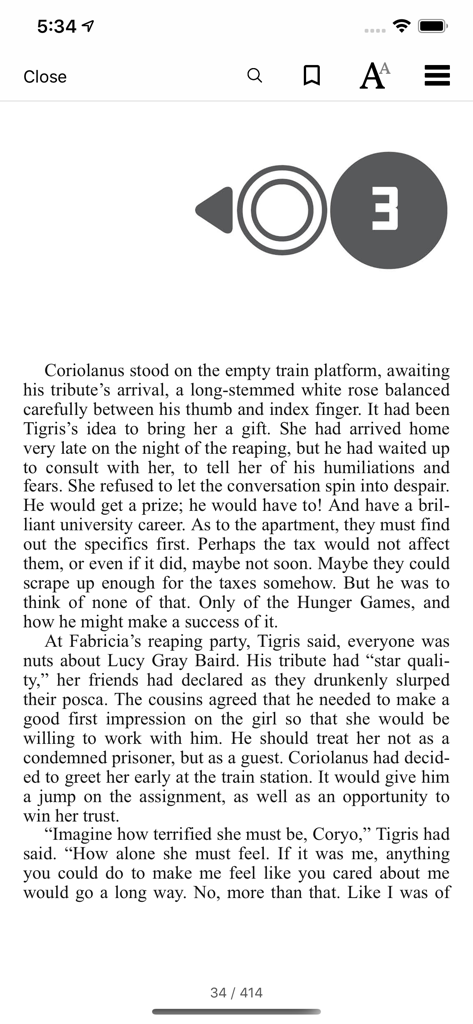
CloudLibrary 앱의 모바일 전자책 리더 인터페이스. 책 텍스트와 읽기 컨트롤이 표시됩니다.
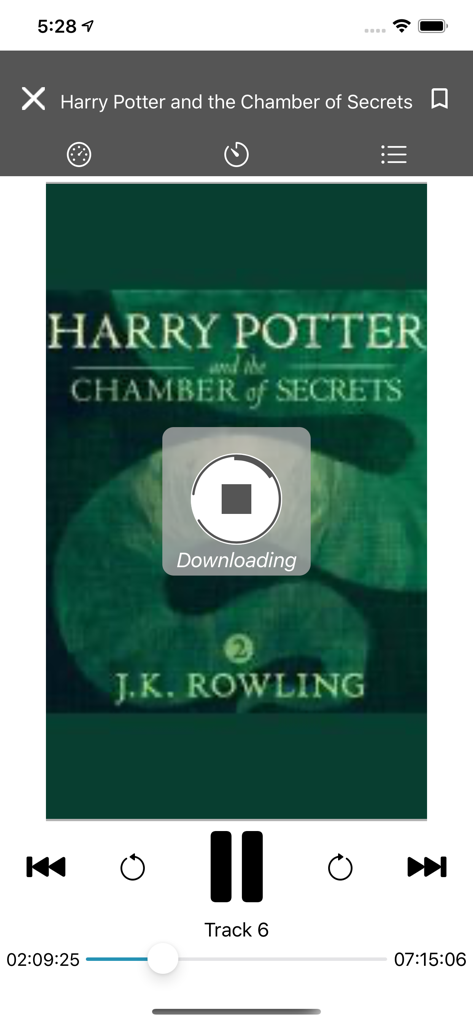
CloudLibrary 앱 오디오북 플레이어. Harry Potter and the Chamber of Secrets의 다운로드가 표시됩니다.
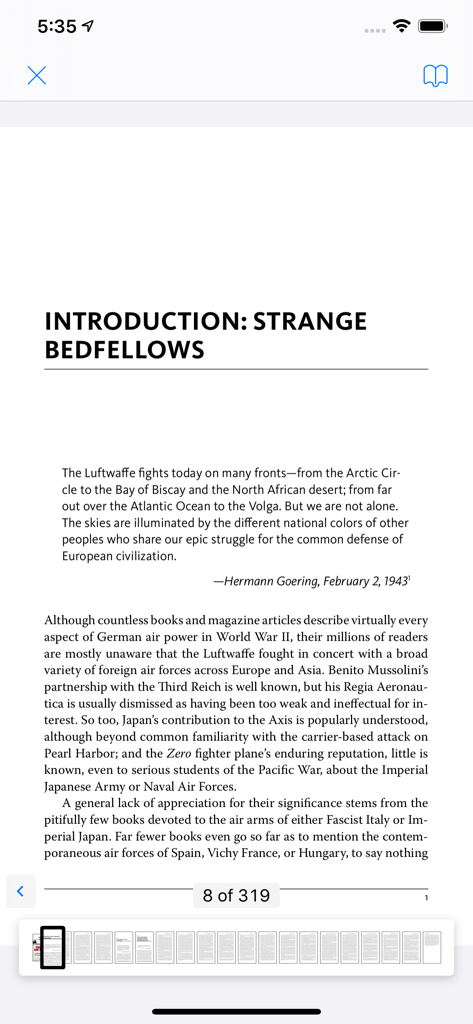
CloudLibrary 앱 전자책 리더 보기. 내비게이션 썸네일과 함께 역사 서적의 페이지가 표시됩니다.
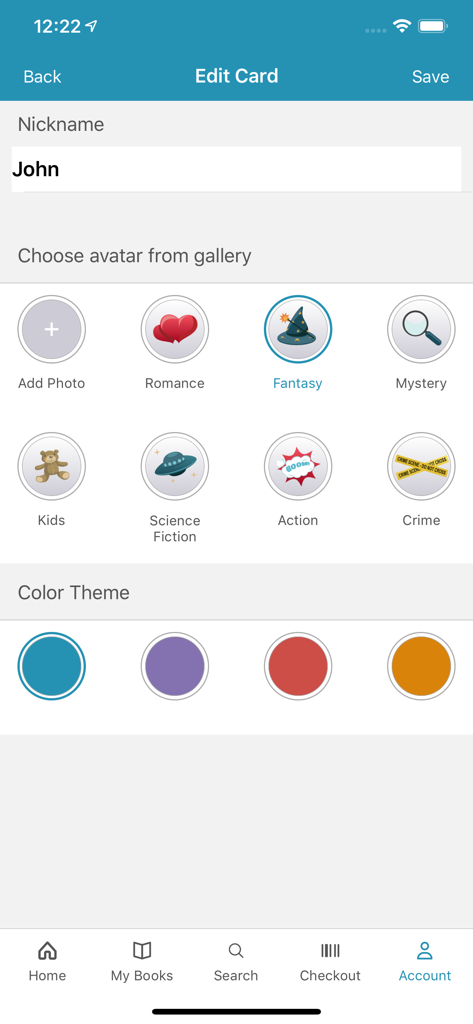
CloudLibrary 앱에서 사용자 지정 별명과 아바타로 도서관 카드 프로필을 개인 설정합니다.
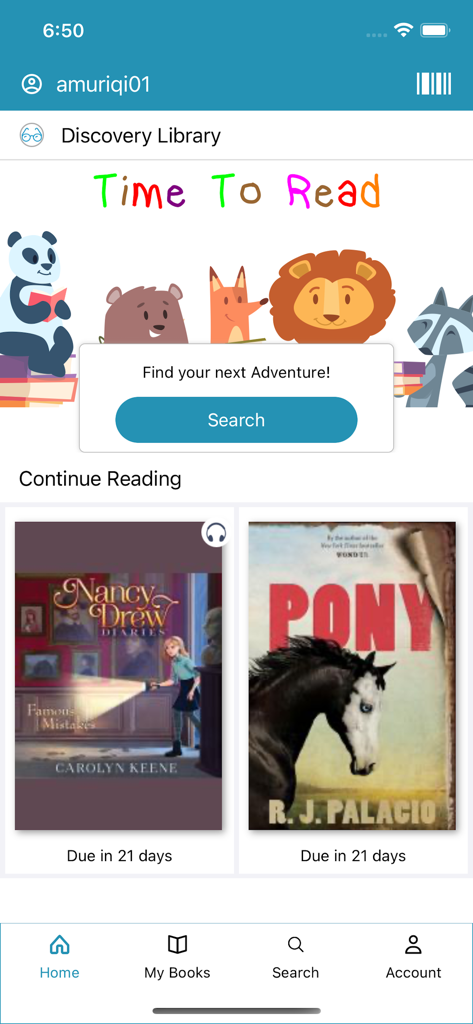
CloudLibrary 모바일 앱 홈 화면. 어린이 도서 및 현재 읽는 책 반납일이 포함된 Discovery Library 섹션이 표시됩니다.
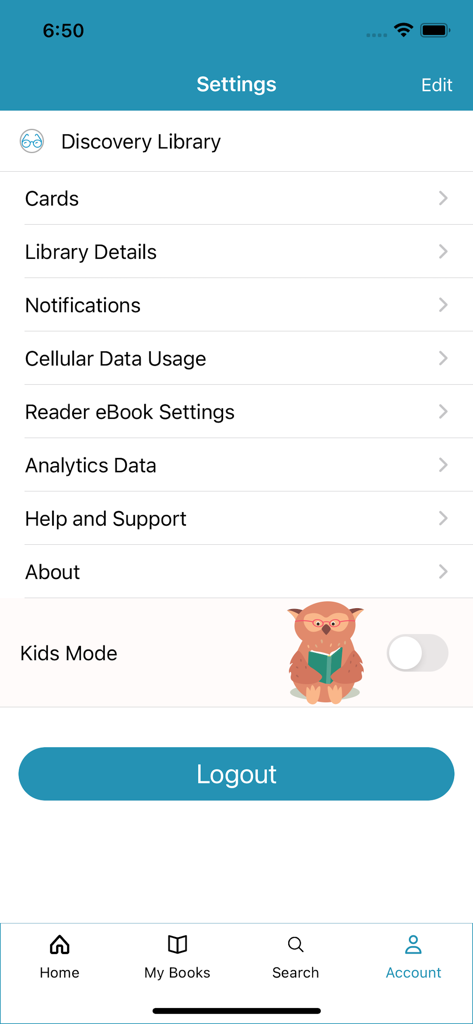
CloudLibrary 앱의 설정 화면. 계정 관리 옵션과 어린이 모드 토글이 포함되어 있습니다.
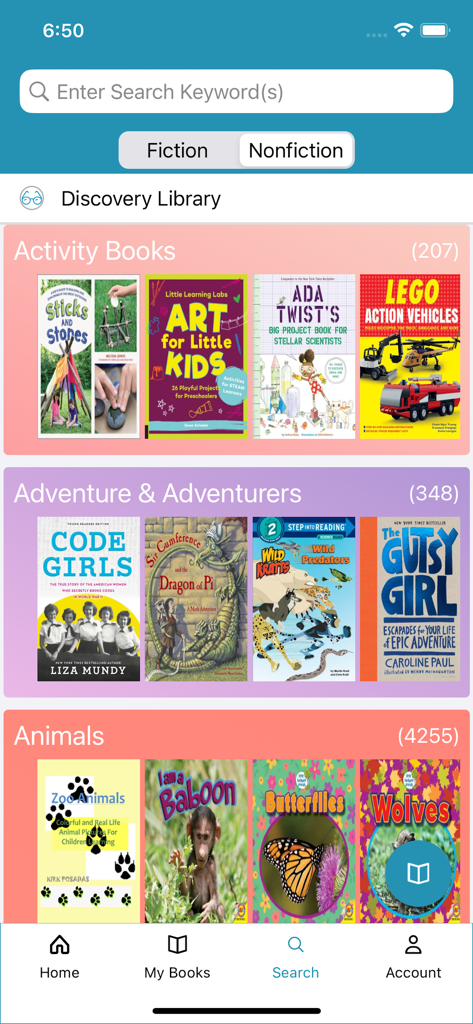
CloudLibrary 앱의 검색 화면. 활동 및 어드벤처 책 카테고리가 표시됩니다.
설명
Download
비슷한 앱
유사한 기능과 사용자 경험을 가진 앱

The Palace Project
LYRASIS, Inc.

Biblio
BookBites A/S
Onleihe 3
ekz.bibliotheksservice GmbH

Sora, by OverDrive Education
OverDrive, Inc.
online Bibliotheek
Koninklijke Bibliotheek

NLB Mobile
National Library Board

移动图书馆
Chengdu Superstar Digital Library Information Technology Co.,Ltd

교보문고 전자도서관
KYOBO BOOK CENTRE CO,.LTD

Open Library Reader
Loomis House, LLC
이 페이지는 앱이나 개발자의 공식 페이지가 아니며, 정보 제공 및 논평을 목적으로 작성된 독립 편집 간행물입니다. 명시적으로 달리 언급되지 않는 한, 해당 앱이나 개발자는 MWM, Apple, Google Play, 앱 퍼블리셔 또는 앱 개발자와 제휴, 보증, 후원, 승인 또는 공식적으로 연결되어 있지 않으며, 이 페이지의 어떤 내용도 해당 앱이 MWM의 서비스를 사용하여 개발되었음을 의미하지 않습니다. 모든 상표, 로고, 스크린샷 및 기타 콘텐츠는 해당 소유자의 자산입니다.