Collage Maker Photo Grid
다운로드: App Store

이 페이지는 앱이나 개발자의 공식 페이지가 아니며, 정보 제공 및 논평을 목적으로 작성된 독립 편집 간행물입니다. 명시적으로 달리 언급되지 않는 한, 해당 앱이나 개발자는 MWM, Apple, Google Play, 앱 퍼블리셔 또는 앱 개발자와 제휴, 보증, 후원, 승인 또는 공식적으로 연결되어 있지 않으며, 이 페이지의 어떤 내용도 해당 앱이 MWM의 서비스를 사용하여 개발되었음을 의미하지 않습니다. 모든 상표, 로고, 스크린샷 및 기타 콘텐츠는 해당 소유자의 자산입니다.


로고: Collage Maker Photo Grid
다운로드: App Store

Collage Maker Photo Grid

소셜 크리에이터를 위한 올인원 스튜디오. 여러 클립을 엮고, 멋진 포스터를 디자인하며, 전문 보정 도구를 사용하여 추억을 빛나게 만드세요.

주요 수치

다운로드

57K+

사용자 평점

4.2/5

총 평가 수

200

개발사

out thinking private limited

카테고리

Photo & Video

지원 언어

1

최신 버전

2.1

크기

49.4 MB

출시일

2016년 6월 10일
기능

소셜 존재감을 높이세요

사진과 비디오를 멋진 콜라주, 전문적인 포스터, 바이럴 콘텐츠로 순식간에 바꿔주는 올인원 크리에이티브 스튜디오입니다.

매끄러운 사진 및 비디오 그리드

좋아하는 사진과 클립을 역동적인 레이아웃으로 섞어보세요. 인스타그램 릴스와 틱톡에서 큰 임팩트를 줄 수 있도록 배경 음악을 추가하세요.

감성적인 포스터 템플릿

디자이너가 만든 레이아웃으로 디자인 작업을 건너뛰세요. 좋아하는 문구와 예술적인 효과를 더해 돋보이는 디지털 스크랩북을 만들어보세요.

다음 스크린샷과 설명은 앱의 공식 스토어 목록에서 직접 가져온 것이며 앱 개발자의 자산입니다.

앱 스토어

스크린샷
Collage Maker Photo Grid - 사진 그리드와 모바일 편집 메뉴를 보여주는 사진 콜라주 편집기

사진 그리드와 모바일 편집 메뉴를 보여주는 사진 콜라주 편집기

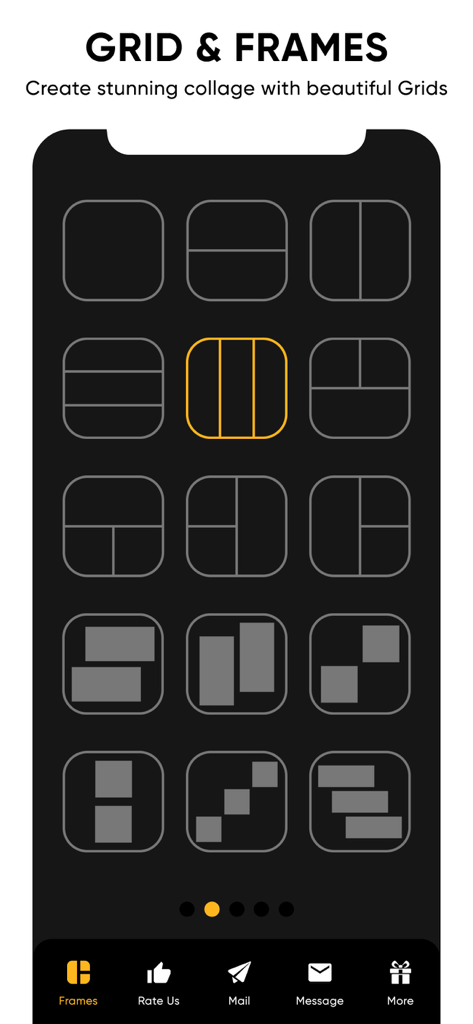
Collage Maker Photo Grid - 사진 및 비디오 콜라주 제작을 위한 다양한 그리드 및 프레임 레이아웃
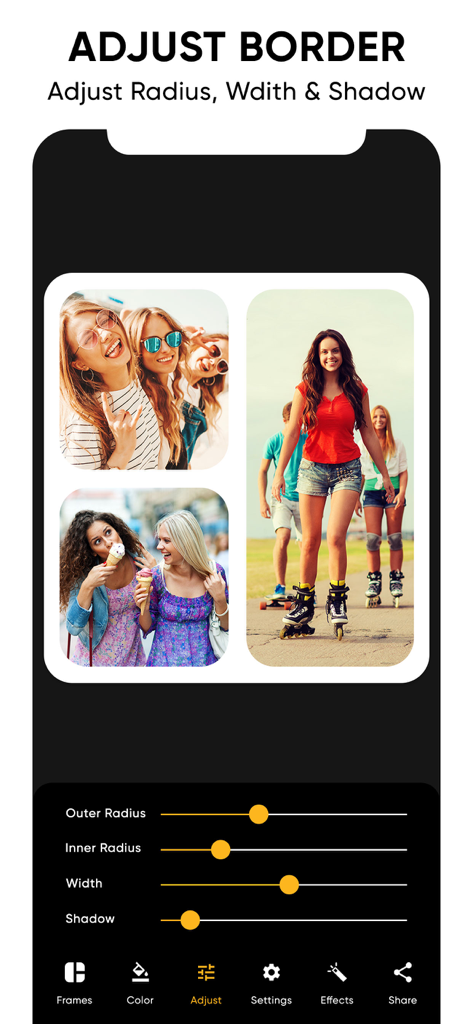
사진 및 비디오 콜라주 제작을 위한 다양한 그리드 및 프레임 레이아웃

Collage Maker Photo Grid - 사진 콜라주에서 테두리 곡률, 너비 및 그림자를 조정하는 방법을 보여주는 앱 인터페이스
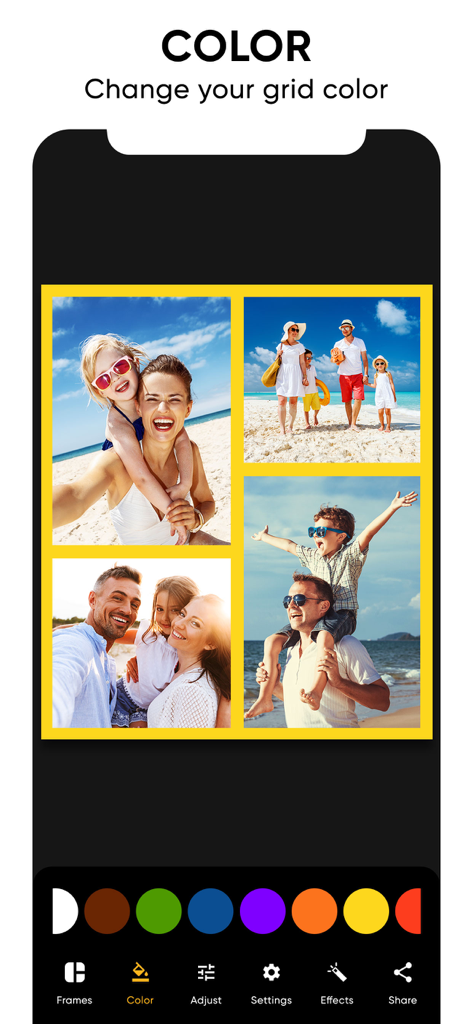
사진 콜라주에서 테두리 곡률, 너비 및 그림자를 조정하는 방법을 보여주는 앱 인터페이스

Collage Maker Photo Grid - 콜라주 메이커 앱에서 가족 사진 콜라주의 그리드 테두리 색상 변경하기
콜라주 메이커 앱에서 가족 사진 콜라주의 그리드 테두리 색상 변경하기

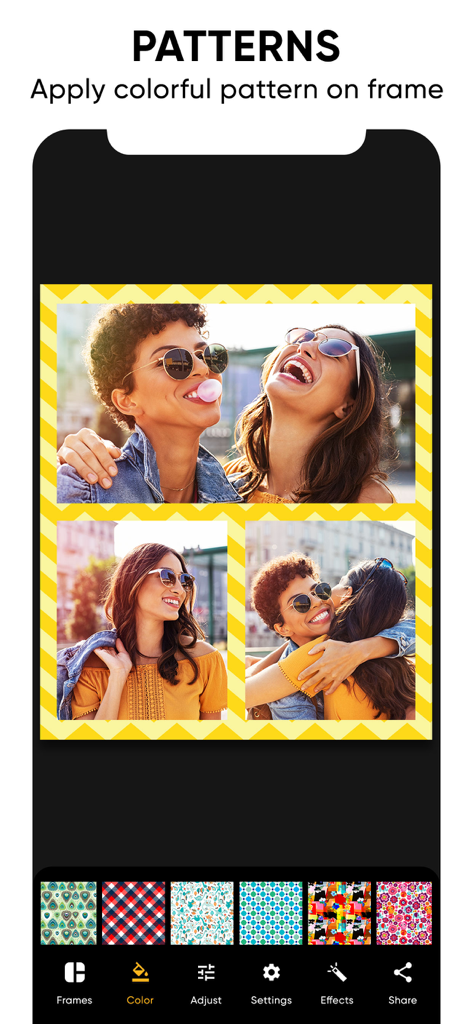
Collage Maker Photo Grid - 맞춤형 노란색 쉐브론 테두리와 패턴 선택 메뉴가 있는 친구들과의 사진 콜라주
맞춤형 노란색 쉐브론 테두리와 패턴 선택 메뉴가 있는 친구들과의 사진 콜라주

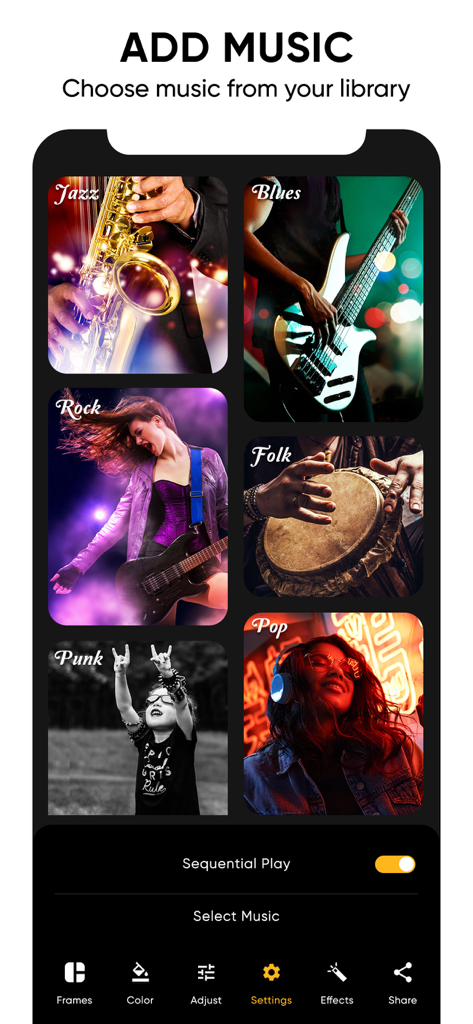
Collage Maker Photo Grid - 비디오 콜라주를 위한 다양한 음악 장르가 포함된 콜라주 메이커 앱의 음악 선택 화면
비디오 콜라주를 위한 다양한 음악 장르가 포함된 콜라주 메이커 앱의 음악 선택 화면

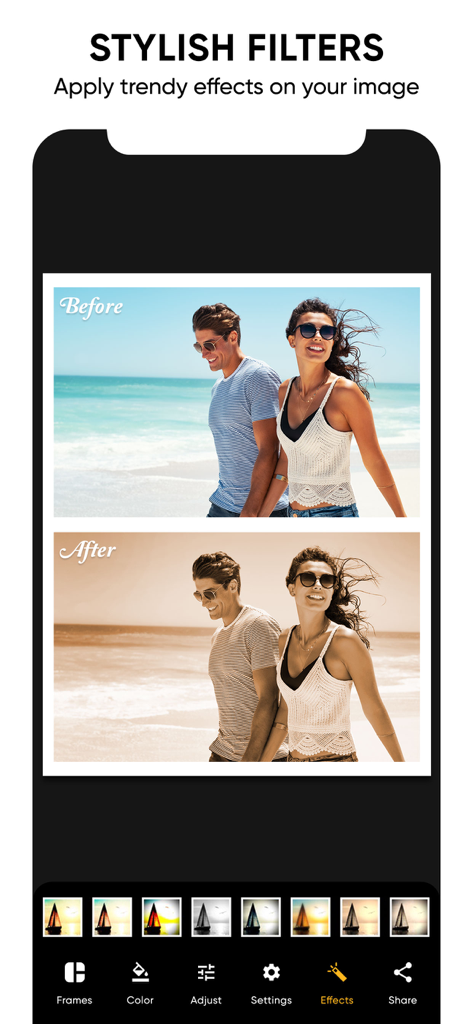
Collage Maker Photo Grid - 해변 사진의 비포 애프터 효과를 보여주는 스타일리시한 사진 필터

해변 사진의 비포 애프터 효과를 보여주는 스타일리시한 사진 필터

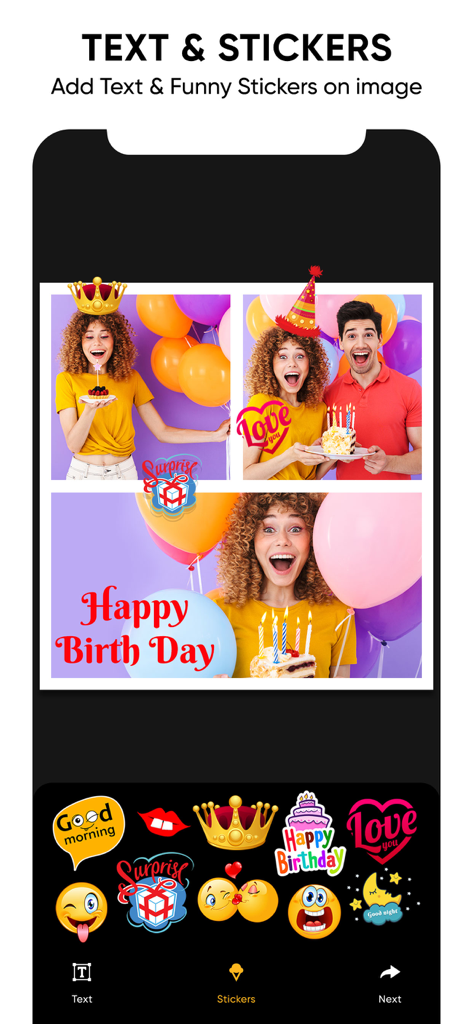
Collage Maker Photo Grid - 앱에서 생일 사진 콜라주에 텍스트와 스티커 추가하기

앱에서 생일 사진 콜라주에 텍스트와 스티커 추가하기

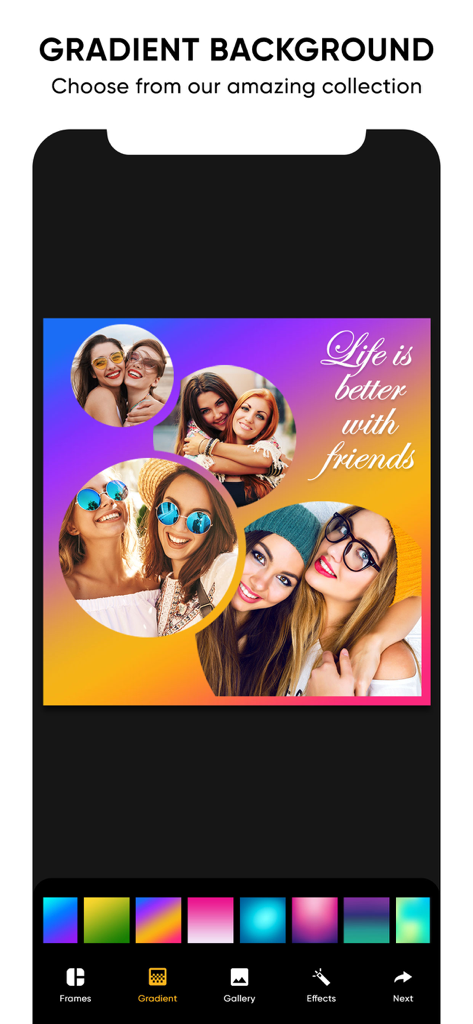
Collage Maker Photo Grid - 선명한 그라데이션 배경과 친구에 관한 문구가 포함된 사진 콜라주를 보여주는 앱 인터페이스
선명한 그라데이션 배경과 친구에 관한 문구가 포함된 사진 콜라주를 보여주는 앱 인터페이스

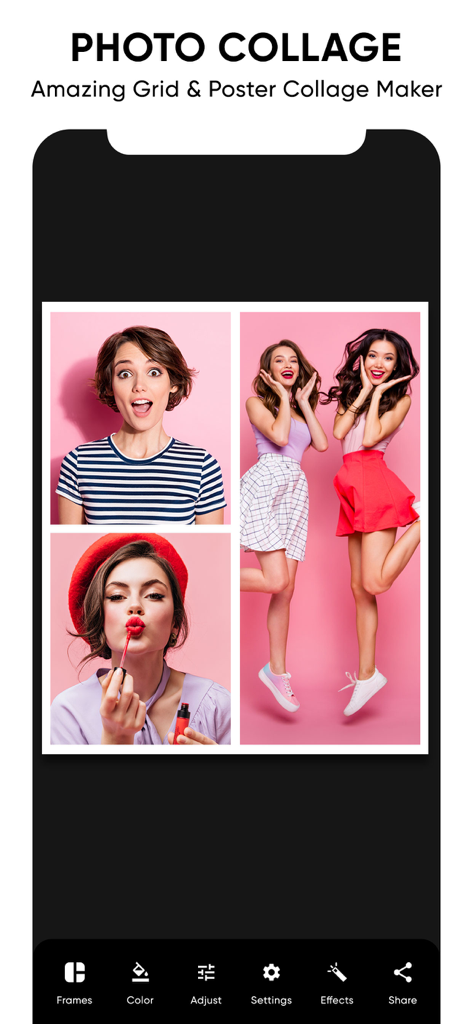
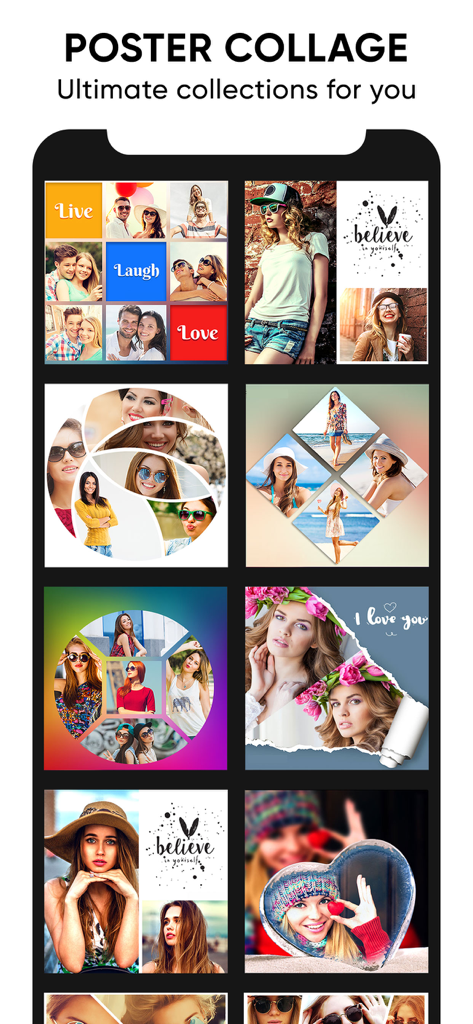
Collage Maker Photo Grid - 소셜 미디어 스토리텔링을 위한 다양한 창의적인 포스터 콜라주 템플릿 및 사진 그리드 레이아웃

소셜 미디어 스토리텔링을 위한 다양한 창의적인 포스터 콜라주 템플릿 및 사진 그리드 레이아웃

설명

Photo video collage maker with music to combine multiple photos and videos together. Looking for some interesting photo collage and photo editing options? , Then opt for collage grid poster maker, and enjoy creating some amazing collages, and edit your pics, to give it an appealing look. The collage grid poster maker includes three options – Grid, Poster and Editor. The grid option enables you to select a frame with various options for layouts, make it look beautiful by giving effects, stitch pics, and also sequentially play videos by adding a background music to it. The poster option allows you to create a stunning collage with a poster look by adding your favourite thought and applying some effects. Here you also have a variety of amazing poster options to choose from. The editor option allows you to enhance your pic by adjusting its lighting, sharpness, and colour, giving it a proper orientation, adding various effects, and with many more options in store. Collage grid poster maker key features 1. Grid collage Numerous options for frame layouts Capability of stitching multiple pics. Create a photo and video sequence and play it by adding a background music. Add a colour and pattern to the frame border. Variety of options for effects. 2. Poster collage Variety of beautiful looking poster options. Add a background to your photo. Add a favourite thought to your collage. Apply some amazing effects to your collage. 3. Editor Photo enhancement. Apply different kinds of effects. Crop the image. Adjust lighting, sharpness, and colour. Remove blemishes and red eye. Whiten your pic. Give a vignette effect to your photo. Splash effect. 4. Save the collage to the phone’s photo gallery. 5. Share your pic through platforms like Facebook, Instagram, and gmail. Download the collage grid poster maker app to come up with some breath taking collages, and edit your pic to make it look appealing. Subscription Terms - Subscribe to get unlimited video collage app access to all features. - Upon confirmation of purchase, the payment will be charged to the iTunes account. - Until you turn off the auto-renew at least 24 hours before the end of the current. period it will be automatically renewed. - If you decide to turn off auto-renewal, you can turn it off maybe by going to account settings after purchase. -The renewal amount will be charged from the account within 24 hours before the end of the current period. -As per the policy, cancellation of the current subscription is not allowed during the active subscription period. Once purchased, refunds will not be returned for any unused portion of the subscription period. Terms of use - https://www.outthinkingindia.com/terms-of-use/ Privacy policy - https://www.outthinkingindia.com/privacy-policy/

Download

다운로드: App Store

이 페이지는 앱이나 개발자의 공식 페이지가 아니며, 정보 제공 및 논평을 목적으로 작성된 독립 편집 간행물입니다. 명시적으로 달리 언급되지 않는 한, 해당 앱이나 개발자는 MWM, Apple, Google Play, 앱 퍼블리셔 또는 앱 개발자와 제휴, 보증, 후원, 승인 또는 공식적으로 연결되어 있지 않으며, 이 페이지의 어떤 내용도 해당 앱이 MWM의 서비스를 사용하여 개발되었음을 의미하지 않습니다. 모든 상표, 로고, 스크린샷 및 기타 콘텐츠는 해당 소유자의 자산입니다.