Color Wheel Palette: ColorGear
다운로드: App Store

이 페이지는 앱이나 개발자의 공식 페이지가 아니며, 정보 제공 및 논평을 목적으로 작성된 독립 편집 간행물입니다. 명시적으로 달리 언급되지 않는 한, 해당 앱이나 개발자는 MWM, Apple, Google Play, 앱 퍼블리셔 또는 앱 개발자와 제휴, 보증, 후원, 승인 또는 공식적으로 연결되어 있지 않으며, 이 페이지의 어떤 내용도 해당 앱이 MWM의 서비스를 사용하여 개발되었음을 의미하지 않습니다. 모든 상표, 로고, 스크린샷 및 기타 콘텐츠는 해당 소유자의 자산입니다.

로고: Color Wheel Palette: ColorGear
다운로드: App Store

Color Wheel Palette: ColorGear

고급 색상 이론, 이미지 추출 및 실시간 비율 편집을 사용하여 디지털 아트, 디자인 및 물리적 프로젝트를 위한 전문 팔레트를 만드세요.

주요 수치

다운로드

157K+

사용자 평점

4.8/5

총 평가 수

1K+

개발사

Yevhenii Kuzmenko

카테고리

Graphics & Design

지원 언어

16

최신 버전

1.3.3

크기

40.2 MB

출시일

2021년 12월 10일
기능

색상 조화의 기술 마스터하기

창의적인 프로젝트에 과학적 정밀도를 더하세요. 디지털 UI 디자인부터 인테리어 리노베이션까지, 당사의 전문 도구를 통해 팔레트가 항상 세련되고 균형 잡혀 보이도록 보장합니다.

듀얼 색상 이론 모델

디지털 화면 작업을 위한 RGB와 실제 예술, 패션 및 가정 장식을 위한 이텐의 색상환 사이를 원활하게 전환하세요.

즉시 이미지 추출

모든 사진을 전문 팔레트로 바꾸세요. 실제 영감을 캡처하고 즉시 고정밀 HEX 코드로 변환하세요.

다음 스크린샷과 설명은 앱의 공식 스토어 목록에서 직접 가져온 것이며 앱 개발자의 자산입니다.

앱 스토어

스크린샷
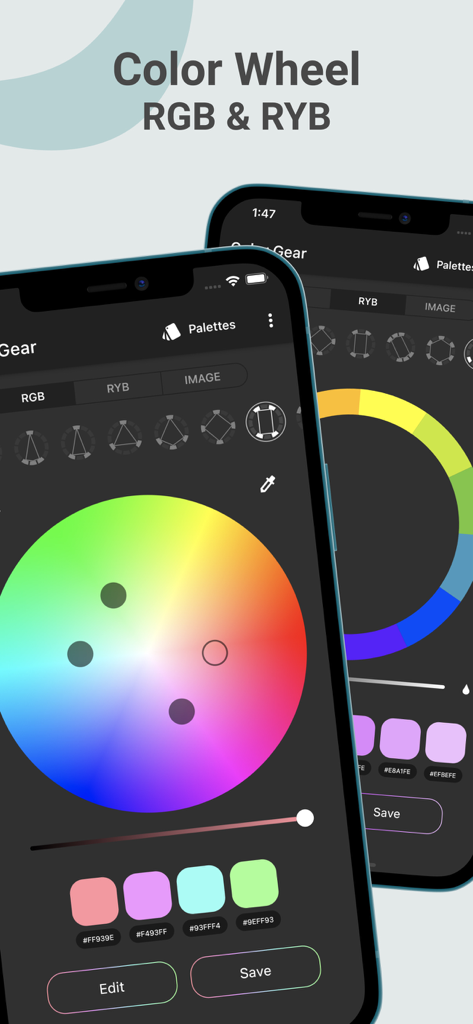
Color Wheel Palette: ColorGear - ColorGear 앱 인터페이스, 전문적인 RGB 및 RYB 색상환을 보여주며 두 개의 스마트폰에서 팔레트 생성
ColorGear 앱 인터페이스, 전문적인 RGB 및 RYB 색상환을 보여주며 두 개의 스마트폰에서 팔레트 생성

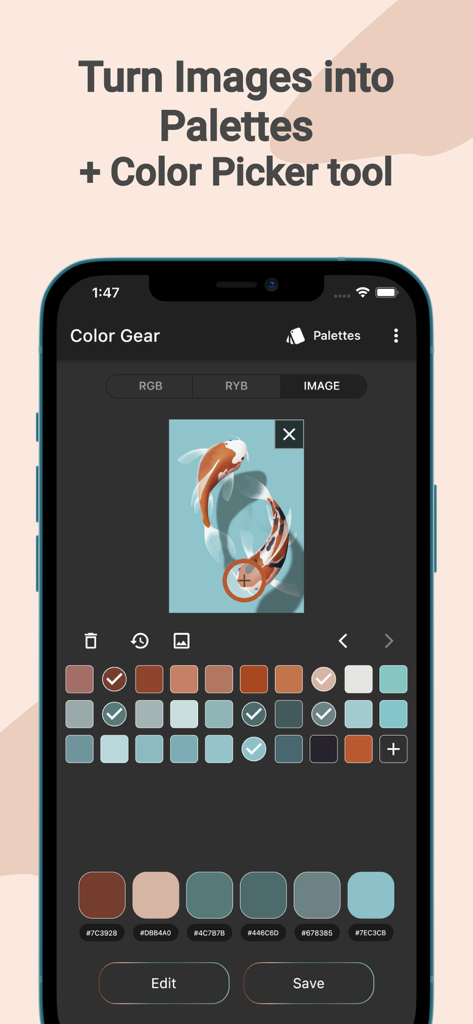
Color Wheel Palette: ColorGear - 잉어 사진에서 색상 팔레트 추출을 보여주는 모바일 앱 화면

잉어 사진에서 색상 팔레트 추출을 보여주는 모바일 앱 화면

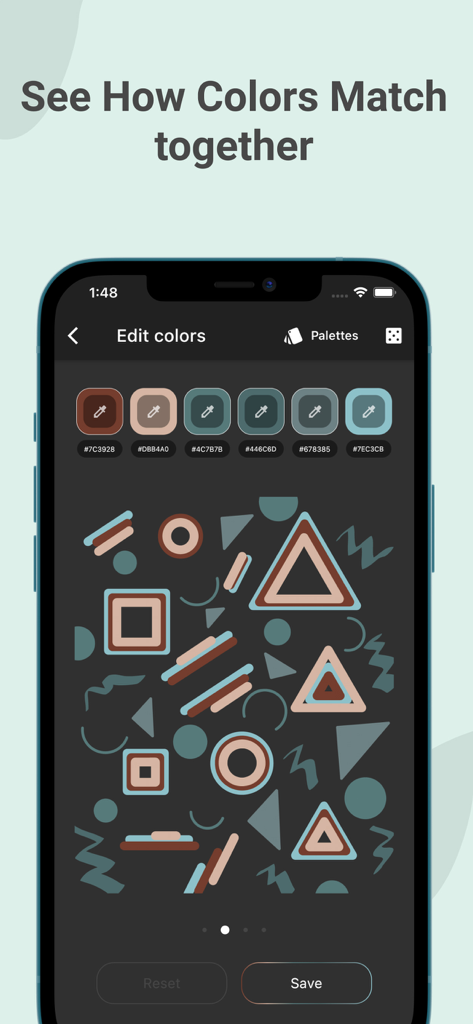
Color Wheel Palette: ColorGear - ColorGear 앱 인터페이스, 색상 팔레트 16진수 코드 및 기하학적 도형 시각화 표시
ColorGear 앱 인터페이스, 색상 팔레트 16진수 코드 및 기하학적 도형 시각화 표시

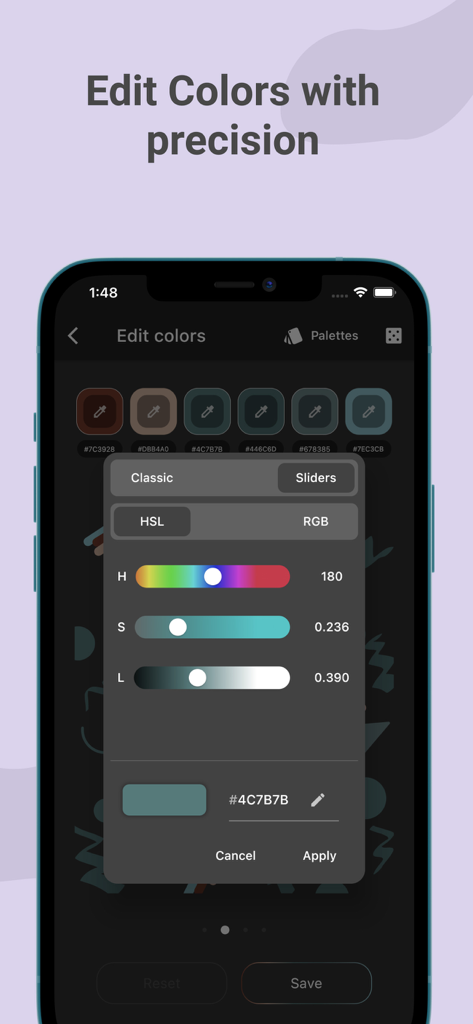
Color Wheel Palette: ColorGear - ColorGear에서 정밀한 색상 팔레트 조정을 위한 HSL 슬라이더를 보여주는 모바일 앱 인터페이스
ColorGear에서 정밀한 색상 팔레트 조정을 위한 HSL 슬라이더를 보여주는 모바일 앱 인터페이스

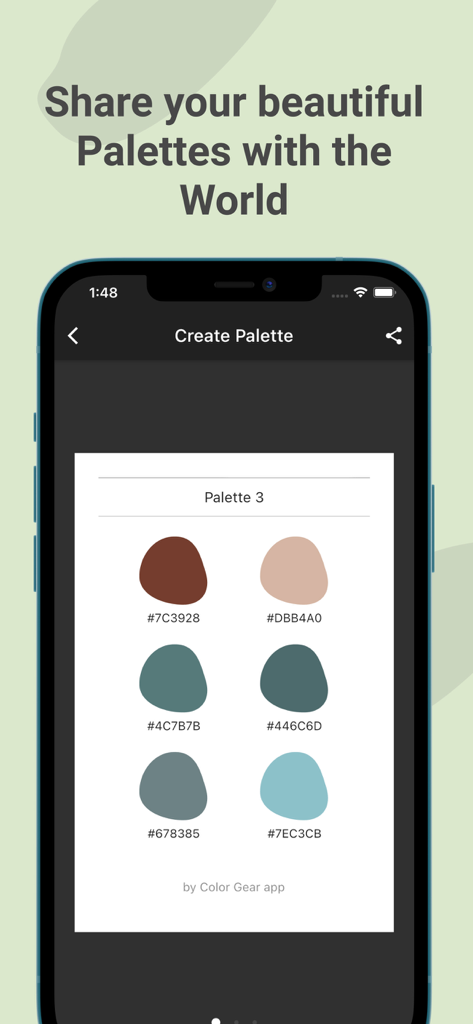
Color Wheel Palette: ColorGear - ColorGear 앱에서 6개의 견본과 16진수 코드가 있는 공유 색상 팔레트를 보여주는 스마트폰 화면
ColorGear 앱에서 6개의 견본과 16진수 코드가 있는 공유 색상 팔레트를 보여주는 스마트폰 화면

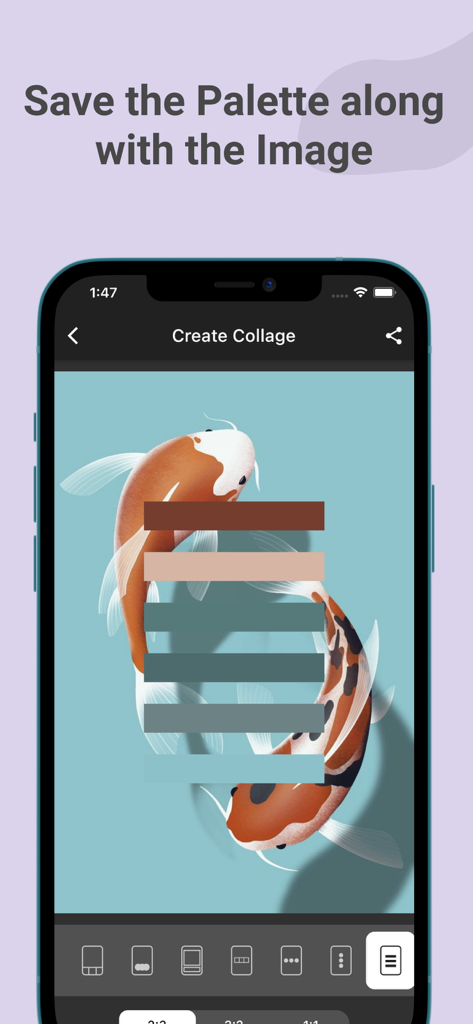
Color Wheel Palette: ColorGear - ColorGear 앱에서 잉어 일러스트레이션에서 색상 팔레트 콜라주 만들기
ColorGear 앱에서 잉어 일러스트레이션에서 색상 팔레트 콜라주 만들기

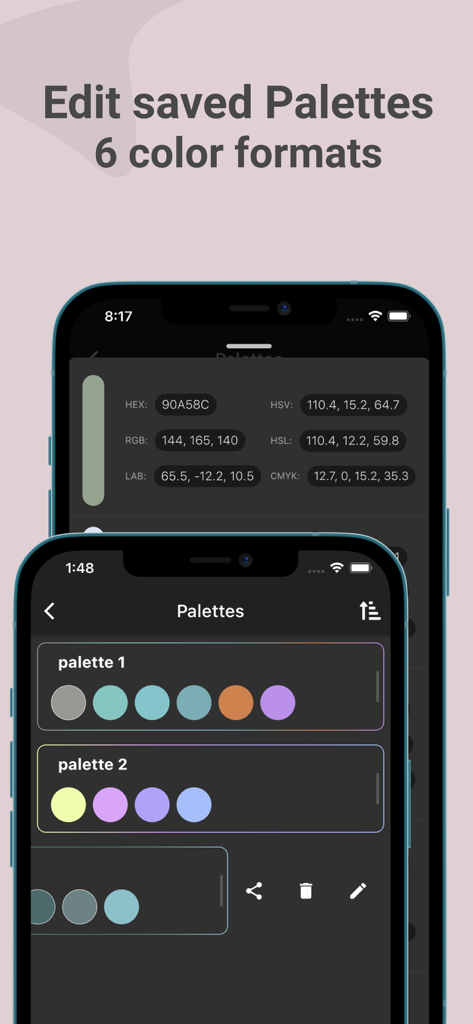
Color Wheel Palette: ColorGear - ColorGear 앱 인터페이스, 저장된 색상 팔레트 및 HEX 및 RGB와 같은 여러 색상 형식 표시

ColorGear 앱 인터페이스, 저장된 색상 팔레트 및 HEX 및 RGB와 같은 여러 색상 형식 표시

설명

Color Gear is a handy tool that helps to create harmonious color swatches. To find the right color combination, designers and artists use color theory and the basis of it: color wheels and harmonies. Or maybe you have just started to learn the basics of color science and you need a simple app to study the color harmony in practice. Use color wheel that suits your needs Our app supports two color models — Full Color Wheel (RGB model) and Basic Itten's Color Wheel. Color scheme by Itten is typically used by artists, and RGB is designed for online use. For both of them you can apply one of the 10 color combinations \ harmonies. Ability to extract colors from your image Select the desired picture from your phone and application's algorithms will extract colors. Then you can choose favorite colors and save the palette. Get matching colors to your custom color Just type in your color code and discover color harmonies with this particular color. Use color editing tool It is very important to balance the quantitative ratio of color in order to make your palette look harmonious in practice. The application has a convenient function to quickly swap colors in the images. There are 3 pictures and gradient in the palette editing carousel. You can see how the selected colors look in different ratios. Easy to manage and share Also you will be able to save, export and remove palettes. To share the desired palette just choose mode — text HEX codes or image. You can always copy a particular color code under color swatch to the clipboard. Developing Color Gear we tried to make it professional and easy to use. Two color circles, 10 color harmonies, ability to input a color code manually, and convenient palette editing tool that are always at hand in one application.

Download

다운로드: App Store

이 페이지는 앱이나 개발자의 공식 페이지가 아니며, 정보 제공 및 논평을 목적으로 작성된 독립 편집 간행물입니다. 명시적으로 달리 언급되지 않는 한, 해당 앱이나 개발자는 MWM, Apple, Google Play, 앱 퍼블리셔 또는 앱 개발자와 제휴, 보증, 후원, 승인 또는 공식적으로 연결되어 있지 않으며, 이 페이지의 어떤 내용도 해당 앱이 MWM의 서비스를 사용하여 개발되었음을 의미하지 않습니다. 모든 상표, 로고, 스크린샷 및 기타 콘텐츠는 해당 소유자의 자산입니다.