Comic maker - Arcstudio
다운로드: App Store

이 페이지는 앱이나 개발자의 공식 페이지가 아니며, 정보 제공 및 논평을 목적으로 작성된 독립 편집 간행물입니다. 명시적으로 달리 언급되지 않는 한, 해당 앱이나 개발자는 MWM, Apple, Google Play, 앱 퍼블리셔 또는 앱 개발자와 제휴, 보증, 후원, 승인 또는 공식적으로 연결되어 있지 않으며, 이 페이지의 어떤 내용도 해당 앱이 MWM의 서비스를 사용하여 개발되었음을 의미하지 않습니다. 모든 상표, 로고, 스크린샷 및 기타 콘텐츠는 해당 소유자의 자산입니다.


로고: Comic maker - Arcstudio
다운로드: App Store

Comic maker - Arcstudio

그림 실력이 없으신가요? 문제없습니다. AI를 사용하여 전문적인 패널을 생성하고, 웹툰을 디자인하고, 몇 초 만에 디지털 스토리에 생명을 불어넣으세요.

주요 수치

다운로드

900

사용자 평점

1.0/5

총 평가 수

0

개발사

WEXPY TECHNOLOGIES (OPC) PRIVATE LIMITED

카테고리

Graphics & Design

지원 언어

1

최신 버전

4.3

크기

52.1 MB

출시일

2025년 5월 26일
기능

아이디어에서 에픽 코믹까지 몇 초 만에

Arcstudio는 누구나 크리에이터가 될 수 있도록 지원합니다. 펜이나 종이가 필요 없습니다. 상상력과 차세대 디지털 스토리텔러를 위한 고급 AI 엔진만 있으면 됩니다.

프롬프트-투-패널 마법

간단한 텍스트를 멋진 만화와 코믹 아트워크로 바꾸세요. 아트 스타일을 선택하고 AI가 나머지를 처리하는 동안 스토리에 집중하세요.

전문적인 레이아웃 및 말풍선

말풍선과 패널을 쉽게 드래그 앤 드롭하고 크기를 조절하세요. iPad 또는 Mac에서 독자를 위한 완벽한 영화적 흐름을 만드세요.

다음 스크린샷과 설명은 앱의 공식 스토어 목록에서 직접 가져온 것이며 앱 개발자의 자산입니다.

앱 스토어

스크린샷
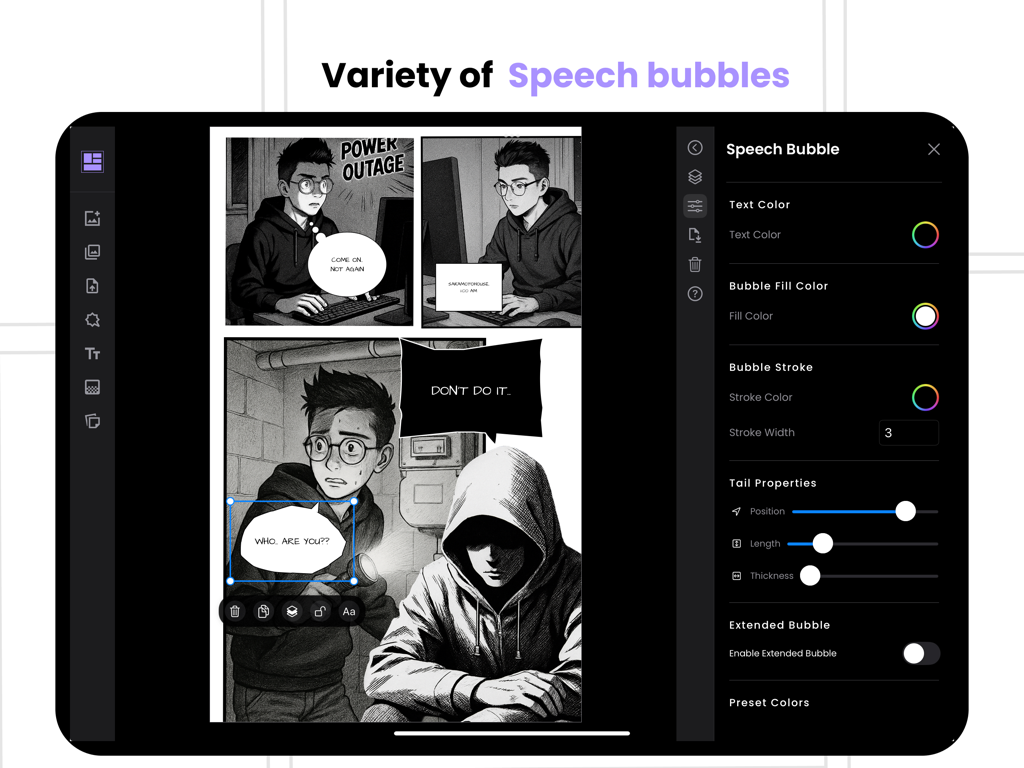
Comic maker - Arcstudio - Comic Maker Arcstudio 앱에서 말풍선과 텍스트를 사용자 정의하는 인터페이스.
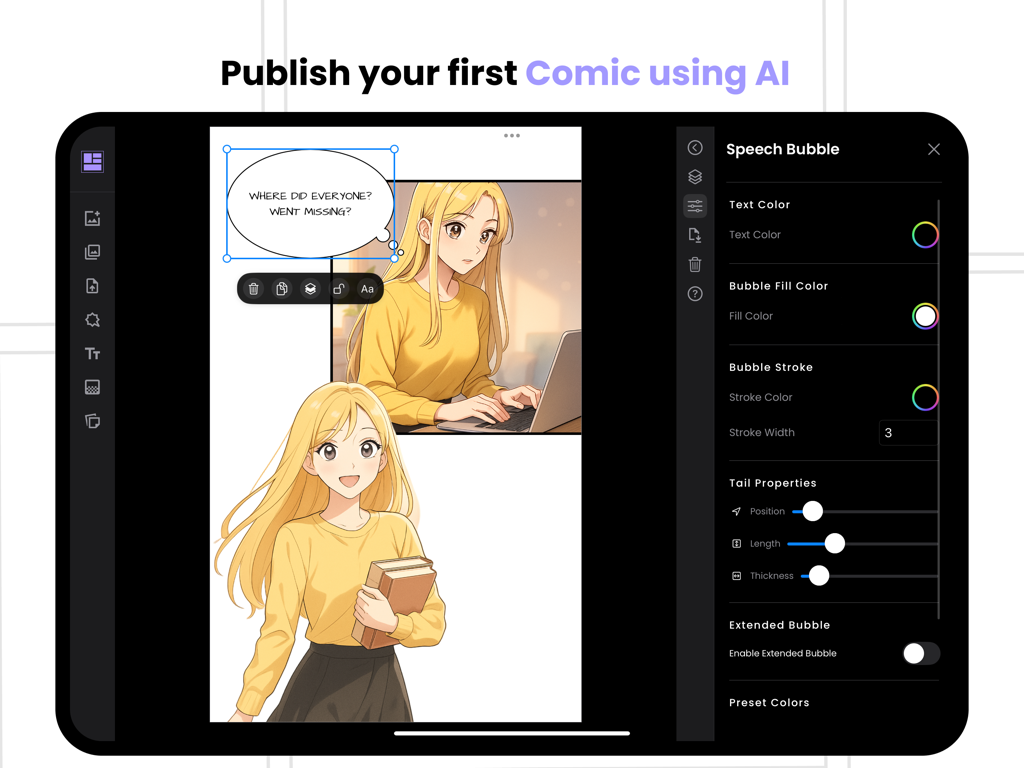
Comic Maker Arcstudio 앱에서 말풍선과 텍스트를 사용자 정의하는 인터페이스.

Comic maker - Arcstudio - Arcstudio Comic Maker 앱의 iPad 인터페이스로, 만화 패널과 말풍선 사용자 정의를 보여줍니다.

Arcstudio Comic Maker 앱의 iPad 인터페이스로, 만화 패널과 말풍선 사용자 정의를 보여줍니다.

설명

Create Comics, Manga & Digital Stories Instantly! Ever wanted to create your own comic book, manga, or digital story but didn’t know where to start? With Comic Maker - Arcstudio, you can bring your ideas to life in seconds! Whether you love manga, digital comics, or classic comic books, Arcstudio makes creation fast, fun, and effortless—no drawing skills needed. ► AI-Powered Comic & Manga Creation Turn ideas into comics instantly – Enter a short prompt, and let AI create full comic panels for you. Choose your art style – From manga, comic book, webtoon, and digital comics, find the perfect look. Add text and speech bubbles – Customize dialogue, narration, and sound effects for your story. Auto-generate scenes – AI helps you create comic book backgrounds. Seamless panel layouts – Arrange panels for a professional manga or comic book feel. ► Endless Possibilities Use Arcstudio to create: Manga and Anime-Inspired Stories Classic and Digital Comic Books Webcomics and Comic Strips Superhero, Fantasy, and Sci-Fi Adventures Fan Art and Original Graphic Novels From a quick one-panel comic strip to a full manga series or comic book, Arcstudio lets your creativity shine. ► Why Arcstudio? No drawing skills needed – AI generates high-quality comic book and manga art for you. Diverse styles – Experiment with manga, digital comics, and webtoon styles. Easy-to-use editor – Add, move, or resize panels, speech bubbles, and text effortlessly. Share and go viral – Export in high resolution and post your comics and manga on social media. Join thousands of comic book fans, manga artists, and storytellers using Arcstudio to create stunning visuals with just a few taps. ► Ready to Create Your First Comic? Download Comic Maker - Arcstudio now and start crafting your own manga, comics, and digital stories today. Terms of use: https://www.apple.com/legal/internet-services/itunes/dev/stdeula/

Download

다운로드: App Store

이 페이지는 앱이나 개발자의 공식 페이지가 아니며, 정보 제공 및 논평을 목적으로 작성된 독립 편집 간행물입니다. 명시적으로 달리 언급되지 않는 한, 해당 앱이나 개발자는 MWM, Apple, Google Play, 앱 퍼블리셔 또는 앱 개발자와 제휴, 보증, 후원, 승인 또는 공식적으로 연결되어 있지 않으며, 이 페이지의 어떤 내용도 해당 앱이 MWM의 서비스를 사용하여 개발되었음을 의미하지 않습니다. 모든 상표, 로고, 스크린샷 및 기타 콘텐츠는 해당 소유자의 자산입니다.







