ComicFlow - CBR & CBZ to PDF
다운로드: App Store

이 페이지는 앱이나 개발자의 공식 페이지가 아니며, 정보 제공 및 논평을 목적으로 작성된 독립 편집 간행물입니다. 명시적으로 달리 언급되지 않는 한, 해당 앱이나 개발자는 MWM, Apple, Google Play, 앱 퍼블리셔 또는 앱 개발자와 제휴, 보증, 후원, 승인 또는 공식적으로 연결되어 있지 않으며, 이 페이지의 어떤 내용도 해당 앱이 MWM의 서비스를 사용하여 개발되었음을 의미하지 않습니다. 모든 상표, 로고, 스크린샷 및 기타 콘텐츠는 해당 소유자의 자산입니다.

로고: ComicFlow - CBR & CBZ to PDF
다운로드: App Store

ComicFlow - CBR & CBZ to PDF

60fps 성능과 완벽한 변환으로 선명한 독서 경험을 즐기세요. 계정, 광고 없이 완벽한 개인 정보 보호로 컬렉션을 관리하세요. iPhone 및 iPad에서 좋아하는 스토리를 읽기만 하면 됩니다.

주요 수치

다운로드

100

사용자 평점

1.0/5

총 평가 수

0

개발사

Navid Gooranourimi

카테고리

Utilities

지원 언어

6

최신 버전

2.0

크기

3.4 MB

출시일

2026년 1월 5일
기능

디지털 만화 컬렉션 마스터하기

완벽한 CBR/CBZ 변환부터 고성능 독서까지, ComicFlow는 광고 없이 100% 개인 정보 보호로 라이브러리를 완벽하게 제어할 수 있도록 합니다.

강력한 범용 변환

CBR 및 CBZ 아카이브를 고품질 PDF로 즉시 변환하여 컬렉션을 미래에 대비하거나 모든 장치에서 공유하세요.

전문가 수준의 독서 경험

iPad에 최적화된 만화, 웹툰 및 더블 페이지 스프레드를 위한 특수 모드로 60fps의 부드러운 스크롤을 즐기세요.

다음 스크린샷과 설명은 앱의 공식 스토어 목록에서 직접 가져온 것이며 앱 개발자의 자산입니다.

앱 스토어

스크린샷
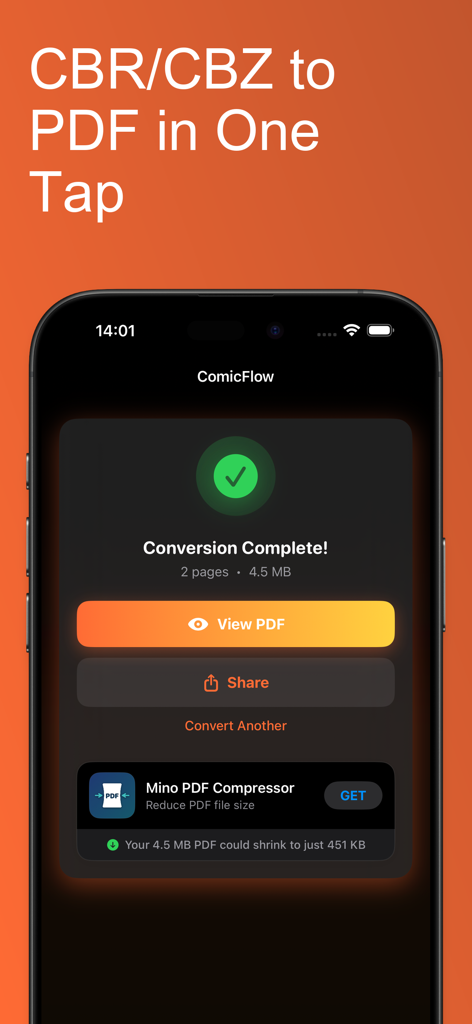
ComicFlow - CBR & CBZ to PDF - ComicFlow 앱이 iPhone에서 완료된 CBR에서 PDF로의 변환 화면을 보여줍니다.
ComicFlow 앱이 iPhone에서 완료된 CBR에서 PDF로의 변환 화면을 보여줍니다.

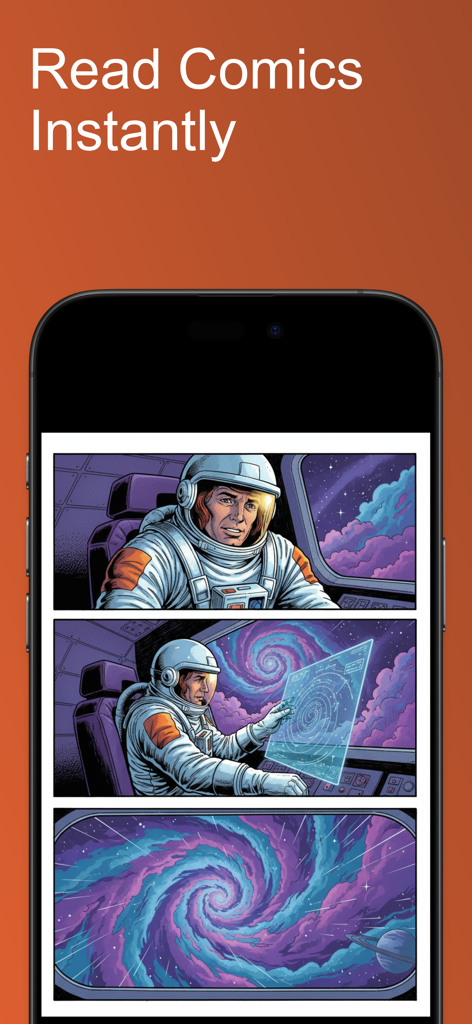
ComicFlow - CBR & CBZ to PDF - ComicFlow 앱 인터페이스가 iPhone에서 우주 테마 만화책을 읽고 있는 모습입니다.
ComicFlow 앱 인터페이스가 iPhone에서 우주 테마 만화책을 읽고 있는 모습입니다.

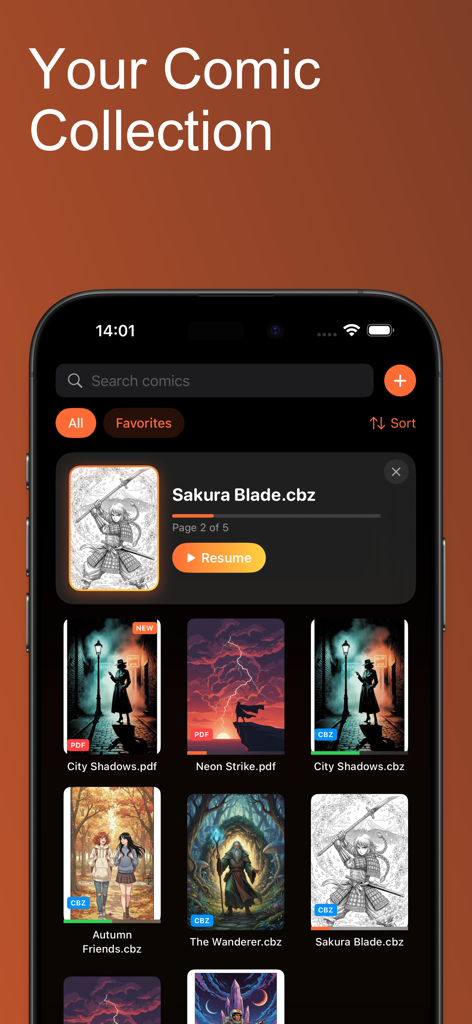
ComicFlow - CBR & CBZ to PDF - ComicFlow 앱 인터페이스가 iPhone에서 커버 썸네일과 읽기 진행 상황이 있는 디지털 만화 라이브러리를 보여줍니다.
ComicFlow 앱 인터페이스가 iPhone에서 커버 썸네일과 읽기 진행 상황이 있는 디지털 만화 라이브러리를 보여줍니다.

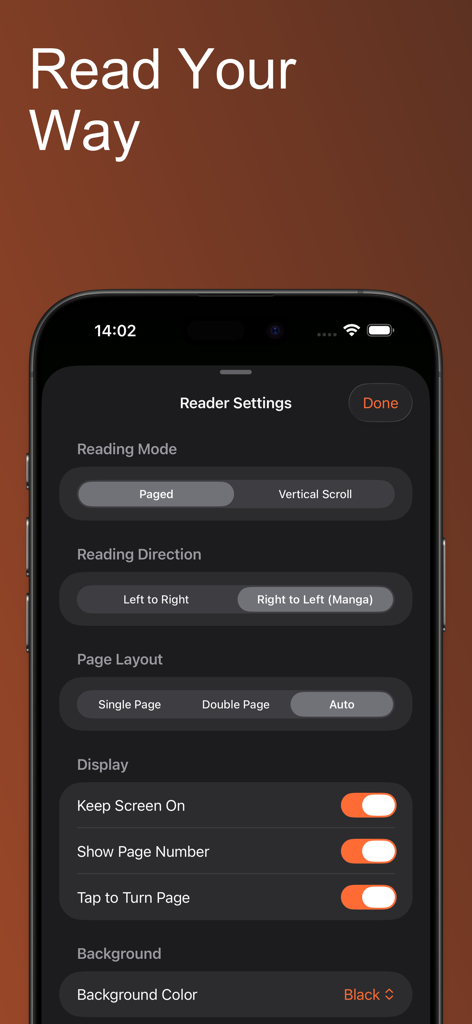
ComicFlow - CBR & CBZ to PDF - ComicFlow 앱 인터페이스가 읽기 모드, 방향 및 페이지 레이아웃에 대한 독자 사용자 정의 설정을 보여줍니다.
ComicFlow 앱 인터페이스가 읽기 모드, 방향 및 페이지 레이아웃에 대한 독자 사용자 정의 설정을 보여줍니다.

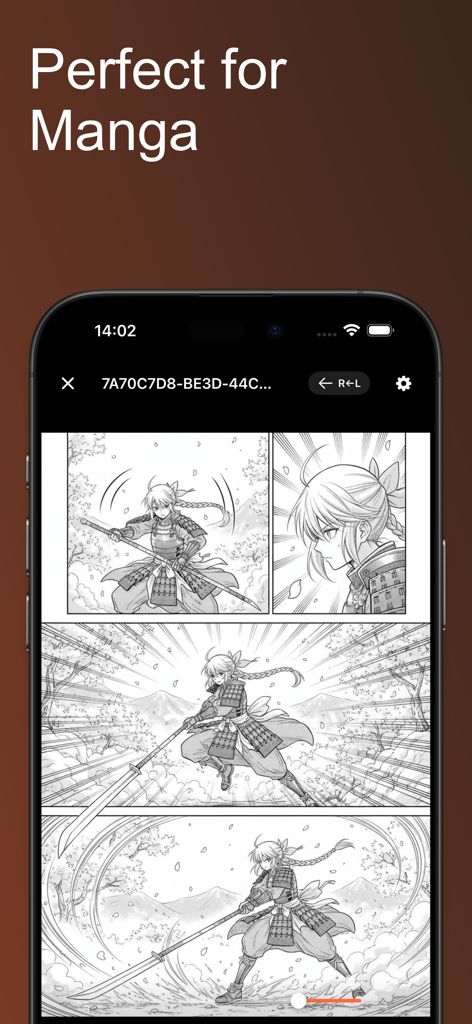
ComicFlow - CBR & CBZ to PDF - ComicFlow 앱이 iPhone 화면에서 오른쪽에서 왼쪽으로 읽기 모드가 활성화된 만화를 보여줍니다.
ComicFlow 앱이 iPhone 화면에서 오른쪽에서 왼쪽으로 읽기 모드가 활성화된 만화를 보여줍니다.

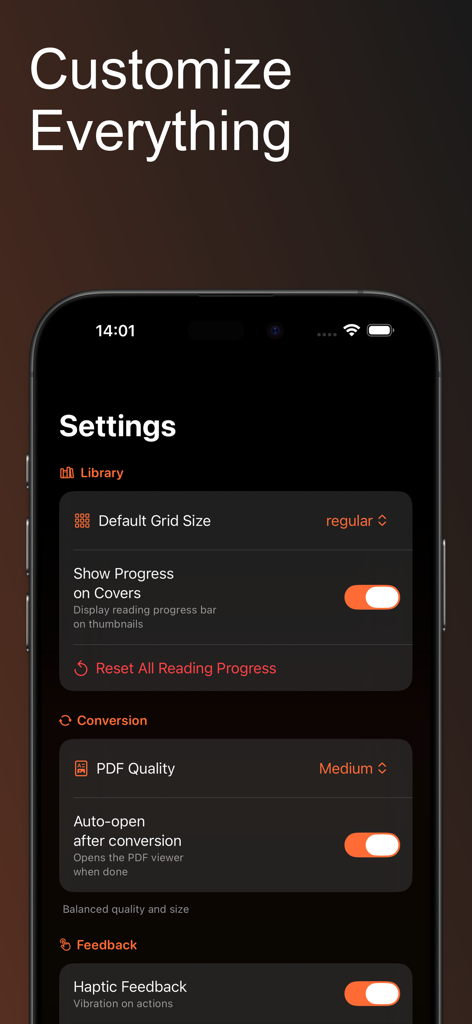
ComicFlow - CBR & CBZ to PDF - 어두운 인터페이스의 iPhone 화면에서 라이브러리 그리드 크기, PDF 변환 품질 및 햅틱 피드백에 대한 옵션을 보여주는 ComicFlow 설정 화면 스크린샷입니다.

어두운 인터페이스의 iPhone 화면에서 라이브러리 그리드 크기, PDF 변환 품질 및 햅틱 피드백에 대한 옵션을 보여주는 ComicFlow 설정 화면 스크린샷입니다.

설명

ComicFlow is the ultimate comic book app for iPhone and iPad. Convert CBR and CBZ archives to PDF, or read them directly without conversion. Organize your collection with ratings, notes, and reading progress. 100% offline and private. POWERFUL CBR/CBZ TO PDF CONVERTER Convert your comic book archives to PDF with one tap. ComicFlow extracts every page from your CBR, CBZ, RAR, and ZIP files and creates perfectly formatted PDF documents in seconds. Choose from three quality settings: - Low: Smaller file size, great for sharing - Medium: Balanced quality and size for everyday reading - High: Pristine image quality for collectors Watch real-time progress as your comics are converted. The converted PDFs work everywhere - share with friends, save to cloud storage, or print your favorites. READ COMICS DIRECTLY - NO CONVERSION NEEDED New in 2.0: Open and read CBR, CBZ, and PDF files instantly without converting. ComicFlow includes a powerful built-in comic reader with smooth 60fps page viewing optimized for high-resolution comic pages. - Double-tap to zoom into detailed artwork and panels - Pinch to zoom for precise control - Swipe or tap to turn pages - Tap zones for easy one-handed navigation - Reading position saved automatically for every file ORGANIZE YOUR COMIC COLLECTION Build and manage your personal comic library: - Create custom collections to group series or genres - Rate your comics with 5-star ratings - Add personal notes and tags to any comic - Track reading status: unread, reading, or completed - Search your entire library instantly - Filter by publisher, year, genre, rating, or status - ComicInfo.xml metadata automatically extracted FLEXIBLE READING MODES ComicFlow adapts to how you like to read: - Single page mode for phones or focused reading - Double page spread for tablets and landscape viewing - Right-to-left page order for manga readers - Vertical scroll mode for webtoons and long-strip comics - Thumbnail grid for quick navigation - Switch between modes instantly while reading 100% OFFLINE AND PRIVATE ComicFlow works completely offline. No internet required. No account sign-up. No cloud uploads. No tracking. No ads ever. Your comic collection stays on your device. Your reading habits are nobody's business but yours. BUILT-IN LIBRARY Every comic displays with a cover thumbnail and file type badge (CBR, CBZ, PDF). - Search your collection instantly - Sort by name, date, size, rating, or progress - Swipe to delete or share any comic - Continue reading card shows your current comic IMPORT ANY COMIC FORMAT ComicFlow supports all popular formats: - CBR (Comic Book RAR) - CBZ (Comic Book ZIP) - RAR and ZIP archives - PDF files Open files from the Files app, email, cloud storage, or any sharing app. NOW IN 6 LANGUAGES Fully localized in English, German, Spanish, French, Japanese, and Korean. THOUGHTFULLY DESIGNED - Clean, intuitive interface - Full Dark Mode support - Optimized for iPhone and iPad - iOS 18 ready PERFECT FOR - Comic collectors who want CBR/CBZ to PDF conversion - Readers who prefer reading comics directly - Anyone with CBR, CBZ, or RAR files - Manga readers who need right-to-left reading - Webtoon fans who prefer vertical scrolling - Readers who value privacy and offline access Download ComicFlow - the best way to convert, read, and organize your comics on iOS.

Download

다운로드: App Store

이 페이지는 앱이나 개발자의 공식 페이지가 아니며, 정보 제공 및 논평을 목적으로 작성된 독립 편집 간행물입니다. 명시적으로 달리 언급되지 않는 한, 해당 앱이나 개발자는 MWM, Apple, Google Play, 앱 퍼블리셔 또는 앱 개발자와 제휴, 보증, 후원, 승인 또는 공식적으로 연결되어 있지 않으며, 이 페이지의 어떤 내용도 해당 앱이 MWM의 서비스를 사용하여 개발되었음을 의미하지 않습니다. 모든 상표, 로고, 스크린샷 및 기타 콘텐츠는 해당 소유자의 자산입니다.








