ComicReader
ComicReader
다운로드: App Store

이 페이지는 앱이나 개발자의 공식 페이지가 아니며, 정보 제공 및 논평을 목적으로 작성된 독립 편집 간행물입니다. 명시적으로 달리 언급되지 않는 한, 해당 앱이나 개발자는 MWM, Apple, Google Play, 앱 퍼블리셔 또는 앱 개발자와 제휴, 보증, 후원, 승인 또는 공식적으로 연결되어 있지 않으며, 이 페이지의 어떤 내용도 해당 앱이 MWM의 서비스를 사용하여 개발되었음을 의미하지 않습니다. 모든 상표, 로고, 스크린샷 및 기타 콘텐츠는 해당 소유자의 자산입니다.


로고: ComicReader
다운로드: App Store

ComicReader

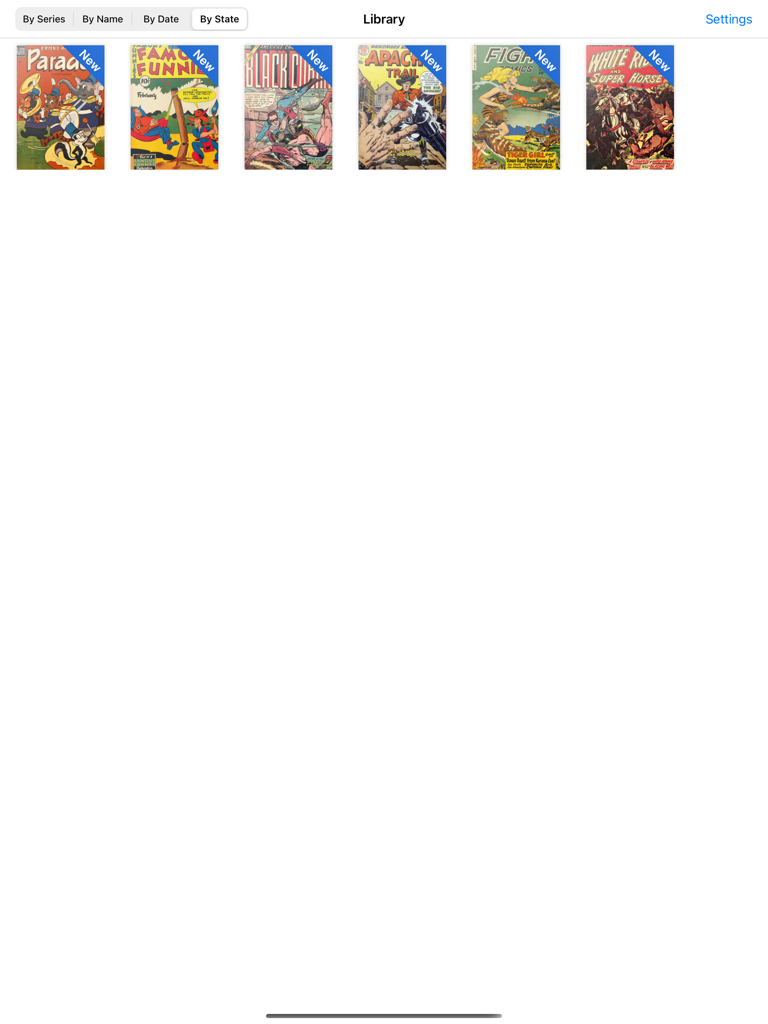
1,500개 이상의 만화를 지연 없이 관리하는 하드코어 컬렉터를 위해 제작되었습니다. Apple Silicon에 최적화된 세련된 인터페이스로 CBR, CBZ 및 PDF 파일에 즉시 액세스할 수 있습니다.

주요 수치

다운로드

5K+

사용자 평점

3.6/5

총 평가 수

100

개발사

Pablo Clemente

카테고리

Utilities

지원 언어

1

최신 버전

1.0.1

크기

16.0 MB

출시일

2021년 12월 1일
기능

진지한 수집가를 위해 제작됨

수천 개의 이슈와 방대한 라이브러리를 문제없이 처리하도록 설계된 리더기로 원활한 성능을 경험하세요.

비교할 수 없는 라이브러리 용량

마침내 1,500개 이상의 만화와 수십 GB의 데이터를 충돌이나 속도 저하 없이 쉽게 관리하는 iPad 리더기가 출시되었습니다.

지연 없는 즉시 읽기

사전 처리를 건너뛰세요. .cbr, .cbz 및 PDF 파일을 기기에 다운로드되는 즉시 기본 렌더링으로 열 수 있습니다.

다음 스크린샷과 설명은 앱의 공식 스토어 목록에서 직접 가져온 것이며 앱 개발자의 자산입니다.

앱 스토어

스크린샷

ComicReader - COOL이라는 단어가 빨간색 하프톤 배경의 노란색 폭발 거품에 있는 만화 스타일 일러스트
COOL이라는 단어가 빨간색 하프톤 배경의 노란색 폭발 거품에 있는 만화 스타일 일러스트

ComicReader - 빈티지 만화책 컬렉션을 보여주는 iPad의 ComicReader 앱 라이브러리 인터페이스
빈티지 만화책 컬렉션을 보여주는 iPad의 ComicReader 앱 라이브러리 인터페이스

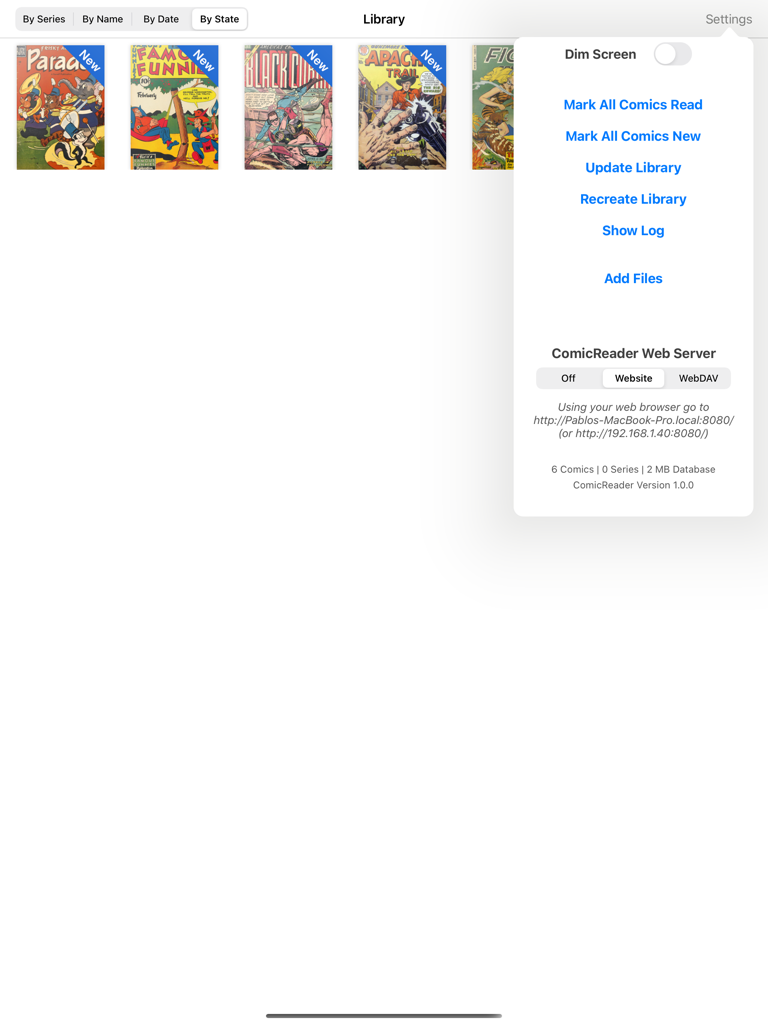
ComicReader - 디지털 만화 라이브러리를 보여주는 ComicReader iPad 앱과 파일 관리 및 웹 서버 옵션이 있는 설정 메뉴
디지털 만화 라이브러리를 보여주는 ComicReader iPad 앱과 파일 관리 및 웹 서버 옵션이 있는 설정 메뉴

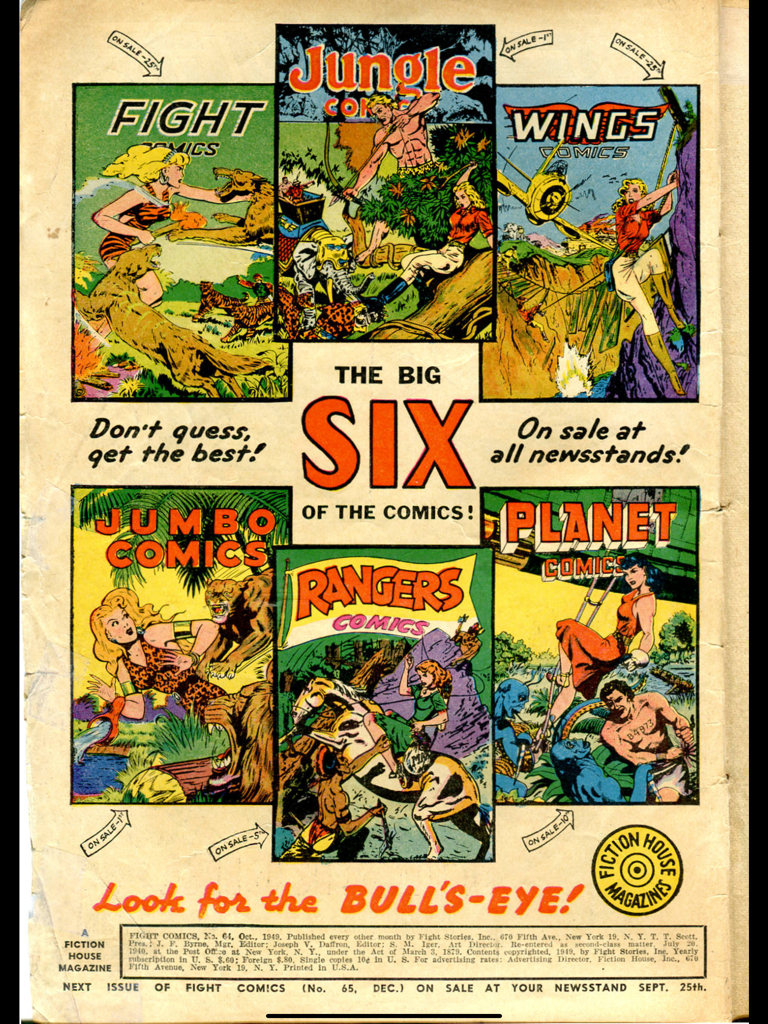
ComicReader - Fight Comics 및 Planet Comics를 포함한 6개의 클래식 만화 표지가 특징인 Fiction House Magazines의 빈티지 광고
Fight Comics 및 Planet Comics를 포함한 6개의 클래식 만화 표지가 특징인 Fiction House Magazines의 빈티지 광고

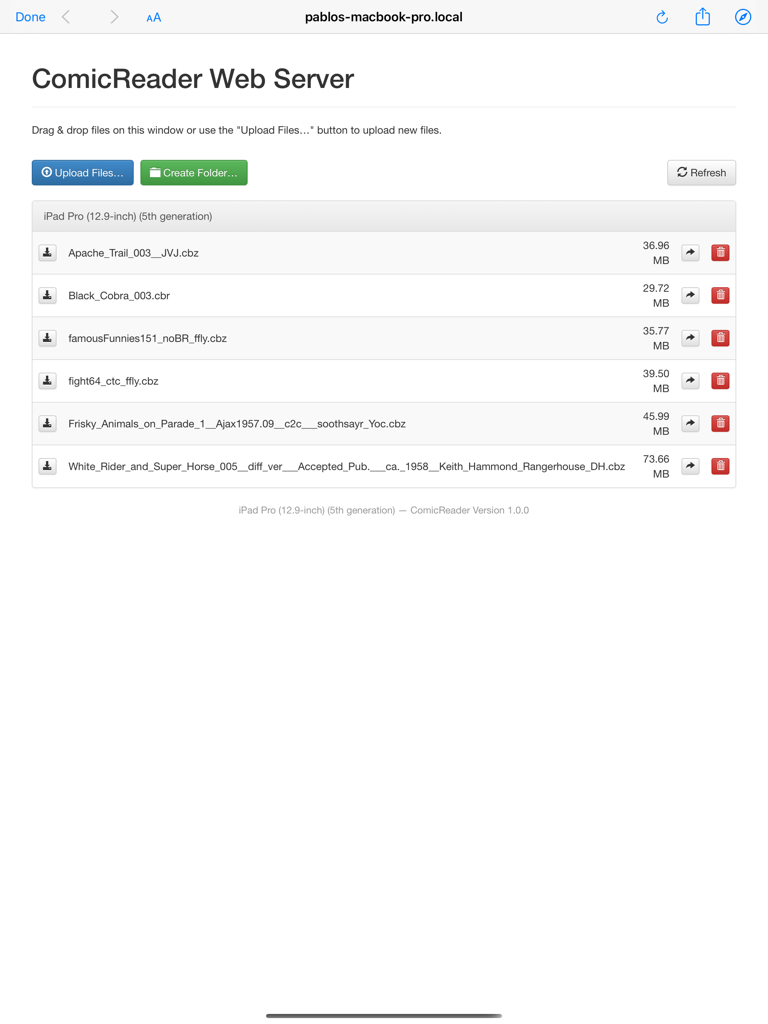
ComicReader - iPad의 ComicReader에 만화 파일을 업로드하기 위한 웹 서버 인터페이스

iPad의 ComicReader에 만화 파일을 업로드하기 위한 웹 서버 인터페이스

설명

Finally a comic reader for iPad done right! ComicReader was designed with one goal in mind: providing the best experience for comic fans with large collections. This is an open source App based on ComicFlow, which stopped receiving updates and wasn’t optimised for the latest devices. Features: - Polished interface - Can handle very large comic collections (1,500+ comics and dozens of GB) without crashing or becoming unusable - Imports new comics in the background - Doesn't need to pre-process comic files before you can read them - Supports .cbr, .cbz and pdf files Importing Comics - iTunes with USB cable: - Connect your iPad to your computer and launch iTunes - In the Applications section, select ComicReader in the list at the bottom - Drag and drop comic files into the Documents area - If ComicReader is already running, display the settings window (upper-right button) and tap on "Update Library" Importing Comics - Web Server over WiFi: - Make sure your iPad and computer are on the same WiFi network - Launch ComicReader - Display the settings window (upper-right button) and set the Web Server setting to "Website" mode - Open the provided URL in a web browser on your computer - To upload comics as part of series, first create a folder then upload the comic files into it Instead of a web browser, if you prefer to use a WebDAV client (e.g. Transmit or ForkLift for Mac or CyberDuck for Mac / Windows), set the Web Server setting to "WebDAV" mode and connect the client to the provided URL. -Alternatively you can use the "Add Files" from the settings menu to use the build in browser which will allow you to add from the files app. Deleting or changing a comic or series status: - Tap and hold on a comic thumbnail or a series thumbnail - Choose the appropriate option in the pop-up menu that appears ComicReader (like ComicFlow before it) is also the first (and only?) open-source comic reader for iPad: get the full source from https://github.com/pclemente/ComicReader, forked from https://github.com/swisspol/ComicFlow under GPL v3 license. ComicReader improves from ComicFlow by adding a dark theme, improvements to the efficiency and adapts to all modern iOS devices, taking full advantage of Apple Silicon. Looking for free public domain comics? Check out http://digitalcomicmuseum.com!

Download

다운로드: App Store

이 페이지는 앱이나 개발자의 공식 페이지가 아니며, 정보 제공 및 논평을 목적으로 작성된 독립 편집 간행물입니다. 명시적으로 달리 언급되지 않는 한, 해당 앱이나 개발자는 MWM, Apple, Google Play, 앱 퍼블리셔 또는 앱 개발자와 제휴, 보증, 후원, 승인 또는 공식적으로 연결되어 있지 않으며, 이 페이지의 어떤 내용도 해당 앱이 MWM의 서비스를 사용하여 개발되었음을 의미하지 않습니다. 모든 상표, 로고, 스크린샷 및 기타 콘텐츠는 해당 소유자의 자산입니다.








