Compress Videos: Free Up Space
다운로드: App Store

이 페이지는 앱이나 개발자의 공식 페이지가 아니며, 정보 제공 및 논평을 목적으로 작성된 독립 편집 간행물입니다. 명시적으로 달리 언급되지 않는 한, 해당 앱이나 개발자는 MWM, Apple, Google Play, 앱 퍼블리셔 또는 앱 개발자와 제휴, 보증, 후원, 승인 또는 공식적으로 연결되어 있지 않으며, 이 페이지의 어떤 내용도 해당 앱이 MWM의 서비스를 사용하여 개발되었음을 의미하지 않습니다. 모든 상표, 로고, 스크린샷 및 기타 콘텐츠는 해당 소유자의 자산입니다.


로고: Compress Videos: Free Up Space
다운로드: App Store

Compress Videos: Free Up Space

'저장 공간 거의 다 찼습니다' 알림이 소중한 순간을 망치게 두지 마세요. AI 기반 기술로 동영상 품질 저하 없이 몇 초 만에 GB 단위의 iPhone 저장 공간을 확보하세요.

주요 수치

다운로드

3K+

사용자 평점

4.7/5

총 평가 수

900

개발사

Island Palm Mobile LLC

카테고리

Photo & Video

지원 언어

1

최신 버전

1.10

크기

34.8 MB

출시일

2024년 6월 7일
기능

추억을 다시는 삭제하지 마세요

TinyVid는 고급 AI를 사용하여 대용량 4K 동영상을 축소하여 소중한 순간의 품질을 저하시키지 않으면서 GB 단위의 저장 공간을 되돌려 드립니다.

대용량 공간 절약

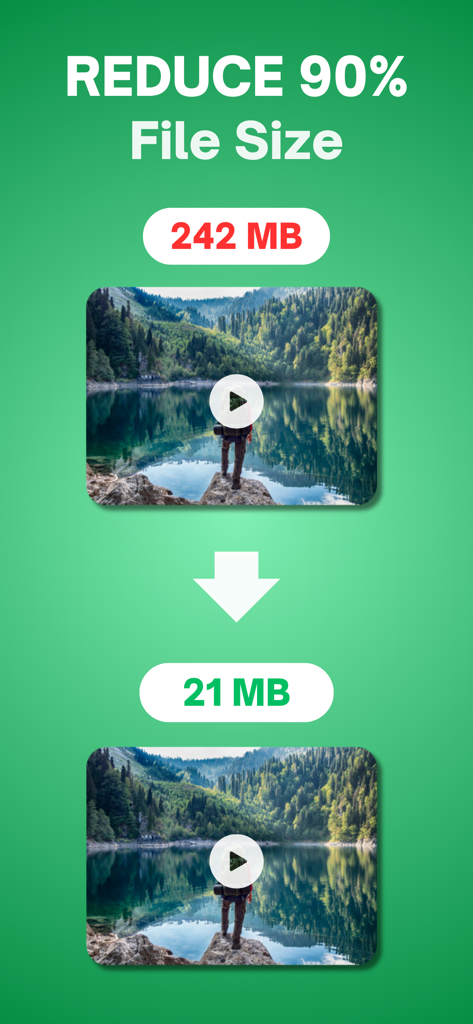
대용량 동영상 파일을 최대 90%까지 축소하여 즉시 수천 개의 새 사진과 동영상을 위한 공간을 확보하세요.

크리스탈처럼 선명한 AI 압축

4K 해상도와 선명한 디테일을 유지하세요. AI 기술은 전문적인 품질을 유지하면서 파일 크기를 줄입니다.

다음 스크린샷과 설명은 앱의 공식 스토어 목록에서 직접 가져온 것이며 앱 개발자의 자산입니다.

앱 스토어

스크린샷
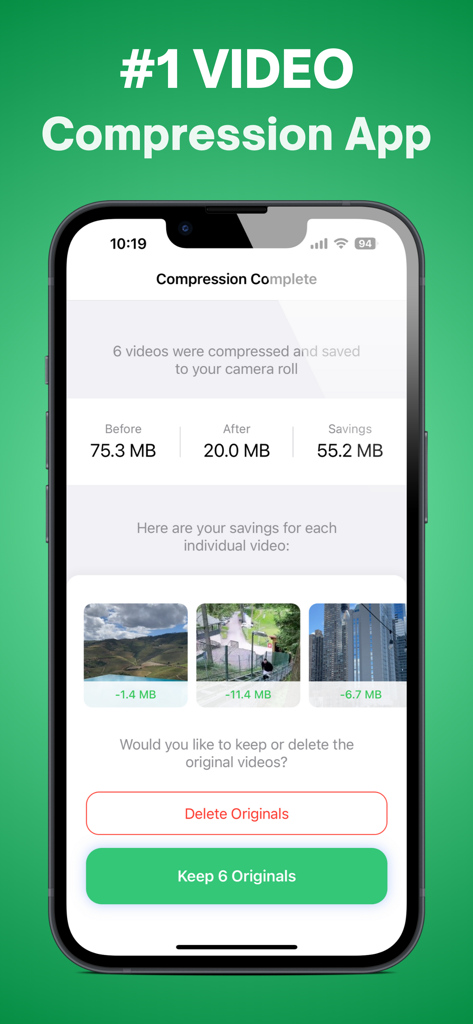
Compress Videos: Free Up Space - TinyVid 앱 스크린샷, 6개 동영상 압축 후 저장 공간 절약 결과 표시
TinyVid 앱 스크린샷, 6개 동영상 압축 후 저장 공간 절약 결과 표시

Compress Videos: Free Up Space - 동영상 파일 크기가 242MB에서 21MB로 90% 감소한 것을 보여주는 인포그래픽
동영상 파일 크기가 242MB에서 21MB로 90% 감소한 것을 보여주는 인포그래픽

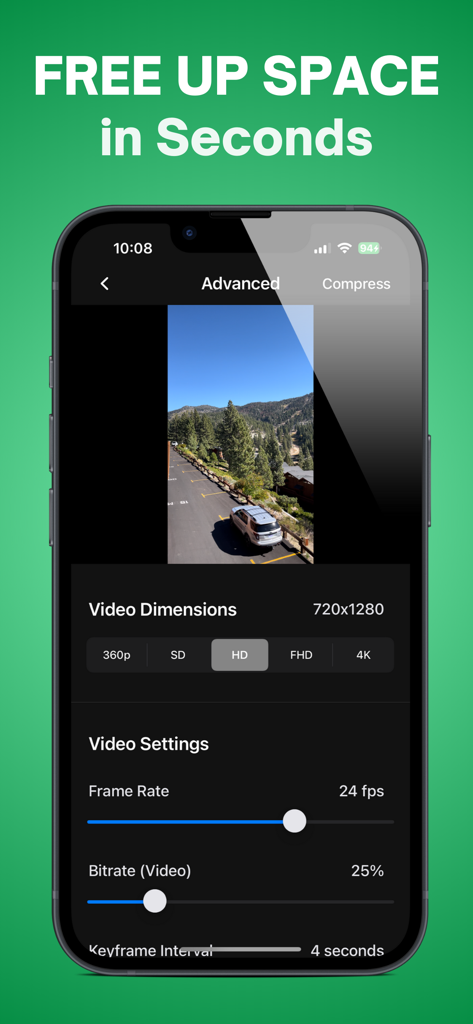
Compress Videos: Free Up Space - TinyVid 앱 고급 설정 스크린샷, 공간 확보를 위한 동영상 해상도, 프레임 속도, 비트 전송률 컨트롤 표시
TinyVid 앱 고급 설정 스크린샷, 공간 확보를 위한 동영상 해상도, 프레임 속도, 비트 전송률 컨트롤 표시

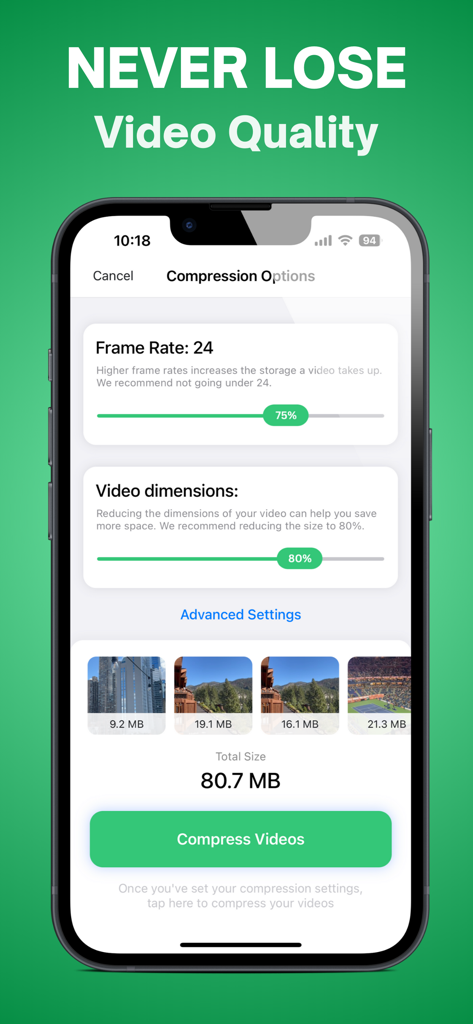
Compress Videos: Free Up Space - TinyVid 앱 인터페이스, 프레임 속도 및 해상도에 대한 조절 가능한 동영상 압축 옵션 표시
TinyVid 앱 인터페이스, 프레임 속도 및 해상도에 대한 조절 가능한 동영상 압축 옵션 표시

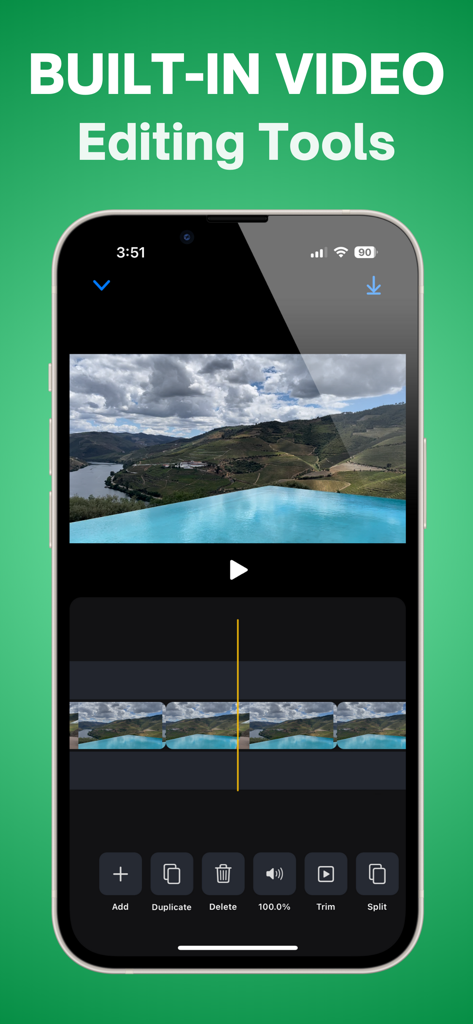
Compress Videos: Free Up Space - TinyVid 앱의 내장 동영상 편집 인터페이스를 보여주는 iPhone 화면, 자르기, 분할, 삭제 도구 포함
TinyVid 앱의 내장 동영상 편집 인터페이스를 보여주는 iPhone 화면, 자르기, 분할, 삭제 도구 포함

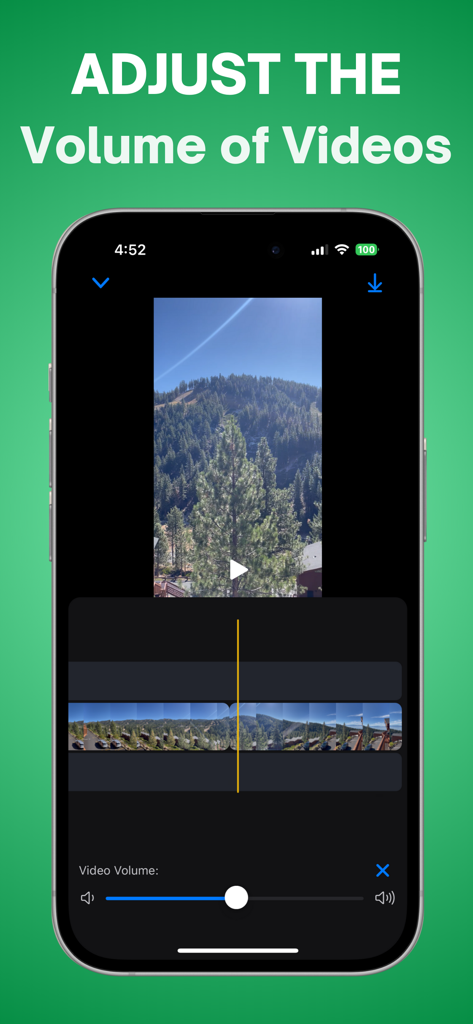
Compress Videos: Free Up Space - TinyVid 앱에서 동영상 볼륨 조절 기능을 보여주는 iPhone 인터페이스

TinyVid 앱에서 동영상 볼륨 조절 기능을 보여주는 iPhone 인터페이스

설명

Here’s what you can do with TinyVid Video Compressor: • Free up storage on your iPhone in seconds • Save time and money by quickly compressing your large videos • Compress videos without losing quality (using AI) • Find recommended large videos for you to compress ———————————————————— Here’s how to use TinyVid Video Compressor 1. Open up your camera roll and select the video that you want to compress 2. Tap the “Compress Video” button 3. Your videos will quickly be compressed and saved to your camera roll (opening up TONS of free space on your phone) ———————————————————— TinyVid subscription policy: Once you sign up to TinyVid Premium, you will have full access to all of TinyVid features for free for 3 days. You can cancel your subscription any time and you will be sent a reminder before your TinyVid subscription begins after your trial. TinyVid Premium Subscription: - With a TinyVid Premium subscription you have access to compress your photos and videos, access all of TinyVid's advanced video compress features, and access to all future updates. - TinyVid Premium weekly subscription is billed weekly for $6.99, and payment will be charged to iTunes Account after a 30 day free trial. - Subscription automatically renews unless auto-renew is turned off at least 24-hours before the end of the current period. - Account will be charged for renewal within 24-hours prior to the end of the current period, and identify the cost of the renewal. - Subscriptions can be managed by the user and auto-renewal can be turned off by going to the user's iPhone Settings -> Apple ID -> Subscriptions. ———————————————————— Have any questions or recommendations? Feel free to reach out to me at: Kyle@KyleMitchellAllen.com Privacy Policy: https://tinyvidapp.com/privacy Terms of Use: https://tinyvidapp.com/terms

Download

다운로드: App Store

이 페이지는 앱이나 개발자의 공식 페이지가 아니며, 정보 제공 및 논평을 목적으로 작성된 독립 편집 간행물입니다. 명시적으로 달리 언급되지 않는 한, 해당 앱이나 개발자는 MWM, Apple, Google Play, 앱 퍼블리셔 또는 앱 개발자와 제휴, 보증, 후원, 승인 또는 공식적으로 연결되어 있지 않으며, 이 페이지의 어떤 내용도 해당 앱이 MWM의 서비스를 사용하여 개발되었음을 의미하지 않습니다. 모든 상표, 로고, 스크린샷 및 기타 콘텐츠는 해당 소유자의 자산입니다.








