Continuous .NET C# and F# IDE
다운로드: App Store

이 페이지는 앱이나 개발자의 공식 페이지가 아니며, 정보 제공 및 논평을 목적으로 작성된 독립 편집 간행물입니다. 명시적으로 달리 언급되지 않는 한, 해당 앱이나 개발자는 MWM, Apple, Google Play, 앱 퍼블리셔 또는 앱 개발자와 제휴, 보증, 후원, 승인 또는 공식적으로 연결되어 있지 않으며, 이 페이지의 어떤 내용도 해당 앱이 MWM의 서비스를 사용하여 개발되었음을 의미하지 않습니다. 모든 상표, 로고, 스크린샷 및 기타 콘텐츠는 해당 소유자의 자산입니다.


로고: Continuous .NET C# and F# IDE
다운로드: App Store

Continuous .NET C# and F# IDE

iPad를 고성능 워크스테이션으로 변신시키세요. 네트워크 없이도 로컬에서 즉각적인 피드백과 지연 시간 없이 C# 및 F# 코드를 작성, 컴파일 및 실행할 수 있습니다.

주요 수치

다운로드

152K+

사용자 평점

4.2/5

총 평가 수

300

개발사

Krueger Systems, Inc.

카테고리

Developer Tools

지원 언어

-

최신 버전

1.5.1

크기

391.3 MB

출시일

2016년 7월 6일
기능

iPad를 위해 재구상된 전문 코딩

C# 및 F# 코드를 실시간으로 작성, 컴파일 및 실행하세요. 어디서나 작동하는 네이티브 IDE로 막힘 없는 개발 흐름을 경험해 보세요.

즉각적인 피드백 루프

느린 빌드 사이클을 기다리지 마세요. 입력하는 동안 코드가 컴파일되고 실행되어 UI 변경 사항과 로직 업데이트를 즉시 확인할 수 있습니다.

진정한 데스크톱급 휴대성

기차 안에서나 비행기 안에서 코딩하세요. Continuous는 클라우드 의존성 없이 iPad에서 로컬로 실행되어 네이티브 iOS 프레임워크에 대한 전체 액세스 권한을 제공합니다.

다음 스크린샷과 설명은 앱의 공식 스토어 목록에서 직접 가져온 것이며 앱 개발자의 자산입니다.

앱 스토어

스크린샷
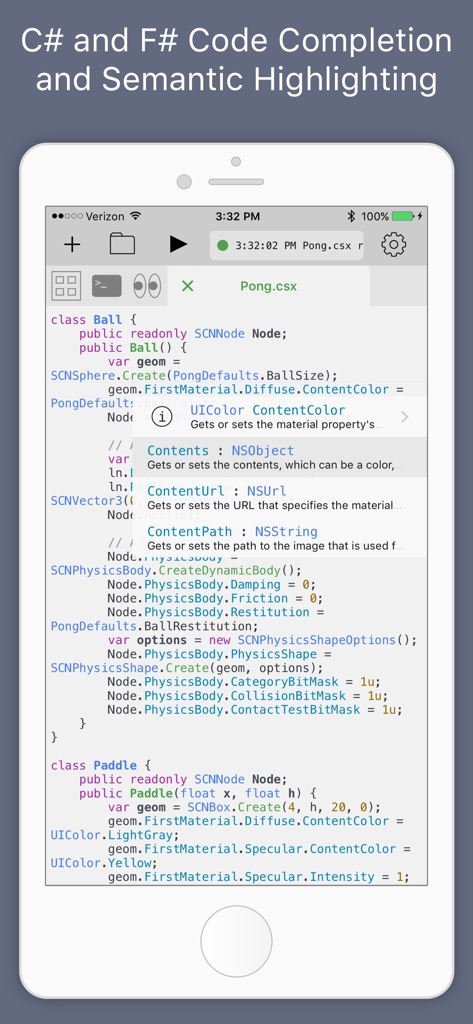
Continuous .NET C# and F# IDE - iPhone에서 C# 코드 완성 및 시맨틱 하이라이팅을 보여주는 iOS용 Continuous IDE 스크린샷
iPhone에서 C# 코드 완성 및 시맨틱 하이라이팅을 보여주는 iOS용 Continuous IDE 스크린샷

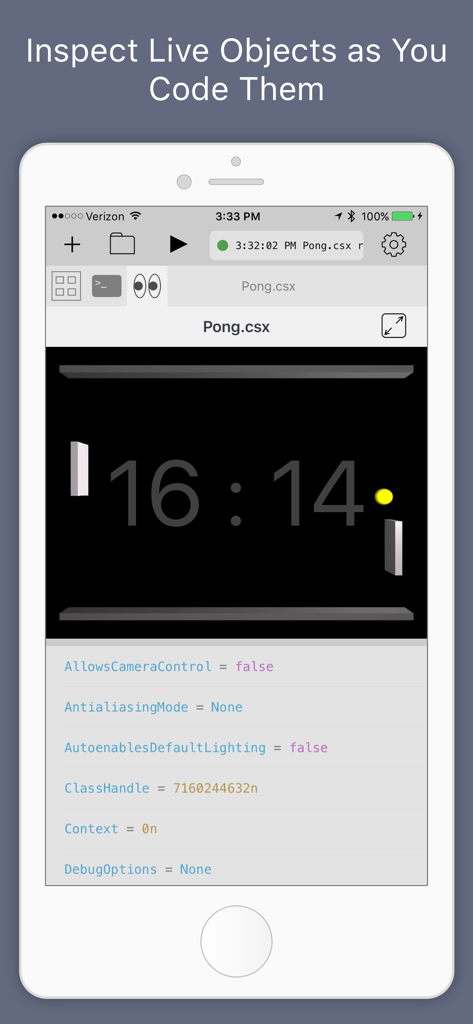
Continuous .NET C# and F# IDE - iPhone의 Continuous .NET IDE에서 퐁(pong) 게임의 실시간 객체 검사 및 디버깅
iPhone의 Continuous .NET IDE에서 퐁(pong) 게임의 실시간 객체 검사 및 디버깅

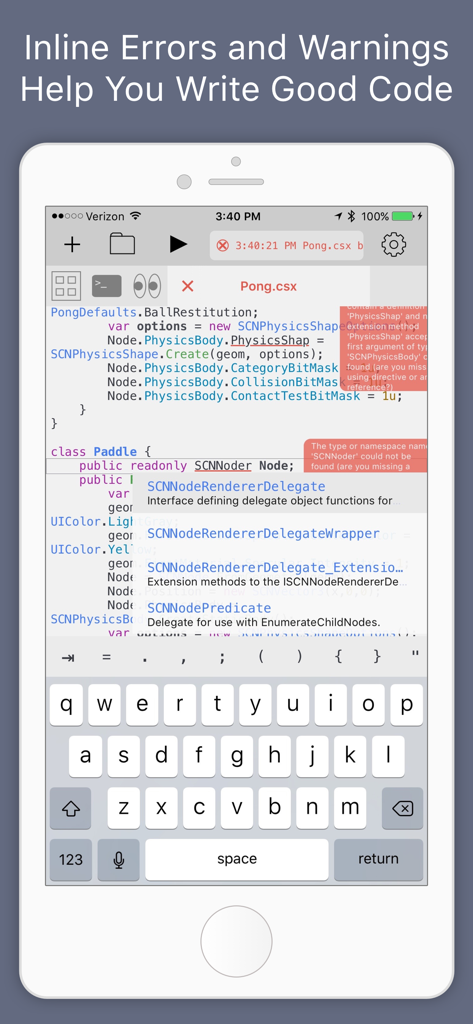
Continuous .NET C# and F# IDE - iPhone의 Continuous .NET C# 및 F# IDE에서 인라인 코드 오류 및 자동 완성 제안을 보여주는 화면
iPhone의 Continuous .NET C# 및 F# IDE에서 인라인 코드 오류 및 자동 완성 제안을 보여주는 화면

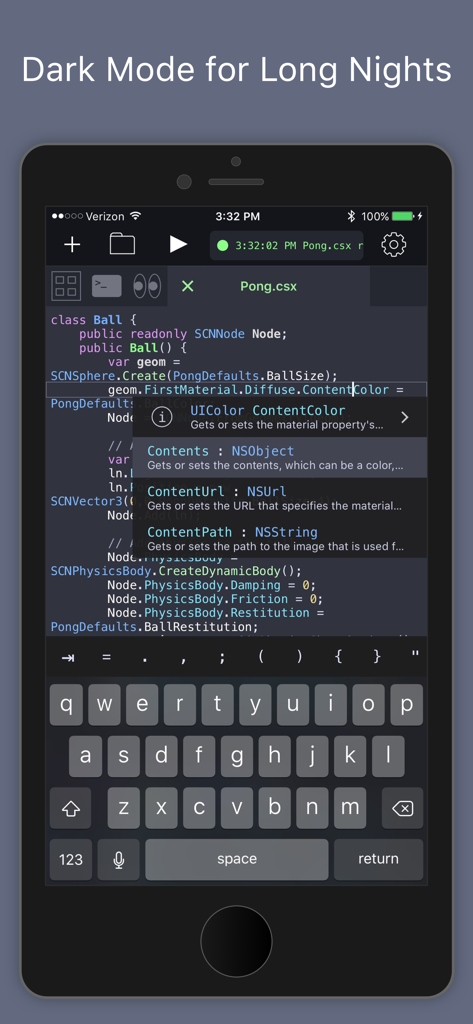
Continuous .NET C# and F# IDE - iPhone에서 C# 코드 완성 및 구문 강조를 보여주는 Continuous .NET IDE 다크 모드 인터페이스
iPhone에서 C# 코드 완성 및 구문 강조를 보여주는 Continuous .NET IDE 다크 모드 인터페이스

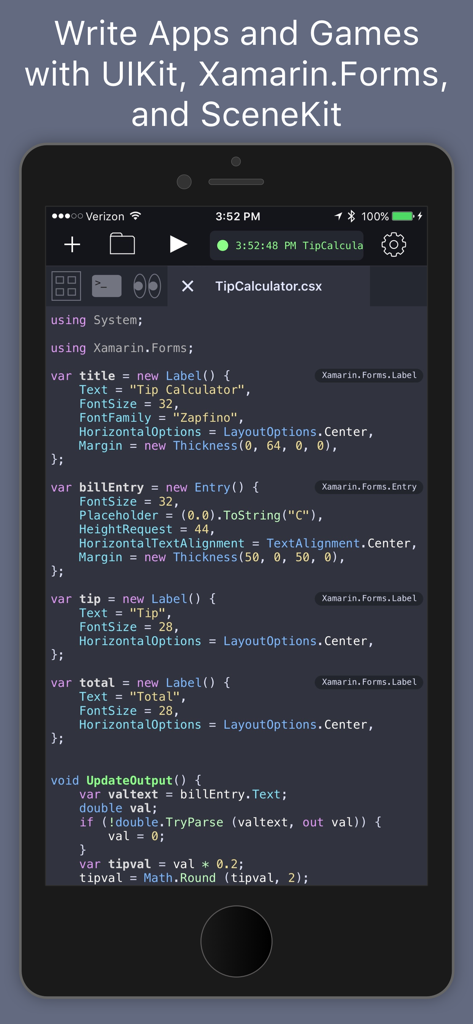
Continuous .NET C# and F# IDE - Xamarin Forms를 사용한 팁 계산기 앱의 C# 코드를 보여주는 모바일 코드 편집기 인터페이스

Xamarin Forms를 사용한 팁 계산기 앱의 C# 코드를 보여주는 모바일 코드 편집기 인터페이스

설명

Continuous is a fast and powerful .NET C# and F# IDE that runs directly on the iPad and iPhone (no network needed!). With it, you can write apps and games using your favorite languages on your favorite devices. Continuous is always building and running your code so you can see changes as you type. Writing interactive apps in Continuous is a pleasure compared to the traditional code-build-run cycle. It frees you to make lots of small changes and see their effects immediately - no more waiting for builds or deployments and no more clicking around trying to get to the screen you're trying to code. Continuous looks and works in many of the same ways as traditional .NET IDEs so you'll feel right at home, but it also strives to advance the state of the art in IDEs with these features: >>> Full C# 8 and F# 4.7 compilers so you can use the latest tech >>> Xamarin.Forms Live XAML Editing >>> Automatic compiling and running so you can focus on the code and the results >>> Fancy text editor with tabs, semantic highlighting, inline error bubbles, and inline values that are updated as you type >>> Watch window enables you to view graphical objects in your app (UI and images), inspect live objects as your app runs, create instances of new objects, and call methods >>> Code completion with inline type info and documentation makes learning new APIs fun >>> Uses standard .NET file and project formats so you can share code with other IDEs >>> Includes Xamarin.Forms and UIKit to build apps and SpriteKit and SceneKit to build games. You can access many iOS APIs including CoreMotion, the Social framework, and HealthKit to read data. >>> Split screen support so you can keep documentation by your side >>> Execution powered by a new IL interpreter If you're new to .NET or iOS coding, you will love the code completion with integrated documentation and the fun examples that come with the app. If you're a .NET pro, then you will love the support for projects and the ability to inspect objects as you code them - whether they're in a script or just a normal project file. If you're new to programming, C# is an great language to learn: it's powerful yet friendly language, example code is all over the internet, and there are plenty of jobs out there waiting for you. If you enjoy thinking a little differently, then you will love that F# is included and fully supported. This amazing programming language will teach you to write better code and will arm you to solve problems that you thought were too big or hard to solve - like writing an IDE.

Download

다운로드: App Store

이 페이지는 앱이나 개발자의 공식 페이지가 아니며, 정보 제공 및 논평을 목적으로 작성된 독립 편집 간행물입니다. 명시적으로 달리 언급되지 않는 한, 해당 앱이나 개발자는 MWM, Apple, Google Play, 앱 퍼블리셔 또는 앱 개발자와 제휴, 보증, 후원, 승인 또는 공식적으로 연결되어 있지 않으며, 이 페이지의 어떤 내용도 해당 앱이 MWM의 서비스를 사용하여 개발되었음을 의미하지 않습니다. 모든 상표, 로고, 스크린샷 및 기타 콘텐츠는 해당 소유자의 자산입니다.








