Control Panel for YouTube

Control Panel for YouTube

다운로드: App Store
로고: Control Panel for YouTube

YouTube 제어판: 집중력을 되찾고 피드를 정리하세요

디지털 미니멀리스트를 위한 궁극의 Safari 확장 프로그램입니다. 광고를 차단하고, Shorts를 숨기고, 모든 방해 요소를 제거하여 YouTube를 강력한 생산성 도구로 만드세요.

다운로드: App Store

개발사

J BUCHANAN & L.J BUCHANAN

카테고리

Productivity

다운로드

3K+

사용자 평점

4.2/5

총 평가 수

0

지원 언어

1

화면 되찾기

이 인터페이스를 사용하는 3K+ 명의 사용자.

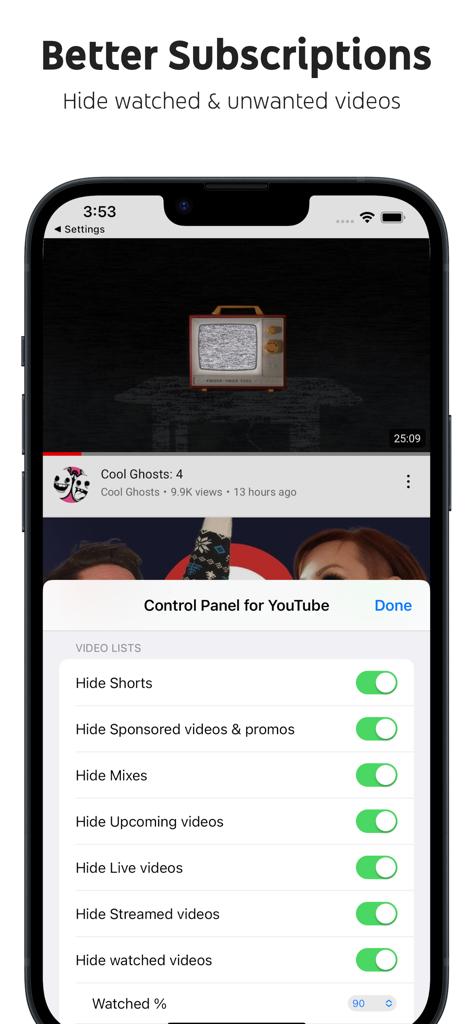
iPhone에서 Shorts 및 스폰서 동영상을 숨기는 설정을 보여주는 YouTube 제어판 인터페이스.

iPhone에서 Shorts 및 스폰서 동영상을 숨기는 설정을 보여주는 YouTube 제어판 인터페이스.

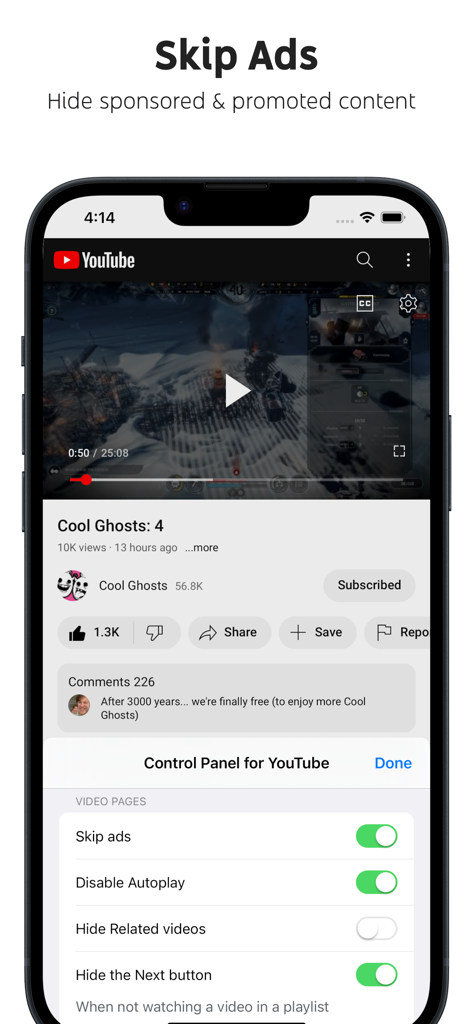
광고 건너뛰기 기능이 활성화된 YouTube 제어판 앱 인터페이스를 보여주는 스마트폰

광고 건너뛰기 기능이 활성화된 YouTube 제어판 앱 인터페이스를 보여주는 스마트폰

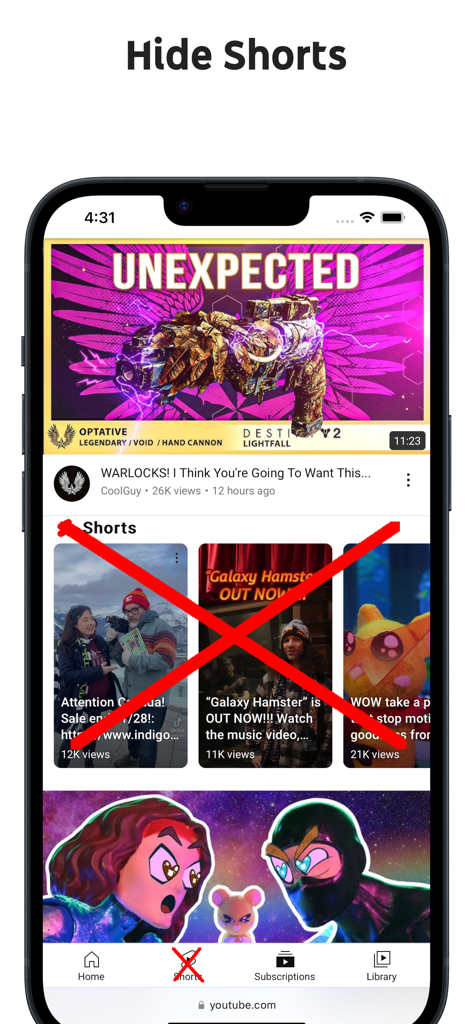
YouTube Shorts 콘텐츠와 탐색 아이콘이 차단되어 Shorts 숨기기 기능을 시연하는 모바일 브라우저를 보여주는 스크린샷

YouTube Shorts 콘텐츠와 탐색 아이콘이 차단되어 Shorts 숨기기 기능을 시연하는 모바일 브라우저를 보여주는 스크린샷

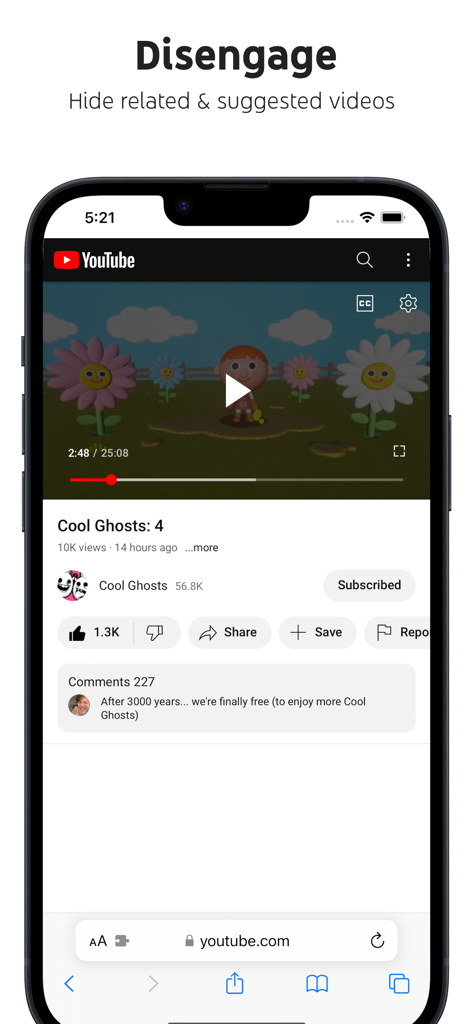
YouTube 제어판 Safari 확장 프로그램으로 관련 및 추천 동영상이 숨겨진 YouTube 동영상을 보여주는 iPhone 스크린샷

YouTube 제어판 Safari 확장 프로그램으로 관련 및 추천 동영상이 숨겨진 YouTube 동영상을 보여주는 iPhone 스크린샷

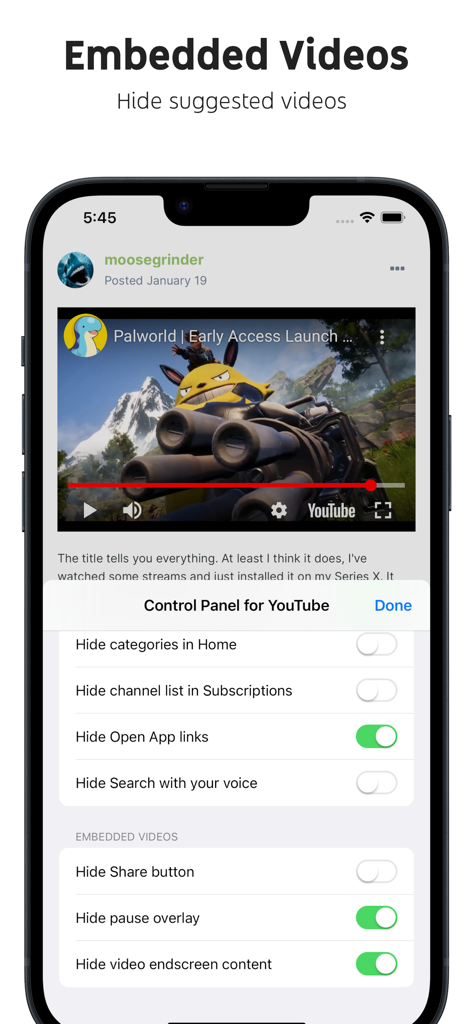
YouTube 제어판 iPhone에서 포함된 동영상 요소를 사용자 지정하기 위한 설정 인터페이스

YouTube 제어판 iPhone에서 포함된 동영상 요소를 사용자 지정하기 위한 설정 인터페이스

시간과 집중력 되찾기

이 앱을 돋보이게 하는 도구, 3K+ 명의 사용자가 선택.

🎯

알고리즘 제거

'Shorts' 피로와 끝없는 추천을 없애세요. 댓글, 관련 동영상, 홈 피드와 같은 방해 요소를 숨겨 실제로 보려던 것에 집중하세요.

🛠️

프로 수준의 사용자 지정

'업로드 날짜' 필터를 복원하고, 이전 UI 요소를 다시 가져오고, 모든 성가신 실험을 제거하세요. 정사각형 썸네일부터 사용자 지정 사이드바 링크까지, 모든 픽셀을 제어합니다.

🔋

순수한 생산성

모바일에서 백그라운드 재생을 활성화하고 '앱 열기' 프롬프트를 숨기세요. 광고, '프리미엄' 업셀링, AI 요약 없이 학습과 작업을 위한 깨끗하고 깔끔한 환경만 제공합니다.

앱 소개

에 대해 알아야 할 모든 것 Control Panel for YouTube.

설명

Ads: • Block ads • Hide Sponsored videos & promos • Hide Merch, Offers etc. (desktop version) YouTube experiments: • Restore Subscriptions link in sidebar (desktop version) • Restore order of sidebar items (desktop version) • Restore small thumbnails in Related (desktop version) • Restore "Upload date" search filter (desktop version) New video player UI: • Disable new progress bar and controls (desktop version) - Note: this will stop working when YouTube removes the old player UI • Hide new full screen controls • Hide "More videos" in full screen • Always use compact Play button (desktop version) • Remove background from controls (desktop version) • Restore Miniplayer button (desktop version) • Restore corner click to toggle full screen (desktop version) • Hide full screen title (desktop version) • Hide full screen like/dislike buttons (desktop version) Annoyances: • Hide AI summaries • Remove pink gradient from progress bars • Hide information panels • Hide Premium upsells • Disable video previews (desktop version) • Disable themed hover effects (desktop version) • Automatically pause channel trailers (desktop version) • Allow background playback (mobile version) • Hide Open App links (mobile version) Video lists: • Hide suggested sections • Hide Live videos • Hide Streamed videos • Hide Mixes • Hide Playlists • Hide Movies and TV • Hide Upcoming videos • Hide Members only videos • Hide Collaborations in Subscriptions • Hide Auto-dubbed videos in Related • Hide watched videos • Hide hidden videos - Hides the "Undo" button after 5 seconds • Hide channels - Adds "Hide channel" to video menus • Disable Home feed • Search thumbnail size (desktop version) • Minimum grid items per row (desktop version) • Hide Posts in Home (mobile version) Video pages: • Disable Autoplay • Disable Ambient mode • Hide Related videos • Hide the Next button • Hide channel watermark • Hide Share/Thanks/Clip etc. • Hide Ask button • Hide video metadata • Hide Comments • Always use theater mode (desktop version) • Full size theater mode (desktop version) • Disable enlarged UI in theater mode (desktop version) • Always use original audio (desktop version) • Hide video end cards (desktop version) • Hide video endscreen content (desktop version) • Hide Premium Jump ahead button (desktop version) • Hide Chat (desktop version) • Add Take snapshot to video menu (JPEG / PNG) (desktop version) • Make Transcript downloadable (desktop version) Shorts: • Hide Shorts • Redirect Shorts to the normal player • Hide suggested actions • Hide link to related Short by the same channel • Always show progress bar • Stop Shorts looping • Hide Remix button (desktop version) • Hide Shorts metadata until hover (desktop version) • Minimum Shorts per row (desktop version) UI tweaks: • Show full video titles • Use square corners for thumbnails and videos • Hide categories in Home • Hide channel banner images • Hide Search with your voice • Enforce theme (desktop version) • Link YouTube logo to Subscriptions (desktop version) • Tidy Guide sidebar (desktop version) • Hide "Latest" bar in Subscriptions (desktop version) • Use grid view for Subscriptions & Search (portrait only) (mobile version) • Hide Explore button in Home (mobile version) • Hide channel list in Subscriptions (mobile version) Embedded videos: • Hide Share button • Hide pause overlay

최신 버전

1.27.1

크기

0.9 MB

출시일

2024년 2월 25일

YouTube 경험 되찾기

수천 명의 디지털 미니멀리스트와 함께 방해 요소를 제거하고, 광고를 차단하고, YouTube를 본래의 생산성 도구로 만드세요.

다운로드: App Store

App information, icons, screenshots, and descriptions displayed on this page are sourced from the Apple App Store and are the property of their respective developers. Download estimates and rankings are based on MWM's proprietary models and may not reflect actual figures. This page is provided for informational and analytical purposes only.

Believe this page infringes your intellectual property? File a dispute