
이 페이지는 앱이나 개발자의 공식 페이지가 아니며, 정보 제공 및 논평을 목적으로 작성된 독립 편집 간행물입니다. 명시적으로 달리 언급되지 않는 한, 해당 앱이나 개발자는 MWM, Apple, Google Play, 앱 퍼블리셔 또는 앱 개발자와 제휴, 보증, 후원, 승인 또는 공식적으로 연결되어 있지 않으며, 이 페이지의 어떤 내용도 해당 앱이 MWM의 서비스를 사용하여 개발되었음을 의미하지 않습니다. 모든 상표, 로고, 스크린샷 및 기타 콘텐츠는 해당 소유자의 자산입니다.

다운로드
687K+사용자 평점
총 평가 수
1K+개발사
카테고리
Utilities지원 언어
1최신 버전
2.5.10크기
58.3 MB출시일
2022년 4월 23일손쉬운 연결 마스터
즉시 요금 납부부터 실시간 네트워크 상태 확인까지, 전 세계 어디서든 Converge Pure Fiber 인터넷의 모든 측면을 관리할 수 있습니다.
원활한 글로벌 결제
앱을 통해 명세서를 확인하고 잔액을 즉시 정산하세요. 해외에서 가족 계정을 관리하는 필리핀 거주자에게 이상적입니다.
최적의 성능을 보장하기 위해 모뎀 상태, 신호 강도 및 연결된 장치 수에 대한 완전한 투명성을 확보하세요.
자주 묻는 질문
에 대해 알아야 할 모든 것 Converge GoFiber!
How to check if my area is serviceable with Converge GoFiber App?
예, Converge GoFiber 앱을 통해 해당 지역의 서비스 가능 여부를 확인할 수 있습니다. 앱 내에서 정보와 정확한 위치를 입력하여 Converge 순수 광섬유 인터넷 서비스가 가능한지 직접 확인할 수 있습니다.
Can I apply for a Converge pure fiber internet plan using the GoFiber App?
예, 사용자는 GoFiber 앱을 통해 Converge 순수 광섬유 인터넷 요금제를 신청할 수 있습니다. 앱은 신청서 작성, 요금제 선택, 추가 기능 선택, 필수 서류 업로드를 용이하게 합니다.
How do I check my Converge application status with the GoFiber App?
GoFiber 앱을 통해 Converge 순수 광섬유 인터넷 신청 상태를 확인할 수 있습니다. 참조 번호를 입력하여 보류 중인 서류가 있는지 또는 신청이 연결 준비가 되었는지 확인할 수 있습니다.
Can I pay my Converge pure fiber internet bill through the GoFiber App?
예, 사용자는 GoFiber 앱을 통해 편리하게 Converge 순수 광섬유 인터넷 요금을 납부할 수 있습니다. Converge 계정 번호를 입력하여 미납 잔액을 확인하고 결제 절차를 완료할 수 있습니다.
What bill details can I view in the Converge GoFiber App?
Converge GoFiber 앱은 납부할 금액 요약, 다운로드 가능한 계정 명세서, 요금제 이름, 납부 기한, 이전 잔액, 현재 요금, 총 납부 금액 및 청구 기간을 표시합니다.
How do I create a support ticket for my Converge internet plan using the GoFiber App?
사용자는 GoFiber 앱 내에서 직접 Converge 순수 광섬유 인터넷 요금제에 대한 지원 티켓을 생성할 수 있습니다. 이 기능은 요금제, 연결 속도, 결제 및 기술 지원과 관련된 문제를 해결합니다.
Does the Converge GoFiber App provide technical support guides?
예, Converge GoFiber 앱에는 기술 지원 가이드가 포함되어 있습니다. 이 가이드들은 모뎀 표시등, 인터넷 장애, 간헐적이거나 느린 연결 문제 해결에 대한 자세한 지침을 제공합니다.
Can the Converge GoFiber App monitor my modem's signal strength?
예, Converge GoFiber 앱은 모뎀의 신호 강도를 모니터링합니다. 이 기능은 모뎀이 안정적이고 최적의 연결 성능을 위한 올바른 신호 수준을 받고 있는지 여부를 나타냅니다.
Does the Converge GoFiber App notify users about internet outages?
예, Converge GoFiber 앱은 인터넷 장애에 대해 사용자에게 자동으로 알림을 보냅니다. 해당 지역에 장애가 발생한 경우 문제에 대한 구체적인 세부 정보를 제공합니다.
Can I compare different Converge pure fiber internet plans using the GoFiber App?
예, GoFiber 앱을 통해 사용자는 다양한 Converge 순수 광섬유 인터넷 요금제를 쉽게 비교할 수 있습니다. 이 기능을 통해 사용자는 온라인 요구 사항에 따라 요구 사항을 확정하고 요금제를 선택할 수 있습니다.
Does the Converge GoFiber App allow users to monitor the number of devices connected to their modem?
예, Converge GoFiber 앱을 통해 사용자는 모뎀에 연결된 기기 수를 모니터링할 수 있습니다. 모바일 대시보드를 통해 편리하게 개요를 볼 수 있습니다.
Can I locate Converge stores using the GoFiber App?
예, Converge GoFiber 앱에는 스토어 찾기 기능이 포함되어 있습니다. 사용자는 특정 지역을 선택하여 이용 가능한 Converge 매장을 검색할 수 있으며, 그러면 전체 매장 위치 및 세부 정보가 제공됩니다.
다음 스크린샷과 설명은 앱의 공식 스토어 목록에서 직접 가져온 것이며 앱 개발자의 자산입니다.
앱 스토어
스크린샷

보라색 배경에 표시된 Converge GoFiber 모바일 앱 실행 화면
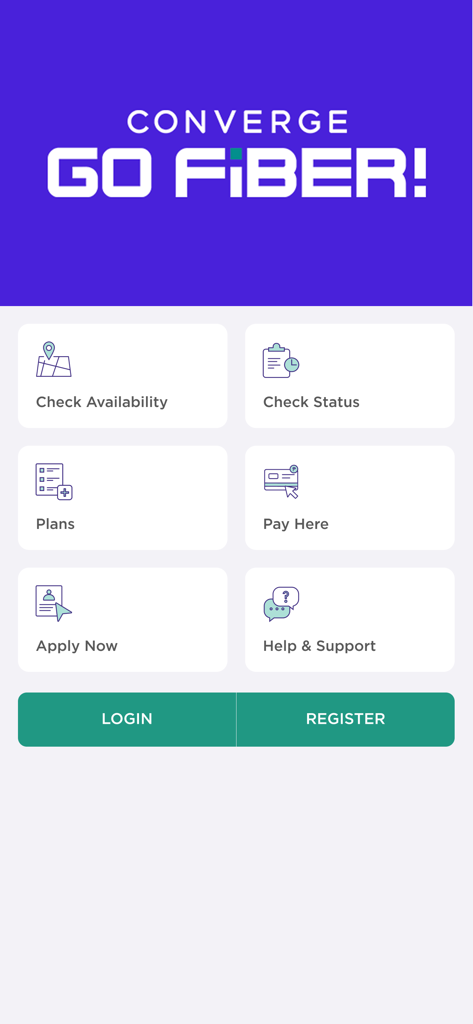
Converge GoFiber 앱 착륙 페이지, 서비스 가능 여부 확인, 요금제, 결제와 같은 옵션 표시
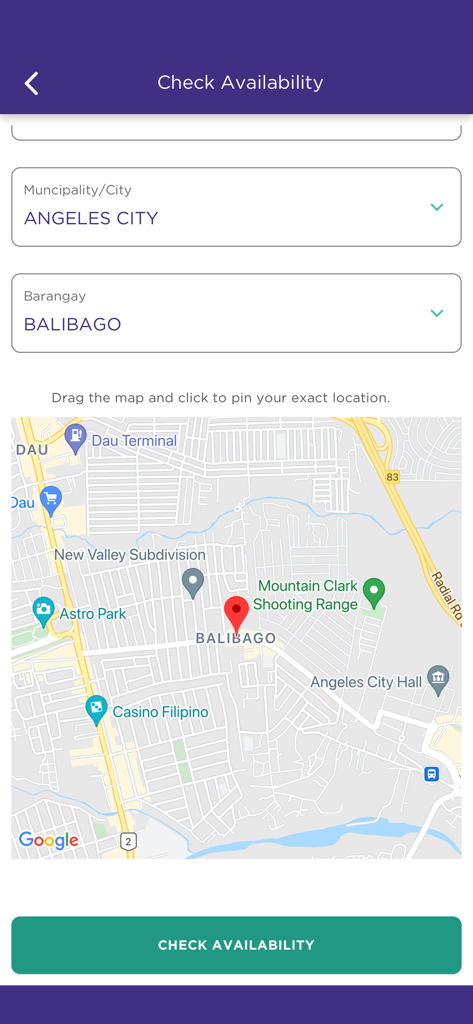
지도 보기 및 위치 선택 기능이 있는 Converge GoFiber 앱 서비스 가능 여부 확인 화면
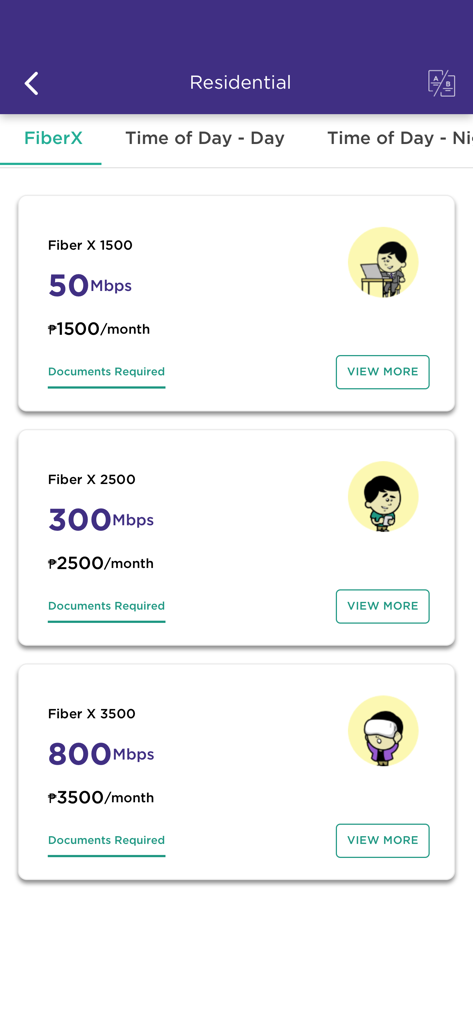
Converge GoFiber 모바일 앱 화면, 주거용 인터넷 요금제 및 가격 표시
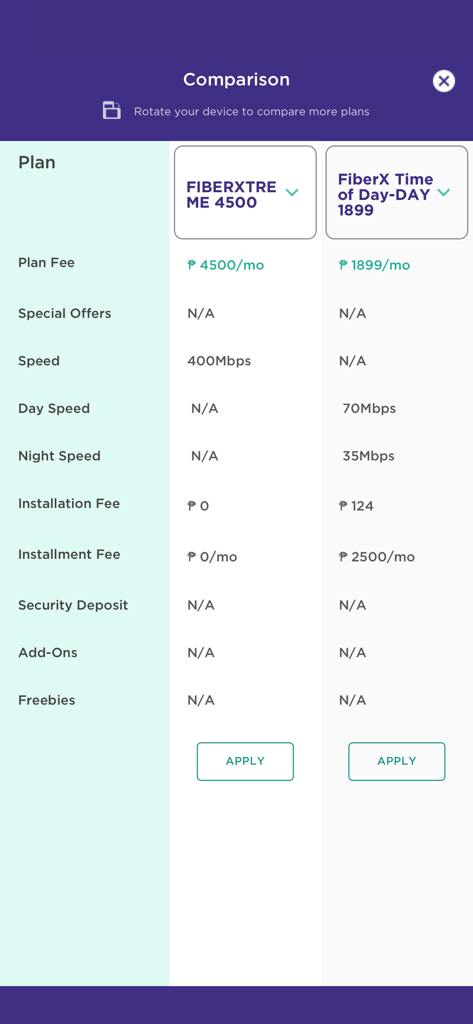
Converge GoFiber 앱의 광섬유 인터넷 요금제 비교표
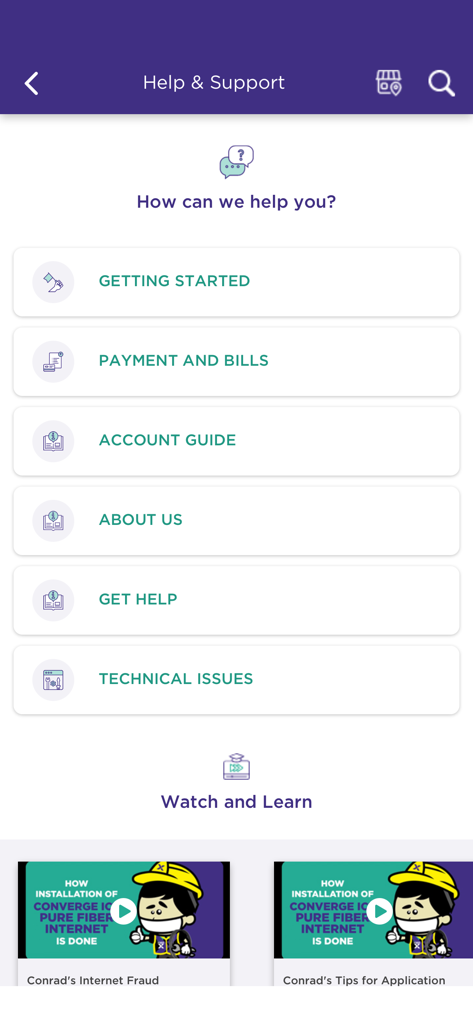
청구 및 기술 문제와 같은 자체 서비스 범주를 보여주는 Converge GoFiber 앱의 도움말 및 지원 화면
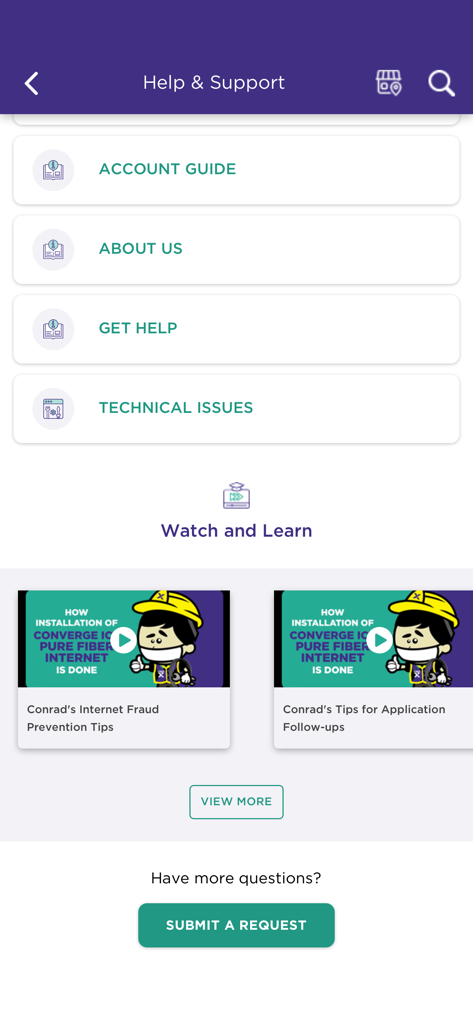
계정 가이드 및 기술 지원 동영상이 포함된 Converge GoFiber 앱의 도움말 및 지원 화면
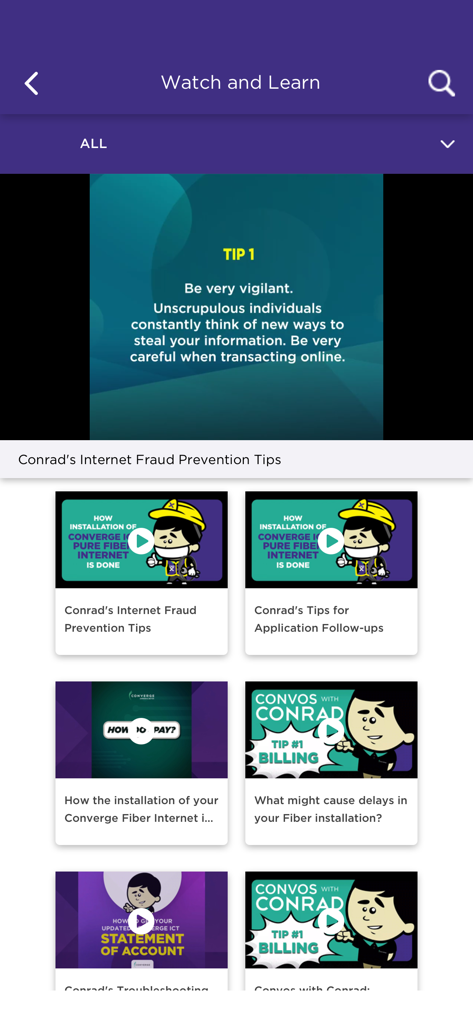
인터넷 사기 방지 팁 및 광섬유 설치 동영상 튜토리얼을 보여주는 Converge GoFiber 앱의 시청 및 학습 화면
설명
Download
비슷한 앱
유사한 기능과 사용자 경험을 가진 앱
Go Kinetic
Uniti Group Inc.

Desktop
DATACAKE SERVICOS EM TECNOLOGIA LTDA
Oi_e
TNL PCS S/A.
GFiber: The Google Fiber App
Google LLC

MyTelenet
Telenet

My CenturyLink
CenturyTel Service Group, LLC
TIM Modem
Telecom Italia spa
TurkNet
TurkNet Iletisim Hizmetleri A.S.
ACT Fibernet
Atria Convergence Technologies Private Limited
이 페이지는 앱이나 개발자의 공식 페이지가 아니며, 정보 제공 및 논평을 목적으로 작성된 독립 편집 간행물입니다. 명시적으로 달리 언급되지 않는 한, 해당 앱이나 개발자는 MWM, Apple, Google Play, 앱 퍼블리셔 또는 앱 개발자와 제휴, 보증, 후원, 승인 또는 공식적으로 연결되어 있지 않으며, 이 페이지의 어떤 내용도 해당 앱이 MWM의 서비스를 사용하여 개발되었음을 의미하지 않습니다. 모든 상표, 로고, 스크린샷 및 기타 콘텐츠는 해당 소유자의 자산입니다.