Crook Catcher Anti Theft Alarm
다운로드: App Store

이 페이지는 앱이나 개발자의 공식 페이지가 아니며, 정보 제공 및 논평을 목적으로 작성된 독립 편집 간행물입니다. 명시적으로 달리 언급되지 않는 한, 해당 앱이나 개발자는 MWM, Apple, Google Play, 앱 퍼블리셔 또는 앱 개발자와 제휴, 보증, 후원, 승인 또는 공식적으로 연결되어 있지 않으며, 이 페이지의 어떤 내용도 해당 앱이 MWM의 서비스를 사용하여 개발되었음을 의미하지 않습니다. 모든 상표, 로고, 스크린샷 및 기타 콘텐츠는 해당 소유자의 자산입니다.

로고: Crook Catcher Anti Theft Alarm
다운로드: App Store

Crook Catcher Anti Theft Alarm

도둑과 엿보기꾼을 즉시 막으세요. 스마트 움직임 알림, 주머니 날치기 방지, 자동 침입자 셀카로 사생활을 보호하세요.

주요 수치

다운로드

4K+

사용자 평점

4.6/5

총 평가 수

0

개발사

Axel Le Pennec

카테고리

Utilities

지원 언어

1

최신 버전

2026.3

크기

36.1 MB

출시일

2025년 5월 8일
기능

어디든 안전하게 보호받으세요

Gotcha는 iPhone을 스마트 보안 시스템으로 바꿔주며, 즉각적인 알림과 사진 증거로 도둑과 엿보기꾼으로부터 기기를 보호합니다.

움직임 및 날치기 알림

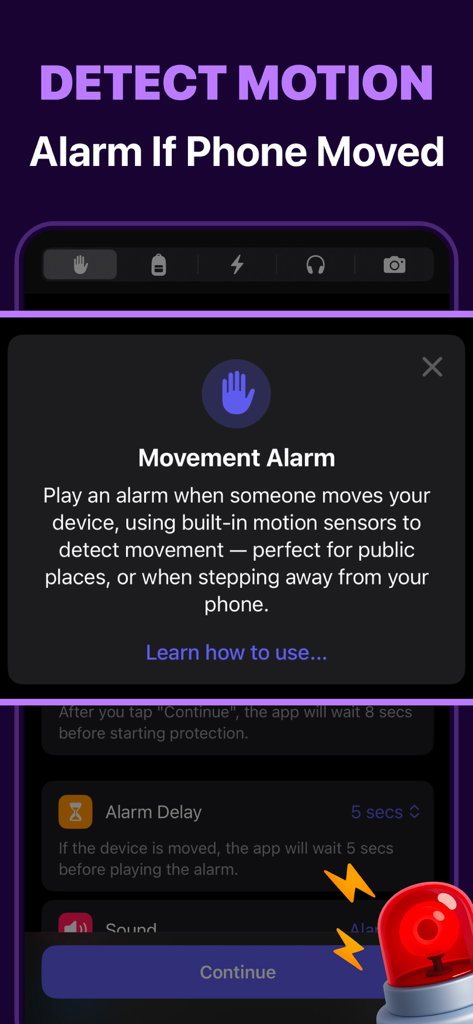
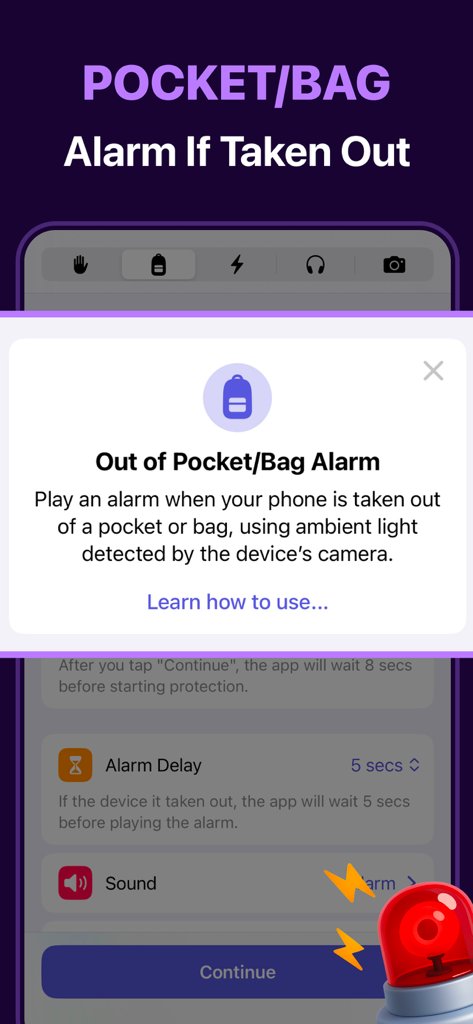
도서관과 카페에 완벽합니다 — 누군가 휴대폰을 집어 들거나 주머니에서 날치기하려는 순간 큰 경보가 울립니다.

카메라에 찍힌 증거

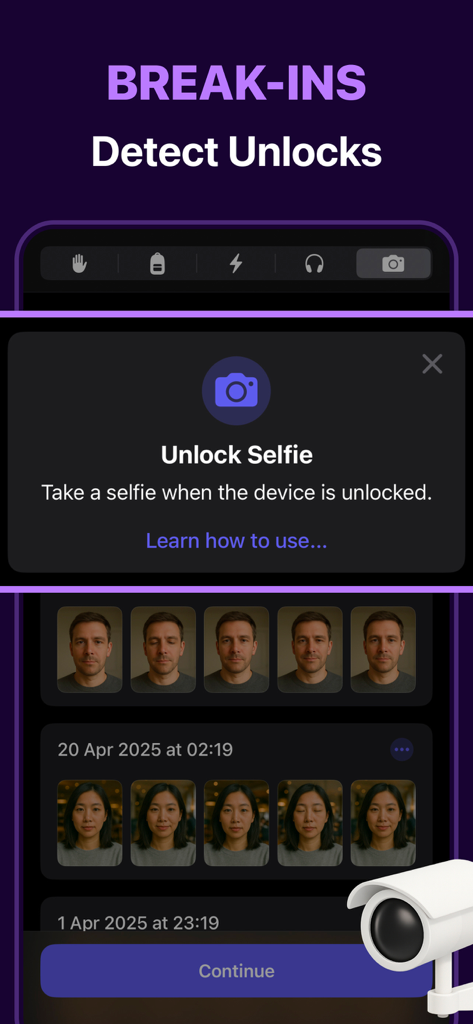
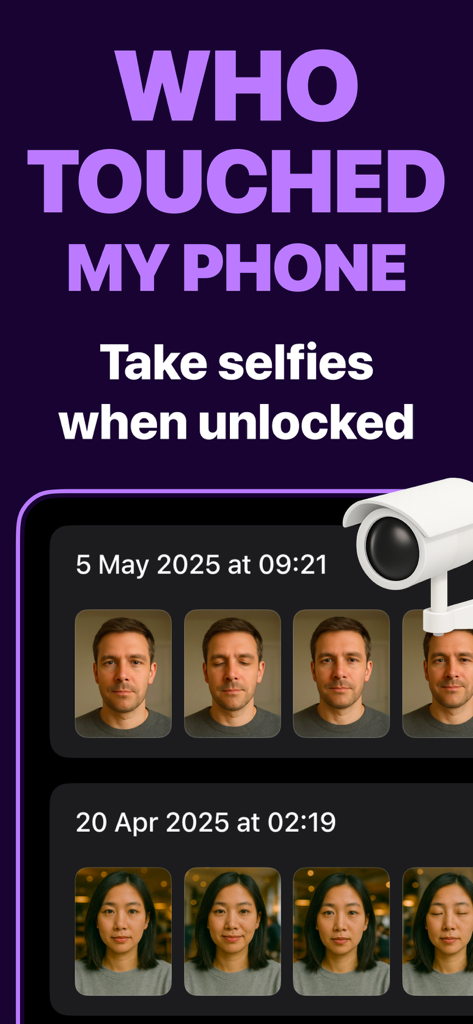
개인 메시지를 엿보려 한 사람을 정확히 식별하는 자동 '잠금 해제 셀카'로 디지털 사생활을 보호하세요.

다음 스크린샷과 설명은 앱의 공식 스토어 목록에서 직접 가져온 것이며 앱 개발자의 자산입니다.

앱 스토어

스크린샷
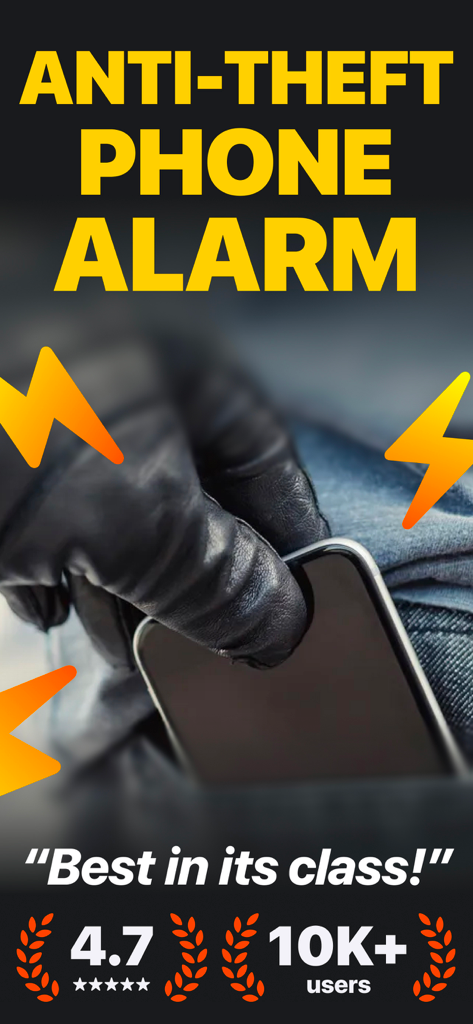
Crook Catcher Anti Theft Alarm - 검은 장갑을 낀 도둑이 번개 모양 경보 기호와 함께 주머니에서 휴대폰을 훔치는 모습의 삽화.
검은 장갑을 낀 도둑이 번개 모양 경보 기호와 함께 주머니에서 휴대폰을 훔치는 모습의 삽화.

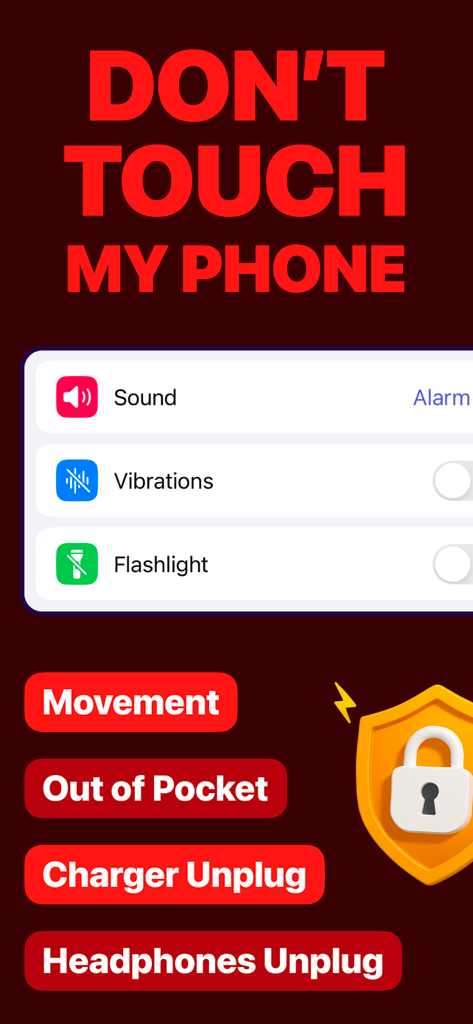
Crook Catcher Anti Theft Alarm - 움직임, 주머니 밖, 충전기 분리 알람에 대한 알람 옵션을 보여주는 Crook Catcher 도난 방지 앱의 인터페이스
움직임, 주머니 밖, 충전기 분리 알람에 대한 알람 옵션을 보여주는 Crook Catcher 도난 방지 앱의 인터페이스

Crook Catcher Anti Theft Alarm - 무단 휴대폰 잠금 해제 시도 중에 캡처된 침입자 셀카 로그를 표시하는 Gotcha 앱의 인터페이스
무단 휴대폰 잠금 해제 시도 중에 캡처된 침입자 셀카 로그를 표시하는 Gotcha 앱의 인터페이스

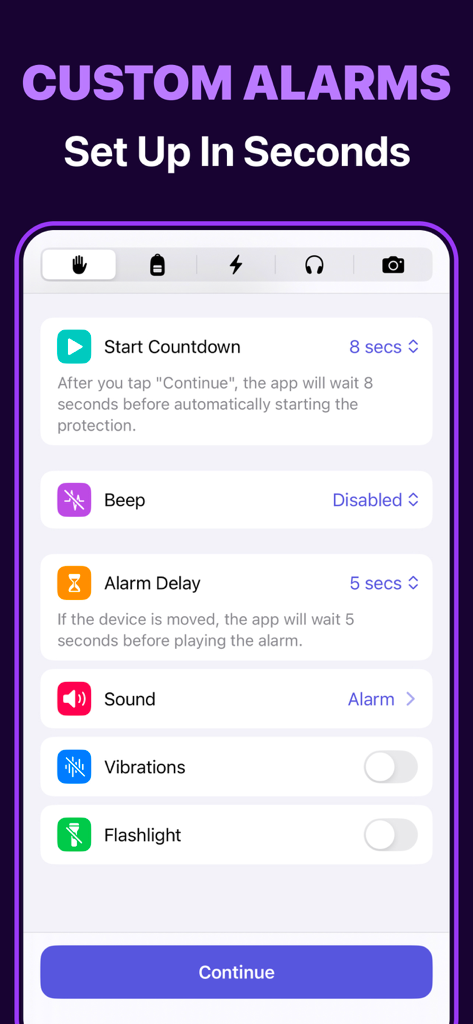
Crook Catcher Anti Theft Alarm - 보안 구성 옵션을 보여주는 Crook Catcher 도난 방지 앱의 사용자 지정 알람 설정 화면
보안 구성 옵션을 보여주는 Crook Catcher 도난 방지 앱의 사용자 지정 알람 설정 화면

Crook Catcher Anti Theft Alarm - 움직임 센서 보호에 대한 설명과 함께 움직임 알람 기능을 보여주는 Crook Catcher 앱의 인터페이스
움직임 센서 보호에 대한 설명과 함께 움직임 알람 기능을 보여주는 Crook Catcher 앱의 인터페이스

Crook Catcher Anti Theft Alarm - 휴대폰 보호를 위한 주머니 및 가방 알람 설정을 보여주는 Crook Catcher 앱 화면
휴대폰 보호를 위한 주머니 및 가방 알람 설정을 보여주는 Crook Catcher 앱 화면

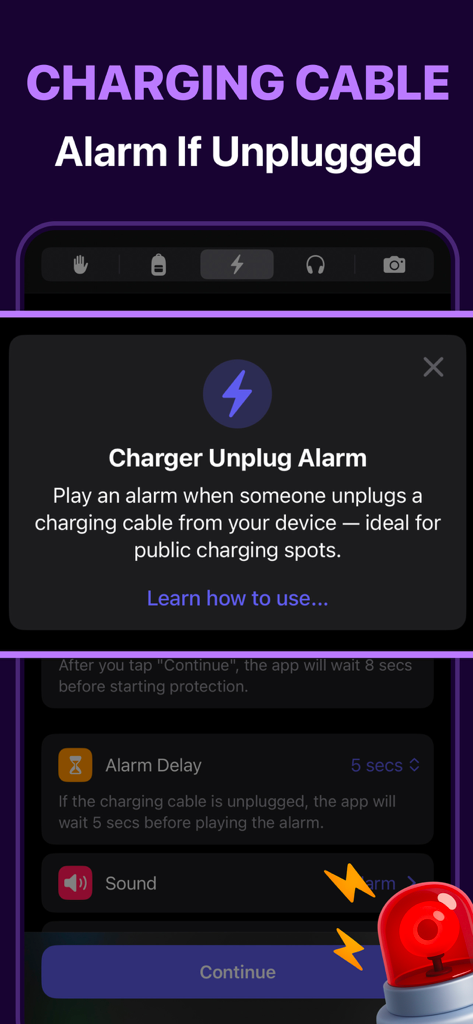
Crook Catcher Anti Theft Alarm - Crook Catcher 도난 방지 모바일 앱의 충전기 분리 알람 기능 인터페이스
Crook Catcher 도난 방지 모바일 앱의 충전기 분리 알람 기능 인터페이스

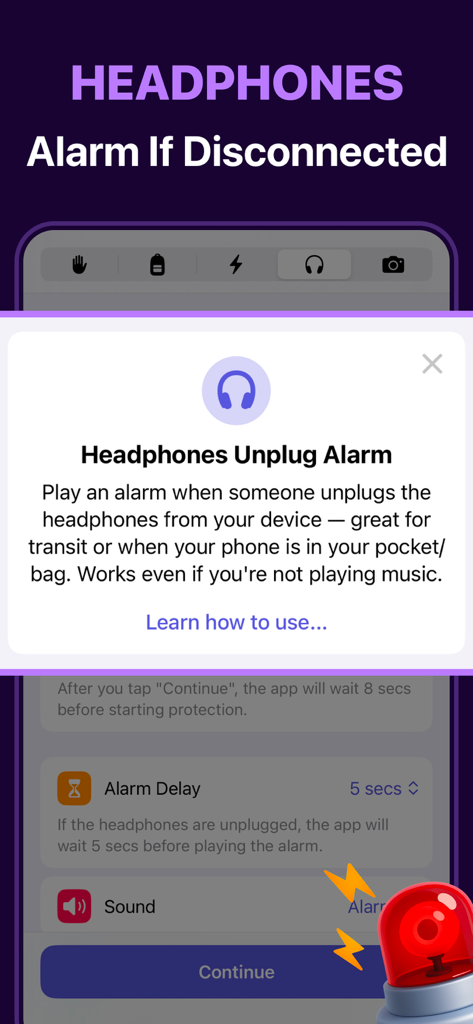
Crook Catcher Anti Theft Alarm - Crook Catcher 앱의 헤드폰 분리 알람 기능 개요

Crook Catcher 앱의 헤드폰 분리 알람 기능 개요

Crook Catcher Anti Theft Alarm - 캡처된 침입자 갤러리가 있는 잠금 해제 셀카 기능을 보여주는 모바일 앱 화면
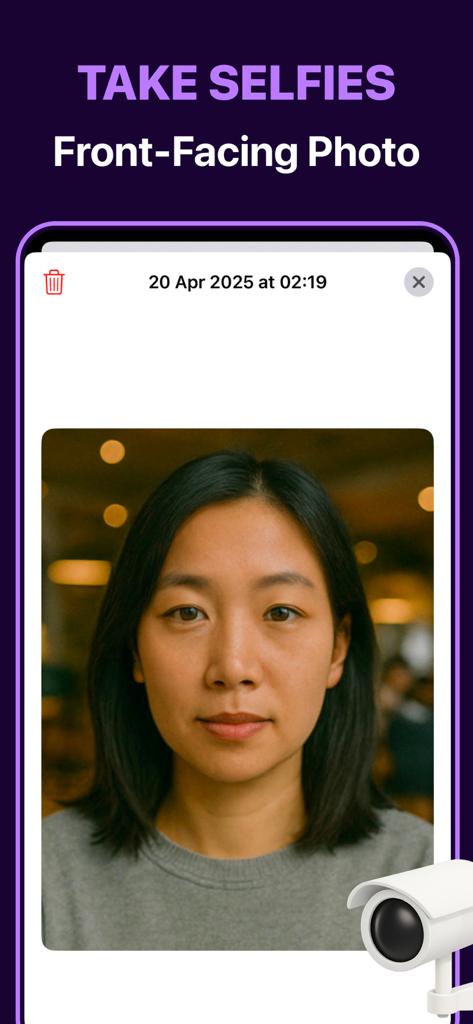
캡처된 침입자 갤러리가 있는 잠금 해제 셀카 기능을 보여주는 모바일 앱 화면

Crook Catcher Anti Theft Alarm - 휴대폰 잠금 해제 시 캡처된 침입자의 전면 셀카를 보여주는 Gotcha 앱의 스크린샷

휴대폰 잠금 해제 시 캡처된 침입자의 전면 셀카를 보여주는 Gotcha 앱의 스크린샷

설명

Protect Your Phone from Thieves and Snoops Dont Touch My Phone: Gotcha is your smart security companion that allows you catch anyone who touches your phone. Whether it's a thief, a nosy friend, a stranger, or even your partner — Gotcha alerts you so you're always in control. Features ▶ Movement alarm: trigger an alarm when your phone is picked up or moved. ▶ Out of pocket/bag alarm: get alerted when your phone is removed from your pocket or bag. ▶ Charging cable unplug alarm: trigger an alarm you if someone unplugs the charging cable from your device. ▶ Headphones unplug alarm: get alerted when someone disconnects the headphones from your device. ▶ Unlock selfie: take a front-facing photo when your device is unlocked. Use Cases ▶ At cafés or restaurants: get alerted instantly if someone tries to pick up or move your phone from the table. ▶ In transit: catch sneaky hands trying to steal your phone while you're walking, commuting, or distracted. ▶ In shared spaces: stay protected from cable tampering or theft with the charging cable unplug alarm. Why Choose Dont Touch My Phone: Gotcha? ▶ Multiple alarm modes: movement, pocket/bag, charging cable unplug and headphones unplug. ▶ Customizable alarm settings: tune delays and personalize sound/flashlight/vibrations to your need. ▶ Simple & intuitive design: no learning curve, just tap and go. ▶ Fast & efficient: light on battery, quick to react. Protect your phone without complexity — Dont Touch My Phone: Gotcha makes security seamless. --- The app includes limited free usage, allowing you to try all its features. For continued access and an enhanced experience, additional options are available through in-app purchases. Payment will be charged to your Apple Account at the confirmation of purchase. The subscription automatically renews unless it is canceled at least 24 hours before the end of the current period. Your account will be charged for renewal within 24 hours before the end of the current period. You can manage your subscription or turn off auto-renew by going to your App Store account settings after purchase. Cancellation of the current active subscription period is not allowed. ▶ Privacy: https://alpennec.com/privacy/dont-touch ▶ Terms and Conditions: https://www.apple.com/legal/internet-services/itunes/dev/stdeula

Download

다운로드: App Store

이 페이지는 앱이나 개발자의 공식 페이지가 아니며, 정보 제공 및 논평을 목적으로 작성된 독립 편집 간행물입니다. 명시적으로 달리 언급되지 않는 한, 해당 앱이나 개발자는 MWM, Apple, Google Play, 앱 퍼블리셔 또는 앱 개발자와 제휴, 보증, 후원, 승인 또는 공식적으로 연결되어 있지 않으며, 이 페이지의 어떤 내용도 해당 앱이 MWM의 서비스를 사용하여 개발되었음을 의미하지 않습니다. 모든 상표, 로고, 스크린샷 및 기타 콘텐츠는 해당 소유자의 자산입니다.