이 페이지는 앱이나 개발자의 공식 페이지가 아니며, 정보 제공 및 논평을 목적으로 작성된 독립 편집 간행물입니다. 명시적으로 달리 언급되지 않는 한, 해당 앱이나 개발자는 MWM, Apple, Google Play, 앱 퍼블리셔 또는 앱 개발자와 제휴, 보증, 후원, 승인 또는 공식적으로 연결되어 있지 않으며, 이 페이지의 어떤 내용도 해당 앱이 MWM의 서비스를 사용하여 개발되었음을 의미하지 않습니다. 모든 상표, 로고, 스크린샷 및 기타 콘텐츠는 해당 소유자의 자산입니다.
CropSize: Image Resizer Editor
정확한 숫자 제어를 통해 픽셀 단위의 완벽한 결과 달성. 대량 일괄 처리, 고급 메타데이터 관리 및 크리에이터와 소규모 비즈니스를 위해 설계된 전문 내보내기 도구로 워크플로를 자동화하세요.
정확한 픽셀 단위 크기 조절부터 대량 일괄 처리까지, CropSize는 일반 사진 앱에 없는 수술과 같은 정밀도와 자동화된 워크플로를 제공합니다.
픽셀 단위의 완벽한 정확도
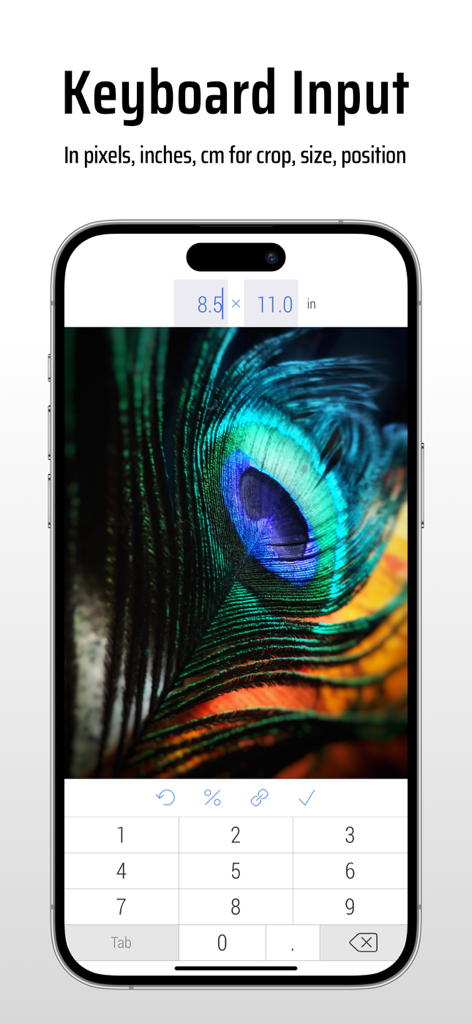
제스처 전용 앱이 따라올 수 없는 수술과 같은 정확도를 위해 키보드 입력을 사용하여 픽셀, 인치 또는 cm 단위의 정확한 치수를 입력하세요.
자동화된 일괄 워크플로
즐겨 사용하는 편집 단계를 사용자 지정 프로그램으로 저장하고 한 번에 50개 이상의 사진에 적용하여 비즈니스 워크플로를 간소화하세요.
다음 스크린샷과 설명은 앱의 공식 스토어 목록에서 직접 가져온 것이며 앱 개발자의 자산입니다.
앱 스토어
스크린샷
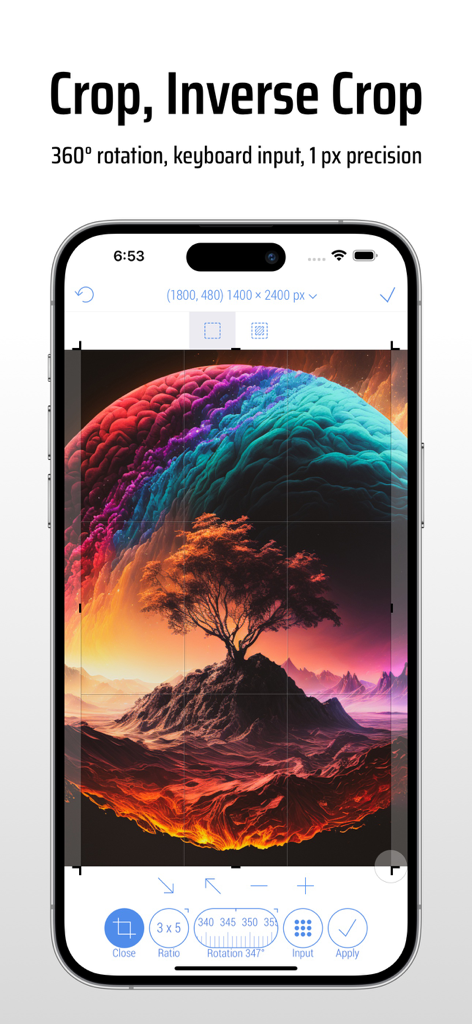
CropSize 앱의 iPhone 인터페이스로, 정확한 이미지 자르기 및 회전 도구를 보여줍니다.
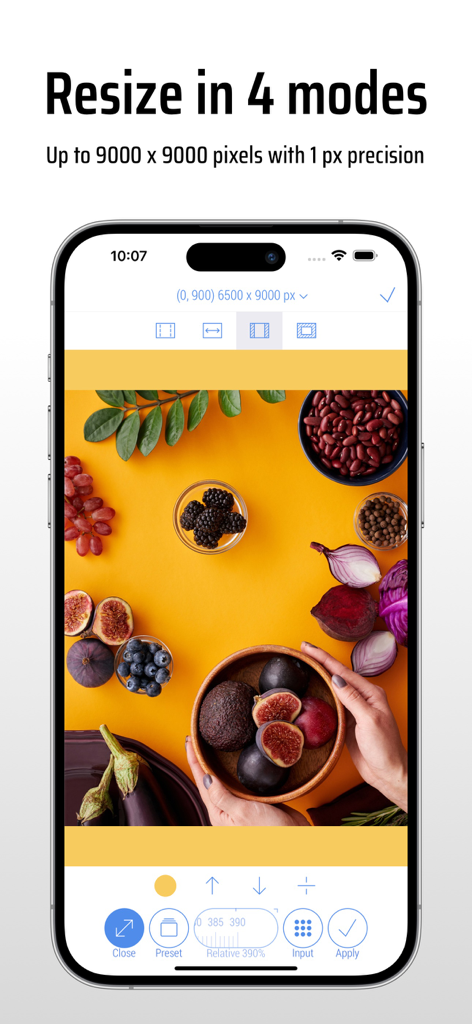
CropSize 앱 인터페이스로, 네 가지 모드에서 고정밀 픽셀로 이미지 크기 조절을 보여줍니다.
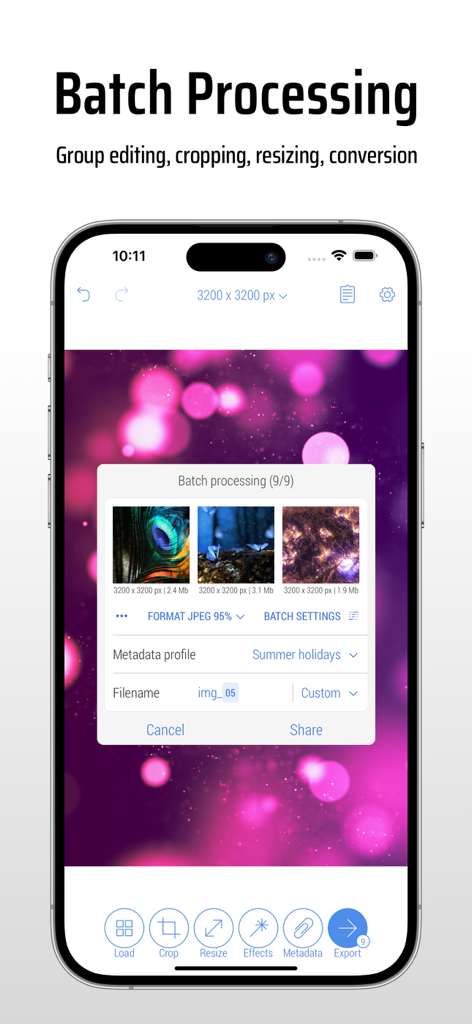
CropSize 앱 인터페이스로, iPhone에서 여러 사진을 동시에 편집하고 크기를 조절하는 일괄 처리 기능을 보여줍니다.
CropSize 앱 인터페이스로, 치수별 정확한 이미지 크기 조절을 위한 키보드 입력을 보여줍니다.
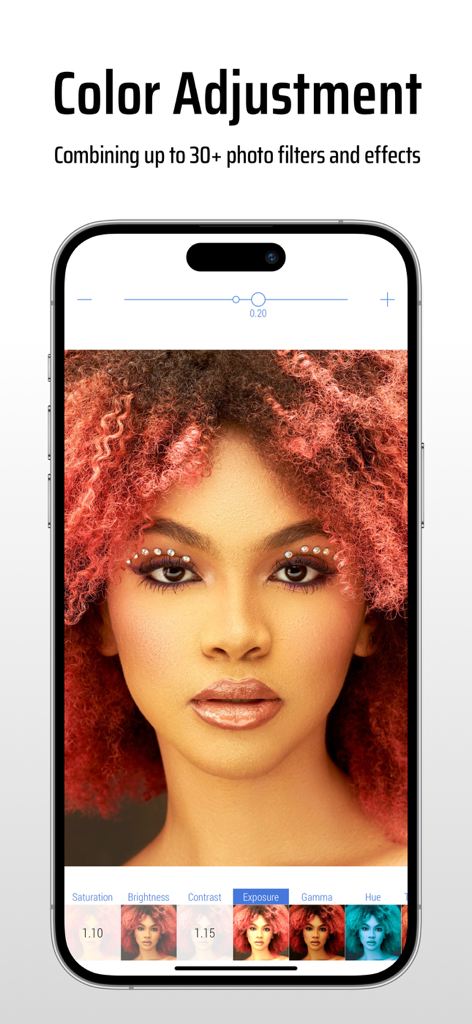
CropSize 앱 인터페이스로, 인물 사진에 대한 색상 조정 및 사진 필터 옵션을 보여줍니다.
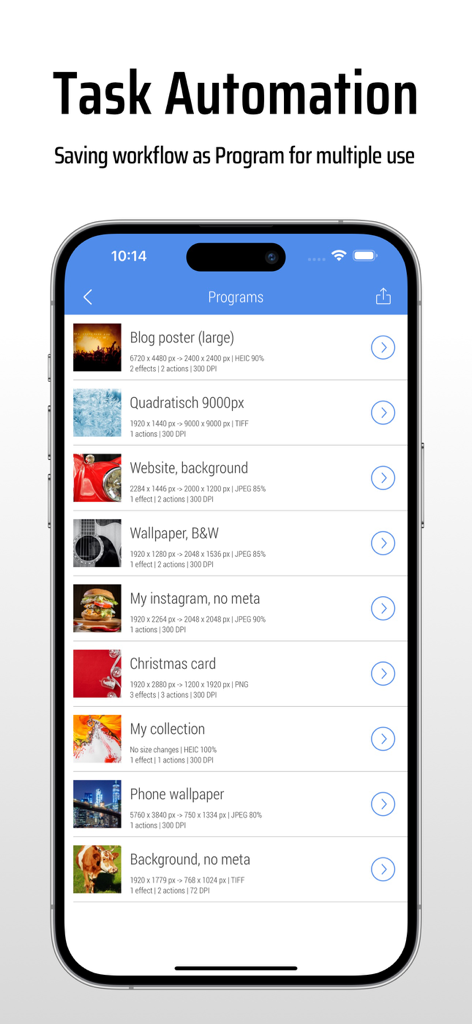
CropSize 앱 인터페이스로, 작업 자동화를 위한 저장된 이미지 편집 프로그램 목록을 보여줍니다.
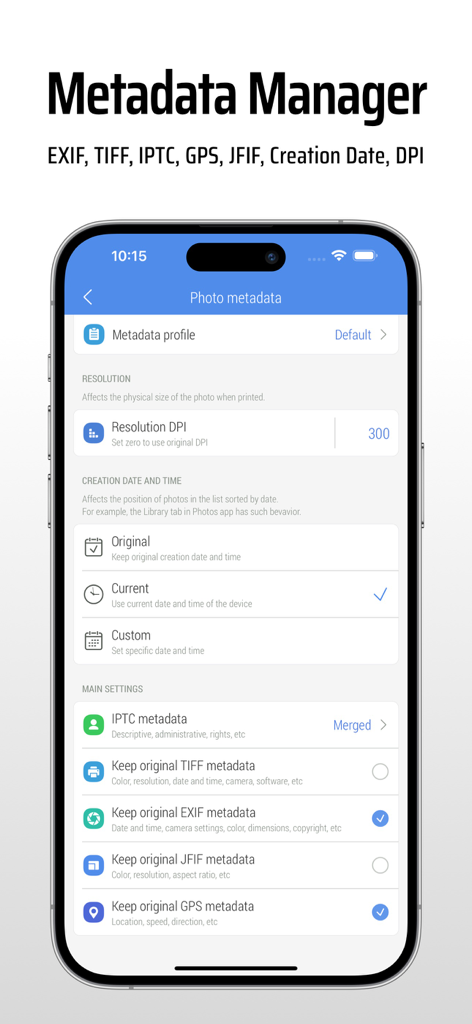
CropSize 앱 화면으로, 사진 메타데이터 EXIF 및 DPI 설정을 편집합니다.
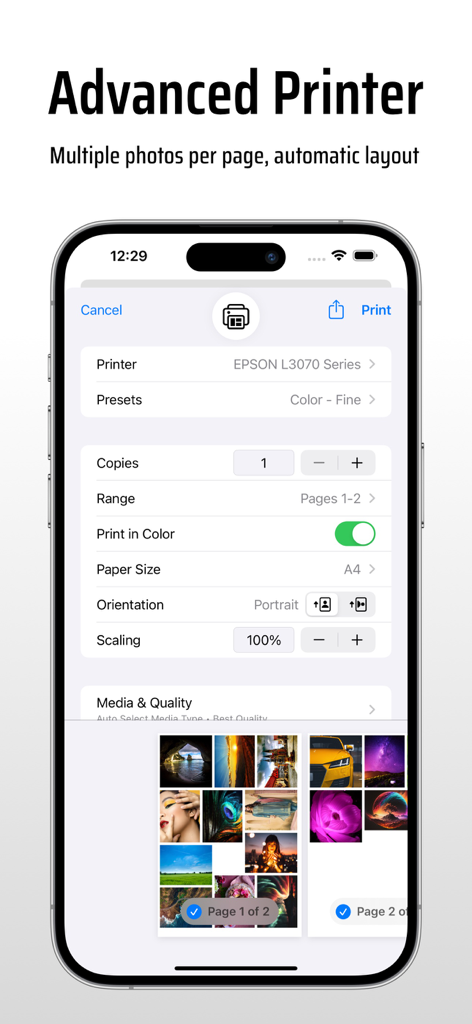
CropSize 앱의 고급 프린터 설정으로, 페이지당 여러 사진과 자동 레이아웃 옵션을 보여줍니다.
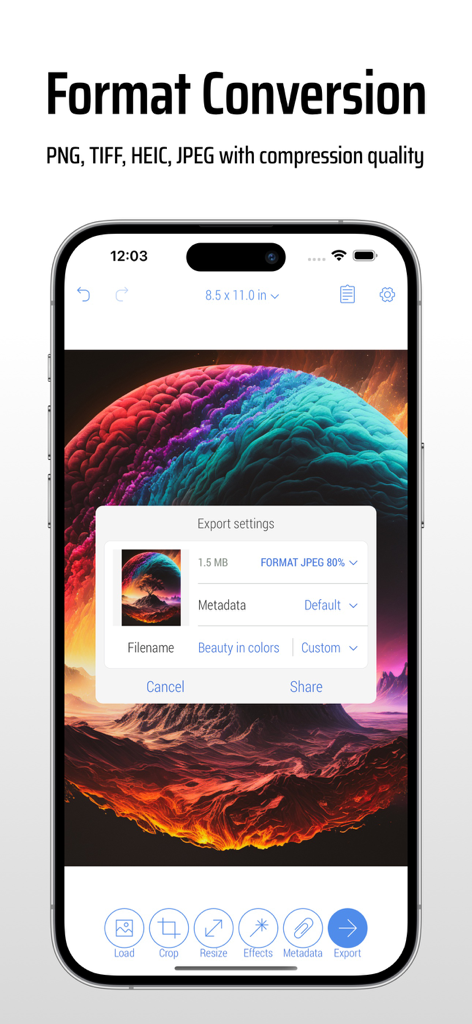
CropSize 앱 인터페이스로, 스마트폰에서 이미지 내보내기 및 형식 변환 설정을 보여줍니다.
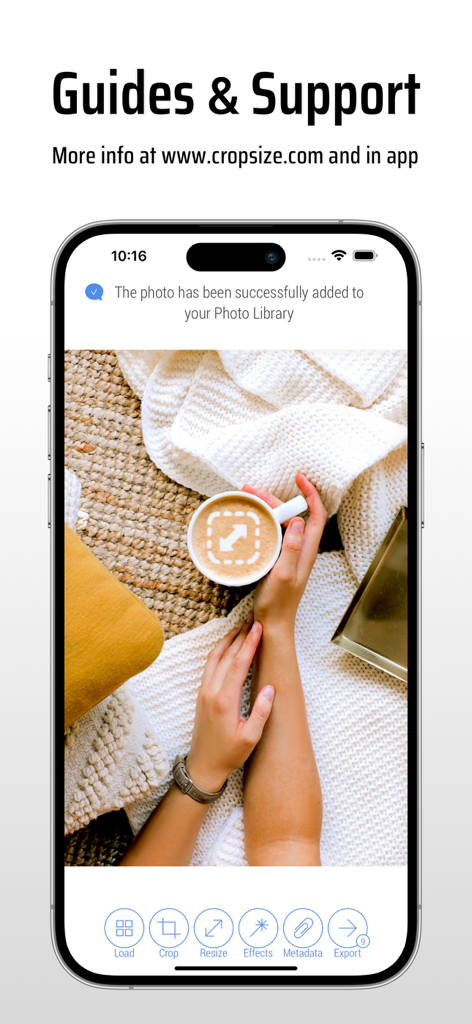
성공적인 사진 저장 알림과 함께 CropSize 앱 가이드 및 지원 페이지를 표시하는 iPhone 화면.
설명
CropSize is your go-to app for precise image resizing and editing. Make your photos the perfect size, composition, and quality for photo library, social media, and various projects. Enhance results with accurate color adjustments and properly crafted metadata. Automate the entire editing process with batch processing and workflows. Share and print your creations in the right format and dimensions. All these tasks are easily achievable with CropSize—an excellent addition to your photo editing toolkit!
As an essential element of your editing arsenal, CropSize plays a distinctive role as it allows to specify exact sizes and positions for image crop and resize, where other apps offer only approximate solutions. It also provides detailed information throughout the editing process, making your experience more transparent and intuitive. Additionally, the app's ability to operate in various units of measurement can notably streamline your workflows.
With these comprehensive features, CropSize ensures you have the control you need to achieve your editing goals:
PHOTO CROP
• Crop photos in Standard and Inverse Crop modes, using pixels, inches, centimeters, or percentages
• Adjust the size and position of the crop frame using gestures or by entering values on the keyboard
• Rotate images smoothly within a 0-360° range with a slider or specify rotation angle via keyboard (Long press slider)
• Change the crop aspect ratio using customizable presets (Long press Ratio button)
• Adjust the crop position and size by one pixel in correction mode (Tap a marker)
• View crop-specific image details, including size, position, rotation, and estimated file size
IMAGE RESIZE
• Resize images in Stretch, Insert, Clip, and Canvas Size modes, using pixels, inches, centimeters, or percentages
• Specify exact image size via the keyboard or customizable presets, up to 9000 x 9000 pixels (81 megapixels)
• Resize proportionally with a percentage slider or specify the relative size via the keyboard (Long press slider)
• Adjust position using gestures and one-pixel corrections for Insert, Clip, and Canvas Size modes
• Preview changes in actual size
• View resize-specific image details, including size, offset, and estimated file size
PHOTO FILTER
• Apply any combination of photo filters and effects, including Chrome, Bloom, Vignette, Sepia, Sharpen, Blur, and more
• Adjust filter intensity using a slider or horizontal on-screen gestures
• View changes Before / After using two-finger gestures
BATCH PROCESSING & WORKFLOWS
• Edit multiple photos simultaneously, applying the same combinations of crop, resize, color, orientation, and metadata changes to all of them
• Use workflows by saving entire editing sessions as reusable Programs on the History screen, and accessing them from the Load screen
• Edit up to 50 photos shared with CropSize from other apps or the Photo Library
PHOTO METADATA
• View image details on the Load and Metadata screen
• Update photo DPI and creation date
• Provide information and copyrights using up to 25 fields of IPTC metadata
• Remove original GPS, EXIF, TIFF, and JFIF details from your photos
• Create and manage multiple metadata profiles for better organization
IMAGE ORIENTATION:
• Flip and rotate images using one-finger swipe gestures on the Main and Batch Processing screen
SHARE AND PRINT:
• Choose export formats: Auto, PNG, TIFF, JPEG, and HEIC, with compression quality for JPEG and HEIC
• Specify metadata settings using one of your previously created metadata profiles
• Configure export filenames using original values, custom entries, or filename patterns
• Save images to the Photo Library, automatically organizing Results and Originals into a convenient album structure
• Print multiple photos on A4, Letter, and other page sizes using exclusive “Print Plus” option from sharing menu
GUIDES
• Explore our step-by-step guides: https://www.cropsize.com/guides
• Watch the video overview of main features: https://vimeo.com/188002923
이 페이지는 앱이나 개발자의 공식 페이지가 아니며, 정보 제공 및 논평을 목적으로 작성된 독립 편집 간행물입니다. 명시적으로 달리 언급되지 않는 한, 해당 앱이나 개발자는 MWM, Apple, Google Play, 앱 퍼블리셔 또는 앱 개발자와 제휴, 보증, 후원, 승인 또는 공식적으로 연결되어 있지 않으며, 이 페이지의 어떤 내용도 해당 앱이 MWM의 서비스를 사용하여 개발되었음을 의미하지 않습니다. 모든 상표, 로고, 스크린샷 및 기타 콘텐츠는 해당 소유자의 자산입니다.