Cross Paste: Clipboard Sync
다운로드: App Store

이 페이지는 앱이나 개발자의 공식 페이지가 아니며, 정보 제공 및 논평을 목적으로 작성된 독립 편집 간행물입니다. 명시적으로 달리 언급되지 않는 한, 해당 앱이나 개발자는 MWM, Apple, Google Play, 앱 퍼블리셔 또는 앱 개발자와 제휴, 보증, 후원, 승인 또는 공식적으로 연결되어 있지 않으며, 이 페이지의 어떤 내용도 해당 앱이 MWM의 서비스를 사용하여 개발되었음을 의미하지 않습니다. 모든 상표, 로고, 스크린샷 및 기타 콘텐츠는 해당 소유자의 자산입니다.

로고: Cross Paste: Clipboard Sync
다운로드: App Store

Cross Paste: Clipboard Sync

스스로에게 링크를 이메일로 보내는 것을 중단하세요. iOS, Windows 및 웹 전반에 걸쳐 계정 없이 원활한 클립보드 공유를 경험하세요. 완벽한 개인 정보 보호와 마찰 없는 환경을 필요로 하는 개발자 및 파워 유저를 위해 제작되었습니다.

주요 수치

다운로드

200

사용자 평점

1.0/5

총 평가 수

0

개발사

Mobile Tech Media, LLC

카테고리

Developer Tools

지원 언어

1

최신 버전

1.0

크기

51.2 MB

출시일

2025년 12월 14일
기능

모든 장치를 위한 하나의 클립보드

iPhone과 Windows PC 간의 격차를 해소하세요. 텍스트, 링크 및 코드 스니펫을 마찰 없이 완벽하게 개인 정보를 보호하며 즉시 동기화하세요.

범용 크로스 플랫폼 동기화

iPhone에서 복사하고 PC 또는 Mac에서 즉시 붙여넣으세요. 폐쇄적인 환경에서 벗어나 장치 간 데이터를 실시간으로 이동하세요.

개인 정보 우선, 계정 설정 불필요

간단한 QR 스캔으로 몇 초 만에 동기화를 시작하세요. 이메일, 비밀번호, 데이터 수집 없이 개인 정보를 존중하는 안전한 도구입니다.

다음 스크린샷과 설명은 앱의 공식 스토어 목록에서 직접 가져온 것이며 앱 개발자의 자산입니다.

앱 스토어

스크린샷
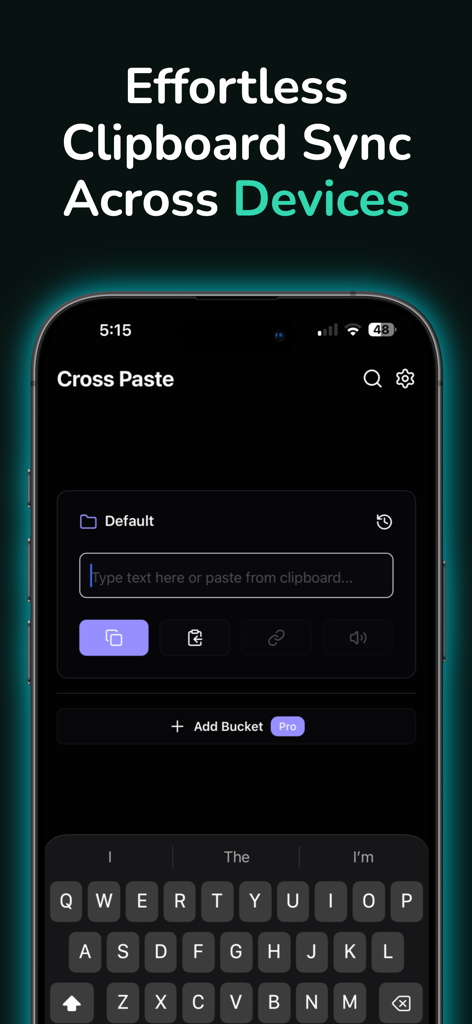
Cross Paste: Clipboard Sync - 여러 장치에 걸쳐 클립보드를 동기화하는 Cross Paste 앱 인터페이스
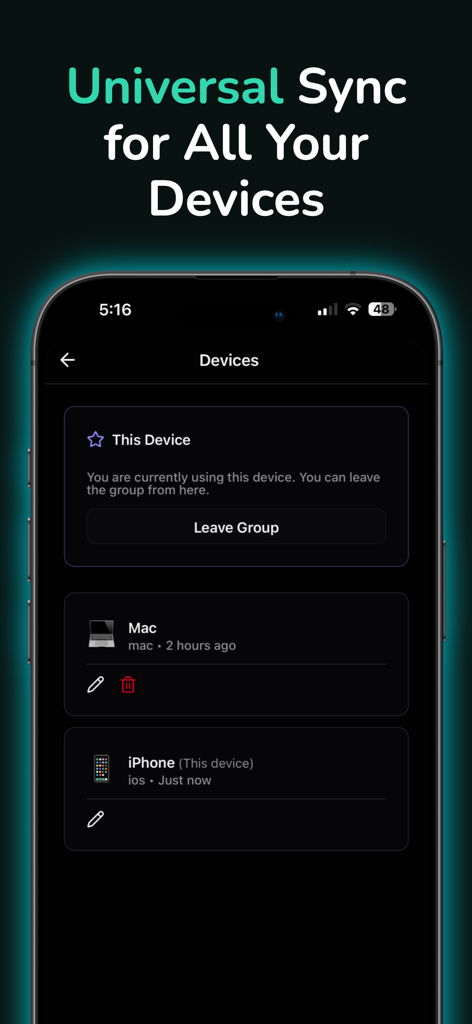
여러 장치에 걸쳐 클립보드를 동기화하는 Cross Paste 앱 인터페이스

Cross Paste: Clipboard Sync - Cross Paste 앱 인터페이스, 범용 클립보드 동기화를 위해 iPhone 및 Mac이 연결된 장치 화면 표시
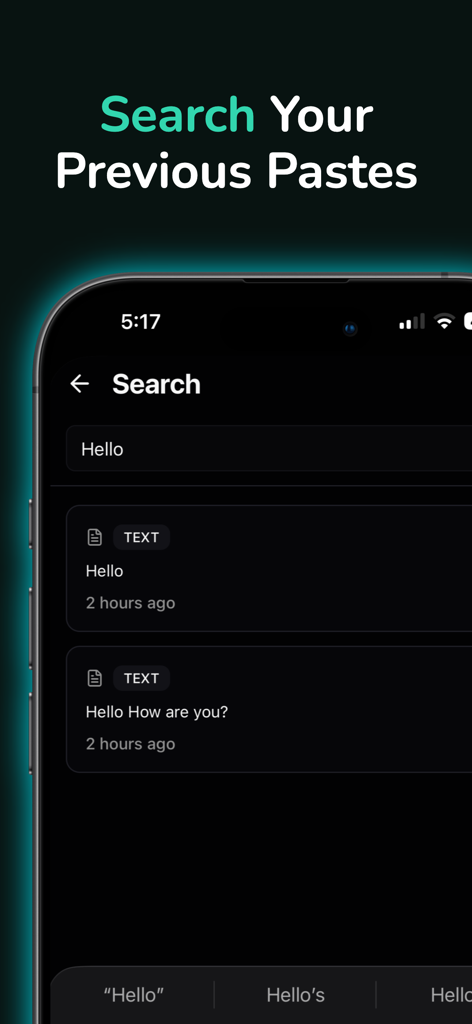
Cross Paste 앱 인터페이스, 범용 클립보드 동기화를 위해 iPhone 및 Mac이 연결된 장치 화면 표시

Cross Paste: Clipboard Sync - iPhone에서 hello라는 단어에 대한 이전 클립보드 기록을 보여주는 Cross Paste 앱의 검색 화면
iPhone에서 hello라는 단어에 대한 이전 클립보드 기록을 보여주는 Cross Paste 앱의 검색 화면

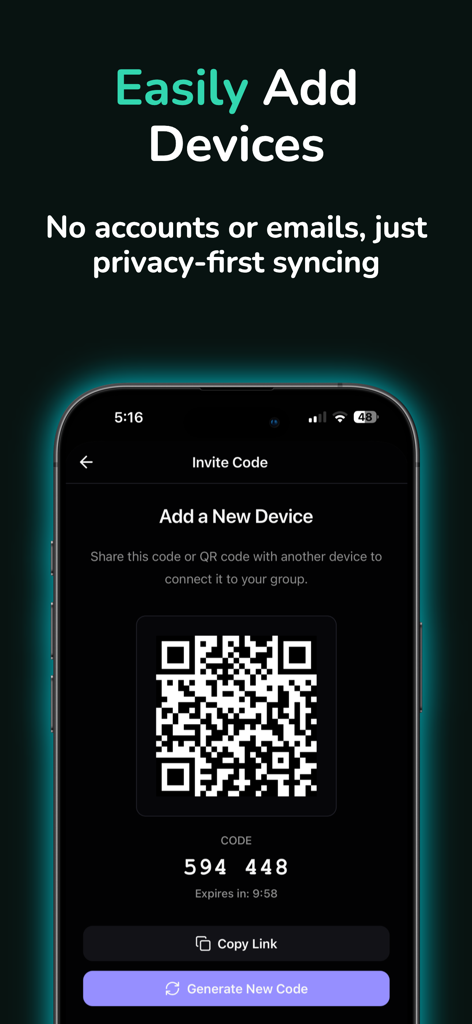
Cross Paste: Clipboard Sync - Cross Paste 앱 화면에 계정 없이 클립보드 동기화를 위한 새 장치 추가용 QR 코드 및 숫자 초대 코드 표시.

Cross Paste 앱 화면에 계정 없이 클립보드 동기화를 위한 새 장치 추가용 QR 코드 및 숫자 초대 코드 표시.

설명

Copy on Your iPhone, Paste on Your Computer. It's That Simple. Cross Paste is your universal clipboard manager that connects your Apple devices with the rest of your digital world. Copy something on your iPhone, and it's instantly available on your Mac, PC, or web browser. No more emailing yourself links. No more switching between apps. Just seamless clipboard sync across every device you own. HOW IT WORKS 1. Install Cross Paste on all your devices 2. Scan a QR code to connect them 3. Start copying and pasting instantly That's it. No accounts. No passwords. No complicated setup. Just working technology that makes your life easier. WHY YOU'LL LOVE IT Works Everywhere The clipboard manager that bridges the gap between your mobile devices and your desktop environment. Mix and match the devices you use daily. Lightning Fast Your clipboard syncs instantly. Copy on your phone, switch to your laptop, and it's already there waiting for you. Private & Secure No account required. No personal information collected. Your clipboard stays yours, with secure device-to-device sync. Never Lose Anything Keep your clipboard history safe. Find that link you copied yesterday, or that code snippet from last week. Everything is saved and searchable. Stay Organized Create custom buckets to organize your clipboard by project. Keep work separate from personal, code snippets organized, and everything exactly where you need it. Find Anything Instantly Search your entire clipboard history with smart search. Just describe what you're looking for, and find it in seconds. Listen to Your Clipboard Use text-to-speech to listen to long articles or documents. Perfect for multitasking or when you can't look at your screen. Quick Link Access Instantly open URLs from your clipboard history. No more copying and pasting into your browser—just tap and go. PERFECT FOR EVERYONE Developers Copy code snippets between your machines. Keep your development workflow seamless across every screen. Writers & Researchers Sync research notes between your iPad and PC. Never lose that perfect quote or important link. Students Share notes between your phone and laptop instantly. Study anywhere, on any device. Power Users Connect unlimited devices. Organize everything with custom buckets. Search your entire clipboard history. Multi-Device Users If you switch between mobile and desktop throughout the day, Cross Paste makes it feel like one seamless experience. KEY FEATURES - Universal Clipboard Sync: Copy on iPhone, paste on your PC. Seamless transfer between mobile and desktop. - Clipboard History Manager: Your clipboard history is saved and searchable. - Cross-Platform Freedom: Works across iOS, macOS, PC, and web browsers. - Real-Time Sync: Connect your phone, tablet, and computer. - No Account Required: Privacy-first design. No sign-ups, no passwords. - Custom Buckets: Organize your clipboard by project or category. - Smart Search: Find any paste by content or date. - Text-to-Speech: Listen to your clipboard content on the go. - Recovery Keys: Save a recovery key to restore your sync group on new devices. https://www.apple.com/legal/internet-services/itunes/dev/stdeula/

Download

다운로드: App Store

이 페이지는 앱이나 개발자의 공식 페이지가 아니며, 정보 제공 및 논평을 목적으로 작성된 독립 편집 간행물입니다. 명시적으로 달리 언급되지 않는 한, 해당 앱이나 개발자는 MWM, Apple, Google Play, 앱 퍼블리셔 또는 앱 개발자와 제휴, 보증, 후원, 승인 또는 공식적으로 연결되어 있지 않으며, 이 페이지의 어떤 내용도 해당 앱이 MWM의 서비스를 사용하여 개발되었음을 의미하지 않습니다. 모든 상표, 로고, 스크린샷 및 기타 콘텐츠는 해당 소유자의 자산입니다.








