Cross Stitch Pattern Creator

Cross Stitch Pattern Creator

다운로드: App Store
로고: Cross Stitch Pattern Creator

십자수 패턴 생성기: 좋아하는 사진으로 맞춤 걸작 디자인하기

현대 제작자를 위한 궁극의 태블릿 우선 도구입니다. 이미지를 변환하고, 공식 DMC 실 색상을 사용하며, 다음 세대 프로젝트를 위한 전문가 수준의 패턴을 만드세요.

다운로드: App Store

개발사

Sand Castle Designs, Inc

카테고리

Graphics & Design

다운로드

2K+

사용자 평점

1.0/5

총 평가 수

0

지원 언어

1

모든 스티치 디자인하기

이 인터페이스를 사용하는 2K+ 명의 사용자.

십자수 패턴 생성기 앱 홈 화면, 무료 꽃과 자전거 패턴 목록 표시
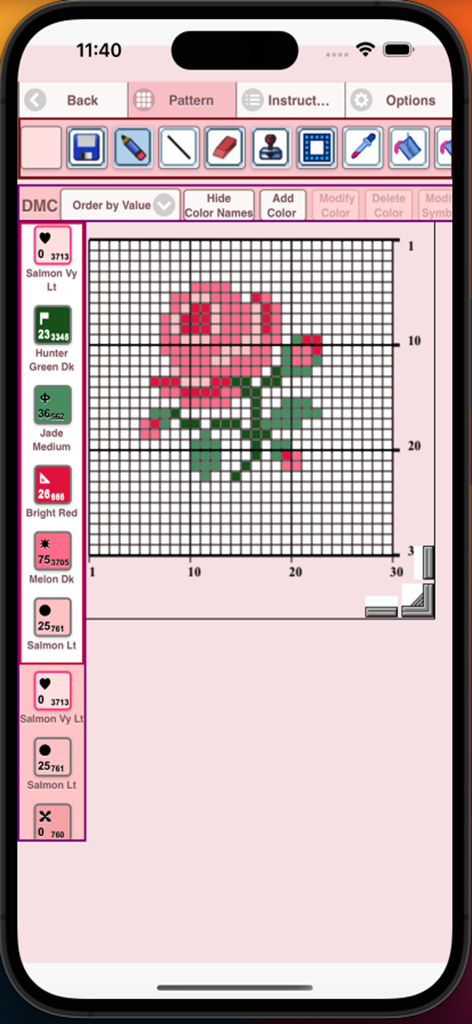
십자수 패턴 생성기 앱 홈 화면, 무료 꽃과 자전거 패턴 목록 표시

십자수 패턴 생성기 앱, DMC 실 색상 코드가 있는 그리드에 장미 디자인 표시
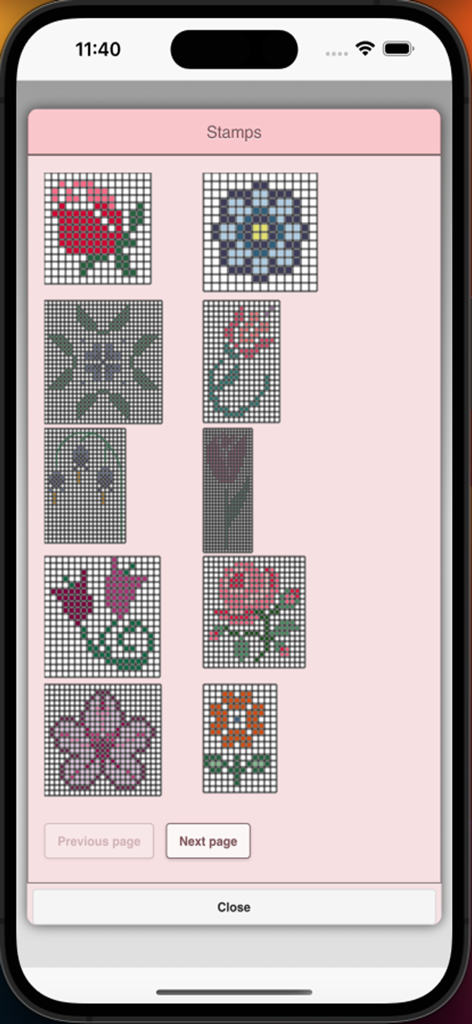
십자수 패턴 생성기 앱, DMC 실 색상 코드가 있는 그리드에 장미 디자인 표시

모바일 앱에서 십자수 패턴을 만드는 데 사용할 수 있는 꽃 스탬프 라이브러리
모바일 앱에서 십자수 패턴을 만드는 데 사용할 수 있는 꽃 스탬프 라이브러리

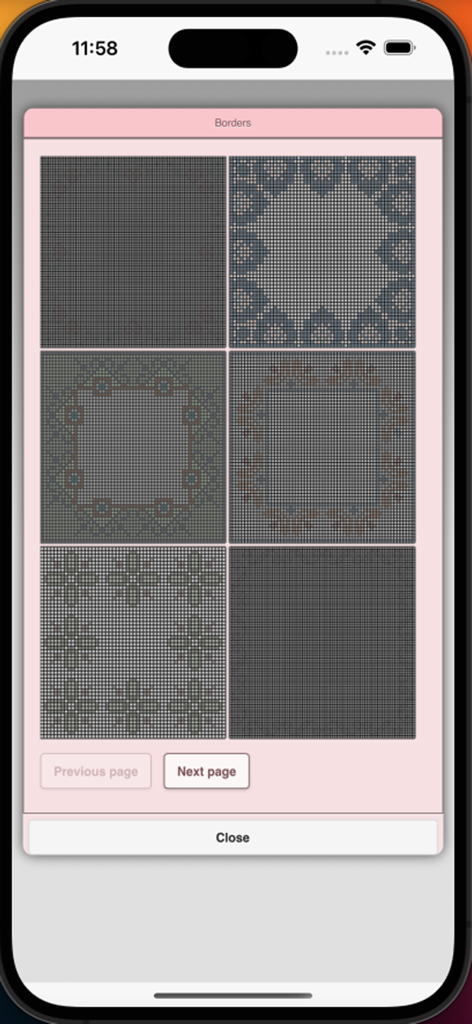
앱 메뉴에서 선택 가능한 십자수 테두리 패턴
앱 메뉴에서 선택 가능한 십자수 테두리 패턴

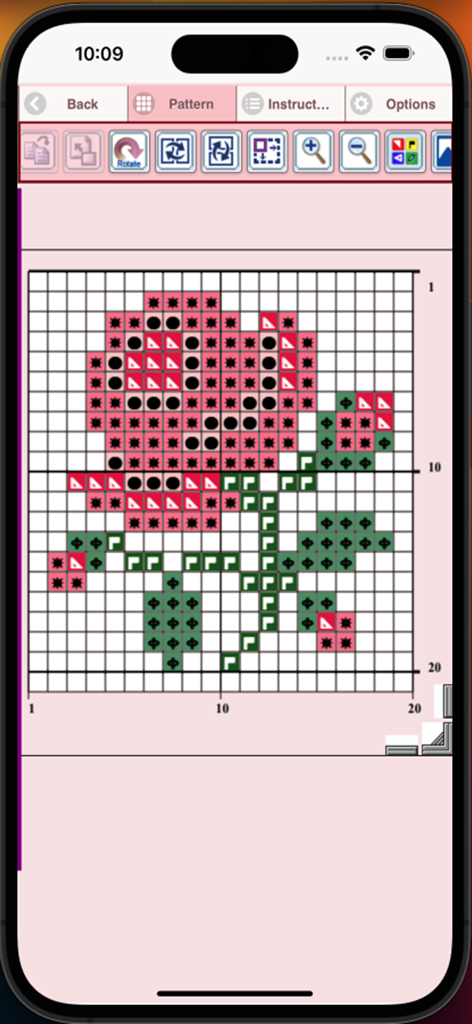
십자수 패턴 생성기 앱 인터페이스, 기호와 번호가 매겨진 그리드에 장미꽃 디자인 표시
십자수 패턴 생성기 앱 인터페이스, 기호와 번호가 매겨진 그리드에 장미꽃 디자인 표시

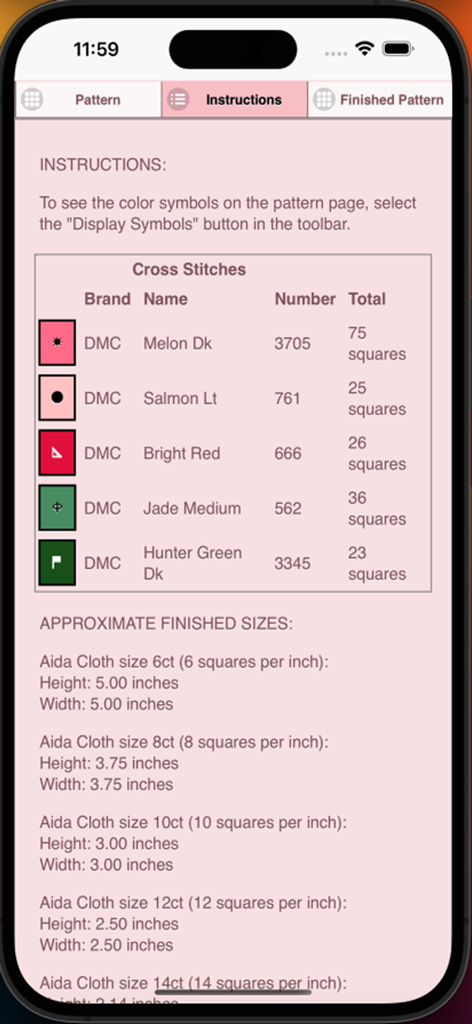
DMC 실 색상과 Aida 천 사이즈가 포함된 십자수 패턴 설명
DMC 실 색상과 Aida 천 사이즈가 포함된 십자수 패턴 설명

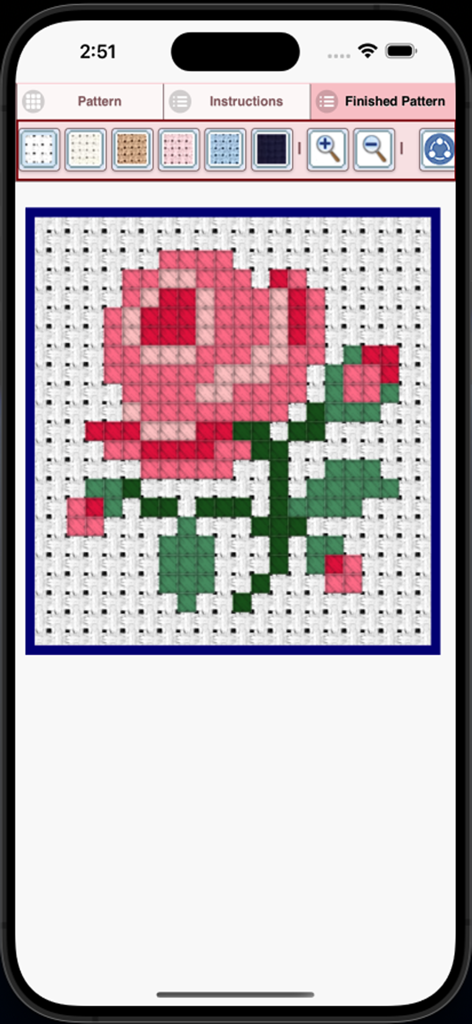
앱에서 완성된 분홍 장미 십자수 패턴 미리보기
앱에서 완성된 분홍 장미 십자수 패턴 미리보기

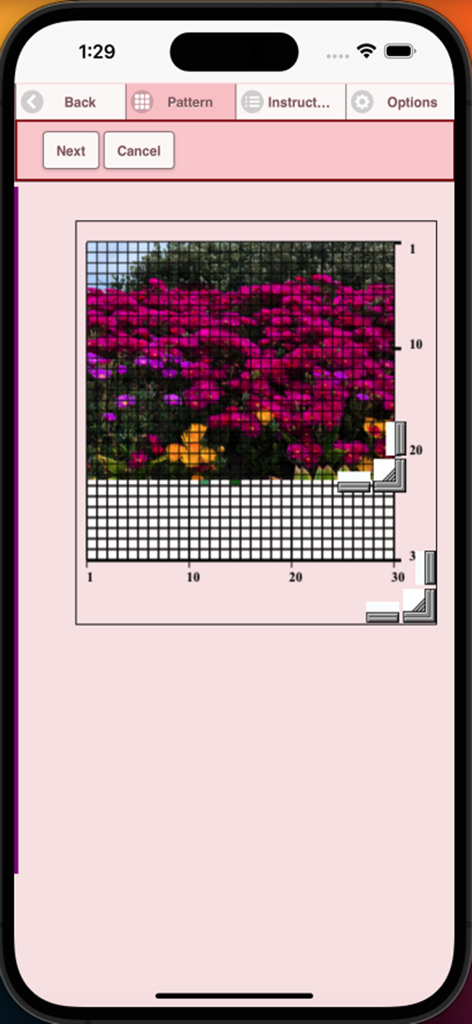
꽃 사진을 십자수 그리드 패턴으로 변환하는 모바일 앱 인터페이스

꽃 사진을 십자수 그리드 패턴으로 변환하는 모바일 앱 인터페이스

자신만의 걸작 만들기

이 앱을 돋보이게 하는 도구, 2K+ 명의 사용자가 선택.

📸

추억을 패턴으로 만들기

반려동물, 사랑하는 사람, 풍경 사진을 업로드하고 즉시 전문가용 스티치 가능한 그리드로 변환하세요.

🎨

정밀도를 위한 프로 도구

전체 DMC 실 라이브러리, 백스티치 도구, 명확한 기호를 사용하여 디지털 아트가 천에서 완벽하게 보이도록 디자인하세요.

🖨️

인쇄, 공유 및 스티치

맞춤 디자인을 인쇄 가능한 차트로 내보내거나 커뮤니티와 공유하여 즉시 다음 수제 프로젝트를 시작하세요.

앱 소개

에 대해 알아야 할 모든 것 Cross Stitch Pattern Creator.

설명

Cross Stitch Pattern Creator Comes with 4 sample cross stitch patterns. Download is free. To activate is $2.99. Create your own cross stitch patterns using Cross Stitch Pattern Creator Highly recommended to use a tablet because of cross stitch pattern size. To create cross stitch patterns, select Create a Cross Stitch Pattern button. The Cross Stitch Pattern Editor will appear. Fill in the squares with DMS floss colors. You can even add your own colors if you want. To get started - Use the pencil to fill in squares to your cross stitch pattern. Use the Eraser to clear filled squares from your cross stitch pattern. You also can select from over 80 stamps and borders to apply to your cross stitch pattern. Buttons from left to right in the button bar are: DMC Floss Color button - use to select the floss color you want to use Save - button to save your pattern Pencil - button to fill in squares on your cross stitch pattern Eraser - use to erase filled squares and backstitch lines from your pattern Backstitch - First select the color button to select the color for the backstitch. Now select Backstitch button to add backstitch lines on your cross stitch pattern Backstitch move - Select a backstitch and drag it to a new location Backstitch move stitch end - Select a backstitch. Blue boxes will appear over each end of the backstitch. Now move either end to new location. Stamps - selectable little stamps (little cross stitch designs) to add to your cross stitch pattern Borders - selectable borders to add to your pattern. Borders automatically wrap around your cross stitch pattern. Dropper - lets you extract a color from your pattern and add more of that color to your cross stitch pattern Bucket - use to fill selected area with the current selected color Bucket+ - used to replace a color with the currently selected color Undo - undo each last change you made to the pattern Redo - redo each changes you undid Selection box - select the area of the pattern to cut/copy/rotate/flip Cut- First select the "Selection box" button to select an area of the pattern. Now select the cut button to remove select area of your cross stitch pattern Copy - First select the "Selection box" button to select an area of the pattern. Now select the copy button to copy the selected area of your cross stitch pattern to the clipboard. Paste - Paste copied area to your cross stitch pattern. Now drag the pasted box to the location you want. Rotate - rotated selected area of the pattern or whole pattern Flip right/left - flip selected area of the pattern or whole pattern Flip top/bottom - flip selected area of your cross stitch pattern or whole pattern Zoom in - magnify the pattern Zoom out - minify the pattern Symbols - displays a unique symbol on each color to indicate it's color value Picture - select a picture from your device and convert to a pattern Print pattern - select to print your pattern Social media - use social media to share your pattern (email, text etc.) Resize bars - resize bars are display at the bottom right corner of your pattern. Drag them to resize your cross stitch pattern Option settings - change the grid color, change fill style from Solid to X's, select not to display the row/column counter. Instruction page - displays the DMC colors used and finished sizes for different Aida Cloth sizes Finished Product page - displays what your pattern looks like after cross stitched. You can also change the fabric color.

최신 버전

8

크기

12.2 MB

출시일

2024년 1월 18일

오늘의 다음 걸작 디자인 시작하기

수천 명의 제작자가 추억을 맞춤 DMC 차트로 바꾸고 있습니다. 무료로 다운로드하고 iPad에서 모든 창의적인 힘을 발휘하세요. 단 한 번의 활성화 비용은 $2.99입니다.

다운로드: App Store

App information, icons, screenshots, and descriptions displayed on this page are sourced from the Apple App Store and are the property of their respective developers. Download estimates and rankings are based on MWM's proprietary models and may not reflect actual figures. This page is provided for informational and analytical purposes only.

Believe this page infringes your intellectual property? File a dispute