CuadraTurnos PMM PRO - Policía

CuadraTurnos PMM PRO - Policía

다운로드: App Store
로고: CuadraTurnos PMM PRO - Policía

CuadraTurnos PMM PRO - Policía: 법 집행 기관을 위해 제작된 전문가용 교대 근무 관리자

순환 일정을 관리하고, 파트너와 순찰 통계를 추적하며, 근무와 삶의 균형을 맞추세요. Thin Blue Line(경찰)을 위해 설계된 광고 없는 안전한 올인원 앱입니다.

다운로드: App Store

개발사

SY Technologies & Computer Solutions Spain, S.L.

카테고리

Productivity

다운로드

16K+

사용자 평점

3.5/5

총 평가 수

0

지원 언어

2

모든 교대 근무에서의 정밀함

이 인터페이스를 사용하는 16K+ 명의 사용자.

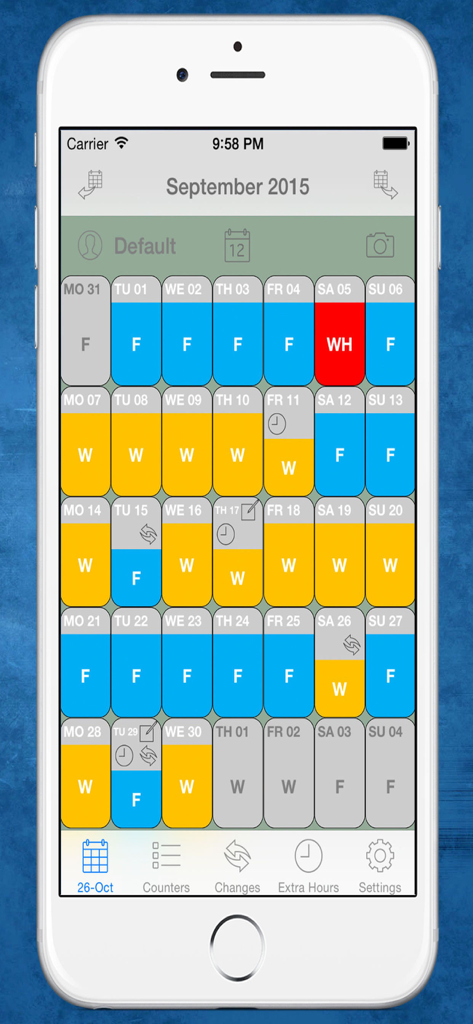
경찰관을 위해 색상으로 구분된 근무 교대와 휴무일을 보여주는 월간 달력 보기

경찰관을 위해 색상으로 구분된 근무 교대와 휴무일을 보여주는 월간 달력 보기

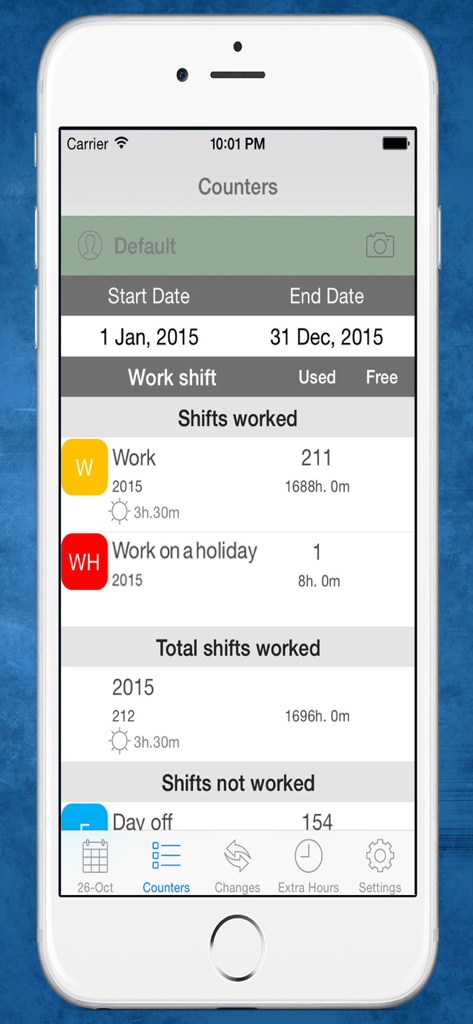
경찰 근무 교대와 연간 총 근무 시간을 보여주는 CuadraTurnos PMM PRO 앱의 통계 화면

경찰 근무 교대와 연간 총 근무 시간을 보여주는 CuadraTurnos PMM PRO 앱의 통계 화면

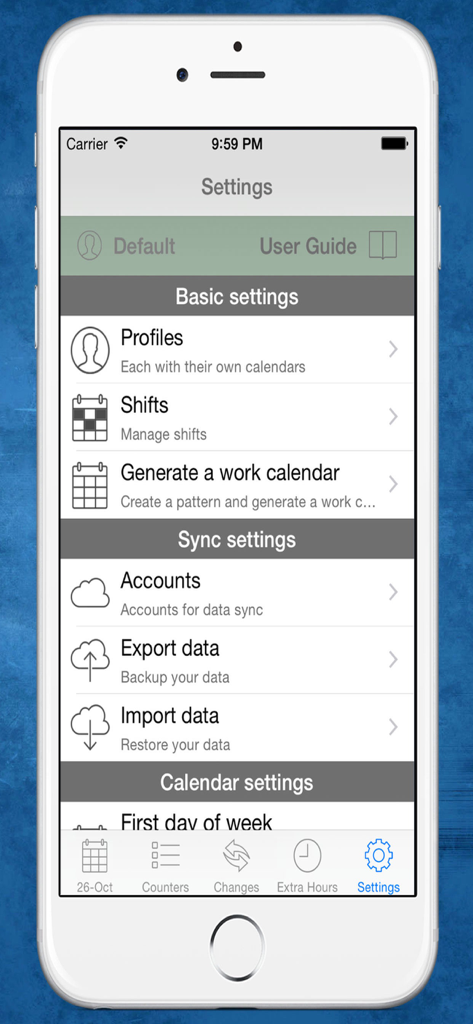
프로필 및 교대 근무 관리 옵션을 보여주는 CuadraTurnos PMM PRO 경찰 앱의 설정 화면

프로필 및 교대 근무 관리 옵션을 보여주는 CuadraTurnos PMM PRO 경찰 앱의 설정 화면

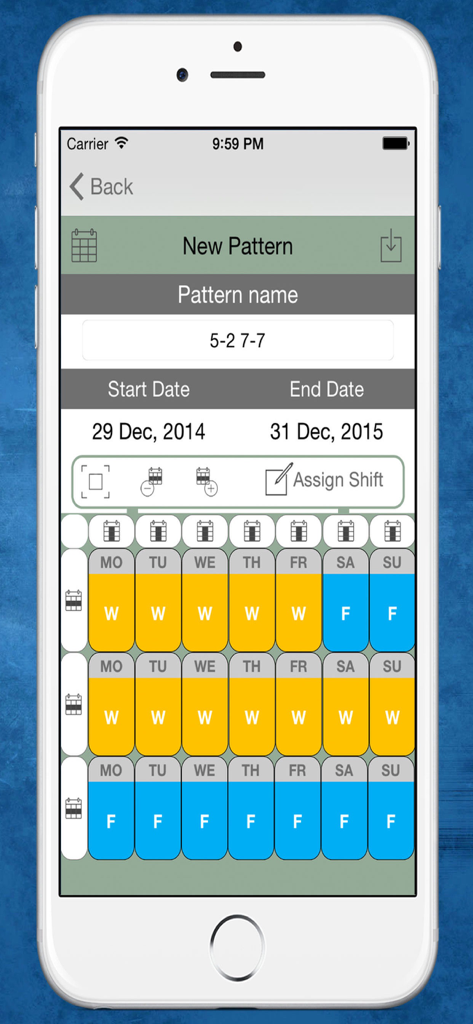
근무일과 휴무일이 포함된 다주간 일정을 보여주는 CuadraTurnos PMM PRO 앱의 새로운 근무 교대 패턴 생성 인터페이스

근무일과 휴무일이 포함된 다주간 일정을 보여주는 CuadraTurnos PMM PRO 앱의 새로운 근무 교대 패턴 생성 인터페이스

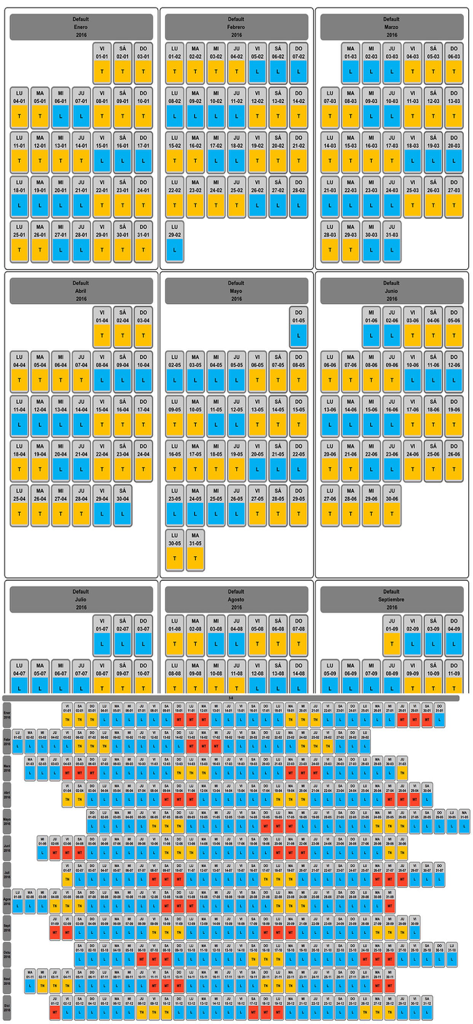
색상으로 구분된 근무일과 휴무일이 포함된 경찰관용 월간 및 연간 교대 순환 달력

색상으로 구분된 근무일과 휴무일이 포함된 경찰관용 월간 및 연간 교대 순환 달력

근무 일정을 완벽하게 관리하세요

이 앱을 돋보이게 하는 도구, 16K+ 명의 사용자가 선택.

📅

자동화된 순찰 패턴

4일 근무/2일 휴무 또는 파나마 교대 근무와 같은 맞춤형 순환 일정을 설정하여 몇 초 만에 1년 전체 일정을 생성하세요. 몇 달 전부터 미리 가족 시간을 계획할 수 있습니다.

👮

전문적인 서비스 로그

파트너 이름, 차량 ID, 순찰 유형을 포함한 모든 근무의 중요한 세부 사항을 기록하여 향후 법정 증언에 항상 대비할 수 있도록 하세요.

📊

초과 근무 및 생산성 추적

근무일, 초과 근무 및 순찰 통계를 자동으로 요약해 주는 내장 카운터로 추가 근무와 부업을 추적하여 단 1원도 놓치지 마세요.

앱 소개

에 대해 알아야 할 모든 것 CuadraTurnos PMM PRO - Policía.

설명

Languages: English and Spanish. This version is an adapted version for police, in which, besides having your shift calendar always with you, you can have important policial information associated with each service as the partner with whom to perform the service, type of service provided (patrol by car , by motorbike, on foot, ...), vehicle used, ... You will also have access, apart from statistics of workdays and days off, to other statistics, called productivity, where it shows the number of days they have patrolled by car, by motorbike, on foot, .... Shift Cal - Cuadra Turnos is an essential app designed for people with shift work. This app will help you manage and organize your work schedule in a simple and intuitive way and will let you take it in your iPhone or iPad. - PRO VERSION - No ads. - Create your own work calendar from the 'Settings' tab by clicking 'Generate work calendar' option and setting up a pattern. - Set your work shift in a particular day: just make a long press or a double tap on that day in the calendar and choose among the different types of day available. - PRO VERSION - You can set up to 3 shifts per day. - Create and modify all types of day you need: From the 'Shifts' option in the Settings tab. - App comes with the following 'shifts' already created (T-work, TF-Work on a holiday, L-Day off, LF-Day off on a holiday, V-holidays). - PRO VERSION - Create as many work calendars as you need (peers, family, ...) from the 'Settings' tab by clicking 'Profiles' option. - PRO VERSION - Manages shifts, patterns and notes independently in each profile. - PRO VERSION - Compare work calendars of the existing profiles from the 'Settings' tab by clicking 'Compare Work Calendars' option. - PRO VERSION - Quick access buttons to annual view, compare profiles and screenshot at the top of the main screen. (Filter by months / years) - Manage daily data fields: You can set the visibility and order of data fields in workdays and in days off. - PRO VERSION - It's allow to create new daily data fields and also editing existing data daily fields. - You will find statistics of workdays, hours worked and overtime in COUNTERS tab. - Control your shift changes and the partner with whom you do it from the CHANGES tab, the calendar displays a small icon in the day on which you have made ​​a shift change. - Control overtime you make. The calendar displays a small icon in the day on which you have made overtime, you will find summarized information in day detail and more information in EXTRA HOURS tab. - Write down as many notes as you need for each day of the week and you can even set a start and end time for each note as if it were an organizer. The calendar displays a small icon in the day on which you have notes. - PRO VERSION - Set notifications in the notes to be notified on the date and time specified. - You will have an overview of your year calendar: To access, simply click the 'Year View' button. - You can export and import your data: you can make backups of your data and restore them whenever you want, even in different devices. Backup files are compatible with all Shift Cal - Cuadra Turnos apps. - Export and import your data via Dropbox. - PRO VERSION - To recover data from the Free version just export the data from the Free version and restore it in the PRO version. - Screenshot: generates a png image or pdf file of the tab in which you are or year view which you can share via bluetooth, email, whatsapp ... - Associate images/photos to a day is possible. (Only 1 image/photo by day in free version). - Productivity information available.

최신 버전

2.31

크기

36.7 MB

출시일

2015년 12월 2일

교대 근무와 당신의 삶을 주도하세요

초과 근무를 추적하고, 복잡한 순환 근무를 관리하며, 파트너 및 가족과 일정을 공유하기 위해 CuadraTurnos PMM PRO를 신뢰하는 수천 명의 법 집행 전문가들과 함께하세요. 광고 없이 업무에 필요한 도구만 제공합니다.

다운로드: App Store

App information, icons, screenshots, and descriptions displayed on this page are sourced from the Apple App Store and are the property of their respective developers. Download estimates and rankings are based on MWM's proprietary models and may not reflect actual figures. This page is provided for informational and analytical purposes only.

Believe this page infringes your intellectual property? File a dispute